Feedback: Cannot Login to Microsoft Learn
I recently changed my Microsoft email a few weeks ago and ever sense then I have been unable to progress in Microsoft Learn courses. Any time I try and start a new course it asks me to either login or continue without saving. I am unsure on how to progress.
Every time that I click on the log on link it takes me to the following page. https://techprofile.microsoft.com/en-US/Error?replyUrl=https://docs.microsoft.com/en-us/learn/browse/&
Profile - https://techprofile.microsoft.com/en-us/sesoccer911
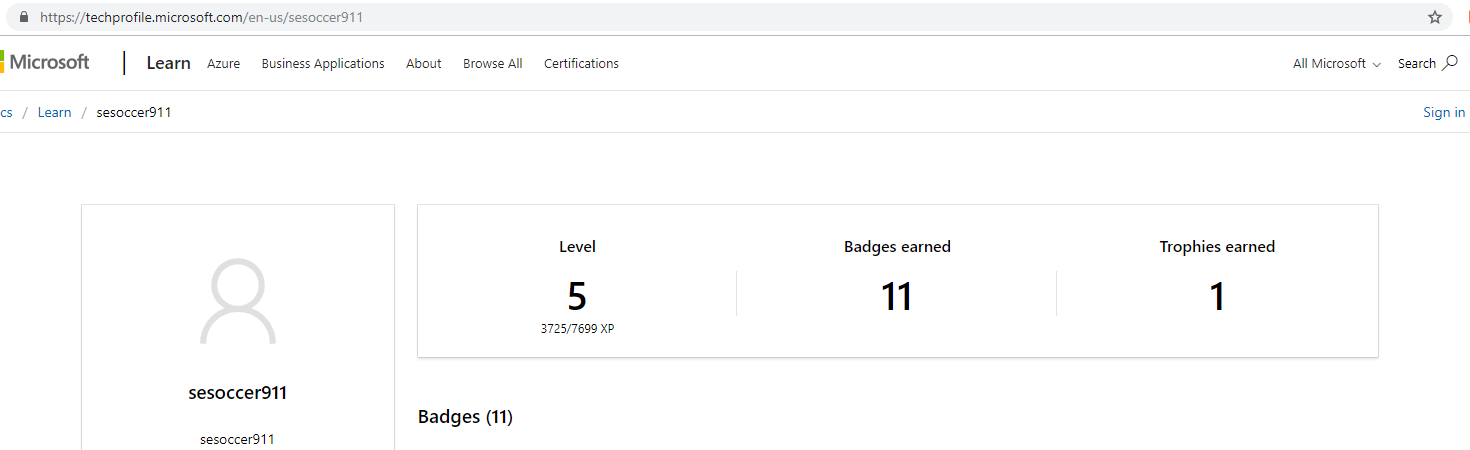
Desktop (please complete the following information):
- OS: Windows 10
- Browser Chrome
- Version 71.0.3578.98 (Official Build) (64-bit)
 sesoccer911
All 14 comments
Thank you for creating the issue! One of our team members will get back to you shortly with additional information.
![welcome[bot] picture](https://avatars.githubusercontent.com/in/4141?v=4&s=40) welcome[bot]
on 4 Jan 2019
welcome[bot]
on 4 Jan 2019
@saldana Can you take a look at this issue?
 Powerhelmsman
on 7 Jan 2019
Powerhelmsman
on 7 Jan 2019
I have tried to login using another computer, as well as using the browsers Firefox and Edge, I get the same error screen as before. Incognito mode also does not work.
Any update on a possible solution other than changing my email back?
sesoccer911
on 10 Jan 2019
Hello @Powerhelmsman and @saldana, is there any update to this issue?
sesoccer911
on 18 Jan 2019
@saldana Can you take a look at this issue?
I hate to be a bother but it has been 20+ days. Is there a more appropriate place that I should be looking for assistance with my issue?
sesoccer911
on 31 Jan 2019
Sorry @sesoccer911, it seems that GH notifications were mutes.
@Sampy can you help troubleshooting this issue? It seems that @sesoccer911 has tried everything.
 saldana
on 1 Feb 2019
saldana
on 1 Feb 2019
This is an issue we are aware of (users changing the email used to sign in to their MSA not being able to sign in) and the good news is we have a fix in the works that we are hoping to roll out this week or next.
 Sampy
on 4 Feb 2019
Sampy
on 4 Feb 2019
We have deployed a change that should fix this issue. It may take some time to roll out to you so try it again and let me know if you are still hitting the problem. If so, there may be another cause we need to look into.
Sampy
on 11 Feb 2019
Thank you for the update, I can report that the issue has been resolved!
Thanks!
sesoccer911
on 12 Feb 2019
Hi!I am facing a similar connection problem today: in fact, I've changed my password for safety reasons a few hours ago but it's impossible to connect to my Microsoft learn profile. When selecting the "sign in" button on the screen the Microsoft page stays in the same position and do not give me the chance to write down any password etc. It seems that "sign in" is deactivated...Could you please have a look? I don t want to loose my level information and score as well. Thank you so much!
 mariarev
on 22 Jul 2019
mariarev
on 22 Jul 2019
Hi!I am facing a similar connection problem today: in fact, I've changed my password for safety reasons a few hours ago but it's impossible to connect to my Microsoft learn profile. When selecting the "sign in" button on the screen the Microsoft page stays in the same position and do not give me the chance to write down any password etc. It seems that "sign in" is deactivated...Could you please have a look? I don t want to loose my level information and score as well. Thank you so much!
mariarev
on 22 Jul 2019
@sampy and @jialge can you look at this issue?
saldana
on 22 Jul 2019
Can you share what page you are on when you try to sign in? Please try this in an InPrivate/Incognito mode browser as well which will help isolate the issue.
We are going to be deploying some changes to the way we sign users in over the next few weeks that will be transparent to you but may resolve this issue as well.
Sampy
on 22 Jul 2019
My browser is on [https://docs.microsoft.com/en-us/learn/] page but on any other page I have tried to connect to Microsoft learn it was impossible, too.
Thank you! I've just tried the private mode but nothing happened. Still "sign in" choice seems to be totally deactivated...Neither may I achieve a new score since not being able to connect...
mariarev
on 23 Jul 2019
Related issues
 keithboesel
·
6Comments
keithboesel
·
6Comments
 ezfepo
·
4Comments
ezfepo
·
4Comments
 danielestevez
·
5Comments
danielestevez
·
5Comments
 supernova-eng
·
6Comments
supernova-eng
·
6Comments
 fghzxm
·
4Comments
fghzxm
·
4Comments