Feathers: RESTCLIENT can call FIND but not by REACT CODE
Steps to reproduce
(First please check that this issue is not already solved as described
here)
FEATHER CLIENT IMPORT

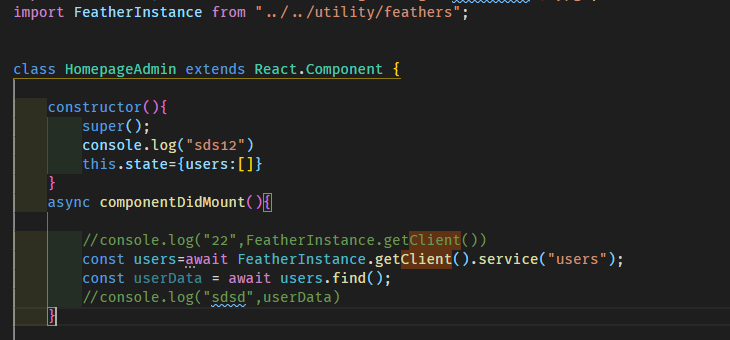
PROBLEM IN CODE
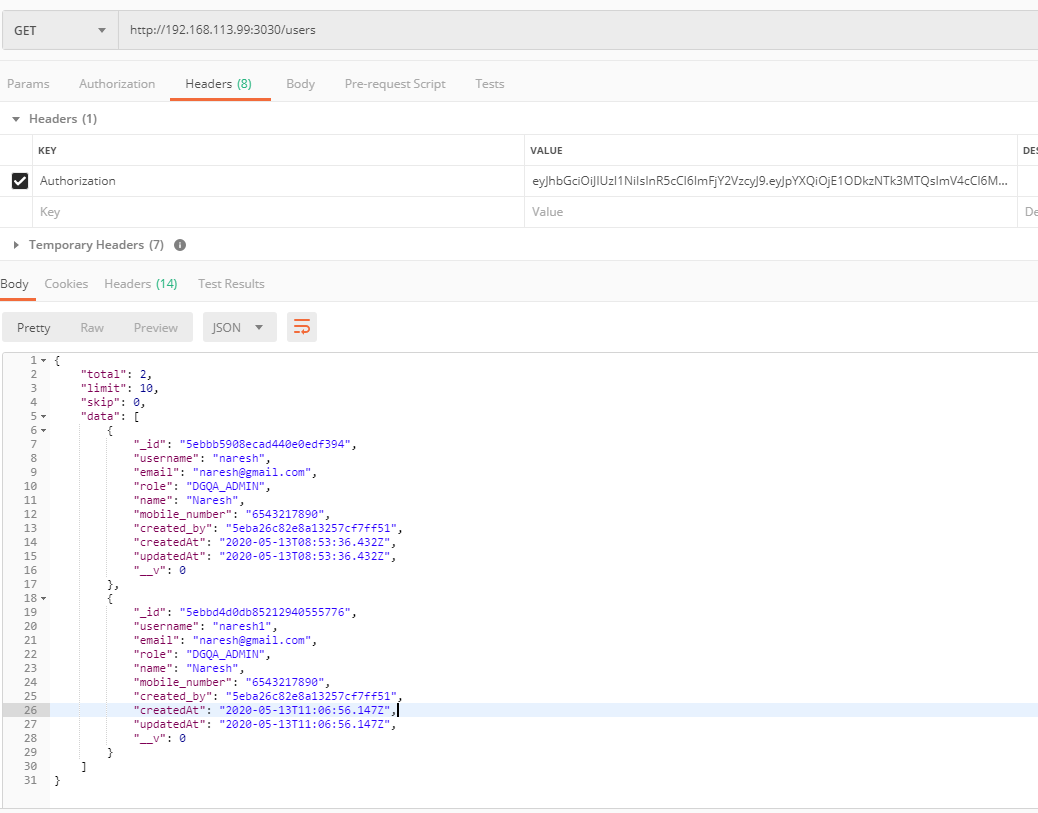
EASY RETURN IN POSTMAN
Expected behavior
should return data in users
Actual behavior
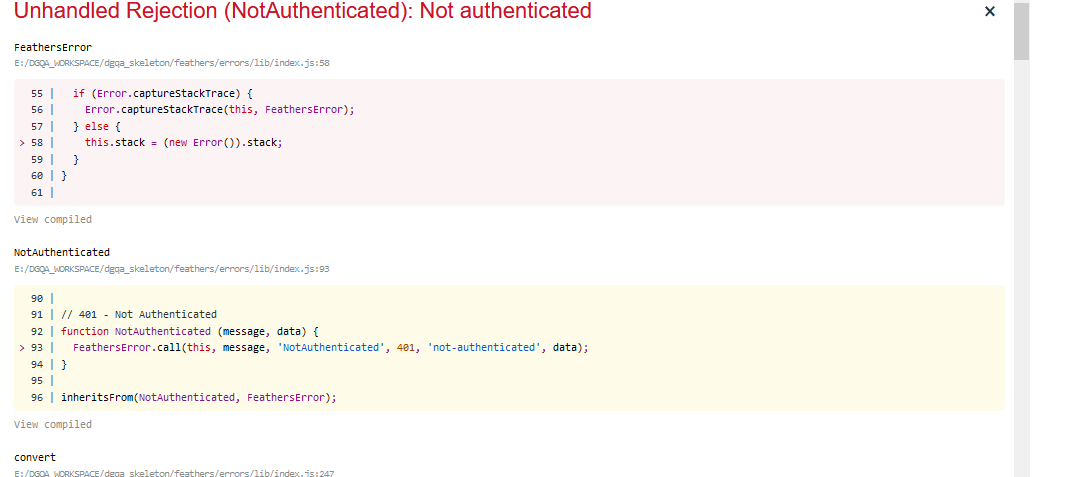
Tell us what happens instead
System configuration
windows , 16gb ram
Tell us about the applicable parts of your setup.
Module versions (especially the part that's not working): 4.5.4
NodeJS version: Latest
Operating System: Windows
Browser Version: Latest
React Native Version:not use
Module Loader: npm
 getforschin
All 4 comments
Did you authenticate with the feathers client before making the request?
And I don't know if freezing your feathers class is a good idea, as the feathers client handle its state internally.
 J3m5
on 13 May 2020
J3m5
on 13 May 2020
Did you authenticate with the feathers client before making the request?
And I don't if freezing your feathers class is a good idea, as the feathers client handle its state internally.
ok i will change freezing .. and i think the client object it is already authenticate and i can use client.service("users").find() and i authenticate it with client.authenticate function where i pass username and password and in my localhost i can see jwt-token in storing
getforschin
on 13 May 2020
Just having the token in storage is not enough. You have to call reAuthenticate every time your page loads for the client to use it.
 daffl
on 13 May 2020
daffl
on 13 May 2020
Just having the token in storage is not enough. You have to call reAuthenticate every time your page loads for the client to use it.
thanks for the reply @daffl , now i understand i have to reAuthenticate that token but i cannot under where exactly i have to do it in my code .. when i reload the page again my feather.js loads and again new client object created .. i cannot see the example where developer use reAuthenticate property on reload the page .. i study the chat-app of react app feather application where i cannot find reAuthenticate and when i refresh my page then same screen come without reauthentication.
It is very nice if i found an example where developer use react-router and reauthentication manage there
getforschin
on 13 May 2020
Related issues
 rstegg
·
3Comments
rstegg
·
3Comments
 NetOperatorWibby
·
4Comments
NetOperatorWibby
·
4Comments
 codeus-de
·
4Comments
codeus-de
·
4Comments
 stephane303
·
3Comments
stephane303
·
3Comments
 eric-burel
·
3Comments
eric-burel
·
3Comments
Most helpful comment
Just having the token in storage is not enough. You have to call reAuthenticate every time your page loads for the client to use it.