Fasthub: Don't know how to connect Enterprise account
FastHub Version: 4.0.3
Android Version: 7.1.2 (SDK: 25)
Device Information:
- MANUFACTURER: Google
- BRAND: google
- MODEL: Pixel
Hi there. I'm a designer with an Enterprise account. I just upgraded my fasthub app so I can add an Enterprise account but now that I have the option, I don't know what to do next. Do you have documentation on this?
Thanks!
_Sent from my Google Pixel using FastHub_
 wendsday
All 12 comments
@wendsday which part are you having issues with?
 yakov116
on 16 Aug 2017
yakov116
on 16 Aug 2017
I'm not sure which credentials to use and I don't understand the explanation when I tap on "login with oauth"
wendsday
on 16 Aug 2017
@wendsday put in your enterprise info. Or create a token and login using the token
yakov116
on 16 Aug 2017
Click on ( your profile name in the drawer menu) then click on add account, choose Enterprise and please login either via Access Token or basic auth as Github does support Oauth in Enterprise accounts.
I hope that explain it.
_Sent from my Galaxy S8 using FastHub Debug_
 k0shk0sh
on 17 Aug 2017
k0shk0sh
on 17 Aug 2017
@yakov116
@wendsday put in your enterprise info. Or create a token and login using the token
The enterprise info didn't work.
I don't know how to create a token - can you link to a step by step guide?
@k0shk0sh I need more guidance than that. Basic Auth didn't work and I don't know how to do the Access Token thing.
wendsday
on 17 Aug 2017
@wendsday could you tell me what error message you receiving? If there is any?
The guide is straight forward if you followed the steps correctly above you should end up logging in.
Have you entered the right Enterprise url?
Could you please be more specific on what have you tried/steps you did?
_Sent from my Galaxy S8 using FastHub Debug_
k0shk0sh
on 17 Aug 2017
Of course!
Here, I chose Enterprise
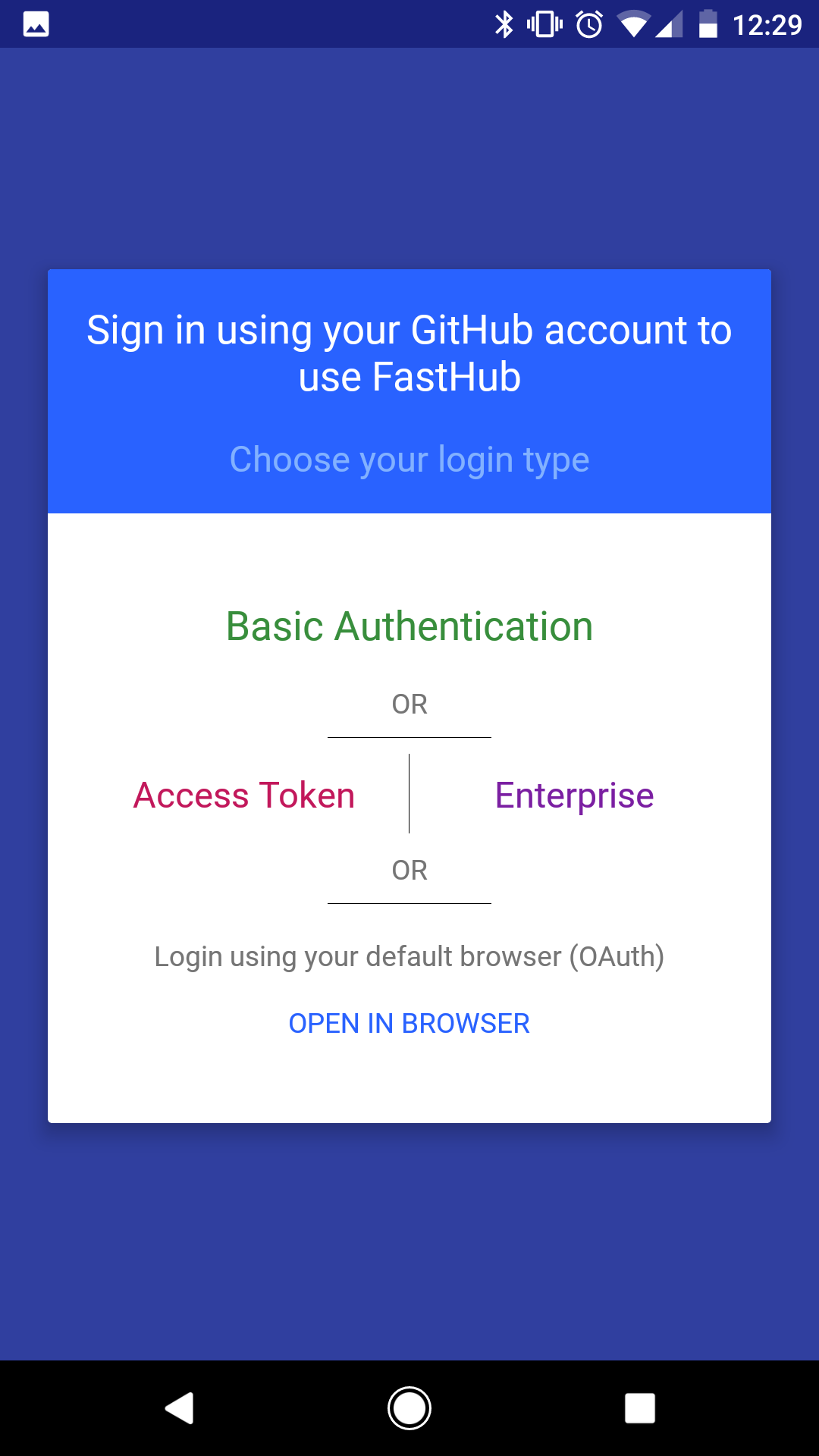
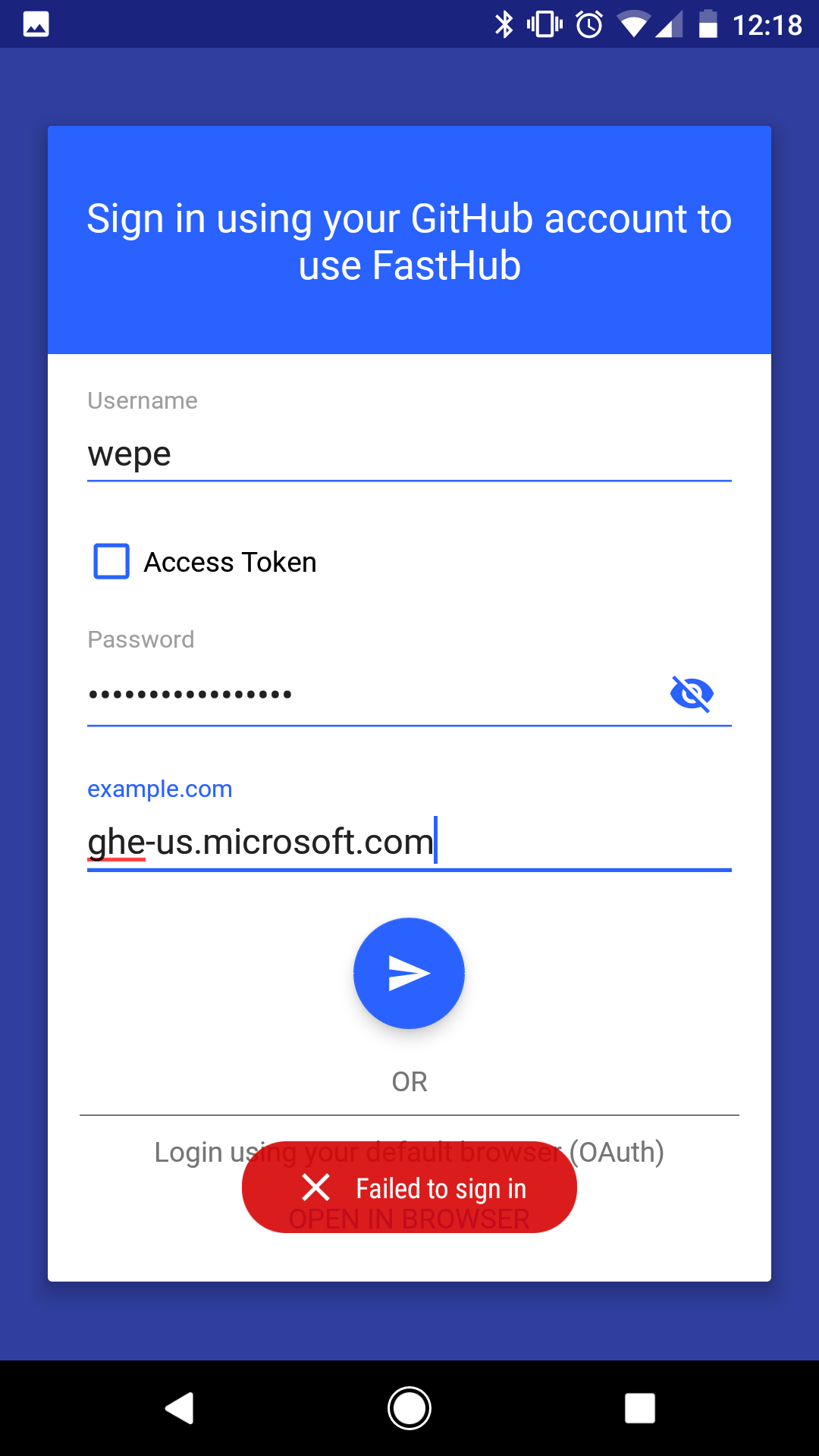
I then tried entering my credentials, which I didn't think would work because If I wanted to log into my enterprise account in my browser, I'm taken to my organization auth page. But I tried it anyway:
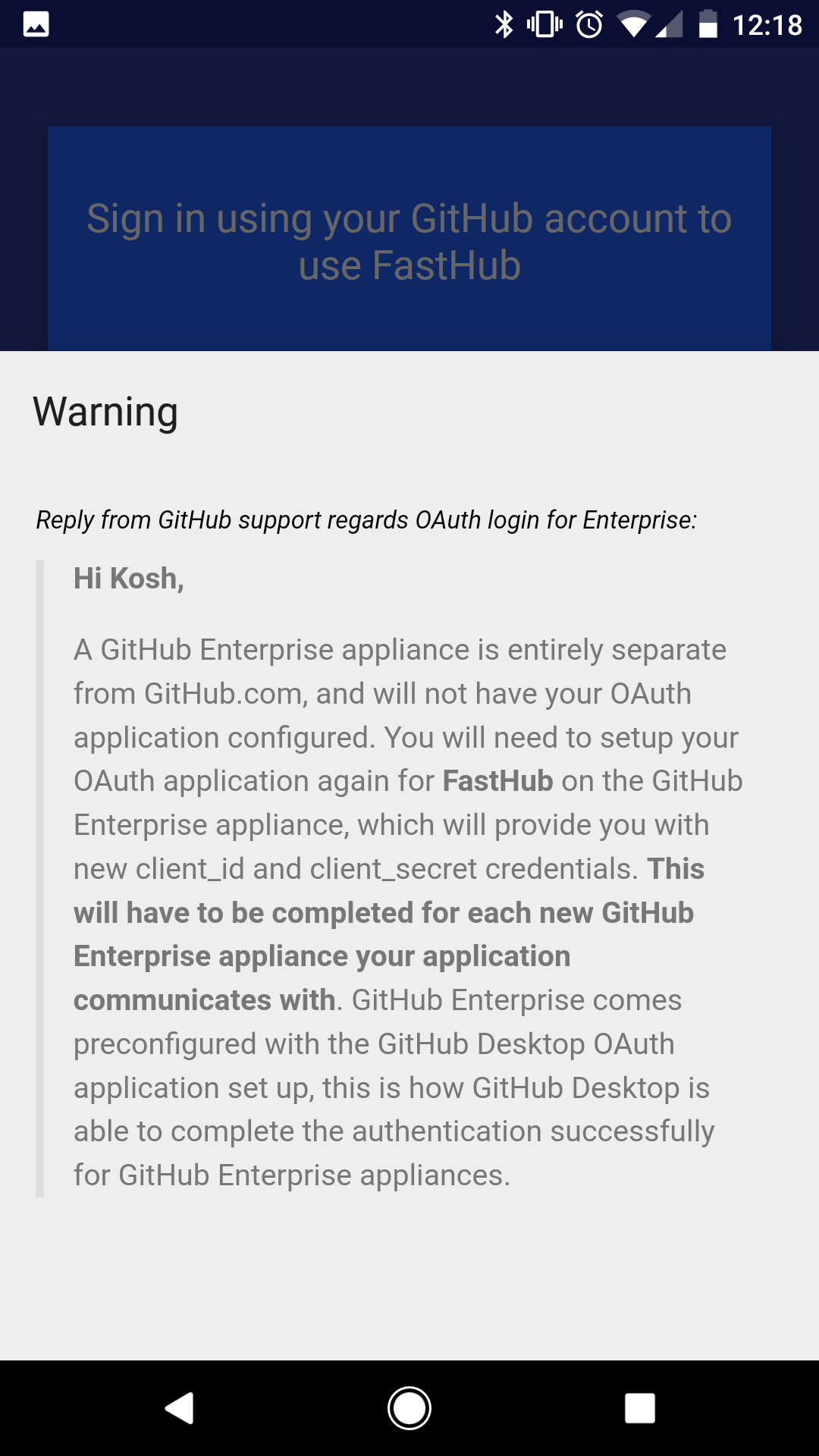
I then tried the Login using your default browser (OAuth) link and got this Warning which honestly, I don't understand:
wendsday
on 17 Aug 2017
@wendsday can you generate a access token? I dont have an enterprise account so i don't know exactly where to direct you. it should be under the settings of your account.
yakov116
on 17 Aug 2017
Let me try that. I assume you mean that it's in the settings of my enterprise GitHub account ?
_Sent from my Google Pixel using FastHub_
wendsday
on 17 Aug 2017
@wendsday yes
yakov116
on 17 Aug 2017
Hah! That was easier than I thought.
I was doing the wrong thing - creating a new OAuth Application instead of creating a Personal Access Token. I used that instead of the OAuth password in the login page and it worked. Thanks for your help @yakov116 and @k0shk0sh !
wendsday
on 18 Aug 2017
@wendsday yw glad it worked enjoy!
_Sent from my Nexus 9 using FastHub Debug_
yakov116
on 18 Aug 2017
Related issues
 Janrupf
·
3Comments
Janrupf
·
3Comments
 nixel2007
·
3Comments
nixel2007
·
3Comments
 Younes-L
·
3Comments
Younes-L
·
3Comments
 dikiaap
·
4Comments
dikiaap
·
4Comments
 rigrassm
·
3Comments
rigrassm
·
3Comments