Fastapi: CANNOT RENDER HTML IN FASTAPI
I am a beginner in python and I am trying to build an app in fastapi.
My task is to get text from html,
render html in fastpi
run python code on the text
and return the output to html page
This is my code
`from typing import Optional
from fastapi import FastAPI, Request, Response
from fastapi.staticfiles import StaticFiles
from fastapi.responses import HTMLResponse
from fastapi.templating import Jinja2Templates,
app = FastAPI()
app.mount("/static", StaticFiles(directory="static"), name="static")
templates = Jinja2Templates(directory="templates")
@app.get("/", response_class=HTMLResponse)
async def get():
return templates.TemplateResponse("layout.html")
@app.post("/")
async def post(request: Request):
text = request.get("sent")
`
 siamhassan66
All 14 comments
WE'D LOVE TO HELP YOU! :peace_symbol:
But we need your help first... :runner:
Can you:
- Format your code snippet:
- Image:
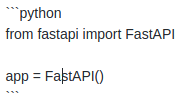
- Generated code:
- Image:
from fastapi import FastAPI

app = FastAPI()
- Be specific on how we can help you.
- What is the problem?
- What is failing?
- What do you want to achieve?
- Last but the most important: please, follow our question issue template. It makes us know where you have searched possible solutions, understand your issue better and several benefits for those who have the same problem as you and for those who are trying to help as well. :sunglasses:
 Kludex
on 11 Aug 2020
Kludex
on 11 Aug 2020
You have to pass the request as part of the key-value pairs in the context for Jinja2.
The fix is quite easy you just need to add Request in query parameters,
from fastapi import Request
...
@app.get("/", response_class=HTMLResponse)
async def get(request: Request):
    return templates.TemplateResponse("layout.html", {"request": request})
Then pass all the data inside the dictionary that you want to render.
 ycd
on 12 Aug 2020
ycd
on 12 Aug 2020
@Kludex @ycd
Code:
import json

from fastapi import FastAPI, Request
from fastapi.staticfiles import StaticFiles
from fastapi.responses import HTMLResponse
from fastapi.templating import Jinja2Templates
from urduhack.models.ner.predict import predict_ner


app = FastAPI()

app.mount("/static", StaticFiles(directory="static"), name="static")

templates = Jinja2Templates(directory="templates")


@app.get("/", response_class=HTMLResponse)
async def get(request: Request):
    return templates.TemplateResponse("layout.html", {"request": request})


@app.post("/", response_model=HTMLResponse)
async def post(request: Request):
    text = request.get("sentence")
    entities = predict_ner(text)
    if entities:
        return json.dumps(dict(entities))
This is what I can put forward here,
Like in Flask there is a function, render_template , it renders whole html page and we can select the things we want.
I want to do the same thing, get method renders html page but I can't use it in the post method, it returns null. Can you guide me on that, as no documentation is available from fastapi.
siamhassan66
on 13 Aug 2020
@Kludex if you still don't understand, below is the link to kind of thing I want to build using fastapi
siamhassan66
on 13 Aug 2020
You have to pass the request as part of the key-value pairs in the context for Jinja2.
The fix is quite easy you just need to add Request in query parameters,
from fastapi import Request
...
@app.get("/", response_class=HTMLResponse)
async def get(request: Request):
    return templates.TemplateResponse("layout.html", {"request": request})
Then pass all the data inside the dictionary that you want to render.
I think you understood my point,
Can you please elaborate a bit on that point,
Let's say I want to select a div text whose id is "sentence",
def post():
how can I get the text here, run a machine learning model and then return it
You should be good to go with the same way i mentioned above
return templates.TemplateResponse("layout.html", {"request": request, "data": data})
Now you successfully rendered, you just need to use that form front-end
<body>
    <div class="list-group">
          <div class="d-flex w-100 justify-content-between">
             {% for value in data %}
            <h5 class="mb-1">{{ value.title }}</h5>
             {% endfor %}
          </div>
     </div>
</body>
Let's say I want to select a div text whose id is "sentence"
I didn't understand that so you want to scrape a page and render it ?
ycd
on 13 Aug 2020
You should be good to go with the same way i mentioned above
return templates.TemplateResponse("layout.html", {"request": request, "data": data})Now you successfully rendered, you just need to use that form front-end
<body>
    <div class="list-group">
          <div class="d-flex w-100 justify-content-between">
             {% for value in data %}
            <h5 class="mb-1">{{ value.title }}</h5>
             {% endfor %}
          </div>
     </div>
</body>
Let's say I want to select a div text whose id is "sentence"
I didn't understand that so you want to scrape a page and render it ?
@ycd thanks for your response,
here is y layout.html page,
<!DOCTYPE html>
<html lang="en">
<head>
    <meta charset="UTF-8">
    <title>AnaGo-demo</title>
    <meta http-equiv="x-ua-compatible" content="ie=edge">
    <meta name="MobileOptimized" content="320">
    <meta name="description" content="">
    <meta name="viewport" content="width=device-width, initial-scale=1">
    <link rel="stylesheet" type="text/css" href="https://cdnjs.cloudflare.com/ajax/libs/bulma/0.4.2/css/bulma.min.css">
    <link rel="stylesheet" href="https://cdn.jsdelivr.net/npm/[email protected]/dist/semantic.min.css">
    <script src="https://code.jquery.com/jquery-3.1.1.min.js" integrity="sha256-hVVnYaiADRTO2PzUGmuLJr8BLUSjGIZsDYGmIJLv2b8=" crossorigin="anonymous"></script>
    <script src="https://cdn.jsdelivr.net/npm/[email protected]/dist/semantic.min.js"></script><link rel="stylesheet" type="text/css" href="mystyle.css">
    <link href="{{ url_for('static', path='/style.css') }}" rel="stylesheet">
</head>
<body>
<div id="app" class="container">
    <div class="content-area">
        <div class="columns">
            <div class="column">
                <div class="field">
                    <label class="label">Sentence</label>
                    <div class="control">
                        <form action="/" method="post">
                            <textarea id="sentence" name="sentence" class="textarea" placeholder="Enter English Text Here"></textarea><br>
                            <textarea id="ip" name="ip" class="textarea"></textarea>
                        </form>
                    </div>
            </div>
                <label class="label">Named Entities</label>
                <div class="example">
                    <div class="content">
                        <p>
                            <small class="axlabel organization">Organization</small>
                            <small class="axlabel location">Location</small>
                            <small class="axlabel person">Person</small>
                            <small class="axlabel misc">Misc</small>
                        </p>
                    </div>
                </div>
        </div>
    </div>
</div>
    {% block content %}
    {% endblock %}

    </div>
    <script>
       ws= $('#sentence').on('input', function(e){
        var d= e.target.value;
        $('#ip').val(d);
        })
    </script>

</body>

</html>
and I want to select text from
<textarea id="sentence" name="sentence" class="textarea" placeholder="Enter English Text Here"></textarea>
How can I do that with Fastapi. Can you please guide me on that ?
siamhassan66
on 13 Aug 2020
You should be good to go with the same way i mentioned above
return templates.TemplateResponse("layout.html", {"request": request, "data": data})Now you successfully rendered, you just need to use that form front-end
<body>
    <div class="list-group">
          <div class="d-flex w-100 justify-content-between">
             {% for value in data %}
            <h5 class="mb-1">{{ value.title }}</h5>
             {% endfor %}
          </div>
     </div>
</body>
Let's say I want to select a div text whose id is "sentence"
I didn't understand that so you want to scrape a page and render it ?
@ycd I am not familiar with difference in scraping and rendering in terms of web
siamhassan66
on 13 Aug 2020
I'm not a frontend guy but In this case you need to send a request from Front-end to Back-end, with Axios or Ajax etc. I only know vue and axios so i created a example for you with axios and vue.
home.html
<html>
<title></title>
<script src="https://cdn.jsdelivr.net/npm/vue/dist/vue.js"></script>
<script src="https://unpkg.com/axios/dist/axios.min.js"></script>

<body>
    <div id="app">
        <textarea name="" id="content" cols="30" rows="10" v-model="content"></textarea>
        <button @click="addText" id="add-textarea">click me</button>
    </div>

    <script>
        new Vue({
            el: "#app",
            data: {
                title: '',
                content: ''
            },
            methods: {
                addText() {
                    return axios.post("/add", {
                        content: this.content
                    }, {
                        headers: {
                            'Content-type': 'application/json',
                        }
                    }).then((response) => {
                        console.log("content: " + this.content);
                    });
                }
            }
        });
    </script>
</body>

</html>
main.py
from fastapi import FastAPI, Request
from fastapi.templating import Jinja2Templates
from pydantic import BaseModel

templates = Jinja2Templates(directory="templates")

app = FastAPI()


class TextArea(BaseModel):
    content: str


@app.post("/add")
async def post_textarea(data: TextArea):
    print(data.dict())
    return {**data.dict()}


@app.get("/")
async def serve_home(request: Request):
    return templates.TemplateResponse("home.html", {"request": request})
When i go to my root path:

I'm seeing this textarea and click button, now let's send a request.
 {'content': 'Hello textarea!'}
INFO:     127.0.0.1:51682 - "POST /add HTTP/1.1" 200 OK
Is the problem resolved @siamhassan66 ?
ycd
on 14 Aug 2020
not yet
On Sat, Aug 15, 2020 at 2:03 AM Yağızcan Değirmenci <
[email protected]> wrote:
Is the problem resolved @siamhassan66 https://github.com/siamhassan66 ?
—
You are receiving this because you were mentioned.
Reply to this email directly, view it on GitHub
https://github.com/tiangolo/fastapi/issues/1878#issuecomment-674271154,
or unsubscribe
https://github.com/notifications/unsubscribe-auth/AO7GJH5ED7KISILES5EU73TSAWRBVANCNFSM4P3IRT4Q
.
siamhassan66
on 15 Aug 2020
I went through the same problem with the post request. I tend to agree that the Fastapi documentation doesn't explain how to link the post request with an html web page. It shows what you need in Fastapi only without the other part. I figured out how to do it by myself. I asked that question too but received no answer for it. There is a need of an example to do this in the documentation. I can contribute on this aspect. I generated web pages with fastapi and it works similar to Flask. Had to relearn to program it in Fastapi code.
 eliteuser26
on 18 Aug 2020
eliteuser26
on 18 Aug 2020
Is the problem resolved @siamhassan66 ? If it is, do you mind closing the issue?
ycd
on 25 Oct 2020
I noticed this issue still open. I logged a similar one https://github.com/tiangolo/fastapi/issues/2525
@eliteuser26 please review and let me know. SO link here--https://stackoverflow.com/questions/65335763/fastapi-render-template-in-index-html-not-working
 Barnez299
on 17 Dec 2020
Barnez299
on 17 Dec 2020
Related issues
 updatatoday
·
3Comments
updatatoday
·
3Comments
 rlonka
·
3Comments
rlonka
·
3Comments
 kkinder
·
3Comments
kkinder
·
3Comments
 scheung38
·
3Comments
scheung38
·
3Comments
 cjw296
·
3Comments
cjw296
·
3Comments
Most helpful comment
WE'D LOVE TO HELP YOU! :peace_symbol:
But we need your help first... :runner:
Can you: