Facebook-for-woocommerce: Compatibility with WooCommerce Simple Consign Tie In
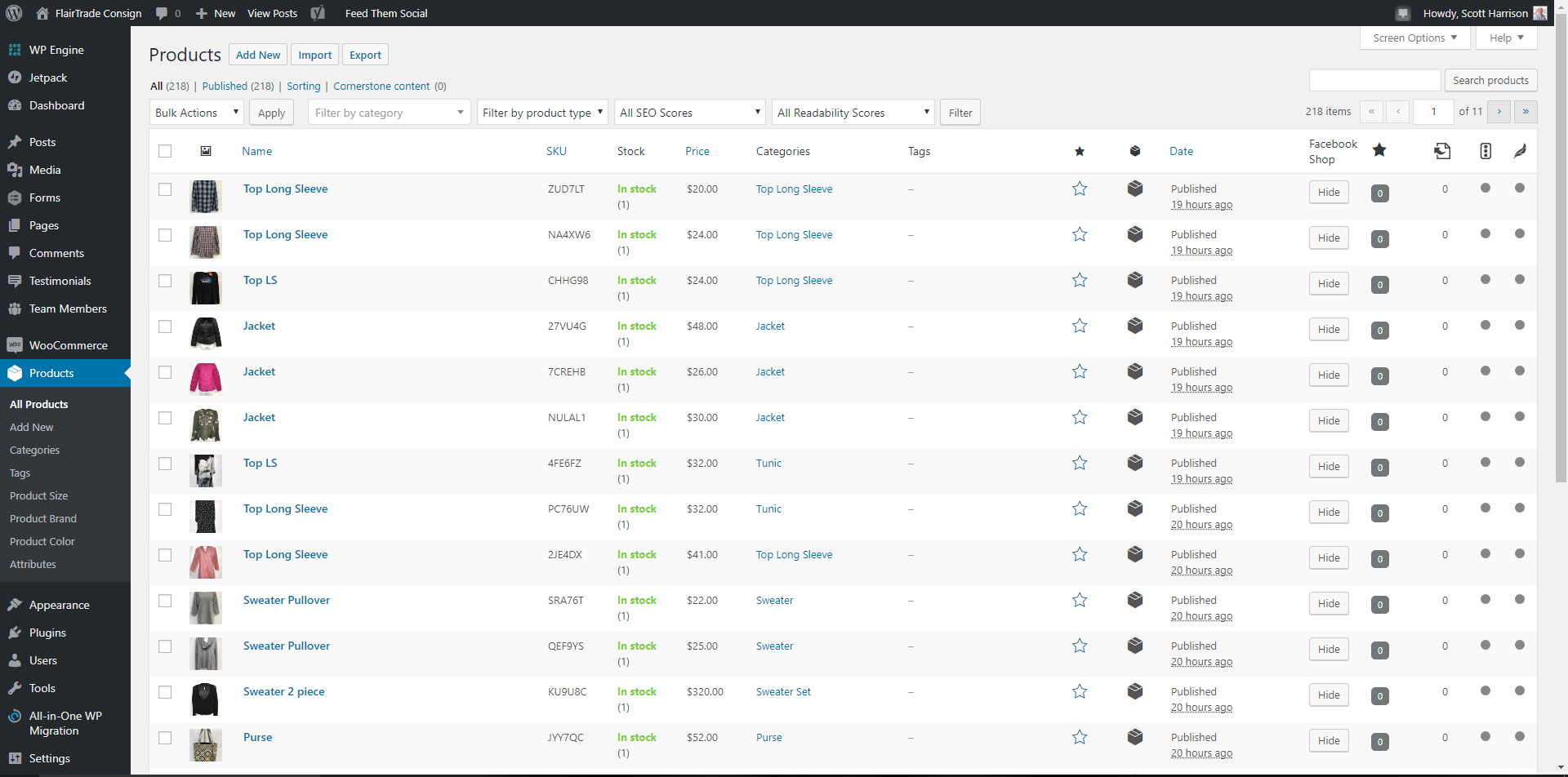
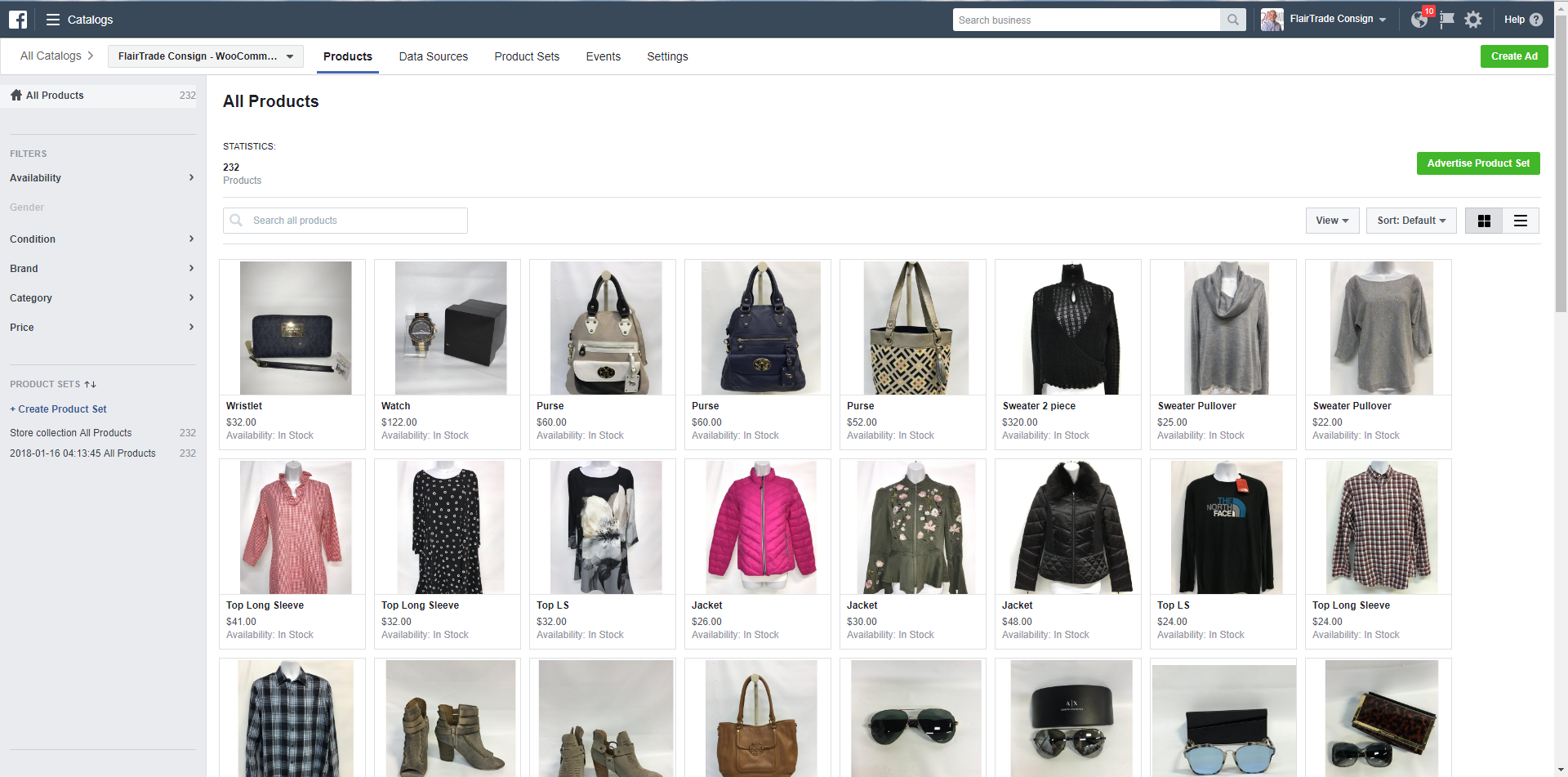
Over the past month have started using the Facebook-for-woocommerce plugin. I was able to get it successfully installed and initially synced but finding keeping things in sync'd isn't happening. I've been doing a force sync every couple days to get items that haven't sync'd to publish to the Facebook catalog. This get's the job done, but first issue is why doesn't it sync automatically? Second, when I do the force sync apparently it's not removing some of the items which have sold/removed from the woocommerce database on my website. I've attached a couple screenshots to show the item count disparity 218 vs 232.
Originally I'd installed with a personal pixel, thought this maybe causing some issue. I reconfigured with a new pixel within the same business manager account and it hasn't made a difference to the results.
I have uninstalled the plugin, deleted the Facebook catalog, reinstalled, synced and everything is fine until we add or sell an item. I've never had an auto-sync by the plugin and then when I force sync the products things return to this out of sync state with item counts. Tried this twice over past few weeks with same results.
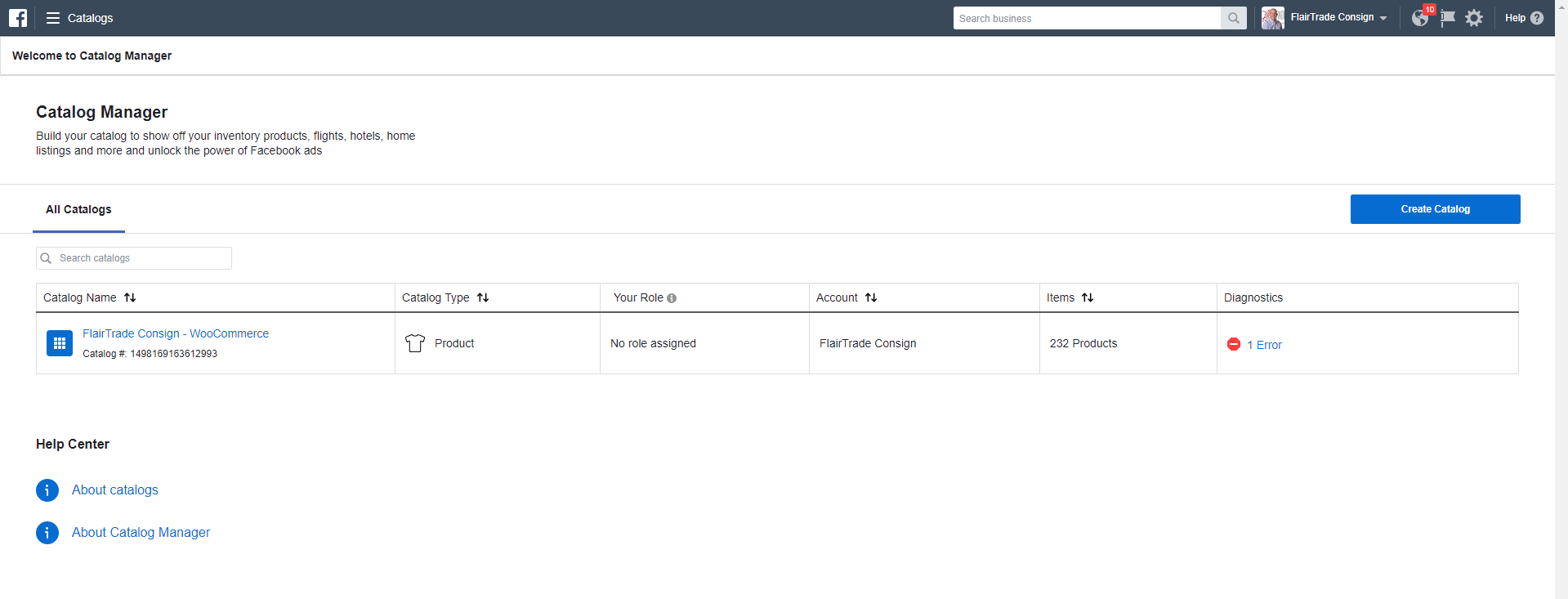
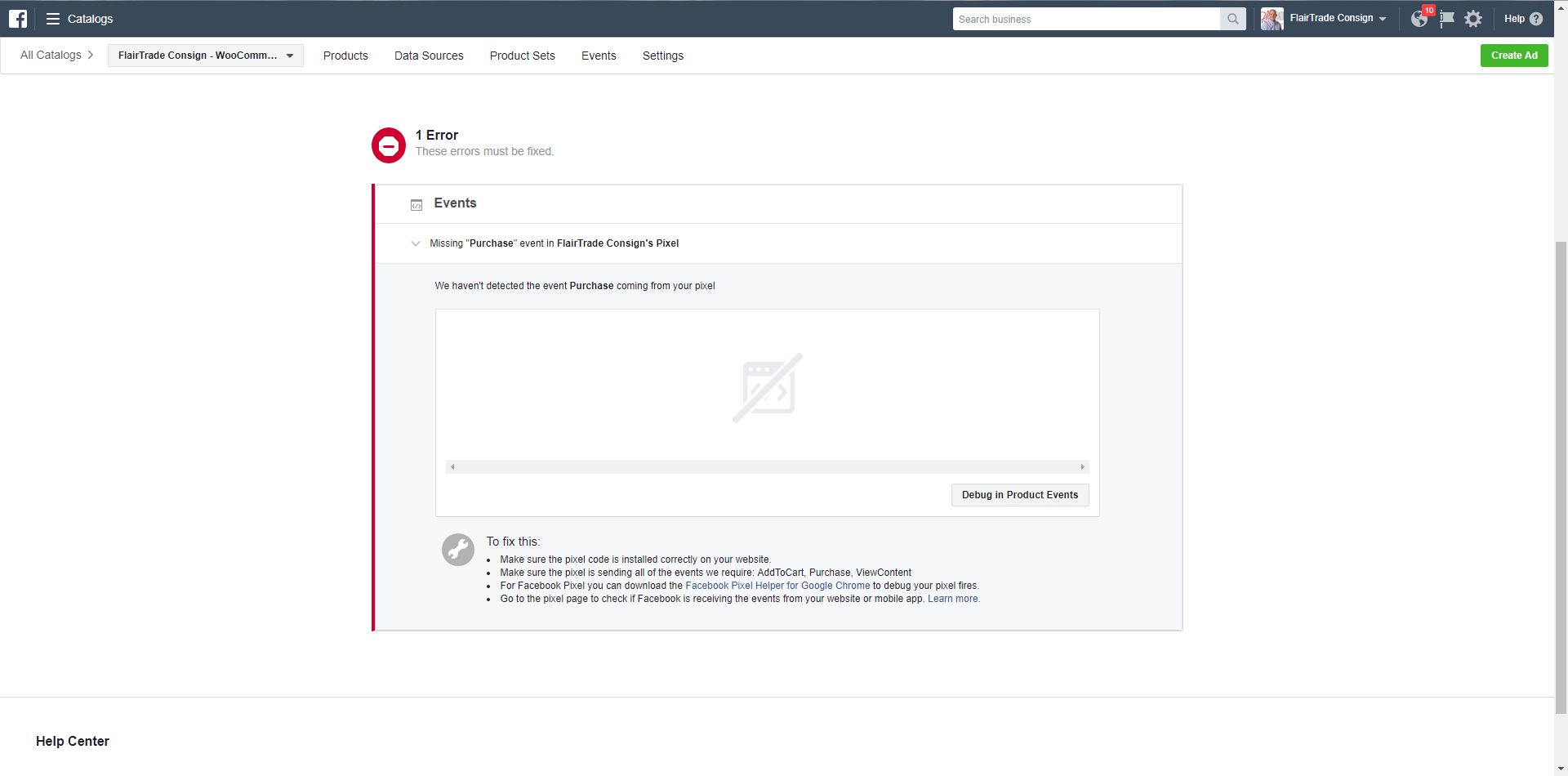
I have always seen that there is a single error with the Facebook catalog sync since the very first time I've synced. Today was the first time any detail within the Facebook Catalog diagnostics detailed an issue. I've included those two screenshots as well.
The following are the links to our two shops (Website & Facebook)
https://www.flairtradeconsign.com/shop/
https://www.facebook.com/pg/flairtradeconsign/shop/
Any help to resolve this sync issue would be greatly appreciated, we are starting to sell stuff but this is time consuming.
 FlairTrade
All 10 comments
@FlairTrade, thanks for your detailed report.
Unfortunately, you're correct that we have an issue with removing deleted products if they're deleted on your site (also reported in #209 ). For now the only way to delete products on the FB side that have been deleted in your WooCommerce store is to re-complete setup using the "Delete All Settings" option.
For the issue about product updates not being applied to Facebook. When you hit the update button, do see a message in the form 'Updated Product X on Facebook'? Or are you using plugin to help with managing your products?
 tahoff
on 19 Jan 2018
tahoff
on 19 Jan 2018
That's super disappointing to hear! We obviously run a consignment shop and our inventory is very fluid. Exposure like shops on Facebook make this more so, I know it's a high quality problem... If I'm hearing you right this out of sync gap will grow until I blow it away and reinstall the entire thing again... not good.
Regarding the updating... I actually see the 'Updated Product X on Facebook' but we also use a plugin "WooCommerce Simple Consign Tie In" to keep our WooCommerce site in sync with our physical store and vice versa. This way if something sells in store this pluggin updates the WooCommerce inventory so we don't have a sale online and in store. Also, if we sell it online first we aren't able to sell in to someone in the store too.
FlairTrade
on 19 Jan 2018
Just want to add here we fixed the Purchase Pixel issue in 1.7.7, recommend updating to that..
The sync issue is probably caused by another plugin, likely the plugin that you mentioned. My guess would be that this plugin is editing the products in a way that bypasses the sync to FB, so FB periodically goes out of sync. Unfortunately, we cannot support every compatibility issue out there, so the temporary workaround is as you say to Force Resync periodically, and possibly reset the plugin periodically when too many deleted items are on FB, as @tahoff said.
That said, If anyone out there wants to jump in and add compatibility for WooCommerce Simple Consign Tie In we'd love to review your pull request. Most likely it's just a matter of adding the right hooks.
 dmitridr
on 26 Jan 2018
dmitridr
on 26 Jan 2018
Hi @FlairTrade
I'm sorry I'm offtopic here but I need the "woocommerce simple consign tie in" plugin but I can't find it now where at all after hours of searching. I literally cannot find the reference anywhere but in this thread so I have no other option but try to ask you if you could point me to from where you got that plugin.
Thanks!
 savindersingh09
on 26 Jan 2018
savindersingh09
on 26 Jan 2018
@savindersingh09 it was developed by the developer of my website www.ventamarketing.com
FlairTrade
on 26 Jan 2018
Thanks @FlairTrade I'll get in touch with them
savindersingh09
on 26 Jan 2018
Being realistic here, there's not a great chance we can get to this fix in the near future. Is there a possibility the developer of this custom extension can look into the compatibility between our two plugins and suggest a fix, either on our side or on their side?
dmitridr
on 9 Feb 2018
I'm working that angle as well. Thanks for the follow-up and clarity as I hadn't heard their was a belief there had been a fix. I'm still not seeing any resolution on my situation at this point.
FlairTrade
on 9 Feb 2018
Hey there! 👋
Lindsey here, from the SkyVerge product team! We recently took over development and support for the Facebook for WooCommerce extension.
In our recent 1.10 releases, we've fixed many issues impacting the store connection, pixel tracking, and product sync. Could you please update to the latest version of Facebook for WooCommerce and see if that resolves this issue?
If not, could you please contact our support team or open a new issue here? We'd be happy to help troubleshoot further with you.
Thank you!
 lgfogle
on 7 Apr 2020
lgfogle
on 7 Apr 2020
Hey there! 👋
Lindsey here, from the SkyVerge product team! We recently took over development and support for the Facebook for WooCommerce extension.
In our recent 1.10 releases, we've fixed many issues impacting the store connection, pixel tracking, and product sync. Could you please update to the latest version of Facebook for WooCommerce and see if that resolves this issue?
If not, could you please contact our support team or open a new issue here? We'd be happy to help troubleshoot further with you.
Thank you!
lgfogle
on 7 Apr 2020
Related issues
 lcorsa
·
6Comments
lcorsa
·
6Comments
 monogios
·
6Comments
monogios
·
6Comments
 sm7uge
·
7Comments
sm7uge
·
7Comments
 vesceram
·
5Comments
vesceram
·
5Comments
 spradooooo
·
4Comments
spradooooo
·
4Comments
Most helpful comment
I'm working that angle as well. Thanks for the follow-up and clarity as I hadn't heard their was a belief there had been a fix. I'm still not seeing any resolution on my situation at this point.