Face_recognition: Windows Installation Tutorial
Hi,
I've successfully installed and tested this tool on my Windows 10 machine and I'm writing a simple procedure to install it. It may be useful for some people to try to use this tool on a Windows machine.
IMPORTANT: Actually this project has made for Linux systems and especially dlib. In my tests, the performance of this tool in Windows 10 was about a quarter in comparison with Ubuntu built with the same specs. But I haven't seen any difference between these two in other subjects.
Read First:
The new version of dlib doesn't need Boost anymore so you can skip it. Remember that you still need to meet the following requirements.
Requirments:
(I've used this tutorial with these tools installed on Windows 10 but the newer versions may work too.)
- Microsoft Visual Studio 2015 (or newer) with C/C++ Compiler installed. (Visual C++ 2015 Build Tools didn't work for me and I got into problems in compiling
dlib) - Of course
Python3(I usedPython3.5 x64but the other versions may work too) CMakefor windows and add it to your system environment variables.- (ONLY FOR older versions of
dlib)Boostlibrary version 1.63 or newer. Also, you can use precompiled binaries for specific MSVC you have but I don't suggest. (I've included the compiling procedure ofBoostin this tutorial)
Installation:
Easy installation:
Just install dlib and face_recognition (not always on the newest version):
pip install dlib and then pip install face_recognition.
Manual installation:
- Download and install
scipyandnumpy+mkl(must be mkl version) packages from this link (all credits goes to Christoph Gohlke). Remember to grab the correct version based on your current Python version. - Download
Boostlibrary source code or binary release for your current MSVC from this link. - If you downloaded the binary version skip to step 4 else follow these steps to compile and build
Boostby yourself:
3-1. Extract theBoostsource files intoC:\local\boost_1_XX_X(X means the current version ofBoostyou have)
3-2. Create a system variable with these parameters:
Name:VS140COMNTOOLS
Value:C:\Program Files (x86)\Microsoft Visual Studio 14.0\Common7\Tools\(or any path where you have installed MSVC)
3-3. Open Developer Command Prompt for Visual Studio and go to the current directory ofBoostextracted and try these commands to compileBoost:
bootstrap
b2 -a --with-python address-model=64 toolset=msvc runtime-link=static
3-4. If you successfully compileBoost, it should create compiled files instagedirectory. - (If you have already compiled
Boostskip this step) If you already download the binary release just extract the contents toC:\local\boost_1_XX_X - Grab latest version of
dlibfrom this repo and extract it. - Go to
dlibdirectory and open cmd and follow these commands to builddlib: (remember to replace XX with the current version ofBoostyou have)
set BOOST_ROOT=C:\local\boost_X_XX_X
set BOOST_LIBRARYDIR=C:\local\boost_X_XX_X\stage\lib
python setup.py install --yes USE_AVX_INSTRUCTIONSorpython setup.py install --yes USE_AVX_INSTRUCTIONS --yes DLIB_USE_CUDA - Now you can use
import dlibwithout any problem in your python script. - You can also check the current version of
dlibwithpip show dlib. - Now simply install
face_recognitionwithpip install face_recognition. - Enjoy!
Finally, I need to say thanks to @ageitgey and @davisking for their awesome work.
 masoudr
All 236 comments
You don't need to manually install dlib. I was able to install it with pip (through the pip install face_recognition command) after I had Boost and CMake installed.
Which leads me to my second point; your tutorial does not mention CMake at all. I have no idea what CMake actually does, so it may not be required, but if it does have something to do with simplifying the install process, you should add it to your tutorial.
 TheDogeOfTheInternet
on 14 Sep 2017
TheDogeOfTheInternet
on 14 Sep 2017
@TheDogeOfTheInternet yes you are right the CMake is a must and I forgot to add it but it is just used to compile dliband Boost. I've edited my post and add it thanks.
And for your first question yes you can use pipto install it but the latest versions are always on his Github repository and website so you need to compile it by yourself. Also, you can configure your compilation.
masoudr
on 14 Sep 2017
Thanks @masoudr! I'll link it from the README.
 ageitgey
on 17 Sep 2017
ageitgey
on 17 Sep 2017
Done! https://github.com/ageitgey/face_recognition/blob/master/README.md#installation
Thanks again!
ageitgey
on 17 Sep 2017
hello @masoudr, i want to know CMake install procedure. Thanks.
 PBShortStop
on 19 Sep 2017
PBShortStop
on 19 Sep 2017
@PBShortStop Installation of CMake in windows is very simple just grab the installation file (*.msi) from this link and install it. Remember to check the "Add CMake to system path" during the installation. Then you can simply use cmake --version in command prompt.
masoudr
on 19 Sep 2017
Dear all,
I've tried several times to build dlib, but waited more than 1 hour at face_recognition.cpp without seeing any progress. I redo it several times but still get stuck there. Can you help me with it?
 BachDoXuan
on 28 Sep 2017
BachDoXuan
on 28 Sep 2017
@BachDoXuan you need to use the visual studio 2015 compiler(msvc-14.0), 14.1 is bugged. You also need at least 2GB RAM, because face_recognition.cpp takes a lot of memory during compilation(which could be the reason it takes so long).
 runt1m33rr0r
on 28 Sep 2017
runt1m33rr0r
on 28 Sep 2017
I use VS CE 2017, 8GB RAM laptop. I use Windows 10 Pro but the windows is not activated. I have no idea what problem I have. Can you help me to install dlib?
BachDoXuan
on 28 Sep 2017
@BachDoXuan I used MSVC-14 and haven't tested the 2017 version. Are you using the precompiled version of Boost or compiling it by yourself?
Remember that some of the steps in this tutorial are for MSVC-14 and if you want to use with other versions you need to modify them.
Could you provide the error log?
masoudr
on 29 Sep 2017
@masoudr @neutrinobomber Thank you very much for your helps. The screen doesn't have any error log. It just got stuck when building dlib at face_recognition.cpp, I waited for more than hour every time I got there. But currently when I use command "pip install face_recognition" directly, then it succeeds.
BachDoXuan
on 29 Sep 2017
@BachDoXuan You are right, you can always use pip to install this package without any further work on windows. This tutorial is for the people who wanted to build dlib from source or do some configurations to it.
masoudr
on 29 Sep 2017
This is a known problem. Visual Studio 2017 is buggy and has worse support
for C++11 than Visual Studio 2015. No one has been able to find a
workaround other than to use Visual Studio 2015.
 davisking
on 29 Sep 2017
davisking
on 29 Sep 2017
Hey! I have a problem while following this tutorial.
My versions are:
Python 3.5.4
dlib 19.7
boost 1.65.1
(using "with cuda" and "with avx" options)
jpeg.lib(jdatadst.c.obj) : error LNK2019: unresolved external symbol __imp_ferror referenced in function term_destination [C:\Users\Loqpa\Downloadsdlib-masterdlib-master\tools\python\builddlib_.vcxproj]
jpeg.lib(jmemmgr.c.obj) : error LNK2019: unresolved external symbol __imp___stdio_common_vsscanf referenced in function _vsscanf_l [C:\Users\Loqpa\Downloadsdlib-masterdlib-master\tools\python\builddlib_.vcxproj]
jpeg.lib(jmemansi.c.obj) : error LNK2019: unresolved external symbol __imp_tmpfile referenced in function jpeg_open_backing_store [C:\Users\Loqpa\Downloadsdlib-masterdlib-master\tools\python\builddlib_.vcxproj]
C:\Users\Loqpa\Downloadsdlib-masterdlib-master\tools\python\build\Releasedlib.pyd : fatal error LNK1120: 3 unresolved externals [C:\Users\Loqpa\Downloadsdlib-masterdlib-master\tools\python\builddlib_.vcxproj]
Any ideas how to fix it? I am up to trying everything you suggest:)
 loqpa
on 4 Oct 2017
loqpa
on 4 Oct 2017
@loqpa Hi,
Are you using a precompiled version of boost with MSVC14?
Try to add these system environment variables too:
VS110COMNTOOLS
C:\Program Files (x86)\Microsoft Visual Studio 11.0\Common7\Tools\
VS120COMNTOOLS
C:\Program Files (x86)\Microsoft Visual Studio 12.0\Common7\Tools\
VS110COMNTOOLS
C:\Program Files (x86)\Microsoft Visual Studio 11.0\Common7\Tools\
VSSDK140Install
C:\Program Files (x86)\Microsoft Visual Studio 14.0\VSSDK\
I don't know the exact cause of your problem but it seems that some of the library files are not recognized by dlib.
masoudr
on 4 Oct 2017
@masoudr Hello!
I am compiling boost by myself (following steps 3-1... 3-4) and my system environment variables were already set the way you suggested.
Tried with boost 1.63, got the same error.
Any other ideas?
By the way, i am using Anaconda python, in case it matters.
loqpa
on 6 Oct 2017
@loqpa I used this method for the specified version of dependencies, so I am not sure if they work for other versions too.
As I know your problem is causing by missing some dll files on dlib's compile. I think you can try first submit your issue on dlib repository here, maybe @davisking have an answer to it and second use the exact procedure I mentioned here. I don't' know much about Anaconda try to exclude it.
masoudr
on 6 Oct 2017
Does anyone have the link to download, Microsoft Visual Studio 2015 with C / C ++ Compiler
 Klinsman21
on 7 Oct 2017
Klinsman21
on 7 Oct 2017
@Klinsman21 google is your friend :) try this.
masoudr
on 7 Oct 2017
@masoudr what dlib version did you use? I can use precompiled version 19.4 without any problems but i am really curious about new(19.5+) cnn face_detector :)
loqpa
on 8 Oct 2017
@loqpa If you compile dlib from the source you can always use the latest features and besides of that you can customize the compilation for specific configuration like disable/enable AVX instruction, CUDA feature, etc. I used v19.6 but newer versions would work too. You can find new features on dlib's website in here.
masoudr
on 8 Oct 2017
Can anybody help me ?
VC 2015
boost 1_65_1
dlib 19.7
libboost_python3-vc140-mt-s-1_65_1.lib(errors.obj) : fatal error LNK1112: module machine type 'x64' conflicts with target machine type 'X86' [D:\DEVdlib-master\tools\python\builddlib_.vcxproj]
1 Warning(s)
1 Error(s)
Time Elapsed 00:04:35.66
error: cmake build failed!
 cmlyldz
on 11 Oct 2017
cmlyldz
on 11 Oct 2017
@cmlyldz You are trying to compile an X86 code on X64 compiler or vice-versa. Try to use VS2015 x86 Native Tools Command Prompt to compile dlib and remember that your python architecture must be same.
masoudr
on 11 Oct 2017
@masoudr Thanks for answer. The problem was my python but there is no problem thanks to you.
cmlyldz
on 12 Oct 2017
@masoudr I have also encountered exactly the same problem as @cmlyldz . And I used VS2015 x86 Native Tools Command Prompt to compile dlib, but the problem didn't go.
 hepingtao
on 13 Oct 2017
hepingtao
on 13 Oct 2017
@hepingtao Please give me more information about the exact version of your tools like python version?
masoudr
on 13 Oct 2017
@hepingtao be careful while downloading scipy, numpy you have to download them x86 like others(if you want to use x86). Also python, boost and also dlib must compile on x86 also. If you did everything in an x86 compiler (or x64) there will be no error.
cmlyldz
on 13 Oct 2017
I have installed cmak and added to path but while installing dlib getting message to install cmak
 008karan
on 15 Oct 2017
008karan
on 15 Oct 2017
@008karan If your CMake is successfully added, you can use cmake --version in cmd to verify that. I'm not sure if the problem will exist but put your complete error log here.
masoudr
on 15 Oct 2017
getting this message ......
C:\Users\karan\Downloadsdlib-master>python setup.py install
running install
running bdist_egg
running build
Detected Python architecture: 64bit
Detected platform: win32
Removing build directory C:\Users\karan\Downloadsdlib-master./tools/python/bui
ld
Configuring cmake ...
-- Building for: NMake Makefiles
-- The C compiler identification is unknown
-- The CXX compiler identification is unknown
CMake Error in CMakeLists.txt:
The CMAKE_C_COMPILER:
cl
is not a full path and was not found in the PATH.
To use the NMake generator with Visual C++, cmake must be run from a shell
that can use the compiler cl from the command line. This environment is
unable to invoke the cl compiler. To fix this problem, run cmake from the
Visual Studio Command Prompt (vcvarsall.bat).
Tell CMake where to find the compiler by setting either the environment
variable "CC" or the CMake cache entry CMAKE_C_COMPILER to the full path to
the compiler, or to the compiler name if it is in the PATH.
CMake Error in CMakeLists.txt:
The CMAKE_CXX_COMPILER:
cl
is not a full path and was not found in the PATH.
To use the NMake generator with Visual C++, cmake must be run from a shell
that can use the compiler cl from the command line. This environment is
unable to invoke the cl compiler. To fix this problem, run cmake from the
Visual Studio Command Prompt (vcvarsall.bat).
Tell CMake where to find the compiler by setting either the environment
variable "CXX" or the CMake cache entry CMAKE_CXX_COMPILER to the full path
to the compiler, or to the compiler name if it is in the PATH.
-- Configuring incomplete, errors occurred!
See also "C:/Users/karan/Downloads/dlib-master/tools/python/build/CMakeFiles/CMa
keOutput.log".
See also "C:/Users/karan/Downloads/dlib-master/tools/python/build/CMakeFiles/CMa
keError.log".
error: cmake configuration failed!
008karan
on 16 Oct 2017
@008karan Try to run setup process with VS2015 x86\X64 Native Tools Command Prompt.
masoudr
on 16 Oct 2017
@loqpa
Hey! I have a problem while following this tutorial.
My versions are:
Python 3.5.4
dlib 19.7
boost 1.65.1
(using "with cuda" and "with avx" options)jpeg.lib(jdatadst.c.obj) : error LNK2019: unresolved external symbol _imp_ferror referenced in function term_destination [C:\Users\Loqpa\Downloadsdlib-masterdlib-master\tools\python\builddlib.vcxproj]
jpeg.lib(jmemmgr.c.obj) : error LNK2019: unresolved external symbol __imp___stdio_common_vsscanf referenced in function vsscanf_l [C:\Users\Loqpa\Downloadsdlib-masterdlib-master\tools\python\builddlib.vcxproj]
jpeg.lib(jmemansi.c.obj) : error LNK2019: unresolved external symbol imp_tmpfile referenced in function jpeg_open_backing_store [C:\Users\Loqpa\Downloadsdlib-masterdlib-master\tools\python\builddlib.vcxproj]
C:\Users\Loqpa\Downloadsdlib-masterdlib-master\tools\python\build\Releasedlib.pyd : fatal error LNK1120: 3 unresolved externals [C:\Users\Loqpa\Downloadsdlib-masterdlib-master\tools\python\builddlib.vcxproj]Any ideas how to fix it? I am up to trying everything you suggest:)
I had the same problem, and have solved it.
I'm using anaconda3 python3.5 and when setup.py generate install project, it get jpeg library from %Anaconda3%/envs/%your_env%/Library/lib/jpeg.lib
This jpeg.lib using by pyqt package. And there are functions, that don't agree with declspec needed by dlib.
To solve problem, switch your cmd to your virtual_env, and upgrade libjpeg from anaconda channel, e.g.:
activate my_env
conda install -c anaconda libjpeg
After that, go to your %Anaconda3%/envs/%your_env%/Library/lib/ directory and make sure, that you have exactly libjpeg.lib, then temprorary move files jpeg.lib and jpeg-static.lib to your home directory.
Now, your have true libjpeg.lib, that python's setup.py cmake catch up from %Anaconda3%/envs/%your_env%/Library/lib/.
Run python setup.py install --yes USE_AVX_INSTRUCTIONS --yes DLIB_USE_CUDA and enjoy.
Don't forget move back your 'jpeg.lib' to %Anaconda3%/envs/%your_env%/Library/lib/ directory provide for pyqt package.
Note, that your don't using virtual env, your lib directory will be %Anaconda3%/Library/lib/
Work in VS2015 x64 Native Tools Command Prompt
 7633
on 27 Oct 2017
7633
on 27 Oct 2017
@7633
Thank you for your help!
Temporarily removing jpeg.lib was enough for dlib 19.7 to compile successfully.
loqpa
on 27 Oct 2017
You guys shouldn't need to do this kind of hack to make it work. I've updated dlib's build scripts to detect the broken libjpeg in anaconda and avoid linking to it. So now you should be able to say python setup.py install and it should just work.
davisking
on 28 Oct 2017

Why i am facing this error. Help please!!!
 mahecode
on 28 Oct 2017
mahecode
on 28 Oct 2017
@mahecode I think you are using dlib with pip. This tutorial is made for compiling dlib from source and it has been tested with python 3.4+. Please post complete error log or try to compile from source.
masoudr
on 28 Oct 2017
@masoudr its shows above following error when face_recognition starts to install on my machine . iam asking for the help for this error
mahecode
on 29 Oct 2017
Hello, @masoudr I have a problem while following this tutorial.
window 10
vs 2015
Python 3.5.3
dlib 19.4
boost 1.65.1
LINK : fatal error LNK1104: 'python36.lib' cannot open file. [~/dlib-master\tools\python\builddlib_.vcxproj]
"~dlib-master\tools\python\builddlib_.vcxproj" Project built (default target) - Failed
PBShortStop
on 30 Oct 2017
@PBShortStop It is very strange, first make sure that there is no space in your working directory second check your python version in cmd with python --version. Are you using python 3.5? Your error is about not finding the python36.lib which is for Python 3.6. Try with the latest version of dlib like 19.7 and make sure about the version of python (boost, python and MSVC must be on the same architecture like X64 or X86 before compiling dlib).
masoudr
on 30 Oct 2017
@masoudr is this configuration is OK?
C:\Users\ACER>pip show dlib
Name: dlib
Version: 18.17.100
Summary: A toolkit for making real world machine learning and data analysis applications
Home-page: https://github.com/davisking/dlib
Author: Davis King
Author-email: [email protected]
License: Boost Software License
Location: c:python27\lib\site-packages
Requires:
mahecode
on 30 Oct 2017
@mahecode It seems that it is fine, you can also try to use import dlib in Python shell.
masoudr
on 30 Oct 2017
@masoudr @008karan "VS2015 x86X64 Native Tools Command Prompt"
What if I don't have VS at all? Should I install GCC separately?
Here is cmake --help
The following generators are available on this platform:
  Visual Studio 15 2017 [arch] = Generates Visual Studio 2017 project files.
                                 Optional [arch] can be "Win64" or "ARM".
  Visual Studio 14 2015 [arch] = Generates Visual Studio 2015 project files.
                                 Optional [arch] can be "Win64" or "ARM".
  Visual Studio 12 2013 [arch] = Generates Visual Studio 2013 project files.
                                 Optional [arch] can be "Win64" or "ARM".
  Visual Studio 11 2012 [arch] = Generates Visual Studio 2012 project files.
                                 Optional [arch] can be "Win64" or "ARM".
  Visual Studio 10 2010 [arch] = Generates Visual Studio 2010 project files.
                                 Optional [arch] can be "Win64" or "IA64".
  Visual Studio 9 2008 [arch]  = Generates Visual Studio 2008 project files.
                                 Optional [arch] can be "Win64" or "IA64".
  Visual Studio 8 2005 [arch]  = Deprecated.  Generates Visual Studio 2005
                                 project files.  Optional [arch] can be
                                 "Win64".
  Borland Makefiles            = Generates Borland makefiles.
  NMake Makefiles              = Generates NMake makefiles.
  NMake Makefiles JOM          = Generates JOM makefiles.
  Green Hills MULTI            = Generates Green Hills MULTI files
                                 (experimental, work-in-progress).
  MSYS Makefiles               = Generates MSYS makefiles.
  MinGW Makefiles              = Generates a make file for use with
                                 mingw32-make.
  Unix Makefiles               = Generates standard UNIX makefiles.
  Ninja                        = Generates build.ninja files.
  Watcom WMake                 = Generates Watcom WMake makefiles.
  CodeBlocks - MinGW Makefiles = Generates CodeBlocks project files.
  CodeBlocks - NMake Makefiles = Generates CodeBlocks project files.
  CodeBlocks - NMake Makefiles JOM
                               = Generates CodeBlocks project files.
  CodeBlocks - Ninja           = Generates CodeBlocks project files.
  CodeBlocks - Unix Makefiles  = Generates CodeBlocks project files.
  CodeLite - MinGW Makefiles   = Generates CodeLite project files.
  CodeLite - NMake Makefiles   = Generates CodeLite project files.
  CodeLite - Ninja             = Generates CodeLite project files.
  CodeLite - Unix Makefiles    = Generates CodeLite project files.
  Sublime Text 2 - MinGW Makefiles
                               = Generates Sublime Text 2 project files.
  Sublime Text 2 - NMake Makefiles
                               = Generates Sublime Text 2 project files.
  Sublime Text 2 - Ninja       = Generates Sublime Text 2 project files.
  Sublime Text 2 - Unix Makefiles
                               = Generates Sublime Text 2 project files.
  Kate - MinGW Makefiles       = Generates Kate project files.
  Kate - NMake Makefiles       = Generates Kate project files.
  Kate - Ninja                 = Generates Kate project files.
  Kate - Unix Makefiles        = Generates Kate project files.
  Eclipse CDT4 - NMake Makefiles
                               = Generates Eclipse CDT 4.0 project files.
  Eclipse CDT4 - MinGW Makefiles
                               = Generates Eclipse CDT 4.0 project files.
  Eclipse CDT4 - Ninja         = Generates Eclipse CDT 4.0 project files.
  Eclipse CDT4 - Unix Makefiles= Generates Eclipse CDT 4.0 project files.
And here is my original error:
Installing collected packages: dlib, numpy, Click, olefile, Pillow, face-recognition-models,cipy, face-recognition, opencv-python, Werkzeug, MarkupSafe, Jinja2, itsdangerous, flask
  Running setup.py install for dlib: started
    Running setup.py install for dlib: finished with status 'error'
    Complete output from command c:\users\andrii.lundiak\appdata\local\programs\python\pytho6-32\python.exe -u -c "import setuptools, tokenize;__file__='C:\\Users\\ANDRII~1.LUN\\AppDat\Local\\Temp\\pip-build-rdun6ek0\\dlib\\setup.py';f=getattr(tokenize, 'open', open)(__file__code=f.read().replace('\r\n', '\n');f.close();exec(compile(code, __file__, 'exec'))" install-record C:\Users\ANDRII~1.LUN\AppData\Local\Temp\pip-1vrls9a4-record\install-record.txt --sile-version-externally-managed --compile:
    running install
    running build
    Detected Python architecture: 32bit
    Detected platform: win32
    Configuring cmake ...
    -- Building for: NMake Makefiles
    -- The C compiler identification is unknown
    -- The CXX compiler identification is unknown
    CMake Error in CMakeLists.txt:
      The CMAKE_C_COMPILER:
        cl
      is not a full path and was not found in the PATH.
      To use the NMake generator with Visual C++, cmake must be run from a shell
      that can use the compiler cl from the command line.  This environment is
      unable to invoke the cl compiler.  To fix this problem, run cmake from the
      Visual Studio Command Prompt (vcvarsall.bat).
      Tell CMake where to find the compiler by setting either the environment
      variable "CC" or the CMake cache entry CMAKE_C_COMPILER to the full path to
      the compiler, or to the compiler name if it is in the PATH.
    CMake Error in CMakeLists.txt:
      The CMAKE_CXX_COMPILER:
        cl
      is not a full path and was not found in the PATH.
      To use the NMake generator with Visual C++, cmake must be run from a shell
      that can use the compiler cl from the command line.  This environment is
      unable to invoke the cl compiler.  To fix this problem, run cmake from the
      Visual Studio Command Prompt (vcvarsall.bat).
      Tell CMake where to find the compiler by setting either the environment
      variable "CXX" or the CMake cache entry CMAKE_CXX_COMPILER to the full path
      to the compiler, or to the compiler name if it is in the PATH.
    -- Configuring incomplete, errors occurred!
    See also "C:/Users/andrii.lundiak/AppData/Local/Temp/pip-build-rdun6ek0/dlib/tools/pythobuild/CMakeFiles/CMakeOutput.log".
    See also "C:/Users/andrii.lundiak/AppData/Local/Temp/pip-build-rdun6ek0/dlib/tools/pythobuild/CMakeFiles/CMakeError.log".
    error: cmake configuration failed!
PreReq:
- python 3.6.3
- cmake version 3.9.5
- pip3 9.0.1
- Looks like dlib 19.7.0, but
pip show dliborpip3 show dlibgive nothing.
And here is my requirements.txt
dlib
face_recognition
opencv_python
flask
and above error with COMPILER I receive after pip3 install -r requirements.txt
All was/is good, except dlib:
$ pip3 install -r requirements.txt
Collecting dlib (from -r requirements.txt (line 1))
  Using cached dlib-19.7.0.tar.gz
Collecting face_recognition (from -r requirements.txt (line 2))
  Using cached face_recognition-1.0.0-py2.py3-none-any.whl
Collecting opencv_python (from -r requirements.txt (line 3))
  Using cached opencv_python-3.3.0.10-cp36-cp36m-win32.whl
Collecting flask (from -r requirements.txt (line 4))
  Using cached Flask-0.12.2-py2.py3-none-any.whl
Collecting numpy (from face_recognition->-r requirements.txt (line 2))
  Using cached numpy-1.13.3-2-cp36-none-win32.whl
Collecting Click>=6.0 (from face_recognition->-r requirements.txt (line 2))
  Using cached click-6.7-py2.py3-none-any.whl
Collecting Pillow (from face_recognition->-r requirements.txt (line 2))
  Using cached Pillow-4.3.0-cp36-cp36m-win32.whl
Collecting face-recognition-models>=0.2.0 (from face_recognition->-r requirements.txt (line )
  Using cached face_recognition_models-0.3.0.tar.gz
Collecting scipy>=0.17.0 (from face_recognition->-r requirements.txt (line 2))
  Using cached scipy-1.0.0-cp36-none-win32.whl
Collecting Werkzeug>=0.7 (from flask->-r requirements.txt (line 4))
  Using cached Werkzeug-0.12.2-py2.py3-none-any.whl
Collecting Jinja2>=2.4 (from flask->-r requirements.txt (line 4))
  Using cached Jinja2-2.9.6-py2.py3-none-any.whl
Collecting itsdangerous>=0.21 (from flask->-r requirements.txt (line 4))
  Using cached itsdangerous-0.24.tar.gz
Collecting olefile (from Pillow->face_recognition->-r requirements.txt (line 2))
  Using cached olefile-0.44.zip
Collecting MarkupSafe>=0.23 (from Jinja2>=2.4->flask->-r requirements.txt (line 4))
  Using cached MarkupSafe-1.0.tar.gz
Installing collected packages: dlib, numpy, Click, olefile, Pillow, face-recognition-models,cipy, face-recognition, opencv-python, Werkzeug, MarkupSafe, Jinja2, itsdangerous, flask
  Running setup.py install for dlib: started
    Running setup.py install for dlib: finished with status 'error'
...
 alundiak
on 6 Nov 2017
alundiak
on 6 Nov 2017
@alundiak As I know gcc is only made for Unix systems. There are some alternatives like Mingw but I am not sure if you can compile dlib on it, maybe @davisking can answer and even so you must use it in MinGW environment, not win32. I've already tried with Microsoft Visual Studio Build Tools which has a separate C++ compiler but it didn't work due to missing some libs.
You can use the precompiled version of dlib without Visual Studio but you must first check the requirements and you can't install face_recognition without dlib.
masoudr
on 6 Nov 2017
Visual Studio community is free. You can download it from the microsoft
web page. That's what you should do.
davisking
on 6 Nov 2017
@davisking no matter of it's free, I just don't want one more deep dependency to depend on. So if it's possible in theory to avoid VS, I would go there. I executed face_recognition on MacOS with no issues (or at least with less issues regarding opencv, cmake, python dlib). And on Windows - Hello troubles :)
So, @masoudr if there is anyway to configure Python project, where dependency is face_recgntion tool, I would like avoid dlib, if it's possible, plz let me know, what I should change.
alundiak
on 6 Nov 2017
@alundiak You're installing a complicated C++ library on Windows (which is not a Unix-like OS). Installing the Windows-provided native development environment is a pretty reasonable requirement to be able to do that. Such is life on Windows. I'm not sure you'll ever be successful with other unix-based compilers on Windows.
face_recognition is built on top of dlib. dlib does most of the actual work. So there's no way to avoid installing dlib while using face_recognition.
ageitgey
on 6 Nov 2017
You can compile dlib with any C++11 compiler, including GCC or mingw. But
my point is that if you want to compile something on windows Visual Studio
is your best bet.
davisking
on 6 Nov 2017
Hey! I don't know if it is Windows only problem - but whith conda, python 3.5 anddlib 19.4 already installed when i run pip install face_recognition==0.2.2 setup for some reason tries to get new dlib and failes to install it.
Cause all other dependenices install succesfully I was able to run
pip install --no-dependencies face_recognition==0.2.2
and everything is working.
Why doesn't it recognise already installed dlib?
loqpa
on 15 Nov 2017
@loqpa I believe that was a known problem/bug with the dlib conda package on Windows specifically and not dlib itself
ageitgey
on 15 Nov 2017
Hi. I tried installing face_recognition but its giving me the error
"cannot find cmake make sure its installed and in the path".
This is happening despite the fact that I have already installed cmake and have set the environment variables accordingly.
 Skywalker97
on 16 Nov 2017
Skywalker97
on 16 Nov 2017
@Skywalker97 Hi, It is very odd, Can you check the output of cmake --version?
masoudr
on 16 Nov 2017
@masoudr The output is
"cmake version 3.10.0-rc5"
Skywalker97
on 16 Nov 2017
@Skywalker97 What command you are executing? Is this error generates during the dlib compilation? Are you using cmd or `VS command prompt'?
Please post the full log of error.
masoudr
on 16 Nov 2017
@masoudr I was executing: "python setup.py install --yes USE_AVX_INSTRUCTIONS" on cmd.
This is the output:
running install
running bdist_egg
running build
Detected Python architecture: 64bit
Detected platform: win32
Removing build directory C:dlib-masterdlib-master./tools/python/build
Configuring cmake ...
-- Selecting Windows SDK version 10.0.16299.0 to target Windows 10.0.15063.
-- The C compiler identification is unknown
-- The CXX compiler identification is unknown
CMake Error in CMakeLists.txt:
No CMAKE_C_COMPILER could be found.
CMake Error in CMakeLists.txt:
No CMAKE_CXX_COMPILER could be found.
-- Configuring incomplete, errors occurred!
See also "C:/dlib-master/dlib-master/tools/python/build/CMakeFiles/CMakeOutput.log".
See also "C:/dlib-master/dlib-master/tools/python/build/CMakeFiles/CMakeError.log".
error: cmake configuration failed!
Skywalker97
on 16 Nov 2017
@Skywalker97 This problem is not related to CMake, it means that CMake cannot find the C compiler. Try to run python setup.py install with VS2015 Native Tools Command Prompt.
masoudr
on 16 Nov 2017
I'm already run this tutorial, and I get success in some points, then when I run pip3 install face_recognition, I'm getting error in Installing collected packages: dlib, numpy, olefile, Pillow, scipy
Running setup.py install for dlib ... /
This is the success point installed :
Requirement already satisfied: face_recognition in c:\users\win10\appdata\local\programs\python\python36-32\lib\site-packages\face_recognition-1.1.0-py3.6.egg
Requirement already satisfied: face_recognition_models>=0.3.0 in c:\users\win10\appdata\local\programs\python\python36-32\lib\site-packages (from face_recognition)
Requirement already satisfied: Click>=6.0 in c:\users\win10\appdata\local\programs\python\python36-32\lib\site-packages (from face_recognition)
Collecting dlib>=19.7 (from face_recognition)
  Using cached dlib-19.7.0.tar.gz
Collecting numpy (from face_recognition)
  Using cached numpy-1.13.3-2-cp36-none-win32.whl
Collecting Pillow (from face_recognition)
  Using cached Pillow-4.3.0-cp36-cp36m-win32.whl
Collecting scipy>=0.17.0 (from face_recognition)
  Using cached scipy-1.0.0-cp36-none-win32.whl
Collecting olefile (from Pillow->face_recognition)
  Using cached olefile-0.44.zip
Installing collected packages: dlib, numpy, olefile, Pillow, scipy
  Running setup.py install for dlib ... /
Then, this one is the error Installing collected packages: dlib, numpy, olefile, Pillow, scipy
Running setup.py install for dlib ... / :
``Running setup.py install for dlib ... error
Complete output from command c:\users\win10\appdata\local\programspythonpython36-32python.exe -u -c "import setuptools, tokenize;__file__='C:\Users\win10\AppData\Local\Temp\pip-build-d3ta668j\dlib\setup.py';f=getattr(tokenize, 'open', open)(__file__);code=f.read().replace('\r\n', '\n');f.close();exec(compile(code, __file__, 'exec'))" install --record C:\Users\win10\AppData\Local\Temppip-mveojhmq-record\install-record.txt --single-version-externally-managed --compile:
running install
running build
Detected Python architecture: 32bit
Detected platform: win32
Configuring cmake ...
-- Building for: Visual Studio 14 2015
-- Selecting Windows SDK version to target Windows 10.0.14393.
-- The C compiler identification is MSVC 19.0.24210.0
-- The CXX compiler identification is MSVC 19.0.24210.0
-- Check for working C compiler: C:/Program Files (x86)/Microsoft Visual Studio 14.0/VC/bin/cl.exe
-- Check for working C compiler: C:/Program Files (x86)/Microsoft Visual Studio 14.0/VC/bin/cl.exe -- works
-- Detecting C compiler ABI info
-- Detecting C compiler ABI info - done
-- Check for working CXX compiler: C:/Program Files (x86)/Microsoft Visual Studio 14.0/VC/bin/cl.exe
-- Check for working CXX compiler: C:/Program Files (x86)/Microsoft Visual Studio 14.0/VC/bin/cl.exe -- works
-- Detecting CXX compiler ABI info
-- Detecting CXX compiler ABI info - done
-- Detecting CXX compile features
-- Detecting CXX compile features - done
CMake Warning at C:/Program Files/CMake/share/cmake-3.10/Modules/FindBoost.cmake:1610 (message):
No header defined for python-py34; skipping header check
Call Stack (most recent call first):
C:/Users/win10/AppData/Local/Temp/pip-build-d3ta668j/dlib/dlib/cmake_utils/add_python_module:61 (FIND_PACKAGE)
CMakeLists.txt:9 (include)
-- Could NOT find Boost
CMake Warning at C:/Program Files/CMake/share/cmake-3.10/Modules/FindBoost.cmake:1610 (message):
No header defined for python-py35; skipping header check
Call Stack (most recent call first):
C:/Users/win10/AppData/Local/Temp/pip-build-d3ta668j/dlib/dlib/cmake_utils/add_python_module:63 (FIND_PACKAGE)
CMakeLists.txt:9 (include)
-- Could NOT find Boost
CMake Warning at C:/Program Files/CMake/share/cmake-3.10/Modules/FindBoost.cmake:1610 (message):
No header defined for python3; skipping header check
Call Stack (most recent call first):
C:/Users/win10/AppData/Local/Temp/pip-build-d3ta668j/dlib/dlib/cmake_utils/add_python_module:66 (FIND_PACKAGE)
CMakeLists.txt:9 (include)
-- Boost version: 1.65.1
-- Found the following Boost libraries:
-- python3
-- Found PythonLibs: C:/Users/win10/AppData/Local/Programs/Python/Python36-32/libs/python36.lib (found suitable version "3.6.3", minimum required is "3.4")
-- USING BOOST_LIBS: optimized;C:/Program Files/boost_1_65_1/stage/lib/libboost_python3-vc140-mt-s-1_65_1.lib;debug;C:/Program Files/boost_1_65_1/stage/lib/libboost_python3-vc140-mt-sgd-1_65_1.lib
-- USING PYTHON_LIBS: C:/Users/win10/AppData/Local/Programs/Python/Python36-32/libs/python36.lib
-- NOTE: Visual Studio didn't have good enough C++11 support until Visual Studio 2015 update 3 (v19.0.24215.1)
-- So we aren't enabling things that require full C++11 support (e.g. the deep learning tools).
-- Also, be aware that Visual Studio's version naming is confusing, in particular, there are multiple versions of 'update 3'
-- So if you are getting this message you need to update to the newer version of Visual Studio to use full C++11.
-- Performing Test COMPILER_SUPPORTS_CXX11
-- Performing Test COMPILER_SUPPORTS_CXX11 - Success
-- Performing Test COMPILER_SUPPORTS_CXX0X
-- Performing Test COMPILER_SUPPORTS_CXX0X - Failed
-- C++11 activated (compiler doesn't have full C++11 support).
-- Looking for sys/types.h
-- Looking for sys/types.h - found
-- Looking for stdint.h
-- Looking for stdint.h - found
-- Looking for stddef.h
-- Looking for stddef.h - found
-- Check size of void*
-- Check size of void* - done
-- Enabling SSE4 instructions
CMake Deprecation Warning at C:/Users/win10/AppData/Local/Temp/pip-build-d3ta668j/dlib/dlib/CMakeLists.txt:31 (cmake_policy):
The OLD behavior for policy CMP0023 will be removed from a future version
of CMake.
The cmake-policies(7) manual explains that the OLD behaviors of all
policies are deprecated and that a policy should be set to OLD only under
specific short-term circumstances. Projects should be ported to the NEW
behavior and not rely on setting a policy to OLD.
-- Searching for BLAS and LAPACK
CUDA_TOOLKIT_ROOT_DIR not found or specified
-- Could NOT find CUDA (missing: CUDA_TOOLKIT_ROOT_DIR CUDA_NVCC_EXECUTABLE CUDA_INCLUDE_DIRS CUDA_CUDART_LIBRARY) (Required is at least version "7.5")
-- * Dlib CUDA support requires C++11 but your compiler doesn't support it. *
-- Configuring done
-- Generating done
-- Build files have been written to: C:/Users/win10/AppData/Local/Temp/pip-build-d3ta668j/dlib/tools/python/build
Build using cmake ...
Microsoft (R) Build Engine version 14.0.25420.1
Copyright (C) Microsoft Corporation. All rights reserved.
Build started 11/20/2017 11:33:14 AM.
Project "C:\Users\win10\AppData\Local\Temppip-build-d3ta668jdlib\toolspython\build\install.vcxproj" on node 1 (default targets).
Project "C:\Users\win10\AppData\Local\Temppip-build-d3ta668jdlib\toolspython\build\install.vcxproj" (1) is building "C:\Users\win10\AppData\Local\Temppip-build-d3ta668jdlib\toolspython\build\ZERO_CHECK.vcxproj" (2) on node 1 (default targets).
PrepareForBuild:
Creating directory "Win32\Release\ZERO_CHECK\".
C:\Program Files (x86)\MSBuild\Microsoft.Cpp\v4.0\v140\Microsoft.CppBuild.targets(400,5): warning MSB8029: The Intermediate directory or Output directory cannot reside under the Temporary directory as it could lead to issues with incremental build. [C:\Users\win10\AppData\Local\Temppip-build-d3ta668jdlib\toolspython\build\ZERO_CHECK.vcxproj]
Creating directory "C:\Users\win10\AppData\Local\Temppip-build-d3ta668jdlib\toolspython\build\Release\".
Creating directory "Win32\Release\ZERO_CHECK\ZERO_CHECK.tlog\".
InitializeBuildStatus:
Creating "Win32\Release\ZERO_CHECK\ZERO_CHECK.tlog\unsuccessfulbuild" because "AlwaysCreate" was specified.
CustomBuild:
Checking Build System
CMake does not need to re-run because C:/Users/win10/AppData/Local/Temp/pip-build-d3ta668j/dlib/tools/python/build/CMakeFiles/generate.stamp is up-to-date.
CMake does not need to re-run because C:/Users/win10/AppData/Local/Temp/pip-build-d3ta668j/dlib/tools/python/build/dlib_build/CMakeFiles/generate.stamp is up-to-date.
FinalizeBuildStatus:
Deleting file "Win32\Release\ZERO_CHECK\ZERO_CHECK.tlog\unsuccessfulbuild".
Touching "Win32\Release\ZERO_CHECK\ZERO_CHECK.tlog\ZERO_CHECK.lastbuildstate".
Done Building Project "C:\Users\win10\AppData\Local\Temppip-build-d3ta668jdlib\toolspython\build\ZERO_CHECK.vcxproj" (default targets).
Project "C:\Users\win10\AppData\Local\Temppip-build-d3ta668jdlib\toolspython\build\install.vcxproj" (1) is building "C:\Users\win10\AppData\Local\Temppip-build-d3ta668jdlib\toolspython\build\ALL_BUILD.vcxproj" (3) on node 1 (default targets).
Project "C:\Users\win10\AppData\Local\Temppip-build-d3ta668jdlib\toolspython\build\ALL_BUILD.vcxproj" (3) is building "C:\Users\win10\AppData\Local\Temppip-build-d3ta668jdlib\toolspython\builddlib_builddlib.vcxproj" (4) on node 1 (default targets).
PrepareForBuild:
Creating directory "dlib.dir\Release\".
C:\Program Files (x86)\MSBuild\Microsoft.Cpp\v4.0\v140\Microsoft.CppBuild.targets(400,5): warning MSB8029: The Intermediate directory or Output directory cannot reside under the Temporary directory as it could lead to issues with incremental build. [C:\Users\win10\AppData\Local\Temppip-build-d3ta668jdlib\toolspython\builddlib_builddlib.vcxproj]
Creating directory "C:\Users\win10\AppData\Local\Temppip-build-d3ta668jdlib\toolspython\builddlib_build\Release\".
Creating directory "dlib.dir\Releasedlib.tlog\".
InitializeBuildStatus:
Creating "dlib.dir\Releasedlib.tlog\unsuccessfulbuild" because "AlwaysCreate" was specified.
CustomBuild:
Building Custom Rule C:/Users/win10/AppData/Local/Temp/pip-build-d3ta668j/dlib/dlib/CMakeLists.txt
CMake does not need to re-run because C:/Users/win10/AppData/Local/Temp/pip-build-d3ta668j/dlib/tools/python/build/dlib_build/CMakeFiles/generate.stamp is up-to-date.
ClCompile:
C:\Program Files (x86)\Microsoft Visual Studio 14.0\VC\bin\CL.exe /c /I"C:\Program Filesboost_1_65_1" /I"C:\Users\win10\AppData\Local\Programs\PythonPython36-32\include" /I"C:\Users\win10\AppData\Local\Temppip-build-d3ta668jdlibdlib\external\libpng" /I"C:\Users\win10\AppData\Local\Temppip-build-d3ta668jdlibdlib\external\zlib" /nologo /W3 /WX- /O2 /Ob2 /Oy- /D WIN32 /D _WINDOWS /D NDEBUG /D DLIB_JPEG_SUPPORT /D DLIB_PNG_SUPPORT /D DLIB_NO_ABORT_ON_2ND_FATAL_ERROR /D BOOST_PYTHON_STATIC_LIB /D DLIB_HAVE_SSE2 /D DLIB_HAVE_SSE3 /D DLIB_HAVE_SSE41 /D DLIB_JPEG_STATIC /D "CMAKE_INTDIR=\"Release\"" /D _MBCS /Gm- /EHsc /MT /GS /arch:SSE2 /fp:precise /Zc:wchar_t /Zc:forScope /Zc:inline /GR /Fo"dlib.dir\Release\" /Fd"dlib.dir\Releasedlib.pdb" /Gd /TP /analyze- /errorReport:queue /bigobj "C:\Users\win10\AppData\Local\Temppip-build-d3ta668jdlibdlib\base64\base64_kernel_1.cpp" "C:\Users\win10\AppData\Local\Temppip-build-d3ta668jdlibdlib\bigint\bigint_kernel_1.cpp" "C:\Users\win10\AppData\Local\Temppip-build-d3ta668jdlibdlib\bigint\bigint_kernel_2.cpp" "C:\Users\win10\AppData\Local\Temppip-build-d3ta668jdlibdlib\bit_stream\bit_stream_kernel_1.cpp" "C:\Users\win10\AppData\Local\Temppip-build-d3ta668jdlibdlib\entropy_decoder\entropy_decoder_kernel_1.cpp" "C:\Users\win10\AppData\Local\Temppip-build-d3ta668jdlibdlib\entropy_decoder\entropy_decoder_kernel_2.cpp" "C:\Users\win10\AppData\Local\Temppip-build-d3ta668jdlibdlib\entropy_encoder\entropy_encoder_kernel_1.cpp" "C:\Users\win10\AppData\Local\Temppip-build-d3ta668jdlibdlib\entropy_encoder\entropy_encoder_kernel_2.cpp" "C:\Users\win10\AppData\Local\Temppip-build-d3ta668jdlibdlib\md5\md5_kernel_1.cpp" "C:\Users\win10\AppData\Local\Temppip-build-d3ta668jdlibdlib\tokenizer\tokenizer_kernel_1.cpp" "C:\Users\win10\AppData\Local\Temppip-build-d3ta668jdlibdlib\unicode\unicode.cpp" "C:\Users\win10\AppData\Local\Temppip-build-d3ta668jdlibdlibdata_io\image_dataset_metadata.cpp" "C:\Users\win10\AppData\Local\Temppip-build-d3ta668jdlibdlibdata_io\mnist.cpp" "C:\Users\win10\AppData\Local\Temppip-build-d3ta668jdlibdlib\dnn\cpu_dlib.cpp" "C:\Users\win10\AppData\Local\Temppip-build-d3ta668jdlibdlib\dnn\tensor_tools.cpp" "C:\Users\win10\AppData\Local\Temppip-build-d3ta668jdlibdlib\sockets\sockets_kernel_1.cpp" "C:\Users\win10\AppData\Local\Temppip-build-d3ta668jdlibdlib\bsp\bsp.cpp" "C:\Users\win10\AppData\Local\Temppip-build-d3ta668jdlibdlib\dir_nav\dir_nav_kernel_1.cpp" "C:\Users\win10\AppData\Local\Temppip-build-d3ta668jdlibdlib\dir_nav\dir_nav_kernel_2.cpp" "C:\Users\win10\AppData\Local\Temppip-build-d3ta668jdlibdlib\dir_nav\dir_nav_extensions.cpp" "C:\Users\win10\AppData\Local\Temppip-build-d3ta668jdlibdlib\linker\linker_kernel_1.cpp" "C:\Users\win10\AppData\Local\Temppip-build-d3ta668jdlibdlib\logger\extra_logger_headers.cpp" "C:\Users\win10\AppData\Local\Temppip-build-d3ta668jdlibdlib\logger\logger_kernel_1.cpp" "C:\Users\win10\AppData\Local\Temppip-build-d3ta668jdlibdlib\logger\logger_config_file.cpp" "C:\Users\win10\AppData\Local\Temppip-build-d3ta668jdlibdlib\misc_api\misc_api_kernel_1.cpp" "C:\Users\win10\AppData\Local\Temppip-build-d3ta668jdlibdlib\misc_api\misc_api_kernel_2.cpp" "C:\Users\win10\AppData\Local\Temppip-build-d3ta668jdlibdlib\sockets\sockets_extensions.cpp" "C:\Users\win10\AppData\Local\Temppip-build-d3ta668jdlibdlib\sockets\sockets_kernel_2.cpp" "C:\Users\win10\AppData\Local\Temppip-build-d3ta668jdlibdlib\sockstreambuf\sockstreambuf.cpp" "C:\Users\win10\AppData\Local\Temppip-build-d3ta668jdlibdlib\sockstreambuf\sockstreambuf_unbuffered.cpp" "C:\Users\win10\AppData\Local\Temppip-build-d3ta668jdlibdlib\server\server_kernel.cpp" "C:\Users\win10\AppData\Local\Temppip-build-d3ta668jdlibdlib\server\server_iostream.cpp" "C:\Users\win10\AppData\Local\Temppip-build-d3ta668jdlibdlib\server\server_http.cpp" "C:\Users\win10\AppData\Local\Temppip-build-d3ta668jdlibdlib\threads\multithreaded_object_extension.cpp" "C:\Users\win10\AppData\Local\Temppip-build-d3ta668jdlibdlib\threads\threaded_object_extension.cpp" "C:\Users\win10\AppData\Local\Temppip-build-d3ta668jdlibdlib\threads\threads_kernel_1.cpp" "C:\Users\win10\AppData\Local\Temppip-build-d3ta668jdlibdlib\threads\threads_kernel_2.cpp" "C:\Users\win10\AppData\Local\Temppip-build-d3ta668jdlibdlib\threads\threads_kernel_shared.cpp" "C:\Users\win10\AppData\Local\Temppip-build-d3ta668jdlibdlib\threads\thread_pool_extension.cpp" "C:\Users\win10\AppData\Local\Temppip-build-d3ta668jdlibdlib\threads\async.cpp" "C:\Users\win10\AppData\Local\Temppip-build-d3ta668jdlibdlibtimertimer.cpp" "C:\Users\win10\AppData\Local\Temppip-build-d3ta668jdlibdlib\stack_trace.cpp" "C:\Users\win10\AppData\Local\Temppip-build-d3ta668jdlibdlib\gui_widgets\fonts.cpp" "C:\Users\win10\AppData\Local\Temppip-build-d3ta668jdlibdlib\gui_widgets\widgets.cpp" "C:\Users\win10\AppData\Local\Temppip-build-d3ta668jdlibdlib\gui_widgets\drawable.cpp" "C:\Users\win10\AppData\Local\Temppip-build-d3ta668jdlibdlib\gui_widgets\canvas_drawing.cpp" "C:\Users\win10\AppData\Local\Temppip-build-d3ta668jdlibdlib\gui_widgets\style.cpp" "C:\Users\win10\AppData\Local\Temppip-build-d3ta668jdlibdlib\gui_widgets\base_widgets.cpp" "C:\Users\win10\AppData\Local\Temppip-build-d3ta668jdlibdlib\gui_core\gui_core_kernel_1.cpp" "C:\Users\win10\AppData\Local\Temppip-build-d3ta668jdlibdlib\gui_core\gui_core_kernel_2.cpp" "C:\Users\win10\AppData\Local\Temppip-build-d3ta668jdlibdlib\image_loader\png_loader.cpp" "C:\Users\win10\AppData\Local\Temppip-build-d3ta668jdlibdlib\image_saver\save_png.cpp" "C:\Users\win10\AppData\Local\Temppip-build-d3ta668jdlibdlib\external\libjpeg\jcomapi.cpp" "C:\Users\win10\AppData\Local\Temppip-build-d3ta668jdlibdlib\external\libjpeg\jdapimin.cpp" "C:\Users\win10\AppData\Local\Temppip-build-d3ta668jdlibdlib\external\libjpeg\jdapistd.cpp" "C:\Users\win10\AppData\Local\Temppip-build-d3ta668jdlibdlib\external\libjpeg\jdatasrc.cpp" "C:\Users\win10\AppData\Local\Temppip-build-d3ta668jdlibdlib\external\libjpeg\jdcoefct.cpp" "C:\Users\win10\AppData\Local\Temppip-build-d3ta668jdlibdlib\external\libjpeg\jdcolor.cpp" "C:\Users\win10\AppData\Local\Temppip-build-d3ta668jdlibdlib\external\libjpeg\jddctmgr.cpp" "C:\Users\win10\AppData\Local\Temppip-build-d3ta668jdlibdlib\external\libjpeg\jdhuff.cpp" "C:\Users\win10\AppData\Local\Temppip-build-d3ta668jdlibdlib\external\libjpeg\jdinput.cpp" "C:\Users\win10\AppData\Local\Temppip-build-d3ta668jdlibdlib\external\libjpeg\jdmainct.cpp" "C:\Users\win10\AppData\Local\Temppip-build-d3ta668jdlibdlib\external\libjpeg\jdmarker.cpp" "C:\Users\win10\AppData\Local\Temppip-build-d3ta668jdlibdlib\external\libjpeg\jdmaster.cpp" "C:\Users\win10\AppData\Local\Temppip-build-d3ta668jdlibdlib\external\libjpeg\jdmerge.cpp" "C:\Users\win10\AppData\Local\Temppip-build-d3ta668jdlibdlib\external\libjpeg\jdphuff.cpp" "C:\Users\win10\AppData\Local\Temppip-build-d3ta668jdlibdlib\external\libjpeg\jdpostct.cpp" "C:\Users\win10\AppData\Local\Temppip-build-d3ta668jdlibdlib\external\libjpeg\jdsample.cpp" "C:\Users\win10\AppData\Local\Temppip-build-d3ta668jdlibdlib\external\libjpeg\jerror.cpp" "C:\Users\win10\AppData\Local\Temppip-build-d3ta668jdlibdlib\external\libjpeg\jidctflt.cpp" "C:\Users\win10\AppData\Local\Temppip-build-d3ta668jdlibdlib\external\libjpeg\jidctfst.cpp" "C:\Users\win10\AppData\Local\Temppip-build-d3ta668jdlibdlib\external\libjpeg\jidctint.cpp" "C:\Users\win10\AppData\Local\Temppip-build-d3ta668jdlibdlib\external\libjpeg\jidctred.cpp" "C:\Users\win10\AppData\Local\Temppip-build-d3ta668jdlibdlib\external\libjpeg\jmemmgr.cpp" "C:\Users\win10\AppData\Local\Temppip-build-d3ta668jdlibdlib\external\libjpeg\jmemnobs.cpp" "C:\Users\win10\AppData\Local\Temppip-build-d3ta668jdlibdlib\external\libjpeg\jquant1.cpp" "C:\Users\win10\AppData\Local\Temppip-build-d3ta668jdlibdlib\external\libjpeg\jquant2.cpp" "C:\Users\win10\AppData\Local\Temppip-build-d3ta668jdlibdlib\external\libjpeg\jutils.cpp" "C:\Users\win10\AppData\Local\Temppip-build-d3ta668jdlibdlib\external\libjpeg\jcapimin.cpp" "C:\Users\win10\AppData\Local\Temppip-build-d3ta668jdlibdlib\external\libjpeg\jdatadst.cpp" "C:\Users\win10\AppData\Local\Temppip-build-d3ta668jdlibdlib\external\libjpeg\jcparam.cpp" "C:\Users\win10\AppData\Local\Temppip-build-d3ta668jdlibdlib\external\libjpeg\jcapistd.cpp" "C:\Users\win10\AppData\Local\Temppip-build-d3ta668jdlibdlib\external\libjpeg\jcmarker.cpp" "C:\Users\win10\AppData\Local\Temppip-build-d3ta668jdlibdlib\external\libjpeg\jcinit.cpp" "C:\Users\win10\AppData\Local\Temppip-build-d3ta668jdlibdlib\external\libjpeg\jcmaster.cpp" "C:\Users\win10\AppData\Local\Temppip-build-d3ta668jdlibdlib\external\libjpeg\jcdctmgr.cpp" "C:\Users\win10\AppData\Local\Temppip-build-d3ta668jdlibdlib\external\libjpeg\jccoefct.cpp" "C:\Users\win10\AppData\Local\Temppip-build-d3ta668jdlibdlib\external\libjpeg\jccolor.cpp" "C:\Users\win10\AppData\Local\Temppip-build-d3ta668jdlibdlib\external\libjpeg\jchuff.cpp" "C:\Users\win10\AppData\Local\Temppip-build-d3ta668jdlibdlib\external\libjpeg\jcmainct.cpp" "C:\Users\win10\AppData\Local\Temppip-build-d3ta668jdlibdlib\external\libjpeg\jcphuff.cpp" "C:\Users\win10\AppData\Local\Temppip-build-d3ta668jdlibdlib\external\libjpeg\jcprepct.cpp" "C:\Users\win10\AppData\Local\Temppip-build-d3ta668jdlibdlib\external\libjpeg\jcsample.cpp" "C:\Users\win10\AppData\Local\Temppip-build-d3ta668jdlibdlib\external\libjpeg\jfdctint.cpp" "C:\Users\win10\AppData\Local\Temppip-build-d3ta668jdlibdlib\external\libjpeg\jfdctflt.cpp" "C:\Users\win10\AppData\Local\Temppip-build-d3ta668jdlibdlib\external\libjpeg\jfdctfst.cpp" "C:\Users\win10\AppData\Local\Temppip-build-d3ta668jdlibdlib\image_loader\jpeg_loader.cpp" "C:\Users\win10\AppData\Local\Temppip-build-d3ta668jdlibdlib\image_saver\save_jpeg.cpp"
base64_kernel_1.cpp
bigint_kernel_1.cpp
bigint_kernel_2.cpp
bit_stream_kernel_1.cpp
entropy_decoder_kernel_1.cpp
entropy_decoder_kernel_2.cpp
entropy_encoder_kernel_1.cpp
entropy_encoder_kernel_2.cpp
md5_kernel_1.cpp
tokenizer_kernel_1.cpp
unicode.cpp
image_dataset_metadata.cpp
mnist.cpp
cpu_dlib.cpp
tensor_tools.cpp
sockets_kernel_1.cpp
bsp.cpp
dir_nav_kernel_1.cpp
dir_nav_kernel_2.cpp
dir_nav_extensions.cpp
Generating Code...
Compiling...
linker_kernel_1.cpp
extra_logger_headers.cpp
logger_kernel_1.cpp
logger_config_file.cpp
misc_api_kernel_1.cpp
misc_api_kernel_2.cpp
sockets_extensions.cpp
sockets_kernel_2.cpp
sockstreambuf.cpp
sockstreambuf_unbuffered.cpp
server_kernel.cpp
server_iostream.cpp
server_http.cpp
multithreaded_object_extension.cpp
threaded_object_extension.cpp
threads_kernel_1.cpp
threads_kernel_2.cpp
threads_kernel_shared.cpp
thread_pool_extension.cpp
async.cpp
Generating Code...
Compiling...
timer.cpp
stack_trace.cpp
fonts.cpp
widgets.cpp
drawable.cpp
canvas_drawing.cpp
style.cpp
base_widgets.cpp
gui_core_kernel_1.cpp
gui_core_kernel_2.cpp
png_loader.cpp
save_png.cpp
jcomapi.cpp
jdapimin.cpp
jdapistd.cpp
jdatasrc.cpp
jdcoefct.cpp
jdcolor.cpp
jddctmgr.cpp
jdhuff.cpp
Generating Code...
Compiling...
jdinput.cpp
jdmainct.cpp
jdmarker.cpp
jdmaster.cpp
jdmerge.cpp
jdphuff.cpp
jdpostct.cpp
jdsample.cpp
jerror.cpp
jidctflt.cpp
jidctfst.cpp
jidctint.cpp
jidctred.cpp
jmemmgr.cpp
jmemnobs.cpp
jquant1.cpp
jquant2.cpp
jutils.cpp
jcapimin.cpp
jdatadst.cpp
Generating Code...
Compiling...
jcparam.cpp
jcapistd.cpp
jcmarker.cpp
jcinit.cpp
jcmaster.cpp
jcdctmgr.cpp
jccoefct.cpp
jccolor.cpp
jchuff.cpp
jcmainct.cpp
jcphuff.cpp
jcprepct.cpp
jcsample.cpp
jfdctint.cpp
jfdctflt.cpp
jfdctfst.cpp
jpeg_loader.cpp
save_jpeg.cpp
Generating Code...
C:\Program Files (x86)\Microsoft Visual Studio 14.0\VC\bin\CL.exe /c /I"C:\Program Filesboost_1_65_1" /I"C:\Users\win10\AppData\Local\Programs\PythonPython36-32\include" /I"C:\Users\win10\AppData\Local\Temppip-build-d3ta668jdlibdlib\external\libpng" /I"C:\Users\win10\AppData\Local\Temppip-build-d3ta668jdlibdlib\external\zlib" /nologo /W3 /WX- /O2 /Ob2 /Oy- /D WIN32 /D _WINDOWS /D NDEBUG /D DLIB_JPEG_SUPPORT /D DLIB_PNG_SUPPORT /D DLIB_NO_ABORT_ON_2ND_FATAL_ERROR /D BOOST_PYTHON_STATIC_LIB /D DLIB_HAVE_SSE2 /D DLIB_HAVE_SSE3 /D DLIB_HAVE_SSE41 /D DLIB_JPEG_STATIC /D "CMAKE_INTDIR=\"Release\"" /D _MBCS /Gm- /EHsc /MT /GS /arch:SSE2 /fp:precise /Zc:wchar_t /Zc:forScope /Zc:inline /GR /Fo"dlib.dir\Release\" /Fd"dlib.dir\Releasedlib.pdb" /Gd /TC /analyze- /errorReport:queue /bigobj "C:\Users\win10\AppData\Local\Temppip-build-d3ta668jdlibdlib\external\libpng\png.c" "C:\Users\win10\AppData\Local\Temppip-build-d3ta668jdlibdlib\external\libpng\pngerror.c" "C:\Users\win10\AppData\Local\Temppip-build-d3ta668jdlibdlib\external\libpng\pngget.c" "C:\Users\win10\AppData\Local\Temppip-build-d3ta668jdlibdlib\external\libpng\pngmem.c" "C:\Users\win10\AppData\Local\Temppip-build-d3ta668jdlibdlib\external\libpng\pngpread.c" "C:\Users\win10\AppData\Local\Temppip-build-d3ta668jdlibdlib\external\libpng\pngread.c" "C:\Users\win10\AppData\Local\Temppip-build-d3ta668jdlibdlib\external\libpng\pngrio.c" "C:\Users\win10\AppData\Local\Temppip-build-d3ta668jdlibdlib\external\libpng\pngrtran.c" "C:\Users\win10\AppData\Local\Temppip-build-d3ta668jdlibdlib\external\libpng\pngrutil.c" "C:\Users\win10\AppData\Local\Temppip-build-d3ta668jdlibdlib\external\libpng\pngset.c" "C:\Users\win10\AppData\Local\Temppip-build-d3ta668jdlibdlib\external\libpng\pngtrans.c" "C:\Users\win10\AppData\Local\Temppip-build-d3ta668jdlibdlib\external\libpng\pngwio.c" "C:\Users\win10\AppData\Local\Temppip-build-d3ta668jdlibdlib\external\libpng\pngwrite.c" "C:\Users\win10\AppData\Local\Temppip-build-d3ta668jdlibdlib\external\libpng\pngwtran.c" "C:\Users\win10\AppData\Local\Temppip-build-d3ta668jdlibdlib\external\libpng\pngwutil.c" "C:\Users\win10\AppData\Local\Temppip-build-d3ta668jdlibdlib\external\zlib\adler32.c" "C:\Users\win10\AppData\Local\Temppip-build-d3ta668jdlibdlib\external\zlib\compress.c" "C:\Users\win10\AppData\Local\Temppip-build-d3ta668jdlibdlib\external\zlib\crc32.c" "C:\Users\win10\AppData\Local\Temppip-build-d3ta668jdlibdlib\external\zlib\deflate.c" "C:\Users\win10\AppData\Local\Temppip-build-d3ta668jdlibdlib\external\zlib\gzclose.c" "C:\Users\win10\AppData\Local\Temppip-build-d3ta668jdlibdlib\external\zlib\gzlib.c" "C:\Users\win10\AppData\Local\Temppip-build-d3ta668jdlibdlib\external\zlib\gzread.c" "C:\Users\win10\AppData\Local\Temppip-build-d3ta668jdlibdlib\external\zlib\gzwrite.c" "C:\Users\win10\AppData\Local\Temppip-build-d3ta668jdlibdlib\external\zlib\infback.c" "C:\Users\win10\AppData\Local\Temppip-build-d3ta668jdlibdlib\external\zlib\inffast.c" "C:\Users\win10\AppData\Local\Temppip-build-d3ta668jdlibdlib\external\zlib\inflate.c" "C:\Users\win10\AppData\Local\Temppip-build-d3ta668jdlibdlib\external\zlib\inftrees.c" "C:\Users\win10\AppData\Local\Temppip-build-d3ta668jdlibdlib\external\zlib\trees.c" "C:\Users\win10\AppData\Local\Temppip-build-d3ta668jdlibdlib\external\zlib\uncompr.c" "C:\Users\win10\AppData\Local\Temppip-build-d3ta668jdlibdlib\external\zlib\zutil.c"
png.c
pngerror.c
pngget.c
pngmem.c
pngpread.c
pngread.c
pngrio.c
pngrtran.c
pngrutil.c
pngset.c
pngtrans.c
pngwio.c
pngwrite.c
pngwtran.c
pngwutil.c
adler32.c
compress.c
crc32.c
deflate.c
gzclose.c
Generating Code...
Compiling...
gzlib.c
gzread.c
gzwrite.c
infback.c
inffast.c
inflate.c
inftrees.c
trees.c
uncompr.c
zutil.c
Generating Code...
Lib:
C:\Program Files (x86)\Microsoft Visual Studio 14.0\VC\bin\Lib.exe /OUT:"C:\Users\win10\AppData\Local\Temppip-build-d3ta668jdlib\toolspython\builddlib_build\Releasedlib.lib" /NOLOGO /machine:X86 dlib.dir\Release\base64_kernel_1.obj
dlib.dir\Release\bigint_kernel_1.obj
dlib.dir\Release\bigint_kernel_2.obj
dlib.dir\Release\bit_stream_kernel_1.obj
dlib.dir\Release\entropy_decoder_kernel_1.obj
dlib.dir\Release\entropy_decoder_kernel_2.obj
dlib.dir\Release\entropy_encoder_kernel_1.obj
dlib.dir\Release\entropy_encoder_kernel_2.obj
dlib.dir\Release\md5_kernel_1.obj
dlib.dir\Release\tokenizer_kernel_1.obj
dlib.dir\Release\unicode.obj
dlib.dir\Release\image_dataset_metadata.obj
dlib.dir\Release\mnist.obj
dlib.dir\Release\cpu_dlib.obj
dlib.dir\Release\tensor_tools.obj
dlib.dir\Release\sockets_kernel_1.obj
dlib.dir\Release\bsp.obj
dlib.dir\Release\dir_nav_kernel_1.obj
dlib.dir\Release\dir_nav_kernel_2.obj
dlib.dir\Release\dir_nav_extensions.obj
dlib.dir\Release\linker_kernel_1.obj
dlib.dir\Release\extra_logger_headers.obj
dlib.dir\Release\logger_kernel_1.obj
dlib.dir\Release\logger_config_file.obj
dlib.dir\Release\misc_api_kernel_1.obj
dlib.dir\Release\misc_api_kernel_2.obj
dlib.dir\Release\sockets_extensions.obj
dlib.dir\Release\sockets_kernel_2.obj
dlib.dir\Release\sockstreambuf.obj
dlib.dir\Release\sockstreambuf_unbuffered.obj
dlib.dir\Release\server_kernel.obj
dlib.dir\Release\server_iostream.obj
dlib.dir\Release\server_http.obj
dlib.dir\Release\multithreaded_object_extension.obj
dlib.dir\Release\threaded_object_extension.obj
dlib.dir\Release\threads_kernel_1.obj
dlib.dir\Release\threads_kernel_2.obj
dlib.dir\Release\threads_kernel_shared.obj
dlib.dir\Release\thread_pool_extension.obj
dlib.dir\Release\async.obj
dlib.dir\Releasetimer.obj
dlib.dir\Release\stack_trace.obj
dlib.dir\Release\fonts.obj
dlib.dir\Release\widgets.obj
dlib.dir\Release\drawable.obj
dlib.dir\Release\canvas_drawing.obj
dlib.dir\Release\style.obj
dlib.dir\Release\base_widgets.obj
dlib.dir\Release\gui_core_kernel_1.obj
dlib.dir\Release\gui_core_kernel_2.obj
dlib.dir\Release\png.obj
dlib.dir\Release\pngerror.obj
dlib.dir\Release\pngget.obj
dlib.dir\Release\pngmem.obj
dlib.dir\Release\pngpread.obj
dlib.dir\Release\pngread.obj
dlib.dir\Release\pngrio.obj
dlib.dir\Release\pngrtran.obj
dlib.dir\Release\pngrutil.obj
dlib.dir\Release\pngset.obj
dlib.dir\Release\pngtrans.obj
dlib.dir\Release\pngwio.obj
dlib.dir\Release\pngwrite.obj
dlib.dir\Release\pngwtran.obj
dlib.dir\Release\pngwutil.obj
dlib.dir\Release\adler32.obj
dlib.dir\Release\compress.obj
dlib.dir\Release\crc32.obj
dlib.dir\Release\deflate.obj
dlib.dir\Release\gzclose.obj
dlib.dir\Release\gzlib.obj
dlib.dir\Release\gzread.obj
dlib.dir\Release\gzwrite.obj
dlib.dir\Release\infback.obj
dlib.dir\Release\inffast.obj
dlib.dir\Release\inflate.obj
dlib.dir\Release\inftrees.obj
dlib.dir\Release\trees.obj
dlib.dir\Release\uncompr.obj
dlib.dir\Release\zutil.obj
dlib.dir\Release\png_loader.obj
dlib.dir\Release\save_png.obj
dlib.dir\Release\jcomapi.obj
dlib.dir\Release\jdapimin.obj
dlib.dir\Release\jdapistd.obj
dlib.dir\Release\jdatasrc.obj
dlib.dir\Release\jdcoefct.obj
dlib.dir\Release\jdcolor.obj
dlib.dir\Release\jddctmgr.obj
dlib.dir\Release\jdhuff.obj
dlib.dir\Release\jdinput.obj
dlib.dir\Release\jdmainct.obj
dlib.dir\Release\jdmarker.obj
dlib.dir\Release\jdmaster.obj
dlib.dir\Release\jdmerge.obj
dlib.dir\Release\jdphuff.obj
dlib.dir\Release\jdpostct.obj
dlib.dir\Release\jdsample.obj
dlib.dir\Release\jerror.obj
dlib.dir\Release\jidctflt.obj
dlib.dir\Release\jidctfst.obj
dlib.dir\Release\jidctint.obj
dlib.dir\Release\jidctred.obj
dlib.dir\Release\jmemmgr.obj
dlib.dir\Release\jmemnobs.obj
dlib.dir\Release\jquant1.obj
dlib.dir\Release\jquant2.obj
dlib.dir\Release\jutils.obj
dlib.dir\Release\jcapimin.obj
dlib.dir\Release\jdatadst.obj
dlib.dir\Release\jcparam.obj
dlib.dir\Release\jcapistd.obj
dlib.dir\Release\jcmarker.obj
dlib.dir\Release\jcinit.obj
dlib.dir\Release\jcmaster.obj
dlib.dir\Release\jcdctmgr.obj
dlib.dir\Release\jccoefct.obj
dlib.dir\Release\jccolor.obj
dlib.dir\Release\jchuff.obj
dlib.dir\Release\jcmainct.obj
dlib.dir\Release\jcphuff.obj
dlib.dir\Release\jcprepct.obj
dlib.dir\Release\jcsample.obj
dlib.dir\Release\jfdctint.obj
dlib.dir\Release\jfdctflt.obj
dlib.dir\Release\jfdctfst.obj
dlib.dir\Release\jpeg_loader.obj
dlib.dir\Release\save_jpeg.obj
dlib.vcxproj -> C:\Users\win10\AppData\Local\Temppip-build-d3ta668jdlib\toolspython\builddlib_build\Releasedlib.lib
FinalizeBuildStatus:
Deleting file "dlib.dir\Releasedlib.tlog\unsuccessfulbuild".
Touching "dlib.dir\Releasedlib.tlogdlib.lastbuildstate".
Done Building Project "C:\Users\win10\AppData\Local\Temppip-build-d3ta668jdlib\toolspython\builddlib_builddlib.vcxproj" (default targets).
Project "C:\Users\win10\AppData\Local\Temppip-build-d3ta668jdlib\toolspython\build\ALL_BUILD.vcxproj" (3) is building "C:\Users\win10\AppData\Local\Temppip-build-d3ta668jdlib\toolspython\builddlib_.vcxproj" (5) on node 1 (default targets).
PrepareForBuild:
Creating directory "dlib_.dir\Release\".
C:\Program Files (x86)\MSBuild\Microsoft.Cpp\v4.0\v140\Microsoft.CppBuild.targets(400,5): warning MSB8029: The Intermediate directory or Output directory cannot reside under the Temporary directory as it could lead to issues with incremental build. [C:\Users\win10\AppData\Local\Temppip-build-d3ta668jdlib\toolspython\builddlib_.vcxproj]
Creating directory "dlib_.dir\Releasedlib_.tlog\".
InitializeBuildStatus:
Creating "dlib_.dir\Releasedlib_.tlog\unsuccessfulbuild" because "AlwaysCreate" was specified.
CustomBuild:
Building Custom Rule C:/Users/win10/AppData/Local/Temp/pip-build-d3ta668j/dlib/tools/python/CMakeLists.txt
CMake does not need to re-run because C:/Users/win10/AppData/Local/Temp/pip-build-d3ta668j/dlib/tools/python/build/CMakeFiles/generate.stamp is up-to-date.
ClCompile:
C:\Program Files (x86)\Microsoft Visual Studio 14.0\VC\bin\CL.exe /c /I"C:\Program Filesboost_1_65_1" /I"C:\Users\win10\AppData\Local\Programs\PythonPython36-32\include" /I"C:\Users\win10\AppData\Local\Temppip-build-d3ta668jdlibdlib.." /nologo /W3 /WX- /O2 /Ob2 /Oy- /D WIN32 /D _WINDOWS /D NDEBUG /D DLIB_JPEG_SUPPORT /D DLIB_PNG_SUPPORT /D DLIB_NO_ABORT_ON_2ND_FATAL_ERROR /D BOOST_PYTHON_STATIC_LIB /D DLIB_HAVE_SSE2 /D DLIB_HAVE_SSE3 /D DLIB_HAVE_SSE41 /D DLIB_VERSION=19.7.0 /D "CMAKE_INTDIR=\"Release\"" /D dlib__EXPORTS /D _WINDLL /D _MBCS /Gm- /EHsc /MT /GS /arch:SSE2 /fp:precise /Zc:wchar_t /Zc:forScope /Zc:inline /GR /Fo"dlib_.dir\Release\" /Fd"dlib_.dir\Release\vc140.pdb" /Gd /TP /analyze- /errorReport:queue /bigobj "C:\Users\win10\AppData\Local\Temppip-build-d3ta668jdlib\toolspythonsrcdlib.cpp" "C:\Users\win10\AppData\Local\Temppip-build-d3ta668jdlib\toolspythonsrc\matrix.cpp" "C:\Users\win10\AppData\Local\Temppip-build-d3ta668jdlib\toolspythonsrc\vector.cpp" "C:\Users\win10\AppData\Local\Temppip-build-d3ta668jdlib\toolspythonsrc\svm_c_trainer.cpp" "C:\Users\win10\AppData\Local\Temppip-build-d3ta668jdlib\toolspythonsrc\svm_rank_trainer.cpp" "C:\Users\win10\AppData\Local\Temppip-build-d3ta668jdlib\toolspythonsrc\decision_functions.cpp" "C:\Users\win10\AppData\Local\Temppip-build-d3ta668jdlib\toolspythonsrc\other.cpp" "C:\Users\win10\AppData\Local\Temppip-build-d3ta668jdlib\toolspythonsrc\basic.cpp" "C:\Users\win10\AppData\Local\Temppip-build-d3ta668jdlib\toolspythonsrc\cca.cpp" "C:\Users\win10\AppData\Local\Temppip-build-d3ta668jdlib\toolspythonsrc\sequence_segmenter.cpp" "C:\Users\win10\AppData\Local\Temppip-build-d3ta668jdlib\toolspythonsrc\svm_struct.cpp" "C:\Users\win10\AppData\Local\Temppip-build-d3ta668jdlib\toolspythonsrc\image.cpp" "C:\Users\win10\AppData\Local\Temppip-build-d3ta668jdlib\toolspythonsrc\rectangles.cpp" "C:\Users\win10\AppData\Local\Temppip-build-d3ta668jdlib\toolspythonsrc\object_detection.cpp" "C:\Users\win10\AppData\Local\Temppip-build-d3ta668jdlib\toolspythonsrc\shape_predictor.cpp" "C:\Users\win10\AppData\Local\Temppip-build-d3ta668jdlib\toolspythonsrc\correlation_tracker.cpp" "C:\Users\win10\AppData\Local\Temppip-build-d3ta668jdlib\toolspythonsrcface_recognition.cpp" "C:\Users\win10\AppData\Local\Temppip-build-d3ta668jdlib\toolspythonsrc\cnn_face_detector.cpp" "C:\Users\win10\AppData\Local\Temppip-build-d3ta668jdlib\toolspythonsrc\gui.cpp"
dlib.cpp
matrix.cpp
vector.cpp
svm_c_trainer.cpp
svm_rank_trainer.cpp
decision_functions.cpp
other.cpp
basic.cpp
cca.cpp
sequence_segmenter.cpp
svm_struct.cpp
image.cpp
rectangles.cpp
object_detection.cpp
shape_predictor.cpp
correlation_tracker.cpp
face_recognition.cpp
cnn_face_detector.cpp
C:\Users\win10\AppData\Local\Temppip-build-d3ta668jdlib\toolspythonsrc\cnn_face_detector.cpp(91): warning C4018: '<': signed/unsigned mismatch [C:\Users\win10\AppData\Local\Temppip-build-d3ta668jdlib\toolspython\builddlib_.vcxproj]
gui.cpp
Generating Code...
Link:
C:\Program Files (x86)\Microsoft Visual Studio 14.0\VC\bin\link.exe /ERRORREPORT:QUEUE /OUT:"C:\Users\win10\AppData\Local\Temppip-build-d3ta668jdlib\toolspython\build\Releasedlib.pyd" /INCREMENTAL:NO /NOLOGO "C:\Program Filesboost_1_65_1stage\lib\libboost_python3-vc140-mt-s-1_65_1.lib" dlib_build\Releasedlib.lib "C:\Users\win10\AppData\Local\Programs\PythonPython36-32\libspython36.lib" ws2_32.lib winmm.lib comctl32.lib gdi32.lib imm32.lib kernel32.lib user32.lib gdi32.lib winspool.lib shell32.lib ole32.lib oleaut32.lib uuid.lib comdlg32.lib advapi32.lib /MANIFEST /MANIFESTUAC:"level='asInvoker' uiAccess='false'" /manifest:embed /PDB:"C:/Users/win10/AppData/Local/Temp/pip-build-d3ta668j/dlib/tools/python/build/Release/dlib.pdb" /SUBSYSTEM:CONSOLE /TLBID:1 /DYNAMICBASE /NXCOMPAT /IMPLIB:"C:/Users/win10/AppData/Local/Temp/pip-build-d3ta668j/dlib/tools/python/build/Release/dlib.lib" /MACHINE:X86 /SAFESEH /machine:X86 /DLL dlib_.dir\Releasedlib.obj
dlib_.dir\Release\matrix.obj
dlib_.dir\Release\vector.obj
dlib_.dir\Release\svm_c_trainer.obj
dlib_.dir\Release\svm_rank_trainer.obj
dlib_.dir\Release\decision_functions.obj
dlib_.dir\Release\other.obj
dlib_.dir\Release\basic.obj
dlib_.dir\Release\cca.obj
dlib_.dir\Release\sequence_segmenter.obj
dlib_.dir\Release\svm_struct.obj
dlib_.dir\Release\image.obj
dlib_.dir\Release\rectangles.obj
dlib_.dir\Release\object_detection.obj
dlib_.dir\Release\shape_predictor.obj
dlib_.dir\Release\correlation_tracker.obj
dlib_.dir\Releaseface_recognition.obj
dlib_.dir\Release\cnn_face_detector.obj
dlib_.dir\Release\gui.obj
libboost_python3-vc140-mt-s-1_65_1.lib(errors.obj) : fatal error LNK1112: module machine type 'x64' conflicts with target machine type 'X86' [C:\Users\win10\AppData\Local\Temppip-build-d3ta668jdlib\toolspython\builddlib_.vcxproj]
Done Building Project "C:\Users\win10\AppData\Local\Temppip-build-d3ta668jdlib\toolspython\builddlib_.vcxproj" (default targets) -- FAILED.
Done Building Project "C:\Users\win10\AppData\Local\Temppip-build-d3ta668jdlib\toolspython\build\ALL_BUILD.vcxproj" (default targets) -- FAILED.
Done Building Project "C:\Users\win10\AppData\Local\Temppip-build-d3ta668jdlib\toolspython\build\install.vcxproj" (default targets) -- FAILED.
Build FAILED.
"C:\Users\win10\AppData\Local\Temppip-build-d3ta668jdlib\toolspython\build\install.vcxproj" (default target) (1) ->
"C:\Users\win10\AppData\Local\Temppip-build-d3ta668jdlib\toolspython\build\ZERO_CHECK.vcxproj" (default target) (2) ->
(PrepareForBuild target) ->
C:\Program Files (x86)\MSBuild\Microsoft.Cpp\v4.0\v140\Microsoft.CppBuild.targets(400,5): warning MSB8029: The Intermediate directory or Output directory cannot reside under the Temporary directory as it could lead to issues with incremental build. [C:\Users\win10\AppData\Local\Temppip-build-d3ta668jdlib\toolspython\build\ZERO_CHECK.vcxproj]
"C:\Users\win10\AppData\Local\Temppip-build-d3ta668jdlib\toolspython\build\install.vcxproj" (default target) (1) ->
"C:\Users\win10\AppData\Local\Temppip-build-d3ta668jdlib\toolspython\build\ALL_BUILD.vcxproj" (default target) (3) ->
"C:\Users\win10\AppData\Local\Temppip-build-d3ta668jdlib\toolspython\builddlib_builddlib.vcxproj" (default target) (4) ->
C:\Program Files (x86)\MSBuild\Microsoft.Cpp\v4.0\v140\Microsoft.CppBuild.targets(400,5): warning MSB8029: The Intermediate directory or Output directory cannot reside under the Temporary directory as it could lead to issues with incremental build. [C:\Users\win10\AppData\Local\Temppip-build-d3ta668jdlib\toolspython\builddlib_builddlib.vcxproj]
"C:\Users\win10\AppData\Local\Temppip-build-d3ta668jdlib\toolspython\build\install.vcxproj" (default target) (1) ->
"C:\Users\win10\AppData\Local\Temppip-build-d3ta668jdlib\toolspython\build\ALL_BUILD.vcxproj" (default target) (3) ->
"C:\Users\win10\AppData\Local\Temppip-build-d3ta668jdlib\toolspython\builddlib_.vcxproj" (default target) (5) ->
C:\Program Files (x86)\MSBuild\Microsoft.Cpp\v4.0\v140\Microsoft.CppBuild.targets(400,5): warning MSB8029: The Intermediate directory or Output directory cannot reside under the Temporary directory as it could lead to issues with incremental build. [C:\Users\win10\AppData\Local\Temppip-build-d3ta668jdlib\toolspython\builddlib_.vcxproj]
"C:\Users\win10\AppData\Local\Temppip-build-d3ta668jdlib\toolspython\build\install.vcxproj" (default target) (1) ->
"C:\Users\win10\AppData\Local\Temppip-build-d3ta668jdlib\toolspython\build\ALL_BUILD.vcxproj" (default target) (3) ->
"C:\Users\win10\AppData\Local\Temppip-build-d3ta668jdlib\toolspython\builddlib_.vcxproj" (default target) (5) ->
(ClCompile target) ->
C:\Users\win10\AppData\Local\Temppip-build-d3ta668jdlib\toolspythonsrc\cnn_face_detector.cpp(91): warning C4018: '<': signed/unsigned mismatch [C:\Users\win10\AppData\Local\Temppip-build-d3ta668jdlib\toolspython\builddlib_.vcxproj]
"C:\Users\win10\AppData\Local\Temppip-build-d3ta668jdlib\toolspython\build\install.vcxproj" (default target) (1) ->
"C:\Users\win10\AppData\Local\Temppip-build-d3ta668jdlib\toolspython\build\ALL_BUILD.vcxproj" (default target) (3) ->
"C:\Users\win10\AppData\Local\Temppip-build-d3ta668jdlib\toolspython\builddlib_.vcxproj" (default target) (5) ->
(Link target) ->
libboost_python3-vc140-mt-s-1_65_1.lib(errors.obj) : fatal error LNK1112: module machine type 'x64' conflicts with target machine type 'X86' [C:\Users\win10\AppData\Local\Temppip-build-d3ta668jdlib\toolspython\builddlib_.vcxproj]
4 Warning(s)
1 Error(s)
Time Elapsed 00:06:45.93
error: cmake build failed!
----------------------------------------
Command "c:\users\win10\appdata\local\programspythonpython36-32python.exe -u -c "import setuptools, tokenize;__file__='C:\Users\win10\AppData\Local\Temp\pip-build-d3ta668j\dlib\setup.py';f=getattr(tokenize, 'open', open)(__file__);code=f.read().replace('\r\n', '\n');f.close();exec(compile(code, __file__, 'exec'))" install --record C:\Users\win10\AppData\Local\Temppip-mveojhmq-record\install-record.txt --single-version-externally-managed --compile" failed with error code 1 in C:\Users\win10\AppData\Local\Temppip-build-d3ta668jdlib``
I'm running this code in VS2015 native command prompt sir
 pepypeppep
on 20 Nov 2017
pepypeppep
on 20 Nov 2017
You are trying to use the 64bit boost with 32bit python. You need to be
consistent. The best thing to do is always use the 64bit version of
everything, so download a 64bit version of pyhton and use that. It's 2017,
never use 32bit software :)
davisking
on 20 Nov 2017
@davisking I had try with 64bit python too sir, but I got same problem 😞
always error in installing 😢
pepypeppep
on 20 Nov 2017
@pepypeppep First thing first, make sure you are using MSVC command prompt for the correct architecture. If you have 64bit python and packages you must use X64 version too and vice-versa.
And I have to say scipy and numpy must be on the same architecture and download the compiled versions from the tutorial above and you must install them manually with pip.
masoudr
on 20 Nov 2017
@masoudr @davisking Thank's for your help sir, after I recheked ma installer file I found I've installed scipy in x86 verison, then I try to install x64 verison and install with pip3.5 finally I can import and run face_recognition
Thank's a lot sir 😄 👍
pepypeppep
on 24 Nov 2017
please help me
c:dlibdlib-master>set BOOST_ROOT=C:\localboost_1_65_1
c:dlibdlib-master>set BOOST_LIBRARYDIR=C:\localboost_1_65_1stage\lib
c:dlibdlib-master>python setup.py install --yes USE_AVX_INSTRUCTIONS or python setup.py install --yes USE_AVX_INSTRUCTIONS --yes DLIB_USE_CUDA
Traceback (most recent call last):
File "setup.py", line 39, in
from setuptools.command.bdist_egg import bdist_egg as _bdist_egg
ImportError: No module named setuptools.command.bdist_egg
i have python 2.7
visual studio 2017
boost_1_65_1
i don't know what is the problem
i have installed boost succesfuly but dlib no
 Ahmedvall
on 17 Dec 2017
Ahmedvall
on 17 Dec 2017
Isn't setuptools included by default in every Python distribution?
davisking
on 17 Dec 2017
I do not know but it works now
I directly install face_recognition with pip and it worked
Ahmedvall
on 17 Dec 2017
@Ahmedvall It seems that setup tool package is missing from your python path. You can reinstall python again.
Installing face_recognition from pip is not relevant to this tutorial but it would work.
masoudr
on 17 Dec 2017
i have installed vs2015 ,I execute bootstrap.bat,The following error occurred。
could not find "vswhere"
#
Using 'vc14' toolset.
#
 zehaya
on 21 Dec 2017
zehaya
on 21 Dec 2017
Simple windows installation instruction:
just download the .whl file from https://pypi.python.org/pypi/dlib
then run pip3 install [DOWNLOADED .whl FILEPATH]
then run pip3 install face_recognition
 Vijayabhaskar96
on 6 Jan 2018
Vijayabhaskar96
on 6 Jan 2018
@Vijayabhaskar96 this finally worked for me. Easiest installation method.
008karan
on 6 Jan 2018
I've downloaded Boost and extracted to C:\localboost_1_66_0 but my stage\ lib folder is empty and I've executed
bootstrap
b2 -a --with-python address-model=64 toolset=msvc runtime-link=static
...failed updating 66 targets...
...skipped 8 targets...
...updated 24 targets...
afterward
set BOOST_ROOT=C:\localboost_X_XX_X
set BOOST_LIBRARYDIR=C:\localboost_X_XX_Xstage\lib
python setup.py install --yes USE_AVX_INSTRUCTIONS or python setup.py install --yes USE_AVX_INSTRUCTIONS --yes DLIB_USE_CUDA
throws error on
error: invalid command 'or'
Please help me with this
 jahangeerMirza
on 8 Jan 2018
jahangeerMirza
on 8 Jan 2018
you should either run python setup.py install --yes USE_AVX_INSTRUCTIONS or python setup.py install --yes USE_AVX_INSTRUCTIONS --yes DLIB_USE_CUDA not both in the same line!
Vijayabhaskar96
on 8 Jan 2018
after executing
python setup.py install --yes USE_AVX_INSTRUCTIONS
I get this error
CMake Error at C:/Python/dblib/dlib-master/dlib/cmake_utils/add_python_module:14
9 (message):
Boost python library not found.
Call Stack (most recent call first):
CMakeLists.txt:9 (include)
-- Configuring incomplete, errors occurred!
See also "C:/Python/dblib/dlib-master/tools/python/build/CMakeFiles/CMakeOutput.
log".
See also "C:/Python/dblib/dlib-master/tools/python/build/CMakeFiles/CMakeError.l
og".
error: cmake configuration failed!
jahangeerMirza
on 9 Jan 2018
hello,I've met some problem like this:
I have set the correct boost configuration, however ,the program also ask me to install b2,and set the path.
the error is as follow:
CMake Error at D:/library/dlib-19.8/dlib/cmake_utils/add_python_module:149 (message):
Boost python library not found.
Call Stack (most recent call first):
CMakeLists.txt:9 (include)
-- Configuring incomplete, errors occurred!
See also "D:/library/dlib-19.8/tools/python/build/CMakeFiles/CMakeOutput.log".
See also "D:/library/dlib-19.8/tools/python/build/CMakeFiles/CMakeError.log".
error: cmake configuration failed!
I can't thank you enough if you can answer me
 SherlockHui
on 19 Jan 2018
SherlockHui
on 19 Jan 2018
You can try downloading and using the brand new version of dlib instead of 19.8. It no longer uses Boost so that should avoid this issue.
ageitgey
on 19 Jan 2018
I'm downloading dblib from this https://github.com/davisking/dlib
jahangeerMirza
on 19 Jan 2018
Yes, that's the place to get the newest dlib. It no longer requires boost
and so should be easy to install.
davisking
on 19 Jan 2018
Face recognition is working on my pc with Windows 10 now, Thanks!
Is it possible to package a final app using something like pyinstaller so the end user doesn't require to install anything? I tried but is not working
 mariocesarc
on 22 Jan 2018
mariocesarc
on 22 Jan 2018
@mariocesarc. Yes, you can do it but it needs to do some additional work for dependencies at least on Windows. I will post a guide for that soon.
masoudr
on 22 Jan 2018
Spent days trying to get face_recognition to work on Windows Python 2.7. At the end decided to uninstall 2.7 and install 3.6. Works like a charm! Thanks for the code
 AlexKrimer
on 5 Feb 2018
AlexKrimer
on 5 Feb 2018
While setup dlib it shows this error. Please help. How to solve this?
Mainly it show the CMake error while I have already installed CMake.
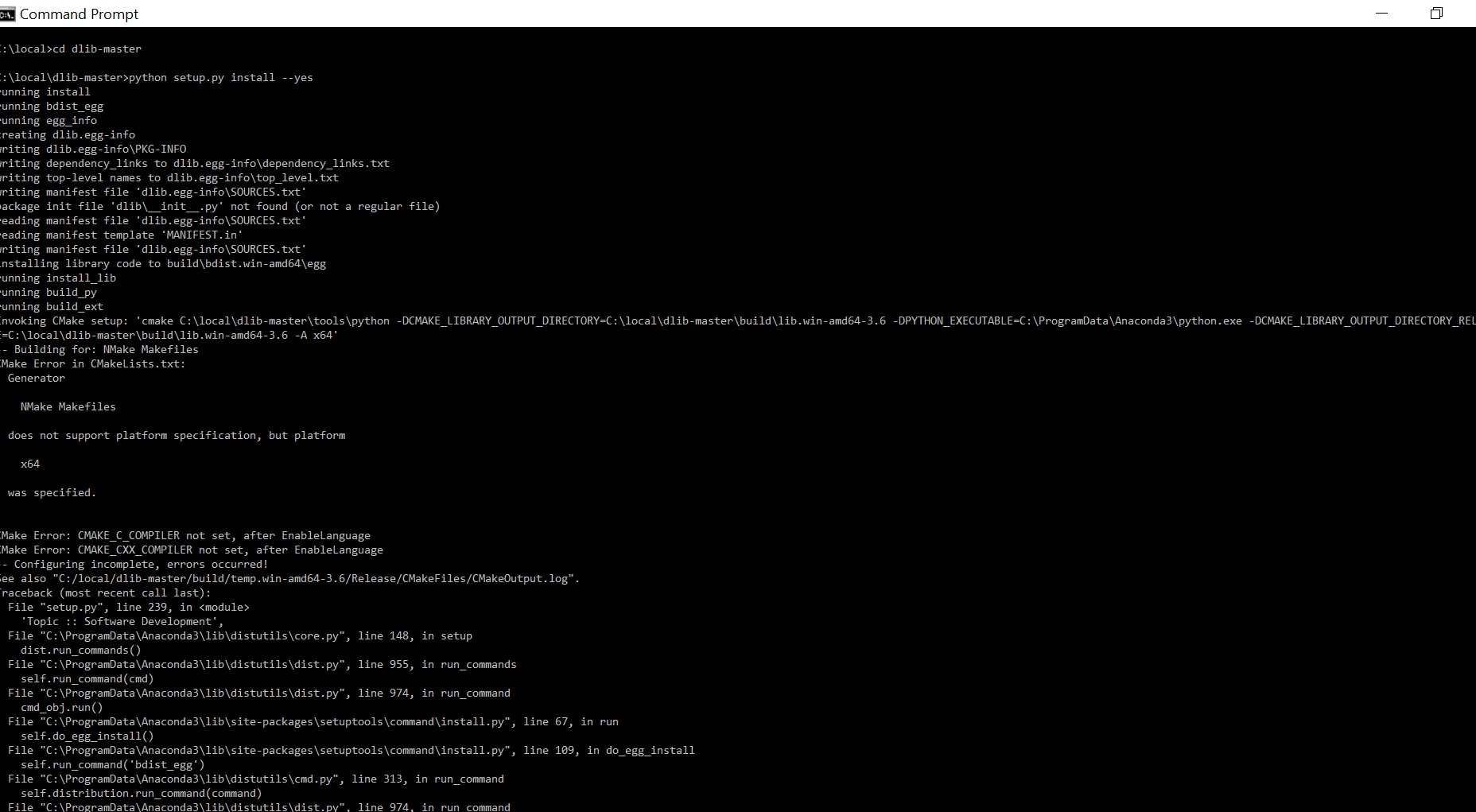
 cserezwan
on 6 Feb 2018
cserezwan
on 6 Feb 2018
Install visual studio. You need visual studio to compile python extensions
on windows.
davisking
on 6 Feb 2018
Hi, I just started this process of installing face_recognition python package on Windows 10. But I'm stuck at the first step" bootstrap. I got error:
C:\localboost_1_66_0>bootstrap
Building Boost.Build engine
Failed to build Boost.Build engine.
Please consult bootstrap.log for further diagnostics.
You can try to obtain a prebuilt binary from
http://sf.net/project/showfiles.php?group_id=7586&package_id=72941
Also, you can file an issue at http://svn.boost.org
Please attach bootstrap.log in that case.
~~~~
I installed visual studio 2017 which is VS15.5.6 version, I checked boost file it has msvc-14.1. here is the bootstrap.log:
~~~~~
could not find "vswhere"
#
"Could not find a suitable toolset."
#
You can specify the toolset as the argument, i.e.:
.\build.bat msvc
#
Toolsets supported by this script are: borland, como, gcc,
gcc-nocygwin, intel-win32, metrowerks, mingw, msvc, vc7, vc8,
vc9, vc10, vc11, vc12, vc14, vc141
#
If you have Visual Studio 2017 installed you will need either update
the Visual Studio 2017 installer or run from VS 2017 Command Prompt
as we where unable to detect your toolset installation.
#
This is the system variable:
C:\localboost_1_66_0>set VS150COMNTOOLS
VS150COMNTOOLS=C:\localboost_1_66_0\lib64-msvc-14.1
~~~~~
can someone help ?
Thanks.
 helenzusa1
on 18 Feb 2018
helenzusa1
on 18 Feb 2018
@helenzusa1 Hi, It seems that it can't find the right build toolchain. Are you sure you are running commands with Visual Studio Command Prompt with the right environments? I think you are missing some parts of step 3. If the problem exists, try to download pre-built-in version of Boost for your current MSVC version.
masoudr
on 18 Feb 2018
Get the new dlib, it doesn't use boost at all anymore.
davisking
on 18 Feb 2018
Hi, @davisking , I tried that method to directly pip install dlib. I also got error:
(tensorflow) C:\Users\Owner>pip install --upgrade setuptools
(tensorflow) C:\Users\Owner>pip install wheel
(tensorflow) C:\Users\Owner>pip wheel --wheel-dir=/local/wheels -r requirements.txt
.............
Skipping wcwidth, due to already being wheel.
Building wheels for collected packages: simplegeneric
Running setup.py bdist_wheel for simplegeneric ... done
Stored in directory: c:\local\wheels
Successfully built simplegeneric
(tensorflow) C:\Users\Owner>pip install dlib
Collecting dlib
Using cached dlib-19.9.0.tar.gz
Building wheels for collected packages: dlib
Running setup.py bdist_wheel for dlib ... error
Complete output from command C:\Users\OwnerAnaconda2\envs\tensorflowpython.exe -u -c "import setuptools, tokenize;__file__='C:\Users\Owner\AppData\Local\Temp\pip-build-kxty7ar2\dlib\setup.py';f=getattr(tokenize, 'open', open)(__file__);code=f.read().replace('\r\n', '\n');f.close();exec(compile(code, __file__, 'exec'))" bdist_wheel -d C:\Users\Owner\AppData\Local\Temp\tmp83dzsvrjpip-wheel- --python-tag cp36:
running bdist_wheel
running build
running build_py
package init file 'dlib__init__.py' not found (or not a regular file)
running build_ext
Invoking CMake setup: 'cmake C:\Users\Owner\AppData\Local\Temppip-build-kxty7ar2dlib\toolspython -DCMAKE_LIBRARY_OUTPUT_DIRECTORY=C:\Users\Owner\AppData\Local\Temppip-build-kxty7ar2dlib\build\lib.win-amd64-3.6 -DPYTHON_EXECUTABLE=C:\Users\OwnerAnaconda2\envs\tensorflowpython.exe -DCMAKE_LIBRARY_OUTPUT_DIRECTORY_RELEASE=C:\Users\Owner\AppData\Local\Temppip-build-kxty7ar2dlib\build\lib.win-amd64-3.6 -A x64'
-- Building for: NMake Makefiles
CMake Error in CMakeLists.txt:
Generator
  NMake Makefiles

does not support platform specification, but platform

  x64

was specified.
CMake Error: CMAKE_C_COMPILER not set, after EnableLanguage
CMake Error: CMAKE_CXX_COMPILER not set, after EnableLanguage
-- Configuring incomplete, errors occurred!
See also "C:/Users/Owner/AppData/Local/Temp/pip-build-kxty7ar2/dlib/build/temp.win-amd64-3.6/Release/CMakeFiles/CMakeOutput.log".
Traceback (most recent call last):
File "
File "C:\Users\Owner\AppData\Local\Temppip-build-kxty7ar2dlib\setup.py", line 238, in
'Topic :: Software Development',
File "C:\Users\OwnerAnaconda2\envs\tensorflow\lib\site-packages\setuptools__init__.py", line 129, in setup
return distutils.core.setup(**attrs)
File "C:\Users\OwnerAnaconda2\envs\tensorflow\lib\distutils\core.py", line 148, in setup
dist.run_commands()
File "C:\Users\OwnerAnaconda2\envs\tensorflow\lib\distutils\dist.py", line 955, in run_commands
self.run_command(cmd)
File "C:\Users\OwnerAnaconda2\envs\tensorflow\lib\distutils\dist.py", line 974, in run_command
cmd_obj.run()
File "C:\Users\OwnerAnaconda2\envs\tensorflow\lib\site-packages\wheel\bdist_wheel.py", line 204, in run
self.run_command('build')
File "C:\Users\OwnerAnaconda2\envs\tensorflow\lib\distutilscmd.py", line 313, in run_command
self.distribution.run_command(command)
File "C:\Users\OwnerAnaconda2\envs\tensorflow\lib\distutils\dist.py", line 974, in run_command
cmd_obj.run()
File "C:\Users\OwnerAnaconda2\envs\tensorflow\lib\distutils\command\build.py", line 135, in run
self.run_command(cmd_name)
File "C:\Users\OwnerAnaconda2\envs\tensorflow\lib\distutilscmd.py", line 313, in run_command
self.distribution.run_command(command)
File "C:\Users\OwnerAnaconda2\envs\tensorflow\lib\distutils\dist.py", line 974, in run_command
cmd_obj.run()
File "C:\Users\Owner\AppData\Local\Temppip-build-kxty7ar2dlib\setup.py", line 119, in run
self.build_extension(ext)
File "C:\Users\Owner\AppData\Local\Temppip-build-kxty7ar2dlib\setup.py", line 153, in build_extension
subprocess.check_call(cmake_setup, cwd=build_folder)
File "C:\Users\OwnerAnaconda2\envs\tensorflow\lib\subprocess.py", line 291, in check_call
raise CalledProcessError(retcode, cmd)
subprocess.CalledProcessError: Command '['cmake', 'C:\Users\Owner\AppData\Local\Temp\pip-build-kxty7ar2\dlib\tools\python', '-DCMAKE_LIBRARY_OUTPUT_DIRECTORY=C:\Users\Owner\AppData\Local\Temp\pip-build-kxty7ar2\dlib\build\lib.win-amd64-3.6', '-DPYTHON_EXECUTABLE=C:\Users\Owner\Anaconda2\envs\tensorflow\python.exe', '-DCMAKE_LIBRARY_OUTPUT_DIRECTORY_RELEASE=C:\Users\Owner\AppData\Local\Temp\pip-build-kxty7ar2\dlib\build\lib.win-amd64-3.6', '-A', 'x64']' returned non-zero exit status 1.
Failed building wheel for dlib
Running setup.py clean for dlib
Failed to build dlib
Installing collected packages: dlib
Running setup.py install for dlib ... error
Complete output from command C:\Users\OwnerAnaconda2\envs\tensorflowpython.exe -u -c "import setuptools, tokenize;__file__='C:\Users\Owner\AppData\Local\Temp\pip-build-kxty7ar2\dlib\setup.py';f=getattr(tokenize, 'open', open)(__file__);code=f.read().replace('\r\n', '\n');f.close();exec(compile(code, __file__, 'exec'))" install --record C:\Users\Owner\AppData\Local\Temppip-k7ymnyuo-record\install-record.txt --single-version-externally-managed --compile:
running install
running build
running build_py
package init file 'dlib__init__.py' not found (or not a regular file)
running build_ext
Invoking CMake setup: 'cmake C:\Users\Owner\AppData\Local\Temppip-build-kxty7ar2dlib\toolspython -DCMAKE_LIBRARY_OUTPUT_DIRECTORY=C:\Users\Owner\AppData\Local\Temppip-build-kxty7ar2dlib\build\lib.win-amd64-3.6 -DPYTHON_EXECUTABLE=C:\Users\OwnerAnaconda2\envs\tensorflowpython.exe -DCMAKE_LIBRARY_OUTPUT_DIRECTORY_RELEASE=C:\Users\Owner\AppData\Local\Temppip-build-kxty7ar2dlib\build\lib.win-amd64-3.6 -A x64'
-- Building for: NMake Makefiles
CMake Error in CMakeLists.txt:
Generator
    NMake Makefiles

  does not support platform specification, but platform

    x64

  was specified.


CMake Error: CMAKE_C_COMPILER not set, after EnableLanguage
CMake Error: CMAKE_CXX_COMPILER not set, after EnableLanguage
-- Configuring incomplete, errors occurred!
See also "C:/Users/Owner/AppData/Local/Temp/pip-build-kxty7ar2/dlib/build/temp.win-amd64-3.6/Release/CMakeFiles/CMakeOutput.log".
Traceback (most recent call last):
  File "<string>", line 1, in <module>
  File "C:\Users\Owner\AppData\Local\Temp\pip-build-kxty7ar2\dlib\setup.py", line 238, in <module>
    'Topic :: Software Development',
  File "C:\Users\Owner\Anaconda2\envs\tensorflow\lib\site-packages\setuptools\__init__.py", line 129, in setup
    return distutils.core.setup(**attrs)
  File "C:\Users\Owner\Anaconda2\envs\tensorflow\lib\distutils\core.py", line 148, in setup
    dist.run_commands()
  File "C:\Users\Owner\Anaconda2\envs\tensorflow\lib\distutils\dist.py", line 955, in run_commands
    self.run_command(cmd)
  File "C:\Users\Owner\Anaconda2\envs\tensorflow\lib\distutils\dist.py", line 974, in run_command
    cmd_obj.run()
  File "C:\Users\Owner\Anaconda2\envs\tensorflow\lib\site-packages\setuptools\command\install.py", line 61, in run
    return orig.install.run(self)
  File "C:\Users\Owner\Anaconda2\envs\tensorflow\lib\distutils\command\install.py", line 545, in run
    self.run_command('build')
  File "C:\Users\Owner\Anaconda2\envs\tensorflow\lib\distutils\cmd.py", line 313, in run_command
    self.distribution.run_command(command)
  File "C:\Users\Owner\Anaconda2\envs\tensorflow\lib\distutils\dist.py", line 974, in run_command
    cmd_obj.run()
  File "C:\Users\Owner\Anaconda2\envs\tensorflow\lib\distutils\command\build.py", line 135, in run
    self.run_command(cmd_name)
  File "C:\Users\Owner\Anaconda2\envs\tensorflow\lib\distutils\cmd.py", line 313, in run_command
    self.distribution.run_command(command)
  File "C:\Users\Owner\Anaconda2\envs\tensorflow\lib\distutils\dist.py", line 974, in run_command
    cmd_obj.run()
  File "C:\Users\Owner\AppData\Local\Temp\pip-build-kxty7ar2\dlib\setup.py", line 119, in run
    self.build_extension(ext)
  File "C:\Users\Owner\AppData\Local\Temp\pip-build-kxty7ar2\dlib\setup.py", line 153, in build_extension
    subprocess.check_call(cmake_setup, cwd=build_folder)
  File "C:\Users\Owner\Anaconda2\envs\tensorflow\lib\subprocess.py", line 291, in check_call
    raise CalledProcessError(retcode, cmd)
subprocess.CalledProcessError: Command '['cmake', 'C:\\Users\\Owner\\AppData\\Local\\Temp\\pip-build-kxty7ar2\\dlib\\tools\\python', '-DCMAKE_LIBRARY_OUTPUT_DIRECTORY=C:\\Users\\Owner\\AppData\\Local\\Temp\\pip-build-kxty7ar2\\dlib\\build\\lib.win-amd64-3.6', '-DPYTHON_EXECUTABLE=C:\\Users\\Owner\\Anaconda2\\envs\\tensorflow\\python.exe', '-DCMAKE_LIBRARY_OUTPUT_DIRECTORY_RELEASE=C:\\Users\\Owner\\AppData\\Local\\Temp\\pip-build-kxty7ar2\\dlib\\build\\lib.win-amd64-3.6', '-A', 'x64']' returned non-zero exit status 1.

----------------------------------------
Command "C:\Users\OwnerAnaconda2\envs\tensorflowpython.exe -u -c "import setuptools, tokenize;__file__='C:\Users\Owner\AppData\Local\Temp\pip-build-kxty7ar2\dlib\setup.py';f=getattr(tokenize, 'open', open)(__file__);code=f.read().replace('\r\n', '\n');f.close();exec(compile(code, __file__, 'exec'))" install --record C:\Users\Owner\AppData\Local\Temppip-k7ymnyuo-record\install-record.txt --single-version-externally-managed --compile" failed with error code 1 in C:\Users\Owner\AppData\Local\Temppip-build-kxty7ar2dlib\
is that because the dlib is wrong or something else? Can you help?
Thanks.
helenzusa1
on 18 Feb 2018
You are running a version of windows that isn't 64bit?
davisking
on 18 Feb 2018
I just checked, it's windows 10, 64 bits X64-based processor
helenzusa1
on 18 Feb 2018
I don't know, you have a broken visual studio install somehow. Reinstall visual C++.
davisking
on 18 Feb 2018
I don't know why it always 'Using cached dlib-19.9.0.tar.gz' even though I deleted the dlib-19.9.0.tar.gz from C:\users\owner folder, I left untared dlib-19_9_0 folder, so I could edit some lines in setup.py, sources, egg_info.
helenzusa1
on 18 Feb 2018
when I initially installed visual studio, I didn't add any work loads, I'm adding now including visual C++, see what happens.
helenzusa1
on 18 Feb 2018
Yeah you need the C++ compiler.
davisking
on 18 Feb 2018
Hey @davisking good news, after I added visual C++, I successfully installed dlib and face_recognition, I could do python import face_recognition. Thanks for your great help.
(C:\Users\OwnerAnaconda2) C:\Users\Owner>activate tensorflow
(tensorflow) C:\Users\Owner>pip install dlib
Collecting dlib
Using cached dlib-19.9.0.tar.gz
Building wheels for collected packages: dlib
Running setup.py bdist_wheel for dlib ... done
Stored in directory: C:\Users\Owner\AppData\Localpip\Cache\wheels\55\33\13\a6ebd55ad80a7d2944bebc962db6db4efdc7d3026adaf3b20d
Successfully built dlib
Installing collected packages: dlib
Successfully installed dlib-19.9.0
(tensorflow) C:\Users\Owner>pip install face_recognition-1.2.1-py2.py3-none-any.whl
Processing c:\users\ownerface_recognition-1.2.1-py2.py3-none-any.whl
Requirement already satisfied: dlib>=19.7 in c:\users\owner\anaconda2\envs\tensorflow\lib\site-packages (from face-recognition==1.2.1)
Requirement already satisfied: face-recognition-models>=0.3.0 in c:\users\owner\anaconda2\envs\tensorflow\lib\site-packages (from face-recognition==1.2.1)
Requirement already satisfied: numpy in c:\users\owner\anaconda2\envs\tensorflow\lib\site-packages (from face-recognition==1.2.1)
Requirement already satisfied: scipy>=0.17.0 in c:\users\owner\anaconda2\envs\tensorflow\lib\site-packages (from face-recognition==1.2.1)
Requirement already satisfied: Pillow in c:\users\owner\anaconda2\envs\tensorflow\lib\site-packages (from face-recognition==1.2.1)
Requirement already satisfied: Click>=6.0 in c:\users\owner\anaconda2\envs\tensorflow\lib\site-packages (from face-recognition==1.2.1)
Installing collected packages: face-recognition
Found existing installation: face-recognition 0.2.2
Uninstalling face-recognition-0.2.2:
Successfully uninstalled face-recognition-0.2.2
Successfully installed face-recognition-1.2.1
(tensorflow) C:\Users\Owner>python
Python 3.6.2 |Continuum Analytics, Inc.| (default, Jul 20 2017, 12:30:02) [MSC v.1900 64 bit (AMD64)] on win32
Type "help", "copyright", "credits" or "license" for more information.
import face_recognition
quit()
helenzusa1
on 18 Feb 2018
Hi, @masoudr , after I resintalled visual C++, I tried bootstrp, it worked as well. Thanks for your great information.
helenzusa1
on 18 Feb 2018
You don't have to install dlib from source, just use anaconda
conda install -c conda-forge dlib=19.4
 pirumpi
on 28 Feb 2018
pirumpi
on 28 Feb 2018
CMake Error at CMakeLists.txt:38 (message):
You have to use a version of Visual Studio that supports C++11. As of
December 2017, the only versions that have good enough C++11 support to
compile the dlib Pyhton API is a fully updated Visual Studio 2015 or a
fully updated Visual Studio 2017. Older versions of either of these
compilers have bad C++11 support and will fail to compile the Python
extension. SO UPDATE YOUR VISUAL STUDIO TO MAKE THIS ERROR GO AWAY
尽管提示的很清楚,我还是想问一句这个是因为我的vs版本问题导致的嘛,期待大神的回答
 HDeed
on 15 Mar 2018
HDeed
on 15 Mar 2018
Will face_recognition work on Windows 8.1 ?
 rjtmehta99
on 24 Mar 2018
rjtmehta99
on 24 Mar 2018
@rjtmehta99 Hi, Currently you can install dlib and face_recognition easily with pip, but if you want to build the latest version of dlib from source, you can install it without boost, so I think there is no problem to install them on Win8.
masoudr
on 25 Mar 2018
@masoudr Thank You so much man !!
rjtmehta99
on 25 Mar 2018
PS C:\Users\wills\desktopboost_1_66_0> pip install dlib
Collecting dlib
Using cached dlib-19.10.0.tar.gz
Building wheels for collected packages: dlib
Running setup.py bdist_wheel for dlib ... error
Failed building wheel for dlib
Running setup.py clean for dlib
Failed to build dlib
Installing collected packages: dlib
Running setup.py install for dlib ... error
Exception:
Traceback (most recent call last):
File "c:\users\wills\appdata\local\programspythonpython36\lib\site-packagespipcompat__init__.py", line 73, in console_to_str
return s.decode(sys.__stdout__.encoding)
UnicodeDecodeError: 'utf-8' codec can't decode byte 0xd5 in position 36: invalid continuation byte
During handling of the above exception, another exception occurred:
Traceback (most recent call last):
File "c:\users\wills\appdata\local\programspythonpython36\lib\site-packagespip\basecommand.py", line 215, in main
status = self.run(options, args)
File "c:\users\wills\appdata\local\programspythonpython36\lib\site-packagespip\commands\install.py", line 342, in run
prefix=options.prefix_path,
File "c:\users\wills\appdata\local\programspythonpython36\lib\site-packagespip\req\req_set.py", line 784, in install
**kwargs
File "c:\users\wills\appdata\local\programspythonpython36\lib\site-packagespip\req\req_install.py", line 876, in install
spinner=spinner,
File "c:\users\wills\appdata\local\programspythonpython36\lib\site-packagespip\utils__init__.py", line 676, in call_subprocess
line = console_to_str(proc.stdout.readline())
File "c:\users\wills\appdata\local\programspythonpython36\lib\site-packagespipcompat__init__.py", line 75, in console_to_str
return s.decode('utf_8')
UnicodeDecodeError: 'utf-8' codec can't decode byte 0xd5 in position 36: invalid continuation byte
fukk off the dlib pakage!
anything goes easy but dlib
 willshion
on 26 Mar 2018
willshion
on 26 Mar 2018
Hey, I guys I just installed face_recognition and dlib. I am using jupyter notebook, anaconda, windows 10 and python 3.6
These are the steps I followed:
- Download the Visual studio 15 community and don't forget to check visual c++ compiler for installation.
- pip install dlib
- pip install face_recognition
That's all I needed to import face_recognition in my jupyter notebook.
 abhishekbhandari22
on 8 Apr 2018
abhishekbhandari22
on 8 Apr 2018
Just installed dlib on Windows 10 64-bit following install instructions of CMAKE and compiling dlib https://github.com/davisking/dlib no need to do pip install dlib
 zubairahmed-ai
on 19 Apr 2018
zubairahmed-ai
on 19 Apr 2018
directly download the whl file and install it using the command
pip install *.whl from command prompt
https://www.youtube.com/watch?v=KuVT3YYxFrU
 vamzii
on 30 Apr 2018
vamzii
on 30 Apr 2018
@TheDogeOfTheInternet how did you install Boost? with respect to your 1st comment.
 akhilkathi97
on 2 May 2018
akhilkathi97
on 2 May 2018
New versions of dlib don't use boost anymore. So get the new dlib.
davisking
on 2 May 2018
akhilkathi97
on 2 May 2018
First post updated to avoid confusion to install the new version.
masoudr
on 2 May 2018
Hey, I guys I just installed face_recognition and dlib. I am using windows 7 and python 3.6
These are the steps I followed:
pip install dlib==19.8.1
pip install face_recognition
very easy. No other tools needed.
python 3.6 is needed by dlib>=19.7.
For future newer dlib, you may visit https://pypi.org/project/dlib/#history to look for a newer version which contains the whl file, such as https://pypi.org/project/dlib/19.8.1/#files
 llrraa
on 7 May 2018
llrraa
on 7 May 2018
for installing in windows 10 or 8 or 7 it works fine!!
Follow the link for proper installing
https://github.com/YakshThakar/Face-Recognition-API-for-Windows-10
 YakshThakar
on 31 May 2018
YakshThakar
on 31 May 2018
hey,I think this link will be fine to get a higher speed. http://dlib.net/faq.html#Whyisdlibslow
Finally, you can enable either SSE4 or AVX instruction use. These will make certain operations much faster (e.g. face detection). You do this using CMake's cmake-gui tool. For example, if you execute these commands you will get the cmake-gui screen:
 Anveena
on 17 Jul 2018
Anveena
on 17 Jul 2018
No need of visual studio , boost to install on windows. Just download latest .whl file from respective website https://pypi.org/simple/dlib/ and https://files.pythonhosted.org/packages/28/10/f153bbbc218fc169768aa1c02f2e9178e9241e4af8da56289bdca2c0c217/face_recognition-1.2.2-py2.py3-none-any.whl
Download and place it on python directory scrpit/
pip install dlib-19.8.1-cp36-cp36m-win_amd64.whl
pip install face_recognition-1.2.2-py2.py3-none-any.whl
 ramisha93
on 6 Aug 2018
ramisha93
on 6 Aug 2018
In fact,dlib still can't be complied by vs2017, if you want to complie it by yourself, please use vs2015 or other lower version to complie dlib on windows.
 geekwhy
on 12 Aug 2018
geekwhy
on 12 Aug 2018
This is incorrect. Dlib compiles just fine on visual studio 2017, so long
as you have updated to a new version of visual studio 2017. Earlier
versions of visual studio 2017 did not support C++11, but they fixed it in
more recent versions.
davisking
on 12 Aug 2018
Hi everyone, I also had same problem of installing dlib on Windows 10 earlier, and like @ramisha93 said, no need of visual studio and boost, also similar like @llrraa's steps.
Here are my steps:
Go to Links for dlib download the dlib whl (for me, I download dlib-19.8.1-cp36-cp36m-win_amd64.whl)
Use cmd to the whl directory
And
pip install whl_name.whl
(pip install dlib-19.8.1-cp36-cp36m-win_amd64.whlfor me)Then you can
pip install face_recognition
It works for me!
 kevinisbest
on 18 Aug 2018
kevinisbest
on 18 Aug 2018
I'm facing the following errors. What can be a possible solution for this? I've CMake installed.


 shahriarabdullah
on 23 Aug 2018
shahriarabdullah
on 23 Aug 2018
Can anybody give a link of youtube how to install dlib and face_recognition
pip install dlib and then pip install face_recognition
Could not understand how to install above mentioned programs in windows. i have downloaded it but dont know how to install them. please help me out. thanks
 owaisofficial
on 28 Aug 2018
owaisofficial
on 28 Aug 2018
@shahriarabdullah
Hey, I guys I just installed face_recognition and dlib. I am using windows 7 and python 3.6
These are the steps I followed:
pip install dlib==19.8.1
pip install face_recognition
very easy. No other tools needed.
python 3.6 is needed by dlib>=19.7.
For future newer dlib, you may visit https://pypi.org/project/dlib/#history to look for a newer version which contains the whl file, such as https://pypi.org/project/dlib/19.8.1/#files
llrraa
on 4 Sep 2018
@owaisofficial
first install python 3.6
then 2 commands in cmd.exe:
pip install dlib==19.8.1
pip install face_recognition
https://img-blog.csdn.net/20180904221212304?watermark/2/text/aHR0cHM6Ly9ibG9nLmNzZG4ubmV0L2xscnJhYTIwMTA=/font/5a6L5L2T/fontsize/400/fill/I0JBQkFCMA==/dissolve/70
https://img-blog.csdn.net/20180904221452862?watermark/2/text/aHR0cHM6Ly9ibG9nLmNzZG4ubmV0L2xscnJhYTIwMTA=/font/5a6L5L2T/fontsize/400/fill/I0JBQkFCMA==/dissolve/70
llrraa
on 4 Sep 2018
This is not correct. Dlib does not require any particular version of
python.
davisking
on 4 Sep 2018
@davisking I'm sorry. Someone told me that. Maybe other versions of
python is ok also.
llrraa
on 5 Sep 2018
@shahriarabdullah

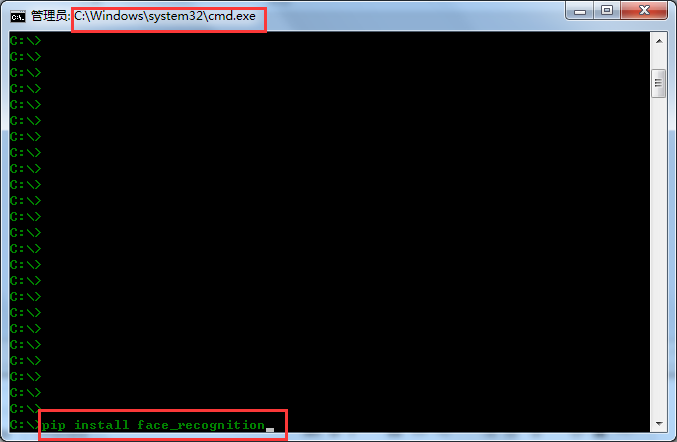
llrraa
on 5 Sep 2018
i am facing problem here
CMake Error: CMAKE_C_COMPILER not set, after EnableLanguage
CMake Error: CMAKE_CXX_COMPILER not set, after EnableLanguage
-- Configuring incomplete, errors occurred!
###
Collecting dlib
Using cached https://files.pythonhosted.org/packages/df/aa/6a9bb2a763107bb2606d6ee1aa65fcd3b51375a9ef6436e9c9280b0dd63c/dlib-19.15.0.tar.gz
Building wheels for collected packages: dlib
Running setup.py bdist_wheel for dlib ... error
Complete output from command f:\anaconda3python.exe -u -c "import setuptools, tokenize;__file__='C:\Users\HOME\AppData\Local\Temp\pip-install-ml6s16mn\dlib\setup.py';f=getattr(tokenize, 'open', open)(__file__);code=f.read().replace('\r\n', '\n');f.close();exec(compile(code, __file__, 'exec'))" bdist_wheel -d C:\Users\HOME\AppData\Local\Temppip-wheel-vxkiejv_ --python-tag cp35:
running bdist_wheel
running build
running build_py
package init file 'dlib__init__.py' not found (or not a regular file)
running build_ext
Building extension for Python 3.5.2 |Anaconda 4.1.1 (64-bit)| (default, Jul 5 2016, 11:41:13) [MSC v.1900 64 bit (AMD64)]
Invoking CMake setup: 'cmake C:\Users\HOME\AppData\Local\Temppip-install-ml6s16mndlib\toolspython -DCMAKE_LIBRARY_OUTPUT_DIRECTORY=C:\Users\HOME\AppData\Local\Temppip-install-ml6s16mndlib\build\lib.win-amd64-3.5 -DPYTHON_EXECUTABLE=f:\anaconda3python.exe -DCMAKE_LIBRARY_OUTPUT_DIRECTORY_RELEASE=C:\Users\HOME\AppData\Local\Temppip-install-ml6s16mndlib\build\lib.win-amd64-3.5 -A x64'
-- Building for: NMake Makefiles
CMake Error in CMakeLists.txt:
Generator
  NMake Makefiles

does not support platform specification, but platform

  x64

was specified.
CMake Error: CMAKE_C_COMPILER not set, after EnableLanguage
CMake Error: CMAKE_CXX_COMPILER not set, after EnableLanguage
-- Configuring incomplete, errors occurred!
See also "C:/Users/HOME/AppData/Local/Temp/pip-install-ml6s16mn/dlib/build/temp.win-amd64-3.5/Release/CMakeFiles/CMakeOutput.log".
Traceback (most recent call last):
File "
File "C:\Users\HOME\AppData\Local\Temppip-install-ml6s16mndlib\setup.py", line 257, in
'Topic :: Software Development',
File "f:\anaconda3\lib\distutils\core.py", line 148, in setup
dist.run_commands()
File "f:\anaconda3\lib\distutils\dist.py", line 955, in run_commands
self.run_command(cmd)
File "f:\anaconda3\lib\distutils\dist.py", line 974, in run_command
cmd_obj.run()
File "f:\anaconda3\lib\site-packages\wheel\bdist_wheel.py", line 179, in run
self.run_command('build')
File "f:\anaconda3\lib\distutilscmd.py", line 313, in run_command
self.distribution.run_command(command)
File "f:\anaconda3\lib\distutils\dist.py", line 974, in run_command
cmd_obj.run()
File "f:\anaconda3\lib\distutils\command\build.py", line 135, in run
self.run_command(cmd_name)
File "f:\anaconda3\lib\distutilscmd.py", line 313, in run_command
self.distribution.run_command(command)
File "f:\anaconda3\lib\distutils\dist.py", line 974, in run_command
cmd_obj.run()
File "C:\Users\HOME\AppData\Local\Temppip-install-ml6s16mndlib\setup.py", line 133, in run
self.build_extension(ext)
File "C:\Users\HOME\AppData\Local\Temppip-install-ml6s16mndlib\setup.py", line 170, in build_extension
subprocess.check_call(cmake_setup, cwd=build_folder)
File "f:\anaconda3\lib\subprocess.py", line 581, in check_call
raise CalledProcessError(retcode, cmd)
subprocess.CalledProcessError: Command '['cmake', 'C:\Users\HOME\AppData\Local\Temp\pip-install-ml6s16mn\dlib\tools\python', '-DCMAKE_LIBRARY_OUTPUT_DIRECTORY=C:\Users\HOME\AppData\Local\Temp\pip-install-ml6s16mn\dlib\build\lib.win-amd64-3.5', '-DPYTHON_EXECUTABLE=f:\anaconda3\python.exe', '-DCMAKE_LIBRARY_OUTPUT_DIRECTORY_RELEASE=C:\Users\HOME\AppData\Local\Temp\pip-install-ml6s16mn\dlib\build\lib.win-amd64-3.5', '-A', 'x64']' returned non-zero exit status 1
Failed building wheel for dlib
Running setup.py clean for dlib
Failed to build dlib
Installing collected packages: dlib
Running setup.py install for dlib ... error
Complete output from command f:\anaconda3python.exe -u -c "import setuptools, tokenize;__file__='C:\Users\HOME\AppData\Local\Temp\pip-install-ml6s16mn\dlib\setup.py';f=getattr(tokenize, 'open', open)(__file__);code=f.read().replace('\r\n', '\n');f.close();exec(compile(code, __file__, 'exec'))" install --record C:\Users\HOME\AppData\Local\Temppip-record-xfibkqpc\install-record.txt --single-version-externally-managed --compile:
running install
running build
running build_py
package init file 'dlib__init__.py' not found (or not a regular file)
running build_ext
Building extension for Python 3.5.2 |Anaconda 4.1.1 (64-bit)| (default, Jul 5 2016, 11:41:13) [MSC v.1900 64 bit (AMD64)]
Invoking CMake setup: 'cmake C:\Users\HOME\AppData\Local\Temppip-install-ml6s16mndlib\toolspython -DCMAKE_LIBRARY_OUTPUT_DIRECTORY=C:\Users\HOME\AppData\Local\Temppip-install-ml6s16mndlib\build\lib.win-amd64-3.5 -DPYTHON_EXECUTABLE=f:\anaconda3python.exe -DCMAKE_LIBRARY_OUTPUT_DIRECTORY_RELEASE=C:\Users\HOME\AppData\Local\Temppip-install-ml6s16mndlib\build\lib.win-amd64-3.5 -A x64'
-- Building for: NMake Makefiles
CMake Error in CMakeLists.txt:
Generator
    NMake Makefiles

  does not support platform specification, but platform

    x64

  was specified.


CMake Error: CMAKE_C_COMPILER not set, after EnableLanguage
CMake Error: CMAKE_CXX_COMPILER not set, after EnableLanguage
-- Configuring incomplete, errors occurred!
See also "C:/Users/HOME/AppData/Local/Temp/pip-install-ml6s16mn/dlib/build/temp.win-amd64-3.5/Release/CMakeFiles/CMakeOutput.log".
Traceback (most recent call last):
  File "<string>", line 1, in <module>
  File "C:\Users\HOME\AppData\Local\Temp\pip-install-ml6s16mn\dlib\setup.py", line 257, in <module>
    'Topic :: Software Development',
  File "f:\anaconda3\lib\distutils\core.py", line 148, in setup
    dist.run_commands()
  File "f:\anaconda3\lib\distutils\dist.py", line 955, in run_commands
    self.run_command(cmd)
  File "f:\anaconda3\lib\distutils\dist.py", line 974, in run_command
    cmd_obj.run()
  File "f:\anaconda3\lib\site-packages\setuptools-23.0.0-py3.5.egg\setuptools\command\install.py", line 61, in run
  File "f:\anaconda3\lib\distutils\command\install.py", line 539, in run
    self.run_command('build')
  File "f:\anaconda3\lib\distutils\cmd.py", line 313, in run_command
    self.distribution.run_command(command)
  File "f:\anaconda3\lib\distutils\dist.py", line 974, in run_command
    cmd_obj.run()
  File "f:\anaconda3\lib\distutils\command\build.py", line 135, in run
    self.run_command(cmd_name)
  File "f:\anaconda3\lib\distutils\cmd.py", line 313, in run_command
    self.distribution.run_command(command)
  File "f:\anaconda3\lib\distutils\dist.py", line 974, in run_command
    cmd_obj.run()
  File "C:\Users\HOME\AppData\Local\Temp\pip-install-ml6s16mn\dlib\setup.py", line 133, in run
    self.build_extension(ext)
  File "C:\Users\HOME\AppData\Local\Temp\pip-install-ml6s16mn\dlib\setup.py", line 170, in build_extension
    subprocess.check_call(cmake_setup, cwd=build_folder)
  File "f:\anaconda3\lib\subprocess.py", line 581, in check_call
    raise CalledProcessError(retcode, cmd)
subprocess.CalledProcessError: Command '['cmake', 'C:\\Users\\HOME\\AppData\\Local\\Temp\\pip-install-ml6s16mn\\dlib\\tools\\python', '-DCMAKE_LIBRARY_OUTPUT_DIRECTORY=C:\\Users\\HOME\\AppData\\Local\\Temp\\pip-install-ml6s16mn\\dlib\\build\\lib.win-amd64-3.5', '-DPYTHON_EXECUTABLE=f:\\anaconda3\\python.exe', '-DCMAKE_LIBRARY_OUTPUT_DIRECTORY_RELEASE=C:\\Users\\HOME\\AppData\\Local\\Temp\\pip-install-ml6s16mn\\dlib\\build\\lib.win-amd64-3.5', '-A', 'x64']' returned non-zero exit status 1

----------------------------------------
Command "f:\anaconda3python.exe -u -c "import setuptools, tokenize;__file__='C:\Users\HOME\AppData\Local\Temp\pip-install-ml6s16mn\dlib\setup.py';f=getattr(tokenize, 'open', open)(__file__);code=f.read().replace('\r\n', '\n');f.close();exec(compile(code, __file__, 'exec'))" install --record C:\Users\HOME\AppData\Local\Temppip-record-xfibkqpc\install-record.txt --single-version-externally-managed --compile" failed with error code 1 in C:\Users\HOME\AppData\Local\Temppip-install-ml6s16mndlib\
 AnasKamali
on 6 Sep 2018
AnasKamali
on 6 Sep 2018
@AnasKamali Please post the exact command you enter and format the code with a quote.
Which kind of OS are you using? what version of python are you using? and what is your architecture? X86 or X64?
masoudr
on 6 Sep 2018
@AnasKamali
try as tibur mentioned
The default generator for Windows seems to be set to NMAKE. Try to use:
cmake -G "MinGW Makefiles"
Or use the GUI, and select MinGW Makefiles when prompted for a generator. Don't forget to cleanup the directory where you tried to run CMake, or delete the cache in the GUI. Otherwise, it will try again with NMAKE.
 yuezhilanyi
on 21 Sep 2018
yuezhilanyi
on 21 Sep 2018
Hello @masoudr
I have installed:
- visual studio 2017
- boost_1_66_0
- Python3.6
- CMake
I followed the steps gradually and I built boost manually.
When I built dlib it gave me 0 errors and 5 warnings:
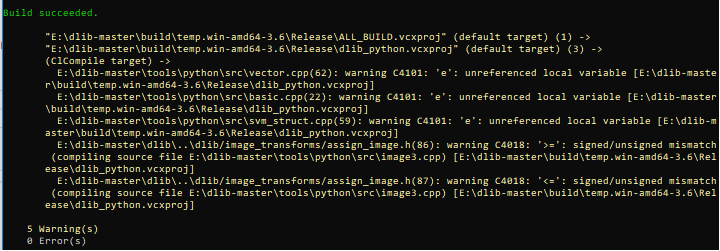
and I built face_recognition successfully,
but when I used import dlib gave me an ImportError:
Traceback (most recent call last):
File "
ImportError: DLL load failed: A dynamic link library (DLL) initialization routine failed.

Any Help?!
 nouxuN
on 2 Oct 2018
nouxuN
on 2 Oct 2018
@nouxuN Hi, Currently you don't need to build dlib. Just use the easy installation. If you want to build it by yourself build dlib before installing face_recognition. Grab the latest source and use python setup.py install --yes USE_AVX_INSTRUCTION to build it, then try to import it. Remember that for the latest versions of dlib you don't need boost anymore.
masoudr
on 2 Oct 2018
@masoudr I grabbed the latest version 19.16 and I used the command you mentioned, and that before the installation of the face_recognition, and it gave me build succeeded. Then I installed face_recognition.
When I import dlib or face_recognition gave the import error!
Now I uninstalled dlib and face_recognition and am trying to use easy installation using the command pip install dlib. I will give you my result when it finished.
Thanks in advance
nouxuN
on 2 Oct 2018
pip install cmake- In visual studio 2017, Individual Components tab,Visual C++ tools for Cmake checkbox under Compilers,build tools and runtimes Section
- On Visual Studio Command prompt run,
pip install face_recognition
 SmartManoj
on 2 Oct 2018
SmartManoj
on 2 Oct 2018
if I installed CUDA and "cudnn-7.0", and I use the the command:
pip install dlib
Should it use GPU?
nouxuN
on 2 Oct 2018
It will use CUDA if you have CUDA installed and a supported compiler (see the NVIDIA docs for what is supported). Also, http://dlib.net/faq.html#IcompileddlibsPythoninterfacewithCUDAenabled,whyisntitusingCUDA. Finally, run pip install -v dlib and you can see the build message that tell you in detail what is going on.
davisking
on 3 Oct 2018
Hi,
I have a doubt regarding installation of DLib.
Q1. I was earlier working on face recognition without Dlib using python(2.7) and opencv(2.4.13) only. Now when i installed anaconda for Dlib. It gives error no module named cv2 and all my python scripts stopped working. Is it necessary to install opencv and other already installed python packages using anaconda?
Q2. Inside the python27, I installed cmake (3.12.0) through pip and now when i do
pip install dlib it gives error for cmake must be installed
Please suggest me a way to avoid the mess getting created and python files to run.
 Aashima-Gupta
on 18 Oct 2018
Aashima-Gupta
on 18 Oct 2018
Sorry, I haven't tried installing it in the python2.7. I use python3.6 under Ubuntu environment.
At 2018-10-18 14:18:40, "Aashima-Gupta" notifications@github.com wrote:
Hi,
I have a doubt regarding installation of DLib.
I was earlier working on face recognition without Dlib using python(2.7) and opencv(2.4.13) only. Now when i installed anaconda for Dlib. It gives error no module named cv2. Is it necessary to install opencv and other already installed python packages using anaconda?
Q2. Inside the python27, I installed cmake (3.12.0 through pip and now when i do
pip install dlib it gives error for cmake must be installed
Please suggest me a way to avoid the mess getting created and python files to run.
—
You are receiving this because you are subscribed to this thread.
Reply to this email directly, view it on GitHub, or mute the thread.
 kcjevin
on 18 Oct 2018
kcjevin
on 18 Oct 2018
From step 3-3. this is what i get:
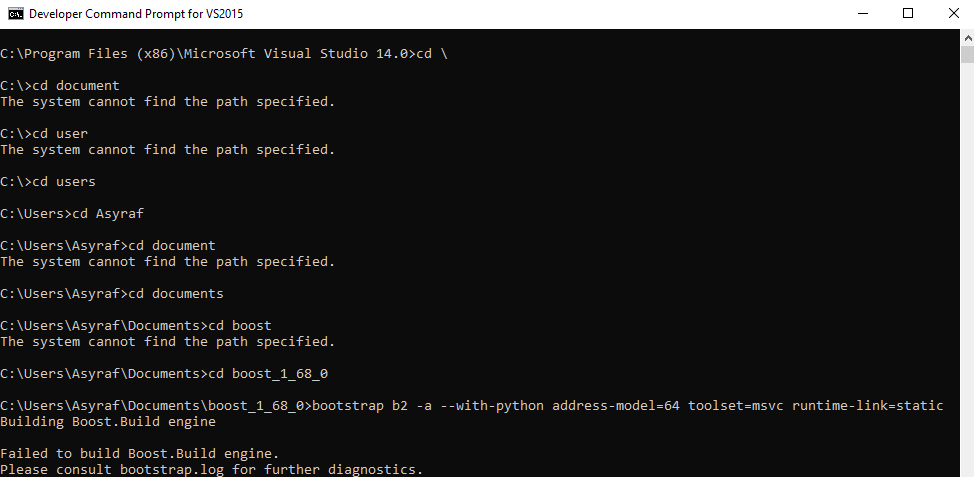
any help? because im a noobies
 asyrafalias
on 19 Nov 2018
asyrafalias
on 19 Nov 2018
@asyrafalias You don't need to use boost at all. Just follow the easy step and install dlib from pip. But if you want to use boost grab the prebuilt binaries.
masoudr
on 19 Nov 2018
@asyrafalias Try this. dlib is a dependency. So it will install automatically.
SmartManoj
on 21 Nov 2018
Hello @masoudr
I have installed:
- visual studio 2017
- boost_1_66_0
- Python3.6
- CMake
I followed the steps gradually and I built boost manually.
When I built dlib it gave me 0 errors and 5 warnings:
and I built face_recognition successfully,
but when I used import dlib gave me an ImportError:
Traceback (most recent call last):
File "", line 1, in
ImportError: DLL load failed: A dynamic link library (DLL) initialization routine failed.
Any Help?!
Hi, have you found the solution to the error you got like a DLL failed to load / initialized when you import dlib.
 butychaser
on 30 Nov 2018
butychaser
on 30 Nov 2018
@butychaser Did you try this? Boost not required.
SmartManoj
on 30 Nov 2018
I figured out the root cause to the error after spending several hours debugging the build command due to a missing AVX instruction on my CPU.
ref: https://github.com/rohit-patel/Install_Instructions-Win10-Deeplearning-Keras-Tensorflow
the build command needs to change according to my case.
python setup.py -G "Visual Studio 14 2015" install --no USE_AVX_INSTRUCTIONS --yes DLIB_USE_CUDA --clean
butychaser
on 30 Nov 2018
@butychaser Why do you use boost
SmartManoj
on 30 Nov 2018
Solved:
-I checked The Windows SDK version
-I installed visual studio 2015 C++ package
Hello,
I have installed:
Python3.6
visual studio 2015
boost_1_66_0
CMake
_what is the problem, I can't understand_
C:\Users\Onur Alp\AppData\Local\Programs\Python\Python36-32\Scripts>pip install dlib
Collecting dlib
  Using cached https://files.pythonhosted.org/packages/35/8d/e4ddf60452e2fb1ce3164f774e68968b3f110f1cb4cd353235d56875799e/dlib-19.16.0.tar.gz
Installing collected packages: dlib
  Running setup.py install for dlib ... error
    Complete output from command "c:\users\onur alp\appdata\local\programs\python\python36-32\python.exe" -u -c "import setuptools, tokenize;__file__='C:\\Users\\ONURAL~1\\AppData\\Local\\Temp\\pip-install-nix8xywl\\dlib\\setup.py';f=getattr(tokenize, 'open', open)(__file__);code=f.read().replace('\r\n', '\n');f.close();exec(compile(code, __file__, 'exec'))" install --record C:\Users\ONURAL~1\AppData\Local\Temp\pip-record-62rkptpb\install-record.txt --single-version-externally-managed --compile:
    running install
    running build
    running build_py
    package init file 'dlib\__init__.py' not found (or not a regular file)
    running build_ext
    Building extension for Python 3.6.3 (v3.6.3:2c5fed8, Oct  3 2017, 17:26:49) [MSC v.1900 32 bit (Intel)]
    Invoking CMake setup: 'cmake C:\Users\ONURAL~1\AppData\Local\Temp\pip-install-nix8xywl\dlib\tools\python -DCMAKE_LIBRARY_OUTPUT_DIRECTORY=C:\Users\ONURAL~1\AppData\Local\Temp\pip-install-nix8xywl\dlib\build\lib.win32-3.6 -DPYTHON_EXECUTABLE=c:\users\onur alp\appdata\local\programs\python\python36-32\python.exe -DCMAKE_LIBRARY_OUTPUT_DIRECTORY_RELEASE=C:\Users\ONURAL~1\AppData\Local\Temp\pip-install-nix8xywl\dlib\build\lib.win32-3.6'
    -- Building for: Visual Studio 14 2015
    -- Selecting Windows SDK version  to target Windows 10.0.17134.
    CMake Error in CMakeLists.txt:
      Failed to run MSBuild command:

        C:/Program Files (x86)/MSBuild/14.0/bin/MSBuild.exe

      to get the value of VCTargetsPath:

        Microsoft (R) Build Engine version 14.0.25420.1
        Copyright (C) Microsoft Corporation. All rights reserved.

        Build started 30.11.2018 16:27:11.
        Project "C:\Users\Onur Alp\AppData\Local\Temp\pip-install-nix8xywl\dlib\build\temp.win32-3.6\Release\CMakeFiles\3.12.4\VCTargetsPath.vcxproj" on node 1 (default targets).
        C:\Program Files (x86)\MSBuild\Microsoft.Cpp\v4.0\V140\Platforms\Win32\PlatformToolsets\v140\Toolset.targets(34,5): error MSB8036: The Windows SDK version 8.1 was not found. Install the required version of Windows SDK or change the SDK version in the project property pages or by right-clicking the solution and selecting "Retarget solution". [C:\Users\Onur Alp\AppData\Local\Temp\pip-install-nix8xywl\dlib\build\temp.win32-3.6\Release\CMakeFiles\3.12.4\VCTargetsPath.vcxproj]
        Done Building Project "C:\Users\Onur Alp\AppData\Local\Temp\pip-install-nix8xywl\dlib\build\temp.win32-3.6\Release\CMakeFiles\3.12.4\VCTargetsPath.vcxproj" (default targets) -- FAILED.

        Build FAILED.

        "C:\Users\Onur Alp\AppData\Local\Temp\pip-install-nix8xywl\dlib\build\temp.win32-3.6\Release\CMakeFiles\3.12.4\VCTargetsPath.vcxproj" (default target) (1) ->
        (Desktop_PlatformPrepareForBuild target) ->
          C:\Program Files (x86)\MSBuild\Microsoft.Cpp\v4.0\V140\Platforms\Win32\PlatformToolsets\v140\Toolset.targets(34,5): error MSB8036: The Windows SDK version 8.1 was not found. Install the required version of Windows SDK or change the SDK version in the project property pages or by right-clicking the solution and selecting "Retarget solution". [C:\Users\Onur Alp\AppData\Local\Temp\pip-install-nix8xywl\dlib\build\temp.win32-3.6\Release\CMakeFiles\3.12.4\VCTargetsPath.vcxproj]

            0 Warning(s)
            1 Error(s)

        Time Elapsed 00:00:00.71


      Exit code: 1


    -- Configuring incomplete, errors occurred!
    See also "C:/Users/Onur Alp/AppData/Local/Temp/pip-install-nix8xywl/dlib/build/temp.win32-3.6/Release/CMakeFiles/CMakeOutput.log".
    Traceback (most recent call last):
      File "<string>", line 1, in <module>
      File "C:\Users\ONURAL~1\AppData\Local\Temp\pip-install-nix8xywl\dlib\setup.py", line 257, in <module>
        'Topic :: Software Development',
      File "C:\Users\Onur Alp\AppData\Roaming\Python\Python36\site-packages\setuptools\__init__.py", line 143, in setup
        return distutils.core.setup(**attrs)
      File "c:\users\onur alp\appdata\local\programs\python\python36-32\lib\distutils\core.py", line 148, in setup
        dist.run_commands()
      File "c:\users\onur alp\appdata\local\programs\python\python36-32\lib\distutils\dist.py", line 955, in run_commands
        self.run_command(cmd)
      File "c:\users\onur alp\appdata\local\programs\python\python36-32\lib\distutils\dist.py", line 974, in run_command
        cmd_obj.run()
      File "C:\Users\Onur Alp\AppData\Roaming\Python\Python36\site-packages\setuptools\command\install.py", line 61, in run
        return orig.install.run(self)
      File "c:\users\onur alp\appdata\local\programs\python\python36-32\lib\distutils\command\install.py", line 545, in run
        self.run_command('build')
      File "c:\users\onur alp\appdata\local\programs\python\python36-32\lib\distutils\cmd.py", line 313, in run_command
        self.distribution.run_command(command)
      File "c:\users\onur alp\appdata\local\programs\python\python36-32\lib\distutils\dist.py", line 974, in run_command
        cmd_obj.run()
      File "c:\users\onur alp\appdata\local\programs\python\python36-32\lib\distutils\command\build.py", line 135, in run
        self.run_command(cmd_name)
      File "c:\users\onur alp\appdata\local\programs\python\python36-32\lib\distutils\cmd.py", line 313, in run_command
        self.distribution.run_command(command)
      File "c:\users\onur alp\appdata\local\programs\python\python36-32\lib\distutils\dist.py", line 974, in run_command
        cmd_obj.run()
      File "C:\Users\ONURAL~1\AppData\Local\Temp\pip-install-nix8xywl\dlib\setup.py", line 133, in run
        self.build_extension(ext)
      File "C:\Users\ONURAL~1\AppData\Local\Temp\pip-install-nix8xywl\dlib\setup.py", line 170, in build_extension
        subprocess.check_call(cmake_setup, cwd=build_folder)
      File "c:\users\onur alp\appdata\local\programs\python\python36-32\lib\subprocess.py", line 291, in check_call
        raise CalledProcessError(retcode, cmd)
    subprocess.CalledProcessError: Command '['cmake', 'C:\\Users\\ONURAL~1\\AppData\\Local\\Temp\\pip-install-nix8xywl\\dlib\\tools\\python', '-DCMAKE_LIBRARY_OUTPUT_DIRECTORY=C:\\Users\\ONURAL~1\\AppData\\Local\\Temp\\pip-install-nix8xywl\\dlib\\build\\lib.win32-3.6', '-DPYTHON_EXECUTABLE=c:\\users\\onur alp\\appdata\\local\\programs\\python\\python36-32\\python.exe', '-DCMAKE_LIBRARY_OUTPUT_DIRECTORY_RELEASE=C:\\Users\\ONURAL~1\\AppData\\Local\\Temp\\pip-install-nix8xywl\\dlib\\build\\lib.win32-3.6']' returned non-zero exit status 1.

    ----------------------------------------
Command ""c:\users\onur alp\appdata\local\programs\python\python36-32\python.exe" -u -c "import setuptools, tokenize;__file__='C:\\Users\\ONURAL~1\\AppData\\Local\\Temp\\pip-install-nix8xywl\\dlib\\setup.py';f=getattr(tokenize, 'open', open)(__file__);code=f.read().replace('\r\n', '\n');f.close();exec(compile(code, __file__, 'exec'))" install --record C:\Users\ONURAL~1\AppData\Local\Temp\pip-record-62rkptpb\install-record.txt --single-version-externally-managed --compile" failed with error code 1 in C:\Users\ONURAL~1\AppData\Local\Temp\pip-install-nix8xywl\dlib\
 alpsonur
on 30 Nov 2018
alpsonur
on 30 Nov 2018
@alpsonur
The Windows SDK version 8.1 was not found. Install the required version of Windows SDK or change the SDK version in the project property pages or by right-clicking the solution and selecting "Retarget solution..
Meanwhile, did you try this?
dlib Installation
SmartManoj
on 30 Nov 2018
I will update it and try again. thank you Manoj
alpsonur
on 30 Nov 2018
@alpsonur Whats is your setuptools version? pip install --upgrade setuptools
SmartManoj
on 30 Nov 2018
@butychaser Why do you use boost
You are ambiguous on my case, and I did not use boost. Please look through my reply.
butychaser
on 30 Nov 2018
@shahriarabdullah
在win10上这样安装成功了
 tangtang666
on 17 Jan 2019
tangtang666
on 17 Jan 2019
Hello !
os: windows 8.1
Today I completed the installation of face_recognition, a library for python3. Also, before that I installed dlib with CUDA, very successfully. After that, I tried to run a script with recognition of people, and I received an error This i got on the command line
Traceback (most recent call last):
  File "C:\Users\в.е.гусаров\Documents\Visual Studio 2015\Projects\PythonApplica
tion1\PythonApplication1\face-recognition-opencv\recognize_faces_video_file.py",
 line 6, in <module>
    import face_recognition
  File "C:\Program Files\Python37\lib\site-packages\face_recognition\__init__.py
", line 7, in <module>
    from .api import load_image_file, face_locations, batch_face_locations, face
_landmarks, face_encodings, compare_faces, face_distance
  File "C:\Program Files\Python37\lib\site-packages\face_recognition\api.py", li
ne 23, in <module>
    cnn_face_detector = dlib.cnn_face_detection_model_v1(cnn_face_detection_mode
l)
RuntimeError
Help me please
 Vityan
on 7 Feb 2019
Vityan
on 7 Feb 2019
@Vityan If you already installed face recognition and import face_recognition doesn't show any error, then you've successfully installed it. This topic is only for installation errors.
masoudr
on 7 Feb 2019
@masoudr i'm sorry
Vityan
on 7 Feb 2019
I can import dlib without any problem
but when I use
pip install face_recognition
I got errors, but I can import dlib in Python3.5!
 wardenjohn
on 15 Feb 2019
wardenjohn
on 15 Feb 2019
@wardenjohn please put your error as formatted text.
masoudr
on 15 Feb 2019
@masoudr I'm trying to install Visual Studio 2015 (I recently had 2017 but I had uninstalled it), and it isn't allowing me to do it without buying a subscription. Is there a free way I can get the 2015 version? Thanks.
 NeuroAssassin
on 15 Feb 2019
NeuroAssassin
on 15 Feb 2019
@NeuroAssassin Visual Studio 2017 Community is free and you should stick with it. Actually, I'm not seeing a reason to downgrade to Older versions. If you still want to downgrade I think you can do it by joining Visual Studio Dev Essentials.
masoudr
on 15 Feb 2019
@masoudr Huh...I had gone into an infinite loop of compiling with VS 2017, and I had seen things about that being a bug in the 2017 compiler when executing certain pieces of C. I'll reinstall and try again though.
NeuroAssassin
on 15 Feb 2019
Hi! I installed Face_recognition on Windows7x64 with no problems and no error messages. I already had Miniconda installed with python=3.6 and opencv=4.0 (pip install opencv-python) and VS2017. Therefore, all manipulations for the installation of Face_recognition has been reduced to the following steps: 1) Install cmake-3.13.4-win64-x64.msi; 2) pip install dlib (the installation (compilation) process took on my computer 3-4minutes); 3) pip install face_recognition. After these manipulations, everything works without problems, all examples are run.
 alexsevas
on 14 Mar 2019
alexsevas
on 14 Mar 2019
So for the people having VS 2015, Go to the Tools>Extensions & updates>left-sidebar bottom>Updates>Product Updates and Update the visual studio. After the update, download and install Cmake - Add it to the ENV PATH. No Need to install Boost. Clone the github repo. for dlib and python setup.py install
 mujeebishaque
on 16 Apr 2019
mujeebishaque
on 16 Apr 2019
hello,
i have download
visual studio 2019
cmake
dlib
face_recognition
I have install everything it looks good everything installed fine, but when I import face_recognition python stopped working without any error please help
 ridarafisyed
on 4 May 2019
ridarafisyed
on 4 May 2019
I have met exactly the same problem as gemopti. Anyone can help?
My OS is windows 7
visual studio 2019
cmake 3.14.3
dlib 19.17.0
face_recognition 1.2.3
Actually when i import dlib, python stopped working. And this also happens when import face_recognition because it will import dlib
 changr2
on 7 May 2019
changr2
on 7 May 2019
@changr2 I've solved my issue by installing newer version of windows 10. it seems there is some kind of capability issue that's why dlib is not compiled properly and when we import face_recognition python stopped working
ridarafisyed
on 8 May 2019
Yes..that us true....thank you for sparing ..
On Wed, May 8, 2019, 10:23 AM gemopti notifications@github.com wrote:
@changr2 https://github.com/changr2 I've solved my issue by installing
newer version of windows 10. it seems there is some kind of capability
issue that's why dlib is not compiled properly and when we import
face_recognition python stopped working—
You are receiving this because you are subscribed to this thread.
Reply to this email directly, view it on GitHub
https://github.com/ageitgey/face_recognition/issues/175#issuecomment-490378338,
or mute the thread
https://github.com/notifications/unsubscribe-auth/AJOAUKMTN2OCKYICGXQO2XLPUJ5Y7ANCNFSM4D26FRJQ
.
 osppro
on 8 May 2019
osppro
on 8 May 2019
Does dlib use CUDA if I install it with 'pip install dlib'?
 archx64
on 8 May 2019
archx64
on 8 May 2019
Not sure @archx64
 louisparis
on 12 Jun 2019
louisparis
on 12 Jun 2019
when i try to install numpy+mkl it says "it is not a supported wheel" i checked python and system compatibility!

 DAkbari
on 9 Jul 2019
DAkbari
on 9 Jul 2019
@DAkbari your python architecture?
SmartManoj
on 9 Jul 2019
@SmartManoj x64
DAkbari
on 9 Jul 2019
Use
pip install pipwin
pipwin install numpy
SmartManoj
on 10 Jul 2019
@DAkbari The error indicates that your current Python doesn't match with the wheel file. Make sure that your Python version and architecture, both matches with the wheel file. Also, make sure that the file has been downloaded correctly.
masoudr
on 10 Jul 2019
@DAkbari what py -0 shows?
SmartManoj
on 10 Jul 2019
'pip install face_recognition' didn't work for me.
The following worked from here: https://github.com/ageitgey/face_recognition/issues/339#issuecomment-362844673
pip --no-cache-dir install face_recognition
 AbdRenawi
on 16 Jul 2019
AbdRenawi
on 16 Jul 2019
Hi
I tried to run the scribes after I had done all the required but the cursor spread a bit and then there were no results at all
When a py file is executed, a message similar to the following is issued
Process finished with exit code -1073741515 (0xC0000135)
Windows operating system
RAM: 8
Note the pictures
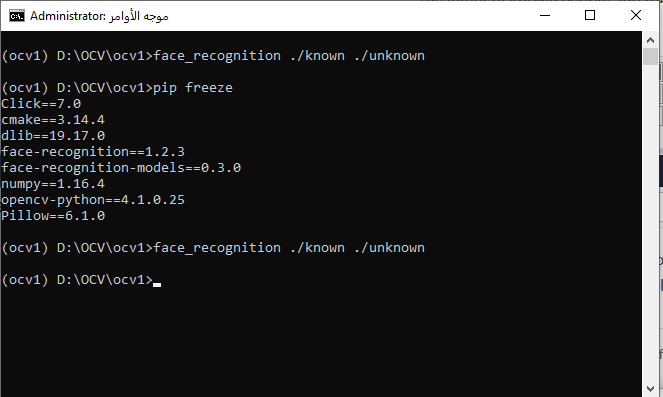
 aamdo
on 22 Jul 2019
aamdo
on 22 Jul 2019
@aamdo Could you test on these files https://t.me/tempz98/93
Create another issue
SmartManoj
on 22 Jul 2019
@SmartManoj
iam not used telegram --can send by email or other
put I expect the problem in the system or one of the components
aamdo
on 22 Jul 2019
SmartManoj
on 22 Jul 2019
@SmartManoj
Thanks
It has worked as it should after it has been installed visual c++ build tools
And modify the settings of venv in pycharm
aamdo
on 26 Jul 2019
This guide didn't work for me, but I figured out why: face_recognition won't work on python3.7 for some reason. see here for how I got it to work
 Legorooj
on 27 Jul 2019
Legorooj
on 27 Jul 2019
Which one ? @Legorooj
SmartManoj
on 28 Jul 2019
@SmartManoj what do you mean? And I figured out why - dlib doesn't have wheels for python3.7 yet. (I could build it from source, but seeing as I already had 3.6 installed I just used that.)
Legorooj
on 1 Aug 2019
@Legorooj this helped me so much. I've struggled for 2 days on getting this to work, and you made it happen in less then 2hours.
 cazure-n00b
on 17 Aug 2019
cazure-n00b
on 17 Aug 2019
@cazure-n00b glad I could help.
Legorooj
on 17 Aug 2019
This guide didn't work for me, but I figured out why: face_recognition won't work on python3.7 for some reason. see here for how I got it to work
dlib is a dependency. So it will install automatically
SmartManoj
on 18 Aug 2019
Can someone decypher this for me please?
(.venv) PS D:\Projects\MyProject> pip install dlib
Collecting dlib
  Using cached https://files.pythonhosted.org/packages/05/57/e8a8caa3c89a27f80bc78da39c423e2553f482a3705adc619176a3a24b36/dlib-19.17.0.tar.gz
Building wheels for collected packages: dlib
  Building wheel for dlib (setup.py) ... error
  ERROR: Command errored out with exit status 1:
   command: 'd:\projects\MyProject\.venv\scripts\python.exe' -u -c 'import sys, setuptools, tokenize; sys.argv[0] = '"'"'C:\\Users\\Username\\AppData\\Local\\Temp\\pip-install-2tk0d2nb\\dlib\\setup.py'"'"'; __file__='"'"'C:\\Users\\Username\\AppData\\Local\\Temp\\pip-install-2tk0d2nb\\dlib\\setup.py'"'"';f=getattr(tokenize, '"'"'open'"'"', open)(__file__);code=f.read().replace('"'"'\r\n'"'"', '"'"'\n'"'"');f.close();exec(compile(code, __file__, '"'"'exec'"'"'))' bdist_wheel -d 'C:\Users\Username\AppData\Local\Temp\pip-wheel-un1yie0f' --python-tag cp35
       cwd: C:\Users\Username\AppData\Local\Temp\pip-install-2tk0d2nb\dlib\
  Complete output (85 lines):
  running bdist_wheel
  running build
  running build_py
  package init file 'dlib\__init__.py' not found (or not a regular file)
  running build_ext
  Building extension for Python 3.5.0 (v3.5.0:374f501f4567, Sep 13 2015, 02:27:37) [MSC v.1900 64 bit (AMD64)]
  Invoking CMake setup: 'cmake C:\Users\Username\AppData\Local\Temp\pip-install-2tk0d2nb\dlib\tools\python -DCMAKE_LIBRARY_OUTPUT_DIRECTORY=C:\Users\Username\AppData\Local\Temp\pip-install-2tk0d2nb\dlib\build\lib.win-amd64-3.5 -DPYTHON_EXECUTABLE=d:\projects\MyProject\.venv\scripts\python.exe -DCMAKE_LIBRARY_OUTPUT_DIRECTORY_RELEASE=C:\Users\Username\AppData\Local\Temp\pip-install-2tk0d2nb\dlib\build\lib.win-amd64-3.5 -A x64'
  -- Building for: Visual Studio 14 2015
  CMake Warning (dev) in CMakeLists.txt:
    No project() command is present.  The top-level CMakeLists.txt file must
    contain a literal, direct call to the project() command.  Add a line of
    code such as

      project(ProjectName)

    near the top of the file, but after cmake_minimum_required().

    CMake is pretending there is a "project(Project)" command on the first
    line.
  This warning is for project developers.  Use -Wno-dev to suppress it.

  -- Selecting Windows SDK version  to target Windows 10.0.18362.
  CMake Error in CMakeLists.txt:
    Failed to run MSBuild command:

      MSBuild.exe

    to get the value of VCTargetsPath:

      Microsoft (R) Build Engine version 16.2.37902+b5aaefc9f for .NET Framework
      Copyright (C) Microsoft Corporation. All rights reserved.

      Build started 15-Sep-19 11:24:10 PM.
      Project "C:\Users\Username\AppData\Local\Temp\pip-install-2tk0d2nb\dlib\build\temp.win-amd64-3.5\Release\CMakeFiles\3.15.3\VCTargetsPath.vcxproj" on node 1 (default targets).
      C:\Users\Username\AppData\Local\Temp\pip-install-2tk0d2nb\dlib\build\temp.win-amd64-3.5\Release\CMakeFiles\3.15.3\VCTargetsPath.vcxproj(14,2): error MSB4019: The imported project "C:\Program Files (x86)\Microsoft Visual Studio\2019\Community\MSBuild\Microsoft\VC\v160\Microsoft.Cpp.Default.props" was not found. Confirm that the path in the <Import> declaration is correct, and that the file exists on disk.
      Done Building Project "C:\Users\Username\AppData\Local\Temp\pip-install-2tk0d2nb\dlib\build\temp.win-amd64-3.5\Release\CMakeFiles\3.15.3\VCTargetsPath.vcxproj" (default targets) -- FAILED.

      Build FAILED.

      "C:\Users\Username\AppData\Local\Temp\pip-install-2tk0d2nb\dlib\build\temp.win-amd64-3.5\Release\CMakeFiles\3.15.3\VCTargetsPath.vcxproj" (default target) (1) ->
        C:\Users\Username\AppData\Local\Temp\pip-install-2tk0d2nb\dlib\build\temp.win-amd64-3.5\Release\CMakeFiles\3.15.3\VCTargetsPath.vcxproj(14,2): error MSB4019: The imported project "C:\Program Files (x86)\Microsoft Visual Studio\2019\Community\MSBuild\Microsoft\VC\v160\Microsoft.Cpp.Default.props" was not found. Confirm that the path in the <Import> declaration is correct, and that the file exists on disk.

          0 Warning(s)
          1 Error(s)

      Time Elapsed 00:00:00.02


    Exit code: 1


  -- Configuring incomplete, errors occurred!
  See also "C:/Users/Username/AppData/Local/Temp/pip-install-2tk0d2nb/dlib/build/temp.win-amd64-3.5/Release/CMakeFiles/CMakeOutput.log".
  Traceback (most recent call last):
    File "<string>", line 1, in <module>
    File "C:\Users\Username\AppData\Local\Temp\pip-install-2tk0d2nb\dlib\setup.py", line 261, in <module>
      'Topic :: Software Development',
    File "d:\projects\MyProject\.venv\lib\site-packages\setuptools\__init__.py", line 145, in setup
      return distutils.core.setup(**attrs)
    File "C:\Users\Username\AppData\Local\Programs\Python\Python35\Lib\distutils\core.py", line 148, in setup
      dist.run_commands()
    File "C:\Users\Username\AppData\Local\Programs\Python\Python35\Lib\distutils\dist.py", line 955, in run_commands
      self.run_command(cmd)
    File "C:\Users\Username\AppData\Local\Programs\Python\Python35\Lib\distutils\dist.py", line 974, in run_command
      cmd_obj.run()
    File "d:\projects\MyProject\.venv\lib\site-packages\wheel\bdist_wheel.py", line 192, in run
      self.run_command('build')
    File "C:\Users\Username\AppData\Local\Programs\Python\Python35\Lib\distutils\cmd.py", line 313, in run_command
      self.distribution.run_command(command)
    File "C:\Users\Username\AppData\Local\Programs\Python\Python35\Lib\distutils\dist.py", line 974, in run_command
      cmd_obj.run()
    File "C:\Users\Username\AppData\Local\Programs\Python\Python35\Lib\distutils\command\build.py", line 135, in run
      self.run_command(cmd_name)
    File "C:\Users\Username\AppData\Local\Programs\Python\Python35\Lib\distutils\cmd.py", line 313, in run_command
      self.distribution.run_command(command)
    File "C:\Users\Username\AppData\Local\Programs\Python\Python35\Lib\distutils\dist.py", line 974, in run_command
      cmd_obj.run()
    File "C:\Users\Username\AppData\Local\Temp\pip-install-2tk0d2nb\dlib\setup.py", line 135, in run
      self.build_extension(ext)
    File "C:\Users\Username\AppData\Local\Temp\pip-install-2tk0d2nb\dlib\setup.py", line 172, in build_extension
      subprocess.check_call(cmake_setup, cwd=build_folder)
    File "C:\Users\Username\AppData\Local\Programs\Python\Python35\Lib\subprocess.py", line 584, in check_call
      raise CalledProcessError(retcode, cmd)
  subprocess.CalledProcessError: Command '['cmake', 'C:\\Users\\Username\\AppData\\Local\\Temp\\pip-install-2tk0d2nb\\dlib\\tools\\python', '-DCMAKE_LIBRARY_OUTPUT_DIRECTORY=C:\\Users\\Username\\AppData\\Local\\Temp\\pip-install-2tk0d2nb\\dlib\\build\\lib.win-amd64-3.5', '-DPYTHON_EXECUTABLE=d:\\projects\\MyProject\\.venv\\scripts\\python.exe', '-DCMAKE_LIBRARY_OUTPUT_DIRECTORY_RELEASE=C:\\Users\\Username\\AppData\\Local\\Temp\\pip-install-2tk0d2nb\\dlib\\build\\lib.win-amd64-3.5', '-A', 'x64']' returned non-zero exit status 1
  ----------------------------------------
  ERROR: Failed building wheel for dlib
  Running setup.py clean for dlib
Failed to build dlib
Installing collected packages: dlib
  Running setup.py install for dlib ... error
    ERROR: Command errored out with exit status 1:
     command: 'd:\projects\MyProject\.venv\scripts\python.exe' -u -c 'import sys, setuptools, tokenize; sys.argv[0] = '"'"'C:\\Users\\Username\\AppData\\Local\\Temp\\pip-install-2tk0d2nb\\dlib\\setup.py'"'"'; __file__='"'"'C:\\Users\\Username\\AppData\\Local\\Temp\\pip-install-2tk0d2nb\\dlib\\setup.py'"'"';f=getattr(tokenize, '"'"'open'"'"', open)(__file__);code=f.read().replace('"'"'\r\n'"'"', '"'"'\n'"'"');f.close();exec(compile(code, __file__, '"'"'exec'"'"'))' install --record 'C:\Users\Username\AppData\Local\Temp\pip-record-7qr2irf5\install-record.txt' --single-version-externally-managed --compile --install-headers 'd:\projects\MyProject\.venv\include\site\python3.5\dlib'
         cwd: C:\Users\Username\AppData\Local\Temp\pip-install-2tk0d2nb\dlib\
    Complete output (87 lines):
    running install
    running build
    running build_py
    package init file 'dlib\__init__.py' not found (or not a regular file)
    running build_ext
    Building extension for Python 3.5.0 (v3.5.0:374f501f4567, Sep 13 2015, 02:27:37) [MSC v.1900 64 bit (AMD64)]
    Invoking CMake setup: 'cmake C:\Users\Username\AppData\Local\Temp\pip-install-2tk0d2nb\dlib\tools\python -DCMAKE_LIBRARY_OUTPUT_DIRECTORY=C:\Users\Username\AppData\Local\Temp\pip-install-2tk0d2nb\dlib\build\lib.win-amd64-3.5 -DPYTHON_EXECUTABLE=d:\projects\MyProject\.venv\scripts\python.exe -DCMAKE_LIBRARY_OUTPUT_DIRECTORY_RELEASE=C:\Users\Username\AppData\Local\Temp\pip-install-2tk0d2nb\dlib\build\lib.win-amd64-3.5 -A x64'
    -- Building for: Visual Studio 14 2015
    CMake Warning (dev) in CMakeLists.txt:
      No project() command is present.  The top-level CMakeLists.txt file must
      contain a literal, direct call to the project() command.  Add a line of
      code such as

        project(ProjectName)

      near the top of the file, but after cmake_minimum_required().

      CMake is pretending there is a "project(Project)" command on the first
      line.
    This warning is for project developers.  Use -Wno-dev to suppress it.

    -- Selecting Windows SDK version  to target Windows 10.0.18362.
    CMake Error in CMakeLists.txt:
      Failed to run MSBuild command:

        MSBuild.exe

      to get the value of VCTargetsPath:

        Microsoft (R) Build Engine version 16.2.37902+b5aaefc9f for .NET Framework
        Copyright (C) Microsoft Corporation. All rights reserved.

        Build started 15-Sep-19 11:24:10 PM.
        Project "C:\Users\Username\AppData\Local\Temp\pip-install-2tk0d2nb\dlib\build\temp.win-amd64-3.5\Release\CMakeFiles\3.15.3\VCTargetsPath.vcxproj" on node 1 (default targets).
        C:\Users\Username\AppData\Local\Temp\pip-install-2tk0d2nb\dlib\build\temp.win-amd64-3.5\Release\CMakeFiles\3.15.3\VCTargetsPath.vcxproj(14,2): error MSB4019: The imported project "C:\Program Files (x86)\Microsoft Visual Studio\2019\Community\MSBuild\Microsoft\VC\v160\Microsoft.Cpp.Default.props" was not found. Confirm that the path in the <Import> declaration is correct, and that the file exists on disk.
        Done Building Project "C:\Users\Username\AppData\Local\Temp\pip-install-2tk0d2nb\dlib\build\temp.win-amd64-3.5\Release\CMakeFiles\3.15.3\VCTargetsPath.vcxproj" (default targets) -- FAILED.

        Build FAILED.

        "C:\Users\Username\AppData\Local\Temp\pip-install-2tk0d2nb\dlib\build\temp.win-amd64-3.5\Release\CMakeFiles\3.15.3\VCTargetsPath.vcxproj" (default target) (1) ->
          C:\Users\Username\AppData\Local\Temp\pip-install-2tk0d2nb\dlib\build\temp.win-amd64-3.5\Release\CMakeFiles\3.15.3\VCTargetsPath.vcxproj(14,2): error MSB4019: The imported project "C:\Program Files (x86)\Microsoft Visual Studio\2019\Community\MSBuild\Microsoft\VC\v160\Microsoft.Cpp.Default.props" was not found. Confirm that the path in the <Import> declaration is correct, and that the file exists on disk.

            0 Warning(s)
            1 Error(s)

        Time Elapsed 00:00:00.02


      Exit code: 1


    -- Configuring incomplete, errors occurred!
    See also "C:/Users/Username/AppData/Local/Temp/pip-install-2tk0d2nb/dlib/build/temp.win-amd64-3.5/Release/CMakeFiles/CMakeOutput.log".
    Traceback (most recent call last):
      File "<string>", line 1, in <module>
      File "C:\Users\Username\AppData\Local\Temp\pip-install-2tk0d2nb\dlib\setup.py", line 261, in <module>
        'Topic :: Software Development',
      File "d:\projects\MyProject\.venv\lib\site-packages\setuptools\__init__.py", line 145, in setup
        return distutils.core.setup(**attrs)
      File "C:\Users\Username\AppData\Local\Programs\Python\Python35\Lib\distutils\core.py", line 148, in setup
        dist.run_commands()
      File "C:\Users\Username\AppData\Local\Programs\Python\Python35\Lib\distutils\dist.py", line 955, in run_commands
        self.run_command(cmd)
      File "C:\Users\Username\AppData\Local\Programs\Python\Python35\Lib\distutils\dist.py", line 974, in run_command
        cmd_obj.run()
      File "d:\projects\MyProject\.venv\lib\site-packages\setuptools\command\install.py", line 61, in run
        return orig.install.run(self)
      File "C:\Users\Username\AppData\Local\Programs\Python\Python35\Lib\distutils\command\install.py", line 539, in run
        self.run_command('build')
      File "C:\Users\Username\AppData\Local\Programs\Python\Python35\Lib\distutils\cmd.py", line 313, in run_command
        self.distribution.run_command(command)
      File "C:\Users\Username\AppData\Local\Programs\Python\Python35\Lib\distutils\dist.py", line 974, in run_command
        cmd_obj.run()
      File "C:\Users\Username\AppData\Local\Programs\Python\Python35\Lib\distutils\command\build.py", line 135, in run
        self.run_command(cmd_name)
      File "C:\Users\Username\AppData\Local\Programs\Python\Python35\Lib\distutils\cmd.py", line 313, in run_command
        self.distribution.run_command(command)
      File "C:\Users\Username\AppData\Local\Programs\Python\Python35\Lib\distutils\dist.py", line 974, in run_command
        cmd_obj.run()
      File "C:\Users\Username\AppData\Local\Temp\pip-install-2tk0d2nb\dlib\setup.py", line 135, in run
        self.build_extension(ext)
      File "C:\Users\Username\AppData\Local\Temp\pip-install-2tk0d2nb\dlib\setup.py", line 172, in build_extension
        subprocess.check_call(cmake_setup, cwd=build_folder)
      File "C:\Users\Username\AppData\Local\Programs\Python\Python35\Lib\subprocess.py", line 584, in check_call
        raise CalledProcessError(retcode, cmd)
    subprocess.CalledProcessError: Command '['cmake', 'C:\\Users\\Username\\AppData\\Local\\Temp\\pip-install-2tk0d2nb\\dlib\\tools\\python', '-DCMAKE_LIBRARY_OUTPUT_DIRECTORY=C:\\Users\\Username\\AppData\\Local\\Temp\\pip-install-2tk0d2nb\\dlib\\build\\lib.win-amd64-3.5', '-DPYTHON_EXECUTABLE=d:\\projects\\MyProject\\.venv\\scripts\\python.exe', '-DCMAKE_LIBRARY_OUTPUT_DIRECTORY_RELEASE=C:\\Users\\Username\\AppData\\Local\\Temp\\pip-install-2tk0d2nb\\dlib\\build\\lib.win-amd64-3.5', '-A', 'x64']' returned non-zero exit status 1
    ----------------------------------------
ERROR: Command errored out with exit status 1: 'd:\projects\MyProject\.venv\scripts\python.exe' -u -c 'import sys, setuptools, tokenize; sys.argv[0] = '"'"'C:\\Users\\Username\\AppData\\Local\\Temp\\pip-install-2tk0d2nb\\dlib\\setup.py'"'"'; __file__='"'"'C:\\Users\\Username\\AppData\\Local\\Temp\\pip-install-2tk0d2nb\\dlib\\setup.py'"'"';f=getattr(tokenize, '"'"'open'"'"', open)(__file__);code=f.read().replace('"'"'\r\n'"'"', '"'"'\n'"'"');f.close();exec(compile(code, __file__, '"'"'exec'"'"'))' install --record 'C:\Users\Username\AppData\Local\Temp\pip-record-7qr2irf5\install-record.txt' --single-version-externally-managed --compile --install-headers 'd:\projects\MyProject\.venv\include\site\python3.5\dlib' Check the logs for full command output.
(.venv) PS D:\Projects\MyProject>
 realmhamdy
on 15 Sep 2019
realmhamdy
on 15 Sep 2019
error MSB4019: The imported project "C:\Program Files (x86)\Microsoft Visual Studio\2019\Community\MSBuild\Microsoft\VC\v160\Microsoft.Cpp.Default.props" was not found. Confirm that the path in the
@realmhamdy
SmartManoj
on 10 Oct 2019
Can anyone install face_recognition in windowsserver2012?help!
 libohao666
on 12 Oct 2019
libohao666
on 12 Oct 2019
@libohao666 What is your problem with installing it?
masoudr
on 12 Oct 2019
@libohao666 What is your problem with installing it?
I have installed face_recognition in winserver2012,but I have question why the exe application I used pyinstaller imported face_recognition can't run in winserver2012 and it can run well in other systems.
libohao666
on 14 Oct 2019
can't run in winserver2012.
Please put your exact error log message for better help.
masoudr
on 14 Oct 2019
how many python you have
SmartManoj
on 15 Oct 2019
I installed visual c++ 2015
set environmental variables for cmake
What is the reason for this error?
Collecting face_recognition
Using cached https://files.pythonhosted.org/packages/3f/ed/ad9a28042f373d4633fc8b49109b623597d6f193d3bbbef7780a5ee8eef2/face_recognition-1.2.3-py2.py3-none-any.whl
Collecting Click>=6.0 (from face_recognition)
Using cached https://files.pythonhosted.org/packages/fa/37/45185cb5abbc30d7257104c434fe0b07e5a195a6847506c074527aa599ec/Click-7.0-py2.py3-none-any.whl
Requirement already satisfied: Pillow in c:\users\akeshalamarasinghe\appdata\local\programs\python\python37-32\lib\site-packages (from face_recognition) (6.1.0)
Requirement already satisfied: face-recognition-models>=0.3.0 in c:\users\akeshalamarasinghe\appdata\local\programs\python\python37-32\lib\site-packages (from face_recognition) (0.3.0)
Requirement already satisfied: numpy in c:\users\akeshalamarasinghe\appdata\local\programs\python\python37-32\lib\site-packages (from face_recognition) (1.17.2)
Collecting dlib>=19.7 (from face_recognition)
Using cached https://files.pythonhosted.org/packages/1e/62/aacb236d21fbd08148b1d517d58a9d80ea31bdcd386d26f21f8b23b1eb28/dlib-19.18.0.tar.gz
Installing collected packages: Click, dlib, face-recognition
Running setup.py install for dlib ... error
ERROR: Command errored out with exit status 1:
command: 'c:\users\akeshalamarasinghe\appdata\local\programs\python\python37-32\python.exe' -u -c 'import sys, setuptools, tokenize; sys.argv[0] = '"'"'C:\Users\AKESHA~1\AppData\Local\Temp\pip-install-4vlmtpol\dlib\setup.py'"'"'; __file__='"'"'C:\Users\AKESHA~1\AppData\Local\Temp\pip-install-4vlmtpol\dlib\setup.py'"'"';f=getattr(tokenize, '"'"'open'"'"', open)(__file__);code=f.read().replace('"'"'\r\n'"'"', '"'"'\n'"'"');f.close();exec(compile(code, __file__, '"'"'exec'"'"'))' install --record 'C:\Users\AKESHA~1\AppData\Local\Temp\pip-record-qw39aje_\install-record.txt' --single-version-externally-managed --compile
cwd: C:\Users\AKESHA~1\AppData\Local\Temp\pip-install-4vlmtpol\dlib\
Complete output (80 lines):
running install
running build
running build_py
package init file 'dlib__init__.py' not found (or not a regular file)
running build_ext
Building extension for Python 3.7.3 (v3.7.3:ef4ec6ed12, Mar 25 2019, 21:26:53) [MSC v.1916 32 bit (Intel)]
Invoking CMake setup: 'cmake C:\Users\AKESHA~1\AppData\Local\Temp\pip-install-4vlmtpol\dlib\tools\python -DCMAKE_LIBRARY_OUTPUT_DIRECTORY=C:\Users\AKESHA~1\AppData\Local\Temp\pip-install-4vlmtpol\dlib\build\lib.win32-3.7 -DPYTHON_EXECUTABLE=c:\users\akeshalamarasinghe\appdata\local\programs\python\python37-32\python.exe -DCMAKE_LIBRARY_OUTPUT_DIRECTORY_RELEASE=C:\Users\AKESHA~1\AppData\Local\Temp\pip-install-4vlmtpol\dlib\build\lib.win32-3.7'
-- Building for: NMake Makefiles
-- The C compiler identification is unknown
-- The CXX compiler identification is unknown
CMake Error at CMakeLists.txt:3 (project):
The CMAKE_C_COMPILER:
    cl

  is not a full path and was not found in the PATH.

  To use the NMake generator with Visual C++, cmake must be run from a shell
  that can use the compiler cl from the command line.  This environment is
  unable to invoke the cl compiler.  To fix this problem, run cmake from the
  Visual Studio Command Prompt (vcvarsall.bat).

  Tell CMake where to find the compiler by setting either the environment
  variable "CC" or the CMake cache entry CMAKE_C_COMPILER to the full path to
  the compiler, or to the compiler name if it is in the PATH.


CMake Error at CMakeLists.txt:3 (project):
  The CMAKE_CXX_COMPILER:

    cl

  is not a full path and was not found in the PATH.

  To use the NMake generator with Visual C++, cmake must be run from a shell
  that can use the compiler cl from the command line.  This environment is
  unable to invoke the cl compiler.  To fix this problem, run cmake from the
  Visual Studio Command Prompt (vcvarsall.bat).

  Tell CMake where to find the compiler by setting either the environment
  variable "CXX" or the CMake cache entry CMAKE_CXX_COMPILER to the full path
  to the compiler, or to the compiler name if it is in the PATH.


-- Configuring incomplete, errors occurred!
See also "C:/Users/AkeshalaMarasinghe/AppData/Local/Temp/pip-install-4vlmtpol/dlib/build/temp.win32-3.7/Release/CMakeFiles/CMakeOutput.log".
See also "C:/Users/AkeshalaMarasinghe/AppData/Local/Temp/pip-install-4vlmtpol/dlib/build/temp.win32-3.7/Release/CMakeFiles/CMakeError.log".
Traceback (most recent call last):
  File "<string>", line 1, in <module>
  File "C:\Users\AKESHA~1\AppData\Local\Temp\pip-install-4vlmtpol\dlib\setup.py", line 261, in <module>
    'Topic :: Software Development',
  File "c:\users\akeshalamarasinghe\appdata\local\programs\python\python37-32\lib\site-packages\setuptools\__init__.py", line 145, in setup
    return distutils.core.setup(**attrs)
  File "c:\users\akeshalamarasinghe\appdata\local\programs\python\python37-32\lib\distutils\core.py", line 148, in setup
    dist.run_commands()
  File "c:\users\akeshalamarasinghe\appdata\local\programs\python\python37-32\lib\distutils\dist.py", line 966, in run_commands
    self.run_command(cmd)
  File "c:\users\akeshalamarasinghe\appdata\local\programs\python\python37-32\lib\distutils\dist.py", line 985, in run_command
    cmd_obj.run()
  File "c:\users\akeshalamarasinghe\appdata\local\programs\python\python37-32\lib\site-packages\setuptools\command\install.py", line 61, in run
    return orig.install.run(self)
  File "c:\users\akeshalamarasinghe\appdata\local\programs\python\python37-32\lib\distutils\command\install.py", line 545, in run
    self.run_command('build')
  File "c:\users\akeshalamarasinghe\appdata\local\programs\python\python37-32\lib\distutils\cmd.py", line 313, in run_command
    self.distribution.run_command(command)
  File "c:\users\akeshalamarasinghe\appdata\local\programs\python\python37-32\lib\distutils\dist.py", line 985, in run_command
    cmd_obj.run()
  File "c:\users\akeshalamarasinghe\appdata\local\programs\python\python37-32\lib\distutils\command\build.py", line 135, in run
    self.run_command(cmd_name)
  File "c:\users\akeshalamarasinghe\appdata\local\programs\python\python37-32\lib\distutils\cmd.py", line 313, in run_command
    self.distribution.run_command(command)
  File "c:\users\akeshalamarasinghe\appdata\local\programs\python\python37-32\lib\distutils\dist.py", line 985, in run_command
    cmd_obj.run()
  File "C:\Users\AKESHA~1\AppData\Local\Temp\pip-install-4vlmtpol\dlib\setup.py", line 135, in run
    self.build_extension(ext)
  File "C:\Users\AKESHA~1\AppData\Local\Temp\pip-install-4vlmtpol\dlib\setup.py", line 172, in build_extension
    subprocess.check_call(cmake_setup, cwd=build_folder)
  File "c:\users\akeshalamarasinghe\appdata\local\programs\python\python37-32\lib\subprocess.py", line 347, in check_call
    raise CalledProcessError(retcode, cmd)
subprocess.CalledProcessError: Command '['cmake', 'C:\\Users\\AKESHA~1\\AppData\\Local\\Temp\\pip-install-4vlmtpol\\dlib\\tools\\python', '-DCMAKE_LIBRARY_OUTPUT_DIRECTORY=C:\\Users\\AKESHA~1\\AppData\\Local\\Temp\\pip-install-4vlmtpol\\dlib\\build\\lib.win32-3.7', '-DPYTHON_EXECUTABLE=c:\\users\\akeshalamarasinghe\\appdata\\local\\programs\\python\\python37-32\\python.exe', '-DCMAKE_LIBRARY_OUTPUT_DIRECTORY_RELEASE=C:\\Users\\AKESHA~1\\AppData\\Local\\Temp\\pip-install-4vlmtpol\\dlib\\build\\lib.win32-3.7']' returned non-zero exit status 1.
----------------------------------------
ERROR: Command errored out with exit status 1: 'c:\users\akeshalamarasinghe\appdata\local\programs\python\python37-32\python.exe' -u -c 'import sys, setuptools, tokenize; sys.argv[0] = '"'"'C:\Users\AKESHA~1\AppData\Local\Temp\pip-install-4vlmtpol\dlib\setup.py'"'"'; __file__='"'"'C:\Users\AKESHA~1\AppData\Local\Temp\pip-install-4vlmtpol\dlib\setup.py'"'"';f=getattr(tokenize, '"'"'open'"'"', open)(__file__);code=f.read().replace('"'"'\r\n'"'"', '"'"'\n'"'"');f.close();exec(compile(code, __file__, '"'"'exec'"'"'))' install --record 'C:\Users\AKESHA~1\AppData\Local\Temp\pip-record-qw39aje_\install-record.txt' --single-version-externally-managed --compile Check the logs for full command output.
 Akeshala
on 19 Oct 2019
Akeshala
on 19 Oct 2019
@Akeshala It seems that CMAKE cannot find the path of the compiler (cl.exe) on your PATH.
Have you tried where cl.exe and check whether the compiler exists or not? Also, I suggest you use a Visual Studio command prompt instead of normal CMD.
masoudr
on 19 Oct 2019
With this still affecting many, shouldn't this issue be reopened?
 endormi
on 23 Oct 2019
endormi
on 23 Oct 2019
Read First:
The new version of dlib doesn't need Boost anymore so you can skip it. Remember that you still need to meet the following requirements.
Requirments:
Boost library version 1.63 or newer.
Does it require Boost or not?
 4A47
on 25 Oct 2019
4A47
on 25 Oct 2019
@4A47 For the newest version you don't need that. I've corrected the issue.
masoudr
on 25 Oct 2019
With this still affecting many, shouldn't this issue be reopened?
As I said you only need to meet the requirements and follow the Easy installation. Most errors caused by an unsupported OS or a bad environment.
masoudr
on 25 Oct 2019
Thanks so much for this tutorial!
 rangershs
on 31 Oct 2019
rangershs
on 31 Oct 2019

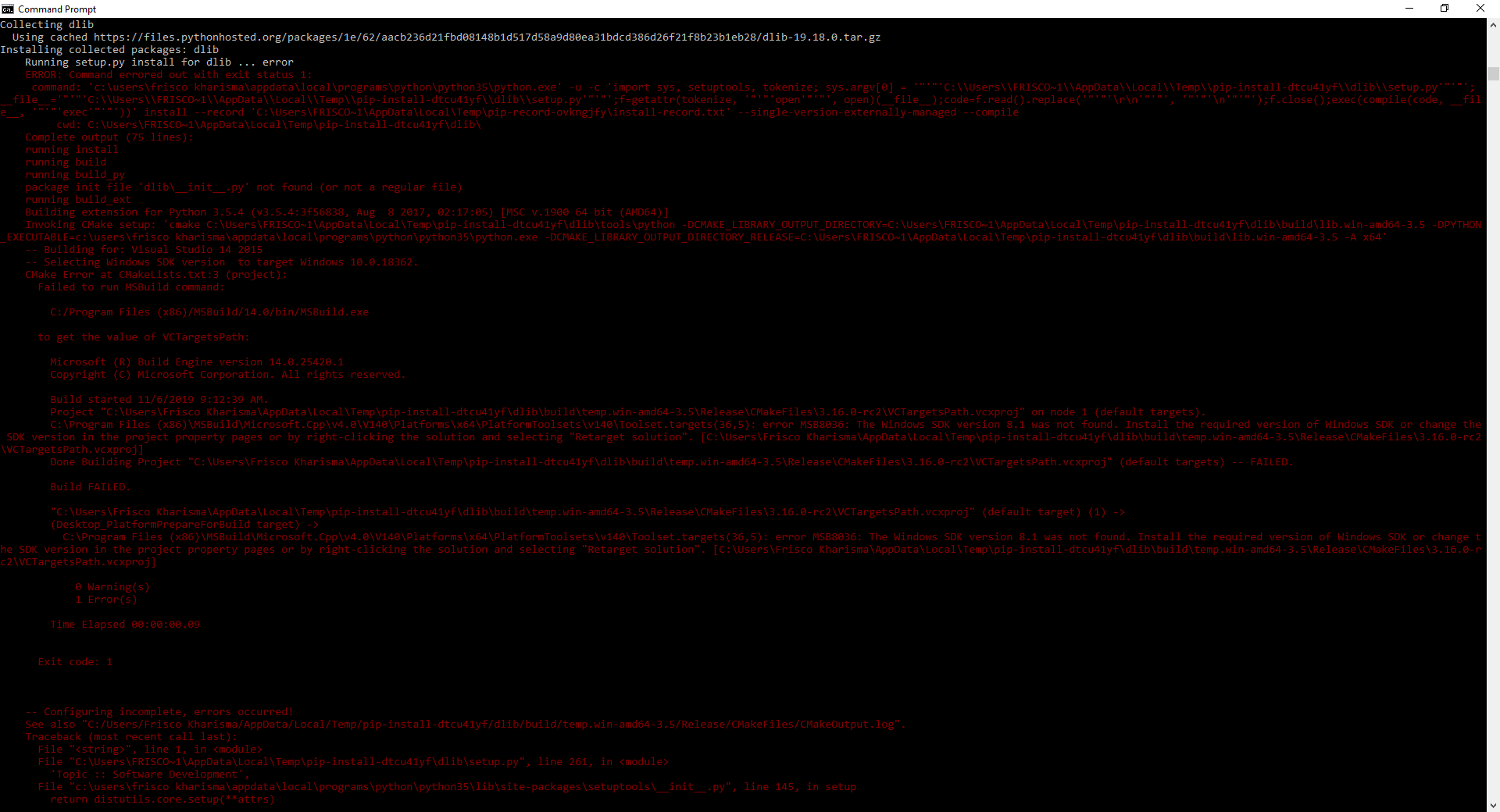
How can i solve that issue? i have tried to reinstall the cmake, python, scipy and numpy about one week. I use vs 15, python 3.5.4 on amd machine
 16110254
on 6 Nov 2019
16110254
on 6 Nov 2019
How can i solve that issue? i have tried to reinstall the cmake, python, scipy and numpy about one week. I use vs 15, python 3.5.4 on amd machine
https://github.com/HAKANMAZI/Python-Tutorials-/blob/master/FaceRecognation/Note.txt
 HAKANMAZI
on 6 Nov 2019
HAKANMAZI
on 6 Nov 2019
I am trying to install dlib for face-recognition for python 3.7 on windows 10, I explored few ways but I am getting errors.I tried below steps-
Installed cmake using 'pip install cmake'. This worked.
Downloaed the Dlib source(.tar.gz) from the Python Package Index : https://pypi.org/project/dlib/#files extract it and enter into the folder.
Ran the installation: python setup.py install
I am getting below error.
``C:\Program Filesdlib-19.18.0>python setup.py install
running install
running bdist_egg
running egg_info
writing dlib.egg-info\PKG-INFO
writing dependency_links to dlib.egg-info\dependency_links.txt
writing top-level names to dlib.egg-info\top_level.txt
package init file 'dlib__init__.py' not found (or not a regular file)
reading manifest file 'dlib.egg-info\SOURCES.txt'
reading manifest template 'MANIFEST.in'
no previously-included directories found matching 'toolspython\build'
no previously-included directories found matching 'dlib\test'
writing manifest file 'dlib.egg-info\SOURCES.txt'
installing library code to build\bdist.win-amd64\egg
running install_lib
running build_py
running build_ext
Building extension for Python 3.7.3 (default, Apr 24 2019, 15:29:51) [MSC v.1915 64 bit (AMD64)]
Invoking CMake setup: 'cmake C:\Program Filesdlib-19.18.0\toolspython -DCMAKE_LIBRARY_OUTPUT_DIRECTORY=C:\Program Filesdlib-19.18.0\build\lib.win-amd64-3.7 -DPYTHON_EXECUTABLE=C:\Users\SriparnaAnaconda3python.exe -DCMAKE_LIBRARY_OUTPUT_DIRECTORY_RELEASE=C:\Program Filesdlib-19.18.0\build\lib.win-amd64-3.7 -A x64'
-- Building for: NMake Makefiles
CMake Error at CMakeLists.txt:3 (project):
Generator
NMake Makefiles
does not support platform specification, but platform
x64
was specified.
CMake Error: CMAKE_C_COMPILER not set, after EnableLanguage
CMake Error: CMAKE_CXX_COMPILER not set, after EnableLanguage
-- Configuring incomplete, errors occurred!
See also "C:/Program Files/dlib-19.18.0/build/temp.win-amd64-3.7/Release/CMakeFiles/CMakeOutput.log".
Traceback (most recent call last):
File "setup.py", line 261, in
'Topic :: Software Development',
File "C:\Users\SriparnaAnaconda3\lib\site-packages\setuptools__init__.py", line 145, in setup
return distutils.core.setup(*attrs)
File "C:\Users\SriparnaAnaconda3\lib\distutils\core.py", line 148, in setup
dist.run_commands()
File "C:\Users\SriparnaAnaconda3\lib\distutils\dist.py", line 966, in run_commands
self.run_command(cmd)
File "C:\Users\SriparnaAnaconda3\lib\distutils\dist.py", line 985, in run_command
cmd_obj.run()
File "C:\Users\SriparnaAnaconda3\lib\site-packages\setuptools\command\install.py", line 67, in run
self.do_egg_install()
File "C:\Users\SriparnaAnaconda3\lib\site-packages\setuptools\command\install.py", line 109, in do_egg_install
self.run_command('bdist_egg')
File "C:\Users\SriparnaAnaconda3\lib\distutilscmd.py", line 313, in run_command
self.distribution.run_command(command)
File "C:\Users\SriparnaAnaconda3\lib\distutils\dist.py", line 985, in run_command
cmd_obj.run()
File "C:\Users\SriparnaAnaconda3\lib\site-packages\setuptools\command\bdist_egg.py", line 172, in run
cmd = self.call_command('install_lib', warn_dir=0)
File "C:\Users\SriparnaAnaconda3\lib\site-packages\setuptools\command\bdist_egg.py", line 158, in call_command
self.run_command(cmdname)
File "C:\Users\SriparnaAnaconda3\lib\distutilscmd.py", line 313, in run_command
self.distribution.run_command(command)
File "C:\Users\SriparnaAnaconda3\lib\distutils\dist.py", line 985, in run_command
cmd_obj.run()
File "C:\Users\SriparnaAnaconda3\lib\site-packages\setuptools\command\install_lib.py", line 11, in run
self.build()
File "C:\Users\SriparnaAnaconda3\lib\distutils\command\install_lib.py", line 107, in build
self.run_command('build_ext')
File "C:\Users\SriparnaAnaconda3\lib\distutilscmd.py", line 313, in run_command
self.distribution.run_command(command)
File "C:\Users\SriparnaAnaconda3\lib\distutils\dist.py", line 985, in run_command
cmd_obj.run()
File "setup.py", line 135, in run
self.build_extension(ext)
File "setup.py", line 172, in build_extension
subprocess.check_call(cmake_setup, cwd=build_folder)
File "C:\Users\SriparnaAnaconda3\lib\subprocess.py", line 347, in check_call
raise CalledProcessError(retcode, cmd)
subprocess.CalledProcessError: Command '['cmake', 'C:\Program Files\dlib-19.18.0\tools\python', '-DCMAKE_LIBRARY_OUTPUT_DIRECTORY=C:\Program Files\dlib-19.18.0\build\lib.win-amd64-3.7', '-DPYTHON_EXECUTABLE=C:\Users\Sriparna\Anaconda3\python.exe', '-DCMAKE_LIBRARY_OUTPUT_DIRECTORY_RELEASE=C:\Program Files\dlib-19.18.0\build\lib.win-amd64-3.7', '-A', 'x64']' returned non-zero exit status 1.
How to solve this?
 sriparna2004
on 12 Nov 2019
sriparna2004
on 12 Nov 2019
@sriparna2004 It seems that CMake can't find your c compiler properly. Are you sure you install Microsoft visual studio with C++ development tools?
masoudr
on 12 Nov 2019
@sriparna2004 It seems that CMake can't find your c compiler properly. Are you sure you install Microsoft visual studio with C++ development tools?
Yes, I installed Visual studio with C++. At least, I see that I am able to create C++ project on Visual studio ( console app is showing me that option). Do you want me to check some other way?
sriparna2004
on 12 Nov 2019
@sriparna2004 Try to use the VS command (X64) prompt instead of default CMD. Also, install CMake for windows from here.
masoudr
on 13 Nov 2019
@sriparna2004 Try to use the VS command (X64) prompt instead of default CMD. Also, install CMake for windows from here.
I now installed dlib and face-recognition from VS command prompt, though have not changed Cmake.Below is the output-
`[vcvarsall.bat] Environment initialized for: 'x64'
C:\Program Files (x86)\Microsoft Visual Studio\2019\Community>pip install dlib
Collecting dlib
Using cached https://files.pythonhosted.org/packages/1e/62/aacb236d21fbd08148b1d517d58a9d80ea31bdcd386d26f21f8b23b1eb28/dlib-19.18.0.tar.gz
Building wheels for collected packages: dlib
Building wheel for dlib (setup.py) ... done
Stored in directory: C:\Users\Sriparna\AppData\Localpip\Cache\wheels\ab\e9\6b\5206171e6a24d8cb6653936ccfd656b7d6f6c631c1b5f93970
Successfully built dlib
Installing collected packages: dlib
Successfully installed dlib-19.18.0
C:\Program Files (x86)\Microsoft Visual Studio\2019\Community>pip install face-recognition
Collecting face-recognition
Using cached https://files.pythonhosted.org/packages/3f/ed/ad9a28042f373d4633fc8b49109b623597d6f193d3bbbef7780a5ee8eef2/face_recognition-1.2.3-py2.py3-none-any.whl
Requirement already satisfied: Click>=6.0 in c:\users\sriparna\anaconda3\lib\site-packages (from face-recognition) (7.0)
Requirement already satisfied: numpy in c:\users\sriparna\anaconda3\lib\site-packages (from face-recognition) (1.16.4)
Requirement already satisfied: dlib>=19.7 in c:\users\sriparna\anaconda3\lib\site-packages (from face-recognition) (19.18.0)
Collecting face-recognition-models>=0.3.0 (from face-recognition)
Requirement already satisfied: Pillow in c:\users\sriparna\anaconda3\lib\site-packages (from face-recognition) (6.1.0)
Installing collected packages: face-recognition-models, face-recognition
Successfully installed face-recognition-1.2.3 face-recognition-models-0.3.0
C:\Program Files (x86)\Microsoft Visual Studio\2019\Community>`
I hope it is fine now, Do I still need to update CMake and re-install?
sriparna2004
on 13 Nov 2019
@sriparna2004 It is fine.
masoudr
on 13 Nov 2019
Hi, I am facing CMake Error while installing dlib. I have installed Microsoft Visual Studio 2019, Python V 3.8.0 and cmake version 3.15.5. Please help here.
Please find below error details:
C:\Program Files (x86)\Microsoft Visual Studio\2019\Community>pip install dlib
Collecting dlib
Using cached https://files.pythonhosted.org/packages/1e/62/aacb236d21fbd08148b1d517d58a9d80ea31bdcd386d26f21f8b23b1eb28/dlib-19.18.0.tar.gz
Installing collected packages: dlib
Running setup.py install for dlib ... error
ERROR: Command errored out with exit status 1:
command: 'c:\users\shilpi gupta\appdata\local\programspythonpython38python.exe' -u -c 'import sys, setuptools, tokenize; sys.argv[0] = '"'"'C:\Users\Shilpi Gupta\AppData\Local\Temp\pip-install-37p8s99c\dlib\setup.py'"'"'; __file__='"'"'C:\Users\Shilpi Gupta\AppData\Local\Temp\pip-install-37p8s99c\dlib\setup.py'"'"';f=getattr(tokenize, '"'"'open'"'"', open)(__file__);code=f.read().replace('"'"'\r\n'"'"', '"'"'\n'"'"');f.close();exec(compile(code, __file__, '"'"'exec'"'"'))' install --record 'C:\Users\Shilpi Gupta\AppData\Local\Temppip-record-oem58k_4\install-record.txt' --single-version-externally-managed --compile
cwd: C:\Users\Shilpi Gupta\AppData\Local\Temppip-install-37p8s99cdlib\
Complete output (57 lines):
running install
running build
running build_py
package init file 'dlib__init__.py' not found (or not a regular file)
running build_ext
Building extension for Python 3.8.0 (tags/v3.8.0:fa919fd, Oct 14 2019, 19:37:50) [MSC v.1916 64 bit (AMD64)]
Invoking CMake setup: 'cmake C:\Users\Shilpi Gupta\AppData\Local\Temppip-install-37p8s99cdlib\toolspython -DCMAKE_LIBRARY_OUTPUT_DIRECTORY=C:\Users\Shilpi Gupta\AppData\Local\Temppip-install-37p8s99cdlib\build\lib.win-amd64-3.8 -DPYTHON_EXECUTABLE=c:\users\shilpi gupta\appdata\local\programspythonpython38python.exe -DCMAKE_LIBRARY_OUTPUT_DIRECTORY_RELEASE=C:\Users\Shilpi Gupta\AppData\Local\Temppip-install-37p8s99cdlib\build\lib.win-amd64-3.8 -A x64'
-- Building for: NMake Makefiles
CMake Error at CMakeLists.txt:3 (project):
Generator
    NMake Makefiles

  does not support platform specification, but platform

    x64

  was specified.


CMake Error: CMAKE_C_COMPILER not set, after EnableLanguage
CMake Error: CMAKE_CXX_COMPILER not set, after EnableLanguage
-- Configuring incomplete, errors occurred!
See also "C:/Users/Shilpi Gupta/AppData/Local/Temp/pip-install-37p8s99c/dlib/build/temp.win-amd64-3.8/Release/CMakeFiles/CMakeOutput.log".
Traceback (most recent call last):
  File "<string>", line 1, in <module>
  File "C:\Users\Shilpi Gupta\AppData\Local\Temp\pip-install-37p8s99c\dlib\setup.py", line 223, in <module>
    setup(
  File "c:\users\shilpi gupta\appdata\local\programs\python\python38\lib\site-packages\setuptools\__init__.py", line 145, in setup
    return distutils.core.setup(**attrs)
  File "c:\users\shilpi gupta\appdata\local\programs\python\python38\lib\distutils\core.py", line 148, in setup
    dist.run_commands()
  File "c:\users\shilpi gupta\appdata\local\programs\python\python38\lib\distutils\dist.py", line 966, in run_commands
    self.run_command(cmd)
  File "c:\users\shilpi gupta\appdata\local\programs\python\python38\lib\distutils\dist.py", line 985, in run_command
    cmd_obj.run()
  File "c:\users\shilpi gupta\appdata\local\programs\python\python38\lib\site-packages\setuptools\command\install.py", line 61, in run
    return orig.install.run(self)
  File "c:\users\shilpi gupta\appdata\local\programs\python\python38\lib\distutils\command\install.py", line 545, in run
    self.run_command('build')
  File "c:\users\shilpi gupta\appdata\local\programs\python\python38\lib\distutils\cmd.py", line 313, in run_command
    self.distribution.run_command(command)
  File "c:\users\shilpi gupta\appdata\local\programs\python\python38\lib\distutils\dist.py", line 985, in run_command
    cmd_obj.run()
  File "c:\users\shilpi gupta\appdata\local\programs\python\python38\lib\distutils\command\build.py", line 135, in run
    self.run_command(cmd_name)
  File "c:\users\shilpi gupta\appdata\local\programs\python\python38\lib\distutils\cmd.py", line 313, in run_command
    self.distribution.run_command(command)
  File "c:\users\shilpi gupta\appdata\local\programs\python\python38\lib\distutils\dist.py", line 985, in run_command
    cmd_obj.run()
  File "C:\Users\Shilpi Gupta\AppData\Local\Temp\pip-install-37p8s99c\dlib\setup.py", line 135, in run
    self.build_extension(ext)
  File "C:\Users\Shilpi Gupta\AppData\Local\Temp\pip-install-37p8s99c\dlib\setup.py", line 172, in build_extension
    subprocess.check_call(cmake_setup, cwd=build_folder)
  File "c:\users\shilpi gupta\appdata\local\programs\python\python38\lib\subprocess.py", line 364, in check_call
    raise CalledProcessError(retcode, cmd)
subprocess.CalledProcessError: Command '['cmake', 'C:\\Users\\Shilpi Gupta\\AppData\\Local\\Temp\\pip-install-37p8s99c\\dlib\\tools\\python', '-DCMAKE_LIBRARY_OUTPUT_DIRECTORY=C:\\Users\\Shilpi Gupta\\AppData\\Local\\Temp\\pip-install-37p8s99c\\dlib\\build\\lib.win-amd64-3.8', '-DPYTHON_EXECUTABLE=c:\\users\\shilpi gupta\\appdata\\local\\programs\\python\\python38\\python.exe', '-DCMAKE_LIBRARY_OUTPUT_DIRECTORY_RELEASE=C:\\Users\\Shilpi Gupta\\AppData\\Local\\Temp\\pip-install-37p8s99c\\dlib\\build\\lib.win-amd64-3.8', '-A', 'x64']' returned non-zero exit status 1.
----------------------------------------
ERROR: Command errored out with exit status 1: 'c:\users\shilpi gupta\appdata\local\programspythonpython38python.exe' -u -c 'import sys, setuptools, tokenize; sys.argv[0] = '"'"'C:\Users\Shilpi Gupta\AppData\Local\Temp\pip-install-37p8s99c\dlib\setup.py'"'"'; __file__='"'"'C:\Users\Shilpi Gupta\AppData\Local\Temp\pip-install-37p8s99c\dlib\setup.py'"'"';f=getattr(tokenize, '"'"'open'"'"', open)(__file__);code=f.read().replace('"'"'\r\n'"'"', '"'"'\n'"'"');f.close();exec(compile(code, __file__, '"'"'exec'"'"'))' install --record 'C:\Users\Shilpi Gupta\AppData\Local\Temppip-record-oem58k_4\install-record.txt' --single-version-externally-managed --compile Check the logs for full command output.
 shilpi2905
on 17 Nov 2019
shilpi2905
on 17 Nov 2019
@shilpi2905 Make sure that the Python, CMake and visual studio command prompt is for X64. This should fix this problem.
masoudr
on 18 Nov 2019
The below dlib installation worked for me on windows 10
pip install https://pypi.python.org/packages/da/06/bd3e241c4eb0a662914b3b4875fc52dd176a9db0d4a2c915ac2ad8800e9e/dlib-19.7.0-cp36-cp36m-win_amd64.whl#md5=b7330a5b2d46420343fbed5df69e6a3f
 b-madhukar
on 3 Dec 2019
b-madhukar
on 3 Dec 2019
@masoudr , I am struck up with step 3 . i am trying to install CMake through pip install CMake got the below error
ERROR: Could not find a version that satisfies the requirement CMake (from versions: none)
ERROR: No matching distribution found for CMake
But CMake available in my system

Also while trying to install scipy and numpy+mkl from your link i could found all the files are .whl format.
Could you please help me on the above issue as well as to install .whl file
 km-dri
on 3 Apr 2020
km-dri
on 3 Apr 2020
@km-dri You can use CMake by installing it from the official website or by using pip, both versions should work.
If you already have CMake then it should be fine and no need to install it twice or by another method.
Python's wheel package (files with .whl extension) can be installed with pip install <package_name>.whl and remember that you need to grab the right package based on your python version and architecture e.g (scipy‑1.4.1‑cp38‑cp38‑win_amd64.whl must be used only on Python 3.8 X64).
masoudr
on 3 Apr 2020
Thanks @masoudr for the response. I have installed all the necessary packages through $ pip install --trusted-host pypi.org --trusted-host files.pythonhosted.org
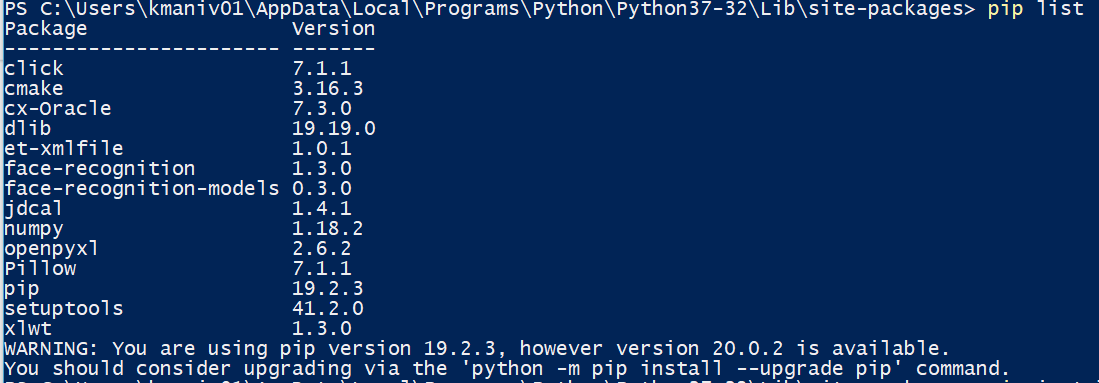
Now while trying to use import face_recognition in IDLE system throws an error 'ModuleNotFoundError: No module named 'face_recognition''. I am not sure what i am doing wrong. Could you please help me to resolve this

I have tried the same using visual studio even though facing the same issue.
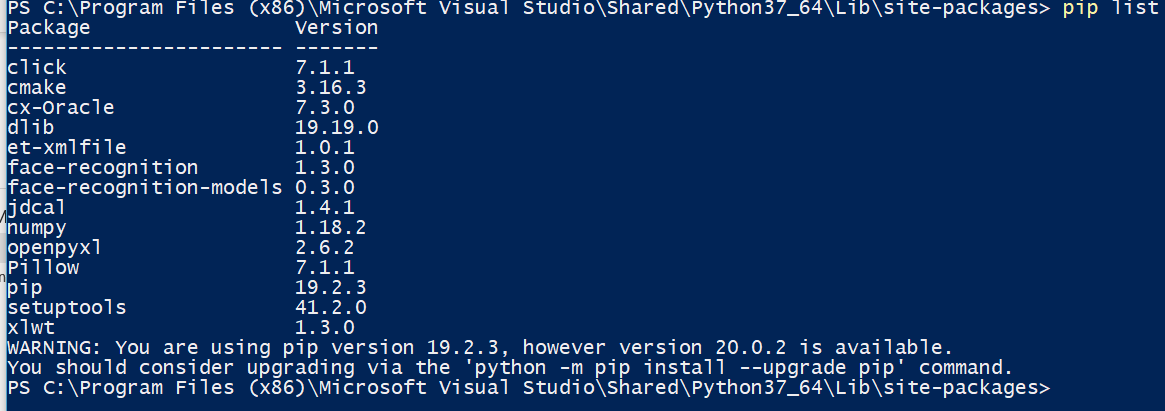
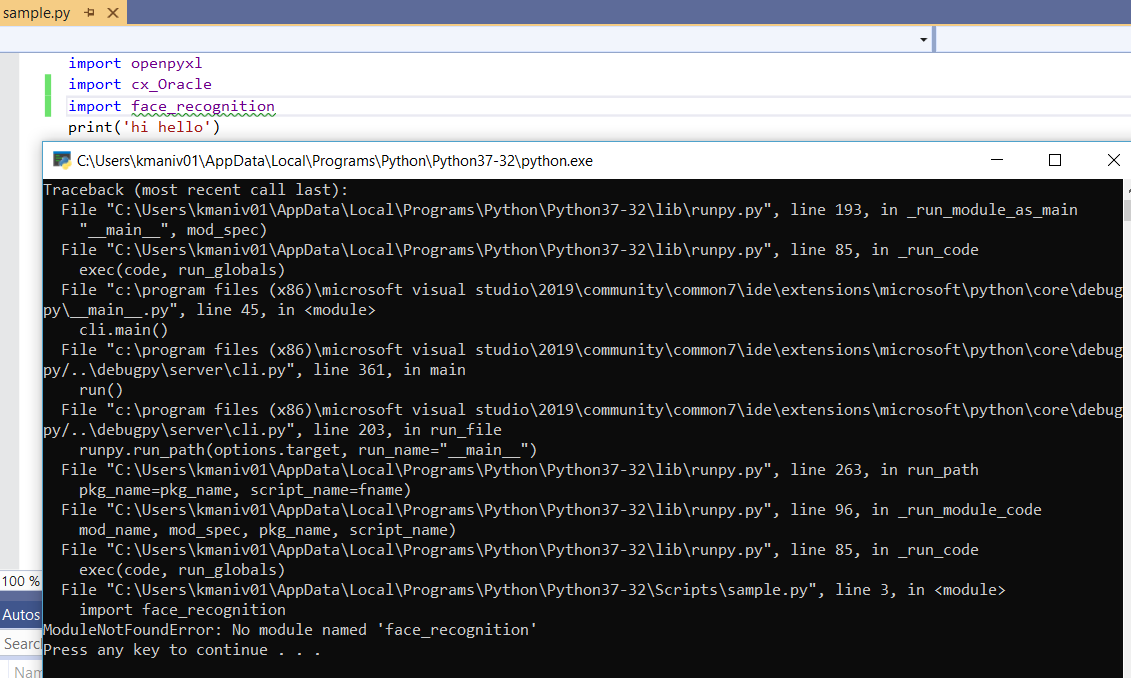
km-dri
on 3 Apr 2020
@km-dri It seems that you've installed face_recognition. But your problem is using multiple Python environments. Try to run your script with a correct Python environment which has the face_recognition installed. This should fix the problem.
masoudr
on 3 Apr 2020
@masoudr Thank you so much. Now the issue is resolved :)
km-dri
on 6 Apr 2020
I use windows 10
How can I run a program which ask me to get the following libraries pre-installed on my system?1.face_recognition
2.Opencv
3.openpyxl
4.datetime
what are the best way to do it ?
which programing languaje is convenient, and also the version, the enviroments?
please could someone help me step by step?
 Ronneey
on 8 Apr 2020
Ronneey
on 8 Apr 2020
@Ronneey This topic is about how to install face_recognition in Python so you need to follow the above steps to install it.
The datetime is a built-in Python module so no need to install it.
Use pip install opencv-python openpyxl to install opencv and openpyxl.
Hope this helps.
masoudr
on 8 Apr 2020
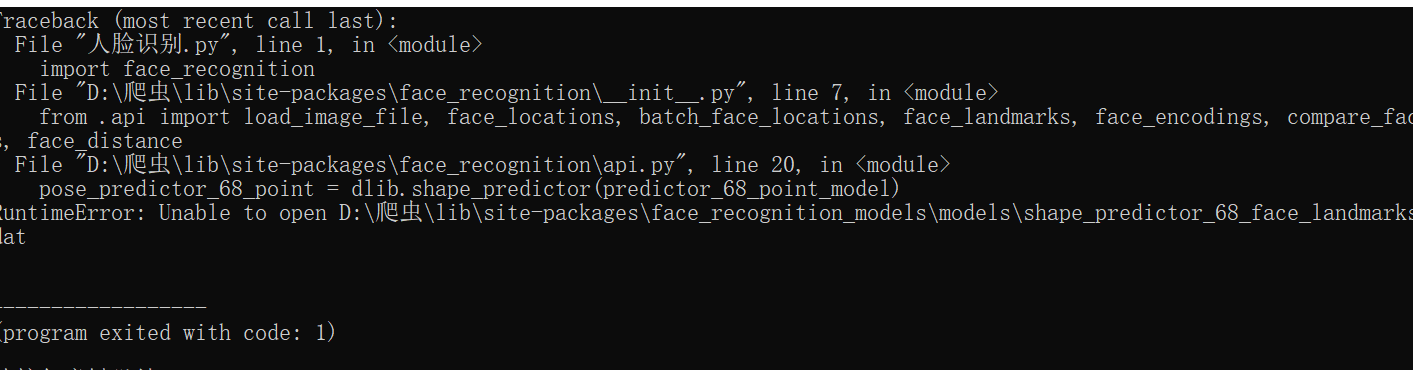
I install cmake, numpy,spicy,dlib,face_recognition sucessfully,but if I use 'import face_recognition',then python will return traceback ,such as
'Traceback (most recent call last):
File "人脸识别.py", line 1, in
import face_recognition
File "D:\爬虫\lib\site-packagesface_recognition__init__.py", line 7, in
from .api import load_image_file, face_locations, batch_face_locations, face_landmarks, face_encodings, compare_faces, face_distance
File "D:\爬虫\lib\site-packagesface_recognition\api.py", line 20, in
pose_predictor_68_point = dlib.shape_predictor(predictor_68_point_model)
RuntimeError: Unable to open D:\爬虫\lib\site-packagesface_recognition_models\models\shape_predictor_68_face_landmarks.dat'
How I can do? @masoudr
 pandeng-001
on 10 Apr 2020
pandeng-001
on 10 Apr 2020
@pandeng-001 It seems an installation issue because the models haven't installed properly. Try to reinstall face_recognition with pip install --upgrade --force-reinstall face_recognition and if it didn't help grab models from here and put them in D:\爬虫\lib\site-packages\face_recognition_models\models.
masoudr
on 10 Apr 2020
Ok, my issue is resolved with your help,thank you so much @masoudr
pandeng-001
on 10 Apr 2020
should i have to use Microsoft Visual Studio 2015? I'm used to Pyhchram. Add i had installed boost and cmake but i still can't install dlib.
Collecting face_recognition
Using cached face_recognition-1.3.0-py2.py3-none-any.whl (15 kB)
Requirement already satisfied: face-recognition-models>=0.3.0 in f:\01电脑软件\07python\lib\site-packages (from face_recognition) (0.3.0)
Requirement already satisfied: Click>=6.0 in f:\01电脑软件\07python\lib\site-packages (from face_recognition) (7.1.1)
Requirement already satisfied: numpy in f:\01电脑软件\07python\lib\site-packages (from face_recognition) (1.18.2)
Requirement already satisfied: Pillow in f:\01电脑软件\07python\lib\site-packages (from face_recognition) (7.1.1)
Collecting dlib>=19.7
Using cached dlib-19.19.0.tar.gz (3.2 MB)
Installing collected packages: dlib, face-recognition
Running setup.py install for dlib ... error
ERROR: Command errored out with exit status 1:
command: 'f:\01电脑软件\07pythonpython.exe' -u -c 'import sys, setuptools, tokenize; sys.argv[0] = '"'"'C:\Users\MARK~1.ZEN\AppData\Local\Temp\pip-install-tvvffw1b\dlib\setup.py'"'"'; __file__='"'"'C:\Users\MARK~1.ZEN\AppData\Local\Temp\pip-install-tvvffw1b\dlib\setup.py'"'"';f=getattr(tokenize, '"'"'open'"'"', open)(__file__);code=f.read().replace('"'"'\r\n'"'"', '"'"'\n'"'"');f.close();exec(compile(code, __file__, '"'"'exec'"'"'))' install --record 'C:\Users\MARK~1.ZEN\AppData\Local\Temppip-record-nzpmqh1c\install-record.txt' --single-version-externally-managed --compile --install-headers 'f:\01电脑软件\07python\Includedlib'
cwd: C:\Users\MARK~1.ZEN\AppData\Local\Temppip-install-tvvffw1bdlib\
Complete output (57 lines):
running install
running build
running build_py
package init file 'dlib__init__.py' not found (or not a regular file)
running build_ext
Building extension for Python 3.7.3 (v3.7.3:ef4ec6ed12, Mar 25 2019, 22:22:05) [MSC v.1916 64 bit (AMD64)]
Invoking CMake setup: 'cmake C:\Users\MARK~1.ZEN\AppData\Local\Temppip-install-tvvffw1bdlib\toolspython -DCMAKE_LIBRARY_OUTPUT_DIRECTORY=C:\Users\MARK~1.ZEN\AppData\Local\Temppip-install-tvvffw1bdlib\build\lib.win-amd64-3.7 -DPYTHON_EXECUTABLE=f:\01电脑软件\07pythonpython.exe -DCMAKE_LIBRARY_OUTPUT_DIRECTORY_RELEASE=C:\Users\MARK~1.ZEN\AppData\Local\Temppip-install-tvvffw1bdlib\build\lib.win-amd64-3.7 -A x64'
-- Building for: NMake Makefiles
CMake Error at CMakeLists.txt:3 (project):
Generator
    NMake Makefiles

  does not support platform specification, but platform

    x64

  was specified.


CMake Error: CMAKE_C_COMPILER not set, after EnableLanguage
CMake Error: CMAKE_CXX_COMPILER not set, after EnableLanguage
-- Configuring incomplete, errors occurred!
See also "C:/Users/Mark.Zeng/AppData/Local/Temp/pip-install-tvvffw1b/dlib/build/temp.win-amd64-3.7/Release/CMakeFiles/CMakeOutput.log".
Traceback (most recent call last):
  File "<string>", line 1, in <module>
  File "C:\Users\MARK~1.ZEN\AppData\Local\Temp\pip-install-tvvffw1b\dlib\setup.py", line 261, in <module>
    'Topic :: Software Development',
  File "f:\01电脑软件\07python\lib\site-packages\setuptools\__init__.py", line 144, in setup
    return distutils.core.setup(**attrs)
  File "f:\01电脑软件\07python\lib\distutils\core.py", line 148, in setup
    dist.run_commands()
  File "f:\01电脑软件\07python\lib\distutils\dist.py", line 966, in run_commands
    self.run_command(cmd)
  File "f:\01电脑软件\07python\lib\distutils\dist.py", line 985, in run_command
    cmd_obj.run()
  File "f:\01电脑软件\07python\lib\site-packages\setuptools\command\install.py", line 61, in run
    return orig.install.run(self)
  File "f:\01电脑软件\07python\lib\distutils\command\install.py", line 545, in run
    self.run_command('build')
  File "f:\01电脑软件\07python\lib\distutils\cmd.py", line 313, in run_command
    self.distribution.run_command(command)
  File "f:\01电脑软件\07python\lib\distutils\dist.py", line 985, in run_command
    cmd_obj.run()
  File "f:\01电脑软件\07python\lib\distutils\command\build.py", line 135, in run
    self.run_command(cmd_name)
  File "f:\01电脑软件\07python\lib\distutils\cmd.py", line 313, in run_command
    self.distribution.run_command(command)
  File "f:\01电脑软件\07python\lib\distutils\dist.py", line 985, in run_command
    cmd_obj.run()
  File "C:\Users\MARK~1.ZEN\AppData\Local\Temp\pip-install-tvvffw1b\dlib\setup.py", line 135, in run
    self.build_extension(ext)
  File "C:\Users\MARK~1.ZEN\AppData\Local\Temp\pip-install-tvvffw1b\dlib\setup.py", line 172, in build_extension
    subprocess.check_call(cmake_setup, cwd=build_folder)
  File "f:\01电脑软件\07python\lib\subprocess.py", line 347, in check_call
    raise CalledProcessError(retcode, cmd)
subprocess.CalledProcessError: Command '['cmake', 'C:\\Users\\MARK~1.ZEN\\AppData\\Local\\Temp\\pip-install-tvvffw1b\\dlib\\tools\\python', '-DCMAKE_LIBRARY_OUTPUT_DIRECTORY=C:\\Users\\MARK~1.ZEN\\AppData\\Local\\Temp\\pip-install-tvvffw1b\\dlib\\build\\lib.win-amd64-3.7', '-DPYTHON_EXECUTABLE=f:\\01电脑软件\\07python\\python.exe', '-DCMAKE_LIBRARY_OUTPUT_DIRECTORY_RELEASE=C:\\Users\\MARK~1.ZEN\\AppData\\Local\\Temp\\pip-install-tvvffw1b\\dlib\\build\\lib.win-amd64-3.7', '-A', 'x64']' returned non-zero exit status 1.
----------------------------------------
ERROR: Command errored out with exit status 1: 'f:\01电脑软件\07pythonpython.exe' -u -c 'import sys, setuptools, tokenize; sys.argv[0] = '"'"'C:\Users\MARK~1.ZEN\AppData\Local\Temp\pip-install-tvvffw1b\dlib\setup.py'"'"'; __file__='"'"'C:\Users\MARK~1.ZEN\AppData\Local\Temp\pip-install-tvvffw1b\dlib\setup.py'"'"';f=getattr(tokenize, '"'"'open'"'"', open)(__file__);code=f.read().replace('"'"'\r\n'"'"', '"'"'\n'"'"');f.close();exec(compile(code, __file__, '"'"'exec'"'"'))' install --record 'C:\Users\MARK~1.ZEN\AppData\Local\Temppip-record-nzpmqh1c\install-record.txt' --single-version-externally-managed --compile --install-headers 'f:\01电脑软件\07python\Includedlib' Check the logs for full command output.
 Snowball55
on 12 Apr 2020
Snowball55
on 12 Apr 2020
@Snowball55 You would better go with the easy installation, but if you want to compile the source you will need MSVC but the version doesn't matter.
Anyway, it seems that your problem is using the wrong architecture, make sure that use the X64 version of the visual studio command prompt.
masoudr
on 12 Apr 2020
I wanted to have totally independent installation in a separate folder, so that's what I did:
Went to https://www.python.org/downloads/windows/ and chose "Python 3.6.8 - Dec. 24, 2018" -> "Windows x86-64 embeddable zip file" and extracted its contents to my newly prepared python3 folder.
Why 3.6.8 and not the latest one? Because I found prebuilt dlib binaries for 3.6 and none for 3.8. So, I hoped to get it working without having to install CMake. Otherwise, without CMake dlib installation failed, of course.
After that, I downloaded get-pip and put it too into python3 folder:
https://bootstrap.pypa.io/get-pip.py
Embedded Python has an issue - it ignores PYTHONPATH variable. To fix this, it turned out I have to add paths to pth file or delete the file. I chose to delete it (in my custom script below).
Here's the full cmd script that "worked on my machine". You can save it (install-standalone-deps.cmd) and put near your prepared python3 folder where you extracted Python 3.6.8 and get-pip.py, and then execute it.
@echo off
setlocal EnableExtensions DisableDelayedExpansion

cd %cd%\python3
set PYTHONPATH=%cd%
set PATH=%PATH%;%PYTHONPATH%;%PYTHONPATH%\Scripts;%PYTHONPATH%\Lib\site-packages
echo Standalone Python installation configured in %PYTHONPATH%

rem disabling embedded env file that causes PYTHONPATH to be ignored
if exist python36._pth ren python36._pth python36._pth.save

rem pip itself
python get-pip.py

rem Some important dependencies
pip install opencv-python

rem Installing prebuilt dlib that won't ask for CMake
pip install https://files.pythonhosted.org/packages/0e/ce/f8a3cff33ac03a8219768f0694c5d703c8e037e6aba2e865f9bae22ed63c/dlib-19.8.1-cp36-cp36m-win_amd64.whl
rem Installing face_recognition
pip install face_recognition

echo If there are no red error messages, then everything is OK and you can start running face recognition projects now.

pause

endlocal
Then I created another script that prepares environment. Let's call it setenv-py.cmd
@echo off
setlocal EnableExtensions DisableDelayedExpansion

set PYTHONPATH=%cd%\python3
set PATH=%PATH%;%PYTHONPATH%;%PYTHONPATH%\Scripts;%PYTHONPATH%\Lib\site-packages
echo Standalone Python installation configured in %PYTHONPATH%

rem Keeping it open for running Python commands
cmd /k
Then I prepared folder_with_pictures with some face images and ran setenv-py.cmd and entered command:
face_detection folder_with_pictures
It worked! I received face coordinates.
So, I guess, nothing needed CMake? Or maybe it was picked up by some other place on my machine (but then why dlib installation failed unless I downloaded prebuilt binary?)
 progmars
on 7 May 2020
progmars
on 7 May 2020
@progmars In your script, you are installing dlib from a wheel package so there is no compilation. The CMake needs for compiling dlib from the source.
masoudr
on 7 May 2020
@masoudr Yeah, I guessed so. I just was afraid that some other dependency of face_recognition or deeper down the line would still require CMake and my idea would fail, but fortunately enough, it worked.
progmars
on 7 May 2020
Hey,
my name is christopher proß. thank you for this grate project and for this tutorial. My question is the following:
I am writing at the moment an add-on for a screen-reader called nvda, a program which reads out screen elements too the blind on windows system. This program has the ability to be extended with add-ons in python. Which are executed at runtime. I would use this project for an add-on, but my problem is, to delever this requeriments to the end-users. exists there a way to precompile or prepack this all requeriments or pack it all to geter in an installer? Maybe someone can help me here.
All the best.
 christopherpross
on 18 May 2020
christopherpross
on 18 May 2020
@christopherpross You better create a new issue for your problem as this issue is related to installation on Windows.
If you want to deliver this to your end-user one way is to compile it as a stand-alone executable that accepts your desire parameters. You can follow this issue for compiling the script. Next, you can grab the executable and use it in your app without worrying about its requirements.
masoudr
on 18 May 2020
@masoudr thank you for your quick answer. an executable file is not my first choice, because I write a python script and this is only an add-on for an application. So importing it or call it like a dll seems to be better. call it as executable file over subprocess seems to me inperformant and not clean. Anyway. I had opened a new ussue. #1147
christopherpross
on 18 May 2020
@masoudr I don't know if someones already asked, but this does not work with any other ides? I've been trying to install it and I use vscode so I don't know if that is an issue?
 AkulPat
on 26 May 2020
AkulPat
on 26 May 2020
@AkulPat The IDE doesn't relate to the installation of any Python packages unless you use a wrong environment within the IDE.
Remember that for this installation you need Visual Studio Command Prompt so if you want to install it inside your IDE, make sure that you select it instead of Windows CMD.
If you still have a problem post your error log for clarification.
masoudr
on 26 May 2020
@AkulPat or you can use a pre-built whl for Windows, as I did (see my post above) and then you won't need any build tools at all.
Caveat - those prebuilt wheels I found are available for older Pythons only and they seem to be without CUDA support, so it won't use GPU. For some tasks it's ok, it worked just fine for me for face feature extraction in real-time.
progmars
on 26 May 2020
Hi, here is something that works for me:
1.- conda create -n face_recognition python==3.6.6 anaconda
2.- conda activate face_recognition
3.- pip install cmake
4.- pip install dlib==19.8.1
5.- pip install face_recognition
6.- pip install opencv-contrib-python==4.1.0.25
7.- pip install twisted
 raburgos
on 29 May 2020
raburgos
on 29 May 2020
@raburgos thanks for the 7 steps.
I have tried step 1 on windows 10 pro with anaconda3x64 but i get the following at the end of packages, not sure if this is a required part as I am attempting to continue with the next steps;
ERROR conda.core.link:_execute(507): An error occurred while installing package 'conda-forge::alabaster-0.7.12-py_0'.
FileNotFoundError(2, 'The system cannot find the file specified', None, 2, None)
Attempting to roll back.
 akeilox
on 30 May 2020
akeilox
on 30 May 2020
@raburgos thanks for the 7 steps.
I have tried step 1 on windows 10 pro with anaconda3x64 but i get the following at the end of packages, not sure if this is a required part as I am attempting to continue with the next steps;
ERROR conda.core.link:_execute(507): An error occurred while installing package 'conda-forge::alabaster-0.7.12-py_0'.
FileNotFoundError(2, 'The system cannot find the file specified', None, 2, None)
Attempting to roll back.
Hi!
It seems to be something with anaconda ... maybe you could try in command line: conda update ipykernel and then conda update --all
First step creates virtual environment in order to isolate the project (with Python versión 3.6)
raburgos
on 30 May 2020
thanks for the direction.
guess im missing something here?
(base) C:\Users\acm>conda update ipykernel and then conda update --all
Solving environment: failed
PackagesNotFoundError: The following packages are not available from current channels:
- and
- then
- update
akeilox
on 30 May 2020
thanks for the direction.
guess im missing something here?
(base) C:\Users\acm>conda update ipykernel and then conda update --all
Solving environment: failedPackagesNotFoundError: The following packages are not available from current channels:
- and
- then
- update
Should be this(press enter):
Command line: conda update ipykernel
——————-
And then:
——————-
Command line: conda update --all
raburgos
on 30 May 2020
oh wee thats embarrassing, yet to fully wake up.. update in progress, will try the steps again after all updated
akeilox
on 30 May 2020
oh wee thats embarrassing, yet to fully wake up.. update in progress, will try the steps again after all updated
don´t worry about that! let me know if it works for you!
raburgos
on 30 May 2020
@raburgos this works beautifully! thanks a million!
was on conda 4.8.3, open Anaconda Prompt
conda update ipykernel
conda update --all
repeat the above update till no error (took few runs for me), then run:
conda create -n face_recognition python==3.6.6 anaconda
conda activate face_recognition
pip install cmake
pip install dlib==19.8.1
pip install face_recognition
pip install opencv-contrib-python==4.1.0.25
pip install twisted
then clone the repo with git clone https://github.com/ageitgey/face_recognition.git
cd examples
face_detection ./
(that should output detected faces of pictures in that folder.
akeilox
on 30 May 2020
@raburgos this works beautifully! thanks a million!
was on conda 4.8.3, open Anaconda Promptconda update ipykernel
conda update --allrepeat the above update till no error (took few runs for me), then run:
conda create -n face_recognition python==3.6.6 anaconda
conda activate face_recognition
pip install cmake
pip install dlib==19.8.1
pip install face_recognition
pip install opencv-contrib-python==4.1.0.25
pip install twistedthen clone the repo with git clone https://github.com/ageitgey/face_recognition.git
cd examples
face_detection ./(that should output detected faces of pictures in that folder.
That’s great!
raburgos
on 30 May 2020
Thank you for your instruction! I have installed it successfully.
Does anyone know how to execute the facial recognition's command line on window 10?
Thank you.
 Yipeng-Wang-Peter
on 17 Jul 2020
Yipeng-Wang-Peter
on 17 Jul 2020
Thank you for your instruction! I have installed it successfully.
Does anyone know how to execute the facial recognition's command line on window 10?Thank you.
Hi @Yipeng-Wang-Peter !
If you want to use your webcam you can try in command line (e.g: anaconda prompt, considering current path in your local file face_recognition):
.- cd examples
.- python facerec_from_webcam_faster.py
I hope this helps!
raburgos
on 18 Jul 2020
Thank you for your instruction! I have installed it successfully.
Does anyone know how to execute the facial recognition's command line on window 10?
Thank you.Hi @Yipeng-Wang-Peter !
If you want to use your webcam you can try in command line (e.g: anaconda prompt, considering current path in your local file face_recognition):
.- cd examples
.- python facerec_from_webcam_faster.pyI hope this helps!
OK. Thank you!
Yipeng-Wang-Peter
on 18 Jul 2020
Running setup.py install for dlib ... error
ERROR: Command errored out with exit status 1:
command: 'd:pythonpractice\pictures\scriptspython.exe' -u -c 'import sys, setuptools, tokenize; sys.argv[0] = '"'"'C:\Users\avalvi\AppData\Local\Temp\pip-install-2u4dltn8\dlib\setup.py'"'"'; __file__='"'"'C:\Users\avalvi\AppData\Local\Temp\pip-install-2u4dltn8\dlib\setup.py'"'"';f=getattr(tokenize, '"'"'open'"'"', open)(__file__);code=f.read().replace('"'"'\r\n'"'"', '"'"'\n'"'"');f.close();exec(compile(code, __file__, '"'"'exec'"'"'))' install --record 'C:\Users\avalvi\AppData\Local\Temppip-record-zs9fffxc\install-record.txt' --single-version-externally-managed --compile --install-headers 'd:pythonpractice\pictures\include\sitepython3.8dlib'
cwd: C:\Users\avalvi\AppData\Local\Temppip-install-2u4dltn8dlib\
Complete output (74 lines):
running install
running build
running build_py
package init file 'dlib__init__.py' not found (or not a regular file)
running build_ext
Building extension for Python 3.8.4 (tags/v3.8.4:dfa645a, Jul 13 2020, 16:30:28) [MSC v.1926 32 bit (Intel)]
Invoking CMake setup: 'cmake C:\Users\avalvi\AppData\Local\Temppip-install-2u4dltn8dlib\toolspython -DCMAKE_LIBRARY_OUTPUT_DIRECTORY=C:\Users\avalvi\AppData\Local\Temppip-install-2u4dltn8dlib\build\lib.win32-3.8 -DPYTHON_EXECUTABLE=d:pythonpractice\pictures\scriptspython.exe -DCMAKE_LIBRARY_OUTPUT_DIRECTORY_RELEASE=C:\Users\avalvi\AppData\Local\Temppip-install-2u4dltn8dlib\build\lib.win32-3.8'
-- Building for: Visual Studio 10 2010
CMake Error at CMakeLists.txt:3 (project):
 AlpeshValvi123
on 29 Jul 2020
AlpeshValvi123
on 29 Jul 2020
(project):
... and it stops at the most interesting part where the root cause of the error is located.
Python 3.8 - not sure if everything will work smoothly with the latest & greatest version. Why not try something that works, following the instructions given in the older comments here?
progmars
on 30 Jul 2020
Related issues
 damey2011
·
3Comments
damey2011
·
3Comments
 dharam1890
·
3Comments
dharam1890
·
3Comments
 cjosephson
·
5Comments
cjosephson
·
5Comments
 paulaceccon
·
5Comments
paulaceccon
·
5Comments
 dav-ell
·
3Comments
dav-ell
·
3Comments
Most helpful comment
You don't need to manually install dlib. I was able to install it with pip (through the
pip install face_recognitioncommand) after I had Boost and CMake installed.Which leads me to my second point; your tutorial does not mention CMake at all. I have no idea what CMake actually does, so it may not be required, but if it does have something to do with simplifying the install process, you should add it to your tutorial.