Fabric.js: When clipped canvas exported as JPG gives black background
Hi
I am facing an issue with the clipped region that is giving black background when is exported as jpg image. I have a canvas onto which I add shapes like(circle,square,rectangle,octagon etc.) and clipped the canvas according to the base shapes. Now when I try preview the drawn image by doing :
imagBased64 = canvas.toDataURL({multiplier:1});
$('#preview_img').attr('href', imagBased64);
and same thing happens when I send data to backend and then fetch then generated image. This what my canvas is like

and this what I get on preview (and getting image back from the server)

I have tried :
var shape = canvas.item(0);
canvas.clipTo = function(ctx){
            shape.set({
                       fill:' '
            })
           shape.render(ctx);
}
and also #2443 by making changes as directed here, but no luck.
Have I missed something or I am not aware of.
Thanks for time and help.
PS: I am using fabric "1.6.2" .
 monis01
All 6 comments
Canvas pixels are transparent black, all zeroes.
IF you do not color them with white, in jpeg you get non transparent black, black black.
Seta background color to white for your canvas, what you see on your canvas in the browsers is a transparent canvas trough which the white webpage is visible.
 asturur
on 28 Apr 2018
asturur
on 28 Apr 2018
Yes I did that
canvasCopy.setBackgroundColor('#FFFFFF')
canvasCopy.renderAll();
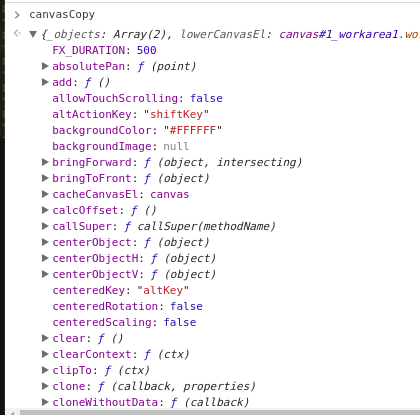
but when checked inside
canvasCopy.renderAll();
canvasToDrawOn variable
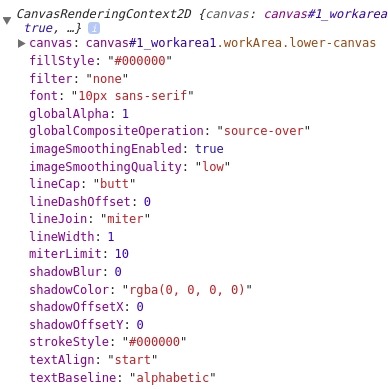
is this fillStyle dominating ?
Thanks
monis01
on 28 Apr 2018
no i think your clipTo is clipping the background color too.
try to use the before:render event and do
this.contextContainer.fillStyle = 'white'
this.contextContainer.fillRect(0, 0, canvas.width, canvas.height)
Thanks I believe that is what happening, fixed now. :+1:
So by clipping the region on canvas it changes that area to transparent ?
when I have exported it to 'png' format I was able to get white background.
Is there anything I can read more deep on such issue.
Thanks
monis01
on 28 Apr 2018
So the canvas IS transparent and the clipping region prevent it to be painted white with background white.
You should give a check to fabricJS code there is no much documentation on how the render loop works.
asturur
on 28 Apr 2018
Appreciated :+1:
Thanks
monis01
on 28 Apr 2018
Related issues
 leehavin
·
35Comments
leehavin
·
35Comments
 Bnaya
·
66Comments
Bnaya
·
66Comments
 zackphilipps
·
40Comments
zackphilipps
·
40Comments
 vkammerer
·
52Comments
asturur
·
60Comments
vkammerer
·
52Comments
asturur
·
60Comments
Most helpful comment
no i think your clipTo is clipping the background color too.
try to use the
before:renderevent and do