Expected Behaviour
Several popular tutorial sites such as Play With Docker or "katacoda" embed a markdown file within their UI allowing users to get some context about what they should be doing with what they are seeing on the screen at that time.
Here's an example:
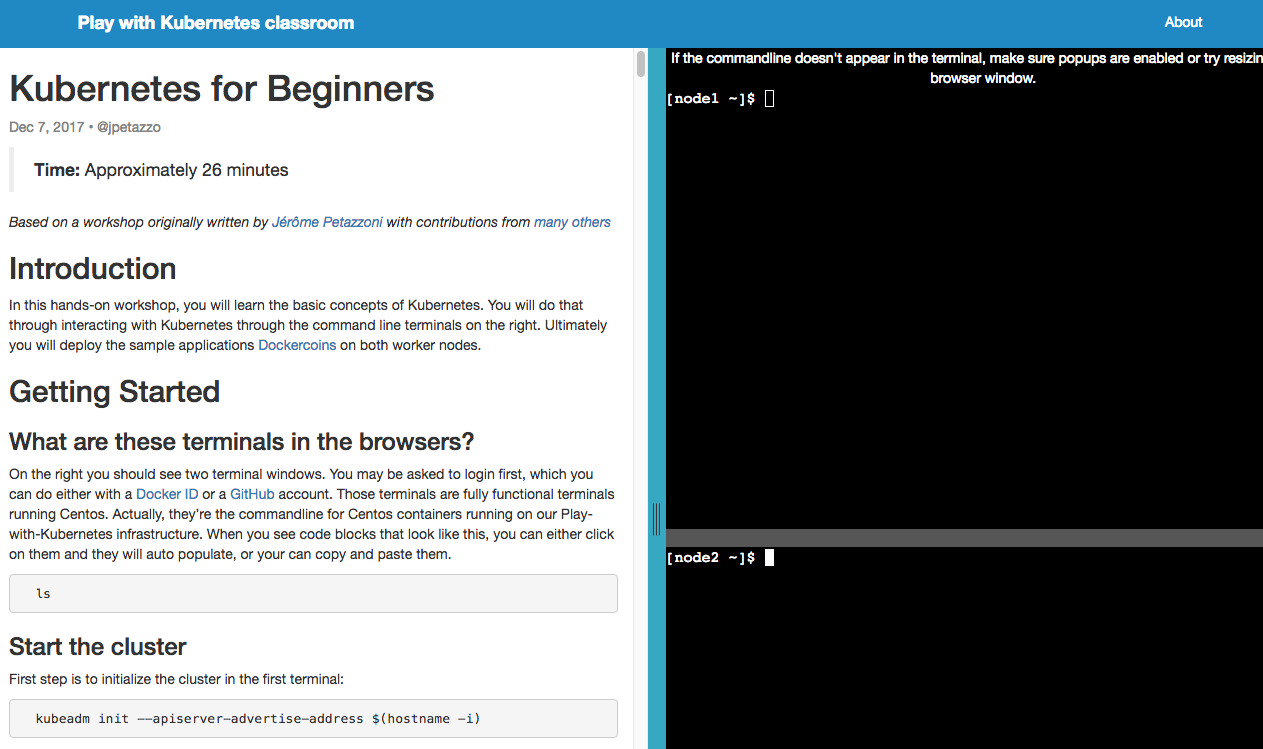
Clicking on a specific designated area or block also results in copy/paste into a terminal. In our case clicking on a sample input for a function from the store should result in the "input body" area being populated.
Current Behaviour
We have several functions that would be good in the store but we can't include them because they have a non-trivial JSON input or require some other kind of interactions that are hard to explain through the store UI.
Possible Solution
Add a UI panel which is collapsible (for those who don't want it) and also responsive (i.e. it can be hidden)
This should be rendered from metadata on the function such as an annotation pointing to a markdown file on a HTTPS Git RAW CDN.
Not in scope
Viewing / editing or applying metadata or labels is not in scope.
 alexellis
All 7 comments
Derek add label: Hacktoberfest
alexellis
on 3 Oct 2018
Thinking about maintaining that information, would it make sense to have the store functions include a howto.md file in the repo.
That could then be used to display in a modal window in the UI. It would keep the information with the code, and keep the store.json file readable. Maybe add a includesHowTo: true property that would show the link?
Alternatively, the additional field could be used to show a link to the repo's readme.md file opening in a new browser tab. That would be more of a "quick win" without much change to the UI, but still allowing those more complex functions in
 burtonr
on 16 Jun 2019
burtonr
on 16 Jun 2019
Finally finding time to get into mocking things up.
Going off of my previous comment, I'm thinking of adding an additional field to the function store json for a tutorialUrl. This URL could be the function's readme.md file, or possibly some other more specific markdown file.
Either way, here's my first quick attempt at how we could present this to the user:
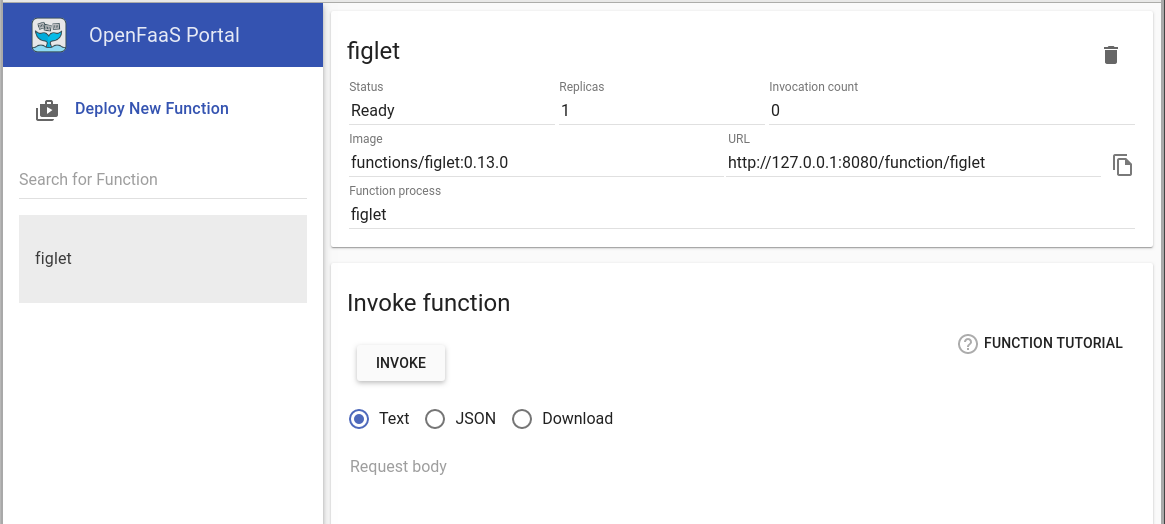
The idea is that the button would be visible if the function included the tutorialUrl property. Clicking the button would then render the contents of that file in a popup window so that the user could see how to invoke the more complex functions from the store. Alternatively, we could just open the link in a new window or tab...
burtonr
on 4 Aug 2019
Can you post a mock-up of how it looks when open and rendered?
alexellis
on 4 Aug 2019
It's still quite rough around the edges, but here's an example using certinfo. This is rendering the readme.md file from the raw.githubusercontent URL. Open to ideas if there's a different or better way to get markdown from Github.
I chose certinfo because it was a smaller readme, with good examples. Some of the others had images, or were really long. The images render properly, but some are scaled too large to fit in a nice easy to see gif.
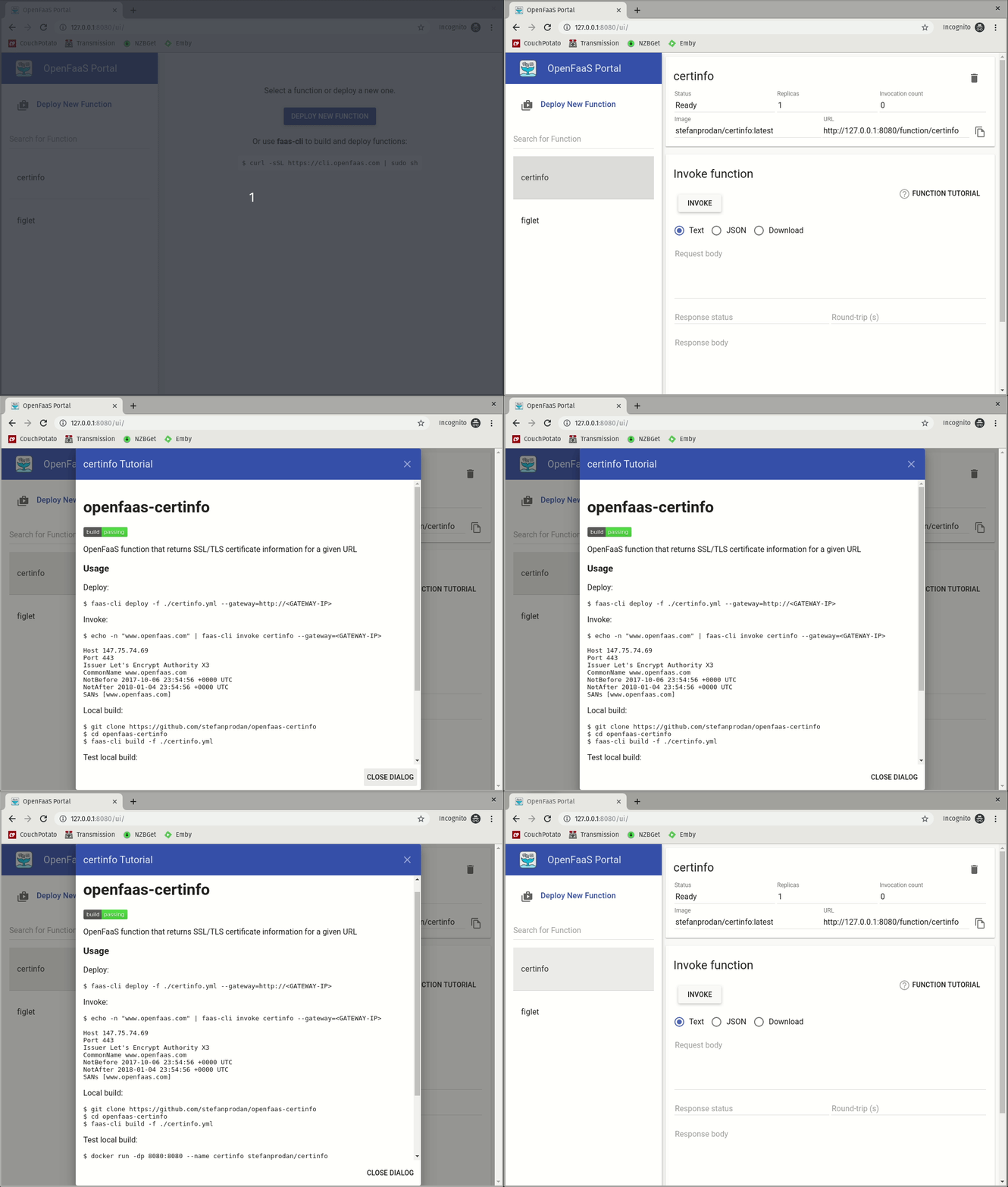
If this is good, I'll clean it up a bit and start a PR for better review and testing
burtonr
on 5 Aug 2019
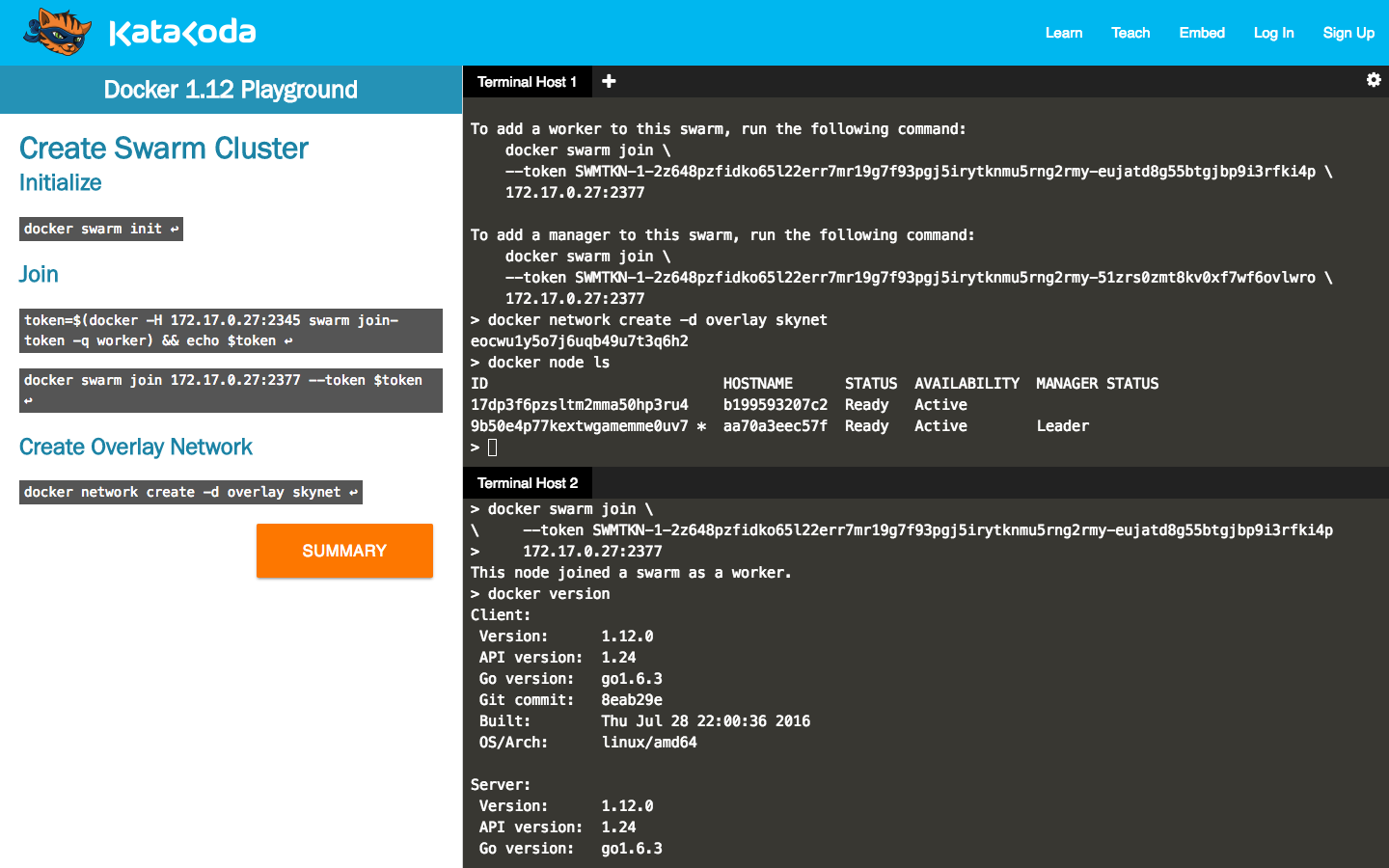
This looks so good Burton. Exactly what I was hoping to see. As it is, it has a lot of value IMHO, but what I'm really wanting us to get to is this a panel which is part of the main screen.
This is how katacoda did it:
And Docker's training tool:
alexellis
on 5 Aug 2019
@alexellis I was hesitant to do a split screen just to avoid cluttering the UI too much. However, after playing around a bit, I found I was able to something similar to those two examples.
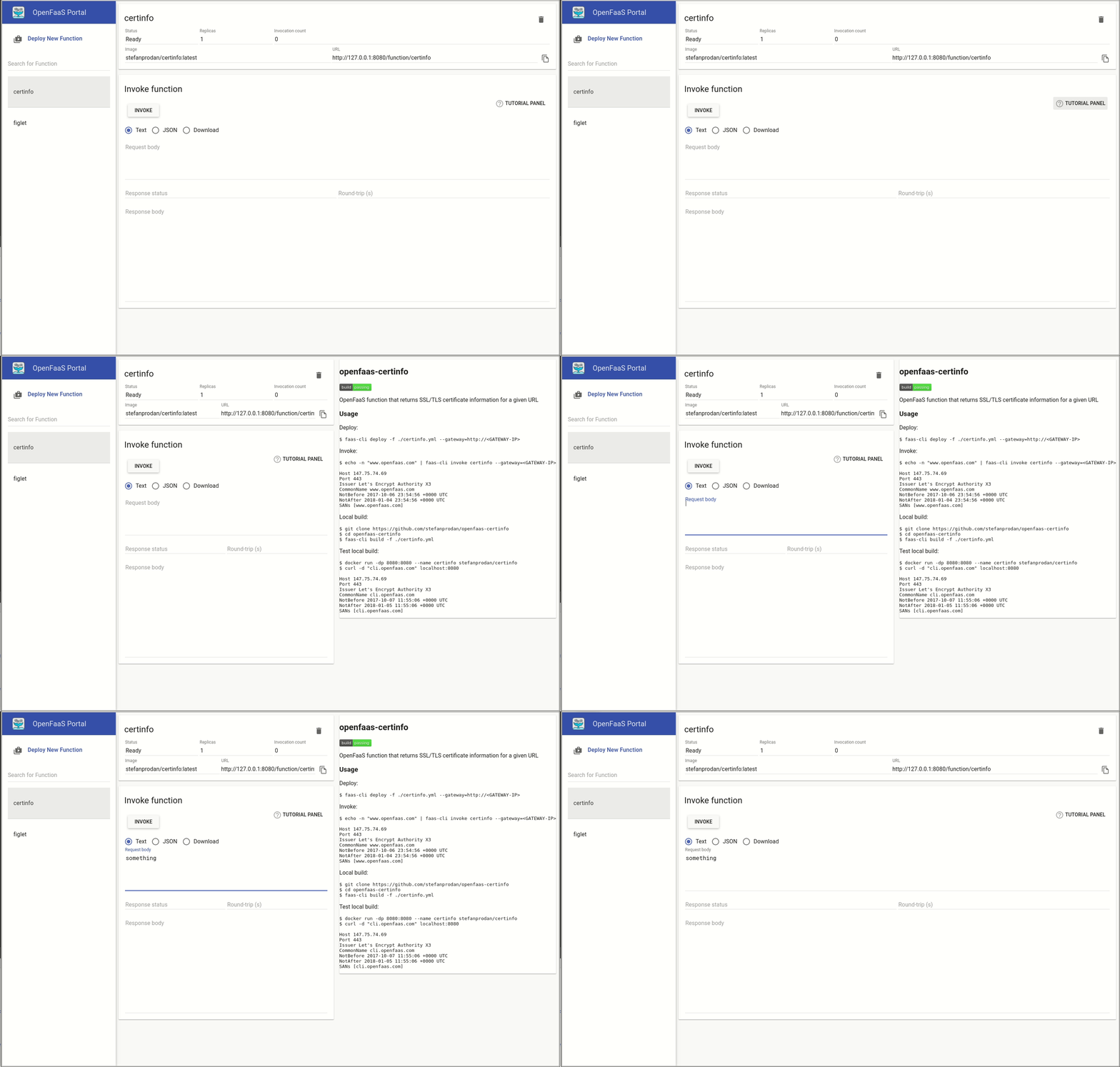
It would be up to the function creators to create a markdown file that would render nicely in the space provided. I tested this out with the Caire readme, and it was not working well with the large images. I am hopeful that having a dedicated markdown file specifically for the tutorial panel would mean that the content could be more focused on the input and output rather then a traditional readme with examples and more. Something we'll need to keep an eye on when accepting PRs for new functions in the future
burtonr
on 6 Aug 2019
Related issues
 karuppiah7890
·
4Comments
karuppiah7890
·
4Comments
 hotjunfeng
·
5Comments
hotjunfeng
·
5Comments
 ndarilek
·
4Comments
ndarilek
·
4Comments
 saad749
·
5Comments
saad749
·
5Comments
 derailed
·
6Comments
derailed
·
6Comments
Most helpful comment
It's still quite rough around the edges, but here's an example using
certinfo. This is rendering the readme.md file from theraw.githubusercontentURL. Open to ideas if there's a different or better way to get markdown from Github.I chose certinfo because it was a smaller readme, with good examples. Some of the others had images, or were really long. The images render properly, but some are scaled too large to fit in a nice easy to see gif.
If this is good, I'll clean it up a bit and start a PR for better review and testing