Extensions: firebase-bigquery-export: Array Type - No rows results
[REQUIRED] Step 2: Describe your configuration
- Extension name: \Export Collections to BigQuery
- Extension version: 0.1.5
[REQUIRED] Step 3: Describe the problem
When generating a view with array type data and querying for latest returns: 'This query returned no results.'
Steps to reproduce:
1.-Install extension on collection 'examples'
2.-Create a collection called 'examples'
3.-Fill collection with document:

4.- Create the scheme views with the following example.json
{
  "fields": [
    {
      "name": "name",
      "type": "string"
    },
    {
      "name":"favorite_numbers",
      "type": "array"
    },
    {
      "name": "last_login",
      "type": "timestamp"
    }
  ]
}
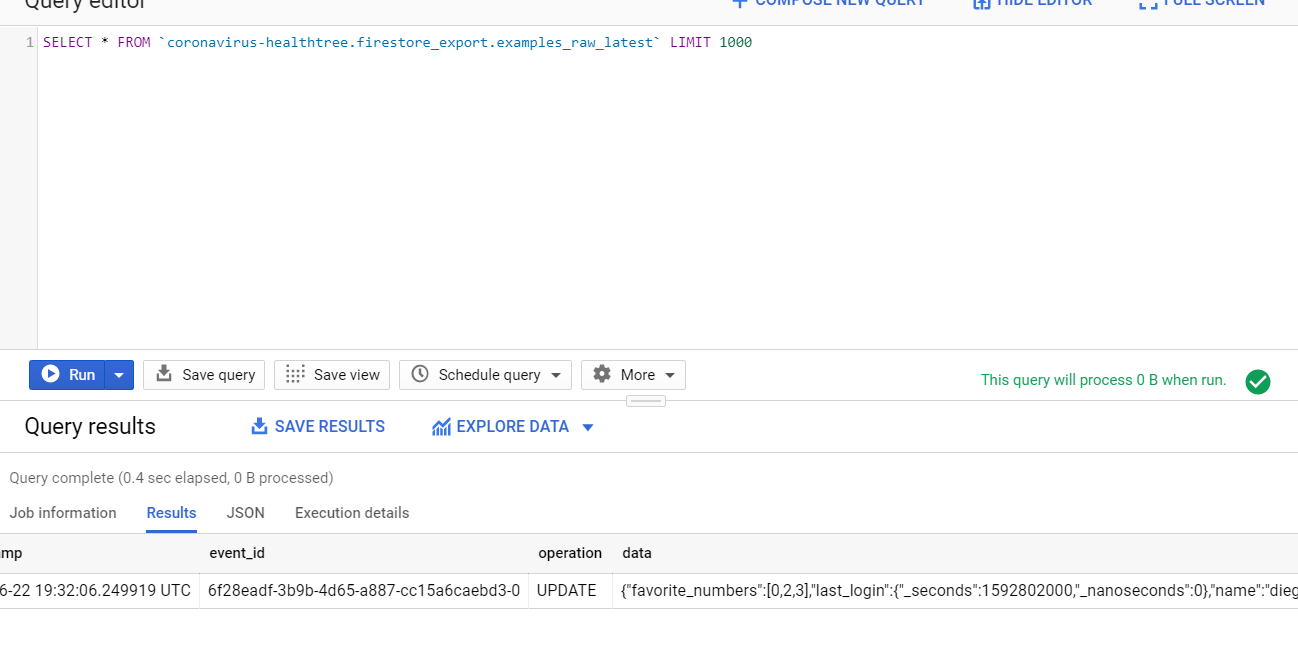
5.- Go to google cloud platform big query, and query examples_raw_latest to verify that data exists on big query
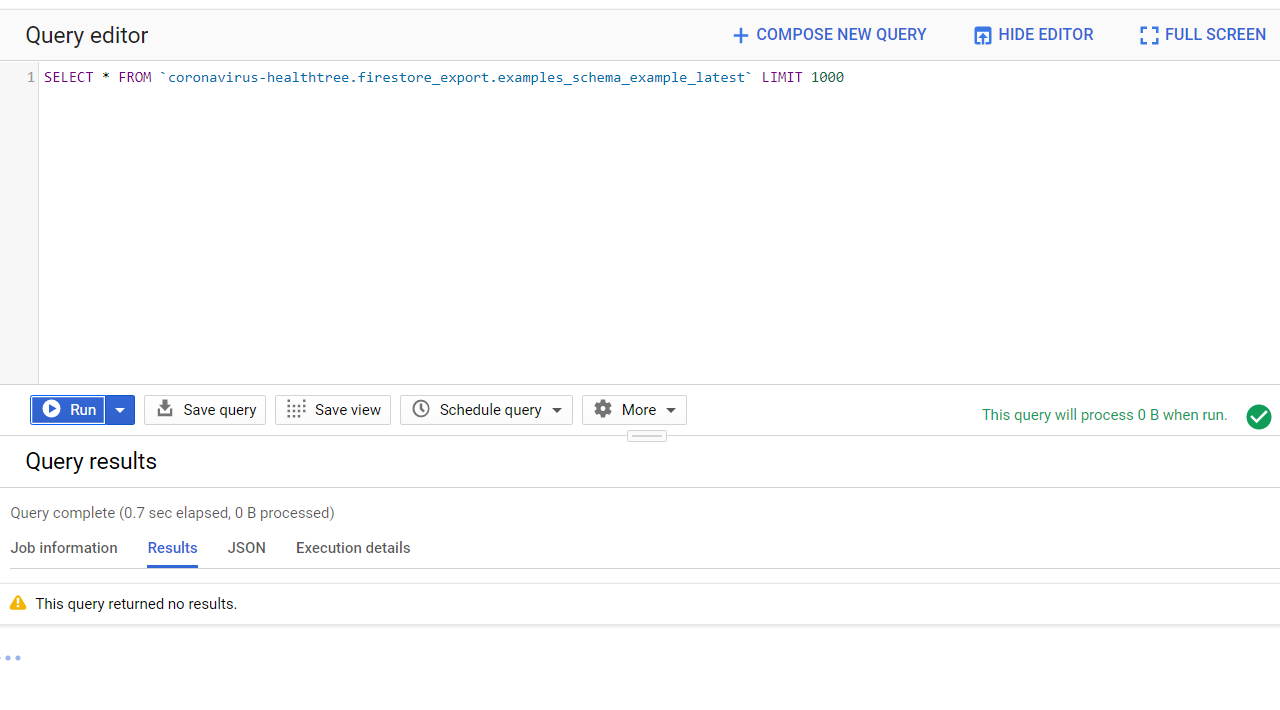
6.- Go to the created view (examples_schema_example_latest) and query all data (no results)
7.- Create another schema called exampleSimple.json in which the array data type is deleted
{
  "fields": [
    {
      "name": "name",
      "type": "string"
    },
    {
      "name": "last_login",
      "type": "timestamp"
    }
  ]
}
Create views and query results:

Now you can see the result.
Expected result
Expected to see a row with favorite_numbers_member and favorite_numbers_index
Actual result
'This query returned no results.'
 diegofhe
All 4 comments
I'm having the same issue :(
@diegofhe , could you make it work?
Thanks!
Luciano
 LucianoGanga
on 26 Jun 2020
LucianoGanga
on 26 Jun 2020
Hello @LucianoGanga, my project is still on development , so this issue is not critical to me (I am waiting for the firebase team to merge the fix on 368). The first thing that comes to mind is to twerk the query on ${schema}_latest on "details" tab.

Have a look at 368 to dig for info for a hotfix
Good luck!
diegofhe
on 26 Jun 2020
Thank you @diegofhe !! I really appreciate it :)
LucianoGanga
on 27 Jun 2020
I believe this was fixed in this PR: https://github.com/firebase/extensions/pull/368 so I'm going to go ahead and close this issue.
 russellwheatley
on 28 Jul 2020
russellwheatley
on 28 Jul 2020
Related issues
 NLegendre
·
4Comments
NLegendre
·
4Comments
 nicoqh
·
3Comments
nicoqh
·
3Comments
 jhuleatt
·
3Comments
jhuleatt
·
3Comments
 long1eu
·
5Comments
long1eu
·
5Comments
 Polarisation
·
4Comments
Polarisation
·
4Comments
Most helpful comment
Hello @LucianoGanga, my project is still on development , so this issue is not critical to me (I am waiting for the firebase team to merge the fix on 368). The first thing that comes to mind is to twerk the query on ${schema}_latest on "details" tab.

Have a look at 368 to dig for info for a hotfix
Good luck!