Extensions: Updating extension in console UI replaces original config
[READ] Step 1: Are you in the right place?
not sure if it's the right place to report issue for Firebase Console UI (Extensions)
[REQUIRED] Step 2: Describe your configuration
- Extension name: Firebase console UI/Extensions
[REQUIRED] Step 3: Describe the problem
Starting extension update in firebase console UI while there is another update of same type is in progress - configuration for new update will be overwritten with config from those one which is updating.
Steps to reproduce:
- 2
firestore-bigquery-export-instancesextensions deployed for 2 different firebase collections. - start update of 1st extension
- complete step-by-step update walkthrough with the last step - "configuration"
- configuration has proper values
- start updating of 2nd extension
- step-by-step walkthrough is automatically closed and update started
- when update is finished - 2nd extension will use configuration from 1st instance
I've got this issue twice. Updating 0.1.1 -> 0.1.2, and today with 0.1.2 -> 0.1.3
Expected result
Console UI should work properly with multiple instances of same extension
Actual result
 stari4ek
All 10 comments
Ok. It looks like there is no need to have update in the progress.
I've started update for 3rd instance - and step-by-step walkthrough is also automatically cancelled and wrong config is used - i have to re-configure it after.
It brings data loss, and the only way to recover data consistency is to perform full re-export
stari4ek
on 9 Apr 2020
Hi @stari4ek thanks for the bug report.
Just to confirm, you are saying that when 2 extensions of the same type are being updated/installed at the same time, the configuration used in one extension is applied to both extensions?
 Ehesp
on 11 Apr 2020
Ehesp
on 11 Apr 2020
As I commented after - no need to have update in-progress.
My case:
3 extension of same type with different configs: firebase collection/suffixes
- start update for first ("instances" collection)
- 1st is updating....
- start update for 2nd ("audiences" collection)
- 2nd update started with step-by-step-UI cancelled
- 1st finished (still "indstances")
- 2nd finished - it's config become ("instances" instead of "audiences")
- no updates in the progress
- start updating 3rd extension ("purchases" collection)
- step-by-step-UI cancelled on first step
- update finished
- 3rd extension become "instances" instead of "purchases"
So, yes, all extensions got config from first one
I had to re-configure 2nd and 3rd extensions using Console UI to restore them proper configs
stari4ek
on 11 Apr 2020
Hey @stari4ek,
I've installed 6 different big query export extensions for the same project. I've tried running them in parallel, but they all use the correct config. I'm not sure how to reproduce the bug. It might be helpful if you could let us know the firebase CLI version you're using (I used 7.15.1)? It also might be helpful to know which region you are deploying the cloud functions to?
 russellwheatley
on 15 Apr 2020
russellwheatley
on 15 Apr 2020
it has nothing with CLI, since it's reproduced in Firebase Web Console.
My extensions/functions are deployed to us-central1.
When there is notification about "update is available", it's possible to initiate extension update from WEB UI.
When update starts - it shows readme/API/access roles and the last "tab" is configuration.
When i started update for first instance - WEB UI walked me through all tabs with proper values on configuration tab.
When I started update for second instance - it show first tab of "step-by-step" UI and automatically closed all (=not finished changes review). And started updating 2nd extension instance. With wrong configuration.
stari4ek
on 15 Apr 2020
Hey @stari4ek, I guess I just read your steps to reproduce and got a severe case of tunnel vision 😅, lesson learnt.
Here are the steps available to me to update extensions from my console:
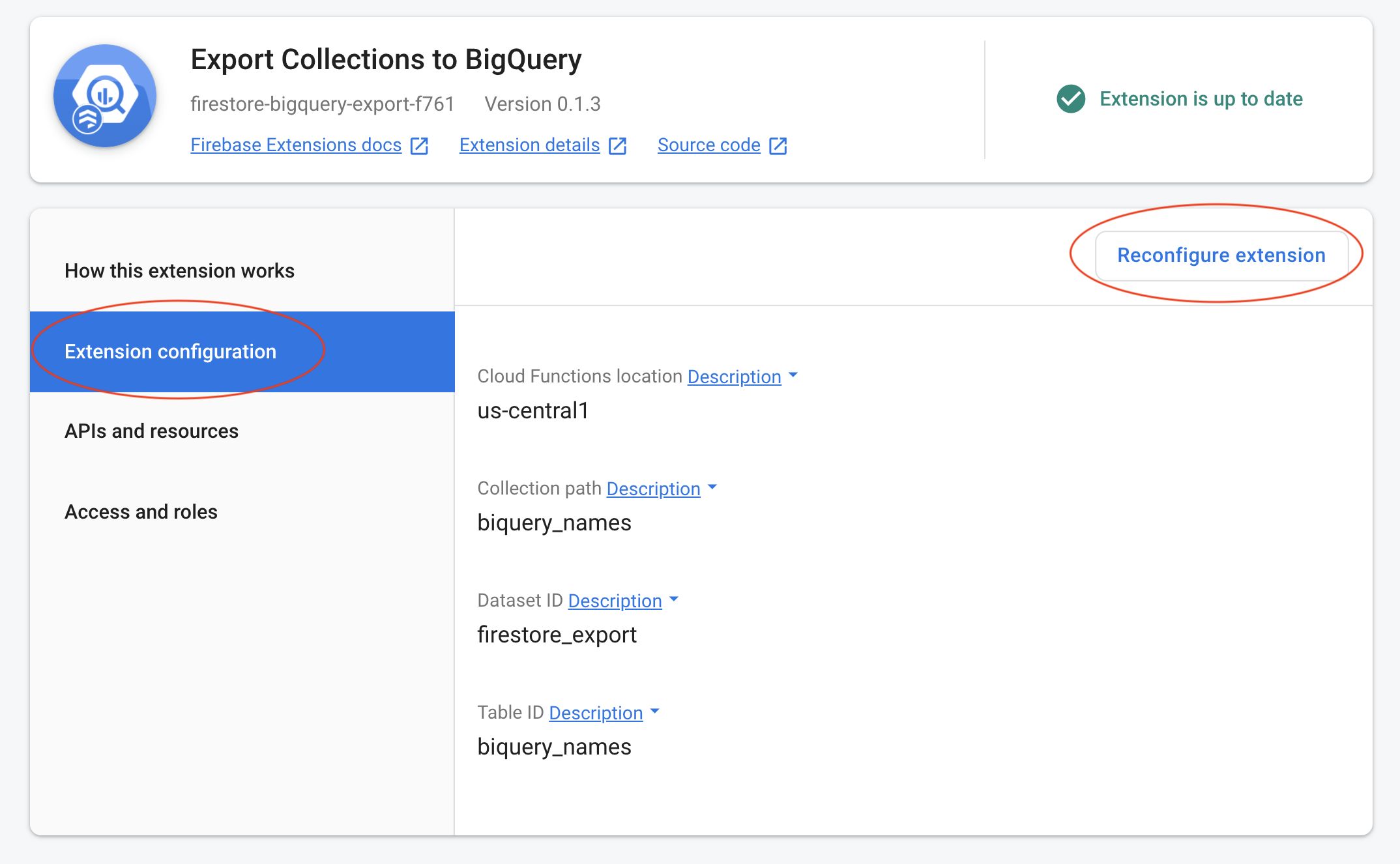
After clicking "Renconfigure Extension" I was able to change the collection path & table ID as noted below:
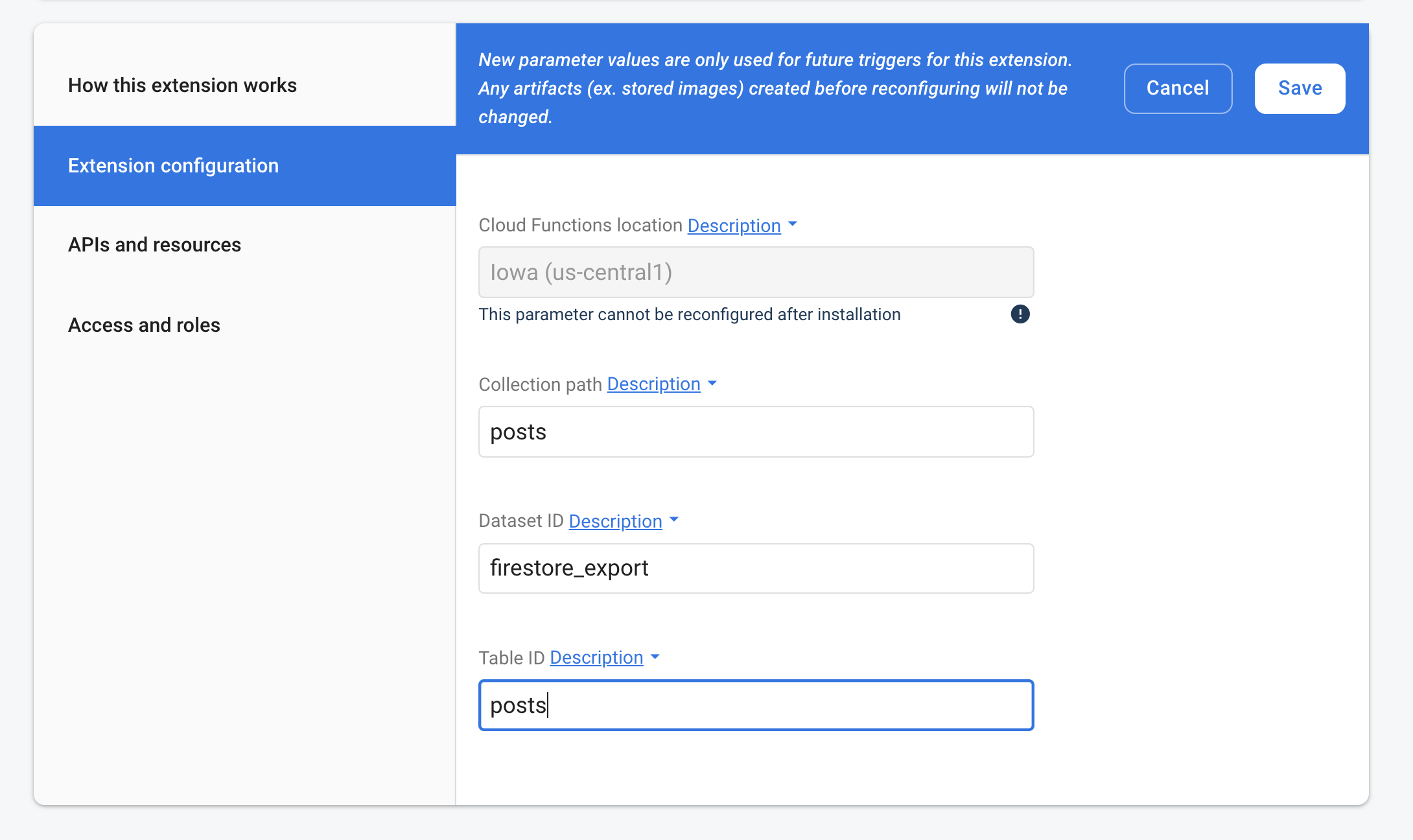
I was able to update both simultaneously:
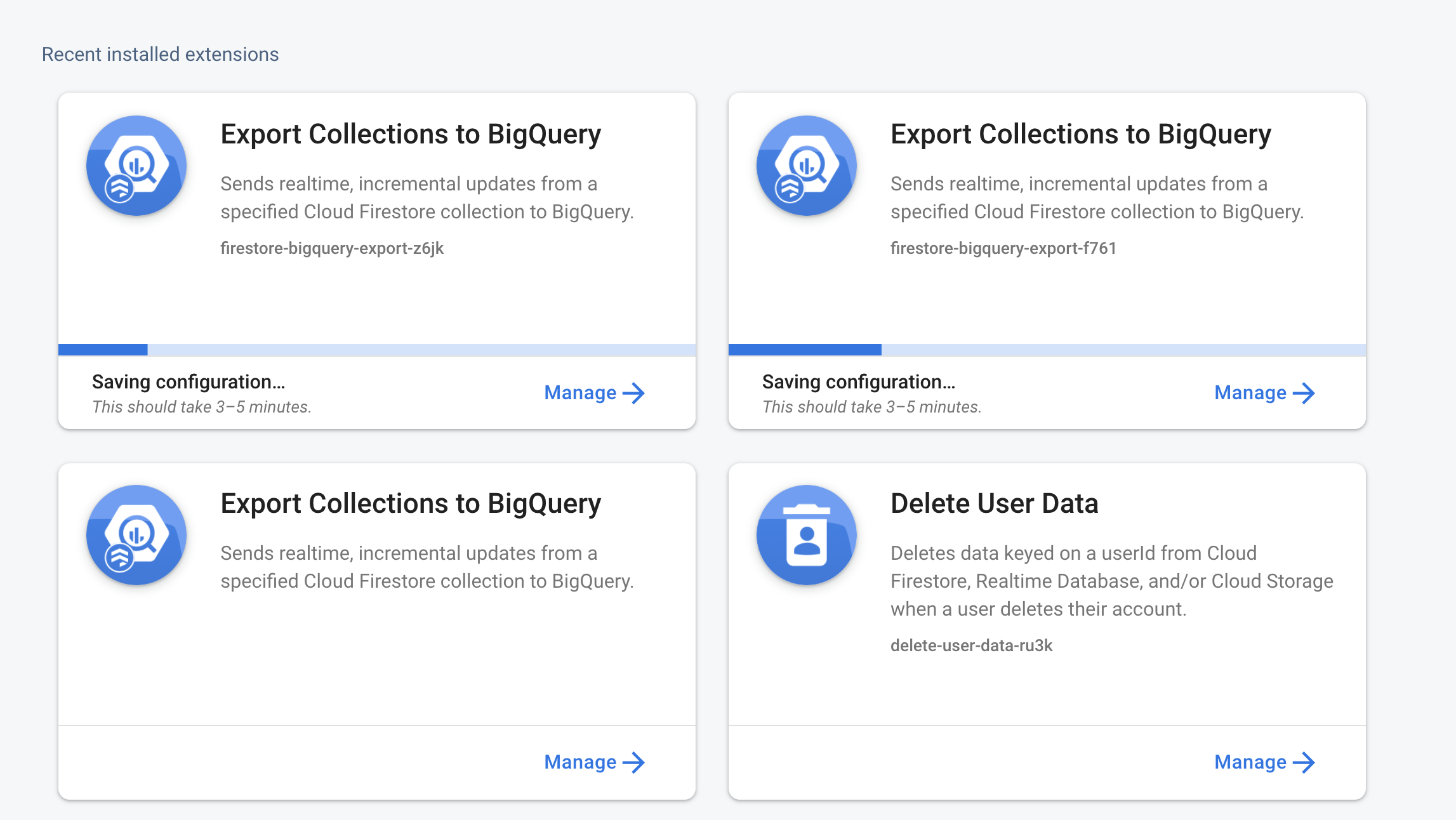
If I clicked on either extension whilst loading, the config had the correct parameters:
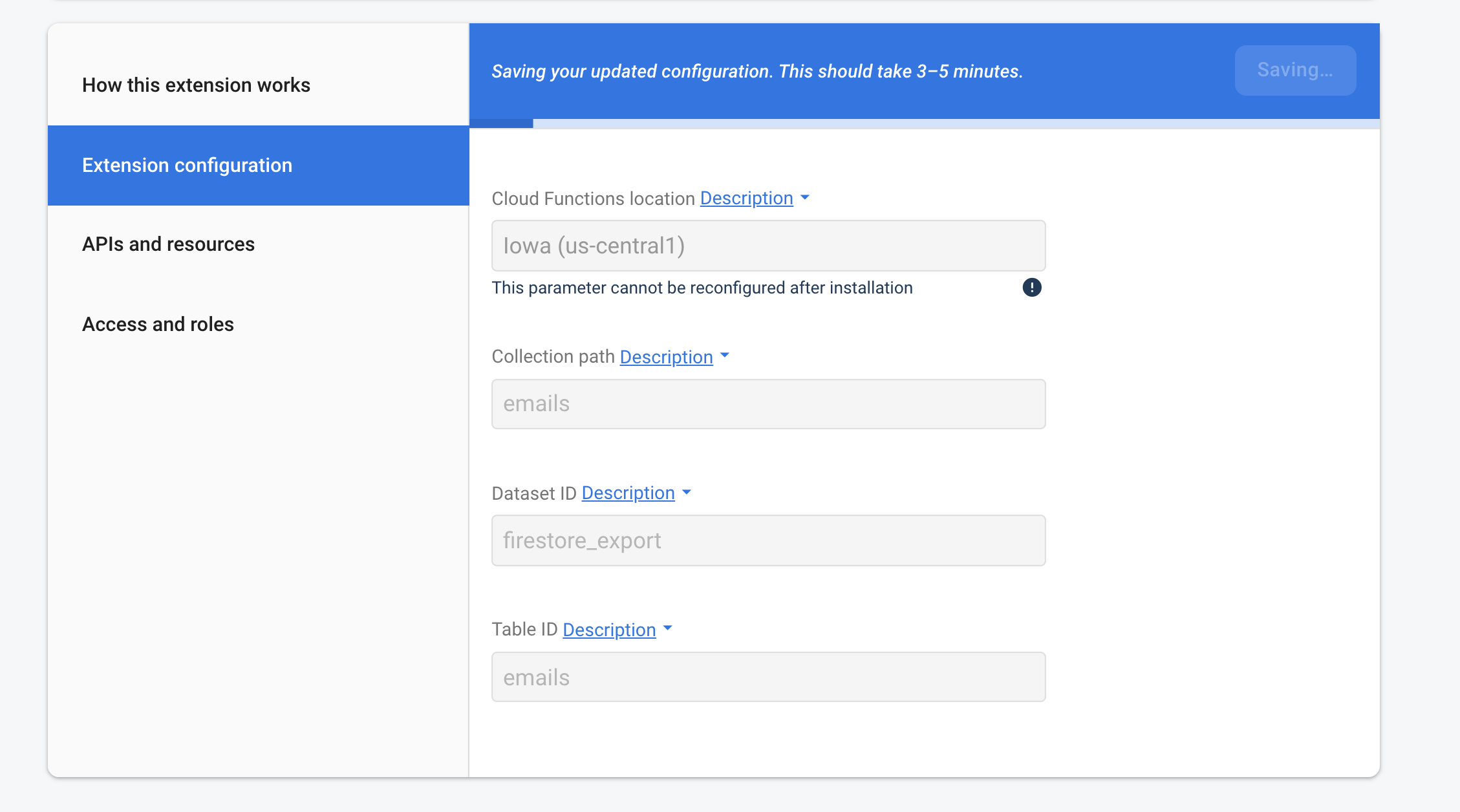
Both worked as expected.
You mention "last "tab" is configuration" whilst my console has "Extension configuration" as the second tab. It sounds like we might have different console UI experiences so I thought I'd post mine to see if you could confirm that to be the case?
Could you also let me know where the "update is available" option can be found, please? Thank you.
russellwheatley
on 16 Apr 2020
You're talking about reconfiguring (+re-deploying) existing extensions. While I'm talking about updating (+re-deploying) existing extensions. (0.1.1 -> 0.1.2, 0.1.2 -> 0.1.3)
There were link or button "Update is available" in extensions overview and extension UI itself (if I remember it correctly).
When "update" is clicked there is a bit different UI than configuration one. it has same content but with different visuals/style and order of tabs (so, configuration is the last one)
stari4ek
on 16 Apr 2020
Ok, gotcha. I was able to get the "update is available" option once I installed the previous version 0.1.2. I was also able to reproduce the bug. Thanks for reporting it, @stari4ek.
Hey FE team, this is a bug in the console UI. Steps to reproduce:
- Install two
firestore-bigquery-exportextensions, version0.1.2. - Head over to the firebase console extension's tab and click on either one of the new extensions. In the top right hand corner, you'll see an option to update extension. Click it, and change the collection property and the table id prefix property.
- The extension will start updating. It will also start updating the other extension on version
0.1.2without you editing it. - Once both extensions have finished updating, you'll note that they now have the same config.
russellwheatley
on 17 Apr 2020
Just reproduced this going from 0.1.4 to 0.1.5
Click it, and change the collection property and the table id prefix property.
I did not need to change the property; simply updating one extension's version resulted in both taking on the same configuration.
 nxorable
on 9 May 2020
nxorable
on 9 May 2020
@stari4ek thanks for posting! Turns out there was a memory-leak in the dialog which could affect subsequent dialog instances 👎 This should be fixed in the Console now.
 tjlav5
on 9 Jul 2020
tjlav5
on 9 Jul 2020
Related issues
 emrebicer
·
7Comments
emrebicer
·
7Comments
 Polarisation
·
4Comments
Polarisation
·
4Comments
 keatonwalker
·
6Comments
keatonwalker
·
6Comments
 jhuleatt
·
4Comments
jhuleatt
·
4Comments
 kristijandraca
·
6Comments
kristijandraca
·
6Comments
Most helpful comment
Ok, gotcha. I was able to get the "update is available" option once I installed the previous version
0.1.2. I was also able to reproduce the bug. Thanks for reporting it, @stari4ek.Hey FE team, this is a bug in the console UI. Steps to reproduce:
firestore-bigquery-exportextensions, version0.1.2.0.1.2without you editing it.