Exporters: Normal green channel inverted on GLB export, using 3DsMax2021
When trying to export an asset with the normals backed into a texture, the green channel in the normal texture is not converted to the right format.
Using latest release: CD Release 20210308.2
The asset in 3DsMax 2021 with the correct normals.
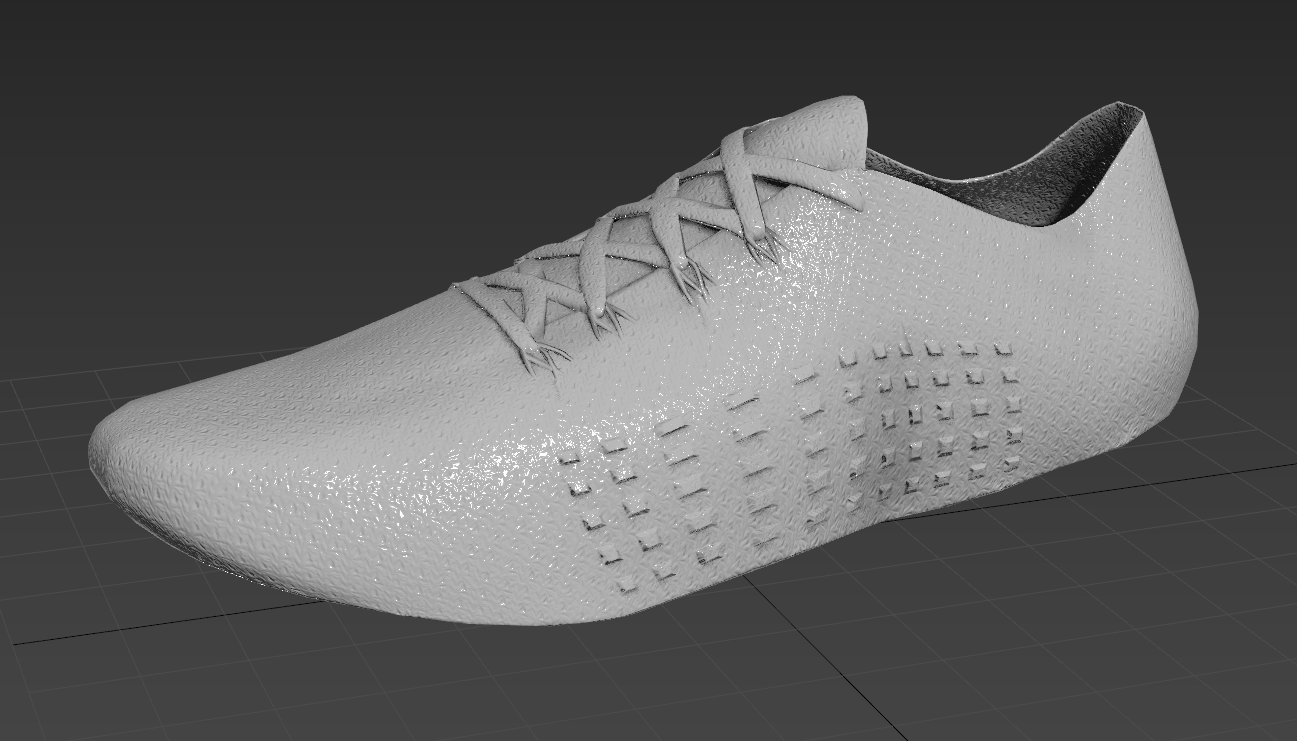
Image Babylon Sandbox after export as GLB and run. (green channel inverted)
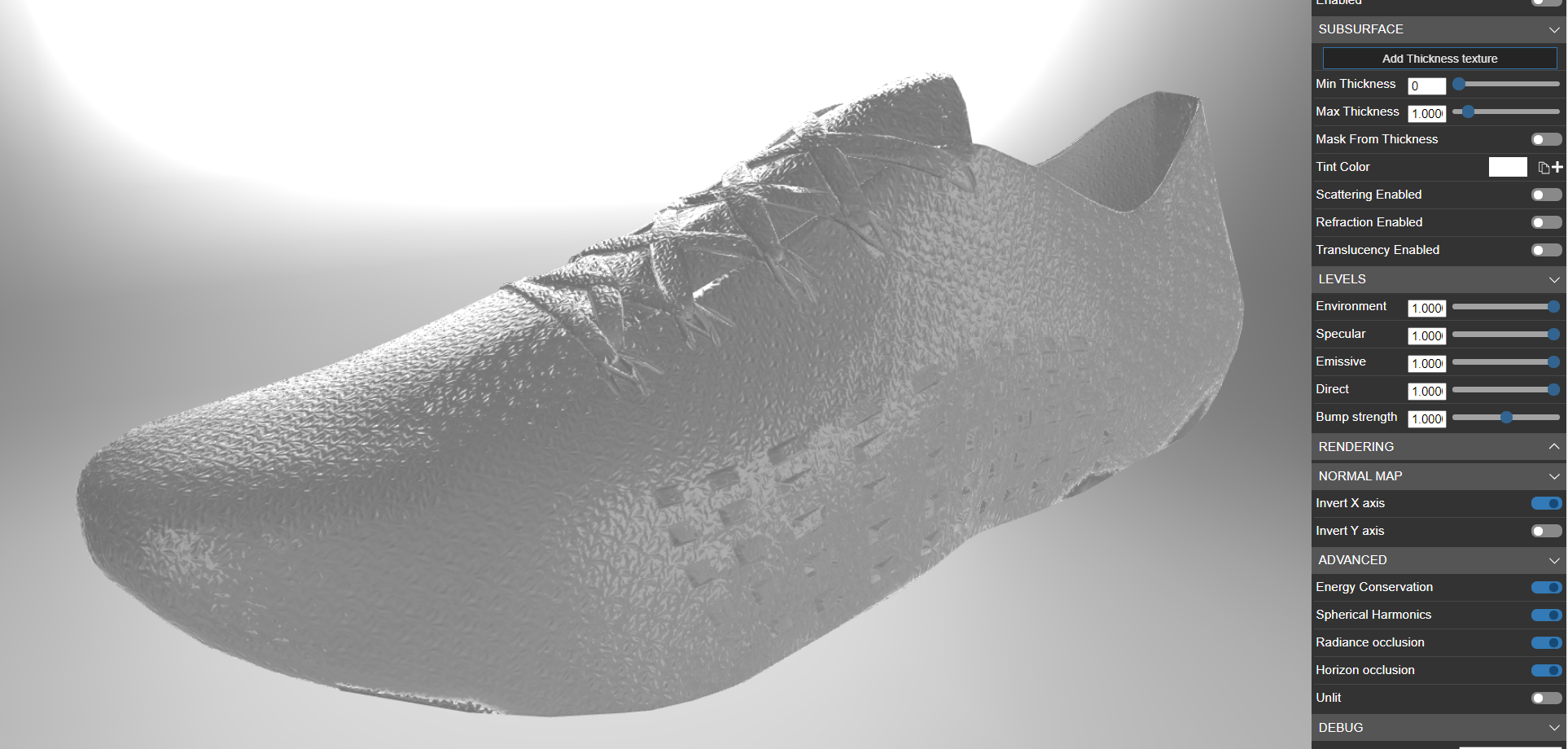
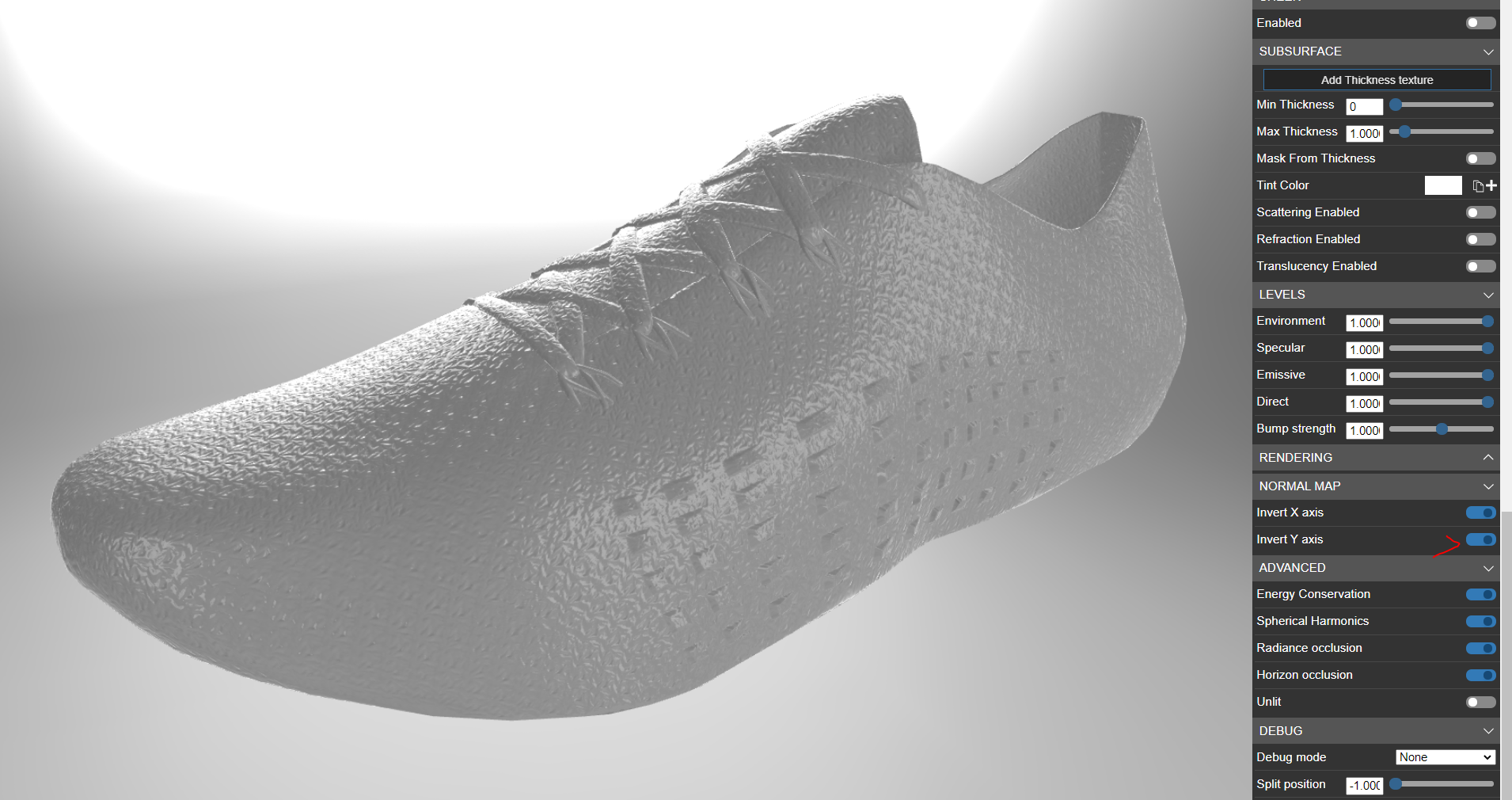
Image Babylon Sandbox. Corrected by inverting the green channel manually on the material.
 lc-virtualretail
All 14 comments
Hi Guys,
Could you share a simple scene wich reproduce this behavior ?
 pandaGaume
on 10 Mar 2021
pandaGaume
on 10 Mar 2021
Here is the max scene:
NormalDemosScene.zip
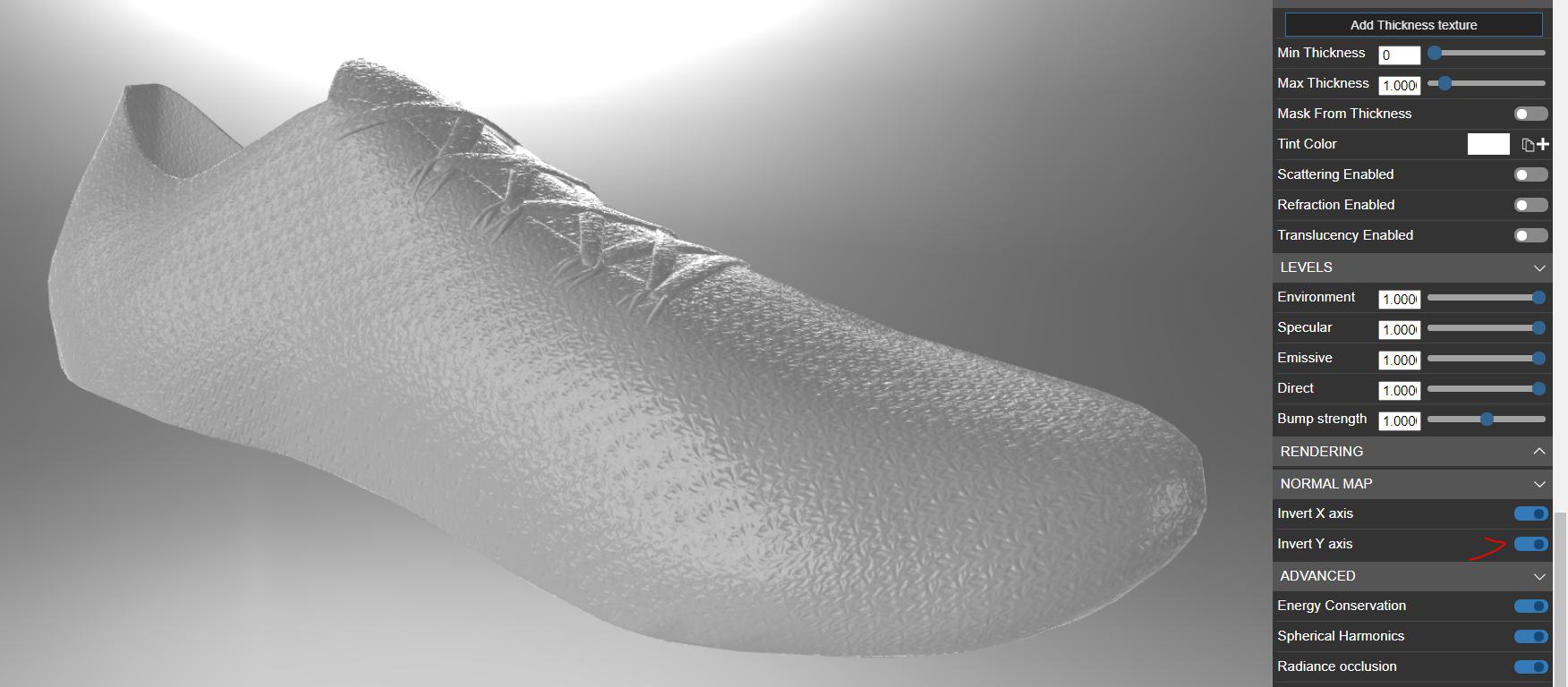
This is exported and running in the sandbox
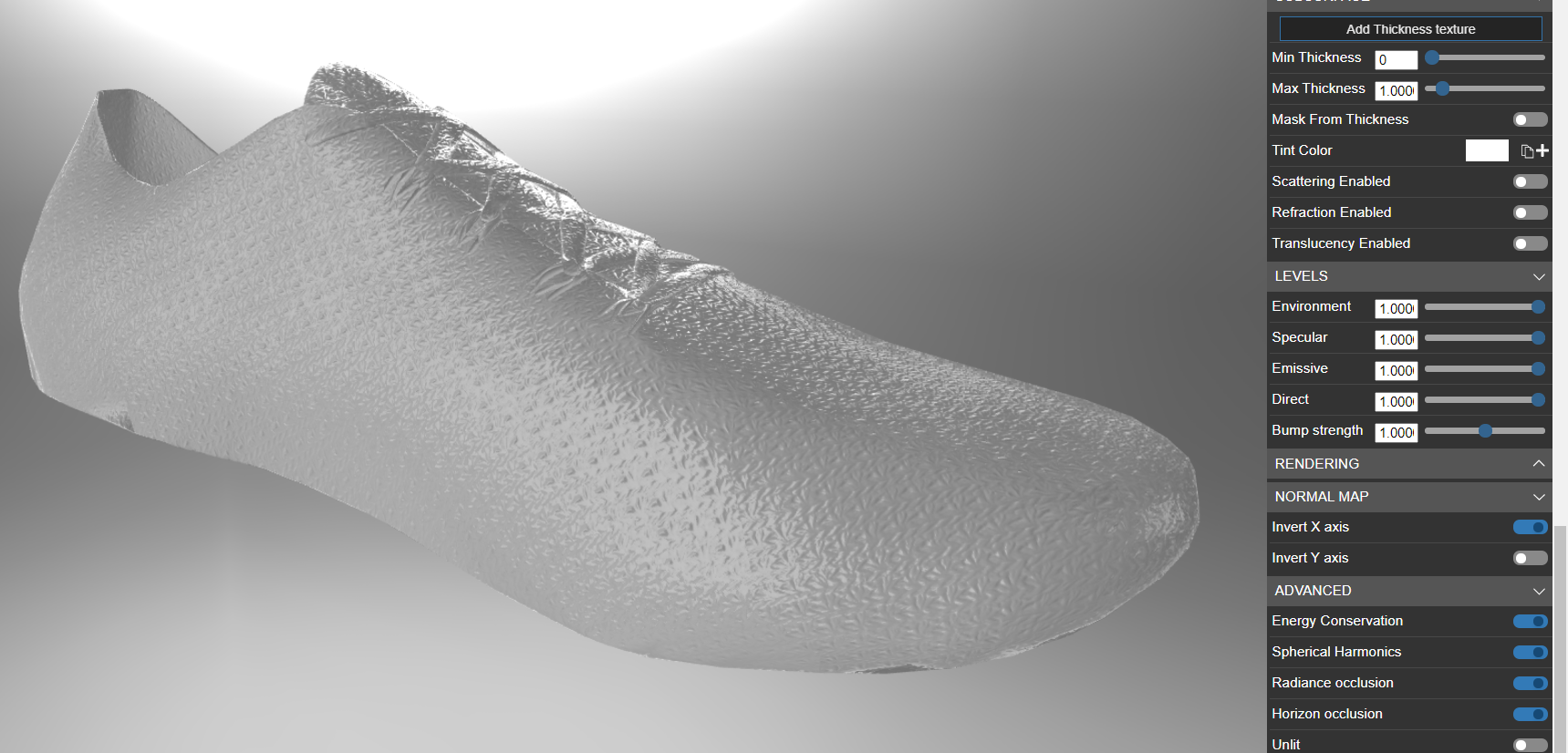
To see the asset correctly, invert manually the normal Y-axis on the material.
lc-virtualretail
on 10 Mar 2021
Hi guy's,.
thanks for the model.
You're using tangent mode, into the normal map.
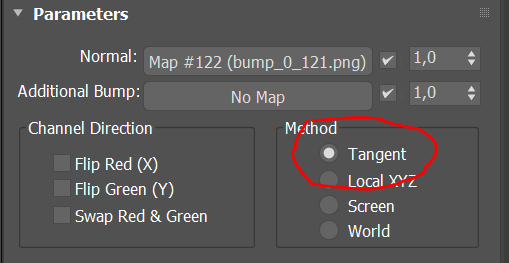
in Babylon Exporter, "Export tangent" option is build for this purpose.
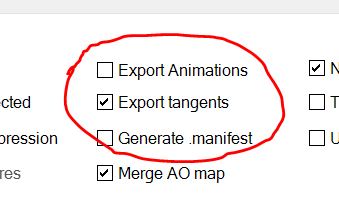
So you must check it in this case, otherwise you get a wrong result, because the normal/tangent/bitangent calculation is different into Babylon/GLTF and 3DSMax. Honestly this is a tricky subject where there is a lot of traps and config patterns (not standard at all between tools and viewers- shaders). We will continue to improve. Let me know if it's work for you into your process.
Also, i noticed you are not using the "try to optimize vertices" located under the model properties.
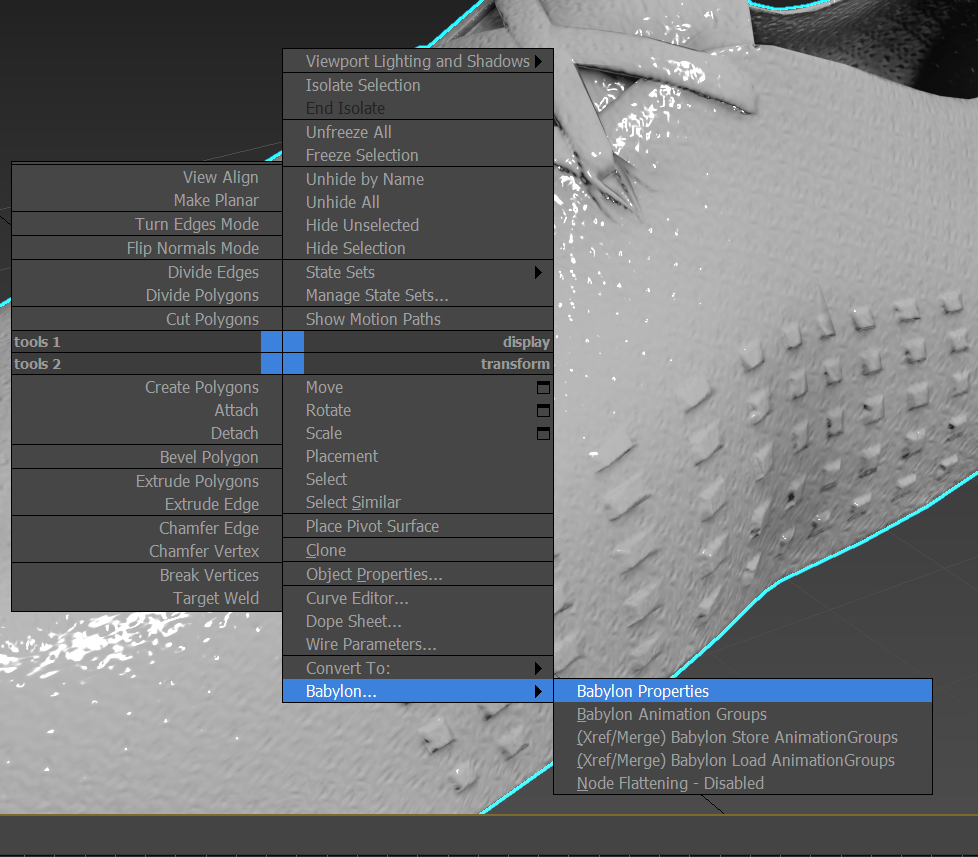
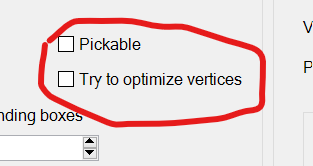
If you're thinking of using your glb online, you might be interested by this option which make the output file a way smaller.
pandaGaume
on 11 Mar 2021
exporting using tangents gives me the same bad result. But with one difference, now I can not override Y-axis on the material, both options show the same bad result.
exported with tangetns
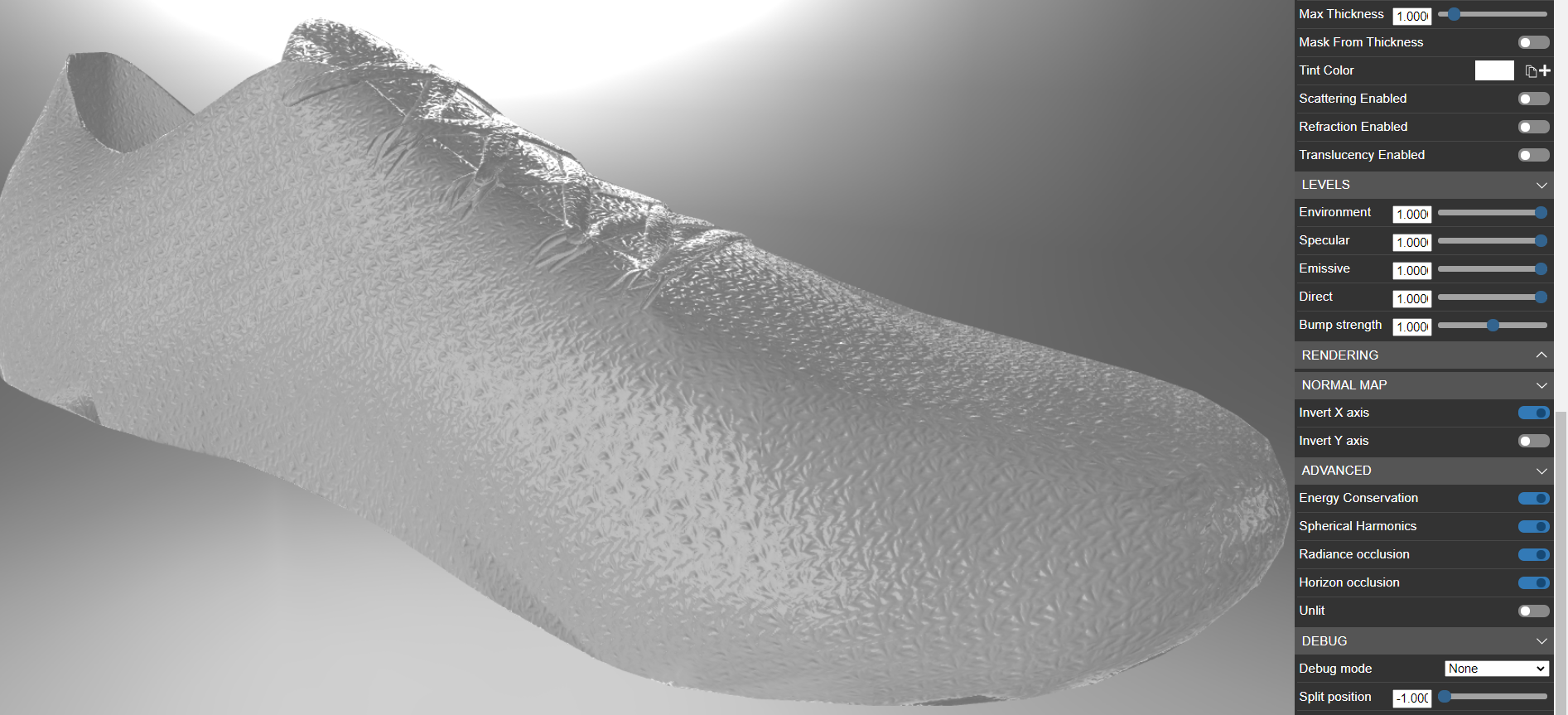
With tangents exported, inverting Y-axis on the normal map does not apply.
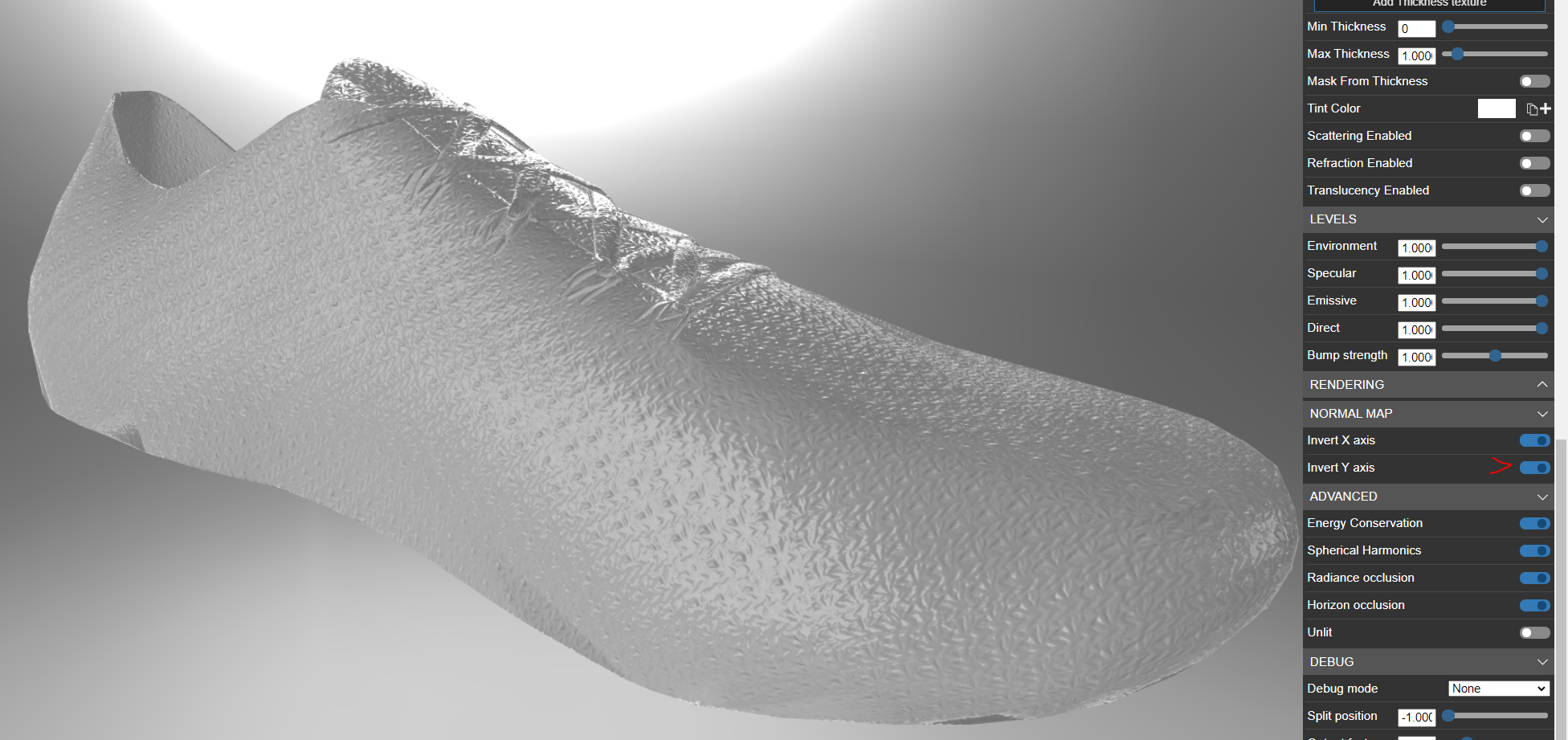
This is an image from the right model with the green channel inverted, you can look at the light in the laces to see the difference, sometimes it is hard to spot when the green channel is correct or not.
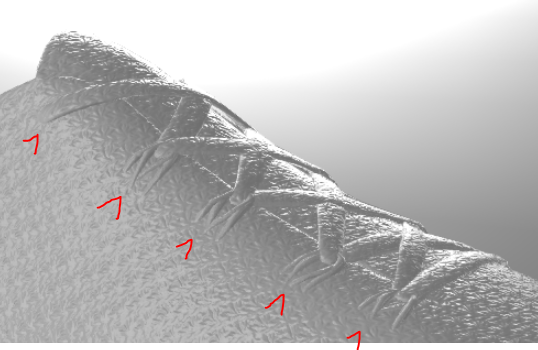
I tried also to optimize the vertices option, no luck.
lc-virtualretail
on 11 Mar 2021
tested with the same results on:
3DsMax 2019 exporter version 20200130.3
3DsMax 2020.3 exporter version 20200215.2
Looks like it is not introduced by 3DsMax 2021.3
lc-virtualretail
on 11 Mar 2021
I created a bespoke test scene to check the normals, I hope that helps.
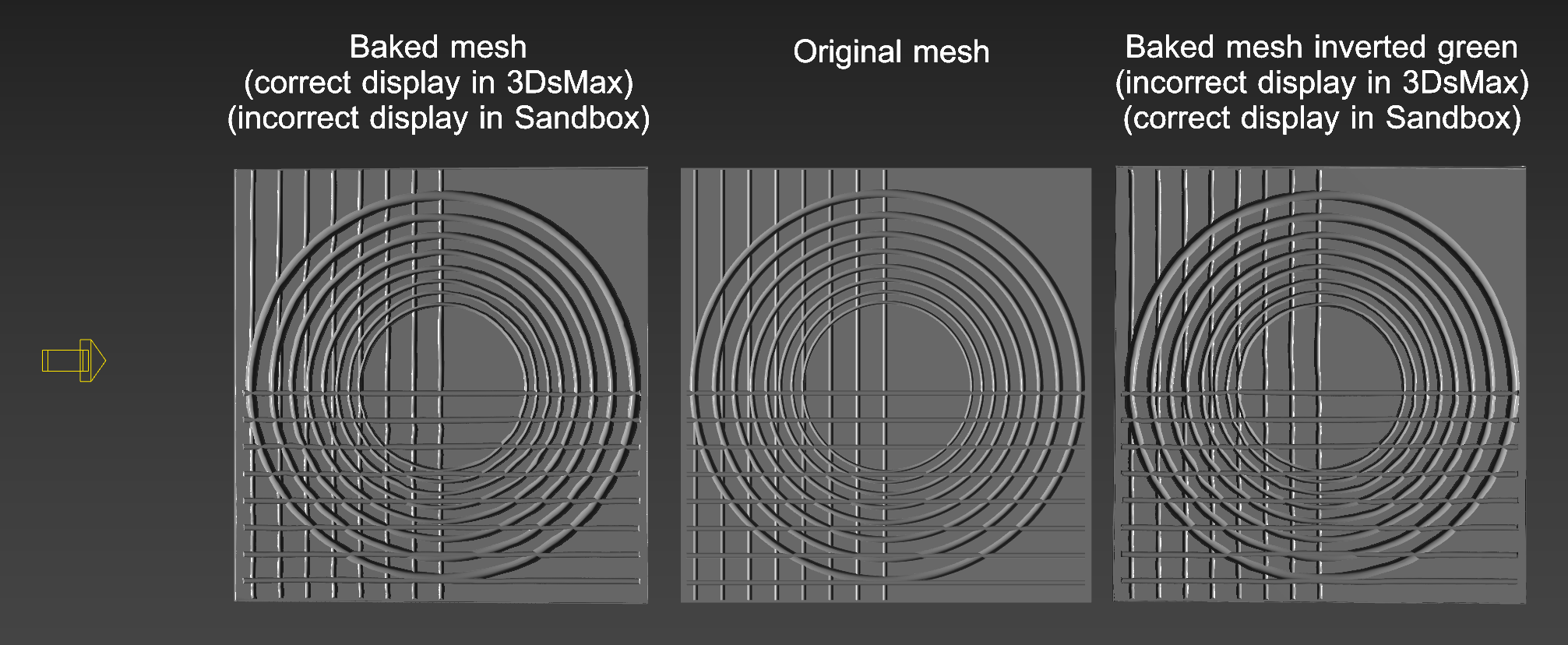
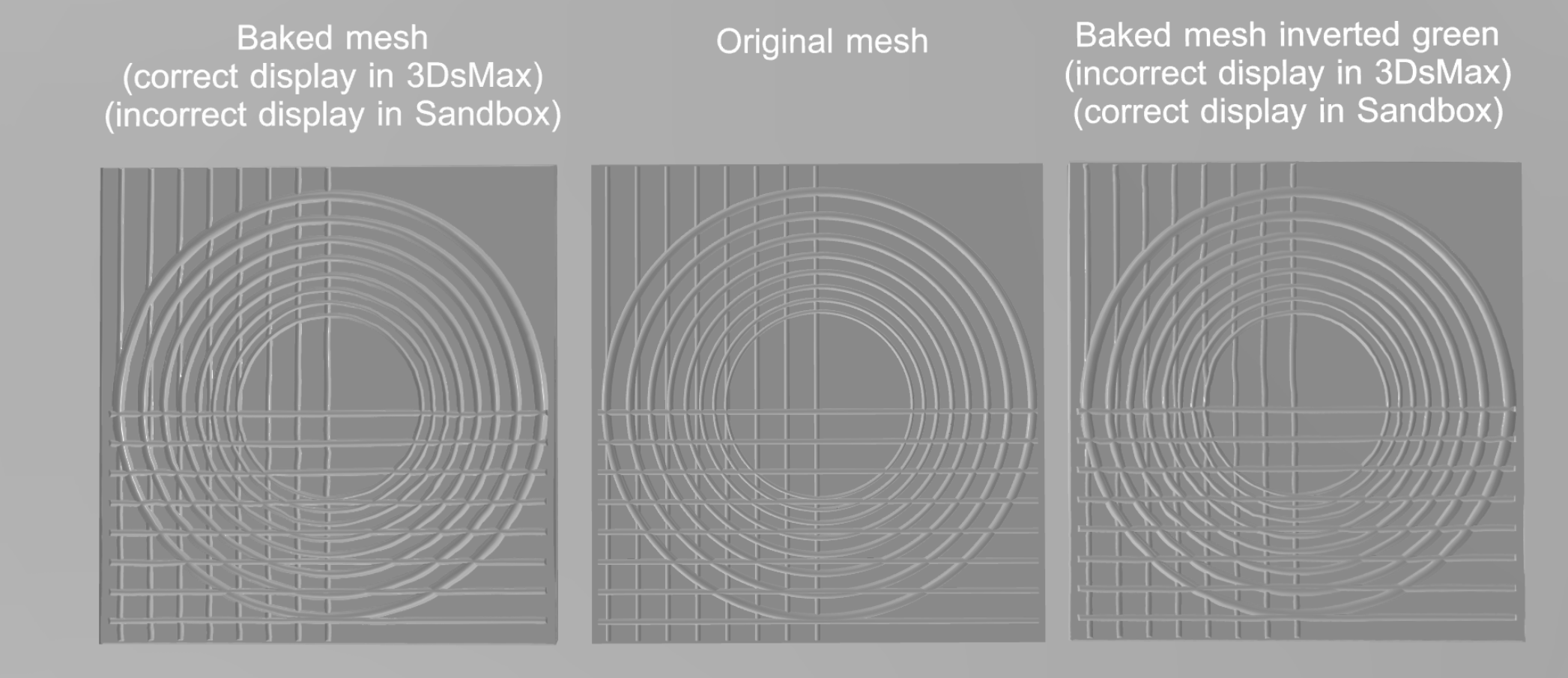
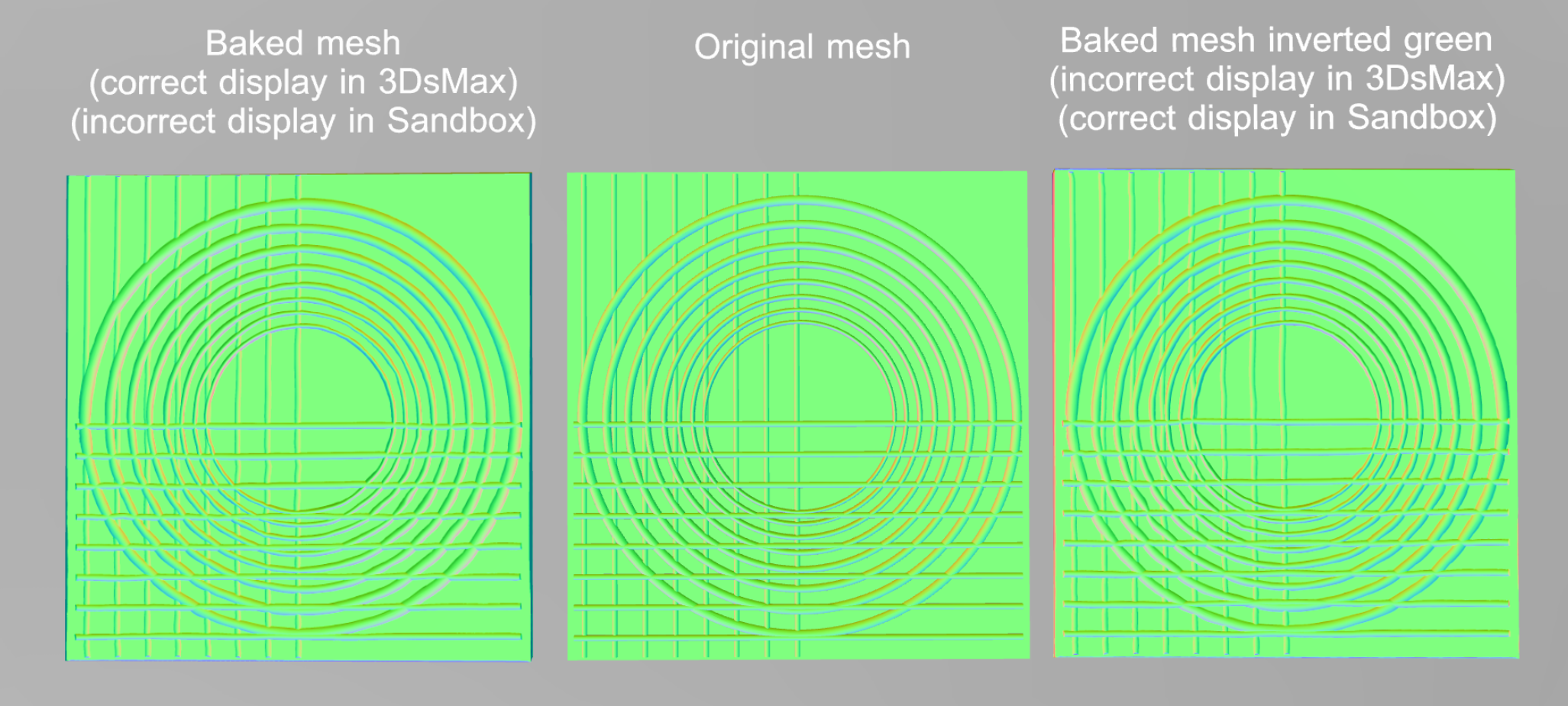
In this scene, it is easier to spot that the light coming from the left is not correct in the baked asset. Also, it is present on the normal debug mode.
The scene in 3DsMax:
- Direct light coming from the left of the scene
- Left asset, bake geometry into a normal map. Looks correct on the 3DsMax display but incorrect on Babylon Sandbox.
- Center asset. Original geometry.
- Right asset, bake geometry into a normal map, and manually inverted the green channel. - Looks incorrect on the 3DsMax display but correct on Babylon Sandbox.
the scene in Babylon sandbox:
The scene in Babylon sandbox with Material debug mode: Normal Bump.
lc-virtualretail
on 11 Mar 2021
There is no operation into the exporter regarding the normal map. It take it at is it. However according to specifications, glTF uses OpenGL as the format for its normal textures.
also glTF uses a right-handed coordinate system.
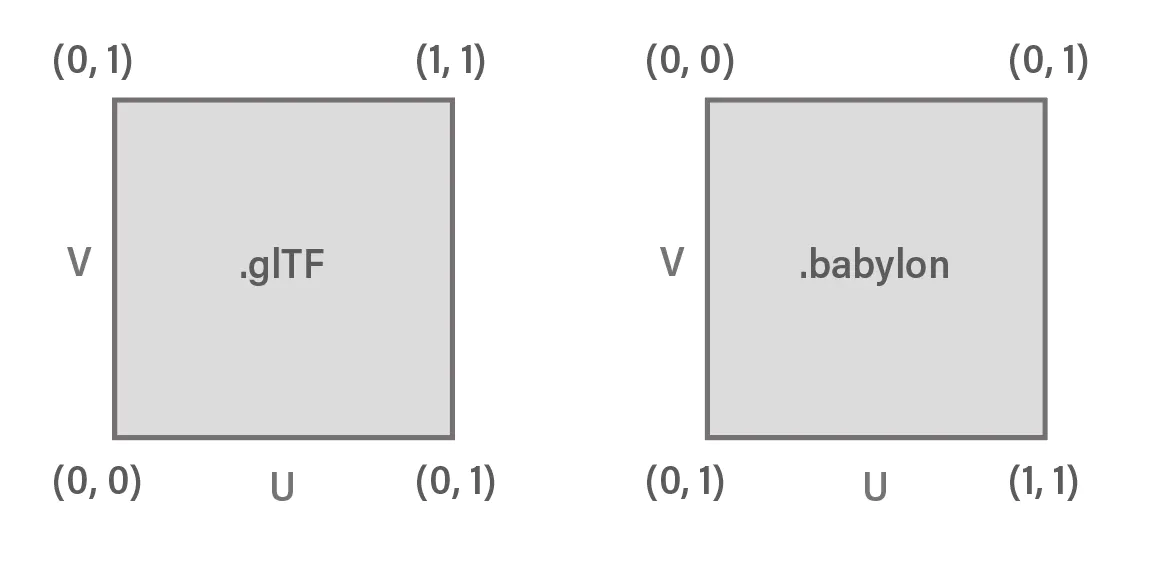
So, to export a GLTF/GLB you need to set a normal map using OpenGL format.
(Babylon js use DirectX format , but assume to load the gltf correcly by inverting the tangent space in Y)
Looking at your map, according the lightest tones on an embossed detail are on the bottom, suggesting the light is below the texture, I simply beleive your map is constructed with DirectX standard which is lead to incorrect rendering.
Also Under max, you can define which bump standard you're using File->preference
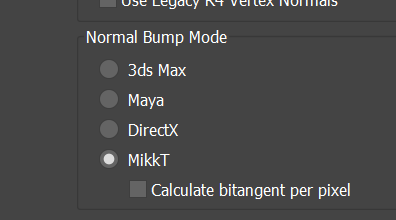
You may play with theses parameters to find the right workflow configuration.
pandaGaume
on 11 Mar 2021
It doesn't matter what normal Bump mode is applied. All work as Direct X because Nitrous render is built upon Direct X.
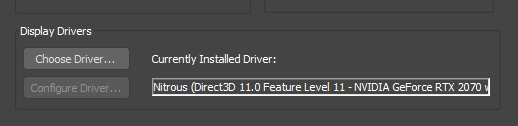
I already tried all Normal Bump Modes, they do not change the Direct X / OpenGL normal map behavior. The only solution I have is to manually invert the green channel, in order to convert it to OpenGL, using 3rd party software or creating complex scripts to manage that.
I also tested by using the inverted green on the normal node:
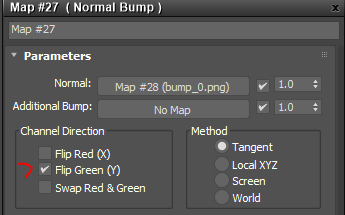
But no luck:
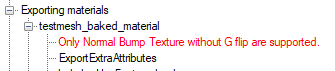
lc-virtualretail
on 11 Mar 2021
I have a meeting with the team tonight, I will see if they're ok to support the Flip Green (which make sense)
However; because Max did not doing any computation for us, we need to address the change at texture level and create a new texture to export.
assuming working with a normalized values
r = r; g1 = 1.0-g; b = b;
pandaGaume
on 11 Mar 2021
It would be good to have the DirectX/OpenGL conversion as an export option, rather than support the flip green on the "Normal Bump" node perse, and accessible by MaxScript.
That would be my dream scenario, allowing a scalable batch process, and keeping the same visualization consistency. (To see the asset on 3dsmax with their native DirectX normals and export the GLTF/GLB with an OpenGL format.)
Thanks for your help. Very appreciated.
lc-virtualretail
on 11 Mar 2021
Hi guy's,
I manage to add Babylon custom attributes to Normal Bump Map automatically when binded to a physical material.
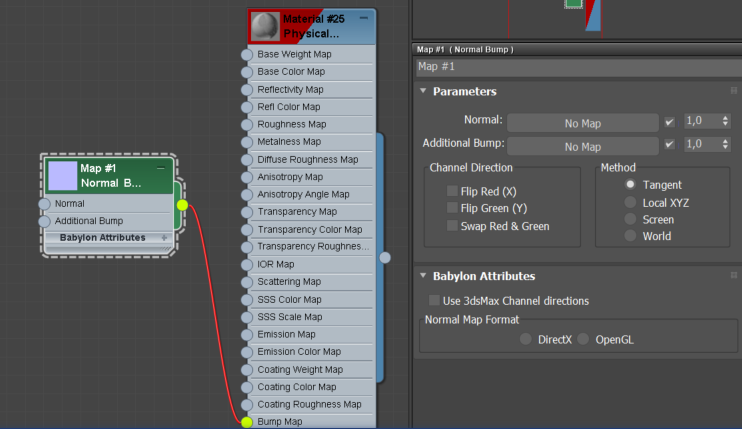
- The Use 3dsMax channel is apply the transformation located above to the texture prior to export
- The Normal Map format let the user define the format he bind to the material.
This let us to tell the exporter how to transform the texture without interfering with the Max rendering pipeline.
Please let me know what you're thinking about.
pandaGaume
on 12 Mar 2021
I think this approach adds the possibility to work with mixed pipelines, where in the same scene, it is possible to export assets to Babylon or GLTF format by selecting the desired normal format on the Normal Bump material node.
My worry is that I will need to manually set up all materials before exporting or create a script to loop the materials to setup OpenGL in order to export for GLB.
Due to a workflow is normally already decided before exporting, all the assets are going to be exported to the same format.
It will be very useful to expose the option for selecting between OpenGL/DirectX in the Babylon Export Menu. Where a user can choose the right output format for GLTF or Babylon. It will help people with less experience to select the right choice.
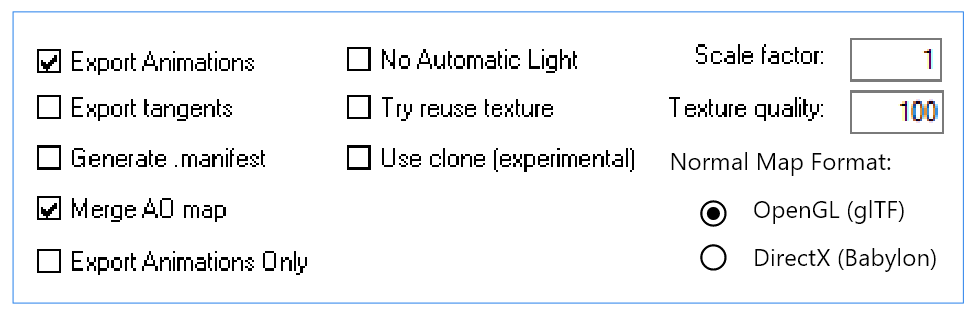
lc-virtualretail
on 15 Mar 2021
Understand the point, however we perfectly know which is the desired output format. We need to know which is the input one.
For the purpose I already provisionning a global attribute it take the default value for all the materials, and could be override by material specific configuration.
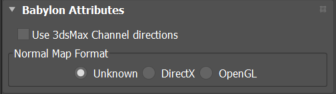
Every material with unknown(which is the default), will be save using the global attribute.
if both local and global unknown(default) nothing change from today.
pandaGaume
on 15 Mar 2021
Hello @lc-virtualretail ,
I get this result now
test.zip
I beleive it's ok. However, your texture is half directx and half opengl. you have the normal G value of directx, but the Y layout of OpenGl. This make the change OpenGl<->Directx not possible to fully address.
I guess this might be a pretty common scenario, so we maybe propose a set of individual operation such
- Normal direction : Y+ or Y-
- Coordinate system : Right or Left
instead of declaring the whole input format. We can add a bunch of button for preset values such DirectX, OpenGL, Clear
G.
pandaGaume
on 16 Mar 2021
Related issues
 Prospector-au
·
6Comments
Prospector-au
·
6Comments
 Drigax
·
7Comments
Drigax
·
7Comments
 Mudoglu
·
4Comments
Mudoglu
·
4Comments
 echadwick-wayfair
·
4Comments
echadwick-wayfair
·
3Comments
echadwick-wayfair
·
4Comments
echadwick-wayfair
·
3Comments
Most helpful comment
It would be good to have the DirectX/OpenGL conversion as an export option, rather than support the flip green on the "Normal Bump" node perse, and accessible by MaxScript.
That would be my dream scenario, allowing a scalable batch process, and keeping the same visualization consistency. (To see the asset on 3dsmax with their native DirectX normals and export the GLTF/GLB with an OpenGL format.)
Thanks for your help. Very appreciated.