Environment
Expo CLI 2.11.1 environment info:
    System:
      OS: macOS 10.14.3
      Shell: 5.3 - /bin/zsh
    Binaries:
      Node: 10.6.0 - /usr/local/bin/node
      Yarn: 1.12.3 - /usr/local/bin/yarn
      npm: 6.8.0 - /usr/local/bin/npm
      Watchman: 4.9.0 - /usr/local/bin/watchman
    IDEs:
      Xcode: 10.1/10B61 - /usr/bin/xcodebuild
    npmGlobalPackages:
      expo-cli: 2.11.1
app's target - iOS, Standalone
Steps to Reproduce
- Allow background fetch in app.json
"ios": {
    "infoPlist": {
        "UIBackgroundModes": [
        "location",
        "fetch"
    ]
- define a task in App.js
```
defineHealthTask = () => {
TaskManager.defineTask(taskName, async () => {
try {
await UserRemoteLogService.logWithTaskType("STEPS_TASK_RUNNING");
return BackgroundFetch.Result.NewData;
} catch (error) {
return BackgroundFetch.Result.Failed;
}
});
};
3. register task at some point of the apps running
await UserRemoteLogService.logWithTaskType("STEPS_TASK_REGISTRATION_REQUESTED");
const pedometerAvailable = await Pedometer.isAvailableAsync();
const backGroundFetchStatus = await BackgroundFetch.getStatusAsync();
if (pedometerAvailable && BackgroundFetch.Status.Available === backGroundFetchStatus) {
await BackgroundFetch.registerTaskAsync(taskName, {
userBusinessId: user.businessId
});
UserRemoteLogService.logWithTaskType("STEPS_TASK_REGISTERED");
}
```
- set minimum interval for task in seconds
BackgroundFetch.setMinimumIntervalAsync(60);
Expected Behavior
App should periodically call my server to log that the background task is running
Actual Behavior
Never see the background task run, although i do see the logs that show the background task was registered. The logging service i use has been used to show when location background task has run so this logging service should log if the task runs
My main question is has anyone seen background fetch run? if so have i just configured it wrong?
 leighquince
All 80 comments
Hey, @leighquince! As noted in the documentation, TaskManager.defineTask has to be called in global scope of the app, not in a component's function (like defineHealthTask). Try moving call to defineTask to the global level of the app (like in the example in the documentation) and see if it helps.
 sjchmiela
on 26 Feb 2019
sjchmiela
on 26 Feb 2019
In my App.js I call defineHealthTask (it's not in a react component). Calling it directly in App.js or via a function that would be evaluated at the same time should have no difference? I'll give it a go though, thanks
leighquince
on 26 Feb 2019
Would help if you could give us a snack or toy repo demonstrating the issue if changing the call context doesn't resolve it
 tcdavis
on 26 Feb 2019
tcdavis
on 26 Feb 2019
A quick snack https://snack.expo.io/@domosafety/background-fetch.
Task is defined at top level, registered when App mounts, no logs are seen to show that the background task runs.
Also defining the task directly rather than through a call had no effect in my actual App.
Cheers
leighquince
on 27 Feb 2019
Struggling with this too, i have defined a task in Global scope (GET_STEPS), but console logging the promise returns "undefined".
BackgroundFetch.registerTaskAsync(GET_STEPS)
.then(
  (data) => {console.log("task data is ", data)}
)
I put BackgroundFetch.registerTaskAsync in my app.js render method for now, but it appears to not work.
 Oakyden
on 4 Mar 2019
Oakyden
on 4 Mar 2019
@Oakyden there is no data income in BackgroundFetch. you can call fetch, process it and return BackgroundFetch.Result.### result.
 superyarik
on 5 Mar 2019
superyarik
on 5 Mar 2019
i can confirm that BackgroundFetch work for me, but very strange. looks like i can not call anything like in main app(asyncstorage, get coordinates or something like this) and frequency of calling very various, it's making debug hard. So i decide to wait android implementation.
superyarik
on 5 Mar 2019
Can you share an example expo snack or similar @superyarik ? especially if you use a simple API example like https://jsonplaceholder.typicode.com/
Oakyden
on 5 Mar 2019
It took me a long while to understand what was my problem. The expo documentation is a bit misleading. According to Apple you MUST call BackgroundFetch.setMinimumIntervalAsync in order for the job to be scheduled.
So, you have to
- Always call
TaskManager.defineTask. - Check if task is registered with
BackgroundFetch. If not, register. - Always call
BackgroundFetch.setMinimumIntervalAsync.
Be aware that an emulator does not run your task, that happens only on real devices.
The following worked for me:
export async function registerFetchTask() {
    TaskManager.defineTask(FETCH_TASKNAME, runBackgroundSaga);

    const status = await BackgroundFetch.getStatusAsync();
    switch (status) {
        case BackgroundFetch.Status.Restricted:
        case BackgroundFetch.Status.Denied:
            logger.log("Background execution is disabled");
            return;

        default: {
            logger.debug("Background execution allowed");

            let tasks = await TaskManager.getRegisteredTasksAsync();
            if (tasks.find(f => f.taskName === FETCH_TASKNAME) == null) {
                logger.log("Registering task");
                await BackgroundFetch.registerTaskAsync(FETCH_TASKNAME);

                tasks = await TaskManager.getRegisteredTasksAsync();
                logger.debug("Registered tasks", tasks);
            } else {
                logger.log(`Task ${FETCH_TASKNAME} already registered, skipping`);
            }

            logger.log("Setting interval to", INTERVAL);
            await BackgroundFetch.setMinimumIntervalAsync(INTERVAL);
        }
    }
}
 mskg
on 20 Mar 2019
mskg
on 20 Mar 2019
Hello, I have the same problem, the global task was defined but it is not executed in the interval, is it possible that someone can share functional code ?, since the expo documentation does not define anything.
 choco9620
on 21 Mar 2019
choco9620
on 21 Mar 2019
Hello, it looks like we need to use Location.startLocationUpdatesAsync('taskName') in order to get background tasks working. It also requires that we ask for the location permission and it should be set to "Allow always". It looks like that BackgroundFetch is tightly coupled with location. Don't know why.
 tomas1000r
on 26 Mar 2019
tomas1000r
on 26 Mar 2019
@mskg you should call BackgroundFetch.setMinimumIntervalAsync(INTERVAL); only if you are registering the task, right? Check that in your code you are actually calling it always.
On other hand, remember that there is a function already created for doing that check: TaskManager.isTaskRegisteredAsync(TASK_NAME)
 BrodaNoel
on 28 Mar 2019
BrodaNoel
on 28 Mar 2019
@BrodaNoel no, you MUST call it every time when the App starts. See https://developer.apple.com/documentation/uikit/uiapplication/1623100-setminimumbackgroundfetchinterva
The isTaskRegisteredAsync would definitly be a shortcut for the code I posted. Still, it doesn't change the behavior.
mskg
on 28 Mar 2019
Hello, it looks like we need to use
Location.startLocationUpdatesAsync('taskName')in order to get background tasks working. It also requires that we ask for the location permission and it should be set to "Allow always". It looks like that BackgroundFetch is tightly coupled with location. Don't know why.
Is it really true? This is the only command that fires the task? Does not it make sense? Is there any other command not related to Location?
 SowinskiMateusz
on 29 Mar 2019
SowinskiMateusz
on 29 Mar 2019
@SowinskiMateusz no, see my example above.
mskg
on 3 Apr 2019
@mskg
Could you provide a more complete example, or possibly add comments to your original
 Bug-Reaper
on 6 Apr 2019
Bug-Reaper
on 6 Apr 2019
Doesnt appear to work for me either, my setup for geofencing works so following same convention, define task in global scope etc
  TaskManager.defineTask(client.tasks.background, () => {
    try {
      console.log('doesnt log')
      return BackgroundFetch.Result.NewData
    } catch (error) {
      return BackgroundFetch.Result.Failed
    }
  })
Manual trigger inside a component
    let isRegistered = await TaskManager.isTaskRegisteredAsync(
      client.tasks.background
    )
    if (isRegistered) {
      console.log('unregister task ...')
      await BackgroundFetch.unregisterTaskAsync(client.tasks.background)
    }

    const status = await BackgroundFetch.getStatusAsync()
    console.log(BackgroundFetch.Status[status]) //Available
    await BackgroundFetch.setMinimumIntervalAsync(100)
    await BackgroundFetch.registerTaskAsync(client.tasks.background)
adding this at the end appears to make it work, as suggested by @tomas1000r why? @tsapeta
Location.startLocationUpdatesAsync(client.tasks.background)
 farzd
on 8 Apr 2019
farzd
on 8 Apr 2019
The example provided here: https://github.com/expo/expo/blob/master/apps/native-component-list/screens/BackgroundFetchScreen.js
I've tailored it to work without the alpha release and without react navigation,
it registers the task and task status is available but no logs for fetch [tested on iPhone7, ios12, via expo client]
farzd
on 8 Apr 2019
So, you have to
- Always call
TaskManager.defineTask.- Check if task is registered with
BackgroundFetch. If not, register.- Always call
BackgroundFetch.setMinimumIntervalAsync.
re: 2. - there is no need to check if background fetch task is already registered - if you try to register it again, then it just overwrites the previously registered task, which is fine 👌 Except that, these steps look good.
adding this at the end appears to make it work, as suggested by @tomas1000r why? @tsapeta
Location.startLocationUpdatesAsync(client.tasks.background)
I'll try to check it out soon, but it seems weird to me as there is no connection between location and background fetch. They are completely independent features. My assumption is that, if you turn on background location then your app is actually always active, so the background fetch can occur in the time you set by setMinimumIntervalAsync. However, if the app is not active, then it strongly depends on the operating system and how you use the application. Apple has its own algorithm which defines how often the background fetch should trigger, based on your own usage of the app. If you use it a lot, then it will fetch as often as possible, but if you use it like at 4pm every day, the background fetch should trigger just before, so your data is updated when you launch it. So imho you shouldn't worry about the task not being done on time - Apple knows better when to call it 😅
 tsapeta
on 8 Apr 2019
tsapeta
on 8 Apr 2019
@tsapeta can you please explain why this doesnt work: https://pastebin.com/gNU5QnJv
its taken from your master branch and altered slightly so updates are shown when app is brought to foreground, the fetch call is never made.
farzd
on 8 Apr 2019
@farzd
In this pastebin, you're passing a second argument with task options to BackgroundFetch.registerTaskAsync that is not yet available in Expo Client. It will be once we release SDK33. In SDK32 the minimum interval must be set by BackgroundFetch.setMinimumIntervalAsync - and it must be called because iOS defaults to a really big number.
Also, keep in mind that BackgroundFetch is not supported on Android in SDK32.
tsapeta
on 8 Apr 2019
thanks for your time @tsapeta, i realised the arguments were for SDK33 but assumed it would no op anyway.
I've tried the code with explicitly setting BackgroundFetch.setMinimumIntervalAsync however it has made no difference, this is the issue a lot of people on this thread are facing.
Background app refresh is on in settings etc, not sure what else to check
farzd
on 8 Apr 2019
At least according to my experience here: On iOS it is actually really like @tsapeta described. The time you set is just an indication on how often data might change. If it doesn’t (depending on the result), you‘re scheduled less frequent. Also, if you don’t use the App, the fetch will most likely not run.
In my case, the fetch currently runs directly after/when I open the App in the morning. I seem to do that regularly :)
mskg
on 10 Apr 2019
I directly tested the snack on a ios device and on a simulator using the expo app, and I cannot get
console.log('background fetch running') ;
to display, with or without remote debugging on, even after waiting 10min for it to occur. How can I debug further?
 baptistemanson
on 3 May 2019
baptistemanson
on 3 May 2019
I m unable to make it works on ios with SDK33. Can have a working snack or example?
 g-bastianelli
on 19 Jun 2019
g-bastianelli
on 19 Jun 2019
I am having trouble with SDK33 on ios as well. A working snack would be very helpful in debugging the issue and solidify the steps required to make the background fetch work.
 mslavik2
on 20 Jun 2019
mslavik2
on 20 Jun 2019
BackgroundFetch not working with me. I use expo client test it. Is it only working in standalone app?
 Kency1013
on 19 Jul 2019
Kency1013
on 19 Jul 2019
I'm using it as a standalone app on Android.
What I noticed is that when the app is not in the foreground but not terminated, i.e. in the Recents Screen, the BackgroundFetch works well.
When the app is terminated (not in the Recents Screen), then BackgroundFetch never happens.
Is this an expected behavior?
Note : I manually set stopOnTerminate to false in the options.
Edit: in adb logcat, every time I close the app, I get the line
07-23 13:31:00.926 783 797 I ActivityManager: Killing 13019:com.shitismoke.app/u0a146 (adj 900): remove task
 amaurymartiny
on 19 Jul 2019
amaurymartiny
on 19 Jul 2019
Mark. Waiting for the next version to close this issue.
 Hawods
on 19 Jul 2019
Hawods
on 19 Jul 2019
I'm also having the same problem as @amaurymartiny, where the background task is only executed when the app is in the Recents Screen. When the app is terminated the background task doesn't execute.
If it's not expected behavior I'd be happy to provide a simple snack to test.
 fhelwanger
on 6 Aug 2019
fhelwanger
on 6 Aug 2019
@fhelwanger me too :(
 oguzhankarabulut
on 6 Aug 2019
oguzhankarabulut
on 6 Aug 2019
Using Expo SDK 34 with a modified solution from @mskg, I was able to get my tasks running in a stand alone app. The basic idea is to call BackgroundFetch.setMinimumIntervalAsync AFTER the task has been registered. While the original solution does have await, it was not clear to me that it was an essential part.
TaskManager.defineTask should still be called in the global scope.
BackgroundFetch.registerTaskAsync(
    TASK_NAME,
    {
      minimumInterval: 60,
      stopOnTerminate: false,
      startOnBoot: true,
    },
).then(() => BackgroundFetch.setMinimumIntervalAsync(60));
I saw mention of the minimumInterval option on BackgroundFetch.registerTaskAsync(), that's why it's included. I have not tested it without it, because it requires a new TestFlight build.
BackgroundFetch does not work on iOS Simulator, you can only trigger a BackgroundFetch using Xcode. So, unless you use ExpoKit, the only way to test iOS BackgroundFetch is to push a build to TestFlight!
EDIT: BackgroundFetch is not running on all devices. the issue appears to be device specific, there are conflicting results across the same os version for both android and ios.
 kpheasey
on 9 Aug 2019
kpheasey
on 9 Aug 2019
I use Expo SDK 34. I use expo client test BackgroundFetch. The TaskManager is registered but never run. Can have a working snack or example?
 erin-truong
on 29 Aug 2019
erin-truong
on 29 Aug 2019
@superyarik did AsyncStorage work for you? what did you do in order to make it work?
Thanks
 niv-breez
on 3 Sep 2019
niv-breez
on 3 Sep 2019
@erin-truong Here's a working example for both iOS and Android (though Android is only running background fetch once a minute) - https://github.com/NickR49/background-fetch
 NickR49
on 15 Sep 2019
NickR49
on 15 Sep 2019
I have several questions regrading this code:
- Does it working for you (you are getting locations) both on Android and
IOS in killed mode ? - Are you able to use AsyncStorage in the background task when the app is
in killed mode ? this is for sending the server the user id with the
location
On Sun, Sep 15, 2019 at 4:36 AM NickR49 notifications@github.com wrote:
@erin-truong https://github.com/erin-truong Here's a working example
for both iOS and Android (though Android is only running background fetch
once a minute) - https://github.com/NickR49/background-fetch—
You are receiving this because you commented.
Reply to this email directly, view it on GitHub
https://github.com/expo/expo/issues/3582?email_source=notifications&email_token=AL2QSRLPOH3PFMHW6QHPTC3QJWGTHA5CNFSM4G2JIQQ2YY3PNVWWK3TUL52HS4DFVREXG43VMVBW63LNMVXHJKTDN5WW2ZLOORPWSZGOD6XHJUY#issuecomment-531526867,
or mute the thread
https://github.com/notifications/unsubscribe-auth/AL2QSRIML72WKZVZWHV7RLDQJWGTHANCNFSM4G2JIQQQ
.
niv-breez
on 15 Sep 2019
Hi @niv-breez , no I haven't tested those two things. However you could take that code and add those things to test it out.
NickR49
on 18 Sep 2019
Hi all,
What I'm finding is that I must have the await Location.startLocationUpdatesAsync(BACKGROUND_FETCH_TASK); code to make background fetch work for iOS. However when I use that then unregistering the task fails with Invalid task consumer. Cannot unregister task with name 'background-fetch' because it is associated with different consumer class.. I'm guessing this is because the task started as a backgroundFetch task type and got changed to a location task type.
Any idea why calling Location.startLocationUpdatesAsync(taskName) is necessary to get background fetch working for iOS @tsapeta ?
cheers
Nick
NickR49
on 18 Sep 2019
Is there any update on this?
I seem to have gotten it to work now, but the backgroundfetch only runs once or day (if at all) even though it's set to run every half an hour.
Asking people to always allow location tracking doesn't seem to be a viable option to me, since my app has nothing to do with a users location at all.
Is this really how it's supposed to work? If that's really the case, it's seems to me to be a pretty useless API?!
 holgersindbaek
on 23 Oct 2019
holgersindbaek
on 23 Oct 2019
This is likely due to the loader error I raised in https://github.com/expo/expo/issues/6290 and that I think ends up being the problem in https://github.com/expo/expo/issues/6017 as well.
But yes, as it stands I think the BackgroundFetch API is just broken
 jeromecornet
on 4 Dec 2019
jeromecornet
on 4 Dec 2019
Same problem, not working. I already test on standalone, it trigger only once. I'm using android. I don't know how this supposed to work because on android it requires foreground service to preserve and don't kill the process running on the background. Instead, I just use the Location.startLocationUpdatesAsync for alternative but not that efficient. I need to run my task exactly every 1 minute and Location.startLocationUpdatesAsync triggers still depends on gps accuracy.
 rosnaib11
on 23 Dec 2019
rosnaib11
on 23 Dec 2019
@rosnaib11
I need to run my task exactly every 1 minute
As I understand it, it's not possible to run it every 1 minute. The OS batches background jobs from multiple applications and runs them based on some internal scheduling. The requested run time is simply a suggestion to the OS.
The BackgroundFetch documentation touches on this briefly.
Sets the minimum number of seconds that must elapse before another background fetch can be initiated. This value is advisory only and does not indicate the exact amount of time expected between fetch operations.
This method doesn't take any effect on Android.
kpheasey
on 23 Dec 2019
any fix up yet ?
or some example code I can't really figure this out if its fixed
 TheHunterDog
on 27 Dec 2019
TheHunterDog
on 27 Dec 2019
No, I tested it on SDK36 and it's still broken
jeromecornet
on 27 Dec 2019
This seems to work for me on Android in the simulator. I haven't tested on iOS.
Update: This only works when the app is suspended, there's still a bug that means this won't work when the app is terminated or after the phone reboots and the app hasn't opened yet.
I wrote a base class to handle defining and registering tasks, then extended it.
background_task.js (base class)
import * as TaskManager from "expo-task-manager";
import * as BackgroundFetch from "expo-background-fetch";

const Result = BackgroundFetch.Result;

class BackgroundTask {
  static name() {
    throw new Error("Implement me");
  }

  // Make this method return true if new data was fetched.
  static async run() {
    throw new Error("Implement me");
  }

  static enable({ log=false } = {}) {
    const name = this.name();
    const options = { stopOnTerminate: false, startOnBoot: true };
    const interval = 15; // minutes;

    log && console.log(`Defining ${name} background task...`);
    TaskManager.defineTask(name, () => this.runSafely(name, log));

    return BackgroundFetch.registerTaskAsync(name, options).then(() => {
      BackgroundFetch.setMinimumIntervalAsync(interval);
      log && console.log(`Successfully registered ${name} background task`);
    });
  }

  static async runSafely (name, log) {
    log && console.log(`Running ${name} background task...`);

    try {
      const bool = await this.run();
      return bool ? Result.NewData : Result.NoData;

    } catch (error) {
      log && console.error(`Error running ${name} background task:`, error);
      return Result.Failed;
    }
  }
}

export default BackgroundTask;
my_task.js (sub class)
import BackgroundTask from "./background_task";

class MyTask extends BackgroundTask {
  static name() {
    return "MyTask";
  }

  static async run() {
    // await fetch(...);
    return true;
  }
};

export default MyTask;
App.js
import MyTask from "./my_task";

MyTask.enable({ log: true });

// ...
I also wrote some Jest tests for the BackgroundTask base class.
background_task_spec.js
import BackgroundTask from "../../app/tasks/background_task";

import * as TaskManager from "expo-task-manager";
import * as BackgroundFetch from "expo-background-fetch";

jest.mock("expo-task-manager");
jest.mock("expo-background-fetch");

class TestBackgroundTask extends BackgroundTask {
  static name() {
    return "task name";
  }

  static async run() {
    this.taskHasRun = true;
  }
}

describe("BackgroundTask", () => {
  beforeEach(() => {
    BackgroundFetch.registerTaskAsync.mockResolvedValue();
    TestBackgroundTask.taskHasRun = false;
  });

  it("defines a TaskManager task", () => {
    TestBackgroundTask.enable();

    expect(TaskManager.defineTask)
      .lastCalledWith("task name", expect.anything());
  });

  it("sets the TaskManager task to the run function of the class", () => {
    TestBackgroundTask.enable();

    const lastCall = TaskManager.defineTask.mock.calls[0];
    const definedTask = lastCall[1];

    expect(TestBackgroundTask.taskHasRun).toBe(false);

    definedTask();
    expect(TestBackgroundTask.taskHasRun).toBe(true);
  });

  it("registers the task with BackgroundFetch", () => {
    TestBackgroundTask.enable();

    expect(BackgroundFetch.registerTaskAsync)
      .lastCalledWith("task name", expect.anything());
  });

  it("runs the task even if the phone reboots or the app terminates", () => {
    TestBackgroundTask.enable();

    const expectedOptions = { startOnBoot: true, stopOnTerminate: false };

    expect(BackgroundFetch.registerTaskAsync)
      .lastCalledWith(expect.anything(), expectedOptions);
  });

  it("runs the task every 15 minutes", async () => {
    await TestBackgroundTask.enable();

    expect(BackgroundFetch.setMinimumIntervalAsync).lastCalledWith(15);
  });

  it("can optionally log to the console", () => {
    jest.spyOn(global.console, "log").mockImplementation();

    TestBackgroundTask.enable({ log: false });
    expect(console.log).not.toHaveBeenCalled();

    TestBackgroundTask.enable({ log: true });
    expect(console.log).toHaveBeenCalled();
  });
});
Hopefully this helps someone.
 tuzz
on 7 Jan 2020
tuzz
on 7 Jan 2020
@tuzz thanks for the code... it's not substantially different from the example I posted, so I'm a bit confused as to why it would behave differently.
When you say 'it works' can you share whether you mean that:
- the tests pass
- the task gets executed while the app is still in the recently used apps (i.e. backgrounded)
- the task gets executed after the app was killed (removed from the recently used apps)
- the task gets executed after the phone was rebooted but before the app was restarted
Please let us know (as well as expo SDK version android simulator version, etc...) to narrow down the difference.
jeromecornet
on 7 Jan 2020
The tests pass and the task gets executed while the app is in the recently used apps.
I'm not sure about the other two cases, I'll check them tomorrow and do some testing on a real device.
$ expo --version
3.11.1

$ cat yarn.lock | grep ^expo@ -A 1
expo@^35.0.0:
  version "35.0.1"
Android simulator:
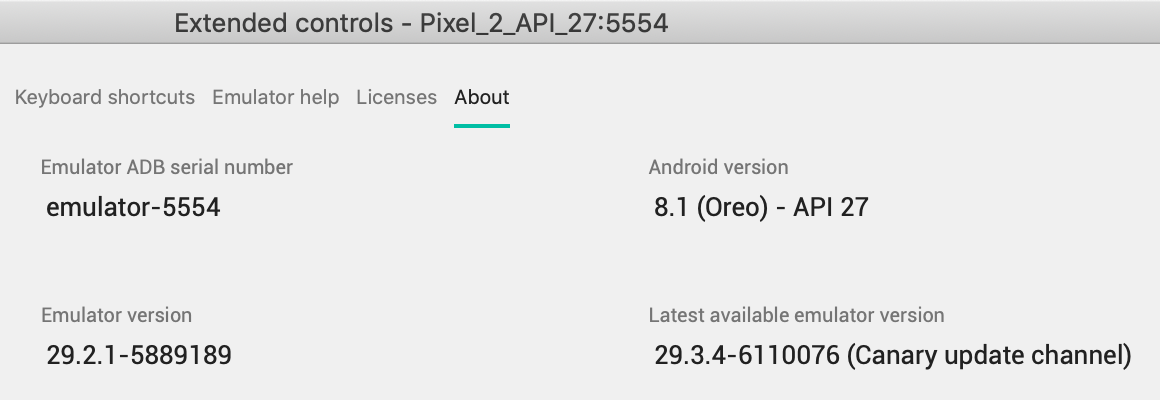
tuzz
on 7 Jan 2020
Ah ok that makes sense... the problem is with the last 2 cases, i.e. background fetch while the app is not running. (it works when the app is backgrounded)
The bug seems to be related to the way the app gets loaded when it's triggered by the task service which causes the app to crash and the task to get removed (see #6290 for more details)
jeromecornet
on 7 Jan 2020
You're right, it doesn't work for the last two cases - only when the app is suspended.
Thanks for clearing that up.
tuzz
on 8 Jan 2020
@tsapeta any movement on this issue ? Let us know what we can do to help troubleshoot this issue.
jeromecornet
on 8 Jan 2020
I've submitted a PR to the doc stating that the feature does not work on devices/simulators in #6767 , we can always switch it back if the issue is fixed
jeromecornet
on 14 Jan 2020
@tsapeta will investigate this after he wraps up his current project
 brentvatne
on 14 Jan 2020
brentvatne
on 14 Jan 2020
ok, thanks for the heads up @brentvatne
jeromecornet
on 14 Jan 2020
There is something that I still can't get:
Is it supposed to work well in the Expo App (iOS), when the app is backgrounded?
I have the app (in Expo App) opened in background, and it doesn't work.
Does it only work after creating & publishing a build?
BrodaNoel
on 18 Jan 2020
@mskg can you help me with my code, please?
@tuzz- also
I use it with Expo on android and I did an example like yours but it doesn't work for me and I don't understand why.
I just want that my app will run automatically in the background every 1 minute.
I don't know what I missed in my way or what I did wrong?
I call this task at the beginning of the app.js as well
registerFetchTask();
and this is the code :
//////////////////////////////////////////////
import * as BackgroundFetch from 'expo-background-fetch';
import * as TaskManager from 'expo-task-manager';

const FETCH_TASKNAME = 'test_task'
const INTERVAL = 60

function test() {
    console.log('function is running')
}

export async function registerFetchTask() {
    TaskManager.defineTask(FETCH_TASKNAME, test);

    const status = await BackgroundFetch.getStatusAsync();
    switch (status) {
        case BackgroundFetch.Status.Restricted:
        case BackgroundFetch.Status.Denied:
            console.log("Background execution is disabled");
            return;

        default: {
            console.debug("Background execution allowed");

            let tasks = await TaskManager.getRegisteredTasksAsync();
            if (tasks.find(f => f.taskName === FETCH_TASKNAME) == null) {
                console.log("Registering task");
                await BackgroundFetch.registerTaskAsync(FETCH_TASKNAME);

                tasks = await TaskManager.getRegisteredTasksAsync();
                console.debug("Registered tasks", tasks);
            } else {
                console.log(`Task ${FETCH_TASKNAME} already registered, skipping`);
            }

            console.log("Setting interval to", INTERVAL);
            await BackgroundFetch.setMinimumIntervalAsync(INTERVAL);
        }
    }

}
/////////////////////////////////////////
 roei133
on 28 Jan 2020
roei133
on 28 Jan 2020
@mskg please help me ..
see my example above .. it's the same as yours but it doesn't work for me.
what is my problem can be ?
should i make "expo eject" to my project to try make a background task
because the task manager doesnt work with expo ?
roei133
on 29 Jan 2020
There is something that I still can't get:
Is it supposed to work well in the Expo App (iOS), when the app is backgrounded?
I have the app (in Expo App) opened in background, and it doesn't work.Does it only work after creating & publishing a build?
@BrodaNoel: Yes, it's supposed to work in the Expo Client and you shouldn't need to build/publish your app, it should work in the development if expo start process is still running. However, please take into account that background fetch is not called very often on iOS so it's pretty hard to debug. The easiest way to trigger background fetch is to:
- build and run Expo client on your own using source code from this repo
- launch your app in the client
- close (but don't kill) the client
- press Debug -> Simulate Background Fetch in Xcode's menu (unfortunately this menu option is unavailable when the app is not launched by Xcode, so that's why you have to install the client manually)
@roei133: Looks like your code may be incorrect - when and where do you call registerFetchTask function? TaskManager.defineTask that is inside your function must be called in the top-level scope, otherwise it won't be seen when your task is running in headless mode because it may not even reach this part of code. Also, looks like you expect the task to be called in every minute, but this API can't do what you want. Even if you use so small minimumInterval there is still no guarantee on how often it will actually run - it depends on Apple's internal algorithm.
tsapeta
on 29 Jan 2020
@tsapeta : i call to registerFetchTask (); in the app.js in the top ..
I am using it with android and run it with my expo app.
this is my app.js code and i call to registerFetchTask on the beginning.
what is not good please let me know its so important ..
import React from 'react';
import { StyleSheet, Text, View, Platform } from 'react-native';
import { AzureInstance, AzureLoginView } from 'react-native-azure-ad-2';
import PlacesNavigator from './navigation/PlacesNavigator';
import Modal from './components/Modal';
import { registerFetchTask } from './helpers/registerFetchTask'
import moment from 'moment'

registerFetchTask();


const credentials = {
  client_id: 'ea00ca9e-8c37-4520-8d80-2c2bb9239bf8',
  scope: 'User.Read',
};

export default class App extends React.Component {
  constructor(props) {
    super(props);
    this.state = {
      azureLoginObject: {},
      loginSuccess: false
    };
    this.azureInstance = new AzureInstance(credentials);
    this._onLoginSuccess = this._onLoginSuccess.bind(this);
  }


  _onLoginSuccess() {
    this.azureInstance.getUserInfo().then(result => {
      this.setState({
        loginSuccess: true,
        azureLoginObject: result,
      });
      console.log(result);
    }).catch(err => {
      console.log(err);
    })
  }

  render() {
    if (!this.state.loginSuccess) {
      return (
        <>
          <AzureLoginView
            azureInstance={this.azureInstance}
            loadingMessage={<Text style={{ fontSize: 20, fontWeight: "bold" }}>עוד רגע...מבצע אימות משתמש</Text>}
            onSuccess={this._onLoginSuccess}
          />
          <View style={styles.appBottomMainContainer}>
            <View style={styles.appBottomView}>
              <Text style={{ fontWeight: "bold" }}>Developed by Mobile Team (Mekorot) {'\u00A9'} 2020</Text>
            </View>
          </View>
        </>
      )
    }


    const { userPrincipalName, givenName } = this.state.azureLoginObject;
    console.log("zubak====", givenName)
    return (

      <PlacesNavigator />,
      <Modal />

    );

  }
}

const styles = StyleSheet.create({
  container: {
    flex: 1,
    backgroundColor: '#fff',
    alignItems: 'center',
    justifyContent: 'center',
  },
  text: {
    textAlign: 'center',
    color: '#333333',
    marginBottom: 5
  },
  appBottomMainContainer:
  {

    alignItems: 'center',
    justifyContent: 'center',
    paddingTop: (Platform.OS === 'ios') ? 20 : 0,

  },
  appBottomView: {
    width: '100%',
    height: 30,
    backgroundColor: '#fc9208',
    justifyContent: 'center',
    alignItems: 'center',
    position: 'absolute',
    bottom: 0
  }
});
I'd recommend asking on stackoverflow @roei133. This is the tracking issue for the specific problem where BackgroundFetch doesn't run after the app has been terminated or the phone has rebooted. It isn't a general support forum and most people here are busy with other things. Sorry.
tuzz
on 30 Jan 2020
I'd recommend asking on stackoverflow @roei133. This is the tracking issue for the specific problem where BackgroundFetch doesn't run after the app has been terminated or the phone has rebooted. It isn't a general support forum and most people here are busy with other things. Sorry.
I have fear of being out of the topic but is this related to "silent" push notifications ?
Those:
1) Do not need user permissions to be sent.
2) Wake up the app and you have 30 seconds to fetch.
 ioness
on 7 Feb 2020
ioness
on 7 Feb 2020
For me it's working like this:
I used the @kpheasey and @mskg comments
./src/services/tasks.ts
import * as BackgroundFetch from 'expo-background-fetch';
import * as TaskManager from 'expo-task-manager';

export async function registerFetchTask(FETCH_TASKNAME: string, runBackgroundSaga, INTERVAL: number) {
    TaskManager.defineTask(FETCH_TASKNAME, runBackgroundSaga);

    const status = await BackgroundFetch.getStatusAsync();
    switch (status) {
        case BackgroundFetch.Status.Restricted:
        case BackgroundFetch.Status.Denied:
            console.log("Background execution is disabled");
            return;

        default: {
            console.debug("Background execution allowed");

            let tasks = await TaskManager.getRegisteredTasksAsync();
            if (tasks.find(f => f.taskName === FETCH_TASKNAME) == null) {
                console.log("Registering task");
                await BackgroundFetch.registerTaskAsync(FETCH_TASKNAME, {
                    minimumInterval: INTERVAL,
                    stopOnTerminate: false,
                    startOnBoot: true
                  },).then(() => BackgroundFetch.setMinimumIntervalAsync(INTERVAL));

                tasks = await TaskManager.getRegisteredTasksAsync();
                console.debug("Registered tasks", tasks);
            } else {
                console.log(`Task ${FETCH_TASKNAME} already registered, skipping`);
            }
        }
    }
}
./App.tsx
import React, { useEffect, useCallback } from 'react';
import Home from './src/pages/Home';

import {registerFetchTask} from './src/services/tasks';
const INTERVAL_TASKS = 60000;

registerFetchTask('teste', () => {
  console.log('Rodando em background');
}, INTERVAL_TASKS);

export default function App() {
  const verifyChangesOnline = useCallback(() => {
    setInterval(() => {
      console.log('Verificando mudanca')
    }, INTERVAL_TASKS);
  }, []);

  useEffect(() => {
    verifyChangesOnline();
  }, [verifyChangesOnline]);


  return (
    <Home />
  );
}
 lucas123ho
on 18 Feb 2020
lucas123ho
on 18 Feb 2020
@lucas123ho thanks... when you say it works, in which scenarios from https://github.com/expo/expo/issues/3582#issuecomment-571695638 does it work ?
So far for me in the last released SDK (36) it is still broken for the last 2 cases. I've seen some code which may help for the next SDK release, is this what you are testing with ?
jeromecornet
on 18 Feb 2020
@jeromecornet this is my scenarios:
dependences:
"expo": "36.0.0",
"expo-background-fetch": "8.0.0",
"expo-task-manager": "8.0.0",
SDK version:
"sdkVersion": "36.0.0",
I tested it on the Iphone 11 Pro Max simulator and my android device. Had different behaviors, in the simulator setInterval was executed in the background. On the device, what was being executed was the task.
It works for me. But the task dies when the app is removed from recent apps. I don't know if this is normal behavior.
lucas123ho
on 18 Feb 2020
OK, makes sense @lucas123ho.... the fact that the task dies when the app is removed from recent apps is the problem, because it means you cannot rely on this to wake up the app when needed.
I'm not sure if @mczernek or @tsapeta have had a chance to test out the minimal project to reproduce the scenario https://github.com/jeromecornet/expo-android-backgroundfetch on the upcoming SDK after their latest changes but hopefully SDK37 will address this issue.
jeromecornet
on 18 Feb 2020
any idea when it will be fixed? from expo.canny.io it is not planned on the roadmap...
 calvinkei
on 19 Feb 2020
calvinkei
on 19 Feb 2020
@jeromecornet
It works for me. But the task dies when the app is removed from recent apps. I don't know if this is normal behavior.
This actually is normal and desired behavior. iOS assumes, that if you kill and app intentionally, you don't want it to perform any actions. Hence, app does not receive BackgroundFetch triggers. We do not have any control over that, and the behavior is identical with what pure native apps are facing.
 mczernek
on 20 Feb 2020
mczernek
on 20 Feb 2020
@jeromecornet
It works for me. But the task dies when the app is removed from recent apps. I don't know if this is normal behavior.This actually is normal and desired behavior. iOS assumes, that if you kill and app intentionally, you don't want it to perform any actions. Hence, app does not receive BackgroundFetch triggers. We do not have any control over that, and the behavior is identical with what pure native apps are facing.
I can also confirm this.
mskg
on 20 Feb 2020
@mczernek thanks for pushing on the Android front, and @mskg thanks for the info.
A couple of things on iOS: the new scheduler in iOS 13 https://developer.apple.com/documentation/backgroundtasks/bgtaskscheduler specifically mentions waking up the app at periodic intervals which may provide a better framework for this.
For iOS 12 and before, can you point me to the Apple documentation that describe this behavior ? This does not seem consistent with the fact that Xcode provides a special “Launch due to a background fetch event”, which should not be needed if BackgroundFetch tasks run only when the app is backgrounded and not terminated. I have not been able to find a proper reference in the documentation describing what happens after the phone reboots or after an app gets removed from the recent apps.
jeromecornet
on 20 Feb 2020
@jeromecornet I am not really sure this is documented at all, but this is knowledge
widely spread across community and confirmed with many people's experience,
including mine. This presentation describes more details on how Background
Fetch actually works: https://www.slideshare.net/moliver816/background-fetch
As of Xcode option, it makes perfect sense. Your app might be launched by
Background Fetch event, unless user killed it intentionally. Which means,
that if SYSTEM decides to kill your app (due to f.ex. running out of RAM)
then it will be launched again by Background Fetch. But when USER kills it,
it won't.
We are discussing switching to new BGTaskScheduler API from iOS13, since we
really like it. Moreover, similar API is present on Android for some time.
But this won't be available on SDK37, and the discussion about scope of
SDK38 is still in progress. Stay in touch with us and take a look at SDK38
milestone once it will be created.
mczernek
on 20 Feb 2020
I wanna understand something please ...i need to use background service task that will keep working also when the app is kill , so why this service can work with regular cli (with no expo) and in expo it doesnt work ?
i really dont understand it, and i really want that someone will explain me why it profitable to use with expo if i cant get background task work when the app is kill and who are use with regular cli so he can use task in background when the app is kill .
roei133
on 24 Mar 2020
This is really frustrating after I tried all the code above and checked expo docs for over 10 times at least still couldn't make it work on my device nor the simulator.
If expo team could provide a snack or an example of TaskManager or BackgroundFetch, it will save a ton of time for me.
 pxmage
on 20 Apr 2020
pxmage
on 20 Apr 2020
Hi friends, i have same problem .i want to run when my app in background mode and foreground mode but it runs just app on foreground also minimumInterval is not working on Android .Did anybody solve this problem?
TaskManager.defineTask(FETCH_TASKNAME, runBackgroundSaga);

const status = await BackgroundFetch.getStatusAsync();
switch (status) {
    case BackgroundFetch.Status.Restricted:
    case BackgroundFetch.Status.Denied:
        console.log("Background execution is disabled");
        return;

    default: {
        console.debug("Background execution allowed");

        let tasks = await TaskManager.getRegisteredTasksAsync();
        if (tasks.find(f => f.taskName === FETCH_TASKNAME) == null) {
            console.log("Registering task");
            await BackgroundFetch.registerTaskAsync(FETCH_TASKNAME, {
             minimumInterval: 10, //  minimumInterval not any effect
                stopOnTerminate: false,
                startOnBoot: true
              });

            tasks = await TaskManager.getRegisteredTasksAsync();
            console.debug("Registered tasks", tasks);
        } else {
            console.log(`Task ${FETCH_TASKNAME} already registered, skipping`);
        }
    }
"expo-permissions": "~8.0.0",
"expo-task-manager": "~8.0.0",
"expo": "~36.0.0",
"expo-background-fetch": "~8.0.0",
"expo-location": "~8.0.0"
 mehmetsalihakcan
on 19 May 2020
mehmetsalihakcan
on 19 May 2020
@mczernek 👍 Upvote for more reliable background tasks via BGTaskScheduler
 bobymicroby
on 21 May 2020
bobymicroby
on 21 May 2020
I have the same problem. Have there been any developments?
 ugurdnlr
on 5 Jun 2020
ugurdnlr
on 5 Jun 2020
+1 on needed this to be more reliable. Having the same issues many have described above after checking many sources of documentation and many forums. Have been developing an app for months that is basically done besides needing this feature to work, ASAP.
 harveyjo
on 8 Jun 2020
harveyjo
on 8 Jun 2020
This is really frustrating after I tried all the code above and checked expo docs for over 10 times at least still couldn't make it work on my device nor the simulator.
If expo team could provide a snack or an example of
TaskManagerorBackgroundFetch, it will save a ton of time for me.
There is example for virtually every module we provide available within our repository. Here's one for BackgroundFetch.
There might seem obsolete sometimes (no hooks and so on) but we test it regularly so they should, most of the time, show each module works and should be used.
+1 on needed this to be more reliable. Having the same issues many have described above after checking many sources of documentation and many forums. Have been developing an app for months that is basically done besides needing this feature to work, ASAP.
We are having it on our map. Exact timeline is difficult to predict, I am afraid. It won't, however, fix most pressing issue for you, which is executing tasks even after app is being swiped from recents. This is, and probably will be, system limitation.
As of now, sine BackgroundFetch seems to be working with system limitations, let me close this issue for now. For maintaining order, please report feature request if you wish to extend background capabilities for expo.
mczernek
on 9 Jun 2020
To make background tasks work, I used the foregroundService option for the startLocationUpdatesAsync method as it says in the docs:
_Use this option to put the location service into a foreground state, which will make location updates in the background as frequent as in the foreground state. As a downside, it requires a sticky notification, so the user will be aware that your app is running and consumes more resources even if backgrounded. (Available since Android 8.0)_
This is how it looks like on my code:
Location.startLocationUpdatesAsync(LOCATION_TASK_NAME, {
    accuracy: Location.Accuracy.BestForNavigation,
    timeInterval: LOCATION_TIME_INTERVAL,
    distanceInterval: LOCATION_DISTANCE_INTERVAL,
    foregroundService: {
        notificationTitle: LOCATION_TITLE,
        notificationBody: LOCATION_SUBTITLE
    }
});

BackgroundFetch.registerTaskAsync(LOCATION_TASK_NAME, {
        minimumInterval: FETCH_INTERVAL,
        stopOnTerminate: false,
        startOnBoot: true
},).then(() => BackgroundFetch.setMinimumIntervalAsync(FETCH_INTERVAL));
I hope it helps!
 juancardlm
on 19 Aug 2020
juancardlm
on 19 Aug 2020
To make background tasks work, I used the foregroundService option for the startLocationUpdatesAsync method as it says in the docs:
_Use this option to put the location service into a foreground state, which will make location updates in the background as frequent as in the foreground state. As a downside, it requires a sticky notification, so the user will be aware that your app is running and consumes more resources even if backgrounded. (Available since Android 8.0)_
This is how it looks like on my code:
Location.startLocationUpdatesAsync(LOCATION_TASK_NAME, {
    accuracy: Location.Accuracy.BestForNavigation,
    timeInterval: LOCATION_TIME_INTERVAL,
    distanceInterval: LOCATION_DISTANCE_INTERVAL,
    foregroundService: {
        notificationTitle: LOCATION_TITLE,
        notificationBody: LOCATION_SUBTITLE
    }
});

BackgroundFetch.registerTaskAsync(LOCATION_TASK_NAME, {
        minimumInterval: FETCH_INTERVAL,
        stopOnTerminate: false,
        startOnBoot: true
},).then(() => BackgroundFetch.setMinimumIntervalAsync(FETCH_INTERVAL));
I hope it helps!
How are you retrieving the data from the location updates? In the docs it said to use TaskManager and define a task but that is not working for me.
 aparson
on 22 Aug 2020
aparson
on 22 Aug 2020
How are you retrieving the data from the location updates? In the docs it said to use TaskManager and define a task but that is not working for me.
This is how I define the task, just before the methods above.
Remember it cannot be called in any of React lifecycle methods like componentDidMount
TaskManager.defineTask(LOCATION_TASK_NAME, ({ data, error }) => {
     if (error)
        console.log("Error getting user location: ${JSON.stringify(error)}");
    else {
        const coords = data.locations[0].coords;
        console.log("User location retrieved: [${coords.latitude}, ${coords.longitude}]");
    }
});
If you have any problems getting current location, you can also use this code in the task function
navigator.geolocation.getCurrentPosition(
    (position) => {
        console.log(`Position retrieved: [${JSON.stringify(position)}]`);
    },
    (error) => console.log(`Unable to get position ${JSON.stringify(error)}`)
);
So, you have to
- Always call
TaskManager.defineTask.- Check if task is registered with
BackgroundFetch. If not, register.- Always call
BackgroundFetch.setMinimumIntervalAsync.re: 2. - there is no need to check if background fetch task is already registered - if you try to register it again, then it just overwrites the previously registered task, which is fine 👌 Except that, these steps look good.
adding this at the end appears to make it work, as suggested by @tomas1000r why? @tsapeta
Location.startLocationUpdatesAsync(client.tasks.background)I'll try to check it out soon, but it seems weird to me as there is no connection between location and background fetch. They are completely independent features. My assumption is that, if you turn on background location then your app is actually always active, so the background fetch can occur in the time you set by
setMinimumIntervalAsync. However, if the app is not active, then it strongly depends on the operating system and how you use the application. Apple has its own algorithm which defines how often the background fetch should trigger, based on your own usage of the app. If you use it a lot, then it will fetch as often as possible, but if you use it like at 4pm every day, the background fetch should trigger just before, so your data is updated when you launch it. So imho you shouldn't worry about the task not being done on time - Apple knows better when to call it 😅
@tsapeta Can you think of anything that can be done from within Expo that can replicate this 'keep active' functionality without requiring location updates constantly being run in the background?
Unfortunately with iOS now actively showing at all times when an app is using locational data, having our app constantly checking the location of our users when it has no need to is a really bad look for our application.
 obo20
on 4 Nov 2020
obo20
on 4 Nov 2020
Related issues
 knod
·
3Comments
knod
·
3Comments
 phenrigomes
·
3Comments
phenrigomes
·
3Comments
 muescha
·
3Comments
muescha
·
3Comments
 mfoncho
·
3Comments
mfoncho
·
3Comments
 dflourusso
·
3Comments
dflourusso
·
3Comments
Most helpful comment
This is really frustrating after I tried all the code above and checked expo docs for over 10 times at least still couldn't make it work on my device nor the simulator.
If expo team could provide a snack or an example of
TaskManagerorBackgroundFetch, it will save a ton of time for me.