Exoplayer: Hide Quality display from Video
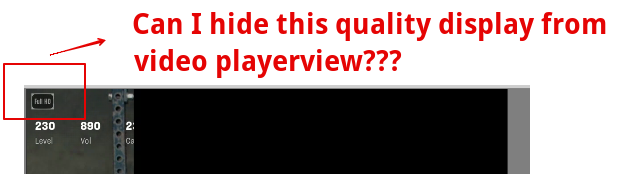
I want to hide video quality from PlayerView. I have attached image and I want to hide that "FULL HD" button.
Is it possible???
question
 shwetachauhan-simform
All 4 comments
That view has nothing to do with ExoPlayer. I suggest you contact the author of whatever app or library you're using.
 ojw28
on 29 Oct 2020
ojw28
on 29 Oct 2020
yea, I thought same but when I use different trackselector I mean quality then it's showing me like 480p, 240p.
So, I am confirming here it's related to ExoPlayer??
shwetachauhan-simform
on 29 Oct 2020
Whether something is displayed in a UI component or not, is a property of the UI component. That UI component doesn't look like anything that we provide in the ExoPlayer library, so this is not an ExoPlayer issue.
ojw28
on 29 Oct 2020
❤1
👍1
okay, thanks a lot. Got it.
shwetachauhan-simform
on 29 Oct 2020
Was this page helpful?
0 / 5 - 0 ratings
Related issues
 0x410c
·
3Comments
0x410c
·
3Comments
 mkaflowski
·
3Comments
mkaflowski
·
3Comments
 eneim
·
3Comments
eneim
·
3Comments
 talklittle
·
3Comments
talklittle
·
3Comments
 kambizira
·
3Comments
kambizira
·
3Comments
Most helpful comment
Whether something is displayed in a UI component or not, is a property of the UI component. That UI component doesn't look like anything that we provide in the ExoPlayer library, so this is not an ExoPlayer issue.