Exoplayer: How can I get the actual web video width and height?
Issue description
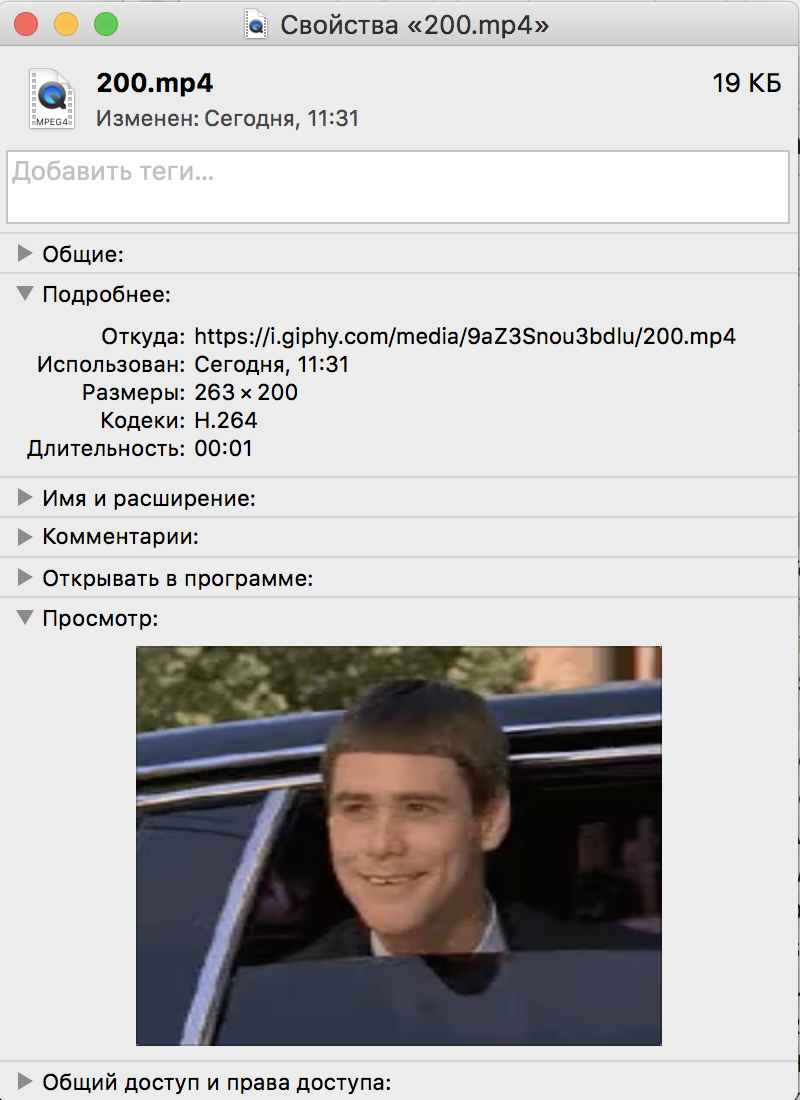
We use ExoPlayer version 'r2.4.4' to show videos from Giphy to users. It looks like sometimes a metadata of incoming videos is not correct. We use standard VideoListener to make our video fullscreen achieving "Center crop" effect. As a result, our videos appear "squeezed". The question is if there is a way to get actual video dimensions (because the video is shown correctly in ExoPlayer itself). Also, screenshots from MacBook file info showing correct dimensions of the same file are attached. Another screenshot shows Video debug panel of ExoPlayer demo app that shows incorrect dimensions (152x200) with a strange pixels ratio (1.73).
Reproduction steps
We use usual video listener to get width and height.
exoPlayer.setVideoListener(new VideoListener() {
      @Override
      public void onVideoSizeChanged(int width, int height, int unappliedRotationDegrees,
          float pixelWidthHeightRatio) {
        viewerSurfaceView.setVideoSize(height, width);
        presenter.onVideoSizeChanged(width, height);
      }

      @Override
      public void onRenderedFirstFrame() {
        super.onRenderedFirstFrame();
        exoPlayer.
      }
    });
Link to test content
https://media1.giphy.com/media/9aZ3Snou3bdlu/200.mp4
Version of ExoPlayer being used
r2.4.4 (the same is for 2.6.1)
Device(s) and version(s) of Android being used
Sony Xperia z1 Compact, Android 5.1, Google Pixel Android 8.0, several AS emulators wit Android 6, 7
A full bug report captured from the device
Bugreport captured on Android Emulator API 23 in ExoPlayer demo app
bugreport.txt

 Gaket
Gaket
>All comments
The video resolution really is 152x200 pixels, but the pixels are not square (indicated by pixelAspectRatio being not equal to 1). VLC also reports this resolution. You need to fix your code to take pixelAspectRatio into account. Note that:
(width * pixelAspectRatio) = (152 * 1.73) = 263
so the Macbook file info is actually showing the width in pixels multiplied by the pixelAspectRatio.
 ojw28
on 10 Jan 2018
ojw28
on 10 Jan 2018
Related issues
 qeadsw
·
3Comments
qeadsw
·
3Comments
 kambizira
·
3Comments
kambizira
·
3Comments
 TakuSemba
·
3Comments
TakuSemba
·
3Comments
 AndrewJack
·
3Comments
ojw28
·
3Comments
AndrewJack
·
3Comments
ojw28
·
3Comments
Most helpful comment
The video resolution really is 152x200 pixels, but the pixels are not square (indicated by pixelAspectRatio being not equal to 1). VLC also reports this resolution. You need to fix your code to take pixelAspectRatio into account. Note that:
so the Macbook file info is actually showing the width in pixels multiplied by the pixelAspectRatio.