Exist: eXist 5.1.0 Cannot start from dmg on macOS 10.15.2 (beta)
The problem
The eXist-db.app does not run on macOS Catalina because the "developer cannot be verified"
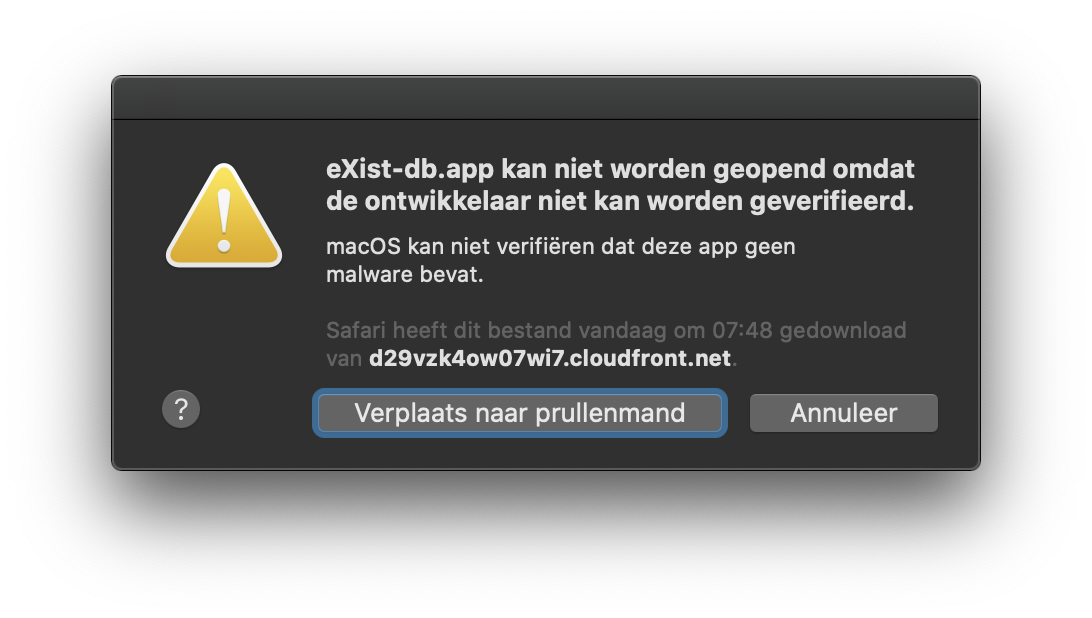
Expectation
Being able to start eXist-db.app
Reproduction
Drag eXist-db.app to /Applications and double click it from there
Workaround in terminal.app
find /Applications/eXist-db.app -name "*" -exec xattr -d com.apple.quarantine {} \;
Environment
macOS 10.15.2 bèta (19C39d), vanilla download of the eXist-db.dmg from https://bintray.com/existdb/releases/exist/5.1.0/view
 ahenket
All 6 comments
@ahenket I am on macOS 10.14.5 ("Mojave") and I get the following error:
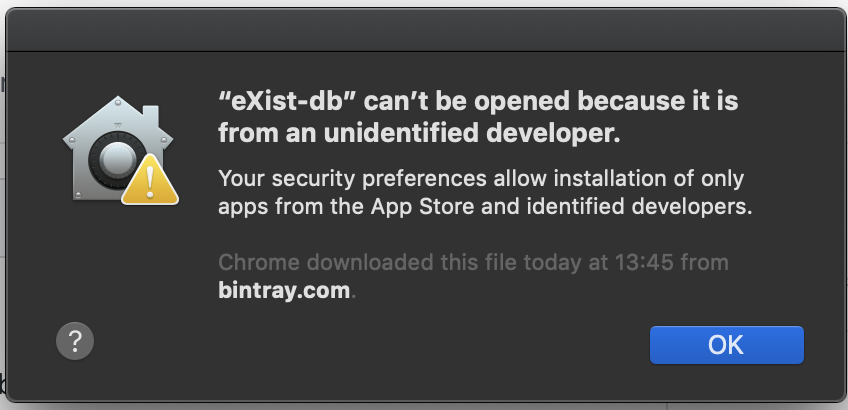
Are you able to confirm if that is the same error that you get?
 adamretter
on 19 Nov 2019
adamretter
on 19 Nov 2019
The codesign utility seems to show that neither the DMG file or the subsequent .app file are signed. This is rather bizare as signing is part of the release process. Let me see if I can correct this...
$ codesign -dv --verbose=4 ~/Downloads/eXist-db-5.1.0.dmg
/Users/aretter/Downloads/eXist-db-5.1.0.dmg: code object is not signed at all
$ codesign -dv --verbose=4 /Applications/eXist-db.app
/Applications/eXist-db.app: code object is not signed at all
@ahenket It seems I made some sort of mistake in the release process.
I have now uploaded an updated DMG which is now correctly signed, its SHA256 checksum is 5cb87626efe0341d74fa700c04cca80790961950e09405aac88ac178f8328734.
Thanks for reporting :-)
adamretter
on 19 Nov 2019
@adamretter The new download still triggers Gatekeeper "Apple cannot check for malicious software", but the difference is that I can now choose "Open Anyway" from the System Preferences > Security and Privacy > General tab
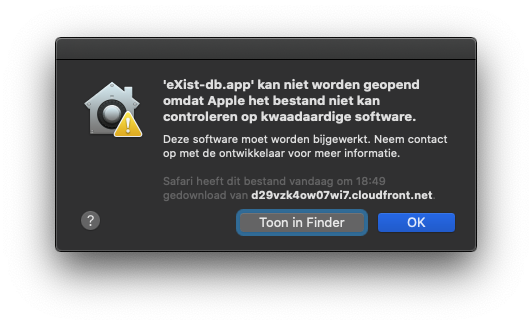
The suggestion in Dutch on this dialog is that the software "needs to be updated". Presumably there is another step involved next to signing to keep Apple gatekeeper happy.
ahenket
on 19 Nov 2019
This isn’t new to 5.1.0 - it’s a Catalina issue for all versions of eXist on macOS started via .app. As I posted to Slack a few weeks ago:
On macOS 10.15 Catalina, opening a fresh installation of eXist-db raises the following warning, because eXist’s binaries haven’t been notarized with Apple, as described here: https://developer.apple.com/documentation/xcode/notarizing_your_app_before_distribution#3087722.
 joewiz
on 19 Nov 2019
joewiz
on 19 Nov 2019
@joewiz Can we move this to a separate issue, as the title of this issue and the initial reported problem is not the same as the notarization stuff
adamretter
on 23 Nov 2019
Related issues
joewiz
·
3Comments
 mathias-goebel
·
4Comments
adamretter
·
4Comments
mathias-goebel
·
4Comments
adamretter
·
4Comments
 dizzzz
·
5Comments
dizzzz
·
5Comments
 wolfgangmm
·
3Comments
wolfgangmm
·
3Comments
Most helpful comment
@ahenket It seems I made some sort of mistake in the release process.
I have now uploaded an updated DMG which is now correctly signed, its SHA256 checksum is
5cb87626efe0341d74fa700c04cca80790961950e09405aac88ac178f8328734.Thanks for reporting :-)