Ex_doc: Show all the results for a empty search
Description
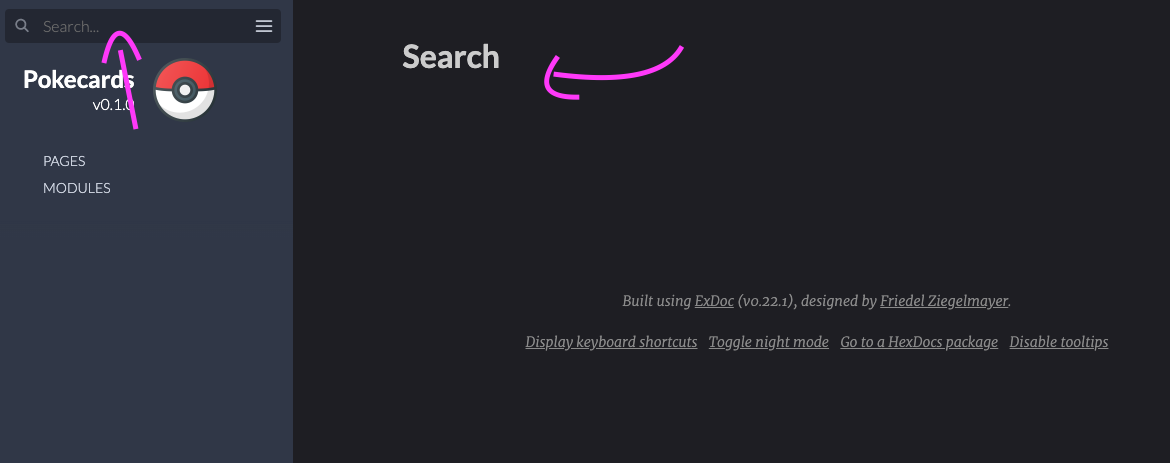
Should be possible to return all the results when searching for an empty value, instead of showing just a "Search" title.
Solution
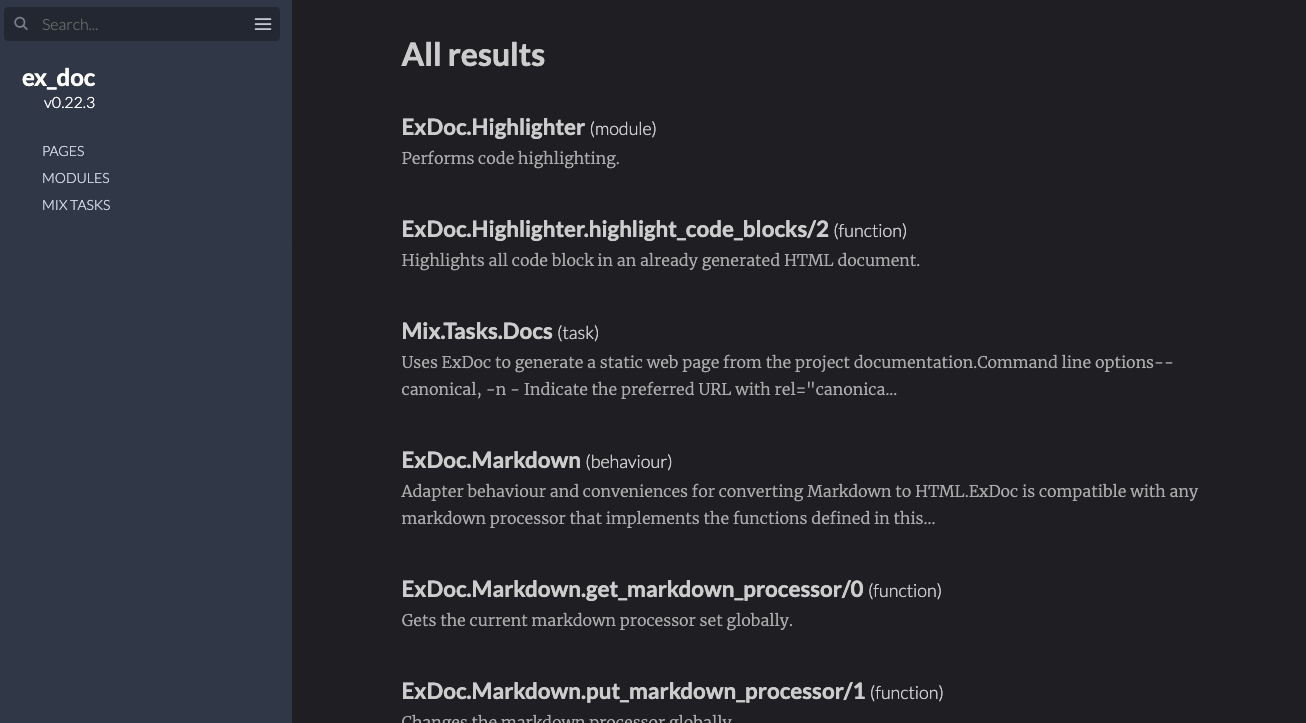
The template should show a different title according to the search value.
For instance:
- A empty string: "All the results"
- A valid result: "Search results for {value}"
 LauraBeatris
All 14 comments
Hi @LauraBeatris, thanks for the report!
I don't think we should show all results for an empty string. None of the search engines I tried show something. However, I agree whatever we do right now is not clear enough. Maybe we should add some information instead? For example "
Search
Please type something into the search bar to perform a search.
". Would this be clearer? Thanks! josevalim
on 26 Jul 2020
josevalim
on 26 Jul 2020
@josevalim Yup! Makes more sense 😁
I'll send a PR with that modification
LauraBeatris
on 26 Jul 2020
I think I reported this, but I cannot find It.
What I proposed, additionally to what you suggesting here, it to disable the submit button if no string has been entered.
 eksperimental
on 26 Jul 2020
eksperimental
on 26 Jul 2020
I think I reported this, but I cannot find It.
What I proposed, additionally to what you suggesting here, it to disable the submit button if no string has been entered.
It was here: https://github.com/elixir-lang/ex_doc/issues/1204 item 3
eksperimental
on 26 Jul 2020
There is no submit button though. Should we ignore enter? That can be confusing to some... So I would prefer to just showing the page and not changing submit.
josevalim
on 26 Jul 2020
Would be cleaner to not modify the events and just show a different title and text.
The problem is that this title doesn't have a meaning

LauraBeatris
on 26 Jul 2020
Would be cleaner to not modify the events and just show a different title and text.
Agreed. Let's just add some extra text for now.
josevalim
on 26 Jul 2020
There is no submit button though. Should we ignore
enter? That can be confusing to some... So I would prefer to just showing the page and not changing submit.
the magnifying glass is a <button type="submit" class="search-button">, but yeah. disabling hitting ENTER as well.
Even Google uses this behaviour.
Either way is fine with me.
eksperimental
on 26 Jul 2020
the magnifying glass is a
Yeah, good call on Google doing it. So it means we are probably fine with doing it too. But let's discuss that separately. The page can still be rendered manually without a proper input.
josevalim
on 26 Jul 2020
Showing the instructions of how to use the search page. same as what you get when no results are found seems like a nice option to show.
eksperimental
on 26 Jul 2020
Showing the instructions of how to use the search page. same as what you get when no results are found seems like a nice option to show.
Agreed! We should show the instructions too

What do you guys think?
LauraBeatris
on 26 Jul 2020
Looks great!
josevalim
on 26 Jul 2020
Looks good. If we can stress that it we are showing this due to no string being entered, would look even better. Either by using bold type in "Invalid search" or something. Just to make it look different from the "no results found" page.
Thank you.
eksperimental
on 26 Jul 2020
Just made a PR https://github.com/elixir-lang/ex_doc/pull/1238
LauraBeatris
on 26 Jul 2020
Related issues
eksperimental
·
6Comments
 thojanssens
·
6Comments
thojanssens
·
6Comments
 joshprice
·
6Comments
joshprice
·
6Comments
 darrenklein
·
4Comments
darrenklein
·
4Comments
 wojtekmach
·
3Comments
wojtekmach
·
3Comments
Most helpful comment
Hi @LauraBeatris, thanks for the report!
I don't think we should show all results for an empty string. None of the search engines I tried show something. However, I agree whatever we do right now is not clear enough. Maybe we should add some information instead? For example "
Search
Please type something into the search bar to perform a search.
". Would this be clearer? Thanks!