Eui: [EuiComboBox] Unable to properly highlight input text with mouse
Hey,
I recently noticed that if you were to mouse click and drag the text you just entered, you will be unable to overwrite that text by typing over it.
To be more specific:
- Type
test - Without clicking or pressing enter, drag text
test - Type
abcd - Notice
testremains and no text can be overwritten
The codesandbox found in the "Custom options only, with validation" section can be used to replicate this problem.
You are able to overwrite the text if you used other means of highlighting the text, i.e. using crtl-a or double clicking the text
 wenchonglee
All 5 comments
Took a bit of fiddling to find a reliable reproduction:
- type
test - drag to highlight text, but start dragging in the containing div instead of the input (see below)
- text is highlighted, but typing does nothing
The problem is that the container div, with a tabindex={-1}:
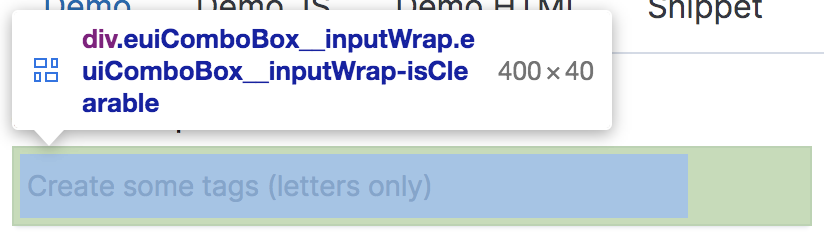
provides the look & feel of the input, while the actual input element:
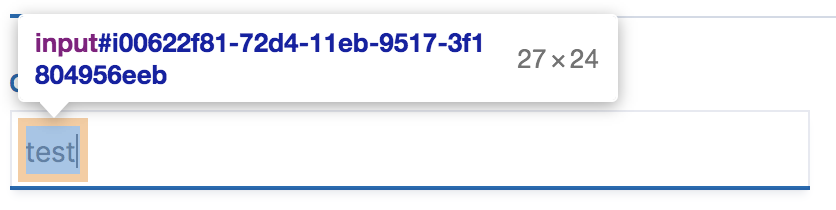
is much smaller. So the drag-to-highlight operation will, if the mouseup occurs _outside_ the combobox area, select multiple DOM nodes instead of singularly the input's value. In the video below:
- first attempt starts drag operation in the div and ending in the div (input remains just the size of the entered text) - can continue typing, but the text did not stay highlighted
- second attempt starts dragging in the div but ends outside of it, text is highlighted but unable to change via typing
https://user-images.githubusercontent.com/313125/108537010-574b1300-729a-11eb-81b5-e9c19385233f.mov
And logging document.getSelection() in the "broken" state yields:
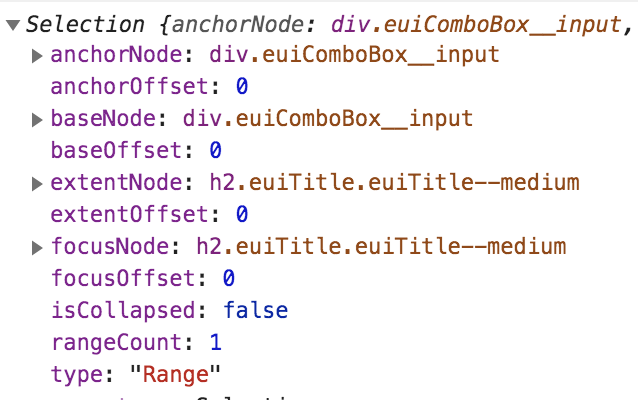
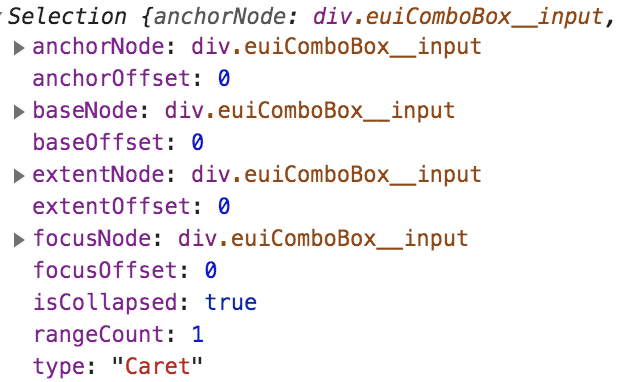
Notice extentNode and focusNode are the proceeding h2 element, and type is _Range_. When only the text is selected, all of the values included are the selection are the input field, and the type is _Caret_.
 chandlerprall
on 19 Feb 2021
chandlerprall
on 19 Feb 2021
I am working on this:) @chandlerprall @wenchonglee
 git-anurag-hub
on 22 Feb 2021
git-anurag-hub
on 22 Feb 2021
I am not able to replicate it @chandlerprall Any sugessions?
(If this bug due to OS. I am using MacOS 10.15.3).
git-anurag-hub
on 25 Feb 2021
Instead of clicking at the very beginning of the text,
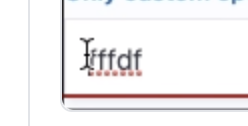
start in the extra white space to the left of the text and then drag outside of the combobox,

chandlerprall
on 25 Feb 2021
@chandlerprall Please review this.
git-anurag-hub
on 2 Mar 2021
Related issues
 roberto910907
·
3Comments
roberto910907
·
3Comments
 muhammadtalhas
·
3Comments
muhammadtalhas
·
3Comments
 wylieconlon
·
3Comments
wylieconlon
·
3Comments
 peteharverson
·
4Comments
peteharverson
·
4Comments
 formgeist
·
3Comments
formgeist
·
3Comments