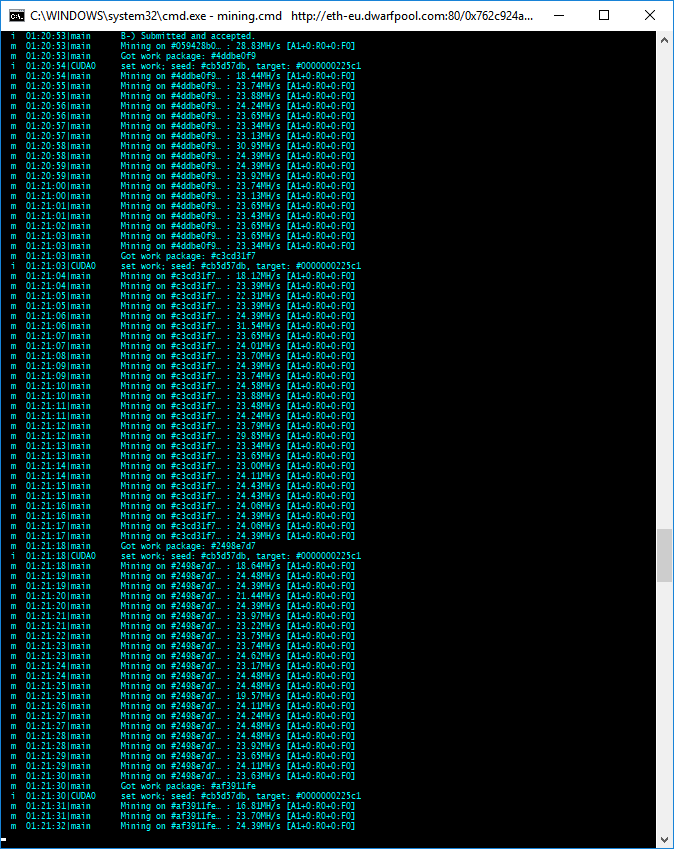
Using ethminer 0.12.0.dev1 on Windows 10, the output of the miner is garbled. Specifically, the header(?) is garbled. Screenshot is attached.

.
 0xc0re
All 14 comments
What hardware are you running? Did you set your virtual memory? I've mine set to 16-32GB of RAM.
 nguylb73
on 22 Jul 2017
nguylb73
on 22 Jul 2017
Same thing here, on my 1060 in cuda mode, and fury x with opencl. 16gb of ram and 20gb of virtual memory.
 Rootax
on 22 Jul 2017
Rootax
on 22 Jul 2017
why do you guys set that big ammoun of vram ? 16 gb should be more then efficient for a set of 2 cards
4 or 8 more then efficient for a single 1060. apart from that i d also have the strange 3 chars at the end of header, does not seem to affect hashrate / submits tho.
Chars at the end of header : ""
 derubm
on 22 Jul 2017
derubm
on 22 Jul 2017
It's a recommandation that I see here and there.
Rootax
on 22 Jul 2017
Linux:
Jul 22 12:57:17 em card.sh[4993]: m 12:57:17|ethminer-792d89 Mining on #c0172315… : 24.97MH/s [A32+0:R0+0:F0]
Looks like the unicode character "…" is not displayed correct
 hcbraun
on 22 Jul 2017
hcbraun
on 22 Jul 2017
How do you get a hash rate higher than 59?
I have 3 GTX 1060, I am under ubuntu 14, and I can not exceed 58/59 with the 3 cards ...
 gLUK00
on 22 Jul 2017
gLUK00
on 22 Jul 2017
@0xc0re try version 0.11.0, that's the release I'm on without display issues.
@derubm I run windows 10, and with 6 x 1070 cards. Windows already auto updates the vRam to 15 GB automatically after a few hours of running at default settings. So I just initiate at 16 and cap it at 32 based on a few recommendations online.
@gLUK00, what's your overclock/underclock settings set to?
nguylb73
on 22 Jul 2017
@nguylb73 yeah , 6 cards neeed that , but one or two not :)
derubm
on 22 Jul 2017
@nguylb73, I just changed the power to 65w per card because I have an error with my drivers on ubuntu 14 to change the overclock settings of the memory frequency.
Which operating system do you use?
gLUK00
on 22 Jul 2017
Windows console does not accept UTF-8, sorry for that. I'll try to fix it later.
 chfast
on 22 Jul 2017
chfast
on 22 Jul 2017
@gluk00, win10
nguylb73
on 23 Jul 2017
Can you execute command chcp 65001 before running ethminer?
chfast
on 23 Jul 2017
works ;)
derubm
on 23 Jul 2017
I think the solution has been found.
 DeadManWalkingTO
on 27 Feb 2018
DeadManWalkingTO
on 27 Feb 2018
Related issues
 honlen
·
3Comments
honlen
·
3Comments
 bartocc
·
3Comments
bartocc
·
3Comments
 MaynardMiner
·
5Comments
MaynardMiner
·
5Comments
 phalexo
·
5Comments
phalexo
·
5Comments
 unknown2this
·
4Comments
unknown2this
·
4Comments