- etcher-electron-1.4.5-x86_64.AppImage
- KDE Neon 18.04:*
- none
- Do you see any meaningful error information in the DevTools?
Etcher is unresponsive and can't be used.
The Error:
TypeError: Expected a number
at prettyBytes (/tmp/.mount_OSOdsn/usr/bin/resources/app.asar/node_modules/pretty-bytes/pretty-bytes.js:18:10)
at module.exports.getDrivesSubtitle (file:///tmp/.mount_OSOdsn/usr/bin/resources/app.asar/generated/gui.js:7477:14)
at fn (eval at compile (/tmp/.mount_OSOdsn/usr/bin/resources/app.asar/node_modules/angular/angular.js:15351:15),
at expressionInputWatch (/tmp/.mount_OSOdsn/usr/bin/resources/app.asar/node_modules/angular/angular.js:16352:31)
at Scope.$digest (/tmp/.mount_OSOdsn/usr/bin/resources/app.asar/node_modules/angular/angular.js:18002:34)
at Scope.$apply (/tmp/.mount_OSOdsn/usr/bin/resources/app.asar/node_modules/angular/angular.js:18280:24)
at /tmp/.mount_OSOdsn/usr/bin/resources/app.asar/node_modules/angular/angular.js:20127:36
at completeOutstandingRequest (/tmp/.mount_OSOdsn/usr/bin/resources/app.asar/node_modules/angular/angular.js:6274:10)
at /tmp/.mount_OSOdsn/usr/bin/resources/app.asar/node_modules/angular/angular.js:6554:7
at wrapped (/tmp/.mount_OSOdsn/usr/bin/resources/app.asar/node_modules/raven-js/dist/raven.js:444:21)
 freekvh
All 15 comments
It could have something to do with opening Etcher twice very quickly after each other (KDE does not require double clicks for opening... took some getting used to). It did work normally the last 2 times I tried.
freekvh
on 18 Oct 2018
I am getting the exact same error every time I start Etcher on Solus after upgrading to the latest version, see picture below:
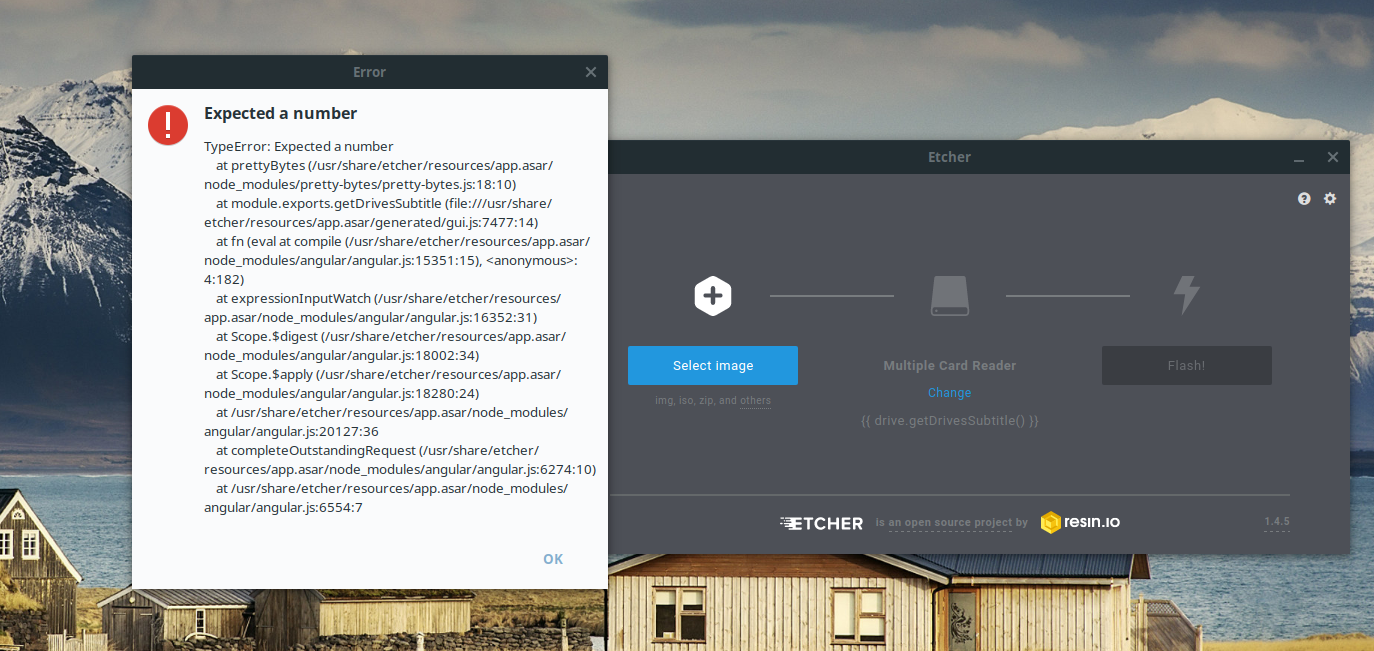
 Jacalz
on 21 Oct 2018
Jacalz
on 21 Oct 2018
I did get this too , but rightclicked on the file , > preferences > set all rights to 'read and write' and enabled "make it run as a program" (translated from dutch :-) )
This way it works like it should
 Kuoi
on 23 Oct 2018
Kuoi
on 23 Oct 2018
Where do you find the file? Having the same error on Etcher but not understanding where to find it as it isn't in usr/share/applications as normal.
 Mycloud1234
on 24 Oct 2018
Mycloud1234
on 24 Oct 2018
When you extract the zip file you've downloaded from the etcher website https://etcher.io/ you'll get a etcher,app image file. That's the file i've used
Kuoi
on 24 Oct 2018
Same on Ubuntu 16:
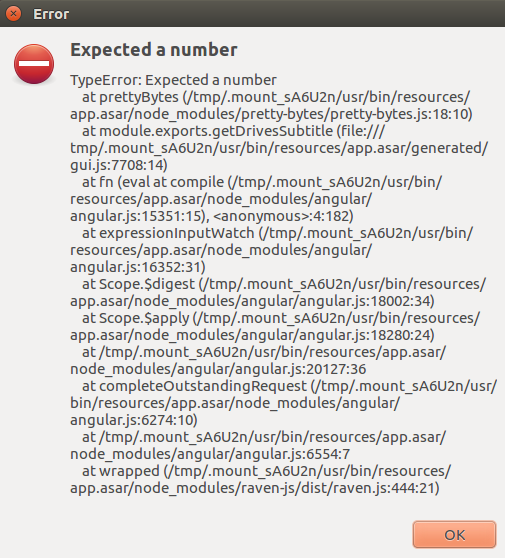
 lukasmedia
on 2 Nov 2018
lukasmedia
on 2 Nov 2018
Same here. I'm guessing something to do with pretty-bytes module
 ubaidseth
on 3 Nov 2018
ubaidseth
on 3 Nov 2018
Seems to be related to read/write permissions given to etcher before running it.
Did you all try this procedure https://github.com/balena-io/etcher/issues/2508#issuecomment-432415759 ?
 thundron
on 5 Nov 2018
thundron
on 5 Nov 2018
The same thing happened to me after I installed the .desktop file when I ran the .appimage file. The way I fixed it was to delete the file appimagekit-Etcher.desktop which is in the path: ~/.local/share/applications
 ivangsm
on 6 Nov 2018
ivangsm
on 6 Nov 2018
Seems to be related to read/write permissions given to etcher _before_ running it.
Did you all try this procedure #2508 (comment) ?
Doesn't work for me.
I have tried appimage (with #2508 procedure) and deb installer. Both result in "expected a number".
 matejmosko
on 6 Nov 2018
matejmosko
on 6 Nov 2018
We chased down the issue and it seems to go all the way back to nodejs itself, which has been fixed in new nodejs versions.
We're working on updating electron used by etcher so we'll include the newer nodejs versions and fixes
thundron
on 7 Nov 2018
I was using the Solus repo version and the thing is that they are building with NodeJS version 8. In what version can the bug be found? Or will this simple get fixed with electron getting updated? @thundron
Jacalz
on 7 Nov 2018
I still have it on ubuntu 18.04
EDIT: It worked when I installed with the .deb following https://github.com/balena-io/etcher#debian-and-ubuntu-based-package-repository-gnulinux-x86x64
 devbharat
on 12 Nov 2018
devbharat
on 12 Nov 2018
I only ran into this issue when attempting to "launch/open" the AppImage via the quicksearch Super menu in Gnome (Ubuntu 18.04). If I instead opened "Files" and ran the AppImage from Nautilus (Gnome file explorer) it ran correctly.
 dragon788
on 14 Nov 2018
dragon788
on 14 Nov 2018
I just changed the permissions on the Iso file and the application downloaded to 777 and it worked, i think you can debug with the permissions and get the problem.
 Xosmond
on 15 Nov 2018
Xosmond
on 15 Nov 2018
Related issues
 TheEpicNoobZilla
·
4Comments
TheEpicNoobZilla
·
4Comments
 AreDubya
·
3Comments
AreDubya
·
3Comments
 robmcc1983
·
5Comments
robmcc1983
·
5Comments
 davidrnewman
·
4Comments
davidrnewman
·
4Comments
 markcorbinuk
·
5Comments
markcorbinuk
·
5Comments
Most helpful comment
I still have it on ubuntu 18.04
EDIT: It worked when I installed with the .deb following https://github.com/balena-io/etcher#debian-and-ubuntu-based-package-repository-gnulinux-x86x64