Espeasy: [POC] - Enable easy setup for custom firmware images
Was thinking a bit how to make it easier to get custom firmware images (specially use-full when dealing with devices with smaller amount of flash) and played a bit with kconfiglib.
The idea is that one could easily configure/add/edit the needed components and than create an image from it, something like (please make sure to set export CONFIG_="USES_" before running the command):
- run
menuconfig
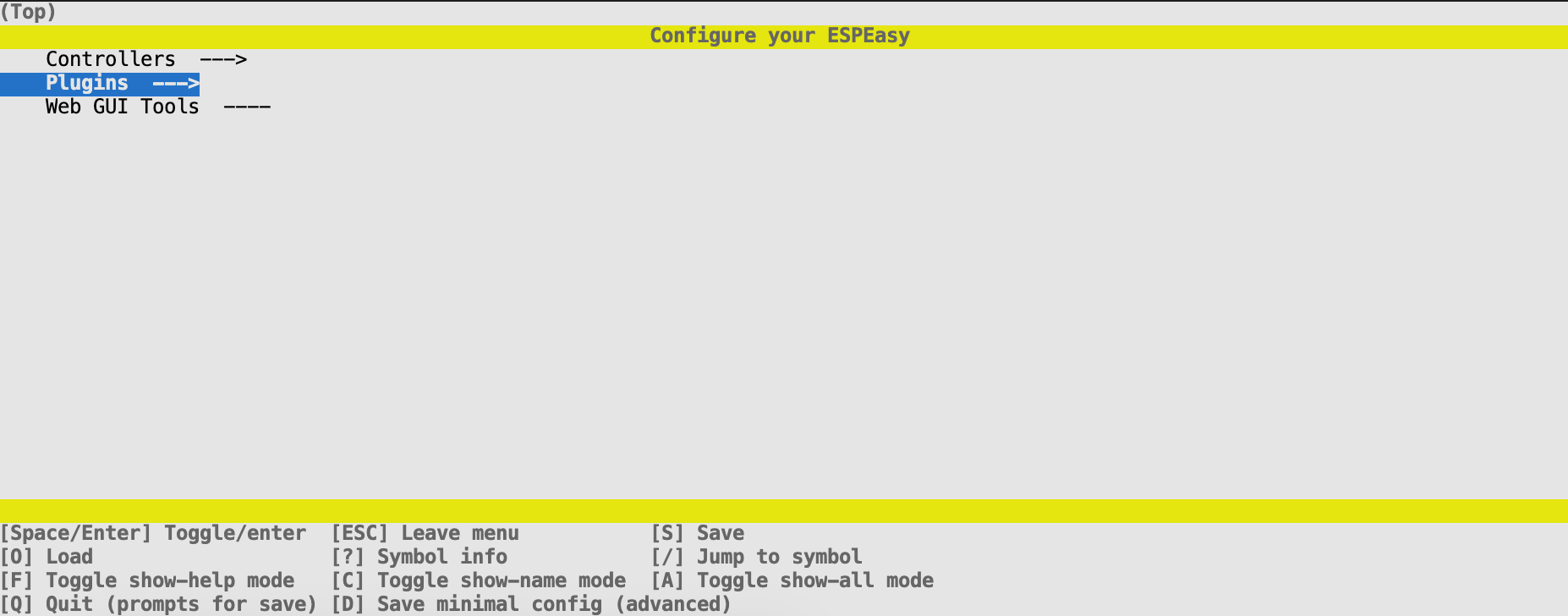
- configure the image
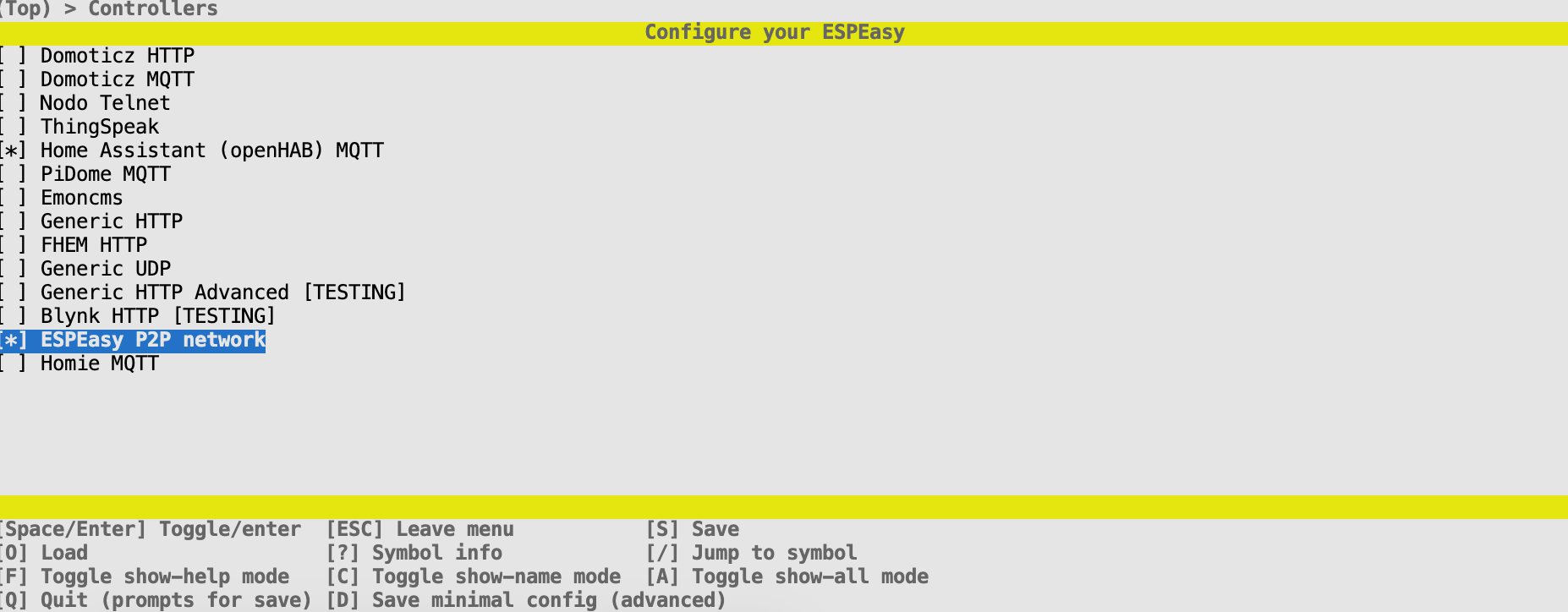
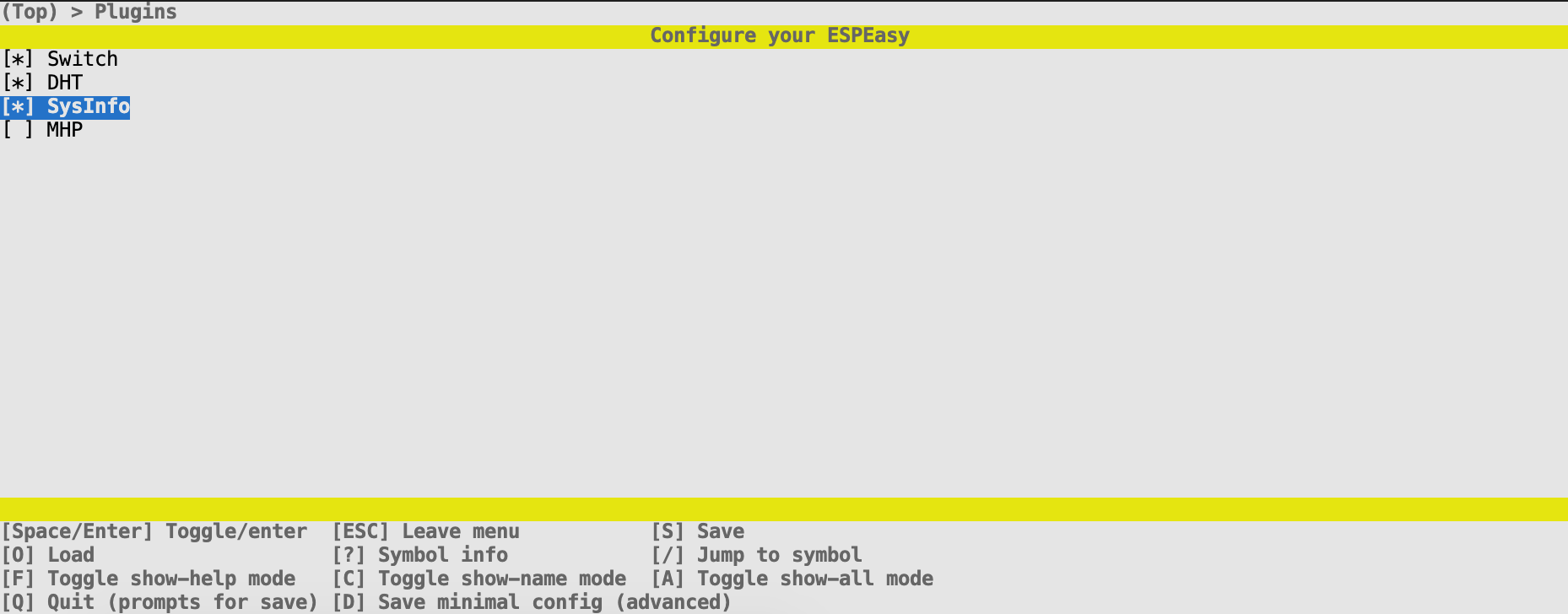
- save the config and run
genconfig - compile using one of predefined envs (added two for testing -
config_263_ESP8266_1Mandconfig_ESP8266_4M1M)
i.e running platformio run -e config_ESP8266_4M1M should produce a build for esp 8266 4M1M with selected components.
Changes can be found here.
Again, this is just an idea I wanted to check with others so please let me know what you think.
There is still a lot of things pending (board definition(s), missing configs for plugins ... , create a simple one-step, easy to use setup, auto detect board?, preconfigure default configs based on board, ...)
 crnjan
All 16 comments
I really like the idea, but I'm afraid most users are not that familiar with the Linux command prompt.
So I'm also very (very!) curious to what others may have to say about this idea.
 TD-er
on 15 Mar 2020
TD-er
on 15 Mar 2020
The idea is to have something like
build_custom_image.bat
build_custom_image.sh
sitting i.e. in tools folder that would:
- download any unresolved dependency (platformio, kconfiglib, ...);
- auto discover connected hardware and/or allow user to change/select it (esp01_1m, esp12e, ...);
- allow user to configure firmware - as above in screenshots
- build the firmware
- checks (make sure image will fit into flash, ...)
So after the build_custom_image command is completed, one would have a custom firmware build.
Users would not have to deal with installations, ... only select desired board, desired set of controllers, plugins and off we go ;)
crnjan
on 15 Mar 2020
Well, I have a few thoughts,
- Linux command prompt isn't a problem for me, but I don't have my ESPEasy dev on a Linux system, so Windows support would be a must have (I don't mind a command prompt myself but others may object to that)
- Controllers, plugins etc. should IMHO be read/scanned form the sources (there's a define with a name in there), to be always up to date, caching the result would be nice/advisable
- Multiple predefined/saved configurations should be loadable/saveable, to easily maintain stuff for 1M boards and 4M boards or specialized builds
- Board(s) should also be read, probably from the
platformio*.inifiles
 tonhuisman
on 15 Mar 2020
tonhuisman
on 15 Mar 2020
Should work on Windows as well ... this would be on top of what is avail now, so only to make it easy for one to create a custom firmware build ...
crnjan
on 15 Mar 2020
I think having a build env which does not need any install but doing it all automatically would be a great help.
We can then generate a Custom.h file (which is essentially all that's needed) even as a web service so people can fill in all kind of forms and just cut/paste this into a file and run a single command.
These forms can be done via such a tool as you are thinking of, or edit a file manually.
But the main obstacle for people is to install a build environment.
I tried it once via Vagrant, but that seems also a bit too far fetched for most.
TD-er
on 15 Mar 2020
cmake has got gui (also windows is supported) for configuration, it can be used to build include file, but not sure if submenus are available - to check
for platformio we can try to use something written in python here
 uzi18
on 15 Mar 2020
uzi18
on 15 Mar 2020
kconfiglib used for the menus above is written in pyton ;)
CMake gui/config is a bit too rigid as far as I tested ...
crnjan
on 15 Mar 2020
As experienced myself, installing Python on Windows might also be tricky.
So I guess the main obstacle is to find a way where it is a single click or download to setup a build environment. Preferably one that could be used without changing environment settings that could affect other installed tools (for example Python install on Windows where virtualenv is not main stream...)
TD-er
on 15 Mar 2020
but python is already there with platformio so just issue command to install some modules
uzi18
on 15 Mar 2020
Yep, but installing Python + PlatformIO is the big hurdle for a lot of people.
TD-er
on 15 Mar 2020
The idea of having this on a dedicated server is to me the best way. Only
downside for the user is that we need to get some money to run it.
Den sön 15 mars 2020 14:09TD-er notifications@github.com skrev:
Yep, but installing Python + PlatformIO is the big hurdle for a lot of
people.—
You are receiving this because you are subscribed to this thread.
Reply to this email directly, view it on GitHub
https://github.com/letscontrolit/ESPEasy/issues/2943#issuecomment-599208324,
or unsubscribe
https://github.com/notifications/unsubscribe-auth/AGLYCYU4FQX7EN46MDWY75LRHTHQLANCNFSM4LJ4SILQ
.
 Grovkillen
on 15 Mar 2020
Grovkillen
on 15 Mar 2020
That is what I think as well - customize, build and download it with just a few clicks - but than you need to host it somewhere ...
crnjan
on 15 Mar 2020
Gitpod is a free online instance of PlatformIO, which might be good basis to build a solution to this issue.
As an example solution, take a look at https://github.com/benzino77/tasmocompiler, which also runs on Gitpod.
 denisfrench
on 22 Mar 2020
denisfrench
on 22 Mar 2020
@TD-er @Grovkillen what about a dev container?
I recently started development for Home Assistant and it was quite easy to set up the environment.
Take a look at https://developers.home-assistant.io/docs/development_environment/#developing-with-devcontainer
You need to have Docker, git, VS Code and VSC Extension.
You clone repo and open it in VS Code and it asks if you want to reopen it in dev container.
After couple of minutes you get everything up and running. No need to install python or anything, setup any env variables.
https://github.com/home-assistant/core/blob/dev/.devcontainer/devcontainer.json
https://github.com/home-assistant/core/blob/dev/Dockerfile
https://github.com/home-assistant/core/blob/dev/Dockerfile.dev
I really like what @denisfrench is proposing, but ideally, we should have an option to run it locally (to keep wifi credentials secure).
EDIT: I just noticed that we can run tasmocompiler locally 🎉🎉🎉, so maybe this is the perfect solution?
The most ideal solution would be to have an online firmware builder, but I think we must wait a bit longer for that :)
 Misiu
on 24 Mar 2020
Misiu
on 24 Mar 2020
I like this gitpod ;)
just go to: link
and write in terminal:
pip3 install -U platformio
platformio run -e dev_ESP8266_4M1M
Or; put those commands into .gitpod.yml within the repo, and it will run on startup.
But; I can see @TD-er has a more elaborate .gitpod.yml to setup up a standardised dev environment (PR #2959), so let's wait for that to be merged.
I'm mostly just keen on a standardised environment, after running up against an unreproducable problem which may have resulted from a weird compiling/linking issue.
If that leads to a quick, easy way to create customised builds, even better.
denisfrench
on 25 Mar 2020
Related issues
Grovkillen
·
6Comments
uzi18
·
5Comments
TD-er
·
4Comments
 tedenda
·
6Comments
tedenda
·
6Comments
 Barracuda09
·
5Comments
Barracuda09
·
5Comments
Most helpful comment
I like this gitpod ;)
just go to: link
and write in terminal: