Espeasy: [Commands] Please add more commands :-)
I believe it would be very useful to add commands for all the parameters you can set via the web GUI. Like the Mqtt controllers settings, gateway settings, firewall, etc. Kinda like tasmota.
This enables the fast configuration of the devices via the serial from copying and pasting settings via the serial interface with programs like termite.
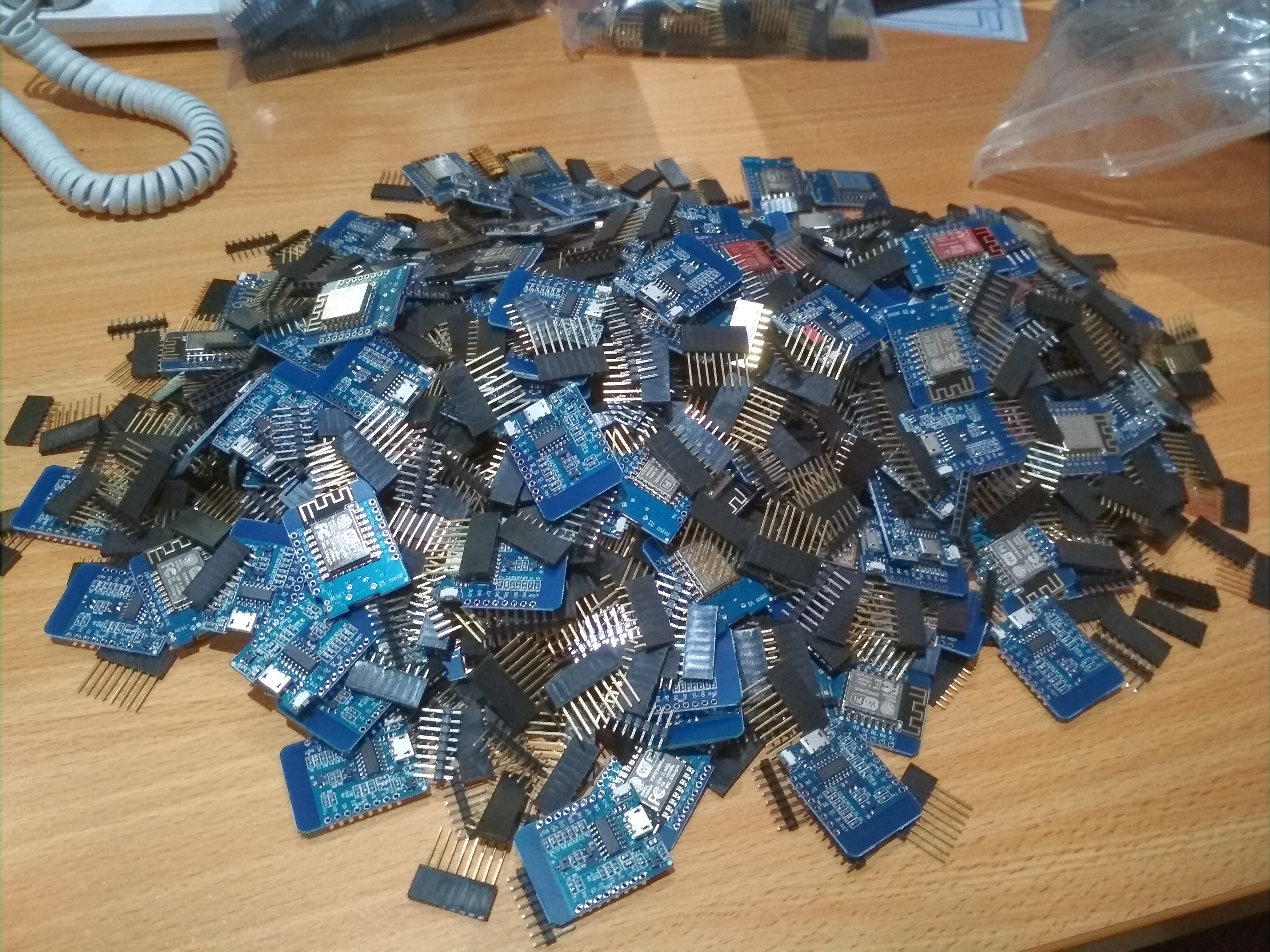
somebody has to configure 200 wemos :-(
 jimmys01
All 20 comments
@jimmys01 I made templates for the "basic" configuration of the nodes and a scipt that uploads these templates to the units. at least I don't need to do basic settings like WiFi, security settings, HW settings, NTP, controller etc. for each one individually... just the "additional" devices which are anyway different to each unit...
just use wget/curl to upload/modify your units... works quite nicely..
but I absolutely support the idea of either having some kind of XML import/export or a set of commands to actually configure settings...
 clumsy-stefan
on 31 Oct 2018
clumsy-stefan
on 31 Oct 2018
How much is the time saved worth to you? Patreon is only one click away ;)
 Grovkillen
on 31 Oct 2018
Grovkillen
on 31 Oct 2018
I guess I could make an update to my netscanner which will push these settings to given hostnames/ip addresses but I would have to think a bit about the batch flash thing.
Grovkillen
on 31 Oct 2018
200 nodes. :)
Is it all going to be used in the same wifi network?
I'm very curious to see if you experience any network congestion and how many nodes per accesspoint is practical.
 TD-er
on 31 Oct 2018
TD-er
on 31 Oct 2018
@jimmys01 I made templates for the "basic" configuration of the nodes and a scipt that uploads these templates to the units. at least I don't need to do basic settings like WiFi, security settings, HW settings, NTP, controller etc. for each one individually... just the "additional" devices which are anyway different to each unit...
just use wget/curl to upload/modify your units... works quite nicely..
but I absolutely support the idea of either having some kind of XML import/export or a set of commands to actually configure settings...
I am thinking of using iMacros for the firefox. Good idea about the curl, thanks
jimmys01
on 31 Oct 2018
200 nodes. :)
Is it all going to be used in the same wifi network?
I'm very curious to see if you experience any network congestion and how many nodes per accesspoint is practical.
It will be spread over a large hotel and multiple access points on a /22 network. I would like also to see how openhab will handel them all. At one point when this project is towards complition i will make a demonstration.
jimmys01
on 31 Oct 2018
sounds cool. I'd be interested also how it runs then, and on what type of infrastructure (AP's etc.)...
I use also curl/wget to do backups of all nodes/configurations (and restore them if necessary)... I only have about 30 nodes running, but that's enough if something goes wrong 😄
clumsy-stefan
on 31 Oct 2018
Would it be a nice idea to at least have the default unit number based on the last byte of the IP-address?
That way you don't have to set that one.
And I can also have a look at other information I can gather from DHCP requests. It is possible to send a lot more information in the DHCP reply, but I'm not sure if I can access that reply.
Also a lot of default settings can already be set at compile time.
I recently added an option to set default plugin for switch and relay + rule to combine them.
But using some template settings file is also a good idea.
Maybe it is also possible to copy files to the SPIFFS when flashing?
TD-er
on 31 Oct 2018
For my part I set a default number of 99 in the compile settings, as well as SSID and WPA Key of my "public" wireless network so when it restarts I can access it wireless. I anyway set the MAC address in the DHCP server as I use fixed addresses for each node. after that I just can push the default config.dat, security.dat and rules files to the new node including my private/IoT WLAN settings... once this is done I set the node-id individually... works quite well and quick for me until now..
I think there are ways to write the SPIFFS when flashing, it would probably reduce one step..
I'm more thinking about enhancing my HA config (FHEM) that when a new node pops up it checks SW-version, ID, etc. and based on that (and what's configured in FHEM) I reflash or push configuration automatically... but that's still a long way to go... first need to have the nodes running stable..
PS: only thing I'm really missing currently is the possibility to import/export the settings in some txt way (already discussed once or twice here), be it in XML, JSON or CSV... don't care.... that would also ease the configuration quite a bit..
clumsy-stefan
on 31 Oct 2018
Maybe you also want to have a look at https://github.com/soif/EspBuddy made by @soif
TD-er
on 31 Oct 2018
Maybe you also want to have a look at https://github.com/soif/EspBuddy made by @soif
oh, why didn't I google before writing more or less the same myself 😞 thanks for the link though!!
clumsy-stefan
on 31 Oct 2018
Maybe you also want to have a look at https://github.com/soif/EspBuddy made by @soif
oh, why didn't I google before writing more or less the same myself 😞 thanks for the link though!!
Great minds think alike ;)
TD-er
on 31 Oct 2018
@jimmys01 I made templates for the "basic" configuration of the nodes and a scipt that uploads these templates to the units. at least I don't need to do basic settings like WiFi, security settings, HW settings, NTP, controller etc. for each one individually... just the "additional" devices which are anyway different to each unit...
just use wget/curl to upload/modify your units... works quite nicely..
but I absolutely support the idea of either having some kind of XML import/export or a set of commands to actually configure settings...
Can you please paste the curl commands you use?
jimmys01
on 1 Nov 2018
update firmware (no login to node required):
curl -# -o /dev/null --form update=@<FIRMWARE-FILE> --max-time <TIMEOUT> --connect-timeout 2 --retry 1 http://<YOUR-NODE-FQDN-OR-IP>/update
login to a node:
wget -q --tries=3 --timeout=2 -O /dev/null "http://<YOUR-NODE-FQDN-OR-IP>/login" --post-data "password=<PASSWD>&submit=Submit"
get all information (json, login required):
wget -q --tries=3 --timeout=2 -O- "http://<YOUR-NODE-FQDN-OR-IP>/json"
push file to SPIFFS on node (login required):
curl -# -o /dev/null --form datafile=@<FILENAME> --connect-timeout 2 --retry 1 http://<YOUR-NODE-FQDN-OR-IP>/upload
reboot node (login required):
wget -q -O /dev/null --timeout=2 http://<YOUR-NODE-FQDN-OR-IP>/?cmd=reboot
hope that helps!
clumsy-stefan
on 1 Nov 2018
@clumsy-stefan Amazing thank you!
jimmys01
on 1 Nov 2018
Just as information.
gateway
dns
subnet
ip
They are all present already.
Grovkillen
on 6 Nov 2018
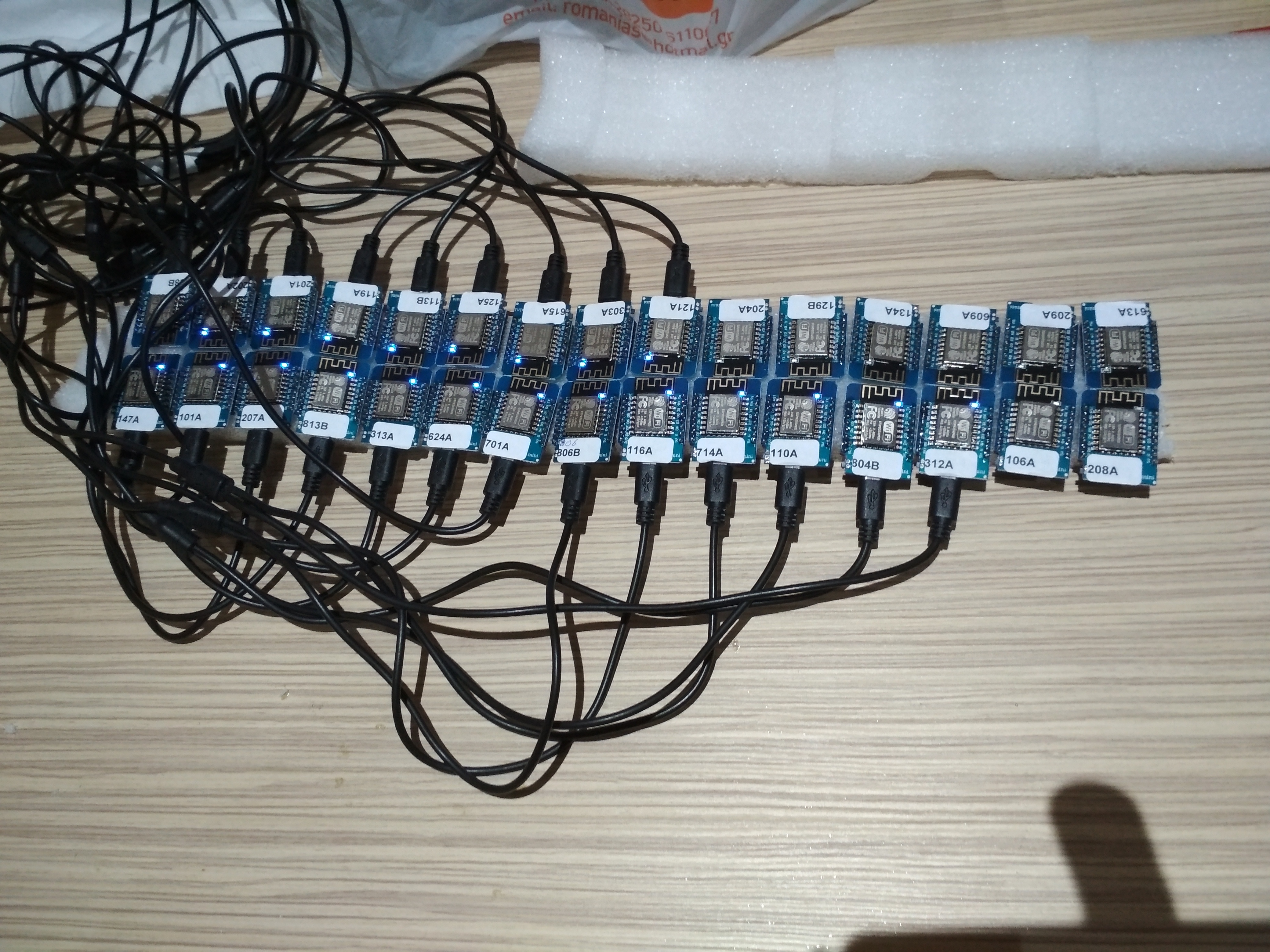
@clumsy-stefan you have saved me lot of time, thank you. 200 nodes configured within 5 hours
jimmys01
on 9 Nov 2018
@jimmys01 u're welcome!
looks amazing ;)
I also wrote y (more or less) generic script to do OTA updates to a number of nodes... let me know if you're interested...
PS: you don't have any issues with all these nodes connected to the AP? like reboots or even units that won't reconnect to the WiFi?
clumsy-stefan
on 9 Nov 2018
Should this be closed?
Grovkillen
on 29 Dec 2019
For me clumsy Stefan gave me the solution.
jimmys01
on 29 Dec 2019
Related issues
 thehijjt
·
4Comments
TD-er
·
4Comments
Grovkillen
·
6Comments
thehijjt
·
4Comments
TD-er
·
4Comments
Grovkillen
·
6Comments
 wolverinevn
·
4Comments
wolverinevn
·
4Comments
 ronnythomas
·
3Comments
ronnythomas
·
3Comments
Most helpful comment
@jimmys01 u're welcome!
looks amazing ;)
I also wrote y (more or less) generic script to do OTA updates to a number of nodes... let me know if you're interested...
PS: you don't have any issues with all these nodes connected to the AP? like reboots or even units that won't reconnect to the WiFi?