Espeasy: Manual reboot () due to hardware watchdog in release mega-20180922
The current version still has the same problem as the versions of the last few weeks.
I use ESP_Easy_mega-20180922_test_ESP8266_4096.bin
The units without sensors run only slightly longer than one or four hours.
Units with Sensors (BME280 BH1750 Pir MH-Z19 TVoc CSS811 PMS7003)
boot after a few minutes.
The running time is between 3 minutes and 30 minutes. It is always different.
 micropet
All 199 comments
Do they have all these sensors at the same node?
 TD-er
on 22 Sep 2018
TD-er
on 22 Sep 2018
Yes
micropet
on 22 Sep 2018
I just flashed a node with the SDS011 with this firmware, to see if serial I/O may be causing these issues.
I will now flash another node with the BME280 and MH-Z19 to see if those are enough to get the same behavior.
I noticed the BME280 plugin sometimes has a long time logged in my statistics, so that may be one of the culprits. Maybe you could disable that one as a test to see if it improves stability.
TD-er
on 22 Sep 2018
Because the PMS7003 still does not work, most units have an SDS021.
So:
BME280 BH1750 Pir MH-Z19 TVoc CSS811 SDS021
So disable the BME280?
Good, I'll do that.
micropet
on 22 Sep 2018
But we still have a general problem, because even the units without connected sensors do not run long.
I believe that deactivating sensors does not help us.
First of all, the units would have to run without sensors for days or weeks.
Then you can gradually add sensors.
micropet
on 22 Sep 2018
On the other hand, the reported reboot intervals you report are way shorter than anyone else.
So we should start to dig down somewhere.
TD-er
on 22 Sep 2018
Yes, power is always a tricky issue to evaluate. I use 5V USB UPS on some of my units and they never reboot.
So could you give us info about the setup you're using?
 Grovkillen
on 22 Sep 2018
Grovkillen
on 22 Sep 2018
My 16 nodes are all running fine now with all current changes for 1 day and 16 hours. No single reboot! :-) And I have all kind of sensors in use with usage of GPIO, I2C and HW serial....
 v-a-d-e-r
on 22 Sep 2018
v-a-d-e-r
on 22 Sep 2018
OK. I control that.
That is difficult. There are currently 15 units running on different power supplies.
Each unit has its own power supply.
Each Wemos D1 has a 1800 μF capacitor
to 3.3 V and a 1800 μF capacitor to 5 V.
I have always bought high-quality power supplies. (eg Aukey 2.4A with 48W power supply adapter, AUKEY USB C charger with 46W power, Volutz 60 Watt 12A 5V)
micropet
on 22 Sep 2018
Please do, but if they all are reporting reboots it may very well be a network issue as well?
Grovkillen
on 22 Sep 2018
And just a curious question. Do they ALL have these capacitors? What if you remove those on one? As a test?
Grovkillen
on 22 Sep 2018
The power sounds OK to me.
Also those would not likely result in watchdog issues.
Maybe I could lower the core library to 1.7.3, since the number of reported watchdog reboots has increased a lot after the update to 1.8.0.
Not that they were not reported before, but the reports of those reboots is a lot more than before.
It could still be WiFi related.
TD-er
on 22 Sep 2018
I do not believe in a network problem.
Currently, 51 WLAN devices are registered on both Unifi Access Points.
In the network are about 20 Wemos D1 with an old and simple, programmed by me software.
There are several LED drivers with 3-6 100 Watt LEDs connected to these units. I have been using this for years to switch the light in the apartment via PIR.
These units run for months without rebooting.
So, the same hardware I use for ESPEasy.
@Grovkillen
Yes. All have this capacitors, also my own Units.
micropet
on 22 Sep 2018
What core lib do these other nodes use?
Could be 2.3.x or older even?
And wifi related doesn't mean it is a problem in your accesspoint. Can also be something in the core libraries
TD-er
on 22 Sep 2018
@TD-er
No idea. The version is already several years old.
Because they work, I have not changed anything.
micropet
on 22 Sep 2018
I have just been looking at the uptime of my nodes.
One of them is running for 42 days now and is running ESP_Easy_mega-20180513_normal_ESP8266_4096.bin
So I will look into what core lib that was.
It is core 2.4.1
TD-er
on 22 Sep 2018
Now we have 2.4.2?
micropet
on 22 Sep 2018
Yep, so simply changing to 2.4.1 in the platformio.ini could help.
I can make a build with that for you to try if you like.
What build version do you need? (normal/test and flash size)
TD-er
on 22 Sep 2018
Thank you Gijs.
Is not necessary. I can change the core version myself and compile with platformio.
micropet
on 22 Sep 2018
It may be a coincidence, but the unit with the BME280 disabled has been running for 5 hours now.
micropet
on 22 Sep 2018
That's also good news.
I have a lot of those laying around, so that makes it easy for me to test.
I also have those PMSx003, but then I have to fix that plugin first ;)
TD-er
on 22 Sep 2018
Yes, the PMSx003 plugin only worked for me for a few minutes.
Then no more data comes.
The BME280 is quite important, I think. With temperature, pressure and humidity, I find no alternatives to a good price.
micropet
on 22 Sep 2018
It sure is and it is probably one of the more popular plugins.
So I will have a look at it, to see why it appears to take up-to 1.5 seconds sometimes. At least that's what my statistics claim
TD-er
on 22 Sep 2018
Wau, thats much time.
micropet
on 22 Sep 2018
Just one of such lines in my stats dump:
5132780 : PluginStats P_27_Environment - BMx280 ONCE_A_SECOND Count: 30 Avg/min/max 53395.60/306/1588655 usec
So that is quite close to the (software) watchdog timeout and maybe the recent versions changed the hardware watchdog timeout to match the 2 sec.
TD-er
on 22 Sep 2018
That may well be possible.
My unit is now running 6 hours 27 minutes without BME280. :)
Can you perhaps adjust something in the library (filter standby ...)?
micropet
on 22 Sep 2018
I found the bug in the BME280 plugin.
Should be fixed in #1779
Just curious, is it still running fine with BME280 disabled?
The line I posted earlier now shows:
561184 : PluginStats P_27_Environment - BMx280 ONCE_A_SECOND Count: 30 Avg/min/max 542.13/385/3036 usec
TD-er
on 22 Sep 2018
Booted an hour ago.
But it was about 7 hours online.
micropet
on 22 Sep 2018
You could check the latest merge with BME280 enabled
TD-er
on 22 Sep 2018
For testing here:
- 2 nodeMCU, cleaned and flashed with 20180922.
- Two "Raspberry" power supplies 5V 2A.
- first has only "Uptime" in the tasks.
- Second has Uptime and a BME280 attached.
On both NTP and UDP is set, no controller, no other things.
Now up and running for 6 hours, I'll watch and message again tomorrow.
Hope that helps.
Anything I should look at?
 ShardanX
on 22 Sep 2018
ShardanX
on 22 Sep 2018
You could check the latest merge with BME280 enabled
Just flasht.
micropet
on 22 Sep 2018
@ShardanX I guess the problems with the BME280 manifest with more devices connected which may send data to the node.
For example sensors sending data via serial without being requested for data.
The BME280 was blocking for 1.5 seconds. This could give issues when buffers are being filled and lots of interrupts triggered which could extend this blocking time even more.
TD-er
on 22 Sep 2018
@ShardanX I guess the problems with the BME280 manifest with more devices connected which may send data to the node.
For example sensors sending data via serial without being requested for data.
The BME280 was blocking for 1.5 seconds. This could give issues when buffers are being filled and lots of interrupts triggered which could extend this blocking time even more.
Just added some more I²C and restarted both nodes.
As it was said in the thread even without sensors it should reboot after some hours, up to now it was quiet here.
ShardanX
on 22 Sep 2018
I2C devices are "pull", so you have to request them to send you data.
Some devices on serial also have a pull-like way of communicating (Modbus/Mbus), but others just push the data.
That last group may interfere with the processes running on the CPU and thus extend processing time, or cause buffers to overflow when not dealt with in due time.
TD-er
on 22 Sep 2018
Just a note: I had WD issues recently when I was setting the serial baudrate to 9600 with debug messages on... @micropet your sensors are all I2C?
 s0170071
on 23 Sep 2018
s0170071
on 23 Sep 2018
@s0170071
Not all.
Only:
BME280 BH1750 CSS811
micropet
on 23 Sep 2018
@micropet What is the "reboot interval" now, with the changed BME280 code?
TD-er
on 23 Sep 2018
ca. 5 hours
micropet
on 23 Sep 2018
So that's at least a factor 10 improvement from the start of this issue ;)
Is the reboot reason always the same (Hardware Watchdog), or do you also get other reasons?
TD-er
on 23 Sep 2018
It is always the same: Hardware Watchdog
And yes factor 10 - 15 better.
micropet
on 23 Sep 2018
Just a few of these iterations and we can call it stable, or at least very hard to reproduce ;)
TD-er
on 23 Sep 2018
very hard to reproduce - That's the way it is.
micropet
on 23 Sep 2018
A big advantage of espeasy I see in it, that after a reboot the unit is functional again.
This is not always the case with my own buildings. I had to briefly disconnect from the supply voltage so they worked again.
Maybe there will be time for things like:
PMS7003
or very important to me:
PCA9685 values invert
Currently, at a value of 0, the Led is at full power
at 4092 the led is off.
micropet
on 23 Sep 2018
FYI: Both of my nodes (see above) are running for about 48h without problem now.
ShardanX
on 24 Sep 2018
I have 7 reboots since this morning. (Node with Sensors)
micropet
on 24 Sep 2018
1795 :-)
s0170071
on 24 Sep 2018
Yes that would be nice.
1 or 2 days would be enough. ;)
micropet
on 24 Sep 2018
I found something in my rules that may have caused these frequent crashes. It was a comment with a leading space:
on RelayOn do
 gpio,12,1
 // gpio,13,1
endon
There was a message in the logs about a not recognized command, don't exacly remember what it was. Can check this evening though. Runtime was always less than 4 hours, since I removed the comment line the log message is gone and the unit is now approaching 12 hours.
Anyone else using rules ?
s0170071
on 25 Sep 2018
I use rules and comments but never on a single line and never with a space.... I must test!
Grovkillen
on 25 Sep 2018
I get this in the log but no crash:
465062 : Command:
465062 : Command unknown: ""
I use this rule to test:
on Rules#Timer=1 do
  Publish %sysname%/IP,%ip%
  Publish %sysname%/MAC,%mac%
  Publish %sysname%/AP,%bssid%
  // TaskValueSet 4,1,2
  // gpio,13,1
  TimerSet,1,10
endon
Looks like what I have seen. I did not observe an immediate crash either. It may also be a coincidence that my unit is now surviving longer.
Crash or not, it looks like its worth an issue.
s0170071
on 25 Sep 2018
Yesterday I made this commit: https://github.com/letscontrolit/ESPEasy/pull/1792/commits/bd2bdab95c102c700f4039540532858de8a30fa6
I tested it also on my ESP8266 and ESP32 and it seems to work.
What it does is quite simple, it moves the allocation of the large SettingsStruct from stack to heap.
My suspicion is that some of these crashes may happen due to stack overflow and moving such a large allocation on the stack to the heap may clear a lot of the very limited stack.
So maybe you could test that also on a number of nodes?
TD-er
on 25 Sep 2018
Maybe we should monitor the stack pointer ? This used to be good practice back in the days...
s0170071
on 25 Sep 2018
If you can give me a pointer (pun intended) on how to do that, that would be great :)
TD-er
on 25 Sep 2018
Someone made some experiments here: https://www.esp8266.com/viewtopic.php?f=13&t=16734
There is even an issue open here: https://github.com/esp8266/Arduino/issues/5158 and https://github.com/esp8266/Arduino/issues/5148
The later one looks like there is already a method for checking the statck: getFreeContStack()
s0170071
on 25 Sep 2018
@TD-er: There is also a brute force approach:
- output a log message: "starting stack test..." ,
- wait for it to be sent out (10ms) and then
- do 100? nested function calls.
If the stack is low this will crash the system. Thanks to the log message you know why.
sample code:
in setup()
Serial.print(F("starting stack test..."));
if (stackTest(0)) Serial.println(F("  passed"));
the test function
boolean stackTest(int a ) {
    a++;
    if (a<100) {
        stackTest(a);  // next nested call
    }
    a--;
         if (a==0)
             return true ;  // we're back to the first call
         else
             return false;  // this is still a nested loop
}
Each nested call should add at least 8 bytes to the stack, 4 for the int variable and 4 for the return address. If I am not mistaken that is. One would have to experiment with a healthy number of nested calls. Too many will crash the system, no matter what.
s0170071
on 25 Sep 2018
@Grovkillen that unknown command was just a coincidence. The unit rebooted after 18 hours.
s0170071
on 26 Sep 2018
But might be some overload going on still?
Grovkillen
on 26 Sep 2018
Did anyone test my suggestion ?
I will merge that PR now, and it would be nice if someone could test it, before the nightly build is made.
N.B. when testing on ESP32, it will clear all your settings.
TD-er
on 26 Sep 2018
Isn't it too late for testing now ? You can tell only after a day or so if it is an success.
A good indication could be the stack test (with the nested calls) like I suggested here:
As far as I know we have no clue whatsoever how full the stack is. I would really like to know because that would finally give a plausible explaination why ESPEasy stability is often so bad..
I will test the stack this evening or tomorrow but I can't promise. Im very low on time in the evenings :-(
s0170071
on 26 Sep 2018
Did anyone test my suggestion ?
I will merge that PR now, and it would be nice if someone could test it, before the nightly build is made.N.B. when testing on ESP32, it will clear all your settings.
Hi Gijs,
with latest releases, in my case the Hardware Watchdog is really random, some times the unit reboots after 2 hours, sometimes it doesn't reboot for days (now my units have been running for 2.5 days). So it's difficult to tell if your commit solves the issue.
- 1 unit with 20180914 on for 6.5 days.
- 1 unit with BME280 and 20180923 on for 2.5 days
- 1 unit without BME280 and 20180923 on for 2.5 days
I am convinced that the HW WD problem is related also to network protocol delays.
Isn't it really possible to write catch the cause of the HW WD?
 giig1967g
on 26 Sep 2018
giig1967g
on 26 Sep 2018
@giig1967g Did you test with that specific commit?
It was not merged until about an hour ago.
@s0170071 I know that these commits don't break the units, since it has been running on my nodes for a while now.
And the ESP32 merge should be done anyway, since with the default partitioning, you cannot add a lot with the latest core libraries. There was only a few kB left to add until building becomes impossible.
TD-er
on 26 Sep 2018
@giig1967g Did you test with that specific commit?
It was not merged until about an hour ago.
Not yet.
Will load now.
giig1967g
on 26 Sep 2018
@giig1967g Did you test with that specific commit?
It was not merged until about an hour ago.
How can I test your commit?
giig1967g
on 26 Sep 2018
It is already merged, so build from the mega branch.
TD-er
on 26 Sep 2018
built and loaded since 21 minutes.
So far is ok
giig1967g
on 26 Sep 2018
@TD-er I just tried the nested function calls. At the end of setup() I can make 224 nested calls before the ESP crashes. Whether the settings struct is on the heap or not makes no difference. I tried both.
What am I missing ? The settings as global variable could have been on the heap all along ?
https://github.com/esp8266/Arduino/issues/3597#issuecomment-328718942
s0170071
on 26 Sep 2018
It is already merged, so build from the mega branch.
so far 9 hours and is ok. But it doesn't mean much as before uploading the firmware the unit ran for 6 days...
giig1967g
on 26 Sep 2018
@s0170071
Thanks for testing, too bad it doesn't seem to make a difference, but at least we can exclude something.
The free heap is decreased by moving the settings struct to the heap.
Only thing I can think of is that things allocated outside the setup() or loop() functions are maybe declared elsewhere. Not sure if it is on the Arduino stack, or maybe a stack outside the Arduino stack? (system stack?)
I am thinking about moving back to 1.7.x core lib, since this one doesn't look like it can be solved in a short while.
TD-er
on 26 Sep 2018
I have increased the cip frequency to 160 MHz
For me, the version of the 25th works now for over 10 hours without reboot on 3 units.
May be a coincidence.
micropet
on 26 Sep 2018
@TD-er according to the message I linked only local variables end up on the stack. The settings struct was never local.
Have you ever had a look at the way strings are used ?
I mean, the crashes are rather random and we use a lot of strings in the code. E.g. returning a local string variable just a problem. It is out of scope if the calling routine tries to access it. That may (only may unfortunately) lead to problems.
And there is heap fragmentation...
s0170071
on 26 Sep 2018
True there may be heap fragmentation involved here.
That's one of the reasons I added a check for the log level, to generate less log messages when nobody is listening. Also I try to use reserve where I can to prevent re-allocations on the heap.
And allocating larger blocks at boot time, will also help to get at least those long lived blocks allocated close to eachother.
Also the rules do act a bit strange. Even on my ESP32 it sometimes reports memory as low as a few hundred bytes (from 180k free) and always in the same function for rules parsing. (see https://github.com/letscontrolit/ESPEasy/issues/1605 )
On ESP8266 issues list I asked also about the stack used here and they plan to add some functions to inspect stack and heap conditions. See: https://github.com/esp8266/Arduino/issues/5148#issuecomment-424334261
@devyte gives a very elaborate explanation there on the sys and the cont stack.
I have to perform some tests myself to really understand what's happening here.
TD-er
on 26 Sep 2018
Regarding strings, what about defining only once, at boot time, global variables for strings that are always used several times per second:
1) log messages
2) string used in parsing arguments to recurring functions (parsetemplate, parsecommandstring, ruleMatch, etc.)
giig1967g
on 26 Sep 2018
I just had a look at the logging addLog() and addToLog() and unless I got it wrong this is what happens (@TD-er please correct me)
- in some function a local String is generated.
- The reference to that string is passed to addLog and then addToLog
- The add method of the LogStruct class then stores this reference for later use.
so far so good.
What happens to those string references if "some function" returns ?
s0170071
on 26 Sep 2018
As far as I know, the log does not keep references or pointers to strings that may get destructed after handed over to the log.
If you see one of those, please tell me, since that will cause crashes for sure.
Maybe not immediately, but in the end it will.
TD-er
on 26 Sep 2018
So did I understand that right ? I must NOT do this:
void someFunction () {
 String log;
 log = "hello world";
 addLog(LOG_LEVEL_DEBUG, log);
}
... or this:
   String get_logjson_formatted(bool& logLinesAvailable, unsigned long& timestamp) {
 ...
      String output = logjson_formatLine(read_idx);
 ...
      return output;
    }
@TD-er (and all others... )
Just searching for "String" I find lots of paces that I find suspicious... Another one:
bool getSettingsParameters(SettingsType settingsType, int index, int& offset, int& max_size);
String getSettingsTypeString(SettingsType settingsType) {
  switch (settingsType) {
    case BasicSettings_Type:            return F("Settings");

    ... more case statements....

    default:
      break;
  }
  return String();
}
What exactly doesreturn String(); return really ?
s0170071
on 27 Sep 2018
Depends on what you do with the returned value.
If you store it in an object, then there is no problem.
I don't have much time now, but I can explain more about this later this evening.
In short, this is tricky:
char* example() {
  String test = "this is a text";
  char* text = test.c_str();
  return text;
}
Problem is that the string will no longer exist after returning, so the pointer may point to something that can be used for something else.
Returning a String is not a problem as long as the object remains.
TD-er
on 27 Sep 2018
No reboot since I increased the chip frequency to 160 MHz.
5 units are running with it.
Maybe it's worth a try.
micropet
on 27 Sep 2018
I wonder what would then be fixed by it.
Is the uptime counter working OK?
TD-er
on 27 Sep 2018
I am surprised too.
Yes, the uptime counter is correct.
Maybe now the CPU can execute more commands at the same time.
micropet
on 27 Sep 2018
It could make sense: the WD is activated after few seconds of non responding. So if the chip is faster it could be that it never reaches the WD limit...
how do you increase the CPU frequency?
giig1967g
on 27 Sep 2018
In platformio only:
board_build.f_cpu = 160000000L
micropet
on 27 Sep 2018
I also have the impression the reset of the WatchdogTimer is being done only at the end/start of a loop.
That's one of the reasons I am trying to split a lot of tasks in smaller ones and only call one task per loop run.
TD-er
on 27 Sep 2018
Can we set the wd to shorter timeouts? Or lower the chip frequency?
Just to trigger/ pinpoint the problem.
s0170071
on 27 Sep 2018
I think it works only 80 MHz and 160 MHz.
But you can try 40 MHz.
micropet
on 27 Sep 2018
I am testing the 160MHz. The web interface is really fast!
giig1967g
on 27 Sep 2018
I am not sure if higher CPU frequencies also imply higher flash frequencies.
That may lead to data corruption.
The CPU can run perfectly fine on that frequency.
TD-er
on 27 Sep 2018
board_build.f_flash stays at 40 MHz.
ESP board
ESP Chip ID | 747602 (0xB6852)
ESP Chip Freq: | 160 MHz
Storage
Flash Chip ID | Vendor: 0xE0 Device: 0x4016
Flash Chip Real Size: | 4096 kB
Flash IDE Size: | 4096 kB
Flash IDE speed: | 40 MHz
Flash IDE mode: | DIO
micropet
on 27 Sep 2018
@TD-er my unit rebooted after a couple of hours. So the settings->heap commit did not do the trick. I added
    Serial.print(F("press key to boot..."));
    while (Serial.available()<5) delay(20);
    while (Serial.available()) Serial.read();
to the end of setup and have it logging via serial constantly.
This way the unit is halted on reboot and I can look at the serial trace....
s0170071
on 27 Sep 2018
@TD-er this may be problematic:
in ESPEasy-globals.h
    while (retry > 0 && !connected) {
      --retry;
      // In case of domain name resolution error result can be negative.
      // https://github.com/esp8266/Arduino/blob/18f643c7e2d6a0da9d26ff2b14c94e6536ab78c1/libraries/Ethernet/src/Dns.cpp#L44
      // Thus must match the result with 1.
      connected = (client.connect(getIP(), Port) == 1);
      if (connected) return true;
      if (!checkHostReachable(false))
        return false;
    }
it is not impossible that 3 consecutive connect attempts are made without feeding the WD.
s0170071
on 27 Sep 2018
That's a good one.
TD-er
on 27 Sep 2018
I trapped two exceptions this afternoon, here come the decoded results:
1:
Exception 2: InstructionFetchError: Processor internal physical address or data error during instruction fetch
Decoding 204 results
0x40271501: ip4_input at /local/users/gauchard/arduino/arduino_esp8266/origin/tools/sdk/lwip2/builder/lwip2-src/src/core/ipv4/ip4.c line 613
0x4026a98c: ethernet_input_LWIP2 at /local/users/gauchard/arduino/arduino_esp8266/origin/tools/sdk/lwip2/builder/lwip2-src/src/netif/ethernet.c line 107
0x4028414b: pp_attach at ?? line ?
0x4028419a: pp_attach at ?? line ?
0x402842a6: pp_attach at ?? line ?
0x40100f22: pp_post at ?? line ?
0x40283253: ppTxPkt at ?? line ?
0x402766bf: ieee80211_output_pbuf at ?? line ?
0x40104424: call_user_start_local at ?? line ?
0x401049a3: wdt_feed at ?? line ?
0x40100721: cont_continue at /home/john/ArduinoPortable/arduino-1.8.5_ESPgit/hardware/esp8266com/esp8266/cores/esp8266/cont.S line 51
0x4026a329: pbuf_wrapper_get at /local/users/gauchard/arduino/arduino_esp8266/origin/tools/sdk/lwip2/builder/glue-esp/lwip-esp.c line 227
:  (inlined by) glue2esp_linkoutput at /local/users/gauchard/arduino/arduino_esp8266/origin/tools/sdk/lwip2/builder/glue-esp/lwip-esp.c line 271
0x4026a682: pbuf_clone at /local/users/gauchard/arduino/arduino_esp8266/origin/tools/sdk/lwip2/builder/glue-lwip/lwip-git.c line 214
0x4026aa1f: ethernet_input_LWIP2 at /local/users/gauchard/arduino/arduino_esp8266/origin/tools/sdk/lwip2/builder/lwip2-src/src/netif/ethernet.c line 247
0x4026aa28: ethernet_input_LWIP2 at /local/users/gauchard/arduino/arduino_esp8266/origin/tools/sdk/lwip2/builder/lwip2-src/src/netif/ethernet.c line 247
0x40107020: __wrap_spi_flash_read at ?? line ?
0x402709fc: etharp_output_to_arp_index at /local/users/gauchard/arduino/arduino_esp8266/origin/tools/sdk/lwip2/builder/lwip2-src/src/core/ipv4/etharp.c line 753
0x4025c5dc: String::concat(double) at /home/john/ArduinoPortable/arduino-1.8.5_ESPgit/hardware/esp8266com/esp8266/cores/esp8266/WString.cpp line 735
0x40270c54: etharp_output_LWIP2 at /local/users/gauchard/arduino/arduino_esp8266/origin/tools/sdk/lwip2/builder/lwip2-src/src/core/ipv4/etharp.c line 822
0x402af5a0: sleep_reset_analog_rtcreg_8266 at ?? line ?
0x40271708: ip4_output_if_opt_src at /local/users/gauchard/arduino/arduino_esp8266/origin/tools/sdk/lwip2/builder/lwip2-src/src/core/ipv4/ip4.c line 918
0x40271d78: sntp_servermode_dhcp at /local/users/gauchard/arduino/arduino_esp8266/origin/tools/sdk/lwip2/builder/lwip2-src/src/apps/sntp/sntp.c line 624
0x401004e8: malloc at /home/john/ArduinoPortable/arduino-1.8.5_ESPgit/hardware/esp8266com/esp8266/cores/esp8266/umm_malloc/umm_malloc.c line 1672
0x40271d78: sntp_servermode_dhcp at /local/users/gauchard/arduino/arduino_esp8266/origin/tools/sdk/lwip2/builder/lwip2-src/src/apps/sntp/sntp.c line 624
0x4026aa7c: ethernet_output at /local/users/gauchard/arduino/arduino_esp8266/origin/tools/sdk/lwip2/builder/lwip2-src/src/netif/ethernet.c line 297
0x40271748: ip4_output_if_opt_src at /local/users/gauchard/arduino/arduino_esp8266/origin/tools/sdk/lwip2/builder/lwip2-src/src/core/ipv4/ip4.c line 928
0x4025bf2f: String::invalidate() at /home/john/ArduinoPortable/arduino-1.8.5_ESPgit/hardware/esp8266com/esp8266/cores/esp8266/WString.cpp line 735
0x4027176e: ip4_output_if_opt_src at /local/users/gauchard/arduino/arduino_esp8266/origin/tools/sdk/lwip2/builder/lwip2-src/src/core/ipv4/ip4.c line 962
0x40271e67: inet_cksum_pseudo_base at /local/users/gauchard/arduino/arduino_esp8266/origin/tools/sdk/lwip2/builder/lwip2-src/src/core/inet_chksum.c line 542
:  (inlined by) inet_chksum_pseudo at /local/users/gauchard/arduino/arduino_esp8266/origin/tools/sdk/lwip2/builder/lwip2-src/src/core/inet_chksum.c line 326
0x4026edae: tcp_output_segment at /local/users/gauchard/arduino/arduino_esp8266/origin/tools/sdk/lwip2/builder/lwip2-src/src/core/tcp_out.c line 1257
:  (inlined by) tcp_output at /local/users/gauchard/arduino/arduino_esp8266/origin/tools/sdk/lwip2/builder/lwip2-src/src/core/tcp_out.c line 1122
0x4010020c: _umm_free at /home/john/ArduinoPortable/arduino-1.8.5_ESPgit/hardware/esp8266com/esp8266/cores/esp8266/umm_malloc/umm_malloc.c line 1299
0x401006dc: free at /home/john/ArduinoPortable/arduino-1.8.5_ESPgit/hardware/esp8266com/esp8266/cores/esp8266/umm_malloc/umm_malloc.c line 1759
0x40106ade: millis at /home/john/ArduinoPortable/arduino-1.8.5_ESPgit/hardware/esp8266com/esp8266/cores/esp8266/core_esp8266_wiring.c line 183
0x4025ce10: operator new[](unsigned int) at /home/john/ArduinoPortable/arduino-1.8.5_ESPgit/hardware/esp8266com/esp8266/cores/esp8266/abi.cpp line 71
0x4025cdb8: String::toFloat() const at /home/john/ArduinoPortable/arduino-1.8.5_ESPgit/hardware/esp8266com/esp8266/cores/esp8266/WString.cpp line 794
0x40251f03: _GLOBAL__sub_D__ZN20ESP8266WiFiScanClass10_scanAsyncE at ESP8266WiFiScan.cpp line ?
0x402527e9: ClientContext::_write_from_source(DataSource*) at /home/john/ArduinoPortable/arduino-1.8.5_ESPgit/hardware/esp8266com/esp8266/libraries/ESP8266WiFi/src/WiFiClient.cpp line 375
0x4010020c: _umm_free at /home/john/ArduinoPortable/arduino-1.8.5_ESPgit/hardware/esp8266com/esp8266/cores/esp8266/umm_malloc/umm_malloc.c line 1299
0x40106ade: millis at /home/john/ArduinoPortable/arduino-1.8.5_ESPgit/hardware/esp8266com/esp8266/cores/esp8266/core_esp8266_wiring.c line 183
0x4025d028: loop_task at /home/john/ArduinoPortable/arduino-1.8.5_ESPgit/hardware/esp8266com/esp8266/cores/esp8266/core_esp8266_main.cpp line 134
0x4025a5c4: EspClass::deepSleep(unsigned long long, RFMode) at /home/john/ArduinoPortable/arduino-1.8.5_ESPgit/hardware/esp8266com/esp8266/cores/esp8266/Esp.cpp line 303
0x402a1fdb: sleep_reset_analog_rtcreg_8266 at ?? line ?
0x4025d0ea: do_global_ctors at /home/john/ArduinoPortable/arduino-1.8.5_ESPgit/hardware/esp8266com/esp8266/cores/esp8266/core_esp8266_main.cpp line 140
:  (inlined by) init_done() at /home/john/ArduinoPortable/arduino-1.8.5_ESPgit/hardware/esp8266com/esp8266/cores/esp8266/core_esp8266_main.cpp line 147
0x40240cab: sendHeaderBlocking(bool) at /home/john/Arduino/scetchbooks/ESPEasy/_P181_TempHumidity_SHT2x.ino line 218
0x40254d58: ESP8266WebServer::on(String const&, std::function ) at /home/john/ArduinoPortable/arduino-1.8.5_ESPgit/hardware/esp8266com/esp8266/libraries/ESP8266WebServer/src/ESP8266WebServer.cpp line 269
0x40103523: lmacRecycleMPDU at ?? line ?
0x4025bfad: String::reserve(unsigned int) at /home/john/ArduinoPortable/arduino-1.8.5_ESPgit/hardware/esp8266com/esp8266/cores/esp8266/WString.cpp line 735
0x4025c13d: String::operator=(StringSumHelper&&) at /home/john/ArduinoPortable/arduino-1.8.5_ESPgit/hardware/esp8266com/esp8266/cores/esp8266/WString.cpp line 735
0x4010426a: lmacTxFrame at ?? line ?
0x40254d58: ESP8266WebServer::on(String const&, std::function ) at /home/john/ArduinoPortable/arduino-1.8.5_ESPgit/hardware/esp8266com/esp8266/libraries/ESP8266WebServer/src/ESP8266WebServer.cpp line 269
0x40240d42: StreamingBuffer::startStream(bool) at /home/john/Arduino/scetchbooks/ESPEasy/_P181_TempHumidity_SHT2x.ino line 218
0x40101c3d: trc_NeedRTS at ?? line ?
0x4028414b: pp_attach at ?? line ?
0x40240d60: StreamingBuffer::startStream(bool) at /home/john/Arduino/scetchbooks/ESPEasy/_P181_TempHumidity_SHT2x.ino line 218
0x40243517: handle_controllers() at ?? line ?
0x4010426a: lmacTxFrame at ?? line ?
0x40107020: __wrap_spi_flash_read at ?? line ?
0x40107020: __wrap_spi_flash_read at ?? line ?
0x40107068: timer1_isr_handler at /home/john/ArduinoPortable/arduino-1.8.5_ESPgit/hardware/esp8266com/esp8266/cores/esp8266/core_esp8266_timer.c line 58
0x40103e6f: lmacMSDUAged at ?? line ?
0x40273000: wifi_mode_set at ?? line ?
0x40107020: __wrap_spi_flash_read at ?? line ?
0x40107020: __wrap_spi_flash_read at ?? line ?
0x40107068: timer1_isr_handler at /home/john/ArduinoPortable/arduino-1.8.5_ESPgit/hardware/esp8266com/esp8266/cores/esp8266/core_esp8266_timer.c line 58
0x4027c8f4: ieee80211_action_vendor_spec_attach at ?? line ?
0x40276b76: ieee80211_send_nulldata at ?? line ?
0x40101c3d: trc_NeedRTS at ?? line ?
0x40107020: __wrap_spi_flash_read at ?? line ?
0x40107068: timer1_isr_handler at /home/john/ArduinoPortable/arduino-1.8.5_ESPgit/hardware/esp8266com/esp8266/cores/esp8266/core_esp8266_timer.c line 58
0x4026a678: esp2glue_dhcp_stop at /local/users/gauchard/arduino/arduino_esp8266/origin/tools/sdk/lwip2/builder/glue-lwip/lwip-git.c line 191
0x40107020: __wrap_spi_flash_read at ?? line ?
0x40107020: __wrap_spi_flash_read at ?? line ?
0x4028414b: pp_attach at ?? line ?
0x4028419a: pp_attach at ?? line ?
0x402842a6: pp_attach at ?? line ?
0x40100f22: pp_post at ?? line ?
0x40104304: lmacTxFrame at ?? line ?
0x40103523: lmacRecycleMPDU at ?? line ?
0x40103986: lmacRecycleMPDU at ?? line ?
0x40100f22: pp_post at ?? line ?
0x4010346a: lmacProcessTxSuccess at ?? line ?
0x401022eb: wDev_ProcessFiq at ?? line ?
0x40101e0e: trc_NeedRTS at ?? line ?
0x40107020: __wrap_spi_flash_read at ?? line ?
0x40107068: timer1_isr_handler at /home/john/ArduinoPortable/arduino-1.8.5_ESPgit/hardware/esp8266com/esp8266/cores/esp8266/core_esp8266_timer.c line 58
0x40100f22: pp_post at ?? line ?
0x40104304: lmacTxFrame at ?? line ?
0x40107068: timer1_isr_handler at /home/john/ArduinoPortable/arduino-1.8.5_ESPgit/hardware/esp8266com/esp8266/cores/esp8266/core_esp8266_timer.c line 58
0x40103523: lmacRecycleMPDU at ?? line ?
0x40103986: lmacRecycleMPDU at ?? line ?
0x40107020: __wrap_spi_flash_read at ?? line ?
0x40107068: timer1_isr_handler at /home/john/ArduinoPortable/arduino-1.8.5_ESPgit/hardware/esp8266com/esp8266/cores/esp8266/core_esp8266_timer.c line 58
0x40107020: __wrap_spi_flash_read at ?? line ?
0x40281eae: umm_info at /home/john/ArduinoPortable/arduino-1.8.5_ESPgit/hardware/esp8266com/esp8266/cores/esp8266/umm_malloc/umm_malloc.c line 1084 (discriminator 3)
0x401004ba: _umm_malloc at /home/john/ArduinoPortable/arduino-1.8.5_ESPgit/hardware/esp8266com/esp8266/cores/esp8266/umm_malloc/umm_malloc.c line 1474
0x40107020: __wrap_spi_flash_read at ?? line ?
0x40107068: timer1_isr_handler at /home/john/ArduinoPortable/arduino-1.8.5_ESPgit/hardware/esp8266com/esp8266/cores/esp8266/core_esp8266_timer.c line 58
0x40107020: __wrap_spi_flash_read at ?? line ?
0x40107020: __wrap_spi_flash_read at ?? line ?
0x40107068: timer1_isr_handler at /home/john/ArduinoPortable/arduino-1.8.5_ESPgit/hardware/esp8266com/esp8266/cores/esp8266/core_esp8266_timer.c line 58
0x40250df5: ESP8266WiFiGenericClass::mode(WiFiMode) at /home/john/ArduinoPortable/arduino-1.8.5_ESPgit/hardware/esp8266com/esp8266/libraries/ESP8266WiFi/src/ESP8266WiFiGeneric.cpp line 97
0x4020b0c7: String::operator+=(__FlashStringHelper const*) at /home/john/Arduino/scetchbooks/ESPEasy/_P181_TempHumidity_SHT2x.ino line 218
:  (inlined by) ESPeasyWifiStatusToString() at /home/john/Arduino/scetchbooks/ESPEasy/ESPEasyWifi.ino line 750
0x40107020: __wrap_spi_flash_read at ?? line ?
0x40107068: timer1_isr_handler at /home/john/ArduinoPortable/arduino-1.8.5_ESPgit/hardware/esp8266com/esp8266/cores/esp8266/core_esp8266_timer.c line 58
0x4025298d: ClientContext::_consume(unsigned int) at /home/john/ArduinoPortable/arduino-1.8.5_ESPgit/hardware/esp8266com/esp8266/libraries/ESP8266WiFi/src/WiFiClient.cpp line 375
0x4025b6f3: std::_List_base   >::_M_init() at /home/john/ArduinoPortable/arduino-1.8.5_ESPgit/hardware/esp8266com/esp8266/cores/esp8266/ScheduledFunctions.cpp line 116
:  (inlined by) _List_base at /home/john/Arduino/github/Core/Arduino/tools/xtensa-lx106-elf/xtensa-lx106-elf/include/c++/4.8.2/bits/stl_list.h line 361
:  (inlined by) list at /home/john/Arduino/github/Core/Arduino/tools/xtensa-lx106-elf/xtensa-lx106-elf/include/c++/4.8.2/bits/stl_list.h line 524
:  (inlined by) __static_initialization_and_destruction_0 at /home/john/ArduinoPortable/arduino-1.8.5_ESPgit/hardware/esp8266com/esp8266/cores/esp8266/ScheduledFunctions.cpp line 9
:  (inlined by) _GLOBAL__sub_I__ZN18ScheduledFunctions18scheduledFunctionsE at /home/john/ArduinoPortable/arduino-1.8.5_ESPgit/hardware/esp8266com/esp8266/cores/esp8266/ScheduledFunctions.cpp line 116
0x40252984: ClientContext::_consume(unsigned int) at /home/john/ArduinoPortable/arduino-1.8.5_ESPgit/hardware/esp8266com/esp8266/libraries/ESP8266WiFi/src/WiFiClient.cpp line 375
0x40100579: _umm_realloc at /home/john/ArduinoPortable/arduino-1.8.5_ESPgit/hardware/esp8266com/esp8266/cores/esp8266/umm_malloc/umm_malloc.c line 1503
:  (inlined by) realloc at /home/john/ArduinoPortable/arduino-1.8.5_ESPgit/hardware/esp8266com/esp8266/cores/esp8266/umm_malloc/umm_malloc.c line 1731
0x40251873: ESP8266WiFiSTAClass::macAddress() at /home/john/ArduinoPortable/arduino-1.8.5_ESPgit/hardware/esp8266com/esp8266/libraries/ESP8266WiFi/src/ESP8266WiFiSTA.cpp line 546
0x40100579: _umm_realloc at /home/john/ArduinoPortable/arduino-1.8.5_ESPgit/hardware/esp8266com/esp8266/cores/esp8266/umm_malloc/umm_malloc.c line 1503
:  (inlined by) realloc at /home/john/ArduinoPortable/arduino-1.8.5_ESPgit/hardware/esp8266com/esp8266/cores/esp8266/umm_malloc/umm_malloc.c line 1731
0x4025bf2f: String::invalidate() at /home/john/ArduinoPortable/arduino-1.8.5_ESPgit/hardware/esp8266com/esp8266/cores/esp8266/WString.cpp line 735
0x4020b0e6: getSubnetRange(IPAddress&, IPAddress&) at /home/john/Arduino/scetchbooks/ESPEasy/_P181_TempHumidity_SHT2x.ino line 218
0x4025ff98: getSpiffsMode(fs::OpenMode, fs::AccessMode) at ?? line ?
0x4025ff98: getSpiffsMode(fs::OpenMode, fs::AccessMode) at ?? line ?
0x40254d58: ESP8266WebServer::on(String const&, std::function ) at /home/john/ArduinoPortable/arduino-1.8.5_ESPgit/hardware/esp8266com/esp8266/libraries/ESP8266WebServer/src/ESP8266WebServer.cpp line 269
0x4020fc75: ipInRange(IPAddress const&, IPAddress const&, IPAddress const&) at /home/john/Arduino/scetchbooks/ESPEasy/_P181_TempHumidity_SHT2x.ino line 218
0x4025bf2f: String::invalidate() at /home/john/ArduinoPortable/arduino-1.8.5_ESPgit/hardware/esp8266com/esp8266/cores/esp8266/WString.cpp line 735
0x40252678: WiFiClient::~WiFiClient() at /home/john/ArduinoPortable/arduino-1.8.5_ESPgit/hardware/esp8266com/esp8266/libraries/ESP8266WiFi/src/WiFiClient.cpp line 375
0x40222cf4: formatIP at /home/john/Arduino/scetchbooks/ESPEasy/_P181_TempHumidity_SHT2x.ino line 218
:  (inlined by) clientIPallowed() at /home/john/Arduino/scetchbooks/ESPEasy/WebServer.ino line 362
0x4025fd68: getSpiffsMode(fs::OpenMode, fs::AccessMode) at ?? line ?
0x40202584: _calloc_r at /home/john/ArduinoPortable/arduino-1.8.5_ESPgit/hardware/esp8266com/esp8266/cores/esp8266/heap.c line 44
0x4025ff98: getSpiffsMode(fs::OpenMode, fs::AccessMode) at ?? line ?
0x4010020c: _umm_free at /home/john/ArduinoPortable/arduino-1.8.5_ESPgit/hardware/esp8266com/esp8266/cores/esp8266/umm_malloc/umm_malloc.c line 1299
0x401006dc: free at /home/john/ArduinoPortable/arduino-1.8.5_ESPgit/hardware/esp8266com/esp8266/cores/esp8266/umm_malloc/umm_malloc.c line 1759
0x402a0745: sleep_reset_analog_rtcreg_8266 at ?? line ?
0x4025ff98: getSpiffsMode(fs::OpenMode, fs::AccessMode) at ?? line ?
0x4025ff98: getSpiffsMode(fs::OpenMode, fs::AccessMode) at ?? line ?
0x4025bf08: random(long, long) at /home/john/ArduinoPortable/arduino-1.8.5_ESPgit/hardware/esp8266com/esp8266/cores/esp8266/WMath.cpp line 82
0x4020c6f6: RamTracker::registerRamState(String&) at /home/john/Arduino/scetchbooks/ESPEasy/_P181_TempHumidity_SHT2x.ino line 218
0x40222d1a: clientIPallowed() at /home/john/Arduino/scetchbooks/ESPEasy/_P181_TempHumidity_SHT2x.ino line 218
0x40254d58: ESP8266WebServer::on(String const&, std::function ) at /home/john/ArduinoPortable/arduino-1.8.5_ESPgit/hardware/esp8266com/esp8266/libraries/ESP8266WebServer/src/ESP8266WebServer.cpp line 269
0x40244130: handle_notifications at /home/john/Arduino/scetchbooks/ESPEasy/_P181_TempHumidity_SHT2x.ino line 218
0x40253564: FunctionRequestHandler::~FunctionRequestHandler() at /home/john/ArduinoPortable/arduino-1.8.5_ESPgit/hardware/esp8266com/esp8266/libraries/ESP8266WebServer/src/ESP8266WebServer.cpp line 269
0x4025e2de: std::_Function_base::_Base_manager ::_M_clone(std::_Any_data&, std::_Any_data const&, std::integral_constant ) at /home/john/Arduino/scetchbooks/ESPEasy/_P181_TempHumidity_SHT2x.ino line 218
:  (inlined by) std::_Function_base::_Base_manager ::_M_manager(std::_Any_data&, std::_Any_data const&, std::_Manager_operation) at /home/john/Arduino/github/Core/Arduino/tools/xtensa-lx106-elf/xtensa-lx106-elf/include/c++/4.8.2/functional line 1946
0x40254d4e: ESP8266WebServer::on(String const&, std::function ) at /home/john/ArduinoPortable/arduino-1.8.5_ESPgit/hardware/esp8266com/esp8266/libraries/ESP8266WebServer/src/ESP8266WebServer.cpp line 269
0x40254d8a: std::function ::operator()() const at /home/john/ArduinoPortable/arduino-1.8.5_ESPgit/hardware/esp8266com/esp8266/cores/esp8266/ScheduledFunctions.cpp line 116
0x4025c0d8: String::operator=(String const&) at /home/john/ArduinoPortable/arduino-1.8.5_ESPgit/hardware/esp8266com/esp8266/cores/esp8266/WString.cpp line 735
0x40254e11: ESP8266WebServer::_handleRequest() at /home/john/ArduinoPortable/arduino-1.8.5_ESPgit/hardware/esp8266com/esp8266/libraries/ESP8266WebServer/src/ESP8266WebServer.cpp line 269
0x40253564: FunctionRequestHandler::~FunctionRequestHandler() at /home/john/ArduinoPortable/arduino-1.8.5_ESPgit/hardware/esp8266com/esp8266/libraries/ESP8266WebServer/src/ESP8266WebServer.cpp line 269
0x40255060: ESP8266WebServer::handleClient() at /home/john/ArduinoPortable/arduino-1.8.5_ESPgit/hardware/esp8266com/esp8266/libraries/ESP8266WebServer/src/ESP8266WebServer.cpp line 269
0x4025fd68: getSpiffsMode(fs::OpenMode, fs::AccessMode) at ?? line ?
0x402149fc: operator-  at /home/john/Arduino/scetchbooks/ESPEasy/_P181_TempHumidity_SHT2x.ino line 218
:  (inlined by) std::deque   >::size() const at /home/john/Arduino/github/Core/Arduino/tools/xtensa-lx106-elf/xtensa-lx106-elf/include/c++/4.8.2/bits/stl_deque.h line 1143
:  (inlined by) process_serialLogBuffer() at /home/john/Arduino/scetchbooks/ESPEasy/Misc.ino line 1225
0x4025ac5d: HardwareSerial::write(unsigned char) at /home/john/ArduinoPortable/arduino-1.8.5_ESPgit/hardware/esp8266com/esp8266/cores/esp8266/HardwareSerial.cpp line 133
0x40237d7a: backgroundtasks() at /home/john/Arduino/scetchbooks/ESPEasy/_P181_TempHumidity_SHT2x.ino line 218
0x40239408: rulesProcessingFile(String, String&) at /home/john/Arduino/scetchbooks/ESPEasy/_P181_TempHumidity_SHT2x.ino line 218
0x4025ff40: getSpiffsMode(fs::OpenMode, fs::AccessMode) at ?? line ?
0x4025bf7b: String::changeBuffer(unsigned int) at /home/john/ArduinoPortable/arduino-1.8.5_ESPgit/hardware/esp8266com/esp8266/cores/esp8266/WString.cpp line 735
0x4025bfad: String::reserve(unsigned int) at /home/john/ArduinoPortable/arduino-1.8.5_ESPgit/hardware/esp8266com/esp8266/cores/esp8266/WString.cpp line 735
0x4025c0b0: String::move(String&) at /home/john/ArduinoPortable/arduino-1.8.5_ESPgit/hardware/esp8266com/esp8266/cores/esp8266/WString.cpp line 735
0x4023959f: rulesProcessing(String&) at /home/john/Arduino/scetchbooks/ESPEasy/_P181_TempHumidity_SHT2x.ino line 218
0x402989f4: sleep_reset_analog_rtcreg_8266 at ?? line ?
0x4025c334: String::String(double, unsigned char) at /home/john/ArduinoPortable/arduino-1.8.5_ESPgit/hardware/esp8266com/esp8266/cores/esp8266/WString.cpp line 735
0x4023ee89: Plugin_037_update_connect_status() at /home/john/Arduino/scetchbooks/ESPEasy/_P181_TempHumidity_SHT2x.ino line 218
0x4025beec: random(long) at /home/john/ArduinoPortable/arduino-1.8.5_ESPgit/hardware/esp8266com/esp8266/cores/esp8266/WMath.cpp line 82
0x4025bf08: random(long, long) at /home/john/ArduinoPortable/arduino-1.8.5_ESPgit/hardware/esp8266com/esp8266/cores/esp8266/WMath.cpp line 82
0x4023f08d: MQTTConnect_037() at /home/john/Arduino/scetchbooks/ESPEasy/_P181_TempHumidity_SHT2x.ino line 218
0x4025e2a8: std::_Function_handler ::_M_invoke(std::_Any_data const&, WiFiEventStationModeGotIP const&) at /home/john/Arduino/scetchbooks/ESPEasy/_P181_TempHumidity_SHT2x.ino line 218
0x4025d028: loop_task at /home/john/ArduinoPortable/arduino-1.8.5_ESPgit/hardware/esp8266com/esp8266/cores/esp8266/core_esp8266_main.cpp line 134
0x40201e60: delay at /home/john/ArduinoPortable/arduino-1.8.5_ESPgit/hardware/esp8266com/esp8266/cores/esp8266/core_esp8266_wiring.c line 45
0x4023f3f9: Plugin_037(unsigned char, EventStruct*, String&) at /home/john/Arduino/scetchbooks/ESPEasy/_P181_TempHumidity_SHT2x.ino line 218
0x40261a54: _sprintf_r at /Users/igrokhotkov/e/newlib-xtensa/xtensa-lx106-elf/newlib/libc/stdio/../../../.././newlib/libc/stdio/sprintf.c line 605
0x4010020c: _umm_free at /home/john/ArduinoPortable/arduino-1.8.5_ESPgit/hardware/esp8266com/esp8266/cores/esp8266/umm_malloc/umm_malloc.c line 1299
0x40281ed4: umm_info at /home/john/ArduinoPortable/arduino-1.8.5_ESPgit/hardware/esp8266com/esp8266/cores/esp8266/umm_malloc/umm_malloc.c line 1093 (discriminator 3)
0x40202584: _calloc_r at /home/john/ArduinoPortable/arduino-1.8.5_ESPgit/hardware/esp8266com/esp8266/cores/esp8266/heap.c line 44
0x4025bf2f: String::invalidate() at /home/john/ArduinoPortable/arduino-1.8.5_ESPgit/hardware/esp8266com/esp8266/cores/esp8266/WString.cpp line 735
0x4028b8af: system_print_meminfo at ?? line ?
0x4025a5c4: EspClass::deepSleep(unsigned long long, RFMode) at /home/john/ArduinoPortable/arduino-1.8.5_ESPgit/hardware/esp8266com/esp8266/cores/esp8266/Esp.cpp line 303
0x4025c0b0: String::move(String&) at /home/john/ArduinoPortable/arduino-1.8.5_ESPgit/hardware/esp8266com/esp8266/cores/esp8266/WString.cpp line 735
0x4010020c: _umm_free at /home/john/ArduinoPortable/arduino-1.8.5_ESPgit/hardware/esp8266com/esp8266/cores/esp8266/umm_malloc/umm_malloc.c line 1299
0x401006dc: free at /home/john/ArduinoPortable/arduino-1.8.5_ESPgit/hardware/esp8266com/esp8266/cores/esp8266/umm_malloc/umm_malloc.c line 1759
0x4010020c: _umm_free at /home/john/ArduinoPortable/arduino-1.8.5_ESPgit/hardware/esp8266com/esp8266/cores/esp8266/umm_malloc/umm_malloc.c line 1299
0x401006dc: free at /home/john/ArduinoPortable/arduino-1.8.5_ESPgit/hardware/esp8266com/esp8266/cores/esp8266/umm_malloc/umm_malloc.c line 1759
0x4010020c: _umm_free at /home/john/ArduinoPortable/arduino-1.8.5_ESPgit/hardware/esp8266com/esp8266/cores/esp8266/umm_malloc/umm_malloc.c line 1299
0x401006dc: free at /home/john/ArduinoPortable/arduino-1.8.5_ESPgit/hardware/esp8266com/esp8266/cores/esp8266/umm_malloc/umm_malloc.c line 1759
0x4025beec: random(long) at /home/john/ArduinoPortable/arduino-1.8.5_ESPgit/hardware/esp8266com/esp8266/cores/esp8266/WMath.cpp line 82
0x40296a06: sleep_reset_analog_rtcreg_8266 at ?? line ?
0x4025bf08: random(long, long) at /home/john/ArduinoPortable/arduino-1.8.5_ESPgit/hardware/esp8266com/esp8266/cores/esp8266/WMath.cpp line 82
0x40296a06: sleep_reset_analog_rtcreg_8266 at ?? line ?
0x4020cbce: checkRAM(__FlashStringHelper const*, String&) at /home/john/Arduino/scetchbooks/ESPEasy/_P181_TempHumidity_SHT2x.ino line 218
0x4021a0fd: PluginCall(unsigned char, EventStruct*, String&) at /home/john/Arduino/scetchbooks/ESPEasy/_P181_TempHumidity_SHT2x.ino line 218
0x402403e3: now() at /home/john/Arduino/scetchbooks/ESPEasy/_P181_TempHumidity_SHT2x.ino line 218
0x40240990: setup at /home/john/Arduino/scetchbooks/ESPEasy/_P181_TempHumidity_SHT2x.ino line 218
0x4022722b: WiFiConnectRelaxed() at /home/john/Arduino/scetchbooks/ESPEasy/_P181_TempHumidity_SHT2x.ino line 218
0x4025ff98: getSpiffsMode(fs::OpenMode, fs::AccessMode) at ?? line ?
0x40240afb: runOncePerSecond() at /home/john/Arduino/scetchbooks/ESPEasy/_P181_TempHumidity_SHT2x.ino line 218
0x401006dc: free at /home/john/ArduinoPortable/arduino-1.8.5_ESPgit/hardware/esp8266com/esp8266/cores/esp8266/umm_malloc/umm_malloc.c line 1759
0x4024e162: process_interval_timer(unsigned long, unsigned long) at /home/john/Arduino/scetchbooks/ESPEasy/_P181_TempHumidity_SHT2x.ino line 218
0x40201e60: delay at /home/john/ArduinoPortable/arduino-1.8.5_ESPgit/hardware/esp8266com/esp8266/cores/esp8266/core_esp8266_wiring.c line 45
0x4024e287: msecTimerHandlerStruct::getNextId(unsigned long&) at /home/john/Arduino/scetchbooks/ESPEasy/_P181_TempHumidity_SHT2x.ino line 218
:  (inlined by) handle_schedule() at /home/john/Arduino/scetchbooks/ESPEasy/Scheduler.ino line 44
0x4024e355: loop at /home/john/Arduino/scetchbooks/ESPEasy/_P181_TempHumidity_SHT2x.ino line 218
0x4025d049: preloop_update_frequency() at /home/john/ArduinoPortable/arduino-1.8.5_ESPgit/hardware/esp8266com/esp8266/cores/esp8266/core_esp8266_main.cpp line 79
0x4025d0b8: esp_schedule at ?? line ?
2:
Exception 9: LoadStoreAlignmentCause: Load or store to an unaligned address
Decoding 156 results
0x40104b14: ets_timer_setfn at ?? line ?
0x402b0c80: sleep_reset_analog_rtcreg_8266 at ?? line ?
0x4026a4e9: netif_init_ap at /local/users/gauchard/arduino/arduino_esp8266/origin/tools/sdk/lwip2/builder/glue-lwip/lwip-git.c line 352
0x4010020c: _umm_free at /home/john/ArduinoPortable/arduino-1.8.5_ESPgit/hardware/esp8266com/esp8266/cores/esp8266/umm_malloc/umm_malloc.c line 1299
0x4027b983: cnx_remove_all_rc at ?? line ?
0x401006dc: free at /home/john/ArduinoPortable/arduino-1.8.5_ESPgit/hardware/esp8266com/esp8266/cores/esp8266/umm_malloc/umm_malloc.c line 1759
0x40104d40: ets_timer_arm_new at ?? line ?
0x402b0c80: sleep_reset_analog_rtcreg_8266 at ?? line ?
0x40201e44: micros_overflow_tick at ?? line ?
0x4025290c: WiFiClient::write_P(char const*, unsigned int) at /home/john/ArduinoPortable/arduino-1.8.5_ESPgit/hardware/esp8266com/esp8266/libraries/ESP8266WiFi/src/WiFiClient.cpp line 375
0x40252155: ClientContext::close() at /home/john/ArduinoPortable/arduino-1.8.5_ESPgit/hardware/esp8266com/esp8266/libraries/ESP8266WiFi/src/WiFiClient.cpp line 375
0x40100ab6: ppEnqueueRxq at ?? line ?
0x40252ba5: WiFiClient::remoteIP() at /home/john/ArduinoPortable/arduino-1.8.5_ESPgit/hardware/esp8266com/esp8266/libraries/ESP8266WiFi/src/WiFiClient.cpp line 375
0x40100883: ppProcessTxQ at ?? line ?
0x40250f54: ESP8266WiFiGenericClass::hostByName(char const*, IPAddress&, unsigned int) at ?? line ?
0x401008be: ppProcessTxQ at ?? line ?
0x4028e3e8: wifi_status_led_install at ?? line ?
0x40104424: call_user_start_local at ?? line ?
0x4010442a: call_user_start_local at ?? line ?
0x40209a9d: get_user_agent_request_header_field() at /home/john/Arduino/scetchbooks/ESPEasy/_P181_TempHumidity_SHT2x.ino line 218
0x4010000d: call_user_start at ?? line ?
0x40209a9d: get_user_agent_request_header_field() at /home/john/Arduino/scetchbooks/ESPEasy/_P181_TempHumidity_SHT2x.ino line 218
0x40100774: cont_ret at /home/john/ArduinoPortable/arduino-1.8.5_ESPgit/hardware/esp8266com/esp8266/cores/esp8266/cont.S line 142
0x40100721: cont_continue at /home/john/ArduinoPortable/arduino-1.8.5_ESPgit/hardware/esp8266com/esp8266/cores/esp8266/cont.S line 51
0x40100f22: pp_post at ?? line ?
0x40104304: lmacTxFrame at ?? line ?
0x40100f22: pp_post at ?? line ?
0x40103523: lmacRecycleMPDU at ?? line ?
0x40103986: lmacRecycleMPDU at ?? line ?
0x40103523: lmacRecycleMPDU at ?? line ?
0x40103986: lmacRecycleMPDU at ?? line ?
0x4010346a: lmacProcessTxSuccess at ?? line ?
0x40104bfd: ets_timer_disarm at ?? line ?
0x40100f22: pp_post at ?? line ?
0x4010431f: lmacRxDone at ?? line ?
0x40104bfd: ets_timer_disarm at ?? line ?
0x40101c3d: trc_NeedRTS at ?? line ?
0x40101e0e: trc_NeedRTS at ?? line ?
0x4010224e: wDev_ProcessFiq at ?? line ?
0x40100f22: pp_post at ?? line ?
0x40104304: lmacTxFrame at ?? line ?
0x40103523: lmacRecycleMPDU at ?? line ?
0x40103986: lmacRecycleMPDU at ?? line ?
0x40104bfd: ets_timer_disarm at ?? line ?
0x40281eae: umm_info at /home/john/ArduinoPortable/arduino-1.8.5_ESPgit/hardware/esp8266com/esp8266/cores/esp8266/umm_malloc/umm_malloc.c line 1084 (discriminator 3)
0x40100f22: pp_post at ?? line ?
0x40104304: lmacTxFrame at ?? line ?
0x40103523: lmacRecycleMPDU at ?? line ?
0x40103986: lmacRecycleMPDU at ?? line ?
0x4010346a: lmacProcessTxSuccess at ?? line ?
0x4025bf2f: String::invalidate() at /home/john/ArduinoPortable/arduino-1.8.5_ESPgit/hardware/esp8266com/esp8266/cores/esp8266/WString.cpp line 735
0x401022eb: wDev_ProcessFiq at ?? line ?
0x40101fe8: wDev_ProcessFiq at ?? line ?
0x40281ed4: umm_info at /home/john/ArduinoPortable/arduino-1.8.5_ESPgit/hardware/esp8266com/esp8266/cores/esp8266/umm_malloc/umm_malloc.c line 1093 (discriminator 3)
0x40281be6: eloop_register_timeout at ?? line ?
0x40281ed4: umm_info at /home/john/ArduinoPortable/arduino-1.8.5_ESPgit/hardware/esp8266com/esp8266/cores/esp8266/umm_malloc/umm_malloc.c line 1093 (discriminator 3)
0x40100f22: pp_post at ?? line ?
0x40104304: lmacTxFrame at ?? line ?
0x40103523: lmacRecycleMPDU at ?? line ?
0x40100579: _umm_realloc at /home/john/ArduinoPortable/arduino-1.8.5_ESPgit/hardware/esp8266com/esp8266/cores/esp8266/umm_malloc/umm_malloc.c line 1503
:  (inlined by) realloc at /home/john/ArduinoPortable/arduino-1.8.5_ESPgit/hardware/esp8266com/esp8266/cores/esp8266/umm_malloc/umm_malloc.c line 1731
0x40104bfd: ets_timer_disarm at ?? line ?
0x40281ed4: umm_info at /home/john/ArduinoPortable/arduino-1.8.5_ESPgit/hardware/esp8266com/esp8266/cores/esp8266/umm_malloc/umm_malloc.c line 1093 (discriminator 3)
0x40106ade: millis at /home/john/ArduinoPortable/arduino-1.8.5_ESPgit/hardware/esp8266com/esp8266/cores/esp8266/core_esp8266_wiring.c line 183
0x402156b6: std::list   >::merge(std::list   >&&) at /home/john/Arduino/scetchbooks/ESPEasy/_P181_TempHumidity_SHT2x.ino line 218
0x401057e0: spi_flash_read at ?? line ?
0x40215778: std::list   >::sort() at /home/john/Arduino/scetchbooks/ESPEasy/_P181_TempHumidity_SHT2x.ino line 218
0x40100579: _umm_realloc at /home/john/ArduinoPortable/arduino-1.8.5_ESPgit/hardware/esp8266com/esp8266/cores/esp8266/umm_malloc/umm_malloc.c line 1503
:  (inlined by) realloc at /home/john/ArduinoPortable/arduino-1.8.5_ESPgit/hardware/esp8266com/esp8266/cores/esp8266/umm_malloc/umm_malloc.c line 1731
0x4025bf2f: String::invalidate() at /home/john/ArduinoPortable/arduino-1.8.5_ESPgit/hardware/esp8266com/esp8266/cores/esp8266/WString.cpp line 735
0x4025bf2f: String::invalidate() at /home/john/ArduinoPortable/arduino-1.8.5_ESPgit/hardware/esp8266com/esp8266/cores/esp8266/WString.cpp line 735
0x4025bf7b: String::changeBuffer(unsigned int) at /home/john/ArduinoPortable/arduino-1.8.5_ESPgit/hardware/esp8266com/esp8266/cores/esp8266/WString.cpp line 735
0x4025bfad: String::reserve(unsigned int) at /home/john/ArduinoPortable/arduino-1.8.5_ESPgit/hardware/esp8266com/esp8266/cores/esp8266/WString.cpp line 735
0x4025c13d: String::operator=(StringSumHelper&&) at /home/john/ArduinoPortable/arduino-1.8.5_ESPgit/hardware/esp8266com/esp8266/cores/esp8266/WString.cpp line 735
0x4025c38b: String::init() at /home/john/ArduinoPortable/arduino-1.8.5_ESPgit/hardware/esp8266com/esp8266/cores/esp8266/WString.cpp line 735
:  (inlined by) String::String(__FlashStringHelper const*) at /home/john/ArduinoPortable/arduino-1.8.5_ESPgit/hardware/esp8266com/esp8266/cores/esp8266/WString.cpp line 44
0x40103125: lmacIsIdle at ?? line ?
0x4010426a: lmacTxFrame at ?? line ?
0x40103e6f: lmacMSDUAged at ?? line ?
0x40103125: lmacIsIdle at ?? line ?
0x401037de: lmacRecycleMPDU at ?? line ?
0x4010426a: lmacTxFrame at ?? line ?
0x40103d79: lmacMSDUAged at ?? line ?
0x40103125: lmacIsIdle at ?? line ?
0x40103269: lmacProcessTXStartData at ?? line ?
0x40103266: lmacProcessTXStartData at ?? line ?
0x40102192: wDev_ProcessFiq at ?? line ?
0x40103e6f: lmacMSDUAged at ?? line ?
0x40103125: lmacIsIdle at ?? line ?
0x4010426a: lmacTxFrame at ?? line ?
0x40103e6f: lmacMSDUAged at ?? line ?
0x401037de: lmacRecycleMPDU at ?? line ?
0x40103125: lmacIsIdle at ?? line ?
0x40103269: lmacProcessTXStartData at ?? line ?
0x40103266: lmacProcessTXStartData at ?? line ?
0x40102192: wDev_ProcessFiq at ?? line ?
0x40103e6f: lmacMSDUAged at ?? line ?
0x40101fe8: wDev_ProcessFiq at ?? line ?
0x40265240: __copybits at /Users/igrokhotkov/e/newlib-xtensa/xtensa-lx106-elf/newlib/libc/stdlib/../../../.././newlib/libc/stdlib/mprec.c line 1009
0x40265240: __copybits at /Users/igrokhotkov/e/newlib-xtensa/xtensa-lx106-elf/newlib/libc/stdlib/../../../.././newlib/libc/stdlib/mprec.c line 1009
0x40260e4d: _printf_common at /Users/igrokhotkov/e/newlib-xtensa/xtensa-lx106-elf/newlib/libc/stdio/../../../.././newlib/libc/stdio/nano-vfprintf_i.c line 85
0x40265240: __copybits at /Users/igrokhotkov/e/newlib-xtensa/xtensa-lx106-elf/newlib/libc/stdlib/../../../.././newlib/libc/stdlib/mprec.c line 1009
0x40106ade: millis at /home/john/ArduinoPortable/arduino-1.8.5_ESPgit/hardware/esp8266com/esp8266/cores/esp8266/core_esp8266_wiring.c line 183
0x40265240: __copybits at /Users/igrokhotkov/e/newlib-xtensa/xtensa-lx106-elf/newlib/libc/stdlib/../../../.././newlib/libc/stdlib/mprec.c line 1009
0x40261208: _printf_i at /Users/igrokhotkov/e/newlib-xtensa/xtensa-lx106-elf/newlib/libc/stdio/../../../.././newlib/libc/stdio/nano-vfprintf_i.c line 214
0x402156b6: std::list   >::merge(std::list   >&&) at /home/john/Arduino/scetchbooks/ESPEasy/_P181_TempHumidity_SHT2x.ino line 218
0x402656ac: _svfprintf_r at /Users/igrokhotkov/e/newlib-xtensa/xtensa-lx106-elf/newlib/libc/stdio/../../../.././newlib/libc/stdio/nano-vfprintf.c line 614
0x4025ed80: ESP8266WebServer::args() at /home/john/ArduinoPortable/arduino-1.8.5_ESPgit/hardware/esp8266com/esp8266/libraries/ESP8266WebServer/src/ESP8266WebServer.cpp line 516
0x4023ee51: Plugin_001(unsigned char, EventStruct*, String&) at /home/john/Arduino/scetchbooks/ESPEasy/_P181_TempHumidity_SHT2x.ino line 218
0x4023f0c8: MQTTConnect_037() at /home/john/Arduino/scetchbooks/ESPEasy/_P181_TempHumidity_SHT2x.ino line 218
0x4025ed80: ESP8266WebServer::args() at /home/john/ArduinoPortable/arduino-1.8.5_ESPgit/hardware/esp8266com/esp8266/libraries/ESP8266WebServer/src/ESP8266WebServer.cpp line 516
0x40261a54: _sprintf_r at /Users/igrokhotkov/e/newlib-xtensa/xtensa-lx106-elf/newlib/libc/stdio/../../../.././newlib/libc/stdio/sprintf.c line 605
0x4010020c: _umm_free at /home/john/ArduinoPortable/arduino-1.8.5_ESPgit/hardware/esp8266com/esp8266/cores/esp8266/umm_malloc/umm_malloc.c line 1299
0x40281ed4: umm_info at /home/john/ArduinoPortable/arduino-1.8.5_ESPgit/hardware/esp8266com/esp8266/cores/esp8266/umm_malloc/umm_malloc.c line 1093 (discriminator 3)
0x40202584: _calloc_r at /home/john/ArduinoPortable/arduino-1.8.5_ESPgit/hardware/esp8266com/esp8266/cores/esp8266/heap.c line 44
0x4025bf2f: String::invalidate() at /home/john/ArduinoPortable/arduino-1.8.5_ESPgit/hardware/esp8266com/esp8266/cores/esp8266/WString.cpp line 735
0x4028b8af: system_print_meminfo at ?? line ?
0x4025a5c4: EspClass::deepSleep(unsigned long long, RFMode) at /home/john/ArduinoPortable/arduino-1.8.5_ESPgit/hardware/esp8266com/esp8266/cores/esp8266/Esp.cpp line 303
0x4025c0b0: String::move(String&) at /home/john/ArduinoPortable/arduino-1.8.5_ESPgit/hardware/esp8266com/esp8266/cores/esp8266/WString.cpp line 735
0x4010020c: _umm_free at /home/john/ArduinoPortable/arduino-1.8.5_ESPgit/hardware/esp8266com/esp8266/cores/esp8266/umm_malloc/umm_malloc.c line 1299
0x401006dc: free at /home/john/ArduinoPortable/arduino-1.8.5_ESPgit/hardware/esp8266com/esp8266/cores/esp8266/umm_malloc/umm_malloc.c line 1759
0x4010020c: _umm_free at /home/john/ArduinoPortable/arduino-1.8.5_ESPgit/hardware/esp8266com/esp8266/cores/esp8266/umm_malloc/umm_malloc.c line 1299
0x401006dc: free at /home/john/ArduinoPortable/arduino-1.8.5_ESPgit/hardware/esp8266com/esp8266/cores/esp8266/umm_malloc/umm_malloc.c line 1759
0x4010020c: _umm_free at /home/john/ArduinoPortable/arduino-1.8.5_ESPgit/hardware/esp8266com/esp8266/cores/esp8266/umm_malloc/umm_malloc.c line 1299
0x4010020c: _umm_free at /home/john/ArduinoPortable/arduino-1.8.5_ESPgit/hardware/esp8266com/esp8266/cores/esp8266/umm_malloc/umm_malloc.c line 1299
0x401006dc: free at /home/john/ArduinoPortable/arduino-1.8.5_ESPgit/hardware/esp8266com/esp8266/cores/esp8266/umm_malloc/umm_malloc.c line 1759
0x40296a06: sleep_reset_analog_rtcreg_8266 at ?? line ?
0x4025beec: random(long) at /home/john/ArduinoPortable/arduino-1.8.5_ESPgit/hardware/esp8266com/esp8266/cores/esp8266/WMath.cpp line 82
0x4025bf08: random(long, long) at /home/john/ArduinoPortable/arduino-1.8.5_ESPgit/hardware/esp8266com/esp8266/cores/esp8266/WMath.cpp line 82
0x40209a98: get_user_agent_request_header_field() at /home/john/Arduino/scetchbooks/ESPEasy/_P181_TempHumidity_SHT2x.ino line 218
0x4025315f: UdpContext::getRemotePort() at /home/john/ArduinoPortable/arduino-1.8.5_ESPgit/hardware/esp8266com/esp8266/libraries/ESP8266WiFi/src/WiFiUdp.cpp line 282
:  (inlined by) WiFiUDP::remotePort() at /home/john/ArduinoPortable/arduino-1.8.5_ESPgit/hardware/esp8266com/esp8266/libraries/ESP8266WiFi/src/WiFiUdp.cpp line 262
0x402379ea: parseCompleteNonCommentLine(String&, String&, String&, bool&, bool&, bool&, bool*, bool*, unsigned char&, unsigned char&) at ?? line ?
0x402403e3: now() at /home/john/Arduino/scetchbooks/ESPEasy/_P181_TempHumidity_SHT2x.ino line 218
0x40240990: setup at /home/john/Arduino/scetchbooks/ESPEasy/_P181_TempHumidity_SHT2x.ino line 218
0x40252e5a: WiFiServer::available(unsigned char*) at /home/john/ArduinoPortable/arduino-1.8.5_ESPgit/hardware/esp8266com/esp8266/libraries/ESP8266WiFi/src/WiFiServer.cpp line 96
0x4025ff98: getSpiffsMode(fs::OpenMode, fs::AccessMode) at ?? line ?
0x4020e8bb: SSDP_send(unsigned char) at /home/john/Arduino/scetchbooks/ESPEasy/_P181_TempHumidity_SHT2x.ino line 218
0x40104d40: ets_timer_arm_new at ?? line ?
0x4025d028: loop_task at /home/john/ArduinoPortable/arduino-1.8.5_ESPgit/hardware/esp8266com/esp8266/cores/esp8266/core_esp8266_main.cpp line 134
0x40201e55: delay at /home/john/ArduinoPortable/arduino-1.8.5_ESPgit/hardware/esp8266com/esp8266/cores/esp8266/core_esp8266_wiring.c line 43
0x40237d92: backgroundtasks() at /home/john/Arduino/scetchbooks/ESPEasy/_P181_TempHumidity_SHT2x.ino line 218
0x4024e358: loop at /home/john/Arduino/scetchbooks/ESPEasy/_P181_TempHumidity_SHT2x.ino line 218
0x4025d049: preloop_update_frequency() at /home/john/ArduinoPortable/arduino-1.8.5_ESPgit/hardware/esp8266com/esp8266/cores/esp8266/core_esp8266_main.cpp line 79
0x4025d0b8: esp_schedule at ?? line ?
@TD-er Just thinking: if you declare a function pointer to a void function like that:
void (*MainLoopCall_ptr)(void);
that pointer does not actually point anywhere yet, doesn't it ?
So if you then do in loop()
if(MainLoopCall_ptr)
      MainLoopCall_ptr();
that's a bit like Russian roulette, :-O ?
s0170071
on 27 Sep 2018
I don't know what you mean with the last remark.
Do you have an actual example in the code where this is done?
Also the examples posted this morning where a String object is returned, do you have any example where it is being used incorrectly?
I will now look at your controller connect routine you mentioned and look at your other issue: https://github.com/letscontrolit/ESPEasy/issues/1814
TD-er
on 27 Sep 2018
void (*MainLoopCall_ptr)(void); is in ESPEasy-Globals.h
  if(MainLoopCall_ptr)
      MainLoopCall_ptr();
is in the main loop. With russian roulette I meant that jumping to an uninitialized pointer may end up deadly.
About the string pointers I am not sure. Two questions came to my mind:
- Can you really have a string object on the stack or is it just the pointer to that string ? Just like with the char array.
- What does
return String();do ?
s0170071
on 27 Sep 2018
The String object is created on the stack. (unless called with new ofcourse ;) )
That String object has a few members:
- a char pointer, which will hold an array allocated with new and deleted in the destructor of the object.
- an integer value indicating the used size.
- an integer value indicating the size of the allocated buffer (e.g. set using
reserve())
The entire object itself is just a C++ object, just like any other struct/class.
return String(); does return a String object created with the default constructor (no parameters needed)
TD-er
on 27 Sep 2018
Thanks. And what about that void pointer ?
s0170071
on 27 Sep 2018
I have to look into that.
But as far as I know, a void pointer is just a pointer to some memory address.
You have to cast it to something to actually know whether it is an object, a function or maybe some data.
So you can simply store just about anything inside a void pointer, but then you have to know what it is before using it, or else you will probably run into a crash or some undefined behavior.
Before de-referencing a pointer, you always have to check if it is a valid pointer, or really be sure about it (because you just created it for example)
TD-er
on 27 Sep 2018
But as far as I know, a void pointer is just a pointer to some memory address.
That makes it so exciting when you use it uninitialised ;-)
s0170071
on 27 Sep 2018
The version from the 25th runs absolutely perfectly with 160 MHz.
All 5 units are now running 2 days and 11 hours without reboot.
micropet
on 28 Sep 2018
@s0170071 regarding your question here: https://github.com/letscontrolit/ESPEasy/issues/1774#issuecomment-425197028
I have no idea what the code of MainLoopCall_ptr does.
It does indeed look like Russian roulette.
TD-er
on 29 Sep 2018
@TD-er as far as I know there is some ram that survives a reboot. It could be used to save the last uptime before a reset and push it to e.g. thingspeak on reboot.
If you now have a hard coded letsconrolit thingspeak account and a diagram for each build week you can collect information about stabillity of individual builds. And you can pinpoint the changes which statistically changed uptimes in time. We could then have statements like "the March releases are rock solid" https://github.com/letscontrolit/ESPEasy/issues/1795#issuecomment-424260745 more often.
s0170071
on 1 Oct 2018
That would be an option indeed, to collect some statistics on that part.
But it should be an opt-in option, since such data also implies other statistics.
I guess we should open a forum topic to get an idea of users willingness to share such data and how.
Keeping track of uptime and show it on the sysinfo page can already be done.
TD-er
on 1 Oct 2018
Agreed.
Even without sending it anywhere, this could be a nice feature to have as %systemvariable%, like %previousUptime%. From there its just a matter of a rule to push it to somewhere upon startup. Could be a default / example setting for rules...
s0170071
on 1 Oct 2018
Yep, we also have to look into what is stored in the RTC and also how it is stored.
We have about a kB in space, so it can be really useful for a lot of stuff.
Also storing the last WiFi parameters used may be really helpful for reconnect. Then it can be as fast as 100 msec (already tested it a while ago :) ), which is useful for deep sleep applications.
TD-er
on 1 Oct 2018
The log in this topic mentions MQTTimport.
Yesterday I added a delay(1) to the readByte part of MQTT client PubSubClient.
Can you please test if this is now still an issue?
TD-er
on 23 Oct 2018
@TD-er, any updates on this, having watchdog reboots preiodicaly /twice per day/ ESP_Easy_mega-20181203_minimal_ESP8285_1024_OTA.bin on Sonoff 4Ch
Sonoff Basic flashed with v2.0.0-dev12 works without issue with 1year uptime so far
 rds76
on 11 Dec 2018
rds76
on 11 Dec 2018
@rds76
We are still searching to see what may be causing this.
So far we have fixed numerous issues which on itself were also causing possible reboots/crashes, but there are still WD-reboots.
It seems to be related to some changes in the network layer.
One of the more recent fixes in the core library (will be in core 2.5.0, first beta has been marked last night) has something to do with the wifi and sounds promising.
See: https://github.com/esp8266/Arduino/pull/5210
In short, that pull request does change behavior on a low level which will make sure the ESP does receive broadcast messages, or at least will not miss them as often.
One of these broadcast messages are ARP requests, which tell a switch to which port packets should be sent, based on MAC addresses.
If these ARP requests are missed, a switch will throw them out of the ARP cache table and thus replies sent to the ESP will not be delivered.
If the ESP will not receive a reply to a (TCP) packet, it may wait forever and cause either WD resets, or it may be unreachable for other communications like commands or opening the web interface.
These are all issues which have been reported by users over-and-over.
So my hope is the core 2.5.0 will fix at least a number of these issues.
TD-er
on 11 Dec 2018
I found the following:
Units that have a serial sensor usually run less than 3 days.
Units without a serial sensor run for over a month without reboot.
Examples:
Unit: 206
Local Time: 2018-12-11 13:10:43
Uptime: 49 days 15 hours 50 minutes
Load: 13.50% (LC = 25174)
Free Mem: 11272 (6224 - ruleMatch2)
Free Stack: 3536 (1184 - parseTemplate)
Boot: Manual reboot (1)
Unit: 219
Local Time: 2018-12-11 13:11:00
Uptime: 48 days 23 hours 19 minutes
Load: 12.10% (LC = 17675)
Free Mem: 11696 (6832 - ruleMatch2)
Free Stack: 3584 (424 - sendContentBlocking)
Boat: Cold boat (0)
Unit: 21
Local Time: 2018-12-10 14:07:16
Uptime: 45 days 3 hours 42 minutes
Load: 13.90% (LC = 25090)
Free Mem: 11920 (7880 - LoadTaskSettings)
Free Stack: 3536 (256 - LoadTaskSettings)
Boat: Cold boat (0)
micropet
on 11 Dec 2018
@TD-er
What is the most recent quite stable rls (guess with core 2.3.0), watchdog reboots free and which still supports change in state of output gpio switch (relay)
rds76
on 11 Dec 2018
One of the last 2.3.0 builds (before changing wifi) is from around 20180320. See: https://github.com/letscontrolit/ESPEasy/issues/1795
I've had also a number of builds from July (core 2.4.1) which were quite stable and one of the most recent builds with the 'old' gpio behavior were from this month up-to 20181204
TD-er
on 11 Dec 2018
Seems 20180426 released with 2.4 core 1st time
Changes in mega-20180426 (since mega-20180425):
Gijs Noorlander (1):
      Change use of core 2_4_0  to 2_3_0
my long running units have all:
ESP82xx Core 2_4_2, NONOS SDK 2.2.1 (cfd48f3), LWIP: 2.0.3
@TD-er How can I integrate Core 2.5.0 into Platformio?
micropet
on 11 Dec 2018
@micropet My attempt from this morning wasn't that successful.
See: https://github.com/esp8266/Arduino/issues/5476
TD-er
on 11 Dec 2018
Thanks, looks complicated.
micropet
on 11 Dec 2018
my long running units have all:
ESP82xx Core 2_4_2, NONOS SDK 2.2.1 (cfd48f3), LWIP: 2.0.3
@micropet Do you have exact build number?
rds76
on 11 Dec 2018
It was an own platformio build with the Source from Oct 22 2018
All units run at 160 MHz.
micropet
on 11 Dec 2018
@TD-er Prolly found what caused random reboots. I turned off inter easyesp network by zeroing UDP port in advanced settings. I'm with 2day uptime now runing version ESP_Easy_mega-20181203.
rds76
on 15 Dec 2018
@rds76 It is not a single cause. I have ESPeasy p2p network active here and a number of my own nodes have uptime equal to the time since last power outage:
- Uptime: 10 days 6 hours 42 minutes
It looks like there is some issue with the WiFi which does sometimes miss broadcast messages, which may cause acknowledgement packages to get lost. This may cause resources to be locked and buffers to overflow.
More frequent network traffic may trigger these sooner.
One of the fixes in core 2.5.0 (beta builds are available in the nightly build) is to keep wifi better in sync.
TD-er
on 15 Dec 2018
Well, let's see. At least it is much better without UDP. Just set 60s period timer rule for send MQTT publish message info to make a bit of traffic...
rds76
on 15 Dec 2018
The current implementation of the ESPeasy p2p protocol will get an update quite soon, since it really isn't that efficient.
When you have more nodes in the network, the amount of traffic will increase (per node), so it is a good candidate for triggering these issues.
TD-er
on 15 Dec 2018
Recently I had upgraded most of my devices from 2018-05-20 to 2018-12-31, some to 2019-01-09.
All of the devices were abel to run in the past 100+ days, now some of them are encountering the wd reboot. What I have seen is, that it seems as if the devices with attached DS18b20 are pretty unstable, the one connected to a Nextio display, too. I have created a small excel sheet for documentation purpose including onfos about atteched sensors and tasks and could provide it if you are interested.
 Wiki591
on 16 Jan 2019
Wiki591
on 16 Jan 2019
A list with little stats on how often it crashes is welcome, but don't put many hours into creating this list.
TD-er
on 16 Jan 2019
Hi,
here we are, maybe you can get a few informations from it.
Runtimes.pdf
Wiki591
on 17 Jan 2019
The Dallas are all parasite powered.
Wiki591
on 17 Jan 2019
After having setup a 24/7 monitoring of the uptime of the devices named in the list above I can see that the ones with the most WD reboot issue are the ones which have an INA219 sensor attached. These four pretty instable devices are all reporting as reset reason the hardware watchdog. The INA219 sensors are attached to the standard ports GPIO4 and GPIO5. They all are reporting the data of the INAs every 10 seconds. The second difference of these four devices in relation to the rest is that they are running on release 20190108, the other - except one - are running on older releases, mostly 20181231.
Would you like further informations?
Wiki591
on 19 Jan 2019
I think they are also reporting to some controller, which is probably the same in your setup.
What controller do you use?
TD-er
on 19 Jan 2019
They are reporting to two controllers, Domoticz MQTT (voltage 10 sec. & temperature 30 sec.) and Generic HTTP (voltage 10 sec.). Additionally they are sending their data (voltage & temperature once per minute) by sendhttp out of rules to the device equipped with the Nextion, DisplaySend#Tick only used to trigger a 60sec. event, 1 sec. delay to avoid timing problems on the Nextion-device.
On DisplaySend#Tick do
  SendToHTTP 192.168.xxx.xxx,80,/control?cmd=event,Bat1T=[Bat1T#°C]
  TimerSet,1,1
Endon
On Rules#Timer=1 do
  SendToHTTP 192.168.xxx.xxx,80,/control?cmd=event,Bat1V=[Bat1V#V]
Endon
Inter-ESP is configured on all devices to use port 62888 UDP only for generating a device list, no ESPEasy p2p controller used (didn't work in the past).
Units #1-#4 are encountering the wd reboots, units #1-#5 , #8 & #18 are placed in the same room in the cellar, unit #8 is placed in an electrical metal housing (very low RSSI).
Wiki591
on 19 Jan 2019
Seems GIT version mega-20190202 still has the issue. I have 4 ESP Wemos D1 mini working with load around 10%.
The 2 outside run on RSSI around -75db and are rebooting every 1 to 2 days.
Those 2 inside run on RSSI around -50 with rebooting every 3 to 10 days.
 sracing
on 11 Feb 2019
sracing
on 11 Feb 2019
Use core 2.4.1
Sonoff4ch / ESP_Easy_mega-20181231_normal_core_241_ESP8265_1024.bin : Uptime 35days so far
rds76
on 12 Feb 2019
No. Can´t confirm. Core 2.4.1 has the same issue of frequent manual reboots due to watchdog.
Tried 'ESP_Easy_mega-20190212_normal_core_241_ESP8266_4096.bin' and had 2 reboots during 2 days while having a RSSI of -74 dB.
sracing
on 17 Feb 2019
Have you tried switching the wifi to force B/G network only? (see advanced settings, almost at the bottom of the page)
It is added in the last few builds and may give a slightly more stable network with poor RSSI.
TD-er
on 17 Feb 2019
No. Can't confirm. Neither theorie of low RSSI nor core 2.4.1.
Without any sensors, only reporting some internal data once per minute to Domoticz, 2.4.1 as well as 2.4.2 are running almost stable independently from low RSSI. In my network the INA219 and the DS18B20 seem to be the most responsibles for WD hard reboot, followed by the Nextion plugin. Other devices with attached DHT22, BMP280 or SSD1306 are running pretty stable.
Wiki591
on 17 Feb 2019
For the BMP280, you can also run the BME280 plugin (named "BMx280"), which does support both.
We should remove the BMP280 plugin, since it is now not needed anymore (BMx280 handles both)
The code for BMx280 has had some improvements in the past year, while BMP280 has not.
The Dallas 1wire sensor plugin is being looked at, since it is giving also other issues.
The Nextion plugin is still testing and isn't really mature yet.
Not sure about the INA219.
TD-er
on 17 Feb 2019
@ Wiki591 - low RSSI statement is based on testing (not a theory) since I can induce RSSI level. Clearly can see low RSSI level leads to more frequent manual rebooting, while better RSSI leads to significantly
longer uptimes.
@ TD-er - thanks. Just uploaded 'ESP_Easy_mega-20190216_dev_ESP8266_4096.bin'. Will report out in a few days if that is a good countermeasure. At least it sound promising. Thanks.
sracing
on 17 Feb 2019
Running ESP_Easy_mega-20190216_normal_ESP8266_4096.bin on 3 Wemos D1 units.
Wemos D1 unit (RSSI -57) no hardware connected ... Manual reboot (3). Hardware watchdog,
Reboot reports to Domoticz:
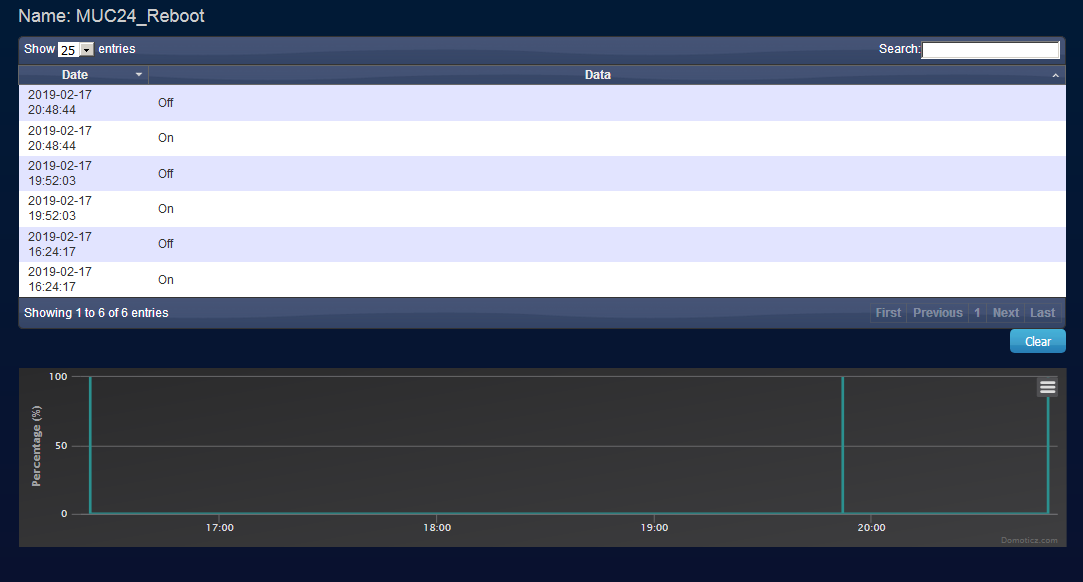
Other Wemos D1 unit (RSSI -47) with LCD1602 and 2# DS18B20 ... Manual reboot (1). HW WD
Other Wemos D1 unit (RSSI -41) with LCD1602 and 2# DS18B20 and PulseCounter (10Hz) ... Manual reboot (20). HW WD.
All 3 running mode G and have settings:
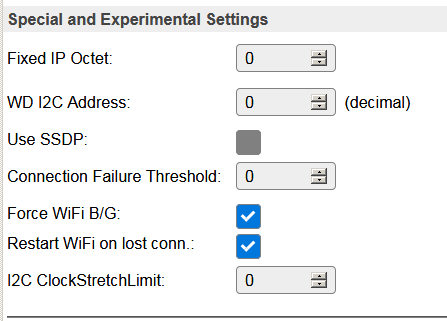
 Domosapiens
on 17 Feb 2019
Domosapiens
on 17 Feb 2019
@TD-er: Yes, I am using BMx280 plugin and as long I can see everything is allright. Yes, I am aware that Nextion is on testing but the device is - related to devices with DS18B20 and INA219 attached - stable as iron (uptime average 6 days, not optimum, but for my project acceptable).
Some hours ago I updated a test Wemos D1 device to build 20190216 normal. Attached only one DS18B20, RSSI -78dB. Up to now resulted in a total blackout of wifi connection, had to reboot manually. I will report.
Wiki591
on 17 Feb 2019
Additionally:
Uptime device RSSI -80dB, no sensors:
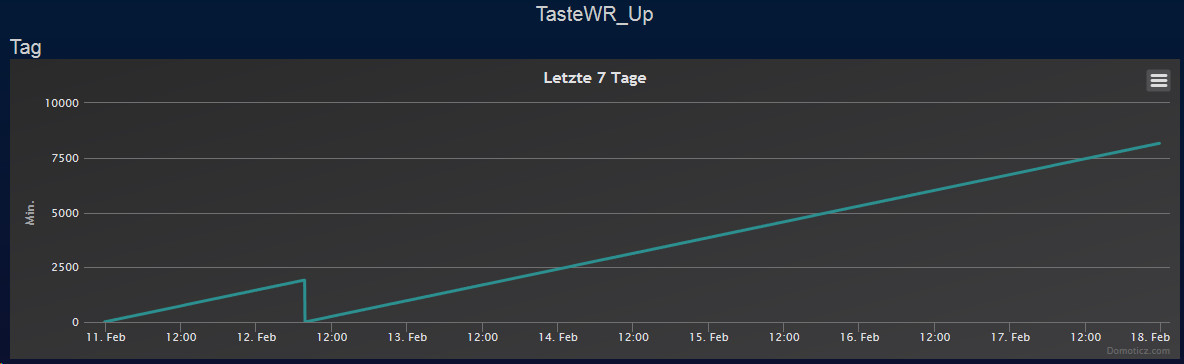
Uptime device with DS18B20 and INA 219. RSSI -60dB:
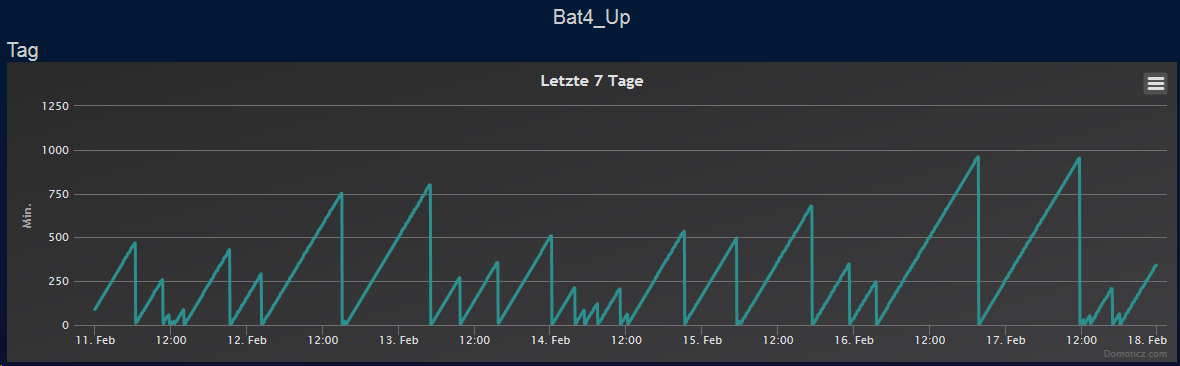
Uptime device without sensors RSSI -65dB:
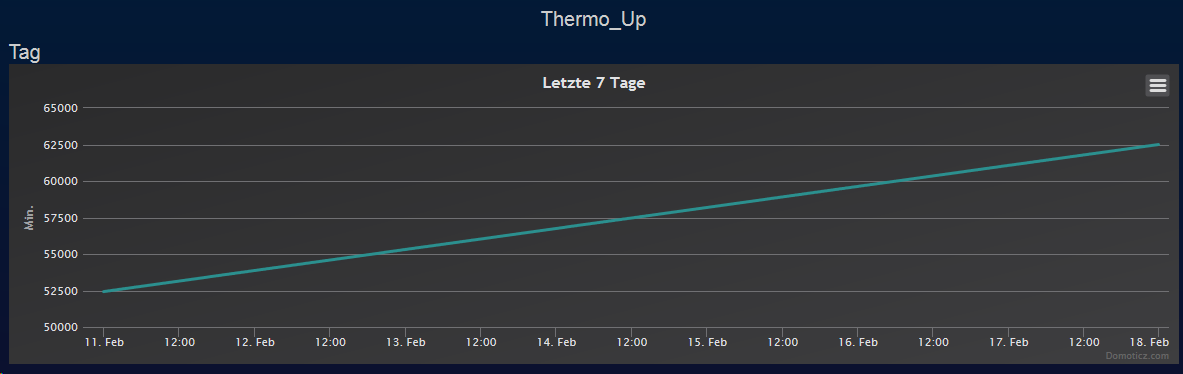
Wiki591
on 17 Feb 2019
One of my nodes:
Unit: | 5
-- | --
GIT version: | mega-20181109
Local Time: | 2019-02-18 00:26:06
Uptime: | 74 days 13 hours 44 minutes
Load: | 16.40% (LC=9055)
Free Mem: | 10760 (5360 - sendContentBlocking)
Free Stack: | 3520 (1520 - SensorSendTask)
IP: | 192.168.1.89
Wifi RSSI: | -66 dB (Lurch4)
Libraries: | ESP82xx Core 2_4_2, NONOS SDK 2.2.1(cfd48f3), LWIP: 2.0.3 PUYA support
Number reconnects: | 67
RSSI isn't super, but it is a rock solid node.
It is running MH-Z19 and BMx280.
This build doesn't have the "B/G" WiFi option.
It is reporting to Domoticz MQTT, but what I find interesting is that I did use IP-config for the controller for this one.
Apparently it was once configured in a very old version and thus still using the IP-config for the controller. All other nodes I configure just use "domoticz" as the hostname which will be resolved by the Fritzbox router.
TD-er
on 18 Feb 2019
ALL of my devices use ip-config for my domoticz. The device named Bat4 in the graphs above has been running >100 days before I updated - as well as the others which I had updated stupidly at the same time only to get the advantages of the enhanced web gui - it to a release of somewhat in december.
The instability began with that update!
All of this I've stated in the excel sheet I sent to you - just take a glance to it.
Wiki591
on 18 Feb 2019
Running ESP_Easy_mega-20190216_normal_ESP8266_4096.bin on Wemos D1.
Wifi 802.11G, RSSI: -43 dB (can you imagine better?)
Configuration: B/G and with restart WiFi on lost connection.
Rules: inform Domoticz 10 sec. after reboot and 10 sec after WiFi connect.
40 reboots in 4 days due to HW Watchdog events:
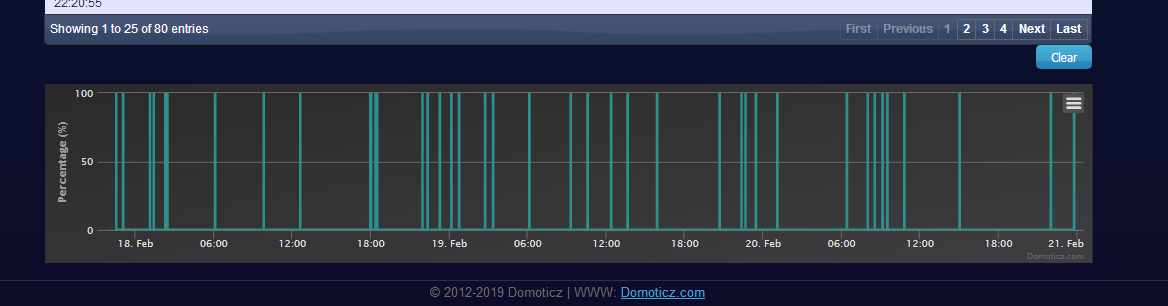
WiFi connected events:
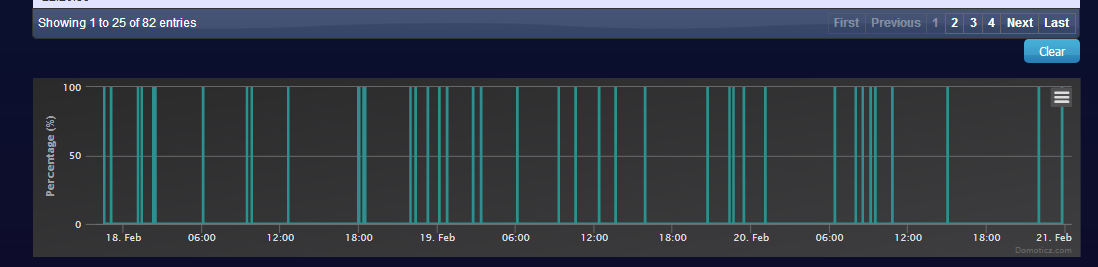
Compare both and you can see one more WiFi event: assumed WiFi renewal.
This means HW watchdog comes earlier "then restart WiFi on lost connection"
For my units with 2017 releases I needed the 49 (!!) day forced reboot rule and hardly any NAN. What a luxury problem !
Please Dev's reconsider... What went wrong and when and why?
Domosapiens
on 21 Feb 2019
What went wrong and when and why?
Well that's a long story, but when looking back I guess it all started when we needed to go to core 2.4.0
That introduced some issues with similar symptoms but different causes.
At the same time we had some build issues too, which made it next to impossible where the problems came from since also core 2.3.0 builds were failing.
Those build issues + switch core issue came around March 2018 and we continued to drift away since it was unclear what was the cause of these issues.
I even went back (on my own dev machine) to GitHub checkouts from before to check if those failed and they did, so then it became clear there was something wrong with the build env. When looking back, it was wrong to conclude that was the only problem.
If you search here about hardware watchdog reboots, you can see there are a lot of reports of that. (also on Tasmota by the way, got an email from Theo Arends last week discussing those)
These watchdog reboots also have had numerous causes, like:
- stack overflow (hard to distinguish from other causes)
- WiFi disconnect related
- Node unreachable for others related
- Missing packets
- Overflowing buffers
- Corrupt settings or data on flash not in our settings
And some more.
And since these all result in the same behavior, it is very hard to see what's causing this all.
Also some configurations of users may trigger a reboot faster, like some controllers may connect differently, not setting timeouts for example.
So even though the symptoms are similar, the cause may not.
A few weeks ago I tried for about a whole day if it was possible to go back to core 2.3.0, but I was not able to build a version based on that old core.
Not sure why, so it may be some of the build toolchain has been changed which makes building core 2.3.0 next to impossible (not enough iRAM was the build failure reason).
So that's where we're stuck right now.
And as you may know, I am very actively trying to nail the wifi issues, since I guess that's the main cause of most hardware watchdog reboots right now.
So now you at least have some info about the 'when and why'. Not sure if it will be satisfying, but that's how it is right now.
TD-er
on 21 Feb 2019
Btw, what is WD timeout value for ESPEasy?
rds76
on 21 Feb 2019
Not sure if we can set/change these, but there are 2 watchdog timers
- Software Watchdog => 2 seconds
- Hardware Watchdog => 6 seconds
TD-er
on 21 Feb 2019
Maybe put it a bit longer can be better
rds76
on 21 Feb 2019
Like I said, I don't know if we can change it and also these limits should already never been reached.
So if we stall the node for 6 seconds, there is already something seriously wrong and thus extending it will not make a difference here.
TD-er
on 21 Feb 2019
Like I already said, having a look at the data in my network I can't confirm that poor wifi connection could be a main cause of the hardware watchdog timeout.
One of my devices, worst wifi connection in my network with -83dB, has two DHT22 and one SSD1306 connected, running on ESP_Easy_mega-20181231_normal_ESP8266_4096.bin. Pls have a look at its runtimes before reboot:
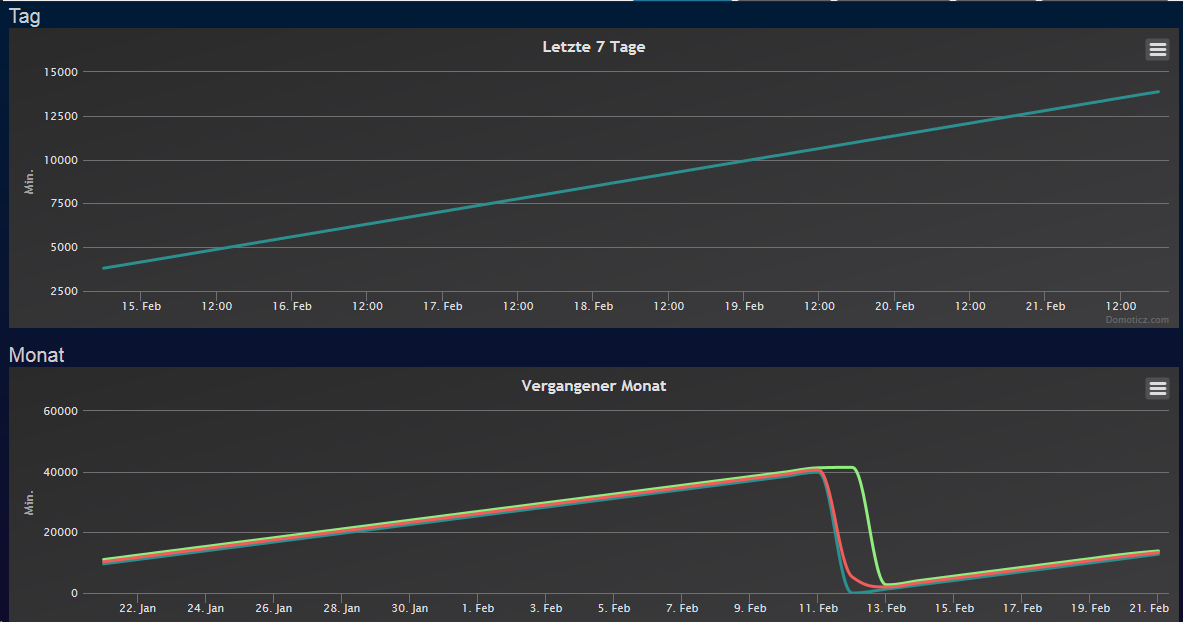
In relation to this graph another device (together with three others, same hardware, same software as this one) looks pretty catastrophic. RSSI -63dB, ESP_Easy_mega-20190108_normal_ESP8266_4096.bin, connected INA219 and DS18B20:
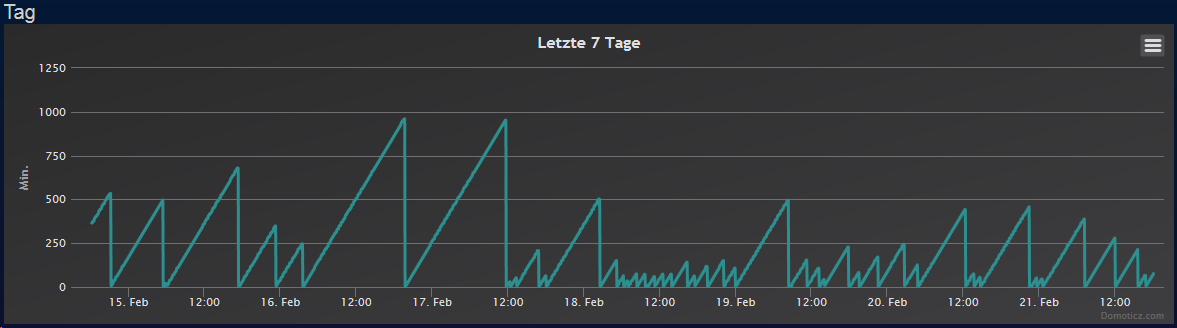
My devices are reporting to a domoticz server, using ip-configuration.
Before updating them, all of the devices have been running on ESP_Easy_mega-20180522_normal_ESP8266_4096.bin, which was far away from begiinig of March, with uptimes of >100 days, I even didn't notice somewhat of a 49 days bug??
If I remember correctly, Domosapiens is running a couple of DS18B20, too.
Wiki591
on 21 Feb 2019
@TD-er : Thank you Gijs for your explanation. I have a lot of respect for all the work you are doing.
@Wiki591
If I remember correctly, Domosapiens is running a couple of DS18B20, too.
That is correct, I have 6 Wemos D1 units with 2* DS18B20, LCD 1602, with RCWL-0516 proximity detection, TTP223 switch and Pulse counter.
@Wiki591 : What type of ESP are you using ?
I hardly see people mentioning their ESP type.
Does the ESP HW bring any clue ? Is Wemos D1 a common factor???
Without HW (so the bare Wemos D1), this is the HW Watchdog pattern: 20 reboots in 3 days
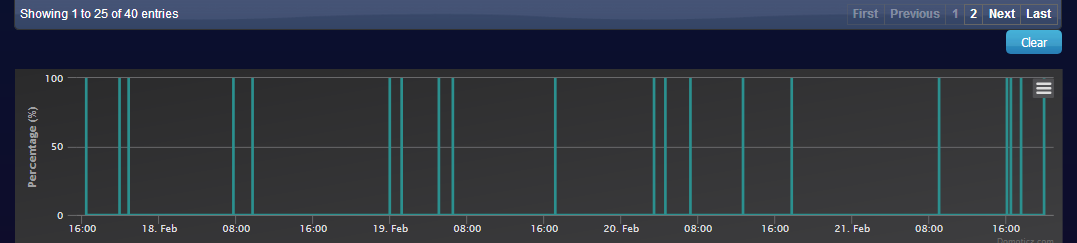
With these timing stats (no HW connected):
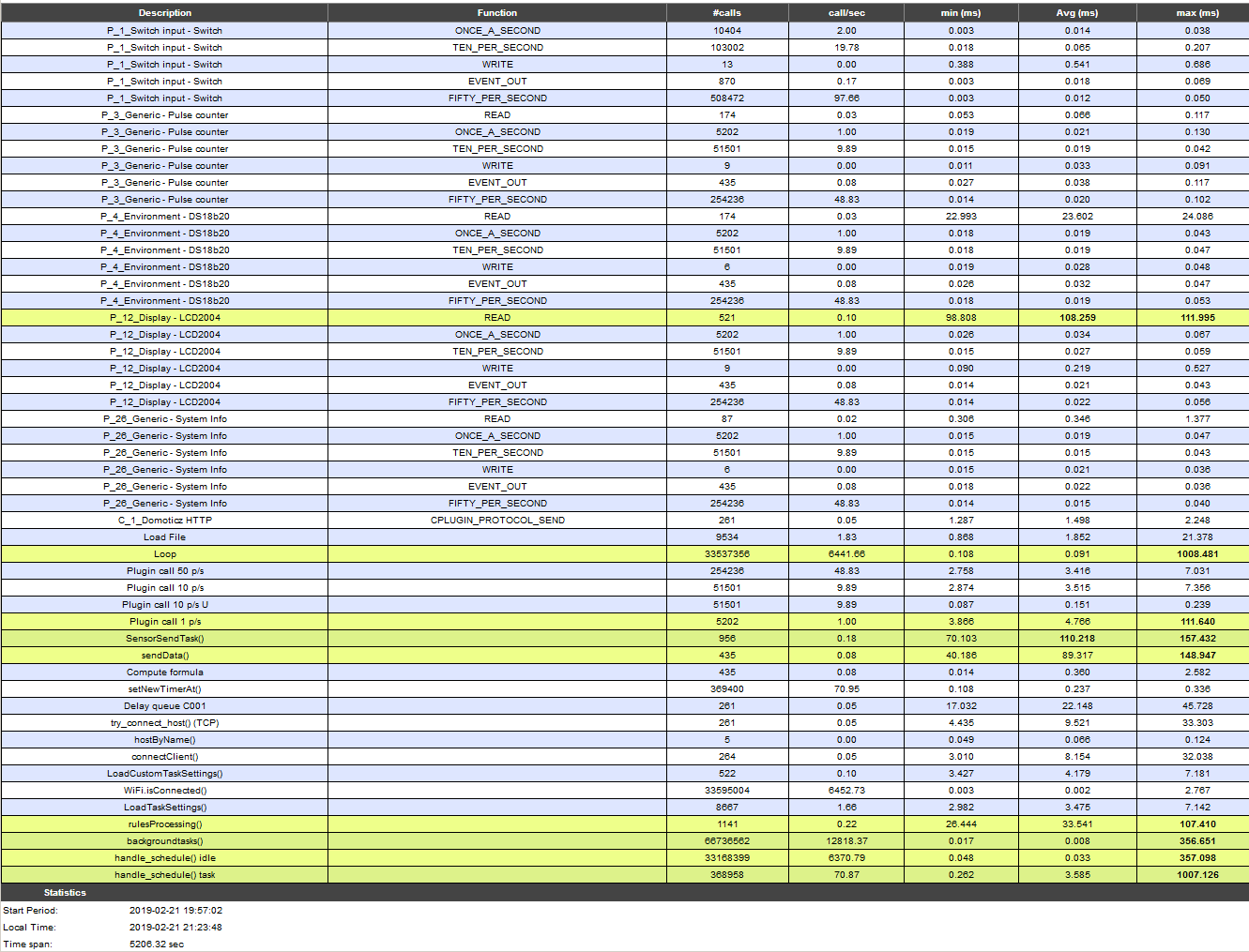
These are the timing stats of a unit with all mentioned HW connected:
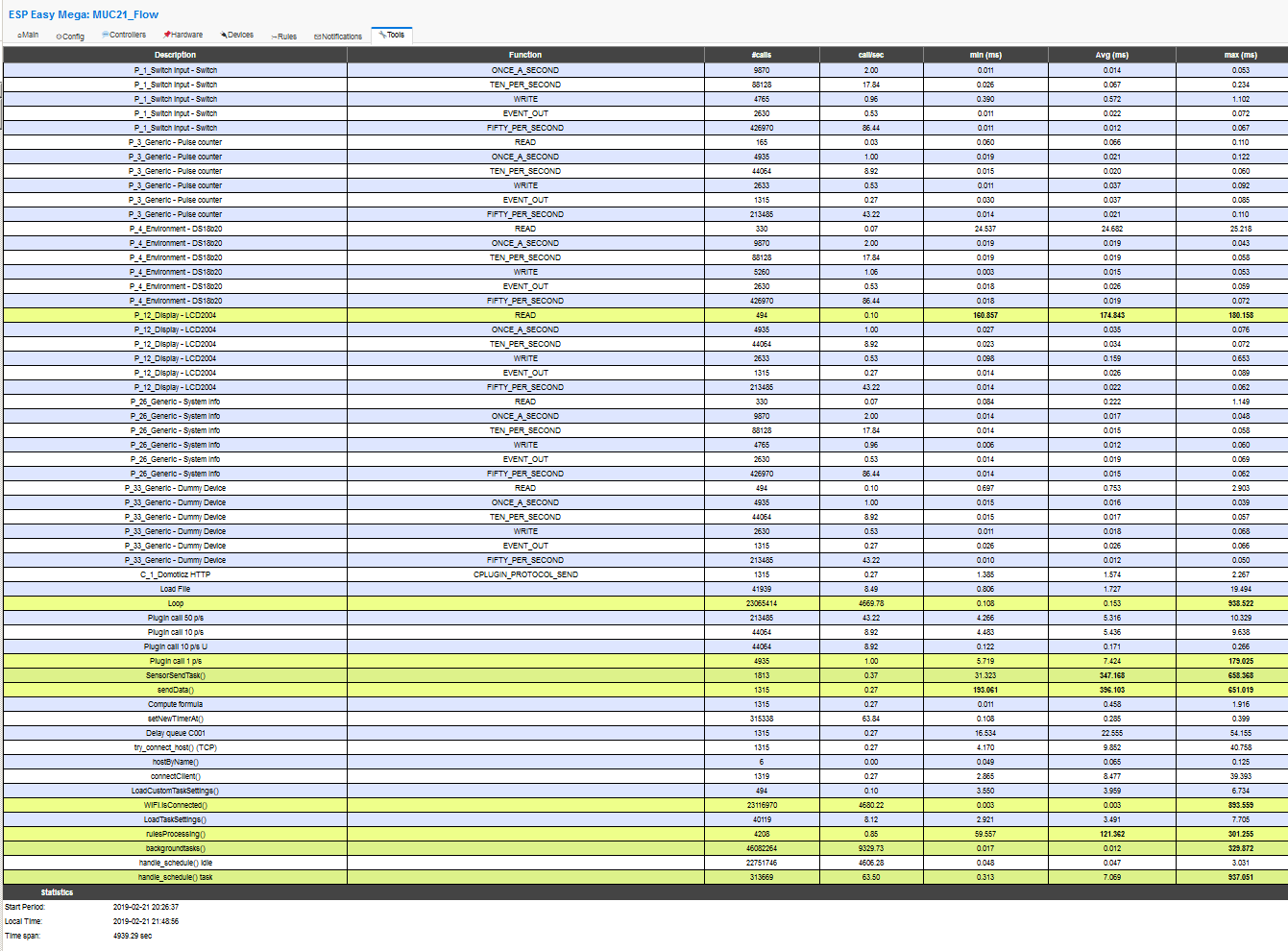
Timing seems to me, more ore less comparable (with and without HW)
But ... with HW ... 50 reboots in the same timeframe (compared to 20 without HW)
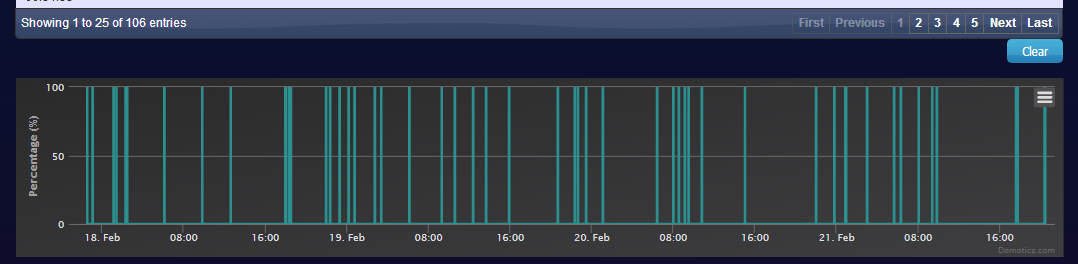
For me ... No clue ....
Domosapiens
on 21 Feb 2019
@Wiki591
Like I already said, having a look at the data in my network I can't confirm that poor wifi connection could be a main cause of the hardware watchdog timeout.
I also have nodes here which work perfectly stable with RSSI between -80 and -95 and still sending to Domoticz via either MQTT or HTTP.
But still lots of reports of users seeing hardware watchdog resets correlate with poor wifi connection.
I also mentioned we have probably multiple causes here which lead the similar symptoms and then it is really hard to come up with proper conclusions.
Low RSSI values do not mean it is a poor wifi connection. It only means there is not much disturbance needed to disrupt the communication.
But if the communication link is hardly used, there is little chance for corrupting data transmissions, so it can remain a stable link.
In a rather crowded area with lots of WiFi activity, or other disturbances, it is more likely a link between nodes with low RSSI will see some disconnects compared to a link with high RSSI values.
And just those disconnects are very likely to be related to the watchdog reboots.
About the '49 days patch'. That's a patch I wrote somewhere in December 2017.
TD-er
on 22 Feb 2019
@TD-er : Thank you for your explanation, now I have a better idea, what you are talking about. The instable devices (Wemods D1 clones) are producing most of my esp-traffic, they are sending the voltage every ten seconds to mqqt-domoticz, the temperature every 30 seconds to mqqt-domoticz, voltage and temperature every minute to a Wemos device equipped with a Nextion display, two of them every three minutes to two dedicated devices withonly one relay. The relay-devices, one Wemos D1 (ESP_Easy_mega-20181008_normal_ESP8266_4096.bin) and one SONOFF S20 (ESP_Easy_mega-20181008_normal_ESP8266_1024.bin), are placed almost side-byside to them, currently the Wemos uptime nine days, the SONOFF 42 days.
And yes, I forgot: Thank you for your efforts, deep respect.
@Domosapiens : The graphs are related to Wemos D1 devices.
Wiki591
on 22 Feb 2019
Thank you for this post on Hardware watchdog reboot. I am have similar problems within my sonoff network.
I have been running mega-20180104 on 25 sonoff basic with no problems. up times >100 days no problems.
I purchased several more sonoff basic but they are R2 around November 2018, mega-20180104 was unable to be loaded as the memory changed on the new sonoffs.
I have been loading various build dates from 20180904 onwards to find a stable version as they are all suffering watchdog reboots, the best is 2 days...
have even loaded 20190311 still getting reboots
I have 2 devices setup under test next to each other , same config on each acting as identical device apart from the name. 1st called sonoff30, other sonoff31 and is reflected in config file aswell.
Different versions are loaded to find the best but all still rebooting
I am trying versions from 20180904 onwards to current
I have a UniFi Pro Access Point dedicatied for the home network on its own router seperate from the normal home network, just to for smart home control.
The esp software is great, and has alot of features etc and is supported and updated
I am a novis to the software but am learning as i go. Something broke along the way of improving this software...(Can we turn the dog off)
 mountain-pitt
on 18 Mar 2019
mountain-pitt
on 18 Mar 2019
Try to send continuous pings from another host to the ESP nodes.
It will at least help -in some yet unknown way- to keep the WiFi connection stable.
TD-er
on 18 Mar 2019
Thank you for this post on Hardware watchdog reboot. I am have similar problems within my sonoff network.
I have been running mega-20180104 on 25 sonoff basic with no problems. up times >100 days no problems.
I purchased several more sonoff basic but they are R2 around November 2018, mega-20180104 was unable to be loaded as the memory changed on the new sonoffs.
I have been loading various build dates from 20180904 onwards to find a stable version as they are all suffering watchdog reboots, the best is 2 days...
have even loaded 20190311 still getting reboots
I have 2 devices setup under test next to each other , same config on each acting as identical device apart from the name. 1st called sonoff30, other sonoff31 and is reflected in config file aswell.
Different versions are loaded to find the best but all still rebooting
I am trying versions from 20180904 onwards to current
I have a UniFi Pro Access Point dedicatied for the home network on its own router seperate from the normal home network, just to for smart home control.
The esp software is great, and has alot of features etc and is supported and updated
I am a novis to the software but am learning as i go. Something broke along the way of improving this software...(Can we turn the dog off)
mountain-pitt
on 19 Mar 2019
Hi,
with the help of enesbcs I have setup a Wemos D1 to ping my most unstable devices once a second - no success in increasing stability. I setup a syslog server and the four devices are sending their error log to it:
Apr  3 20:50:08 Batterie1 EspEasy: HTTP : C008 connection failed
Apr  3 20:50:10 Batterie1 EspEasy: HTTP : C008 connection failed
Apr  3 20:50:16 Batterie1 EspEasy: MQTT : Intentional reconnect
Apr  3 22:34:20 Batterie1 EspEasy: MQTT : Intentional reconnect
Apr  3 23:37:44 Batterie1 EspEasy: HTTP : C008 connection failed
Apr  3 23:37:46 Batterie1 EspEasy: HTTP : C008 connection failed
Apr  3 23:37:50 Batterie1 EspEasy: MQTT : Intentional reconnect
Apr  4 05:11:22 Batterie1 EspEasy: HTTP : C008 connection failed
Apr  4 05:11:25 Batterie1 EspEasy: HTTP : C008 connection failed
Apr  4 05:11:27 Batterie1 EspEasy: HTTP : C008 connection failed
Apr  4 05:11:29 Batterie1 EspEasy: MQTT : Intentional reconnect
Apr  4 08:20:17 Batterie1 EspEasy: HTTP : C008 connection failed
Apr  4 08:20:22 Batterie1 EspEasy: MQTT : Intentional reconnect
Apr  4 10:12:07 Batterie1 EspEasy: HTTP : C008 connection failed
Apr  4 10:12:09 Batterie1 EspEasy: HTTP : C008 connection failed
Apr  4 10:12:12 Batterie1 EspEasy: MQTT : Intentional reconnect
Every time the WD timeout appears, the MQTT:Intentional reconnect appears, too, but not every time a MQTT:Intentional reconnect appears a WD timeout happens.
I reverted one of the devices to the binary ESP_Easy_mega-20181008_normal_ESP8266_4096.bin
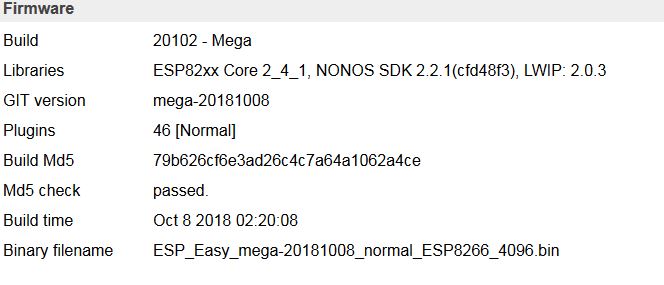
with the following result:
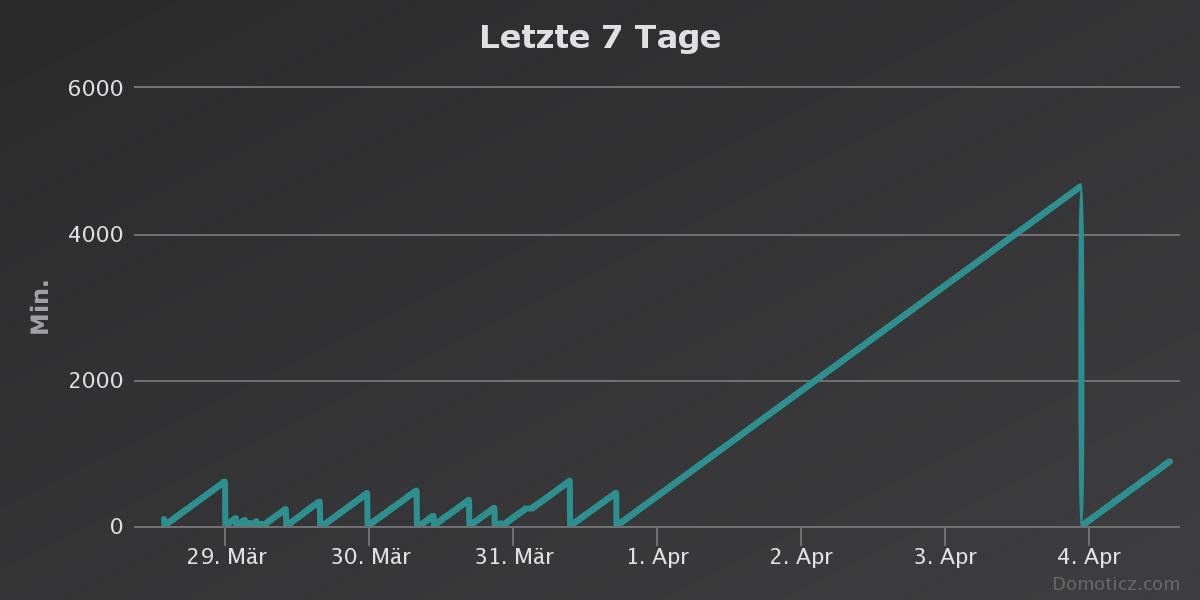
The reboot tonight I had to forces manually because of a fault in my router.
[edit]
I have flashed the device late night 31st of March.
[/edit]
Wiki591
on 4 Apr 2019
To summarize, it is highly unstable with the previous build you used and quite stable running
ESP_Easy_mega-20181008_normal_ESP8266_4096.bin
Which leaves the question what exact build did you use on the unstable situation?
The build you're now running uses core 2.4.1 and SDK 2.2.1
The more recent builds also include 1 binary based on core 2.4.1. Did you use that one?
TD-er
on 4 Apr 2019
Exactly, previous build (currently still on three Wemos D1with same sensors):
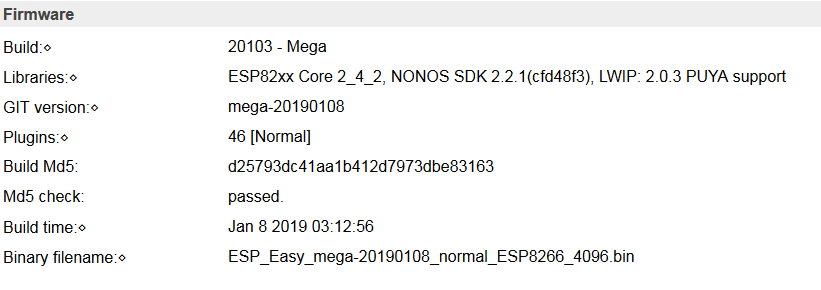
I will flash one of the other devices with a recent build based on core 2.4.1 and report.
Wiki591
on 4 Apr 2019
No, yesterdays flashing a Wemos D1 with recent firmware based on core 2.4.1 didn't improve the stability:
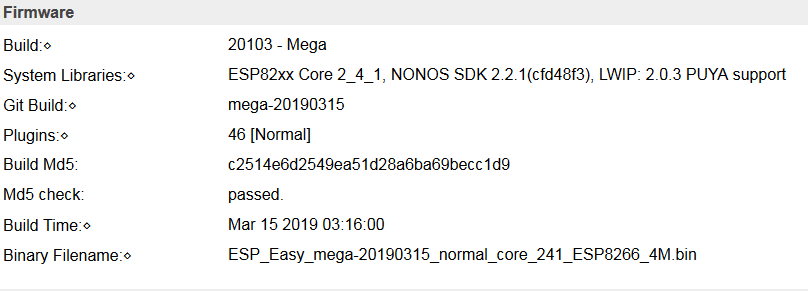
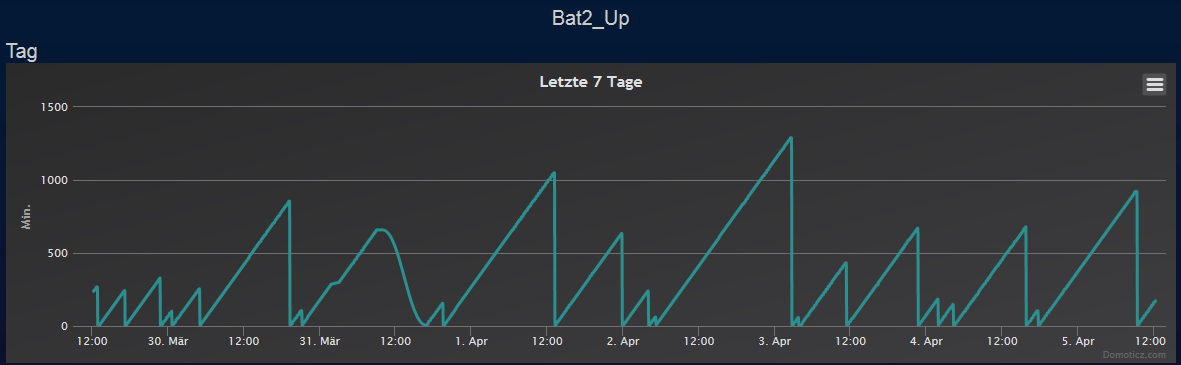
Wiki591
on 5 Apr 2019
OK, so it isn't related to the core library, but something we changed.
Can you give the used settings at the bottom of the Advanced settings?
And I'm not sure if the queue mechanism was already present in the controllers on the October build.
Maybe you can also test by removing the controller settings and adding them again?
TD-er
on 5 Apr 2019
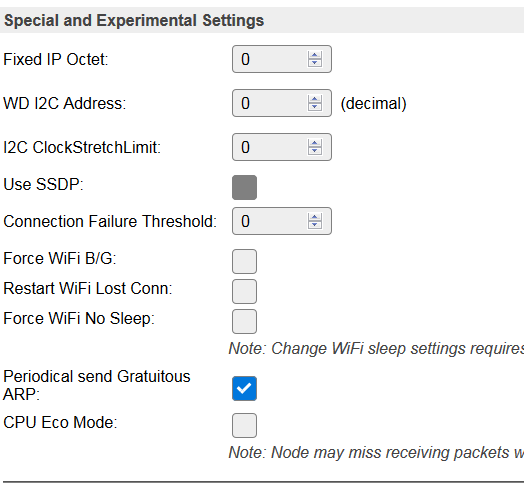
I'll reconfigure the controllers and will report.
Wiki591
on 5 Apr 2019
Could still be a defective module. Have you tried different one?
Note: hardware defects may or may not show depending on the software. Just think of a defective ram cell...
s0170071
on 5 Apr 2019
You could try to set "CPU Eco Mode" active.
It may lead to some packets being missed though, so if the node has to react swiftly on other nodes then it may not be the best option. (e.g. switching something on command)
But what it does is calling delay() a lot more often which results in lower energy consumption.
TD-er
on 5 Apr 2019
lower energy consumption
I highly suspect the WEMOS D1 (clone) voltage regulator to be part of the reboot problem.
See my forum post.
https://www.letscontrolit.com/forum/viewtopic.php?f=5&t=6603
Domosapiens
on 5 Apr 2019
@TD-er : Thanks for the tip, I am already testing the ECO mode on another device (yes, it works!), but at first I would like to verify if the reconfiguration of the controllers might improve stability. I am no friend of friggling around at more than one options to be tested.
@Domosapiens : Interesting, my Wemos D1 clones are equipped with the same voltage regulator named "4A2D". But nevertheless, just reflashing my most unstable device from 20190108.bin to 20181008.bin - equipped with one DS18B20 and one INA219 - seems to have made it "rocksolid", see my posts above. Uptimes of >17h are no hints for improvement, I am talking about uptimes of >100 days before flashing 20190108 - I guess, would have been more without reflashing. Same devices, different firmware (updated from 20182205).
Wiki591
on 5 Apr 2019
On 05.04.2019 around high noon in the configuration of one device (ESP_Easy_mega-20190315_normal_core_241_ESP8266_4M.bin) I removed and readded the controllers (MQTT and Generic HTTP). The result looks encouraging:
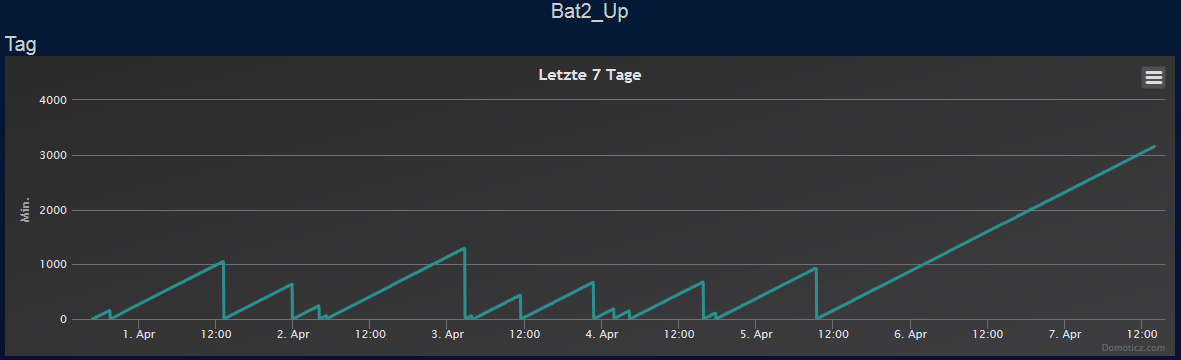
The other device I've set back to Oct. '18 still looks good:
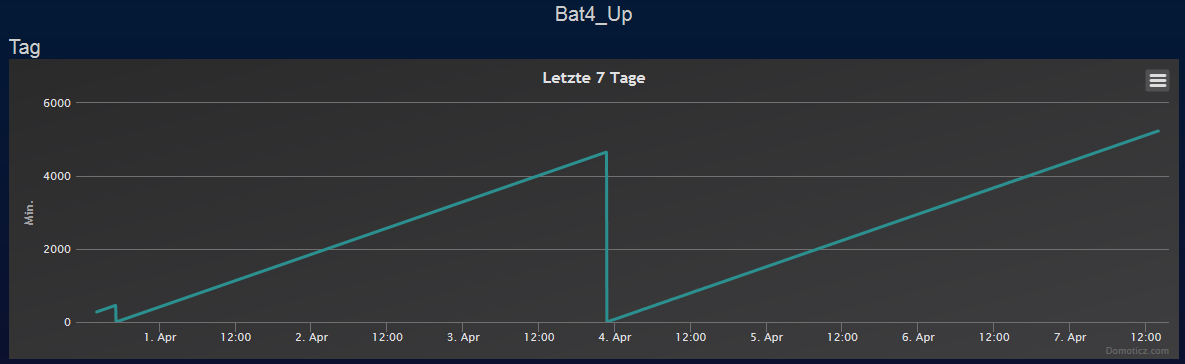
Wiki591
on 7 Apr 2019
Probably an interesting observation:
The fact, that the removement/readdition of the controllers (MQTT&Generic HTTP) on one of my instable devices seems to improve the stability alerted me to have a deeper look into my network.
What I have overall seen is, that the two devices which were flashed late december for the first time are running rock solid from first day on:
Device 1 (Wemos D1, switching 4xPlugwise switches for lights on/off using GPIO with pulse 500, publishing the assumed status of the Plugwise switches to Domoticz MQTT and another Wemos D1 using SendHTTP, publishing every 10 minutes its uptime to Domoticz MQTT):

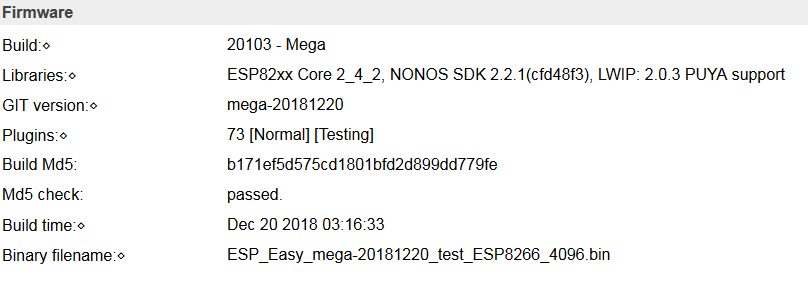
Device 2 (Blitzwolf SHP2, switching a relay, publishing the status of the relay to Domoticz MQTT and another Wemos D1 using SendHTTP, publishing every 10 minutes its uptime to Domoticz MQTT):

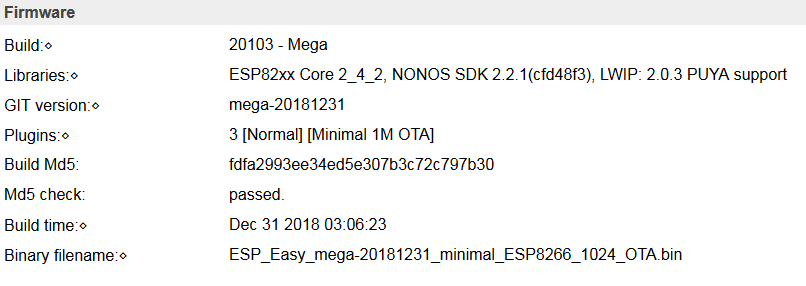
All of the other, pretty instable devices have been flashed to recent versions as an update from prior versions dated mostly on 22nd of May 2018, some from earlier versions, but all without touching the controllers configurations.
I will have an eye on this & report in some days.
Wiki591
on 7 Apr 2019
Still no luck, almost the same game again with the device I have updated to the release of 2019-03-15 incl. removing/readding the controllers:
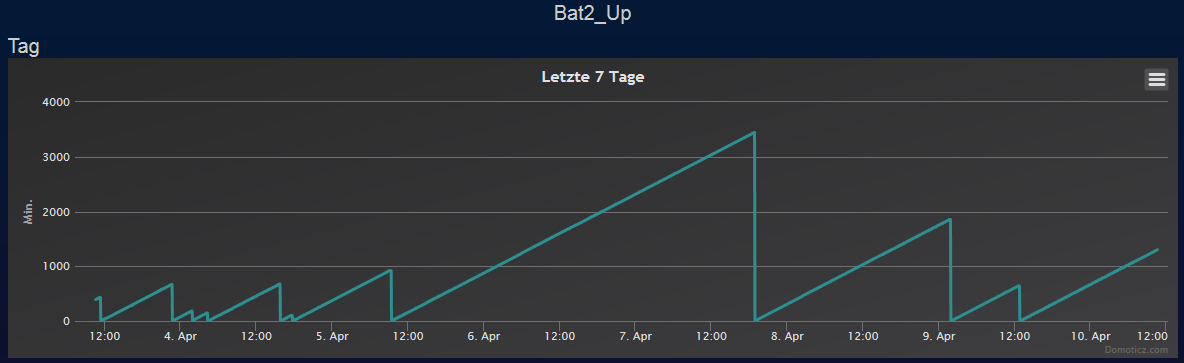
The device which I reverted back to firmware Oct. 2018 is still working stable:
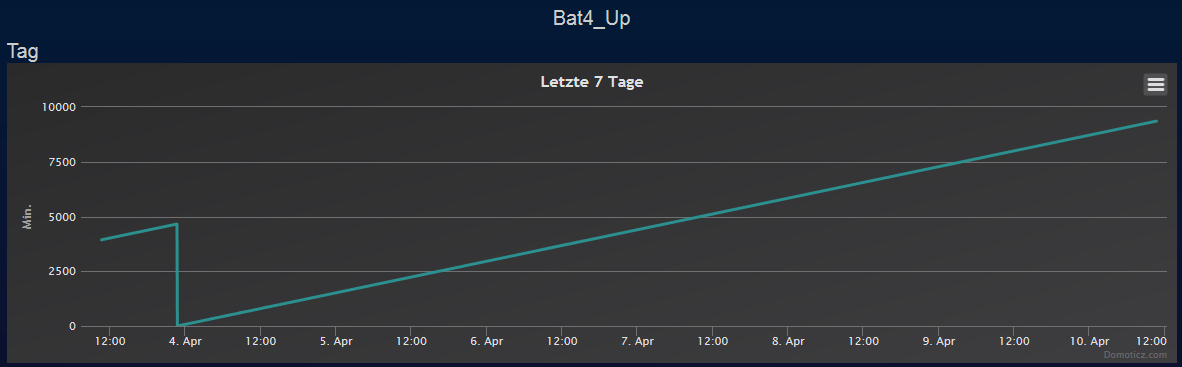
I am talking about four devices which all suffer the WD timeout with recent firmware, Wemos D1 clones out of the same batch, doing the same job with INA219 and DS18B20, side-by-side in the same room, the only stable one (now) is the one with the older firmware.
Wiki591
on 10 Apr 2019
Things you may want to look at when comparing these things:
- Frequency of the calls made by a controller (see timing stats page to get a proper count)
- Timeout set in the controller (set it to 2x or 3x the average needed time, see timing stats)
- RSSI value of the node
- Used settings in the last part of the Advanced settings
Please note that every time you access the timing stats page, it will reset the statistics.
So do it once after a reboot and then once again a few hours later.
TD-er
on 10 Apr 2019
Hi, same type of hardware, same type of sensors, same tasks including intervals, same RSSI, same controllers, same environment - only difference is the firmware.
These four devices are monitoring my four solar batteries, placed on the top of them. They were running >100 days before my update early January (updated from binary 2018-05-22), now I surrender and will go back to older firmware with all of them. The task they have do fulfill is too critical.
Wiki591
on 10 Apr 2019
@Wiki591 I fully understand.
TD-er
on 10 Apr 2019
@Wiki591 I have recently updated one of my nodes and found it working, except for my sensor (self compiled, with SHT25 plugin).
Everything seemed to be configured just fine.
It turned out that erasing the config (factory reset) and re-configuring fixed the issue. Obviously something changed here, so it may be worth a try.
s0170071
on 10 Apr 2019
For the watch dog reboot's, I see (also?) a relation with external interrupts:
A unit with a switched-Off 6Hz driven pulse counter and 2#DS18B20's runs better than
a unit with a switched-On 6Hz driven pulse counter and 2#DS18B20's.
Is the interrupt handling part of the problem?
Domosapiens
on 13 Apr 2019
@Domosapiens Do these units also send a message to some controller when they receive a new sample?
If so, then you're just increasing the network traffic and thus increasing the likelihood that it will run into the problem of not actually being connected and trying to send data (or wait for a reply)
TD-er
on 14 Apr 2019
@TD-er ... Correct Gijs.
It reports only once per minute so it is limited, but I will switch off the reporting for comparison.
I see this difference also with the v2.0.0-dev11 and v2.0.0-dev13 releases !
Is there a very old interrupt stack unwinding bug ??
Domosapiens
on 14 Apr 2019
Could be, but I'm not yet aware of it.
Maybe there is some code path possible where the interrupts are disabled and not re-enabled again?
We don't use disabling of interrupts that often, so it may be there is some bug in there which will remain unnoticed for a while.
It is also possible you're looking at different bugs which yield the same HW watchdog reboots.
TD-er
on 14 Apr 2019
I switched Off the reporting of the pulse counter to the controller.
Last 12hr 0 reboots for the unit with switched-Off 6Hz driven pulse counter and 2#DS18B20's
Last 12hr 5x reboots for the unit with switched-On 6Hz driven pulse counter and 2#DS18B20's.
Both units report once per minute the temperature.
I don't understand your interrupt disable/enable remark ...
Is it that the interrupt routine is corrupting something or has a misaligned return address?
Domosapiens
on 14 Apr 2019
Nope, what I meant is that you're comparing behavior with some version of about 2 years ago.
So it could be that the older one had a bug which resulted in HW watchdog reboots, but that bug may be fixed now and now we're looking at something else that may result in a HW watchdog reboot also.
Thus even though the result is similar, the issue may be different. That's what I meant with it.
TD-er
on 15 Apr 2019
As I described above I downgraded my most instable devices (four Wemos D1, each with 1xDS18B20 and 1x INA2219, sending voltage evry 10 sec, temperature every 30 sec to Domoticz MQTT) from mega-20190108 and mega-20190315 back to release mega-20181008, first of them on 4th April, the graphs are showing the maximum uptime of this device in minutes:


Wiki591
on 19 Apr 2019
Last week I made some extensive logging on one of my own nodes.
The logs were recorded on the device, using the new (in development) Cache Controller, so all data is recorded, even when the unit crashes.

It shows the uptime and the WiFi RSSI value.
Every reboot in this chart correlates with a RSSI value of +31.
Apart from 1 reboot, all had reported RSSI value of 31 before the reboot.
So I would say not only a correlation, but also a causal relation.
TD-er
on 19 Apr 2019
@TD-er Glad you found something, ... very interesting,
I am very curious ... what the effect-cause-effect relationship is.
It looks like overwritten data.
Due to data misalignment, pointer misalignment, stack residue .....?
Domosapiens
on 19 Apr 2019
@Domosapiens
My best guess is that the ESP is waiting for some data that never will arrive and thus the watchdog kicks in.
TD-er
on 20 Apr 2019
@TD-er But how to explain the RSSI value +31 ?
Can the RSSI measurement code calculate/create such value?
Domosapiens
on 20 Apr 2019
The +31 value is an error state of the RSSI function.
So a simple check for RSSI < 0 should give a good indication if something is wrong.
TD-er
on 20 Apr 2019
Great ! (found it in the ESP8266 SDK API guide)
But I think it's a symptom, not the cause.
Why is the WiFi lost ???
Domosapiens
on 20 Apr 2019
Well, wifi connection can be lost at any time.
- AP switches channel
- session timeout
- bad reception
But what does worry me, is that the ESP does miss beacon frames and also some other packets or events.
For example:
- ARP requests ("Who has IP xxxx?" to which a reply must be sent "I handle that address, my MAC address is xxxx")
- UDP packets (see that happen in the ESPeasy p2p messages if the CPU enters lower power mode)
- disconnect events are not fired in our part of the code, unless there is some network traffic initiated from the ESP.
TD-er
on 20 Apr 2019
@TD-er ... related to RSSI
When I execute a WiFi scan I see SSID: NPOWLAN2G with Ch:4 (-75dBm) WPA2/PSK
But the (refreshed) Main page gives RSSI: | -81 dB (NPOWLAN2G)
Refresh Main page again adapts the value, but I never see the same value.
Why this huge difference? Is it significant?
Any positive result on your forked commit ... [WiFi] Use RSSI value to determine connected state ?
Domosapiens
on 26 Apr 2019
@Domosapiens Using the RSSI value does seem to help a bit. One of my nodes that was rebooting about every day, is now reconnecting. But still it had a HW watchdog reboot 4 days ago.
So I guess it may help a bit, or at least not hurt it.
About the measured RSSI, it is a value that will change constantly.

This is the RSSI value of a sensor mounted at a fixed point, so it has always the same orientation to the AP.
As you can see, its value does change a lot during the day.
TD-er
on 26 Apr 2019
Thanks @TD-er , I see the same fluctuations.
But I was talking about looking at WiFi scan and then directly at the Main page and vice versa.
Reboot once in the 4 days would already be a big improvement !
I see 1 once a day on 2 nodes, to worst 10x on other nodes when heavenly interrupted by the pulse counter.
Will this change applied to the main branch?
Domosapiens
on 26 Apr 2019
Yep, I will merge it soon.
But it is no magic cure for all HW watchdog reboots, since that's the result of several issues.
TD-er
on 26 Apr 2019
@TD-er Ok, top
RSSI difference ....I was talking about looking at WiFi scan and then directly at the Main page and vice versa.
Is the Main page measuring RSSI in a different way as the WiFi scan page?
Domosapiens
on 26 Apr 2019
Not as far as I know.
The only difference I can think of is that the scan is mainly listening (and switching channels) while during normal operations (especially when loading a web page), the ESP is also sending.
While sending, the power consumption is (quite a lot) higher, so maybe the 3V3 line will see a drop in voltage. The 3V3 line voltage is also used in the RF calibration, so maybe it is also used as some reference to relate the received signal strength.
But that's just speculation.
TD-er
on 26 Apr 2019
I can confirm the reboots. Since I activated the pulse counter on a previously stable unit, it restarted several times.
s0170071
on 10 May 2019
Intermediate report of the ongoing testing of different releases.
The device mentioned above was flashed backwards to different releases without a stable result. meanwhile I have flashed back on 12th July to release of 2018-05-22 with the result:


Wiki591
on 29 Jul 2019
Do you have any wifi reconnects in those 17 days?
TD-er
on 29 Jul 2019
Do you mean this?

Wiki591
on 29 Jul 2019
Or this?

Wiki591
on 29 Jul 2019
That last one.
The ConnectFailures value is being used in the wifi reconnect threshold to trigger a reboot if it wasn't able to connect to a host within set attempts.
I really have no idea why some nodes do perform reconnects very wel and others don't.
I also have one such node here.
It was up for over 2 weeks yesterday until I put last night's test build on it.
That one also had like 40+ reconnects while others WDT reboot after 1 - 4 reconnects.
Edit:
That one was running 20190523 if I remember correctly.
TD-er
on 30 Jul 2019
I will mark this one as fixed, especially with the fixes I merged this morning and considering almost all of my own devices run now for double-digit days without a problem.
If it is still an issue, please let me know.
TD-er
on 27 Oct 2019
Related issues
 uzi18
·
5Comments
uzi18
·
5Comments
 hamed-ta
·
5Comments
hamed-ta
·
5Comments
 jobst
·
5Comments
jobst
·
5Comments
 ghtester
·
3Comments
ghtester
·
3Comments
 thehijjt
·
4Comments
thehijjt
·
4Comments
Most helpful comment
I can confirm the reboots. Since I activated the pulse counter on a previously stable unit, it restarted several times.