Esp-idf: [TW#14359] missing dll during make flash
I followed the latest instructions regarding installing on Windows machine. I get the following error when I execute the make flash command.
GENCONFIG
CC src/bootloader_random.o
CC src/flash_encrypt.o
CC src/bootloader_sha.o
CC src/esp_image_format.o
CC src/flash_partitions.o
CC src/secure_boot_signatures.o
CC src/secure_boot.o
CC src/efuse.o
CC src/bootloader_flash.o
AR libbootloader_support.a
C:\msys32\opt\xtensa-esp32-elf\bin\xtensa-esp32-elf-gcc-ar.exe: Cannot find plugin 'liblto_plugin-0.dll'
make[2]: * [/home/pwl/esp/esp-idf/make/component_wrapper.mk:169: libbootloader_support.a] Error 1
make[1]: [/home/pwl/esp/esp-idf/make/project.mk:391: component-bootloader_support-build] Error 2
make: ** [/home/pwl/esp/esp-idf/components/bootloader/Makefile.projbuild:39: /home/pwl/esp/blink/build/bootloader/bootloader.bin] Error 2
 notsirius
All 17 comments
Is ThomasB == NotSirius?
https://www.esp32.com/viewtopic.php?f=14&t=2500
Or there are two separate cases?
Logs look similar except the other one is in German.
 krzychb
on 21 Jul 2017
krzychb
on 21 Jul 2017
Separate cases. Very similar issue though. I'm also working with Windows 10.
notsirius
on 21 Jul 2017
Fwiw, we've been modifying the bootloader a few days ago. Because it got too big when all the options were enabled, we now compile it with load-time optimization. My guess would be that the Windows-build of the toolchain somehow is missing support for that.
 Spritetm
on 21 Jul 2017
Spritetm
on 21 Jul 2017
Copying the missing dll from a fresh install of MinGW (C:\MinGW\libexec\gcc\mingw32\5.3.0) to the folder C:\msys32\opt\xtensa-esp32-elf\libexec\gcc\xtensa-esp32-elf\5.2.0 seems to fix the problem. I am able to flash the hello_world and blink examples now.
notsirius
on 21 Jul 2017
@NotSirius
confirm - same here.
btw:
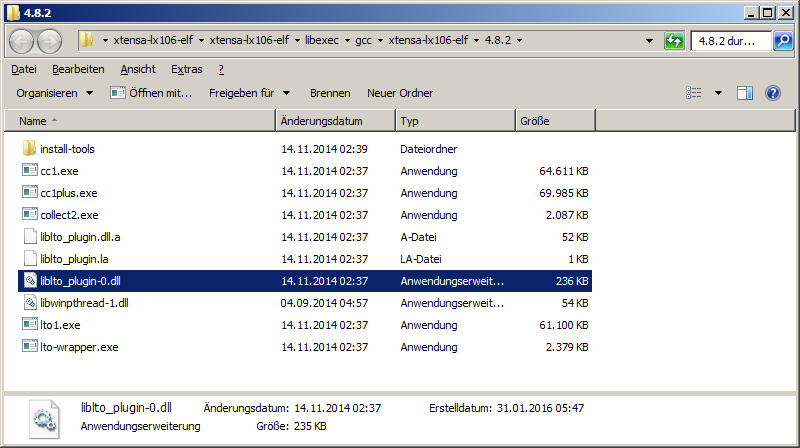
LX106 has liblto_plugin-0.dll too - so can you say - which version o fliblto_plugin-0.dll you cpy?
arduino IDE has a liblto_plugin-0.dll.a file
 ESP32DE
on 22 Jul 2017
ESP32DE
on 22 Jul 2017
@NotSirius
Copying the missing dll from a fresh install of MinGW (C:\MinGW\libexec\gcc\mingw32\5.3.0) to the folder C:\msys32\opt\xtensa-esp32-elf\libexec\gcc\xtensa-esp32-elf\5.2.0 seems to fix the problem. I am able to flash the hello_world and blink examples now.
confirm - the compile runs but
can you check your console log too?
did you not get moretimes
c:\msys32\opt\xtensa-esp32-elf\bin\../lib/gcc/xtensa-esp32-elf/5.2.0/../../../../xtensa-esp32-elf/bin/ar.exe: Unable to load DLL.
:)
ESP32DE
on 22 Jul 2017
@ESP32DE, the file from the Arduino installation seems to work fine too. I didn't realize the file was available from the Arduino folders, so I installed the latest version of mingw (http://www.mingw.org) and copied the file from there.
notsirius
on 22 Jul 2017
@NotSirius
how looks your compile log?
it compiles but there is "unable to load DLL" too.
ESP32DE
on 22 Jul 2017
No compiler errors - see attachment.
CompileLog.txt
notsirius
on 22 Jul 2017
delete the build folder
and compile only by
make all
your log is very short :)
here is the my
ESP32DE
on 22 Jul 2017
@NotSirius
ok, after few different version testings,
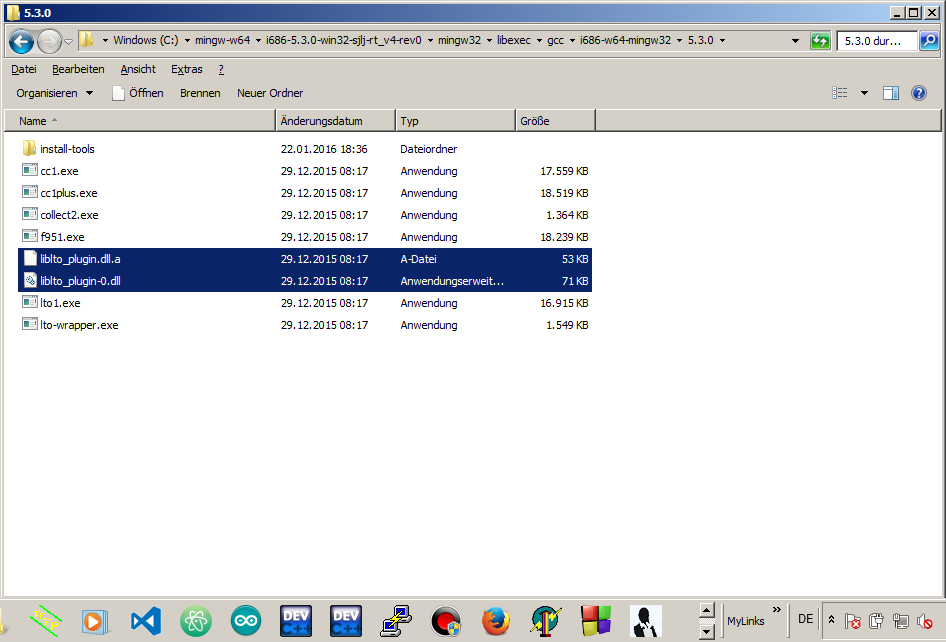
i found my right dll for win7
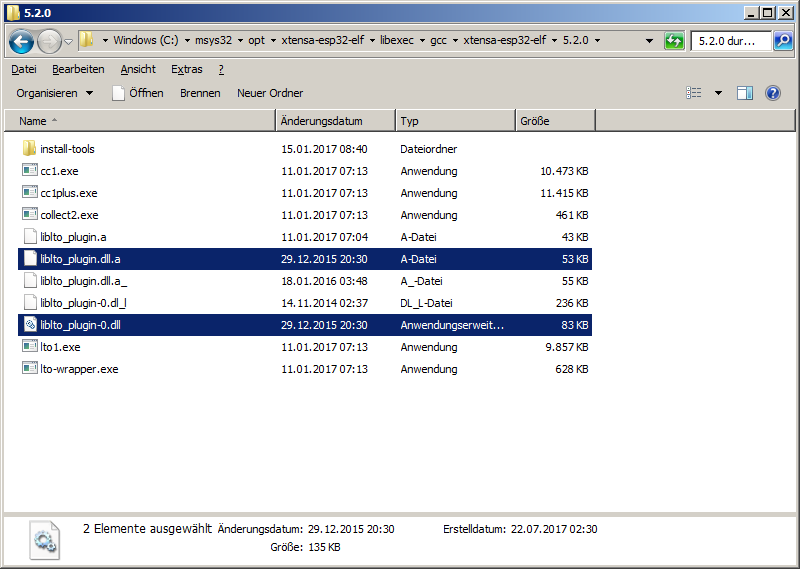
i take it from one of my installed mingw versions
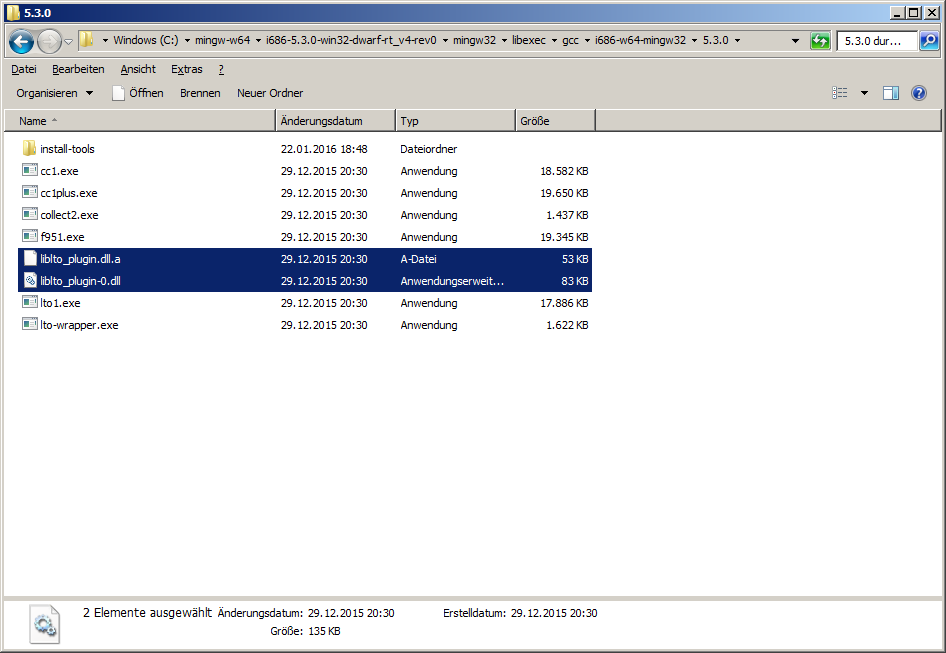
and now i have no "unable to load DLL"
thanks! - this solved temporary the problem until there comes an update on
Windows-build of the toolchain.
ESP32DE
on 22 Jul 2017
I have also found the v3.0 branch is not building on windows 10 (using the current msys32 pre compiled toolchain)
Currently working from release/2.1.
However have seen a few commits in the 3.0 branch that would fix an issue or two that i have encountered. Would be good to get this working again.
Also would be great if we could turn on LTO in the menuconfig for normal applications, but i suppose that is a separate issue.
 lucazader
on 24 Jul 2017
lucazader
on 24 Jul 2017
The files liblto_plugin.dll.a and liblto_plugin-0.dll can be found in this official archive: https://sourceforge.net/projects/mingw/files/MinGW/Base/gcc/Version5/gcc-5.3.0-3/gcc-core-5.3.0-3-mingw32-bin.tar.xz/download . You can use 7-Zip to open the archive.
You need to extract the files and put them in C:\MinGw\libexec\gcc\mingw32\5.3.0 folder (edit the path for your install) and restarted Arduino IDE just to be sure.
 rbenea
on 24 Jul 2017
rbenea
on 24 Jul 2017
The files liblto_plugin.dll.a and liblto_plugin-0.dll can be found in this official archive: https://sourceforge.net/projects/mingw/files/MinGW/Base/gcc/Version5/gcc-5.3.0-3/gcc-core-5.3.0-3-mingw32-bin.tar.xz/download .
Hi @rbenea,
Thank you for this direct link.
On my installation I copied both liblto_plugin.dll.a and liblto_plugin-0.dll to
C:\msys32\opt\xtensa-esp32-elf\libexec\gcc\xtensa-esp32-elf\5.2.0 folder.
That resolved this issue.
krzychb
on 24 Jul 2017
Resolved for me too on Windows 7
 jimibi
on 26 Jul 2017
jimibi
on 26 Jul 2017
Exactly as posted by @krzychb resolved the issue for me.
 CaptainNormal
on 6 Aug 2017
CaptainNormal
on 6 Aug 2017
 igrr
on 17 Aug 2017
igrr
on 17 Aug 2017
Related issues
 me21
·
3Comments
me21
·
3Comments
 luc-github
·
4Comments
luc-github
·
4Comments
 lucascoxBAF
·
3Comments
ESP32DE
·
4Comments
lucascoxBAF
·
3Comments
ESP32DE
·
4Comments
 JLIspace
·
3Comments
JLIspace
·
3Comments