Esp-homekit-devices: Can entering the setup mode be solved more elegant?
What I really "hate" right now is triggering of the setup mode. I'm using Shelly 1's mostly, which don't have a physical button and turning off those shelly's and then triggering the switch 8 times, is really cumbersome if you have many devices throughout the house. Is there a way to trigger the setup mode over HTTP? Is it possible to run a simple web server all the time on the device (while working with HomeKit)? This would really make our life easier :)
 morphix9
All 13 comments
You can create a dummy switch to enter in setup mode when you want!
 pilot1981
on 19 Apr 2020
pilot1981
on 19 Apr 2020
add this code along
{"i":0.5,"1":{"s":[{"a":1}]}}
it will add a dummy switch in homekit, once triggered it will put the device into setup mode.
example of a sonoff basic with dummy switch code
{"c":{"l":13,"b":[{"g":0,"t":5}]},"a":[{"0":{"r":[{"g":12}]},"1":{"r":[{"g":12,"v":1}]},"b":[{"g":0}]},{"i":0.5,"1":{"s":[{"a":1}]}}]}
 PsbDxb
on 19 Apr 2020
PsbDxb
on 19 Apr 2020
Thanks, a dummy switch would be great. This is clearly missing in the wiki.
morphix9
on 20 Apr 2020
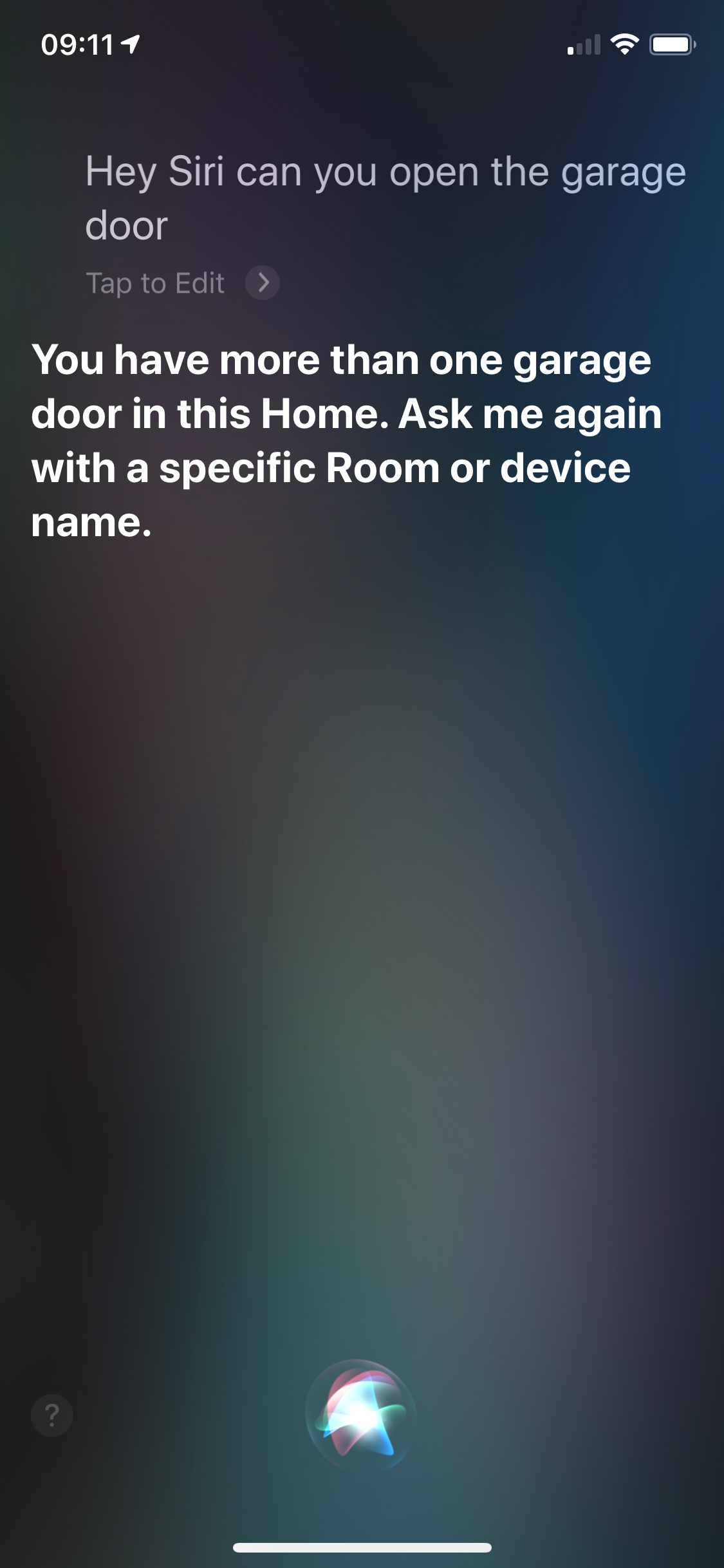
Is it possible that by adding an extra switch to trigger setup mode, Siri gets confused and thinks I have 2 devices with the same name (although the switch is named HAA-XXXXX)?
morphix9
on 23 Apr 2020
yes, one is for setup mode and the other is for real relay.
I suggest you to rename dummy switch and move it to dummy room.
To find the right switch you have to try!
pilot1981
on 23 Apr 2020
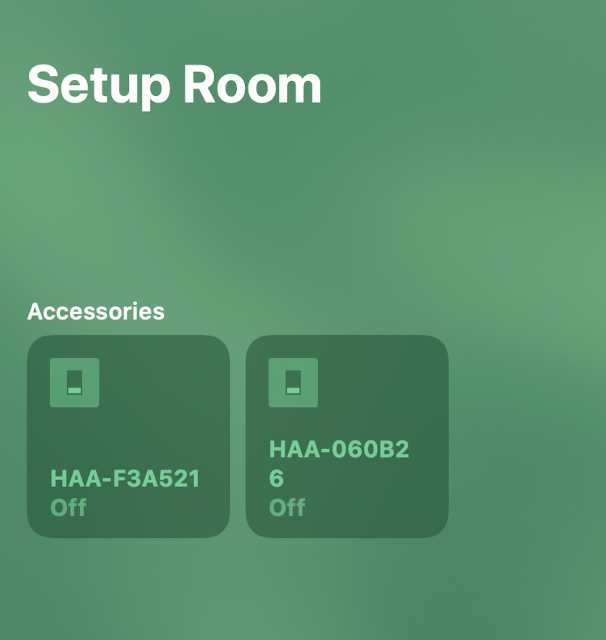
Exactly what I've done. One is "Garage Door" in room "Garage", other is "HAA-XXXXX" in room "Setup mode". Looks like Siri gets confused because it's the same device behind those two accessories.
morphix9
on 23 Apr 2020
Which type of problem you have?
I haven’t any similar issue.
Please share some screenshoot of your configuration.
pilot1981
on 23 Apr 2020


morphix9
on 23 Apr 2020
Never had this issue. I have some devices with multiple switches (Setup-Mode, OTA-Update, Light, Switch). I renamed all accessories (eg. "... SetupMode", "... OTAUpdate", "... Light", "... Switch"). And Siri works without any issues.
 Kienz
on 23 Apr 2020
Kienz
on 23 Apr 2020
You can do an example of Siri problem?
pilot1981
on 23 Apr 2020
morphix9
on 24 Apr 2020
Have you already tried to rename dummy switch?
pilot1981
on 24 Apr 2020
This issue has been automatically marked as stale because it has not had recent activity. It will be closed if no further activity occurs. Thank you for your contributions.
![stale[bot] picture](https://avatars3.githubusercontent.com/in/1724?v=4&s=40) stale[bot]
on 19 May 2020
stale[bot]
on 19 May 2020
Related issues
 xrust83
·
4Comments
xrust83
·
4Comments
 arturodiazad1
·
5Comments
arturodiazad1
·
5Comments
 richardlimaa
·
4Comments
richardlimaa
·
4Comments
 GPL71
·
5Comments
GPL71
·
5Comments
 maciekfreak
·
4Comments
maciekfreak
·
4Comments
Most helpful comment
add this code along
{"i":0.5,"1":{"s":[{"a":1}]}}
it will add a dummy switch in homekit, once triggered it will put the device into setup mode.
example of a sonoff basic with dummy switch code
{"c":{"l":13,"b":[{"g":0,"t":5}]},"a":[{"0":{"r":[{"g":12}]},"1":{"r":[{"g":12,"v":1}]},"b":[{"g":0}]},{"i":0.5,"1":{"s":[{"a":1}]}}]}