Esp-homekit-devices: Shelly RGBW2 with RGB LED
Hello,
I'm using HAA on a Shelly RGBW2 with a RGB led strip.
Here is my JSON :
{"a":[{"t":30,"d":0.5,"r":12,"g":15,"v":14,"b":[{"g":5,"p":0}]},{"t":3,"f0":[{"g":3,"t":1}],"f1":[{"g":3,"t":2}],"f2":[{"g":3,"t":3}]}]}
When setting white colour and brightness to 100% in Home App, the LED are not at 100% of their power.
I tried to add a 'factor' option, but when doing that, the LED are now at 100% of their power when setting to 30% in Home App, whatever the factor value.
I also have a color issue. The color are whiter than what is set in Home App.
 macjl
macjl
All 14 comments
While watching the code, I found this :
if (cJSON_GetObjectItem(json_context, LIGHTBULB_FACTOR_R) != NULL) {
            lightbulb_group->factor_r = (float) cJSON_GetObjectItem(json_context, LIGHTBULB_PWM_GPIO_R)->valuedouble;
        }
Shouldn't it be this instead?
if (cJSON_GetObjectItem(json_context, LIGHTBULB_FACTOR_R) != NULL) {
            lightbulb_group->factor_r = (float) cJSON_GetObjectItem(json_context, LIGHTBULB_FACTOR_R)->valuedouble;
        }
Same thing for Blue and Green.
macjl
on 4 Dec 2019
Ops!
 RavenSystem
on 4 Dec 2019
RavenSystem
on 4 Dec 2019
Update to v0.7.9, please.
RavenSystem
on 4 Dec 2019
Version updated. It works great for factor values. Thanks!
But the colour are still not accurate between what is set on Home App, and what LEDs are showing.
macjl
on 5 Dec 2019
I think that this is from led controllers. I have 2 magic home led controllers, exactly the same , but one is not showing accurate colors.
 mafyata
on 5 Dec 2019
mafyata
on 5 Dec 2019
I have remove, reset, and re-add the device to homekit. The colours are better now.
The first time I added it, the JSON string was set up as RGBW. I changed it after to RGB, but maybe Homekit keeped some parameters in cache?
macjl
on 5 Dec 2019
It is strange, because HomeKit does not know how your device works. HomeKit only sends color, and then device must show color using its channels.
RavenSystem
on 5 Dec 2019
Ok. I will make more test when back home.
The tests I made yesterday seems better, but this morning, I still obtain random colours that not correspond to what I asked.
Could the "Custom PWM Frequency" have an impact? I've set it to 65535 to reduce noises, and don't really know what's the impact on the device and performances.
macjl
on 5 Dec 2019
Here are my tests :
Asking red, get pink :

Asking blue, get blue :
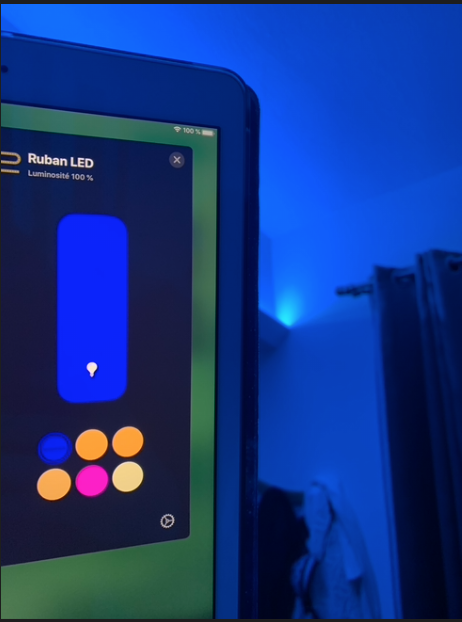
Asking green, get blue :
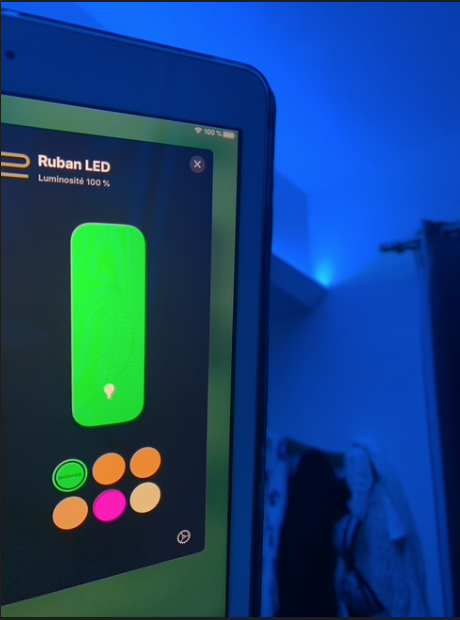
Asking bondi blue, get bondi blue :
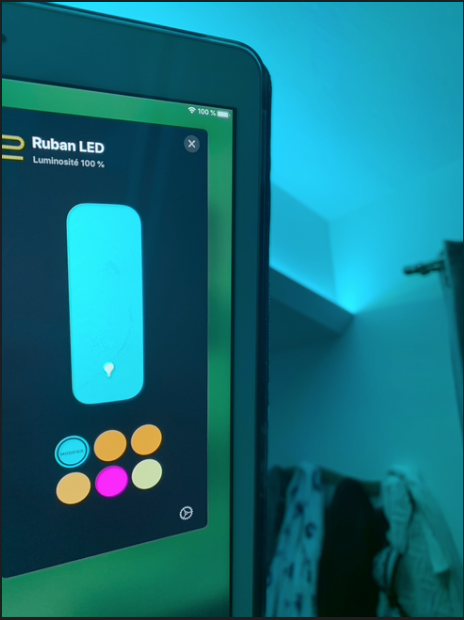
I can obtain real green, red and blue, but I have to be exactly on the good colour in Home App. If I move 1px left or right, the colour change dramatically.
macjl
on 5 Dec 2019
Homekit uses brightness, hue and saturation to set color, but I need RGBW values. For RGB and RGW I use this algorithm (url source is in the code): https://github.com/RavenSystem/esp-homekit-devices/blob/master/devices/HAA/main.c#L995
If you know a better algorithm to convert HSI to RGBW, please, tell me it, because I have a color lightbulb and it is crazy setting red or green colors.
RavenSystem
on 6 Dec 2019
Something wrong with colors with variable "v" in code
Magichome RGB controller
- When I use This JSON:
{"c":{"b":[{"g":0,"t":5}]},"a":[{"t":30,"r":5,"g":12,"v":13,"b":[{"g":0}]}]}:
Red is Red (r)
Green is Blue (g)
Blue is Pink (v)
When I use This JSON: {"c":{"b":[{"g":0,"t":5}]},"a":[{"t":30,"r":5,"g":13,"v":12,"b":[{"g":0}]}]}
Red is Red (r)
Green is Green (g)
Blue is Yellow (v)
In RavenSystem firmware everything worked well
 RAZRu
on 9 Dec 2019
RAZRu
on 9 Dec 2019
Try v0.8.2.
RavenSystem
on 9 Dec 2019
Much better! Thank you for finding it!
macjl
on 9 Dec 2019
Try v0.8.2.
Now Works perfect, thank you!
RAZRu
on 9 Dec 2019
Related issues
 Codi878
·
4Comments
Codi878
·
4Comments
 i3laze
·
3Comments
i3laze
·
3Comments
 GPL71
·
5Comments
GPL71
·
5Comments
 freddair
·
3Comments
freddair
·
3Comments
 lizzus
·
3Comments
lizzus
·
3Comments