Esp-homekit-devices: magic home bug
Hi josè. i have just tried your new update for the magichome. I managed to fix the colors but i can't switch off the magichome.. when i tried to turn off the strip goes to red color...
Can you help me? thank y
 curla92
All 20 comments
Have you check RGBW pins setup?
 RavenSystem
on 9 Apr 2019
RavenSystem
on 9 Apr 2019
GPIO 5 12 AND 13.. GPIO 5 is the first pin after the voltage?
curla92
on 9 Apr 2019
RGB GPIOs 5, 12 and 13 are the default setup, but your R pin will be other than 5. I don't know how is your board, but you can search tracks of esp8266 and check them here: https://github.com/esp8266/esp8266-wiki/wiki/Pin-definition
RavenSystem
on 9 Apr 2019
i have magichome zj-wfmn-a v1.1
curla92
on 9 Apr 2019
Magic Home GPIO https://ibb.co/n0HwzvX
 lizzus
on 9 Apr 2019
lizzus
on 9 Apr 2019
mine is different
curla92
on 9 Apr 2019
There are a lot of different Magic Home compatible devices. That is the reason because a custom GPIOs setup is present.
RavenSystem
on 9 Apr 2019
i know. im looking for setup of my model.
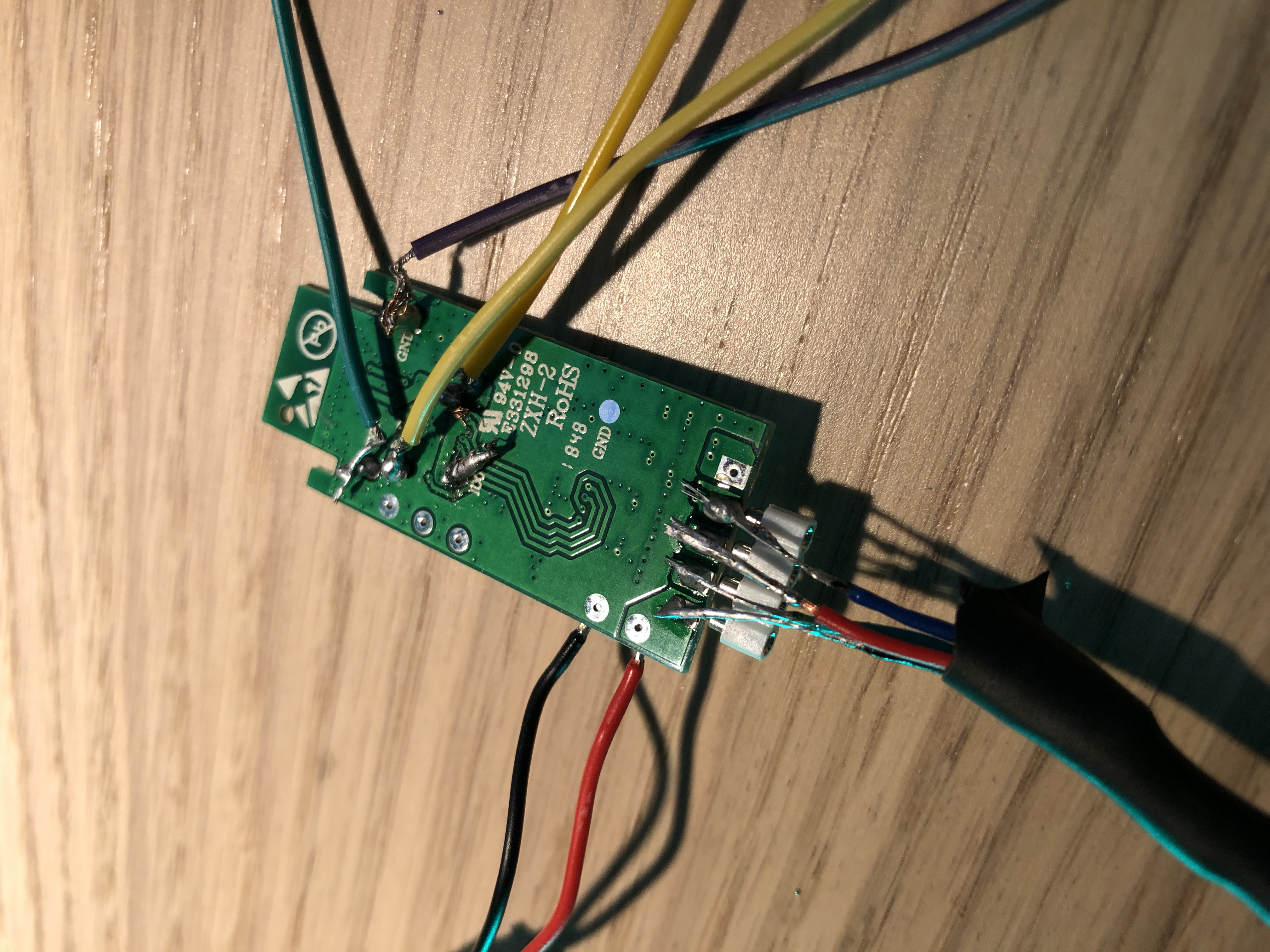
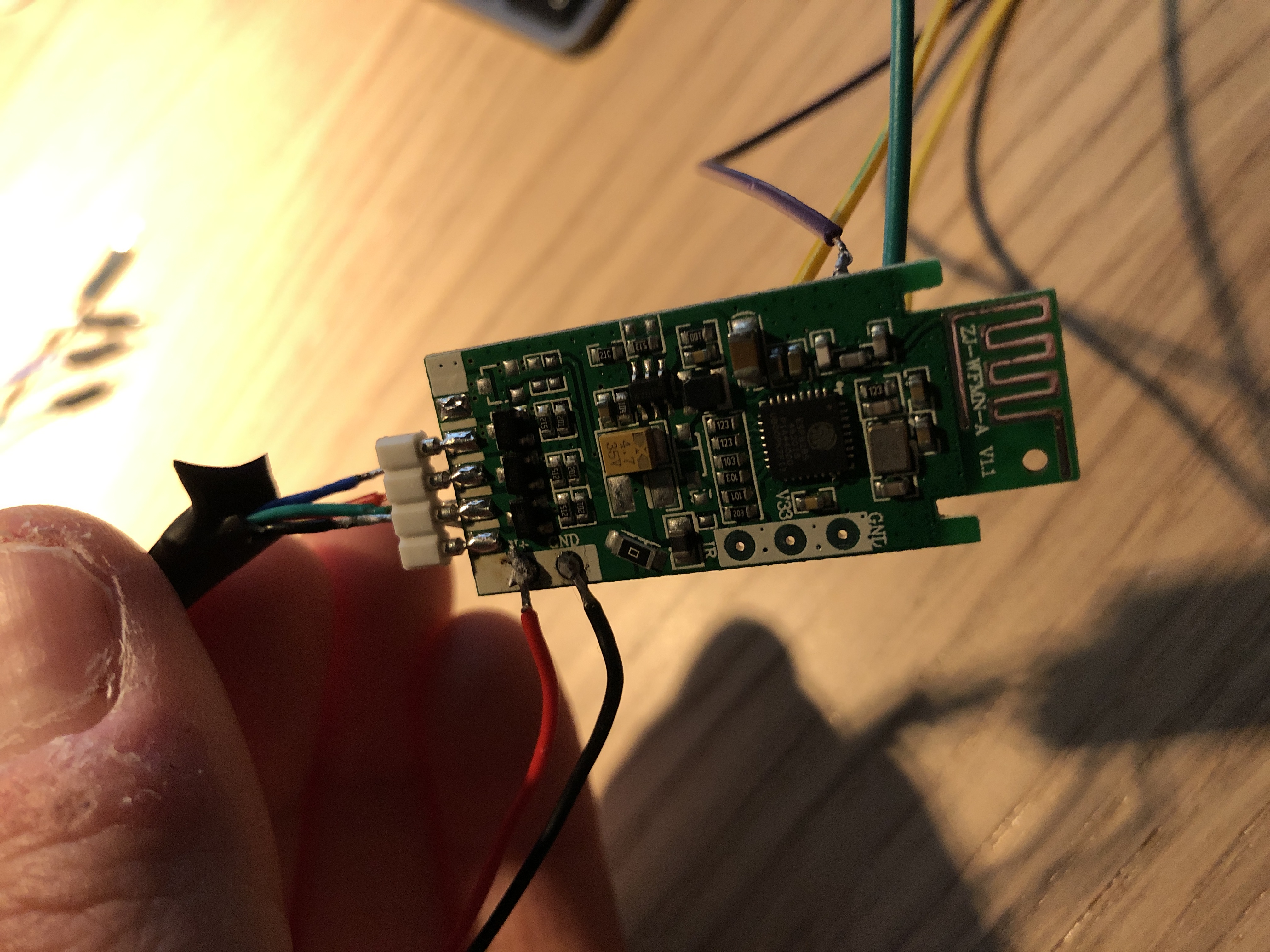
curla92
on 9 Apr 2019
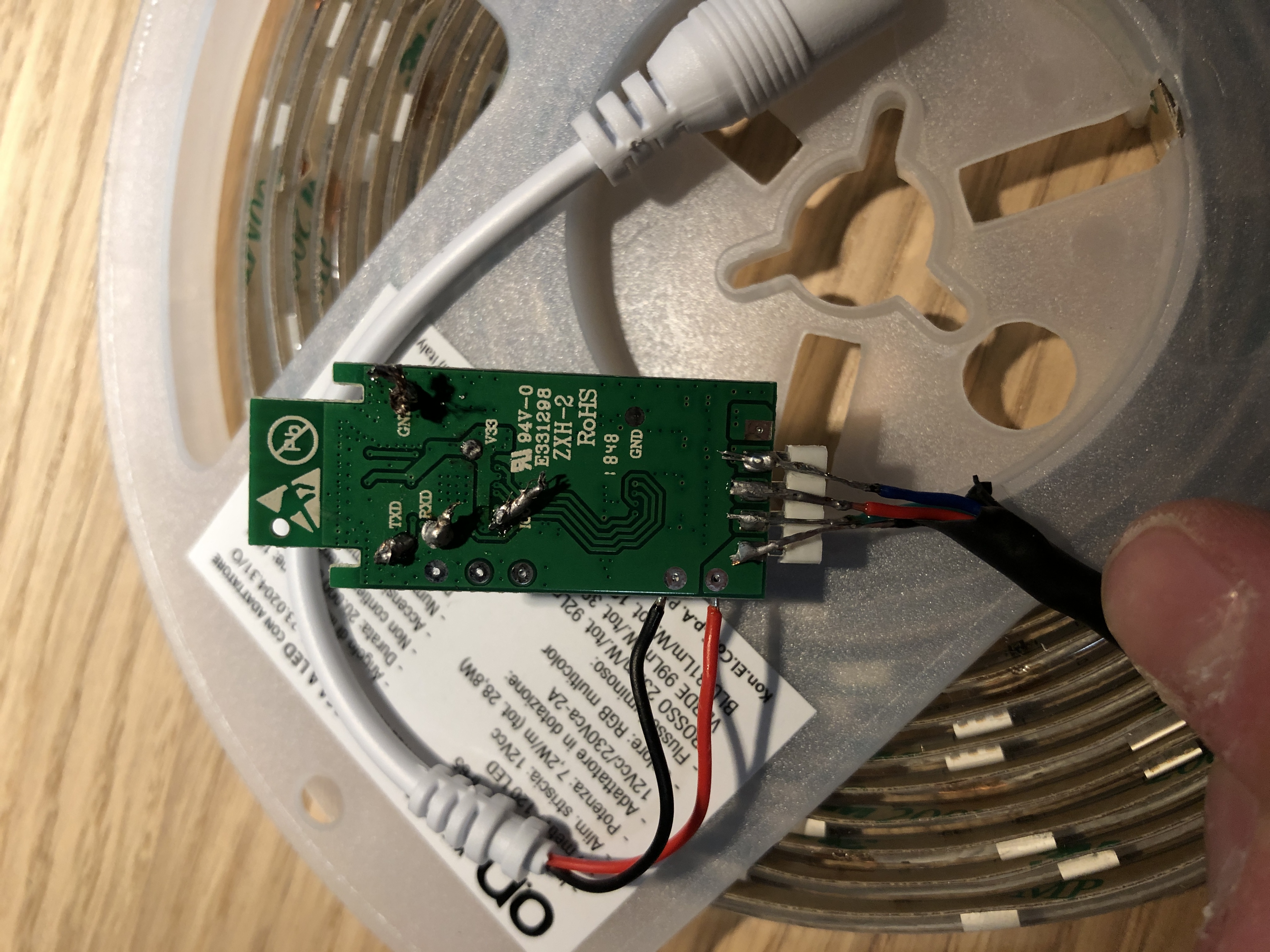
Can you do a photograph with better light?
RavenSystem
on 9 Apr 2019
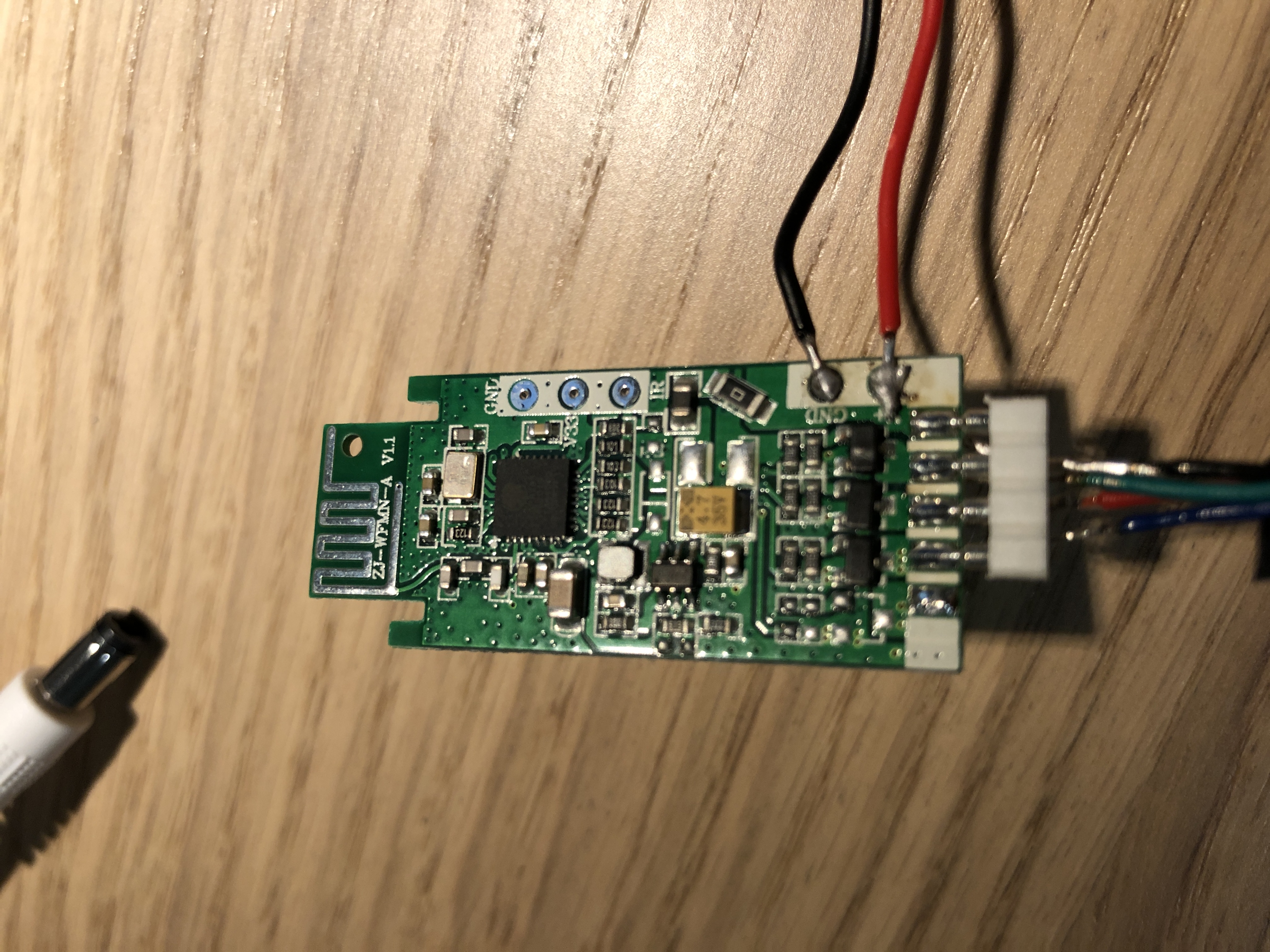
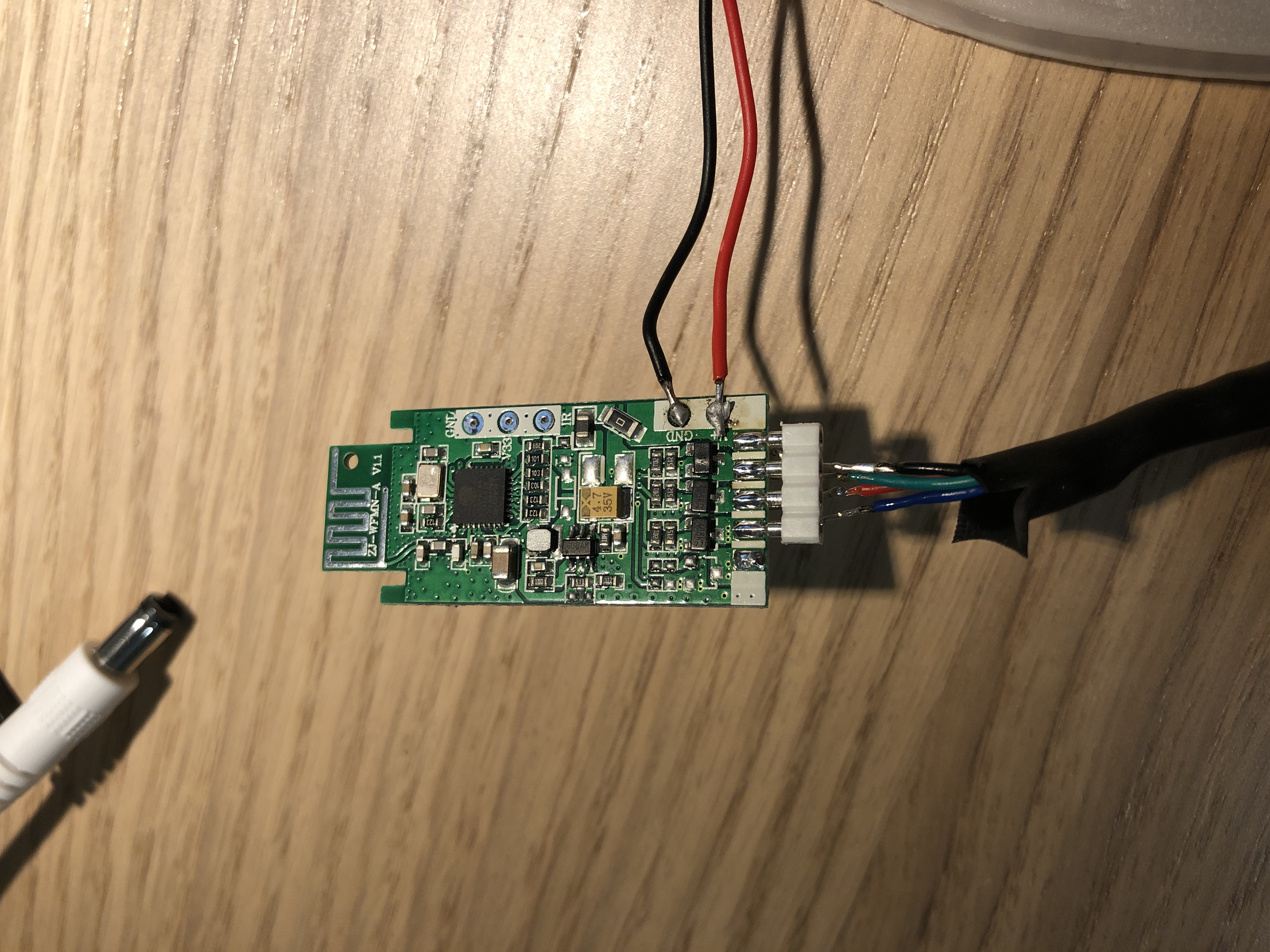
curla92
on 9 Apr 2019
@RavenSystem sorry for O.T.
I writed you.
lizzus
on 9 Apr 2019
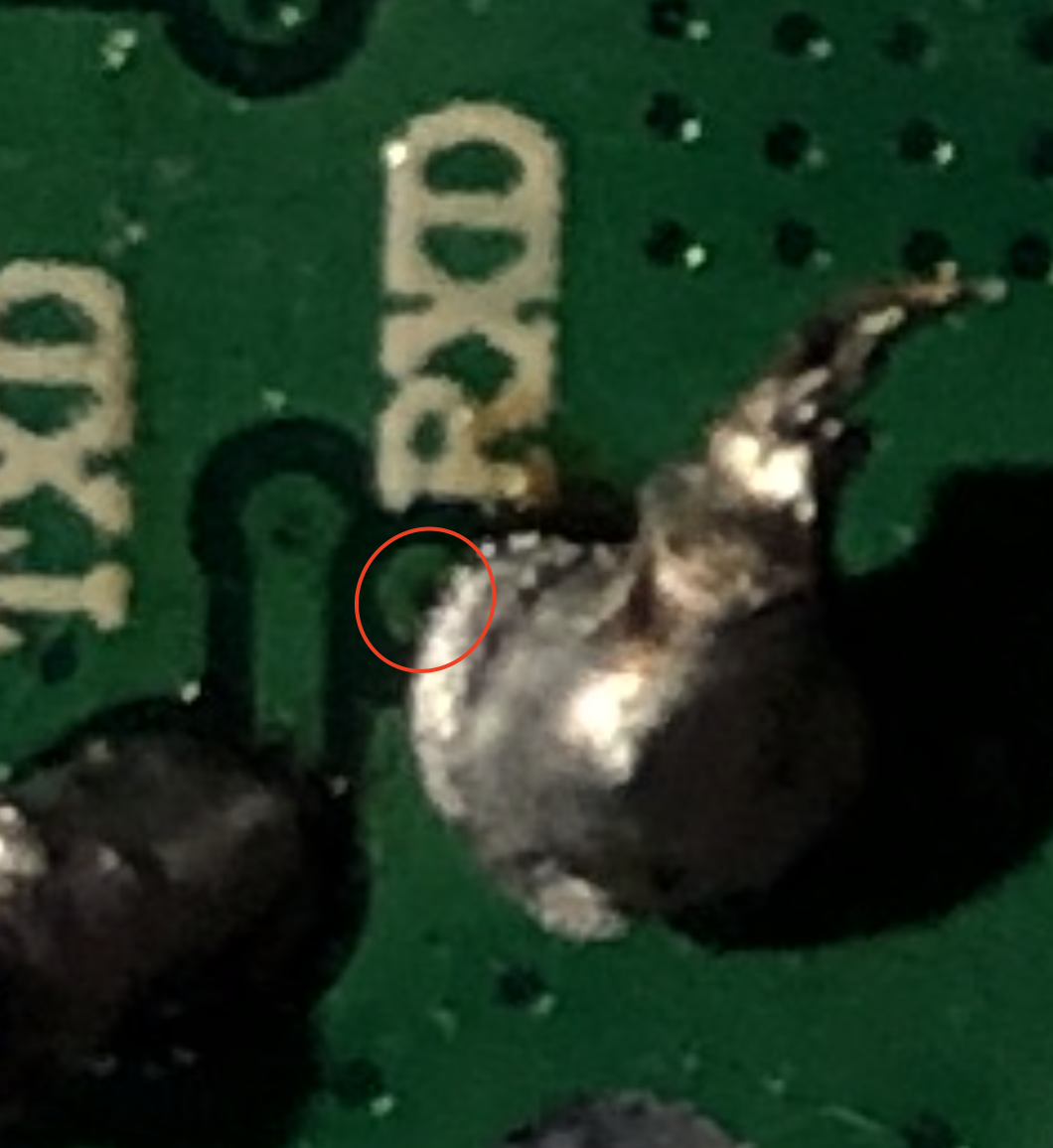
In the photo, I see that used GPIOs are 5, 12 and 13. Red pin is managed with GPIO 5. But I see a critical point very near of RXD. The critical point inside circle is the GPIO 5; try to clean it.
RavenSystem
on 9 Apr 2019
I have same version and is working fine. R-5, g-12, b-13
 rechin304
on 9 Apr 2019
rechin304
on 9 Apr 2019
ok maybe it's this point.. damn it's very small!
curla92
on 9 Apr 2019
I have same version and is working fine. R-5, g-12, b-13
turn off works?
curla92
on 9 Apr 2019
@curla92 firmware has been tested and works perfectly (turn off included). Try to clean a bit the critical point. You only must remove the soldering tin next to the tiny hole to avoid contact, because the hole has not resin.
RavenSystem
on 10 Apr 2019
@RavenSystem sorry for O.T.
I writed you.
@lizzus I saw your emails, don't worry. But what's is "O.T."?
RavenSystem
on 10 Apr 2019
over thread
lizzus
on 10 Apr 2019
Magic Home Pin configuration by model:
MAGICHOME LED CONTROLLER
PIN 14 // RED
PIN 5 // GREEN
PIN 12 // BLUE
PIN 13 // WHITEMAGICHOME LED CONTROLLER 20
PIN 5 // RED
PIN 12 // GREEN
PIN 13 // BLUE
PIN 15 // WHITEMAGICHOME ZJ WFMN A 11
PIN 12 // RED
PIN 5 // GREEN
PIN 13 // BLUE
PIN 14 // WHITEMAGICHOME ZJ WFMN B 11
PIN 14 // RED
PIN 5 // GREEN
PIN 12 // BLUE
PIN 13 // WHITE
lizzus
on 10 Apr 2019
hi, i want to know that i changed the maagic home device and this new works perfectly. thanks for the help josè, gpio5 on the last magichome was broken.
curla92
on 10 Apr 2019
Related issues
RavenSystem
·
5Comments
 arturodiazad1
·
3Comments
arturodiazad1
·
3Comments
 kalety
·
6Comments
kalety
·
6Comments
 freddair
·
3Comments
lizzus
·
3Comments
freddair
·
3Comments
lizzus
·
3Comments
Most helpful comment
Magic Home Pin configuration by model:
MAGICHOME LED CONTROLLER
PIN 14 // RED
PIN 5 // GREEN
PIN 12 // BLUE
PIN 13 // WHITE
MAGICHOME LED CONTROLLER 20
PIN 5 // RED
PIN 12 // GREEN
PIN 13 // BLUE
PIN 15 // WHITE
MAGICHOME ZJ WFMN A 11
PIN 12 // RED
PIN 5 // GREEN
PIN 13 // BLUE
PIN 14 // WHITE
MAGICHOME ZJ WFMN B 11
PIN 14 // RED
PIN 5 // GREEN
PIN 12 // BLUE
PIN 13 // WHITE