Eslint-plugin-vue: vue/html-self-closing rule check incorrect on tag <span> and <i>
Tell us about your environment
- ESLint Version: 4.14.0
- eslint-plugin-vue Version: 4.0.1
- Node Version: 8.9.0
Please show your full configuration:
module.exports = {
    root: true,
    parser: "vue-eslint-parser",
    parserOptions: {
        "parser": "babel-eslint",
        "ecmaVersion": 2017,
        "sourceType": "module"
    },
    env: {
        browser: true,
    },
    extends: [
        'airbnb-base',
        "plugin:vue/recommended"
    ],
    // check if imports actually resolve
    'settings': {
        'import/resolver': {
            'webpack': {
                'config': 'build/webpack.base.conf.js'
            }
        }
    },
};
What did you do? Please include the actual source code causing the issue.
<template>
    <div>
        <span></span>
        <i></i>
    </div>
</template>
What did you expect to happen?
The template should be valid
What actually happened? Please include the actual, raw output from ESLint.
- vue/html-self-closing: Require self-closing on HTML elements ().
- vue/html-self-closing: Require self-closing on HTML elements ().
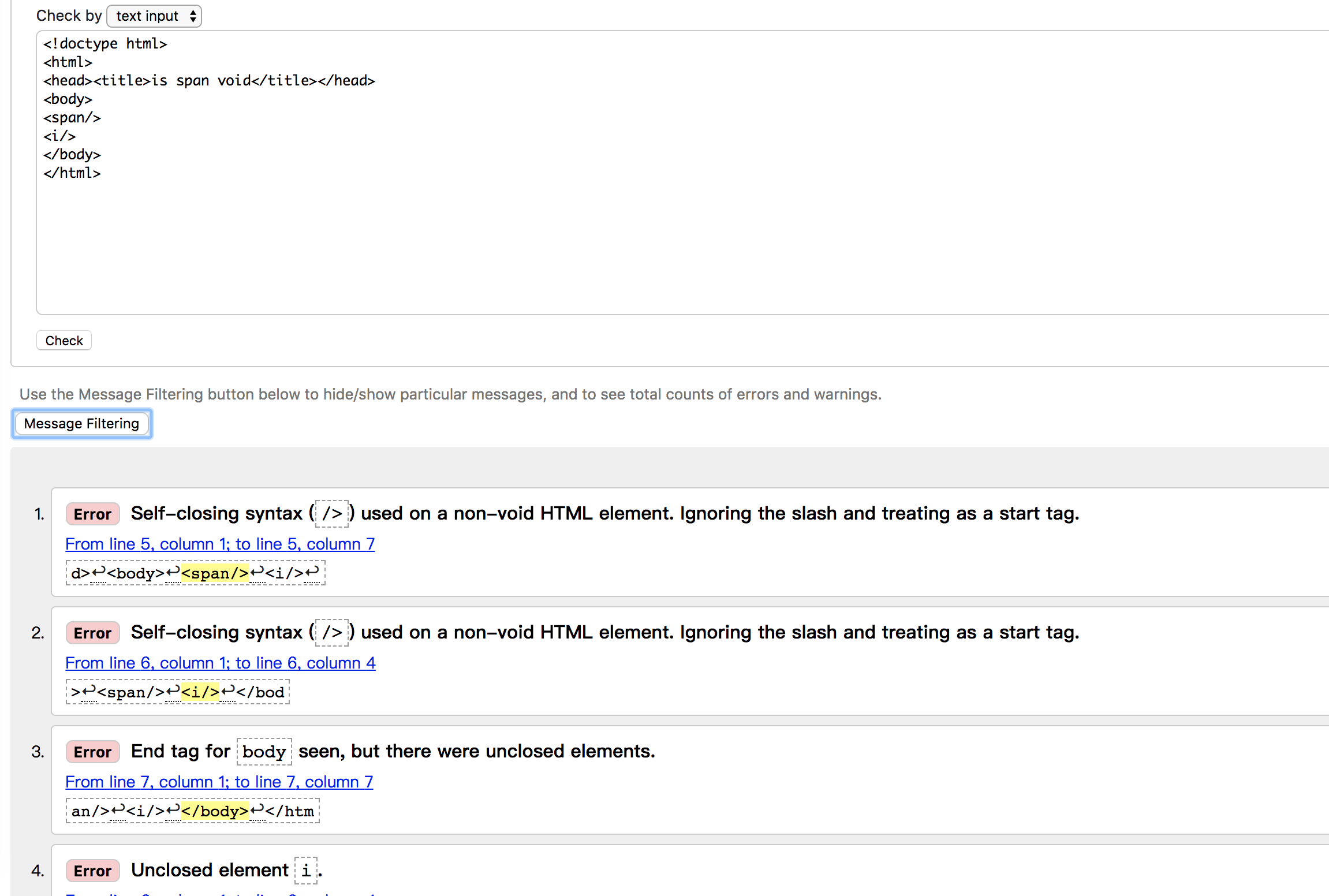
According to w3 validator, tag and are not void element, and should not be self-closing.
Source for w3 validator
<!doctype html>
<html>
<head><title>is span/i void</title></head>
<body>
<span/>
<i/>
</body>
</html>
 maple-leaf
All 3 comments
Thank you for this issue.
Vue.js template has some differences to HTML spec. Supporting of self-closing tags is one of them (related to #29).
If you don't want to use self-closing in well-known HTML tags, you can use the html.normal's "never" option: https://github.com/vuejs/eslint-plugin-vue/blob/master/docs/rules/html-self-closing.md#rule-details
 mysticatea
on 6 Jan 2018
mysticatea
on 6 Jan 2018
ok. Got it. Thanks ;)
maple-leaf
on 6 Jan 2018
I don't know why people very accustomed to something don't give out a full solution for newcomers, even though it would be very easy for them, but here it is:
.eslintrc.js:
module.exports = {
  // ...
  rules: {
    "vue/html-self-closing": [
      "error", {
        "html": {
          "normal": "never"
        }
      }
    ]
  }
}
 revolter
on 29 Feb 2020
revolter
on 29 Feb 2020
Related issues
 rodrigoabb
·
3Comments
rodrigoabb
·
3Comments
 casprwang
·
4Comments
casprwang
·
4Comments
 sqal
·
3Comments
sqal
·
3Comments
 nirazul
·
3Comments
nirazul
·
3Comments
 Mouvedia
·
3Comments
Mouvedia
·
3Comments
Most helpful comment
Thank you for this issue.
Vue.js template has some differences to HTML spec. Supporting of self-closing tags is one of them (related to #29).
If you don't want to use self-closing in well-known HTML tags, you can use the
html.normal's"never"option: https://github.com/vuejs/eslint-plugin-vue/blob/master/docs/rules/html-self-closing.md#rule-details