Erpnext: Subscription Sales Invoice Amount is calculated incorrectly if Fixed Rate is used (Prorate is checked)
Description of the issue
Subscription Sales Invoice Amount is calculated incorrectly if Fixed Rate is used
Context information (for bug reports)
Output of bench version
erpnext 13.0.0-beta.4
frappe 13.0.0-beta.5
lovia 0.0.1
Steps to reproduce the issue
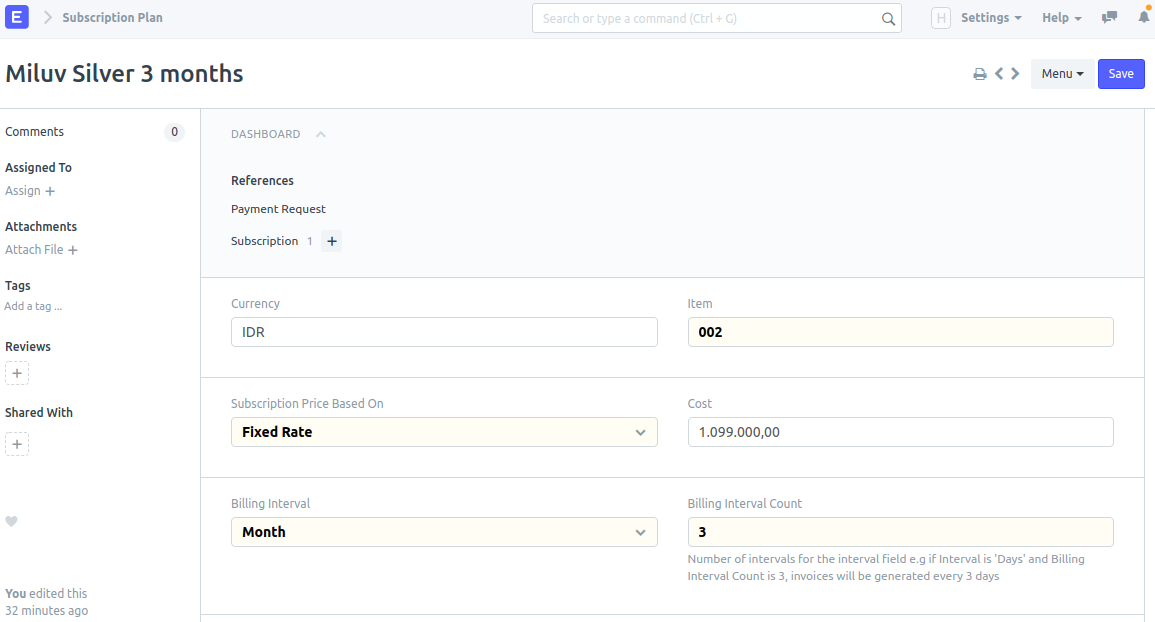
Create a Subscription Plan, Monthly, 3 months, with a Fixed Rate of 1099000
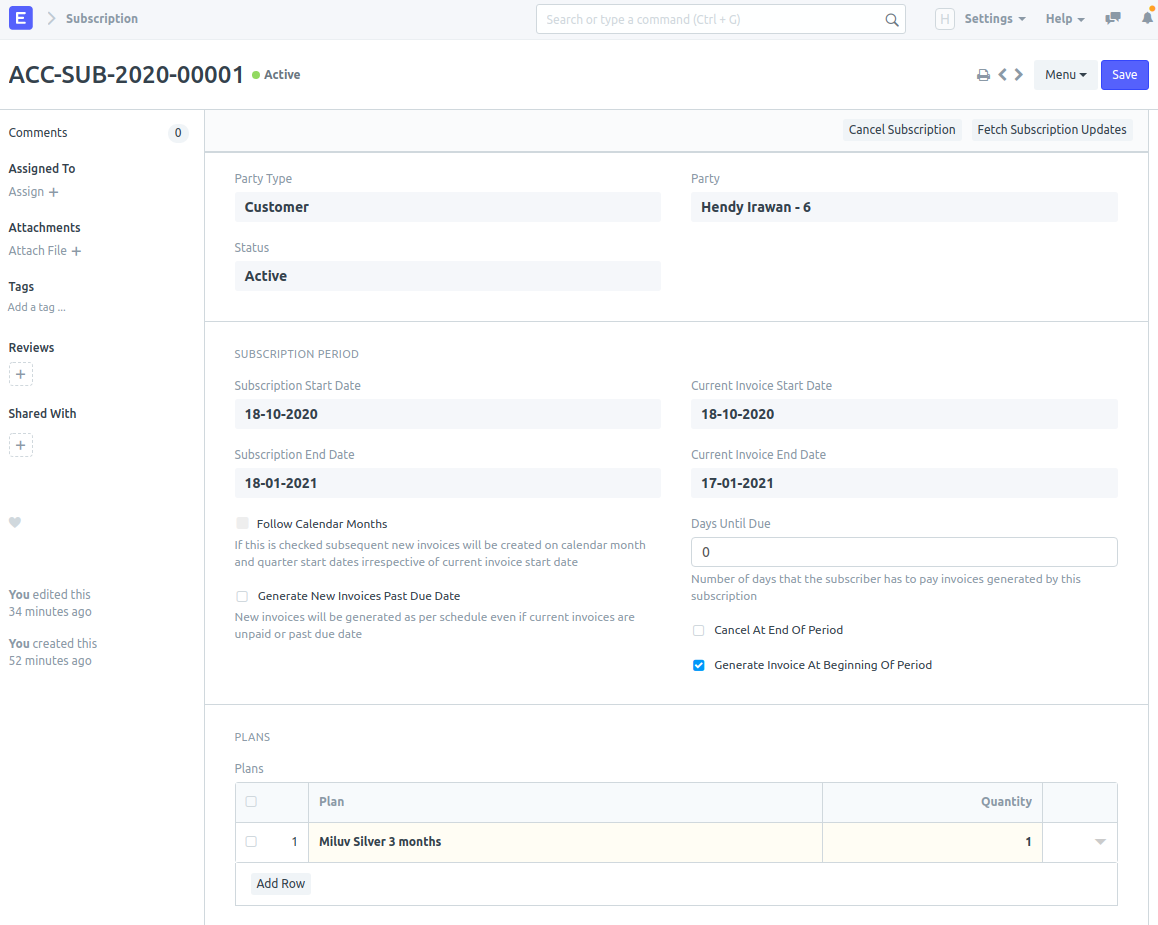
Create a Subscription using that Subscription Plan
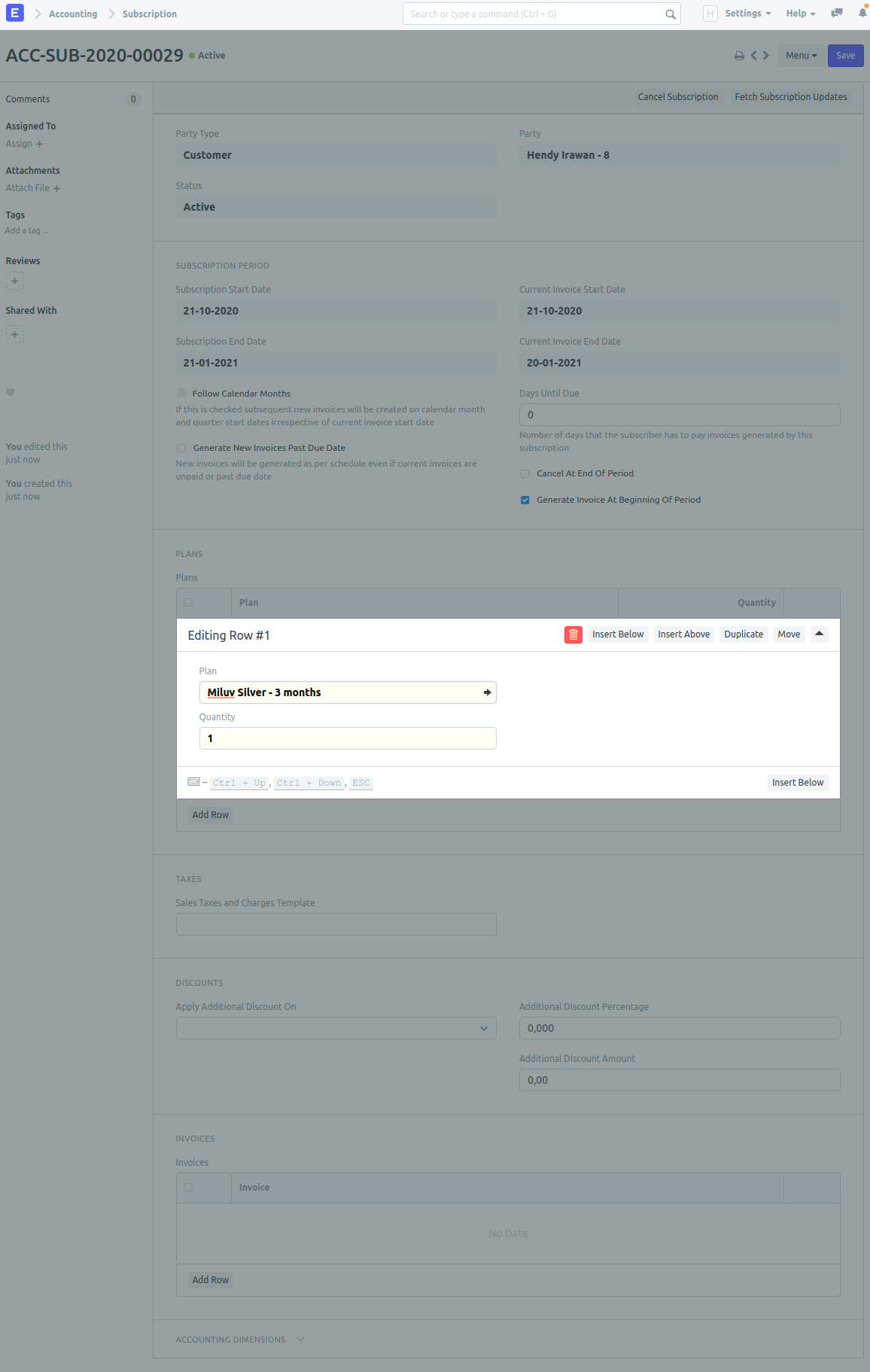
Click Fetch Subscription Updates
Observed result
Sales Invoice is created with amount of 11945.65 (seems to be 1099000 divided by 92 days???)

Expected result
Sales Invoice should be created with amount of 1099000 as specified by Fixed Rate.
Stacktrace / full error message
(paste here)
Additional information
OS version / distribution, ERPNext install method, etc.
ERPNext 13beta4 on Ubuntu 20.04.1 AWS m6g.medium with Easy Install Script
Related to #21921, #22263.
 ceefour
All 11 comments
The 92 days seems like the 3 months period of subscription (18/10/2020 - 18/01/2021).
The invoice at the beginning means only 1 day has elapsed, thus [1 day x 1099000/92=11945.65]
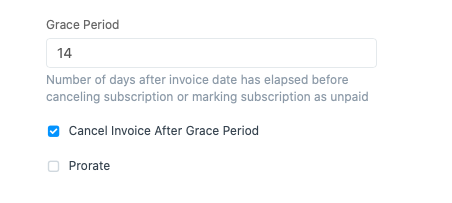
Have you uncheck the Prorate checkbox on the Subscription Settings?
 ryuliantoro
on 18 Oct 2020
ryuliantoro
on 18 Oct 2020
@ryuliantoro where is the "Prorate checkbox" that you mentioned?
ceefour
on 21 Oct 2020
At the Subscription Settings (Acounting>Subscription Management>Subscription Settings or find it with awesome bar)
ryuliantoro
on 21 Oct 2020
@ryuliantoro Ah I see! Wow thank you!!!
ceefour
on 21 Oct 2020
Maybe also try to make invoice after few days to confirm the calc.
ryuliantoro
on 21 Oct 2020
I'm quite worried that this setting is global.. shouldn't this be moved into per-Subscription basis instead?
ceefour
on 21 Oct 2020
In my opinion there are two things about Subscription Management:
- It should be in Selling instead of Accounting.
- It's better if the prorate option is per Subscritption Plan.
Come to think of it, I will make feature request :-)
ryuliantoro
on 21 Oct 2020
In my opinion there are two things about Subscription Management:
- It should be in Selling instead of Accounting.
- It's better if the prorate option is per Subscritption Plan.
@ryuliantoro I agree with you on both points! I'd vote for this change to be in ERPNext v14 if there's a discussion (or even in v13 but I'd think it's already too late).
I think the global pro-rate can be "Prorate as Default" instead, when creating a new Subscription Plan.
I think these changes do not create heavy database migration.. Because existing Subscription Plans can be retro-applied by looking at the global Prorate setting. All table names will still be the same. The UI will be moved to Selling (and likely has effect on permissions) but I think that is acceptable.
ceefour
on 21 Oct 2020
ryuliantoro
on 21 Oct 2020
I think these changes do not create heavy database migration.. Because existing Subscription Plans can be retro-applied by looking at the global Prorate setting. All table names will still be the same.
Maybe you can submit PR?
I'm not a developer so... ;-)
ryuliantoro
on 21 Oct 2020
@ryuliantoro You're right, after setting Subscription Settings > Prorated to unchecked, it works as I wanted.
ceefour
on 21 Oct 2020
Related issues
 nabinhait
·
3Comments
nabinhait
·
3Comments
 deantheiceman
·
4Comments
deantheiceman
·
4Comments
 mubeenmazhar
·
4Comments
mubeenmazhar
·
4Comments
 Fredoluka
·
3Comments
Fredoluka
·
3Comments
 neilLasrado
·
4Comments
neilLasrado
·
4Comments