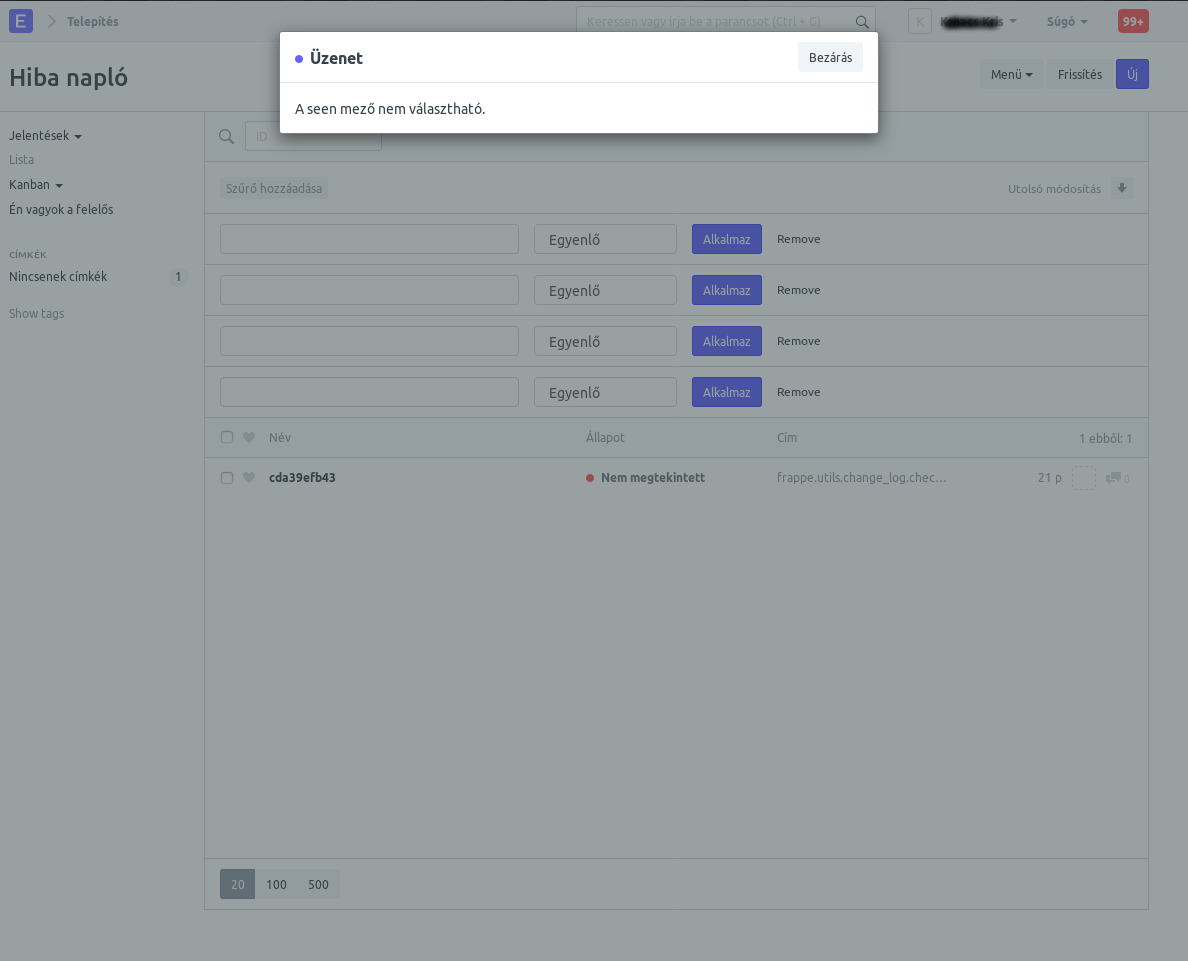
Erpnext: Settings -> Error log = Message: The seen field is not selectable.
If I click on Error log
immediately a message appears:
"The seen field is not selectable."
After page reload in the top bar menu, then I can reach the issues.
Someone else has the same issue?
Installed Apps
ERPNext: v10.1.66 (master)
Frappe Framework: v10.1.58 (master)
 krnkris
All 7 comments
Also having this issue on:
ERPNext: v11.0.3-beta.15 () (develop)
Frappe Framework: v11.0.3-beta.19 () (develop)
 Mitchy25
on 5 Nov 2018
Mitchy25
on 5 Nov 2018
I've since fixed this by going to the Error Log customisation screen and editting the Seen variable to be visible (Hidden was checked).
Mitchy25
on 6 Nov 2018
@Mitchy25
Thank you, it solve the broblem.
After this change, I put back
the Error Log customization to
Default, and still no problem.
krnkris
on 6 Nov 2018
After
bench update
the error occurs again.
It is a bug.
krnkris
on 7 Nov 2018
krnkris
on 14 Nov 2018
Do you get the same error or we can close this subject?
krnkris
on 26 Nov 2018
It seem to be resolved as of
Installed Apps
ERPNext: v10.1.73 (master)
Frappe Framework: v10.1.66 (master)
krnkris
on 10 Dec 2018
Related issues
 Fredoluka
·
3Comments
Fredoluka
·
3Comments
 gbard
·
4Comments
gbard
·
4Comments
 nabinhait
·
4Comments
nabinhait
·
4Comments
 cradford
·
4Comments
cradford
·
4Comments
 berniezhao11
·
4Comments
berniezhao11
·
4Comments
Most helpful comment
I've since fixed this by going to the Error Log customisation screen and editting the Seen variable to be visible (Hidden was checked).