Reported by user via Support Issue /WN-SUP31248
- edit the chart of accounts: nothing happens when we click on the button start or fork.
- download chart of accounts: nothing happens when you click on download.
- create a new chart of accounts: nothing happens when you click on create a new chart of accounts
 umairsy
All 40 comments
yes we wait until the problem is solved
 barhamed
on 28 Feb 2018
barhamed
on 28 Feb 2018
@umairsy
is there any news about the bug fix?
barhamed
on 6 Mar 2018
now the page has an error message

barhamed
on 12 Mar 2018
Now it works, I mean only the page.
The buttons not works.
 krnkris
on 12 Mar 2018
krnkris
on 12 Mar 2018
yes it works,
and yes the buttons dont !!!!
barhamed
on 12 Mar 2018
@umairsy @rmehta @nabinhait No one can fix this issue?!!!
barhamed
on 18 Mar 2018
@barhamed @krnkris sorry for the delay. Fixed.
 rmehta
on 19 Mar 2018
rmehta
on 19 Mar 2018
@rmehta @umairsy @nabinhait the "download" and the "create a new chart" btn not fixed yet
barhamed
on 19 Mar 2018
Thank you!
Indeed: Fork seem to fork only a kind of "base chart" instead what you want to choose.
krnkris
on 19 Mar 2018
@krnkris but the download and the create a new chart btn don't work yet
barhamed
on 19 Mar 2018
@barhamed has true words:
"download" and the "create a new chart" btn not fixed yet
+
Fork seem to fork only a kind of "base chart" instead what you want to choose.
Unfortunately not fixed jet.
krnkris
on 19 Mar 2018
Fixed now.
rmehta
on 20 Mar 2018
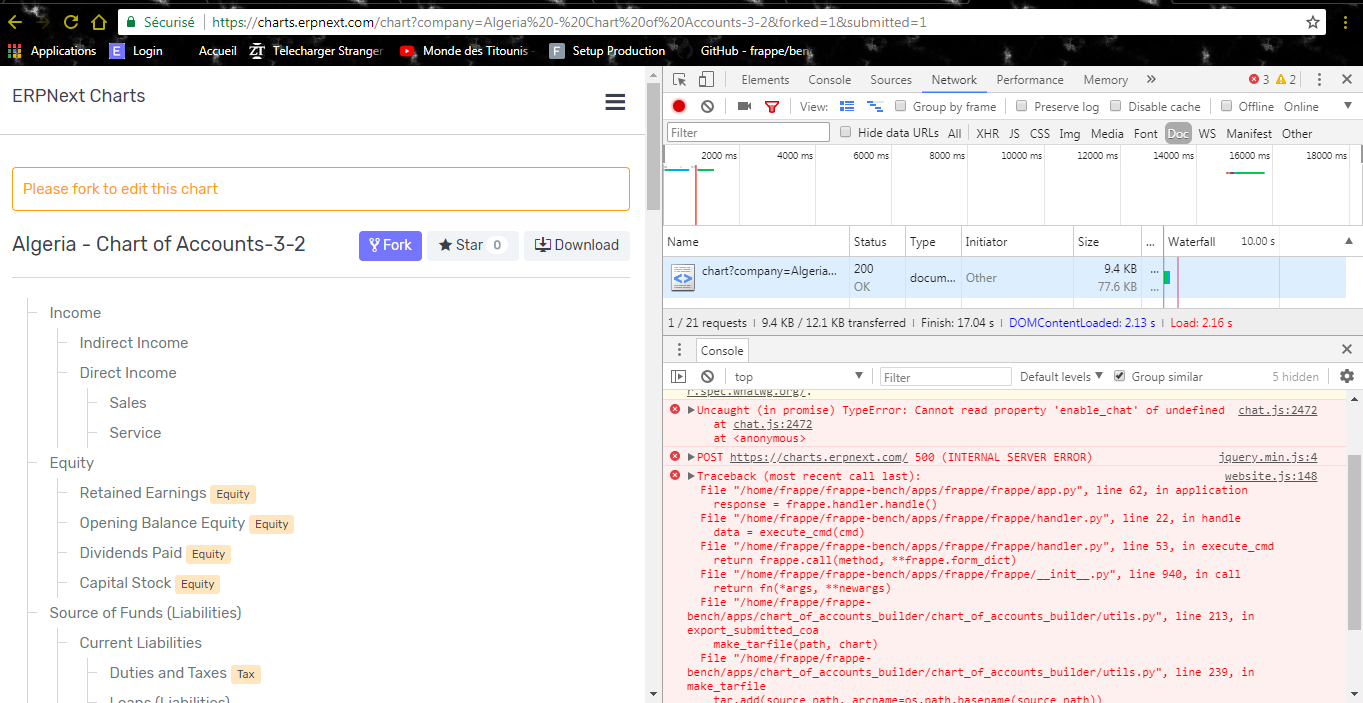
@rmehta thinks the create a new chart is fixed, but the download btn isn't
barhamed
on 20 Mar 2018
@barhamed has true words:
"download" btn not fixed yet
+
Fork seem to fork only a kind of "base chart" instead what you choose.
Unfortunately not fixed jet.
krnkris
on 20 Mar 2018
@rmehta @umairsy @nabinhait the download btn don't work please can you fix it
barhamed
on 21 Mar 2018
The fork is works, but somehow fork a base chart instead what shows on the display.
krnkris
on 22 Mar 2018
@rmehta @umairsy @nabinhait the dowload btn steal don't work, please fix it
barhamed
on 25 Mar 2018
I have the same problem :(
 xyeison
on 25 Mar 2018
xyeison
on 25 Mar 2018
Looking into! Looks like there's yet another bytes issue with download the tar.gzip
 achillesrasquinha
on 25 Mar 2018
achillesrasquinha
on 25 Mar 2018
Hi, can you now confirm on this please?
achillesrasquinha
on 25 Mar 2018
@achillesrasquinha
Confirm the download button works
krnkris
on 25 Mar 2018
Fork seem to fork only a kind of "base chart" instead what you choose.
Unfortunately not fixed jet.
+
If you fork then you not able to edit, rename, add child inside the chart of accounts.
+
"+Add root account" button not works
krnkris
on 25 Mar 2018
There is way to delete from the user's forks,
because each time I fork a new chart of account then it fills up with a new name, but
not possible to delete it at all.
krnkris
on 25 Mar 2018
@krnkris - Can you please elaborate the steps?
achillesrasquinha
on 25 Mar 2018
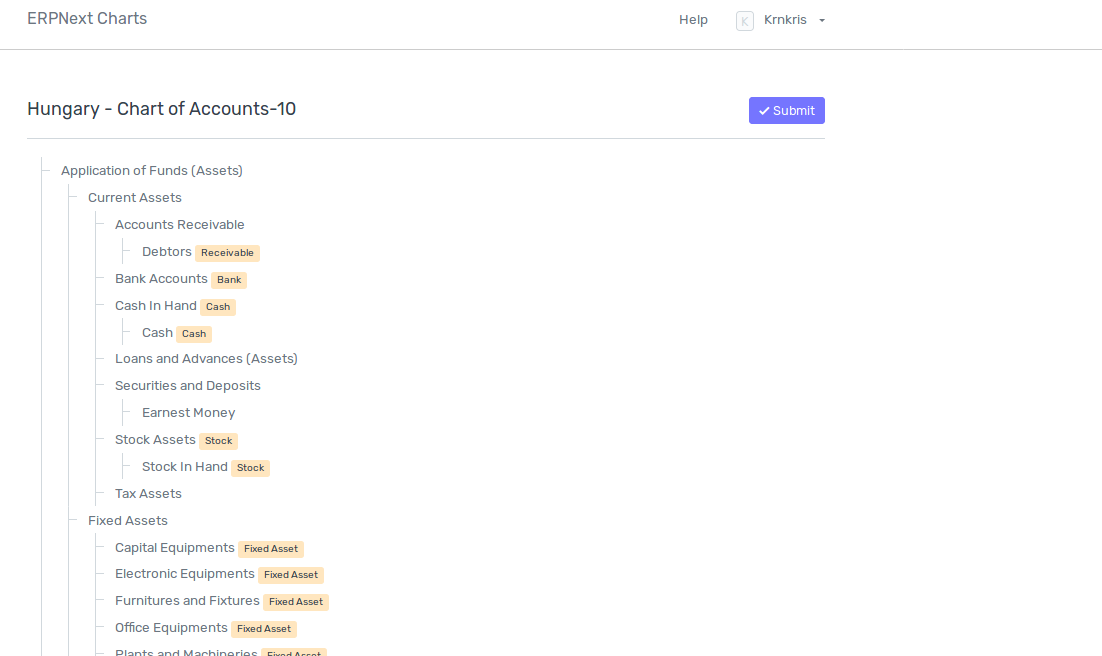
- LOGIN
- Choose this chart of account:
https://charts.erpnext.com/chart?company=Hungary%20-%20Chart%20of%20Accounts&forked=1&submitted=1
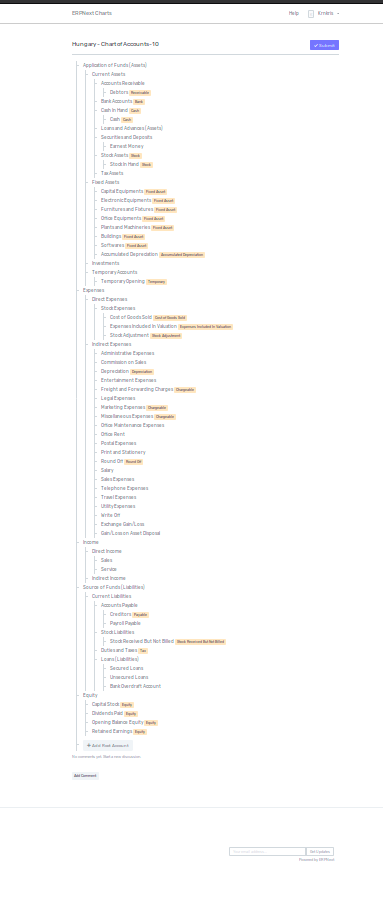
3.get this =total different what expected):
- Try to Edit, Rename, Add child in rows ; +Add Root Account, but it is not works as should be:
krnkris
on 25 Mar 2018
Oh I get it!
@netchampfaris - There's charts.js that isn't compatible with the new build tool. When you click on Edit, it displays frappe.ui.form.make_control as undefined.
achillesrasquinha
on 25 Mar 2018
In this case could you upload a new base chart of account with numbers?
From this I would made a new chart of account to my country.
Is it workable?
krnkris
on 25 Mar 2018
the download btn create a popup window, so if you had block the popup window they dont show you the download item :)
barhamed
on 26 Mar 2018
In this case could you upload a new base chart of account with numbers?
Account Number is still not supported in this portal. You have to include the numbers as a part of account name.
 nabinhait
on 26 Mar 2018
nabinhait
on 26 Mar 2018
Fixes getting Better. Could you please point out on the bottlenecks now?
achillesrasquinha
on 26 Mar 2018
WOW
Just works.
OK now seem ready to accept new chart of account with numbers.
Thank you!
krnkris
on 26 Mar 2018
How we should put the numbering in to the account name?
Is it with example:
111.
or
111-
or
111 -
Please explain.
Is this will be accepted if upload to the master branch?
krnkris
on 26 Mar 2018
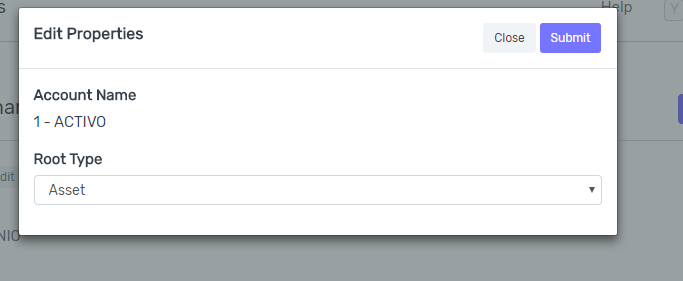
Hi, I am trying to create a child account but give me this error:
"Root Type is mandatory"
Thanks in advance!
xyeison
on 26 Mar 2018
@xyeison
Why don't you choose a root type then?
It is a scroll down menu.
krnkris
on 26 Mar 2018
@krnkris


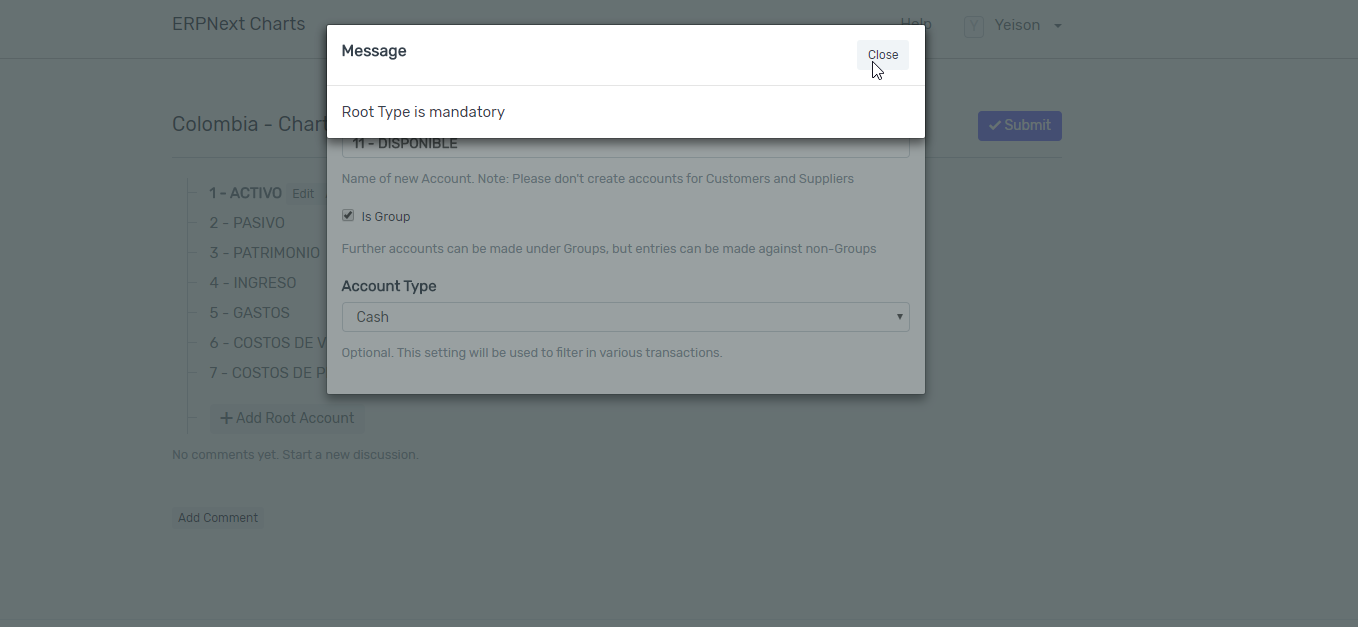
xyeison
on 26 Mar 2018
@xyeison
Yes you right!
As before mentioned
“Account Number is still not supported in this portal. You have to include the numbers as a part of account name.”
Therefore please do not include the number in this way, because it is not accepted.
Try it without numbers.
I already asked how we should include the numbers, hopefully get an answer soon.
krnkris
on 26 Mar 2018
@krnkris
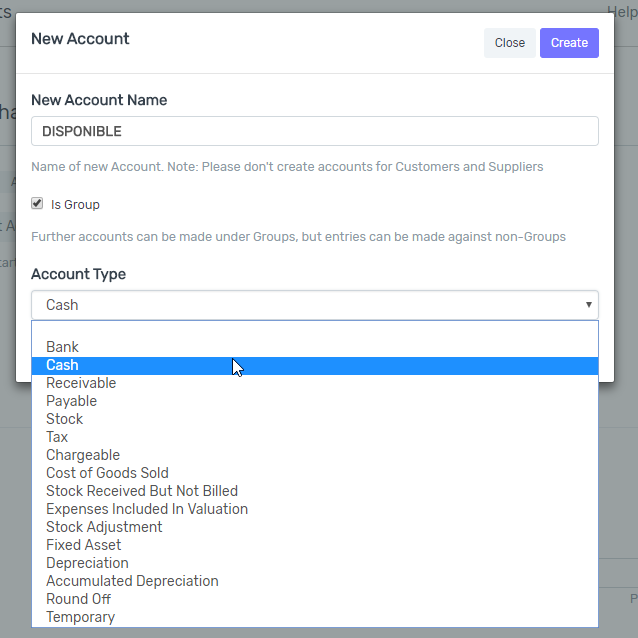
Keep giving me the same error without numbers, look:
Step 1
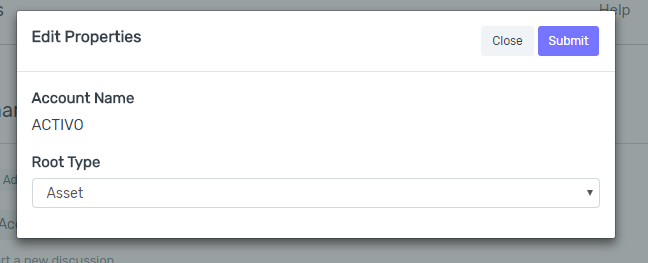
Step 2

Step 3
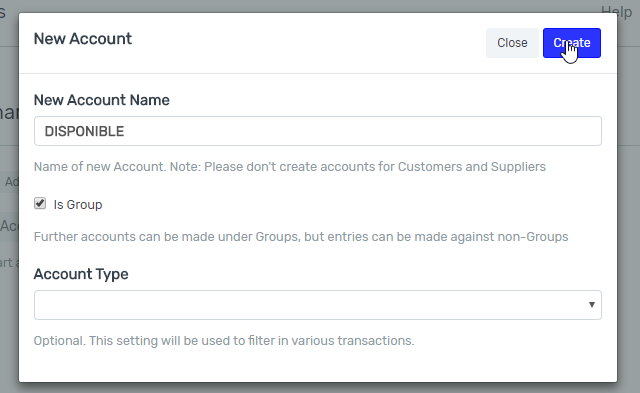
Error Message:
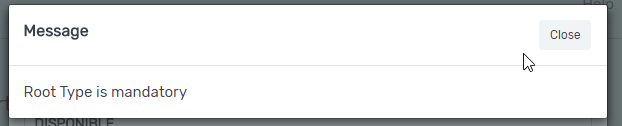
If I select a account type, give me the same error
xyeison
on 26 Mar 2018
@xyeison
No clue, for me it works:
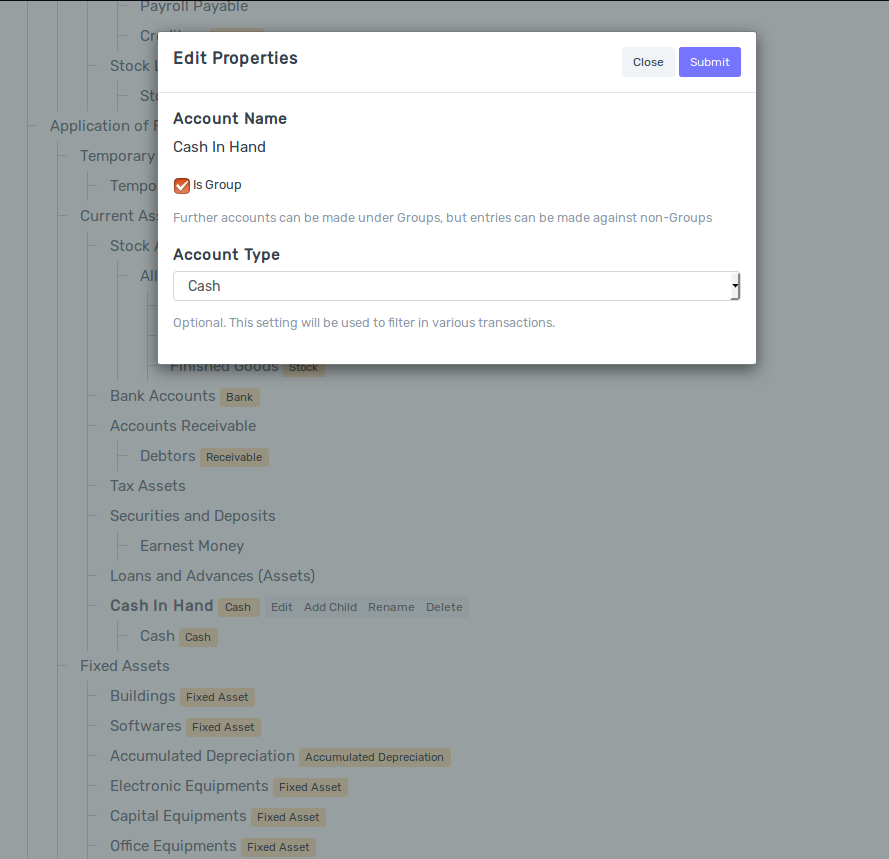
It submitted and it works:

krnkris
on 27 Mar 2018
@xyeison
Don't you have a different
Account type in your
Parent account?
krnkris
on 27 Mar 2018
@xyeison
OK. The bottleneck is the:
Add Child
@achillesrasquinha
Please correct this, because without it we can't create new charts.
krnkris
on 27 Mar 2018
Related issues
 mubeenmazhar
·
4Comments
mubeenmazhar
·
4Comments
 berniezhao11
·
4Comments
berniezhao11
·
4Comments
 heyakyra
·
4Comments
heyakyra
·
4Comments
 royalhospital
·
4Comments
royalhospital
·
4Comments
 Fredoluka
·
3Comments
Fredoluka
·
3Comments