Installed then uninstalled. However, when pop open sound preferences it is still in the list of options. Is there a way to rectify this.
 pjoc56
All 41 comments
Same—how do you remove this after uninstalling the app?
I used AppCleaner to remove the app software, but the eqMac2 driver(?) still appears in System Preferences > Sound.
 markedup
on 28 Feb 2018
markedup
on 28 Feb 2018
How did you guys uninstall the app?
 nodeful
on 1 Mar 2018
nodeful
on 1 Mar 2018
As already detailed.
markedup
on 1 Mar 2018
There's an Uninstall button in the app... That runs the script to uninstall the driver
nodeful
on 2 Mar 2018
Thanks. Sorted now I think just reinstalled and used the apps uninstall option.
On 2 Mar 2018, at 07:58, Roman notifications@github.com wrote:
There's an Uninstall button in the app... That runs the script to uninstall the driver
—
You are receiving this because you authored the thread.
Reply to this email directly, view it on GitHub https://github.com/nodeful/eqMac2/issues/131#issuecomment-369849232, or mute the thread https://github.com/notifications/unsubscribe-auth/AjGDIurcQFjhfBkvjfxHg3ZRHD6znBRoks5taPujgaJpZM4SR_7n.
pjoc56
on 2 Mar 2018
In my case the app wouldn't start after I upgraded to High Sierra so I couldn't use the Uninstall button. I had to google how to unload and remove the kernal extension which is basically what the uninstall button script does.
After rebooting, the .kext was back and I didn't have any output devices listed in SystemPreferences->Sound. I uninstall/removed it again and used find to search for eqMac files. There was a copy of the drivers in /Library/StagedExtensions/System/Library/Extensions/. I was unable to remove these because of SIP.
I then followed these instructions to reboot in Recover Mode, mount my HD, and manually rm the .kext from the StagedExtensions folder. After a final reboot, my Internal Speakers showed up in the SystemPrefs again.
I would suggest packaging the uninstaller separately in case the app is un-executable and to consider including instructions for manual uninstallation in the README.
 jesseclark
on 8 Mar 2018
jesseclark
on 8 Mar 2018
I reinstalled it then uninstalled by 'Uninstall' button at the bottom of its UI
 GiaPhung
on 4 Apr 2018
GiaPhung
on 4 Apr 2018
First of all, I would like to apologize for the lack of communication and responses to the current issue and all other issues in general.
I have made a conscious decision to focus most of my free time and focus on developing a more modern and new version of "eqMac". This means that I can't spend too much time looking back at old codebase and trying to make every user happy. This was the main reason I made this repository open-source, in hopes that other developers might help to sort out some issues and iron out all the bugs. Unfortunately, there are very few developers that are proficient in Core Audio and Objective-C or maybe they are just not interested in this repo, which I can understand.
I promise that the next version will be much more polished and I will make some sort of a mainstream system were solving issues will be very easy and quick. Just sit tight and wait for a new release this coming summer.
Thank you to everyone who gave "eqMac2" a try and I hope I won't disappoint you next time :)
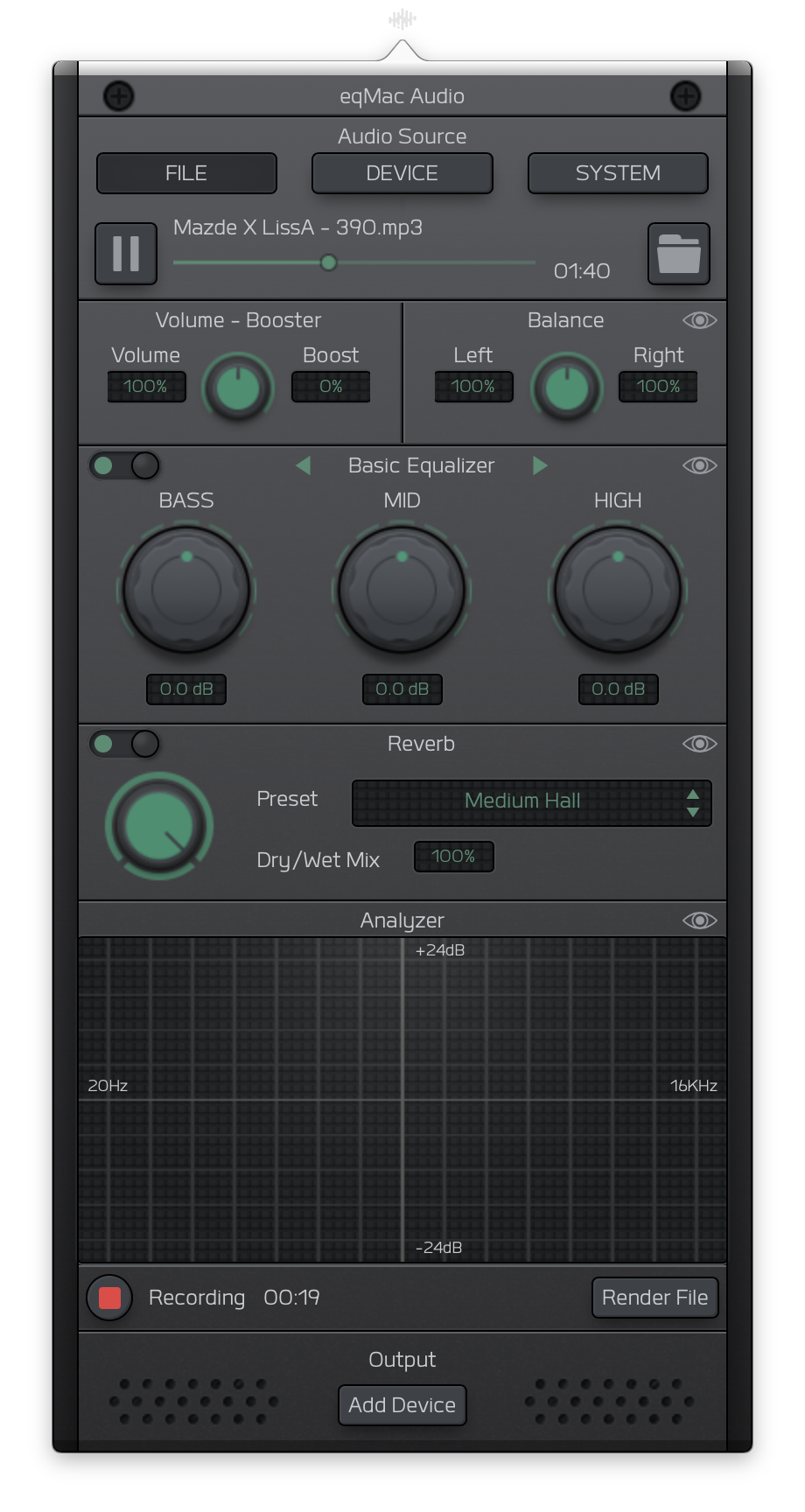
Heres a sneak peak of the UI I am currently working on:
nodeful
on 8 May 2018
does anyone have any other ideas for removing the driver? i am not a software engineer, so jesse's protocol, above, though very much welcome, is above my pay grade. i emailed roman, the developer, and he said to reinstall the program and use the uninstaller in the app. but of course, that won't work for me as the program won't install in mac os sierra.
 jonnyss
on 30 Oct 2018
jonnyss
on 30 Oct 2018
@jonnyss If you are willing to try to remove it from the command line, I could try to provide more detailed instructions.
I also have to give a full disclaimer that I bear no responsibility for the outcome of performing these instructions The first two commands I am pulling from the uninstall script in this repo. And the invalidate command is taken from the updated answer to the Stack Overflow question I cited earlier.
If you don't feel comfortable doing these steps, you should probably take your computer to the Genius Bar and show them this page and the two pages I have linked above.
- Open the Terminal application. It can found in the Utilities folder inside the Applications folder.
- at the prompt, copy all of the text here in grey:
sudo kextunload /System/Library/Extensions/eqMac2Driver.kext/
and paste it into the Terminal application prompt then hit return.
- You may be asked for your password here. Enter the password you use to log on to the computer when it starts up.
- Copy and paste this text into Terminal:
sudo rm -rf /System/Library/Extensions/eqMac2Driver.kext/
and hit return - Finally, copy and paste this text into Terminal:
sudo kextcache -invalidate / - Reboot your computer
jesseclark
on 31 Oct 2018
hi jesse - thanks so much. may i confirm that you have spaces
after sudo, after kextunload?
after sudo, after rm, after rf?
also spaces after sudo, after kextcache, and after invalidate?
- john
jonnyss
on 31 Oct 2018
sudo kextunload /System/Library/Extensions/eqMac2Driver.kext
sudo rm -rf /System/Library/Extensions/eqMac2Driver.kext
 LucianVoju
on 23 Nov 2018
LucianVoju
on 23 Nov 2018
hi -
thanks for sending this. can you perhaps give a context? are you perhaps suggesting that typing this in terminal will remove the eqMac2 driver?
— john
\
On Nov 23, 2018, at 12:32 AM, LucianVoju notifications@github.com wrote:
sudo kextunload /System/Library/Extensions/eqMac2Driver.kext
sudo rm -rf /System/Library/Extensions/eqMac2Driver.kext
—
You are receiving this because you were mentioned.
Reply to this email directly, view it on GitHub https://github.com/nodeful/eqMac2/issues/131#issuecomment-441179484, or mute the thread https://github.com/notifications/unsubscribe-auth/AqUsye1mIlnUlBLqtX0tDfssmlRkhev8ks5ux7KtgaJpZM4SR_7n.
jonnyss
on 23 Nov 2018
@nodeful Happy to hear about eqMac Audio, is it available yet? Thanks for developing, and afterwards telling how to remove eqMac2 as well. I used the software to unfuck a couple of cheap ass speakers I had for a while, actually worked quite well! Great initiative you've got there.
 garmsemb
on 30 Nov 2018
garmsemb
on 30 Nov 2018
I had to reinstall eqMac2 to uninstall properly. There is in fact an option to uninstall in the app. Once you use their option. Simply restart you computer and you should no longer see eqMac2 as an output device. Hope this helps anyone.
 aboutadan
on 22 Dec 2018
aboutadan
on 22 Dec 2018
hi aboutadan - thanks for posting. as others have mentioned above, eqMac2 will not install (or reinstall) for us in 10.12 or 10.13 (sierra and high sierra).
may i ask what operating system you are using that allowed you to reinstall eqMac2?
thanks,
john
jonnyss
on 22 Dec 2018
I am another one who has High Sierra and is having trouble uninstalling. EQmac2 was a very bad experience for me. It turned my external speakers on maximum and may have blown them -- or something in addition to my eardrums.
I tried the code in Terminal and got this message: (kernel) Kext com.bitgapp.eqMac2Driver not found for unload request.
However, when I open sys prefs panel, I see that eqmac2 is no longer there. (Neither is Soundflower!) I will now reboot my computer. Stay tuned...
++++++++++++++++++++++++++++
Rebooted. All seems to be good. Thank you for the Terminal suggestions. Now back to looking for a system-wide equalizer!!
 alreadytaken2
on 25 Dec 2018
alreadytaken2
on 25 Dec 2018
Terminal code by @jesseclark worked for me too. I also had the problem of eqmac maxing out the volume potentially damaging equipment and hearing, so while it was a good program I didn't want to risk it occuring again. Thank you!
 ridinghoodmedia
on 25 Mar 2019
ridinghoodmedia
on 25 Mar 2019
@jonnyss Sorry for the long delay responding. I hope you found a way to get the program uninstalled.
Just in case you didn't, or for the benefit of others who find this, yes there were spaces in those commands at the places you were wondering about. You should be able to just copy and paste what is in the grey boxes in my previous comment above and enter those commands into the terminal one at a time.
jesseclark
on 26 Mar 2019
Hey mate!
It’s been a while since I had this problem but I remeber the developer gave
me a program for uninstalling, because when it’s installed initially a
system file gets deactivated. I think the file from the developer was
uploaded in an answer to my initial query. Hope you find it. At least I
remeber that I got rid of the problem after posting in the github fora.
Good luck!
-G
ons. 31. jul. 2019 kl. 18:25 skrev imacuser notifications@github.com:
Hi there, can you pease help me? I deinstalled eqmac2 and now I have no
sound anymore !!! What kind of app is that? I´m pretty p*ssed off tbh! I
have no clue on how to solve this problem since I´m not firm in computer
technique.To give you an overview:
- I have El Capitan (yeah, I know, it´s an old machine, lol...)
- when it was installed my volume was always on max every time I woke
up the computer, that´s why I uninstalled it- to unistall I pressed the uninstall button at the lower right on the
app- tried to fix it via disk utility, to no avial
- pulled the plug for more than 15 seconds, still no sound
This frigging app killed my sound, the speaker is greyed out.
Please, please help !!!
Thank you.—
You are receiving this because you commented.
Reply to this email directly, view it on GitHub
https://github.com/nodeful/eqMac2/issues/131?email_source=notifications&email_token=AK27TVM2Y3EUV7GHTSTSLDTQCG4ILA5CNFSM4ESH73T2YY3PNVWWK3TUL52HS4DFVREXG43VMVBW63LNMVXHJKTDN5WW2ZLOORPWSZGOD3HZVUY#issuecomment-516922067,
or mute the thread
https://github.com/notifications/unsubscribe-auth/AK27TVKCABQGVOGTCKNHF6LQCG4ILANCNFSM4ESH73TQ
.
garmsemb
on 31 Jul 2019
it really makes a mess out of my airplay on the new system osx Catalina!
 Patric1964
on 1 Aug 2019
Patric1964
on 1 Aug 2019
Cmon guys, eqmac is NOT malware. It’s just a little tricky to uninstall
properly. I spent an hour or so, but I managed to get my system back to
normal just fine.
tor. 1. aug. 2019 kl. 12:17 skrev imacuser notifications@github.com:
@garmsemb https://github.com/garmsemb Did you also have a sound
problem? This malware must have killed the sound drivers, they are nowhere
to be found in the system anymore. I called Apple support and they told me
I need to completely reinstall Mac OSX. I´ve already spent hours on this
problem, now I have to reinstall. If I knew how, I would sue this developer!To all reading this if it´s not too late:
DO NOT INSTALL THIS SOFTWARE !!!
—
You are receiving this because you were mentioned.Reply to this email directly, view it on GitHub
https://github.com/nodeful/eqMac2/issues/131?email_source=notifications&email_token=AK27TVPITEW6S3OUDUNCBV3QCKZ3RA5CNFSM4ESH73T2YY3PNVWWK3TUL52HS4DFVREXG43VMVBW63LNMVXHJKTDN5WW2ZLOORPWSZGOD3KDAZA#issuecomment-517222500,
or mute the thread
https://github.com/notifications/unsubscribe-auth/AK27TVNL6LS45GQUBQLZ7FDQCKZ3RANCNFSM4ESH73TQ
.
garmsemb
on 1 Aug 2019
Wow, now people get deleted and censored if they call out this software? I reinstalled the entire system, called Apple support TWICE and still I´ve got the same problem! So, please tell me, how do I get my sound system back working? Why do people get blocked that tell others what this software is doing to their system???
 philadelphia11
on 1 Aug 2019
philadelphia11
on 1 Aug 2019
I´m not a troll, I am truly and seriously angry at what this sw is doing and not even Apple support can help me fix it! So what else would you call this software then if not malware? The Apple support guy was astonished as in how deep this sw goes into the system. I am still at a loss at how to fix the problem! This program already cost me HOURS and now I still don´t know what to do, might have to spend money to get it back working again. Isn´t it understandable that I am REALLY angry at this developer? Write to his support, no answer of course! And here they block you and delete your comments. What is this!?
philadelphia11
on 1 Aug 2019
im not calling it malware was really happy with it, but it makes a mess of my airplay. Hope there's a solution because i love to keep using it. As long as Apple don't understand that we wanna control our own Preferences.
Patric1964
on 1 Aug 2019
I´m no computer geek, so I´m sorry if I used the wrong term. All I know is that my computer doesn´t work anymore since I uninstalled this software and no one seems to be able to help me. I am really frustrated. No sound. Because of this crappy software.
Can anybody help, please?
I don´t need an uninstall tutorial, I uninstalled it already. I need my sound (driver?) back.
philadelphia11
on 1 Aug 2019
i believe the developer is one roman kisil in england. he wrote me back once, suggesting that i uninstall the program. i replied that the uninstall doesn’t work in later versions of the mac os. i asked if he could please offer a solution for current operation systems. he declined to reply.
i would agree that roman is seriously negligent in failing to help out the many folks whose computers are ruined by his buggy software.
also that he is seriously unkind and unprofessional in failing to apologize or show any concern whatsoever.
john
On Aug 1, 2019, at 6:02 AM, philadelphia11 notifications@github.com wrote:
I´m not a troll, I am truly and seriously angry at what this sw is doing and not even Apple support can help me fix it! So what else would you call this software then if not malware? The Apple support guy was astonished as in how deep this sw goes into the system. I am still at a loss at how to fix the problem! This program already cost me HOURS and now I still don´t know what to do, might have to spend money to get it back working again. Isn´t it understandable that I am REALLY angry at this developer? Write to his support, no answer of course! And here they block you and delete your comments. What is this!?
—
You are receiving this because you were mentioned.
Reply to this email directly, view it on GitHub https://github.com/nodeful/eqMac2/issues/131?email_source=notifications&email_token=AKSSZSND7ODMDVPCCXIJUDLQCLNHZA5CNFSM4ESH73T2YY3PNVWWK3TUL52HS4DFVREXG43VMVBW63LNMVXHJKTDN5WW2ZLOORPWSZGOD3KQTZQ#issuecomment-517278182, or mute the thread https://github.com/notifications/unsubscribe-auth/AKSSZSKB3DIVPSH7GEHL5TDQCLNHZANCNFSM4ESH73TQ.
jonnyss
on 1 Aug 2019
you might try the developer, roman kisil.
i suppose there’s still a small chance he will man up and help all of us.
john
[email protected]
On Aug 1, 2019, at 7:04 AM, philadelphia11 notifications@github.com wrote:
I´m no computer geek, so I´m sorry if I used the wrong term. All I know is that my computer doesn´t work anymore since I uninstalled this software and no one seems to be able to help me. I am really frustrated. No sound. Because of this crappy software.
Can anybody help, please?
I don´t need an uninstall tutorial, I uninstalled it already. I need my sound (driver?) back.
—
You are receiving this because you were mentioned.
Reply to this email directly, view it on GitHub https://github.com/nodeful/eqMac2/issues/131?email_source=notifications&email_token=AKSSZSMSCLWYJSJONM66T43QCLUPZA5CNFSM4ESH73T2YY3PNVWWK3TUL52HS4DFVREXG43VMVBW63LNMVXHJKTDN5WW2ZLOORPWSZGOD3KWQIA#issuecomment-517302304, or mute the thread https://github.com/notifications/unsubscribe-auth/AKSSZSMUJG3DT2MB42ZTWVTQCLUPZANCNFSM4ESH73TQ.
jonnyss
on 1 Aug 2019
i would encourage everyone who is concerned to add your email address to your message so we don’t depend on the forum to communicate.
On Aug 1, 2019, at 7:04 AM, philadelphia11 notifications@github.com wrote:
I´m no computer geek, so I´m sorry if I used the wrong term. All I know is that my computer doesn´t work anymore since I uninstalled this software and no one seems to be able to help me. I am really frustrated. No sound. Because of this crappy software.
Can anybody help, please?
I don´t need an uninstall tutorial, I uninstalled it already. I need my sound (driver?) back.
—
You are receiving this because you were mentioned.
Reply to this email directly, view it on GitHub https://github.com/nodeful/eqMac2/issues/131?email_source=notifications&email_token=AKSSZSMSCLWYJSJONM66T43QCLUPZA5CNFSM4ESH73T2YY3PNVWWK3TUL52HS4DFVREXG43VMVBW63LNMVXHJKTDN5WW2ZLOORPWSZGOD3KWQIA#issuecomment-517302304, or mute the thread https://github.com/notifications/unsubscribe-auth/AKSSZSMUJG3DT2MB42ZTWVTQCLUPZANCNFSM4ESH73TQ.
jonnyss
on 1 Aug 2019
@jonnyss @philadelphia11 @Patric1964 Did you try following the instructions I provided for uninstalling the kernel extension? Note that this is not necessarily the same as just uninstalling or deleting the application unless you uninstalled it by clicking the 'Uninstall' button from within the application itself.
One thing I didn't mention in my directions is that the first time you enter a sudo command it will ask you for your password. This is normal and just means that you are running the command as the root user which is necessary to remove the kernel extension.
I am developer myself and I do not think this app is malware just poorly designed and poorly supported. There are plenty of other apps out there that install kernel extensions when you install them, those other apps just make it much easier to remove them when you uninstall their apps.
I totally get everyone's frustration though and I was pretty ticked that I had to go through all the extra steps to figure out how to fix the situation. So, I'm willing to help out further if I can.
I would request though that we handle communication here on this issue instead of over direct email so that we leave a record that others can find as we work towards a solution.
jesseclark
on 1 Aug 2019
Thanks guys, I really appreciate your support. I´m sorry if I came across too frustrated.
@jesseclark I did use the uninstall button in the app itself.
I did not try to follow your instructions yet as I don´t know how to do this exactly. I would need a step by step support since I´m not firm in these matters.
The Apple guy told me to clean install the entire system now. Hope I don´t need to...
Again, thanks so much for your intent to help. I´m really desperate at the moment.
philadelphia11
on 1 Aug 2019
Ok, @philadelphia11. Let's start with this:
First off did you restart your computer after uninstalling the app? If not, please be sure to do that first.
- Open the Terminal application. It can found in the Utilities folder inside the Applications folder.
- at the prompt, copy all of the text here in grey:
ls /System/Library/Extensions/eqMac2Driver.kext/
and hit return.
If the terminal output after hitting return is ls: /System/Library/Extensions/eqMac2Driver.kext/: No such file or directory, then you must have already removed the kernel extension and unfortunately, I am not sure what else could be causing the problem and you might need to do a re-install.
If you see 'Contents' or some other output with file and folder names, then the kernel extension is still installed and you can follow these instructions to remove it and hopefully your computer's audio output will be back to normal.
- at the prompt, copy all of the text here in grey:
sudo kextunload /System/Library/Extensions/eqMac2Driver.kext/
and paste it into the Terminal application prompt then hit return.
- You may be asked for your password here. Enter the password you use to log on to the computer when it starts up.
- Copy and paste this text into Terminal:
sudo rm -rf /System/Library/Extensions/eqMac2Driver.kext/
and hit return - Finally, copy and paste this text into Terminal:
sudo kextcache -invalidate / - Reboot your computer
jesseclark
on 1 Aug 2019
Thank you so much! I will try this first thing tomorrow and keep you posted.
philadelphia11
on 1 Aug 2019
I couldn´t leave it until tomorrow, so I tried it, unfortunately it does say "no such file or directory". I also did a re-install already. The last option seems to be a total new set up of my system, the clean install. I do hope this "developer" has changed his hobby by now, honestly. :(
philadelphia11
on 1 Aug 2019
Darn. That's too bad. Since this was the solution that solved my issues, I
haven't really looked into any other possible causes.
I hope it isn't actually a hardware issue. Not sure how to find out for
sure but if you re-install the OS and still have the issue that would be an
indication...
On Thu, Aug 1, 2019 at 11:24 AM philadelphia11 notifications@github.com
wrote:
I couldn´t leave it until tomorrow, so I tried it, unfortunately it does
say "no such file or directory". I also did a re-install already. The last
option seems to be a total new set up of my system, the clean install. I do
hope this "developer" has changed his hobby by now, honestly. :(—
You are receiving this because you were mentioned.
Reply to this email directly, view it on GitHub
https://github.com/nodeful/eqMac2/issues/131?email_source=notifications&email_token=AAAAJB5M7FDYG3P7SS7UKPLQCMS4LA5CNFSM4ESH73T2YY3PNVWWK3TUL52HS4DFVREXG43VMVBW63LNMVXHJKTDN5WW2ZLOORPWSZGOD3LPHWQ#issuecomment-517403610,
or mute the thread
https://github.com/notifications/unsubscribe-auth/AAAAJB3J7BOKNCZGAIW2U7DQCMS4LANCNFSM4ESH73TQ
.
jesseclark
on 1 Aug 2019
This is free software that comes with no warranty, support or any guarantees what so ever, this is declared here.
If you don't have the intelligence or technical knowledge to deal with software or hardware issues on your machine, you should not take the risk and install any software of this kind.
I have simply made this software for myself and by just sheer kindness shared it with the world. This is not a business and I have no interest or resources to deal with cry babies on the internet, and I will not tolerate any verbal abuse on insults and anyone who will utilise such behaviour will be promptly blocked and never dealt with in any way in the future. Have a nice life.
On a positive note, the current 45,000+ active users of eqMac and those who are still waiting for a new and better version of eqMac will not have to wait for much longer, I'm at the last stages of releasing a completely revamped and reengineered version of eqMac that will have a genuine support service for those customers who will be willing to purchase the "Pro" features. I will post an update on all issues on this repo so stay tuned for that. Have a nice day to those who are more understandable and patient, you rock!
nodeful
on 1 Aug 2019
If you see 'Contents' or some other output with file and folder names, then the kernel extension is still installed and you can follow these instructions to remove it and hopefully your computer's audio output will be back to normal.
- at the prompt, copy all of the text here in grey:
sudo kextunload /System/Library/Extensions/eqMac2Driver.kext/
and paste it into the Terminal application prompt then hit return.- You may be asked for your password here. Enter the password you use to log on to the computer when it starts up.
- Copy and paste this text into Terminal:
sudo rm -rf /System/Library/Extensions/eqMac2Driver.kext/
and hit return- Finally, copy and paste this text into Terminal:
sudo kextcache -invalidate /- Reboot your computer
For anyone on MacOS Catalina the path to use here is /Library/Extensions/eqMac2Driver.kext so
In point 1 – sudo kextunload /Library/Extensions/eqMac2Driver.kext/
In point 3 – sudo rm -rf /Library/Extensions/eqMac2Driver.kext/
 bibixx
on 13 Nov 2019
bibixx
on 13 Nov 2019
@bibixx This worked for me (Catalina). Thank you!
This threads was a good chuckle. Excited for the new version of eqMac, and hope it's stable enough to use full time.
 WoodyWoodsta
on 4 Dec 2019
WoodyWoodsta
on 4 Dec 2019
Hey everyone. Excuse me for the lack of updates. I have been really busy on the new version of eqMac. I am happy to announce an open beta release.
You can download it here: https://eqmac.app
There are a lot of known bugs that I could not fix just yet:
- Driver not installing from the first try. Sometimes need to restart eqMac a couple times.
- Complex Device switching logic is not perfect (for example when switching off the device that's currently playing, plugging in new device etc.)
- UI takes long to load (a lot can be done to improve that)
- UI dimensions are not synching properly
- There's a noticeable audio delay in the playback, so not suitable for video yet (I know where the problem lies just haven't had the time to fix yet)
- Sometimes the playback doesn't start, in that case please try to switch the output to the device you want and eqMac should try and build the audio pipeline again.
So as you can see there's still some work to be done but at least it's a completely modern tech stack that I am fully willing to work on: 100% Swift, User Space driver and a Web UI, instead of C++, Kernel Drivers. As I said, should work on Catalina and should not have any pesky ear drum blasting volume bugs (at least I didn't come across any).
I'm open to feedback and issue reports here: https://github.com/bitgapp/eqmac
That repo will become the main repo for eqMac and this repo will be archived eventually.
And yes it's called just eqMac, not eqMac3 :) And it will stay that way forever.
nodeful
on 8 Jan 2020
Hey everyone 👋
I will be open sourcing the new version of eqMac, therefore, I am closing this issue and repository as I will be transfering nodeful/eqMac2 repo to bitgapp/eqMac
Please bear with me for the next couple of days as I setup that new repo. The eqMac2 code will be living in the old-eqMac2 branch if anyone is interested in referencing it for whatever reason.
Please try out the new version and report bugs to the new repo.
Thanks for using eqMac.
nodeful
on 4 Apr 2020
Closing in favour of #247
nodeful
on 25 Apr 2020
Related issues
 lbibass
·
7Comments
lbibass
·
7Comments
 MiLeung
·
3Comments
MiLeung
·
3Comments
 danialazlee
·
7Comments
danialazlee
·
7Comments
 alexkreidler
·
7Comments
alexkreidler
·
7Comments
 brian-lamb-software-engineer
·
4Comments
brian-lamb-software-engineer
·
4Comments
Most helpful comment
For anyone on MacOS Catalina the path to use here is
/Library/Extensions/eqMac2Driver.kextsoIn point 1 –
sudo kextunload /Library/Extensions/eqMac2Driver.kext/In point 3 –
sudo rm -rf /Library/Extensions/eqMac2Driver.kext/