For some odd reason, running the application from the disk image, installing the driver, then moving the app to the applications folder works, and installs the driver successfully, but doing it the other way around doesn't.
 Overc1ocker
All 12 comments
This worked for me. Also, you may need to click "allow" in the system preferences pane that opens up.
 azharhussain96
on 15 Feb 2018
azharhussain96
on 15 Feb 2018
First of all, I would like to apologize for the lack of communication and responses to the current issue and all other issues in general.
I have made a conscious decision to focus most of my free time and focus on developing a more modern and new version of "eqMac". This means that I can't spend too much time looking back at old codebase and trying to make every user happy. This was the main reason I made this repository open-source, in hopes that other developers might help to sort out some issues and iron out all the bugs. Unfortunately, there are very few developers that are proficient in Core Audio and Objective-C or maybe they are just not interested in this repo, which I can understand.
I promise that the next version will be much more polished and I will make some sort of a mainstream system were solving issues will be very easy and quick. Just sit tight and wait for a new release this coming summer.
Thank you to everyone who gave "eqMac2" a try and I hope I won't disappoint you next time :)
Heres a sneak peak of the UI I am currently working on:
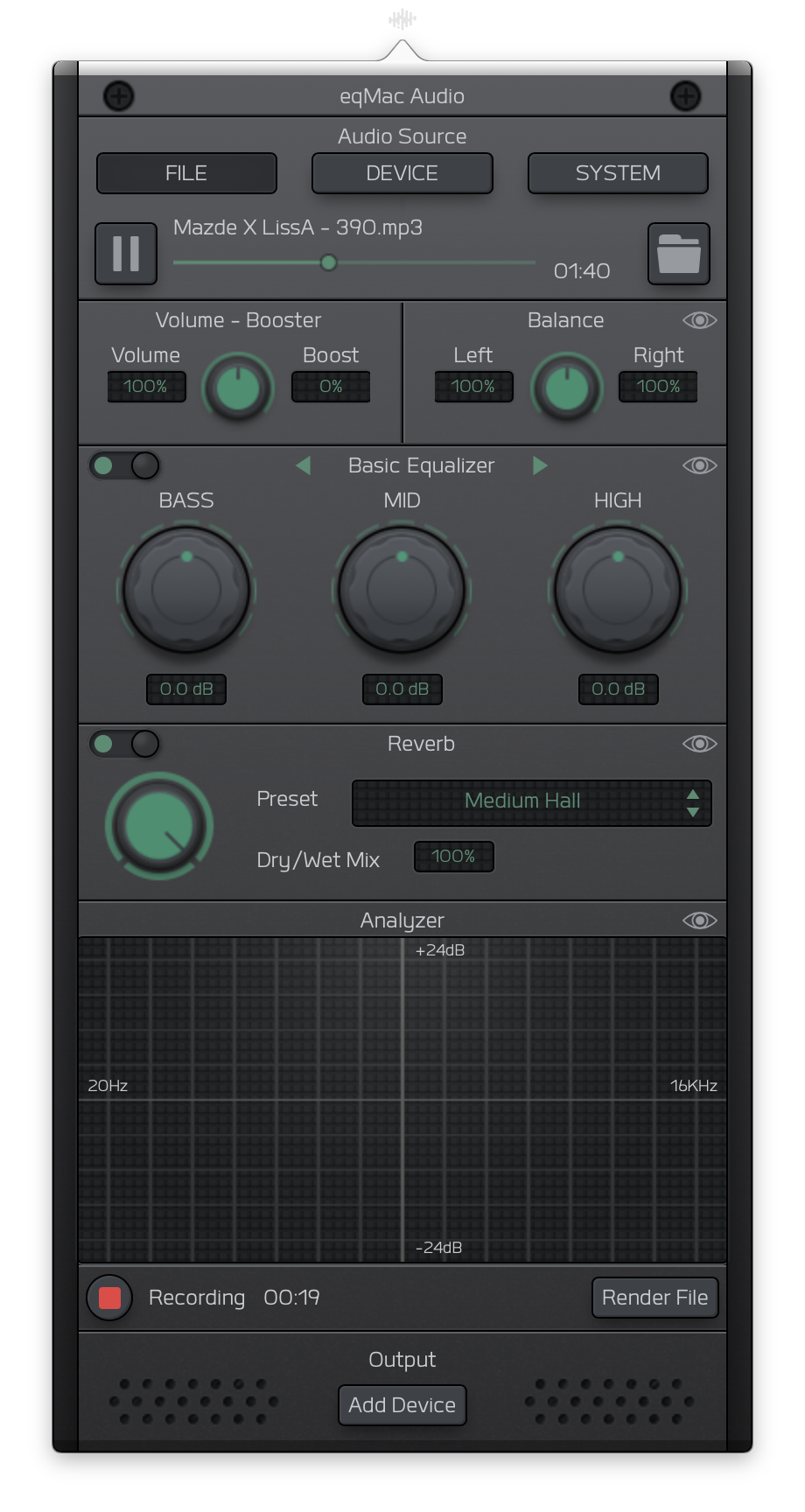
 nodeful
on 8 May 2018
nodeful
on 8 May 2018
I too had problems, turned out that I couldn't actually click "Allow" because one of my apps (don't know which one) does things with click events and that's not secure. So the workaround is to tab to the "Allow" button and press "space", but you can only do that if you have tab-between-all-interface-elements enabled, which is mapped to ctrl-f7 by default.
 wmertens
on 29 May 2018
wmertens
on 29 May 2018
No success with either:
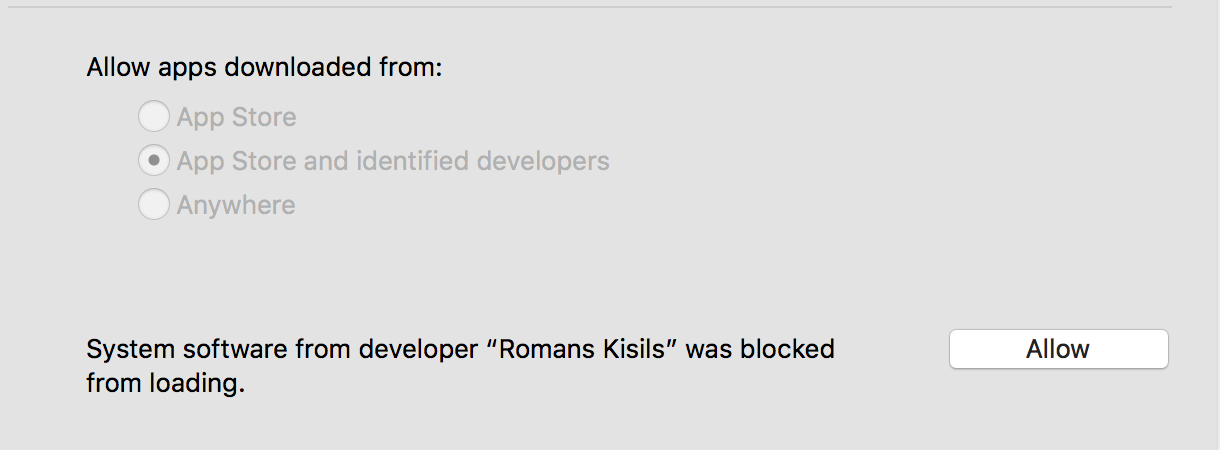
OR
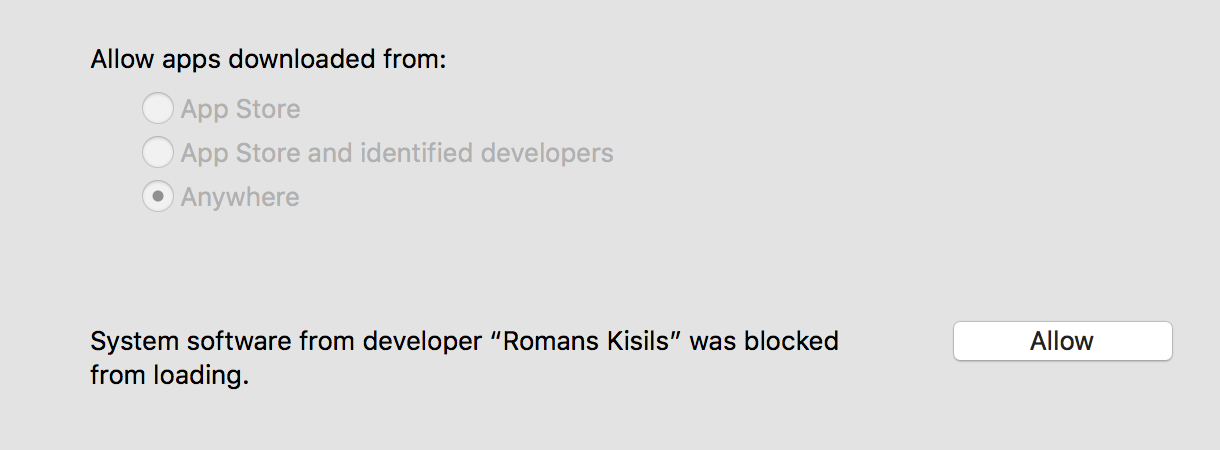
OR suggested solution at: https://github.com/nodeful/eqMac2/issues/130
Appreciate the work, have installed the product successfully on a previous laptop, but no joy on this one:
System Version: macOS 10.13.6 (17G65)
Kernel Version: Darwin 17.7.0
this is the best I get from syslog:
Oct  7 14:24:20 w com.apple.preference.security.remoteservice[1499]: objc[1499]: Class AWDSecurityPrefAutoUnlockSetup is implemented in both /System/Library/PreferencePanes/Security.prefPane/Contents/XPCServices/com.apple.preference.security.remoteservice.xpc/Contents/MacOS/com.apple.preference.security.remoteservice (0x102f958e0) and /System/Library/PreferencePanes/Security.prefPane/Contents/MacOS/Security (0x104bfef18). One of the two will be used. Which one is undefined.
Oct  7 14:25:10 w systemstats[54]: assertion failed: 17G65: systemstats + 914800 [D1E75C38-62CE-3D77-9ED3-5F6D38EF0676]: 0x40
instructions on how to manually install the driver, or which drivers might be the offending issue would be exceptionally helpful
 wiederhold
on 7 Oct 2018
wiederhold
on 7 Oct 2018
I use MagicPrefs to customize actions for my mouse and trackpad. Turning it off allowed me to successfully click "Allow" and install.
 slemaster
on 9 Oct 2018
slemaster
on 9 Oct 2018
I have the same issue on macOS 10.15.1 (19B88), Kernel Darwin 19.0.0. Unable to install the drivers. I have tried both App settings, Brew install...
 OssiPesonen
on 6 Nov 2019
OssiPesonen
on 6 Nov 2019
For Catalina, try to remount the System Partition by sudo mount -uw / and install again.
 doesprintfwork
on 11 Nov 2019
doesprintfwork
on 11 Nov 2019
I am also having the same issue but I'm on macOS 10.15.2 and I am unable to install the drivers, the box which asks specifically about the app doesn't show up either and typing "sudo mount -uw /" into terminal doesn't seem to work, it says "mount_apfs: volume could not be mounted: Operation not permitted
mount: / failed with 77".
I apologize if its troublesome that I can't find the "Kernel Darwin" name and I do not understand a lick of coding.
 Crunchyliam
on 3 Jan 2020
Crunchyliam
on 3 Jan 2020
Hey everyone. Excuse me for the lack of updates. I have been really busy on the new version of eqMac. I am happy to announce an open beta release.
You can download it here: https://eqmac.app
There are a lot of known bugs that I could not fix just yet:
- Driver not installing from the first try. Sometimes need to restart eqMac a couple times.
- Complex Device switching logic is not perfect (for example when switching off the device that's currently playing, plugging in new device etc.)
- UI takes long to load (a lot can be done to improve that)
- UI dimensions are not synching properly
- There's a noticeable audio delay in the playback, so not suitable for video yet (I know where the problem lies just haven't had the time to fix yet)
- Sometimes the playback doesn't start, in that case please try to switch the output to the device you want and eqMac should try and build the audio pipeline again.
So as you can see there's still some work to be done but at least it's a completely modern tech stack that I am fully willing to work on: 100% Swift, User Space driver and a Web UI, instead of C++, Kernel Drivers. As I said, should work on Catalina and should not have any pesky ear drum blasting volume bugs (at least I didn't come across any).
I'm open to feedback and issue reports here: https://github.com/bitgapp/eqmac
That repo will become the main repo for eqMac and this repo will be archived eventually.
And yes it's called just eqMac, not eqMac3 :) And it will stay that way forever.
nodeful
on 8 Jan 2020
For Catalina, try to remount the System Partition by
sudo mount -uw /and install again.
That worked for me! Thanks!
 slavpetroff
on 9 Jan 2020
slavpetroff
on 9 Jan 2020
Hey everyone. Excuse me for the lack of updates. I have been really busy on the new version of eqMac. I am happy to announce an open beta release.
You can download it here: https://eqmac.app
There are a lot of known bugs that I could not fix just yet:
- Driver not installing from the first try. Sometimes need to restart eqMac a couple times.
- Complex Device switching logic is not perfect (for example when switching off the device that's currently playing, plugging in new device etc.)
- UI takes long to load (a lot can be done to improve that)
- UI dimensions are not synching properly
- There's a noticeable audio delay in the playback, so not suitable for video yet (I know where the problem lies just haven't had the time to fix yet)
- Sometimes the playback doesn't start, in that case please try to switch the output to the device you want and eqMac should try and build the audio pipeline again.
So as you can see there's still some work to be done but at least it's a completely modern tech stack that I am fully willing to work on: 100% Swift, User Space driver and a Web UI, instead of C++, Kernel Drivers. As I said, should work on Catalina and should not have any pesky ear drum blasting volume bugs (at least I didn't come across any).
I'm open to feedback and issue reports here: https://github.com/bitgapp/eqmac
That repo will become the main repo for eqMac and this repo will be archived eventually.
And yes it's called just eqMac, not eqMac3 :) And it will stay that way forever.
Finally this worked! Appreciate all your hard work!!
 bawva
on 21 Feb 2020
bawva
on 21 Feb 2020
Hey everyone 👋
I will be open sourcing the new version of eqMac, therefore, I am closing this issue and repository as I will be transfering nodeful/eqMac2 repo to bitgapp/eqMac
Please bear with me for the next couple of days as I setup that new repo. The eqMac2 code will be living in the old-eqMac2 branch if anyone is interested in referencing it for whatever reason.
Please try out the new version and report bugs to the new repo.
Thanks for using eqMac.
nodeful
on 4 Apr 2020
Related issues
 jammehcow
·
7Comments
jammehcow
·
7Comments
 grabowskiw
·
6Comments
grabowskiw
·
6Comments
 lbibass
·
7Comments
lbibass
·
7Comments
 danialazlee
·
7Comments
danialazlee
·
7Comments
 alexkreidler
·
7Comments
alexkreidler
·
7Comments
Most helpful comment
I too had problems, turned out that I couldn't actually click "Allow" because one of my apps (don't know which one) does things with click events and that's not secure. So the workaround is to tab to the "Allow" button and press "space", but you can only do that if you have tab-between-all-interface-elements enabled, which is mapped to ctrl-f7 by default.