When running eqMac2, the default device gets full volume, even it had different settings.
And if you go to sound settings and lower the volume, and click and switch between devices, the volume on default device gets 100% again
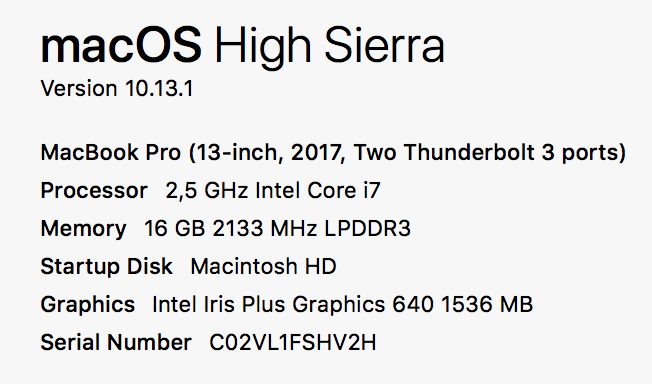
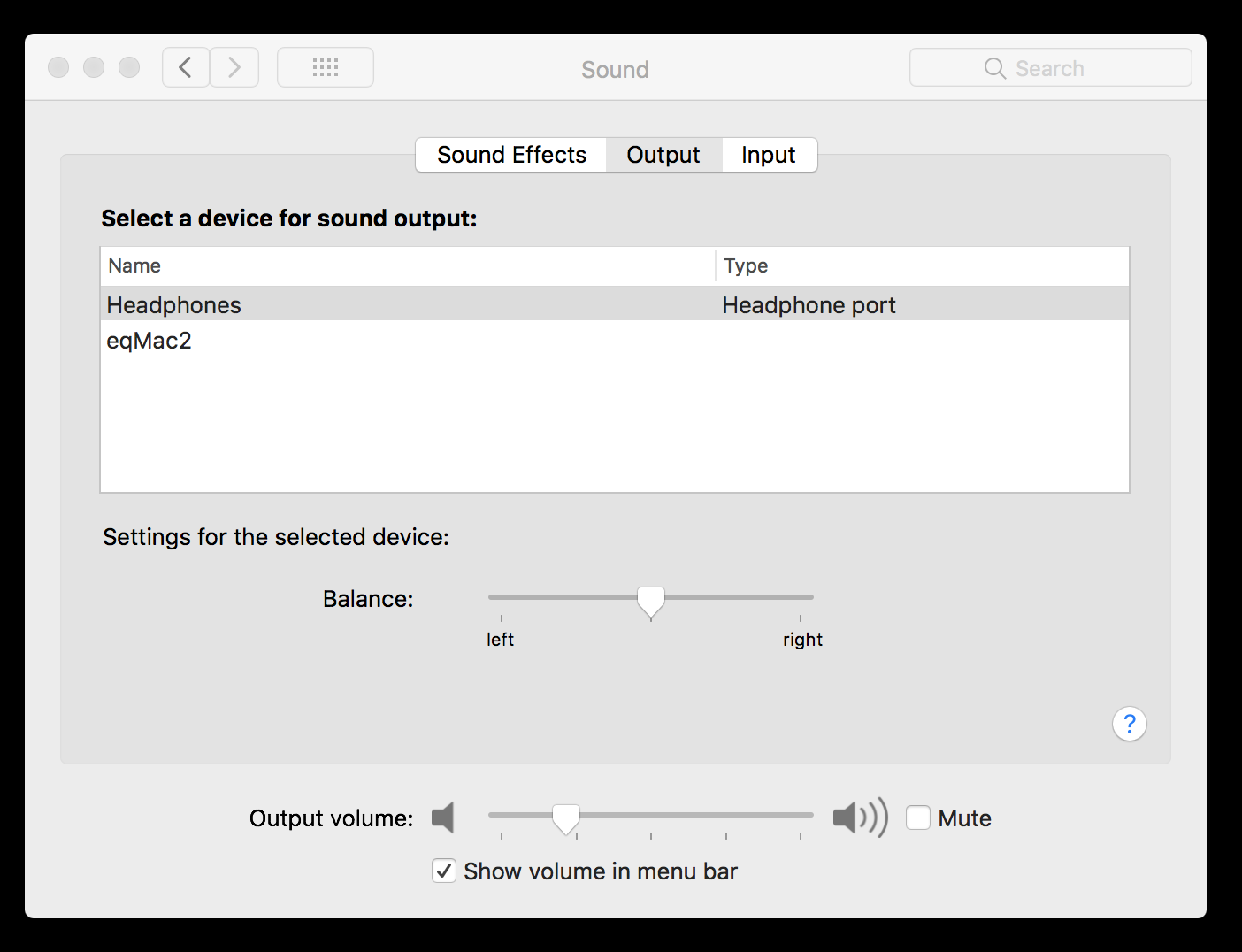
 psxcode
All 49 comments
Your default Output device should never be selected when eqMac2 is running. eqMac2 device should always be selected if eqMac2 is functioning correctly. Try restarting your Mac and maybe uninstalling & installing eqMac again.
 nodeful
on 26 Nov 2017
nodeful
on 26 Nov 2017
Ok. Of course. But some other sounds eventually come from Default device.
This may be, for example, OS sound effects, or others.
The point is that new version of eqMac keeps volume of Default device at 100%, and you cannot lower it.
Please check it out.
psxcode
on 26 Nov 2017
Ok I see your point. I have my system sound effects turned off so I haven't found that as an issue. I will see what I can do. Thanks for the report
nodeful
on 26 Nov 2017
Just noticed, you can set the OS sound effect to play through the selected Audio Device

nodeful
on 26 Nov 2017
Yes. This is possible. But I almost had my ears exploded, when some other sound came from Default device, then I tried to lower the sound but eqMac holds it at 100%
This behavior was introduced in v2.1
psxcode
on 26 Nov 2017
You see, I NEED TO HAVE IT TO 100% :D Otherwise the app won't work.
nodeful
on 26 Nov 2017
Ok. I'll check my work Mac tomorrow. It has previous version of eqMac. I think it was not the case in prev version. Anyway.. Thank you for this great project. It is my No1 install on a new Mac.
psxcode
on 26 Nov 2017
This is because in previous versions I overwrote the entire OSX volume logic and I had full control and was changing the volume of the actual output device. In this release, to keep most users happy, I had to make the eqMac device visible at all times and make it controllable by the OSX native volume controls, therefore I need to set the built-in output device volume to 100% so the end volume is 100% (Built-in) * 20% (eqMac volume) = 20% volume. If I set the volume of built in device the same as eqMac device then the equation will look like 20% (Built-in) * 20% (eqMac volume) = 4% end volume.
nodeful
on 26 Nov 2017
Hey. Thanks for detailed info. Now I understand.
I had a look at prev implementation.
- previously
eqMachad no personal volume control and everything worked throughMain Volume control - now it has its
own volume control, that is being multiplied byMain Volume control, soMainis forced to 100% during the run, and restored on quit
This approach solves some problems, and the only con I found, is that some app can push the sound through the Default Device and it will be VERY VERY loud.
But again.
Thank you for developing and supporting this project, keeping it FREE.
BIG THANKS from all of us
psxcode
on 27 Nov 2017
I have the feeling this one is related:
I have my default device muted (usually). But when I close my macbook and open it later, it resets to 100% volume. So everytime I send my machine to sleep, it resets my audio settings.
(on MacOS Sierra 10.12.6)
 TheBay0r
on 27 Nov 2017
TheBay0r
on 27 Nov 2017
The problem as I see it is that when you launch eqMac 2.1, it changes the output device to "eqMac2," but changes the Sound Effects output selection to whatever it was before.
So prior to launch, I have the output selection as "Headphones" and Sound Effects' "Play sound effects through" is set to "Selected Sound output device."
When I launch eqMac2, the output selection switched to "eqMac2," and Sound Effects' "Play sound effects through" is set to "Headphones."
So if somehow the Sound Effects output device could also be set to eqMac2, I think we'd be good to go for alert sounds. But as it is, each time you launch the app, you must go into the sound preferences and change it manually if you don't want to jump out of your chair when the first system alert sound plays.
 uner
on 28 Nov 2017
uner
on 28 Nov 2017
Please give me back the previous version!! This is a health hazard!!! It really blows our ears out!! This is dangerous!!
Thank you very much for the very good work but it is unacceptable that the volume EVER goes to 100%!!
Let me know how I can install the previous version: THIS ONE WAS PERFECT!!!!
 SwissDutch
on 28 Nov 2017
SwissDutch
on 28 Nov 2017
@SwissDutch
Here in Releases. Grab any .dmg version you want
psxcode
on 28 Nov 2017
@psxcode: thank you very much!!! To be sure: the prior version was Build 2.0.6?
SwissDutch
on 28 Nov 2017
Yes the previous version is 2.0.6
I will fix the volume in the next update
nodeful
on 28 Nov 2017
@romankisil Thank you very much for the info. I took the previous version for now (to save my ears). But your equalizer is really super!!!! As soon as you got it fixed I will again take the latest version. Keep up the good work!!
SwissDutch
on 28 Nov 2017
I have a similar thing happen. When I'm listening to the audio in a film played through my browser its all ok and controllable but I go to my adobe premiere pro app the volume is playing back at 100%!
Even if I turn my system volume down to ZERO I am still getting 100% volume out of my external speakers.
Then I pulled the wire out from the computer to see if this was happening from the internal speakers and I could then control the volume level BUT it still sounds like its playing back at full volume but just a lower level so I can hear the distortion you would get from having an amp driven at full blast and the distortion that comes with that.
I then plugged my external cable back in and I have volume control but I still get massive distortion in the audio when using premiere pro so I can't edit films anymore with your software. The browser audio sounds as it should.
Can you fix this issue with premiere pro?
 easdale
on 29 Nov 2017
easdale
on 29 Nov 2017
I immediately uninstalled the new version of eqmac2 after the update. I understood your purpose but 100% system volume setting is giving me so many annoying issues. I have to hear full volumed startup sound everytime I turn on my macbook, full volumed music occasionally while adjusting settings and full volumed notifications. Please don't make everything annoying to respond a few complaint.
 i34756
on 29 Nov 2017
i34756
on 29 Nov 2017
Just want to chime in that I also had my ears blown out by an unexpected sound at 100%, very painful and potentially damaging experience. Great project, but am uninstalling for now.
 qoolqat
on 1 Dec 2017
qoolqat
on 1 Dec 2017
I have released an update (Build 2.2) Please update and tell me if the issue is still relevant. Thanks
nodeful
on 3 Dec 2017
This build fixed the issue for me. I tested various configurations of using the built-in output with and without headphones, the display audio, and various combos thereof for sound effects. Rock solid as far as I can tell - thank you!!!
uner
on 3 Dec 2017
This fixed the problem for me and all the functionality is back (and my ears are still alive :-)). Thanks a million!!!!
SwissDutch
on 4 Dec 2017
Cool, I guess I can close this one :) Cheers guys
nodeful
on 4 Dec 2017
Thanks, reinstalled, sounds good so far. Appreciate the rapid response. Donated to the project.
qoolqat
on 4 Dec 2017
@nodeful doesn't seem to be fixed for me 😞 . Still jumps to 100% on device switch. Headphones/Internal Speakers etc..
I even tried to uninstall and re-install still jumps to 100%.. I'm using Build v2.2 on MBP Sierra 10.12.6
 asaada83
on 4 Dec 2017
asaada83
on 4 Dec 2017
@asaada83 - I noticed it jumped the first time I switched, after I had adjusted the volume for each output, it retained the volume each time. Can you go through all the combos with eqMac2 not running, set them to some lower value, then launch eqMac2? That works perfectly for me on High Sierra. Also, keep in mind some transitions change the volume even without eqMac2 installed. For example, on my Sierra MBP, if I have headphones in and then connect to my external display, the volume of the headphones jumps to whatever it was the last time I had the display plugged in. I think macOS "remembers" various configurations and tries to do you a favor - whether you want it to or not.
uner
on 4 Dec 2017
I tried that just now. Still doesn't work. I use the sound settings in the MacOS system preferences to switch devices.
I only use the headphones jack and the internal speakers for now. Not other external audio sources.
Also I noticed that if I unplug the headphones it doesn't automatically switch to the internal speakers I have to reselect them for the sound to work.
asaada83
on 4 Dec 2017
Ok, eqMac2 stopped working and suddenly the volume jumped to 100% again, blasting my ears out again. There won't be a 3rd time.
qoolqat
on 13 Dec 2017
@qoolqat Can you let us know what you do to reproduce this? I have a pretty complicated setup couching daily between headphones, speakers, and internal speakers while mobile, and it's been rock solid. But I am happy to try and reproduce this by following your workflow if it helps.
uner
on 13 Dec 2017
I'm assuming the app crashed in some way. There was no sound, and when i adjusted the volume (F11/F12), there remained no sound... i clicked on the eqmac2 icon in the menu bar and the icon disappeared and the sound jumped to 100%. There were no steps that I could reproduce, it happened randomly.
qoolqat
on 13 Dec 2017
Maybe it's OS specific? Sounds like it's working fine for people with High Sierra but I'm on Sierra 10.12.6 and this never worked for me as expected. I downgraded to build 2.0.6 and it's working fine there.
asaada83
on 13 Dec 2017
Well there is no other way to NOT have the volume of the Built-in Device on 100%, explained it many times. I am moving to a much more modern driver in the next release (probably coming out in a couple months) so I will have more control over these annoying bugs. Sorry for the issues
nodeful
on 14 Dec 2017
Hi guys, same issue happened to me for the last time now. I gotta find other software that won't blow my freaking head off when I change the settings.
Seriously, fix this. AFAIK I'm using the latest version and its still happening. For the love of christ, at least add a "max volume" option in the settings that would prevent the volume from going past X percent.
 alexdoub
on 22 Feb 2018
alexdoub
on 22 Feb 2018
Echoed, issue is still prevalent on El Cap and has blasted crazy volumes into my ears on numerous occasions now. Will update to High Sierra when I can to see if that makes a difference.
I love the work you've been doing otherwise though, but will have to switch back to an old version for the time being. Thanks for your time and effort!
 Jaribeau
on 28 Mar 2018
Jaribeau
on 28 Mar 2018
This happens to my MAC Sierra, when the output device is changed the volume jumps to maximum :( Please fix, it hurts my ear a lot.
 ngoclt
on 17 Apr 2018
ngoclt
on 17 Apr 2018
As others said this is a health hazard and also it might have ruined my iems :/
 ddayan
on 29 Jul 2018
ddayan
on 29 Jul 2018
Until this issue is resolved, maybe you can add a warning in a very obvious place. It's kind of ridiculous that I had to blow my ears out to find out about this issue.
 JCruz8482
on 15 Aug 2018
JCruz8482
on 15 Aug 2018
This is extremely dangerous and can cause permanent hearing damage. I was very lucky that the very loud sound that came out was a soft song intro, but it still hurt my ears a lot. You either need to fix this urgently or put a big warning message about the issue.
 verekia
on 15 Sep 2018
verekia
on 15 Sep 2018
I thought this ear-blowing issue was resolved with release 2.2. It indeed now seems to be back. Do I need to revert back to release 2.06?
Please let us know if the ear-blowing issue is back.
SwissDutch
on 20 Sep 2018
I agree, this needs to be fixed! The volume goes up to 100% each time I switch devices.
 bostrom
on 27 Sep 2018
bostrom
on 27 Sep 2018
Well there is no other way to NOT have the volume of the Built-in Device on 100%, explained it many times. I am moving to a much more modern driver in the next release (probably coming out in a couple months) so I will have more control over these annoying bugs. Sorry for the issues
Is there a new ticket for incorporating the new driver?
 hasuf
on 9 Oct 2018
hasuf
on 9 Oct 2018
Hey so what is the workaround at the moment ? I'm trying to use eqMac2 with GooglePlayMusicDesktopPlayer, if I'm chosing audio device default or eqMac2 in GPMDP there is no sound at all, if I'm chosing built-in audio the volume jumps to 100% and neither MacOs sound setting nor the volume slider in the eqMac2 window change the volume, only the volume sliders in the programs emitting the sounds are affecting volume...
 Lumpenstein
on 23 Oct 2018
Lumpenstein
on 23 Oct 2018
This is still an issue in v2.2 - downright dangerous. I backgraded to v2.06, but the whole mess sure shakes one's confidence in using this app safely.
 somanyusers
on 8 Feb 2019
somanyusers
on 8 Feb 2019
Someone should fork this and just do the change themselves. One day if I got time I'll do it. I doubt its that hard
alexdoub
on 8 Feb 2019
To everyone having problems with the sound:
I got everything working properly by selecting eqMac2 as Audio device in my player of choice.
That moment I was getting no sound at all. I needed to go to system preferences/sound/input and set the input volume to max for the eqMac2 input (not the internal mic). Under output device eqMac2 should be automatically selected.
Afterwards it's working as intended, volume sliders are working, no jumping to 100% etc.
Lumpenstein
on 8 Feb 2019
Hello Roman,
I have never had the 100% volume issue again (although I am careful now
:-)).
The issue I have now is that eqmac2 often drains up to 32% of the energy of
my laptop for extended periods of time. Do you know what the reason for
this is?
Thanks, Olivier
On Mon, Dec 4, 2017 at 3:49 PM Roman notifications@github.com wrote:
Cool, I guess I can close this one :) Cheers guys
—
You are receiving this because you were mentioned.
Reply to this email directly, view it on GitHub
https://github.com/nodeful/eqMac2/issues/103#issuecomment-348983823, or mute
the thread
https://github.com/notifications/unsubscribe-auth/AXgzPxBNJYOdPeWPILDXkV-EU9KLCWTSks5s9AaLgaJpZM4Qq5PR
.
SwissDutch
on 15 Apr 2019
Hey everyone. Excuse me for the lack of updates. I have been really busy on the new version of eqMac. I am happy to announce an open beta release.
You can download it here: https://eqmac.app
There are a lot of known bugs that I could not fix just yet:
- Driver not installing from the first try. Sometimes need to restart eqMac a couple times.
- Complex Device switching logic is not perfect (for example when switching off the device that's currently playing, plugging in new device etc.)
- UI takes long to load (a lot can be done to improve that)
- UI dimensions are not synching properly
- There's a noticeable audio delay in the playback, so not suitable for video yet (I know where the problem lies just haven't had the time to fix yet)
- Sometimes the playback doesn't start, in that case please try to switch the output to the device you want and eqMac should try and build the audio pipeline again.
So as you can see there's still some work to be done but at least it's a completely modern tech stack that I am fully willing to work on: 100% Swift, User Space driver and a Web UI, instead of C++, Kernel Drivers. As I said, should work on Catalina and should not have any pesky ear drum blasting volume bugs (at least I didn't come across any).
I'm open to feedback and issue reports here: https://github.com/bitgapp/eqmac
That repo will become the main repo for eqMac and this repo will be archived eventually.
And yes it's called just eqMac, not eqMac3 :) And it will stay that way forever.
nodeful
on 8 Jan 2020
Thanks for your work on this @nodeful! I'll install the latest version when I get a chance and offer what helpful feedback that I can.
Jaribeau
on 8 Jan 2020
Hey everyone 👋
I will be open sourcing the new version of eqMac, therefore, I am closing this issue and repository as I will be transfering nodeful/eqMac2 repo to bitgapp/eqMac
Please bear with me for the next couple of days as I setup that new repo. The eqMac2 code will be living in the old-eqMac2 branch if anyone is interested in referencing it for whatever reason.
Please try out the new version and report bugs to the new repo.
Thanks for using eqMac.
nodeful
on 4 Apr 2020
Related issues
 squadgazzz
·
7Comments
squadgazzz
·
7Comments
 alexkreidler
·
7Comments
alexkreidler
·
7Comments
 vasantsv
·
7Comments
vasantsv
·
7Comments
 MiLeung
·
3Comments
MiLeung
·
3Comments
 marco-brandizi
·
8Comments
marco-brandizi
·
8Comments
Most helpful comment
Please give me back the previous version!! This is a health hazard!!! It really blows our ears out!! This is dangerous!!
Thank you very much for the very good work but it is unacceptable that the volume EVER goes to 100%!!
Let me know how I can install the previous version: THIS ONE WAS PERFECT!!!!