Eqmac: Still problems with Mac restart and 2.0.6 version eqMac2
if I restart my MacBook (2016 4 Thunderbolt ports) running macOS 10.12.6, I still have issues with 2.0.6 of eqMac2. The result are inconsistent - 5 restarts - 1 time audio output changed, 1 time severely distorted audio, 2 times no audio output at all, 1 time worked as expected.
Were you able to test latest Sierra with system restarts?
 jameyers4
All 33 comments
see my report #6; I presumed that this and some other similar reports may have had the same root cause - that may not be the case.
jameyers4
on 3 Aug 2017
More info - this seems like a race condition on init. What I observe is this:
- eqMac2 - disable "Launch on startup", quit eqMac2.
- restart Mac several times - each time, after boot and user login, Mac uses bluetooth speakers for audio output without exception, no problems (except, no eqMac2 of course...).
- Shut down, then restart Mac several times - each time, after boot and user login, Mac uses bluetooth speakers for audio output without exception, no problems (except, no eqMac2 of course...).
- if I repeat the above with eqMac2 set for "Launch on startup" being set, I get mixed (and mostly bad results) - no audio, audio from built in speakers on external monitor (not what I do normally), or garbled audio. Also, sometimes when in this state (not always, interestingly), the BT speakers are not even showing as audio output devices. If this happens, I need to go. into my BT settings on the Mac, and then connect to them. Then I have audio again.
So - without eqMac2 trying to run at startup, all is fine. Trying to run eqMac2 at startup causes issues. Seems like a driver related race condition from the above observed symptoms (in my case, between BT audio outputs and eqMac2 - not sure if this could happen in other circumstances).
Hope this helps to swat this bug... :-D
jameyers4
on 3 Aug 2017
Thanks for the rich description. I will try to tackle it this weekend
 nodeful
on 3 Aug 2017
nodeful
on 3 Aug 2017
Let me know if I can provide more info; I will do what I can.
jameyers4
on 3 Aug 2017
OK, hope to see this fixed properly, however, I've used automator on my Mac to run a shell script that delays launch of eqMac2 10 seconds - works like a champ as a workaround (I run the automator app in startup and do not run eqMac2 as part of startup. This is a strong indicator that it's a timing / race condition related issue. HTH.
jameyers4
on 3 Aug 2017
Thanks, I will keep that in mind. Sorry can't look into it until the weekend, busy with life.
nodeful
on 3 Aug 2017
Yet more...
So on my setup (2016 MacBook Pro w/Touch bar (4 Thunderbolt 3 ports) - even if I force it to sleep from the Apple menu (Apple menu > Sleep), wait a few seconds, then tap on my external trackpad or keyboard to wake it, I still GET audio output after doing the above (my trick with the 10 second start delay). My setup is 2016 MacBook, 21" display (via Thunderbolt), external Apple BT keyboard, trackpad). 2.1 Speakers connected by Logitech BT adapter (https://www.logitech.com/en-us/product/bluetooth-audio-adapter).
For those seeing the problem coming out of sleep - I'm curious (just trying to assist community in getting best info to Roman to fix this problem and help all - (including me...) :-)):
- How you you get the Mac to sleep (just time out? Force it as I have with Apple Menu > Sleep?
- If you try closing eqMac2 completely, wait a few seconds, then restart it, then retry your sleep test - do you get any different results?
I see problems only on system restart or complete power cycle, and my 10 second delay trick works around this issue. I do not see the sleep issue in my setup (if I force it to sleep as I've described above). I'm curious if a timing or race condition during init could be a root cause of other community members seeing the sleep issue.
Just trying to stir the pot for the best information for Roman to work from... Good luck to all who try this (or something else that yields good clues to the problem so that it can be fixed.
jameyers4
on 3 Aug 2017
One more thing - I just tried disconnecting my Thunderbolt port from my monitor (MacBook now on battery only, so it will go to sleep). I played some audio, the paused it in iTunes. Left my MacBook untouched so that it would sleep. After about 2 min of sleep, I tapped on the trackpad of the MB to wake it up, then started song again that I has paused in iTunes. It works fine for me in this procedure (Mac OS 10.12.6 BTW).
Not sure if startup, OS version, Mac HW makes a difference in all of this.
jameyers4
on 3 Aug 2017
I also have interesting information, or I think so. I tried to compare your program with "BOOM2", I installed the trial version and guess what? Exactly the same problem. So I think this will be something bigger...
And by the way, I also have monitors with audio input. Off in the monitor, but MAC shows the playback option. So I think it has a connection with the jameyers4 post.
 Faasteer
on 4 Aug 2017
Faasteer
on 4 Aug 2017
@jameyers4 @Faasteer @cihanavci Can you guys try out Build 2.0.7 pre-release candidate to see if the issue got fixed
nodeful
on 6 Aug 2017
I’ll be delayed in getting to this - might be later today or tomorrow - sorry.
Jeff
On Aug 6, 2017, at 6:12 AM, Roman Kisil notifications@github.com wrote:
@jameyers4 https://github.com/jameyers4 @Faasteer https://github.com/faasteer @cihanavci https://github.com/cihanavci Can you guys try out Build 2.0.7 https://github.com/romankisil/eqMac2/releases/tag/v2.0.7 pre-release candidate to see if the issue got fixed
—
You are receiving this because you were mentioned.
Reply to this email directly, view it on GitHub https://github.com/romankisil/eqMac2/issues/27#issuecomment-320497799, or mute the thread https://github.com/notifications/unsubscribe-auth/AdCeuYgf-SUPHdyVnvXTr_lnfempA8EJks5sVZGggaJpZM4OsV1o.
jameyers4
on 6 Aug 2017
All -
Have not run exhaustive tests, but looks good preliminarily!!!
Jeff
On Aug 6, 2017, at 6:46 AM, Jeff Meyers jameyers4@gmail.com wrote:
I’ll be delayed in getting to this - might be later today or tomorrow - sorry.
Jeff
On Aug 6, 2017, at 6:12 AM, Roman Kisil <[email protected] notifications@github.com> wrote:
@jameyers4 https://github.com/jameyers4 @Faasteer https://github.com/faasteer @cihanavci https://github.com/cihanavci Can you guys try out Build 2.0.7 https://github.com/romankisil/eqMac2/releases/tag/v2.0.7 pre-release candidate to see if the issue got fixed
—
You are receiving this because you were mentioned.
Reply to this email directly, view it on GitHub https://github.com/romankisil/eqMac2/issues/27#issuecomment-320497799, or mute the thread https://github.com/notifications/unsubscribe-auth/AdCeuYgf-SUPHdyVnvXTr_lnfempA8EJks5sVZGggaJpZM4OsV1o.
jameyers4
on 6 Aug 2017
In my case, it does not work. Unfortunately. Still the same problem, when my monitor turns black and I wake up my MAC, losing the sound. One change is here. When I try to get the sound back, I have to select another sound output first and then correct audio output. Otherwise, the sound does not work.
EDIT: I am convinced, that this problem is related to my two HDMI monitors (One directly on HDMI. Second with miniDisplayPort to HDMI reduction.). I found many references to audio problems in MAC OS using HDMI with audio output support.
Faasteer
on 6 Aug 2017
Nope - exhibits same failure modes as previously noted for restart and shutdown. 10 second delay still seems to help.
jameyers4
on 6 Aug 2017
Crap. Though the fix would work. Back to the drawing board. I don't want to introduce the delay, as it might be inconsistent. As well as 10 seconds for many users might be too much to wait for. Have to find a proper solution. If you guys get any more info let me know :)
nodeful
on 6 Aug 2017
Agree - for now, the 10 seconds is a hack that works, but is charitably, um, sub-optimal… ;-)
jameyers4
on 6 Aug 2017
Roman - any advice as far as keeping pre-2.0.7 installed vs going back to 2.0.6 release? right now, I have pre-207 installed....
jameyers4
on 7 Aug 2017
Whatever you feel like having @jameyers4 :) To automatically update to the production release of 2.0.7 (when it comes out) you would need 2.0.6 (the build number has to be lower for the updater to pick it up)
nodeful
on 7 Aug 2017
any progress at all on this?
jameyers4
on 13 Aug 2017
@jameyers4 haven't had much time to invest into eqMac this week :(
nodeful
on 13 Aug 2017
Build 2.1 has just been released. You can download it from https://bitgapp.com/eqmac
Could you please update and report if the issue is still relevant. Thanks :)
nodeful
on 26 Nov 2017
Thanks - will test over next couple of days.
Jeff
On Nov 26, 2017, at 1:05 PM, Roman Kisil notifications@github.com wrote:
Build 2.1 has just been released. You can download it from https://bitgapp.com/eqmac https://bitgapp.com/eqmac
Could you please update and report if the issue is still relevant. Thanks :)—
You are receiving this because you were mentioned.
Reply to this email directly, view it on GitHub https://github.com/romankisil/eqMac2/issues/27#issuecomment-347026935, or mute the thread https://github.com/notifications/unsubscribe-auth/AdCeuVyze6oVn5jMZqWwuKQEwKAkA4IMks5s6ahngaJpZM4OsV1o.
jameyers4
on 26 Nov 2017
Well, I’ve got to say that I have more problems with this version than the last - lots of distortion after running for a while. Going to the eqMac2 control in the menu bar, and choosing my audio device (Logitech Bluetooth) rectifies issue for a while. Great idea, just does not work reliably at all.
Jeff Meyers
On Nov 26, 2017, at 1:05 PM, Roman Kisil notifications@github.com wrote:
Build 2.1 has just been released. You can download it from https://bitgapp.com/eqmac https://bitgapp.com/eqmac
Could you please update and report if the issue is still relevant. Thanks :)—
You are receiving this because you were mentioned.
Reply to this email directly, view it on GitHub https://github.com/romankisil/eqMac2/issues/27#issuecomment-347026935, or mute the thread https://github.com/notifications/unsubscribe-auth/AdCeuVyze6oVn5jMZqWwuKQEwKAkA4IMks5s6ahngaJpZM4OsV1o.
jameyers4
on 2 Dec 2017
Roman -
I’ve officially given up on eqMac2 - it’s just too quirky and unreliable. After some time (hour or two) audio gets choppy and / or distorted. Also, Bluetooth audio device does not play well when I also connect my iPad. Without eqMac2, all issues go away.
I’ve gone with external hardware solution.
Thanks for your time- good luck.
Best,
Jeff
Please excuse brevity and typos as this was sent from a mobile device.
On Nov 26, 2017, at 1:05 PM, Roman Kisil notifications@github.com wrote:
Build 2.1 has just been released. You can download it from https://bitgapp.com/eqmac
Could you please update and report if the issue is still relevant. Thanks :)—
You are receiving this because you were mentioned.
Reply to this email directly, view it on GitHub, or mute the thread.
jameyers4
on 8 Dec 2017
First of all, I would like to apologize for the lack of communication and responses to the current issue and all other issues in general.
I have made a conscious decision to focus most of my free time and focus on developing a more modern and new version of "eqMac". This means that I can't spend too much time looking back at old codebase and trying to make every user happy. This was the main reason I made this repository open-source, in hopes that other developers might help to sort out some issues and iron out all the bugs. Unfortunately, there are very few developers that are proficient in Core Audio and Objective-C or maybe they are just not interested in this repo, which I can understand.
I promise that the next version will be much more polished and I will make some sort of a mainstream system were solving issues will be very easy and quick. Just sit tight and wait for a new release this coming summer.
Thank you to everyone who gave "eqMac2" a try and I hope I won't disappoint you next time :)
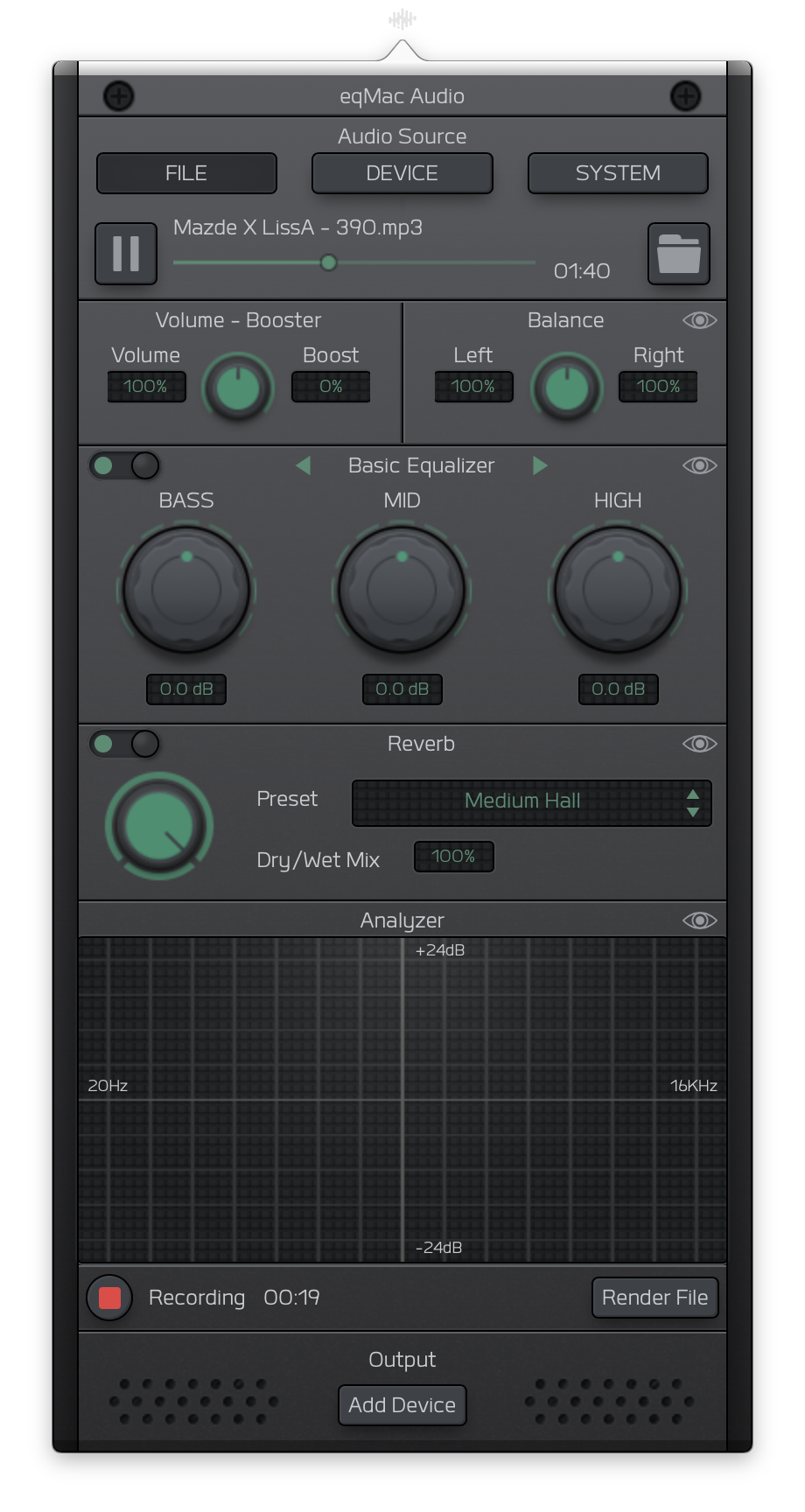
Heres a sneak peak of the UI I am currently working on:
nodeful
on 8 May 2018
i find eqmac2 very troublesome. i have to open preferences--->sound and choose my source. every time i wake the computer from sleep in order to get any sound at all. the sound distorts after about 20 minutes. the sound sets to maximum every time i choose a new output source. i would love to de-install eqmac2 but am finding it impossible. i have removed every trace i can find, but eqmac2 is still there.
 jonnyss
on 22 Oct 2018
jonnyss
on 22 Oct 2018
Any chance we'll see this new release any time soon?
 brainkilla-X
on 7 Jan 2019
brainkilla-X
on 7 Jan 2019
@brainkilla-X I've scaled down the feature plans for the new release just to bare minimum. So basically doing a rewrite to Swift and new Audio API's. Current roadmap is looking to release at the end of Feb. Sorry for the delays, working on this by myself for a couple hours a week.
nodeful
on 7 Jan 2019
@brainkilla-X I've scaled down the feature plans for the new release just to bare minimum. So basically doing a rewrite to Swift and new Audio API's. Current roadmap is looking to release at the end of Feb. Sorry for the delays, working on this by myself for a couple hours a week.
Hey, thanks for the quick response and useful info. I've been just wondering how the things are progressing... since I, too, have some issues with eq2mac on Mojave. Thanks for your hard work, I look forward to using the new release!
brainkilla-X
on 8 Jan 2019
Hey everyone. Excuse me for the lack of updates. I have been really busy on the new version of eqMac. I am happy to announce an open beta release.
You can download it here: https://eqmac.app
There are a lot of known bugs that I could not fix just yet:
- Driver not installing from the first try. Sometimes need to restart eqMac a couple times.
- Complex Device switching logic is not perfect (for example when switching off the device that's currently playing, plugging in new device etc.)
- UI takes long to load (a lot can be done to improve that)
- UI dimensions are not synching properly
- There's a noticeable audio delay in the playback, so not suitable for video yet (I know where the problem lies just haven't had the time to fix yet)
- Sometimes the playback doesn't start, in that case please try to switch the output to the device you want and eqMac should try and build the audio pipeline again.
So as you can see there's still some work to be done but at least it's a completely modern tech stack that I am fully willing to work on: 100% Swift, User Space driver and a Web UI, instead of C++, Kernel Drivers. As I said, should work on Catalina and should not have any pesky ear drum blasting volume bugs (at least I didn't come across any).
I'm open to feedback and issue reports here: https://github.com/bitgapp/eqmac
That repo will become the main repo for eqMac and this repo will be archived eventually.
And yes it's called just eqMac, not eqMac3 :) And it will stay that way forever.
nodeful
on 8 Jan 2020
iMac 5K 2015, macOS Catalina - driver installed on first try; UI loads almost instantly; no noticeable audio delay, even in videos. Good job, sir, thanks!
brainkilla-X
on 8 Jan 2020
Hey everyone 👋
I will be open sourcing the new version of eqMac, therefore, I am closing this issue and repository as I will be transfering nodeful/eqMac2 repo to bitgapp/eqMac
Please bear with me for the next couple of days as I setup that new repo. The eqMac2 code will be living in the old-eqMac2 branch if anyone is interested in referencing it for whatever reason.
Please try out the new version and report bugs to the new repo.
Thanks for using eqMac.
nodeful
on 4 Apr 2020
Moving the discussion of this issue to #227
nodeful
on 19 Apr 2020
Related issues
 shawnmclean
·
5Comments
jameyers4
·
5Comments
shawnmclean
·
5Comments
jameyers4
·
5Comments
 squadgazzz
·
7Comments
squadgazzz
·
7Comments
 marco-brandizi
·
8Comments
marco-brandizi
·
8Comments
 lbibass
·
7Comments
lbibass
·
7Comments