Epsilon: [Graphing] trigonometric functions look very weried
Describe the bug
A clear and concise description of what the bug is. Please describe a single bug per issue. Feel free to create multiple issues though!
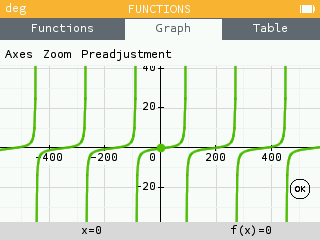
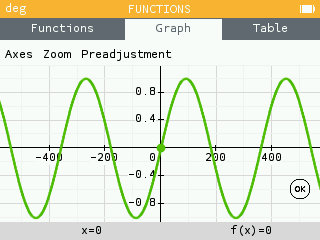
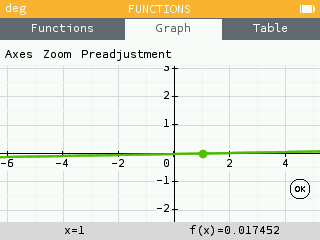
When graphing trigonometric functions, the x-axis is very big(200). When I manually set it to [-10,10] by [-10,10]. It shows me like a linear function.
Screenshots
Please provide at least one screenshot of the issue happening. This is by far the best way to quickly show any issue! To attach a screenshot, just go to our [online simulator]
(https://www.numworks.com/simulator), navigate to reproduce your issue, and click the "screenshot" button. Then drag'n'drop the file here!
To Reproduce
Steps to reproduce the behavior:
- Go to the 'Functions' app
- Type 'sin(x)'
- Go to 'Graph'
- See error
Expected behavior
A clear and concise description of what you expected to happen.
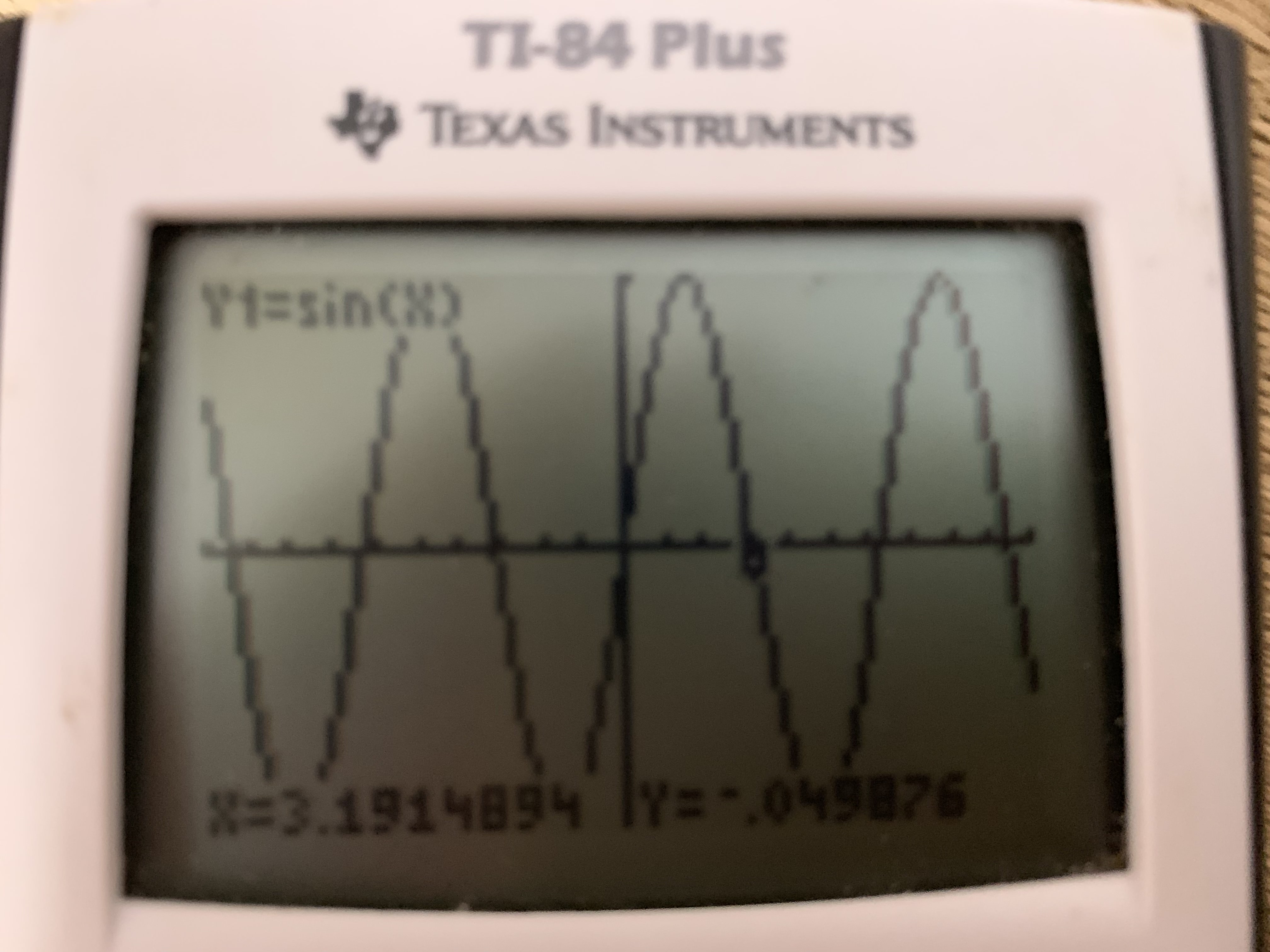
It should be like this below in the other calculators e.g(T1-84 Plus)
Environment
- Epsilon version (Settings > About > Software version).
- The platform(s) on which the problem happens: online simulator, actual device, etc...
Eplision version: 11.2.0
Platform: online simulator
 TheWanderingCoel
All 2 comments
Hi, to get what you expect, you first need to change the angle unit to Radian (go to Settings > Angle measure > Radians). The default angle unit is degree.
 EmilieNumworks
on 13 Sep 2019
EmilieNumworks
on 13 Sep 2019
Thank you very much about that!
TheWanderingCoel
on 13 Sep 2019
Related issues
 Ecco
·
4Comments
Ecco
·
4Comments
 loretoparisi
·
3Comments
loretoparisi
·
3Comments
 tjhorner
·
5Comments
tjhorner
·
5Comments
 theTisch21
·
3Comments
theTisch21
·
3Comments
 0b101
·
4Comments
0b101
·
4Comments
Most helpful comment
Hi, to get what you expect, you first need to change the angle unit to Radian (go to Settings > Angle measure > Radians). The default angle unit is degree.