Epsilon: Python script list display: more scripts and size
Problem you'd like to fix
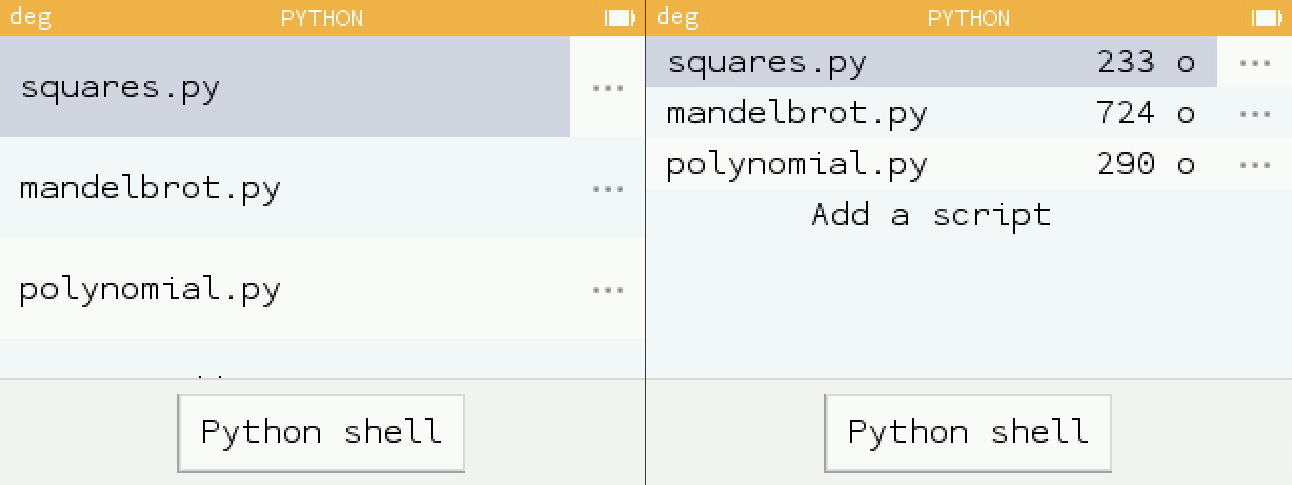
The actual display (list) of Python scripts lacks the size of these scripts and can only display three scripts at a time.
Screenshots
Left: actual / Right: mock-up proposal
Describe the solution you'd like
- Height of every line: 50 px instead of actual 100 px
- End of line: show every script size, in octets
Describe alternatives you've considered
No alternative for now
 XanderLeaDaren
All 9 comments
The 50px line heights look a little squished. A 75px line height might look a little better while still allowing more scripts to be displayed.
 0b101
on 20 Jun 2019
0b101
on 20 Jun 2019
You also need to display the available/total storage capacity, otherwise the script sizes by themselves are not really a useful information for the end-user.
 boricj
on 20 Jun 2019
boricj
on 20 Jun 2019
Both of your ideas are good!
Capacity seems related to #623 “No size or memory limit mentioned”
XanderLeaDaren
on 20 Jun 2019
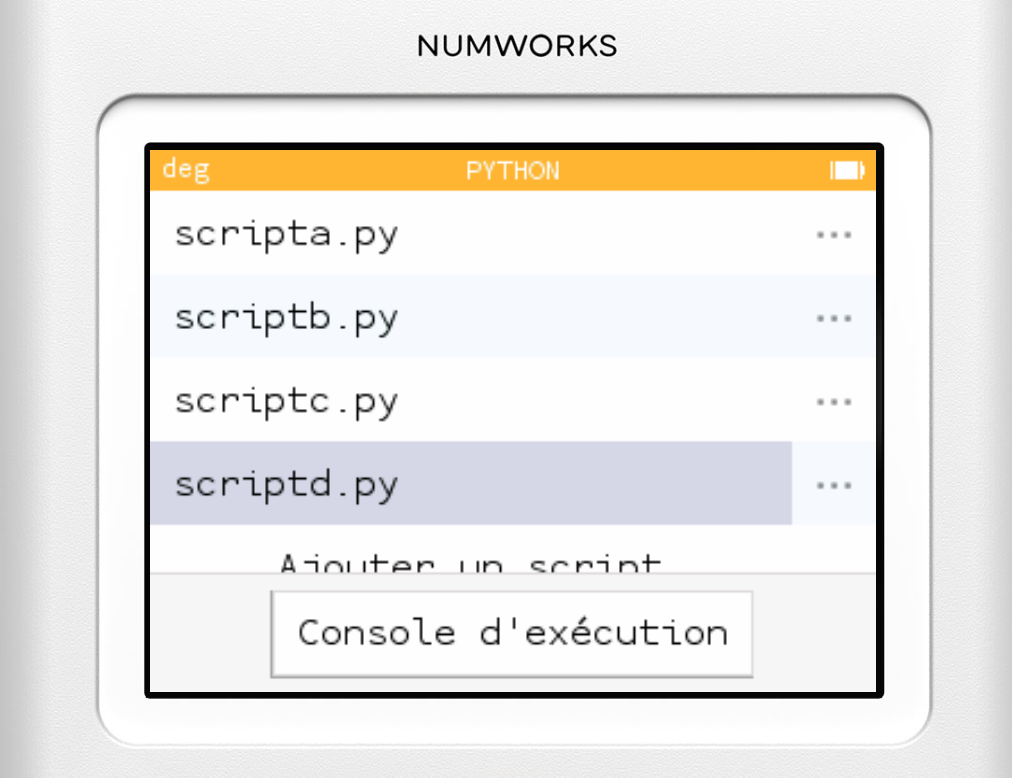
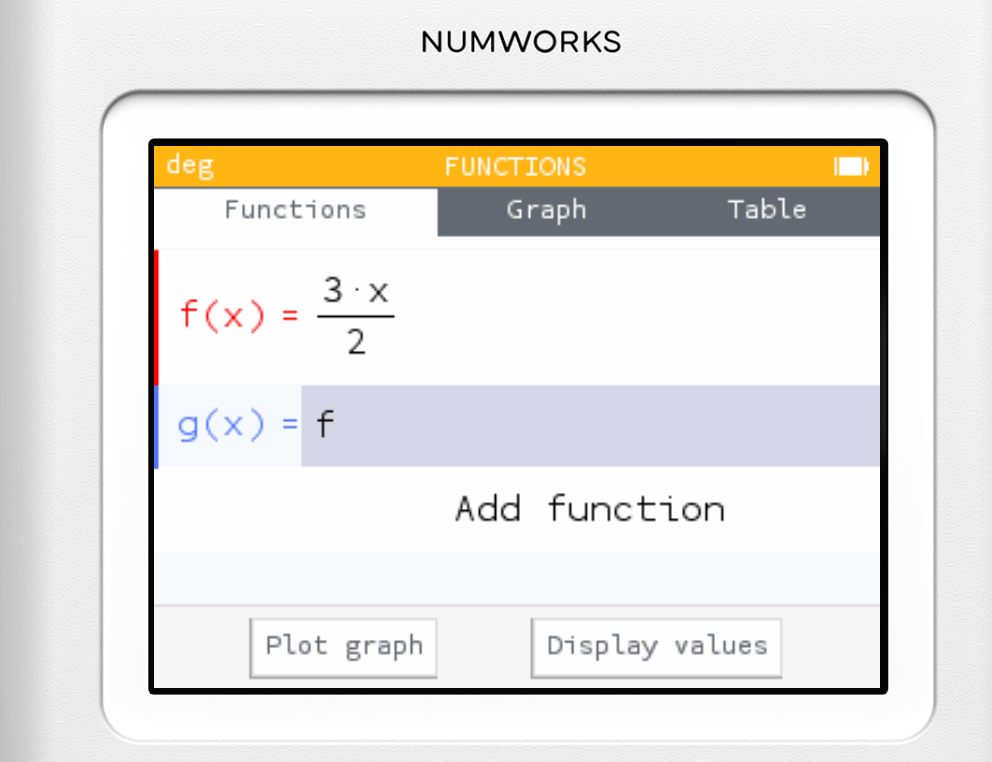
The height is currently defined by Metric::StoreRowHeight, which is currently system-wide, so if we want to change the cell's height, we can either change the Metric::StoreRowHeight, or we can create a new variable.
https://github.com/numworks/epsilon/blob/fb80cd3271461e41378a06c9f2cdef519c07313a/escher/include/escher/metric.h#L27
And, in my opinion, setting Metric::StoreRowHeight to 37 is quite a good fit.
_Edit: added link to Metric::StoreRowHeight_
 RemyDCF
on 20 Jun 2019
RemyDCF
on 20 Jun 2019
The height is currently defined by Metric::StoreRowHeight, which is currently system-wide
Does this change anything other than the Python script list?
0b101
on 20 Jun 2019
The height is currently defined by Metric::StoreRowHeight, which is currently system-wide
Does this change anything other than the Python script list?
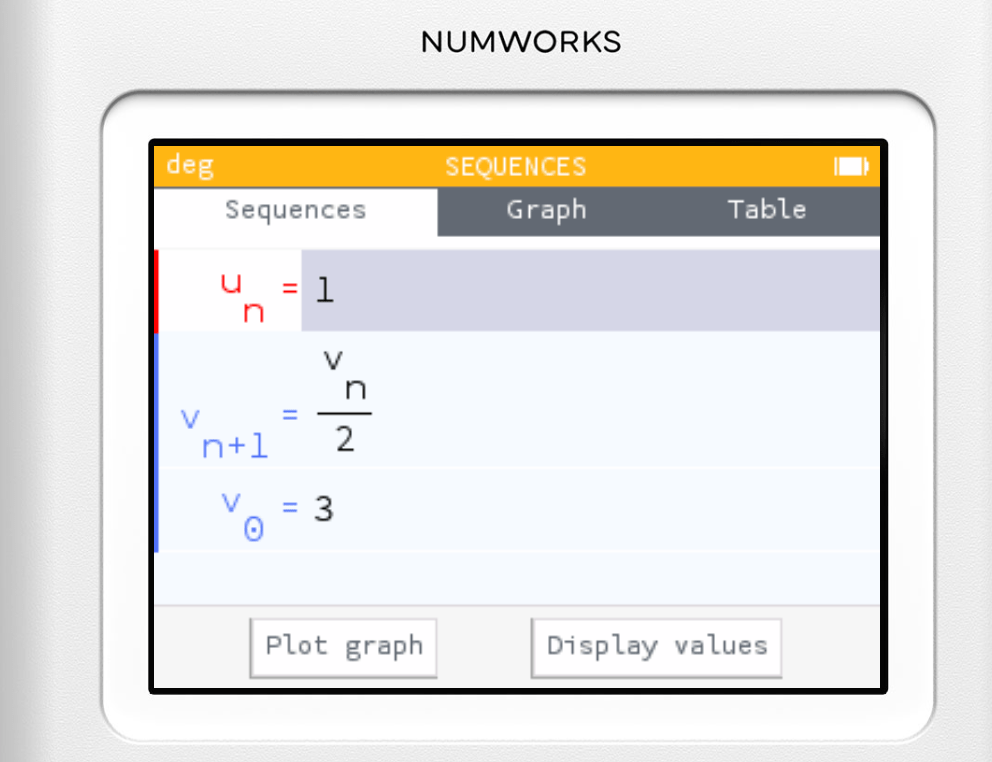
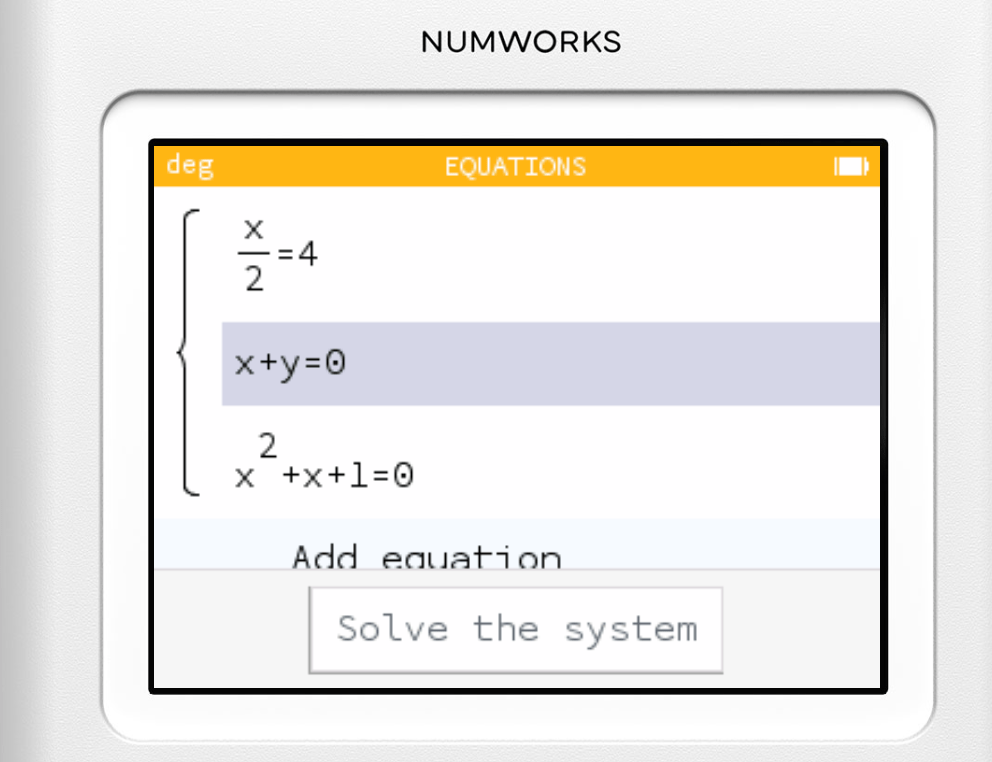
Functions, equations and sequences lists, at least. But the height is adapted if the cell need a bigger height (for fractions, square roots, ...)
RemyDCF
on 20 Jun 2019
With these new settings, I remark something I hadn’t seen until now: the bottom buttons are not consistent in height: “Solve the system“ and “Python shell” appear with a bigger font. For the latter, using the smaller font (as for “Plot graph” and “Display values”) is another way of getting one more script to appear in the list. What do you think?
XanderLeaDaren
on 21 Jun 2019
Let me close this issue since we decided not to display script size in the app.
 artaxxx
on 9 Apr 2020
artaxxx
on 9 Apr 2020
Please, feel free to open a new issue with the reduced height of cells.
artaxxx
on 9 Apr 2020
Related issues
 UDXS
·
5Comments
UDXS
·
5Comments
 homeostasie
·
3Comments
homeostasie
·
3Comments
 Ecco
·
4Comments
XanderLeaDaren
·
4Comments
Ecco
·
4Comments
XanderLeaDaren
·
4Comments
 lastfuture
·
5Comments
lastfuture
·
5Comments
Most helpful comment
You also need to display the available/total storage capacity, otherwise the script sizes by themselves are not really a useful information for the end-user.