Eos: NODEOS COMMAND NOT FOUND ? After installation successfully. what to do?
 patelankit
All 10 comments
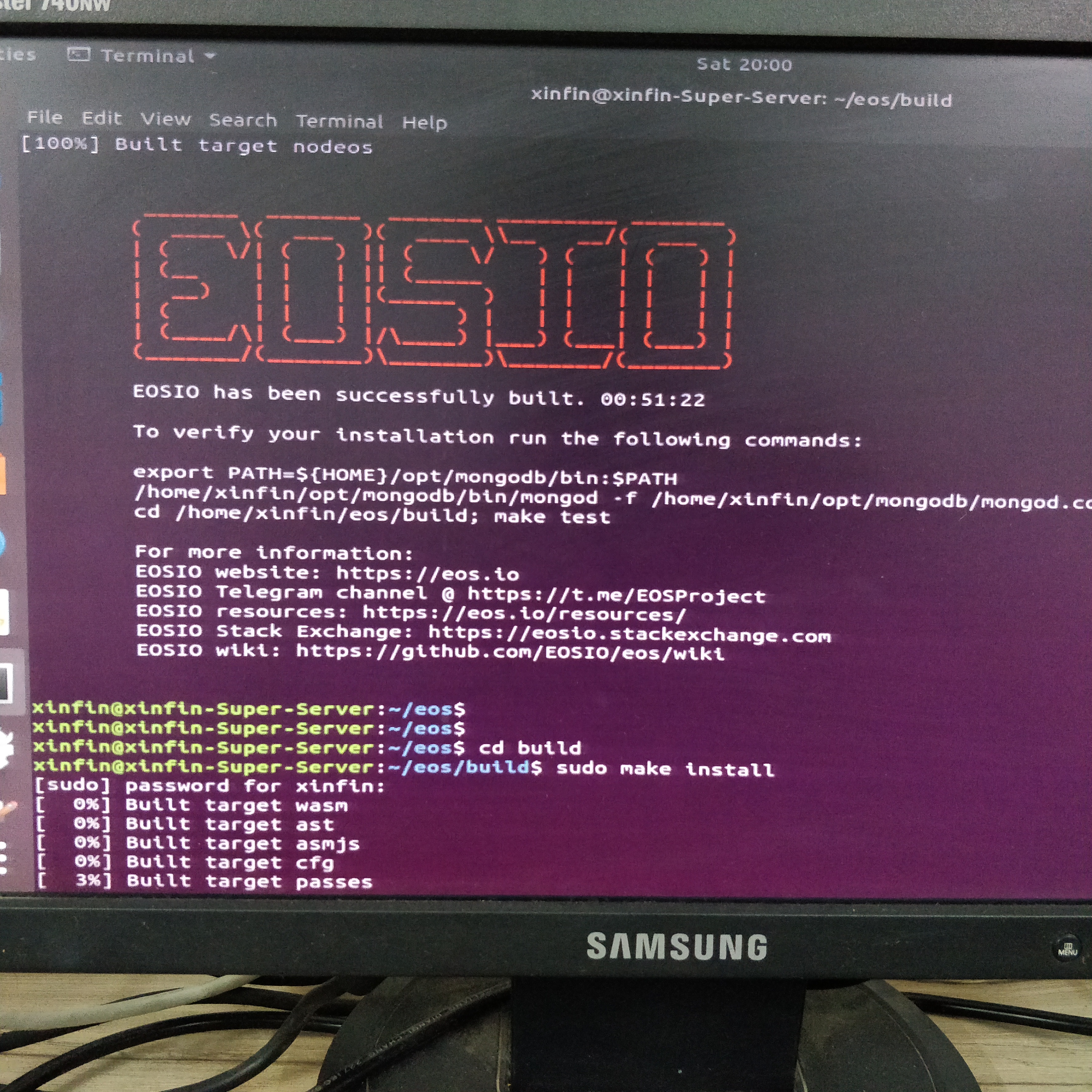
Your screenshot doesn't show that it's not found. What do you mean?
After you build, you need to install. Once you install, as long as you install as sudo/root, you should see nodeos under /usr/local/bin
If you don't, something is wrong.
 NorseGaud
on 1 Sep 2018
NorseGaud
on 1 Sep 2018
I have built
CD build
thenI installed
sudo make install
then I command nodeos but displaying error.
"Command not found"
patelankit
on 1 Sep 2018
Make sure /usr/local/bin is in your $PATH. Type ‘echo $PATH’ to see what’s there
NorseGaud
on 2 Sep 2018
Do NOT manually sudo make install. Use the eosio_install.sh script instead.
 xJonathanLEI
on 2 Sep 2018
xJonathanLEI
on 2 Sep 2018
I have built
CD build
thenI installed
sudo make install
then I command nodes but displaying error.
"Command not found"
patelankit
on 2 Sep 2018
Like I said, ./eosio_install.sh
xJonathanLEI
on 2 Sep 2018
How to connect Mainnet ? And check Block?
Example :- Bitcoin-Cli. -datadir.=/zxy getblockchainInfo
{
Block=677
Header block=455
Version=6hiii
Etc...
}
patelankit
on 2 Sep 2018
Read the docs on CLEOS. It'll make sense. I do cleos -u http://dev.cryptolions.io:38888 get account norsegaudnet to see my test account on the JUNGLE testnet. You'll just need to use the URL for the mainnet instead.
NorseGaud
on 3 Sep 2018
This should be in build/programs/nodeos/nodeos
 taokayan
on 3 Sep 2018
taokayan
on 3 Sep 2018
Thank you so much @NorseGaud i am join Mainnet.
patelankit
on 3 Sep 2018
Related issues
 williamleecn
·
3Comments
williamleecn
·
3Comments
 sim31
·
3Comments
sim31
·
3Comments
 xiaomaogy
·
3Comments
xiaomaogy
·
3Comments
 dimakomar
·
3Comments
dimakomar
·
3Comments
 zxf969175364
·
3Comments
zxf969175364
·
3Comments
Most helpful comment
Do NOT manually
sudo make install. Use theeosio_install.shscript instead.