Eos: Docker error: No container found for keosd_1
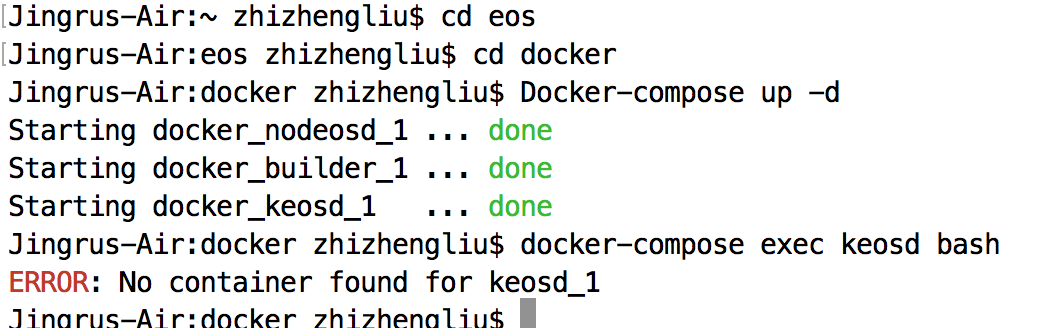
So because the "eosiocpp" command on my computer does not work and therefore I have to go into the container to compile my .cpp file. I had to use docker-compose exec keosd bash command to enter the container. But it stops working and could not find the keosd_1 container. I tried to use the previous stable EOS version and reinstalled my docker. None of them works. Appreciate it if anyone could help me!
 KennyLiu25775
All 8 comments
try removing the -d option from docker so we can check the output. Probably keosd had some issue while starting up
 lucca65
on 11 Aug 2018
lucca65
on 11 Aug 2018
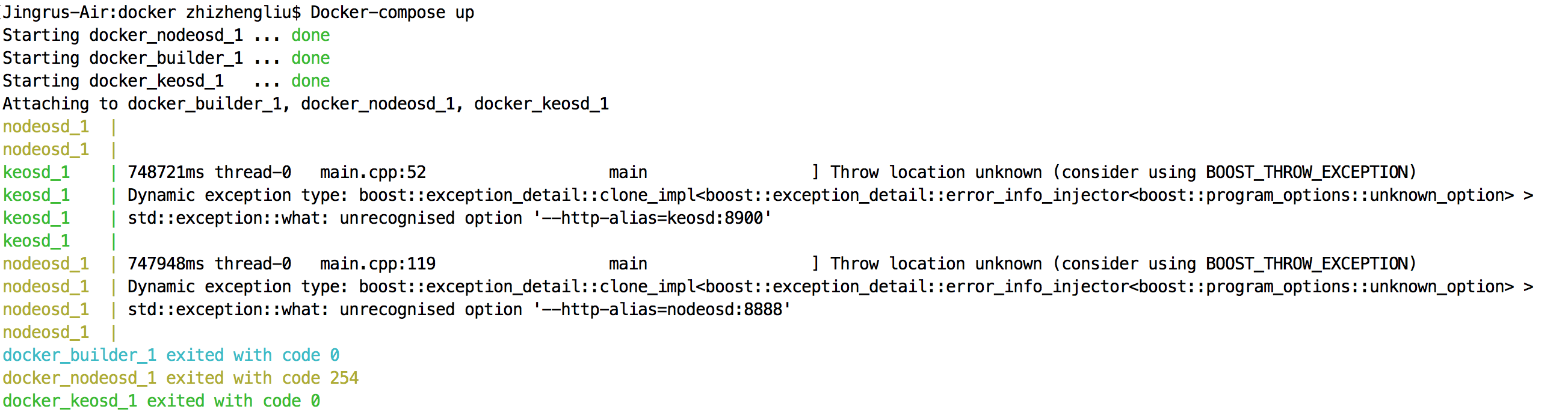
@lucca65 Hi thanks for the help, i tried to remove the -d but another error occurs:
KennyLiu25775
on 11 Aug 2018
Oh, the docker-compose file is outdated, its using a deprecated flag. Try to remove those --http-alias= flags on keos container (inside docker-compose.yml)
lucca65
on 11 Aug 2018
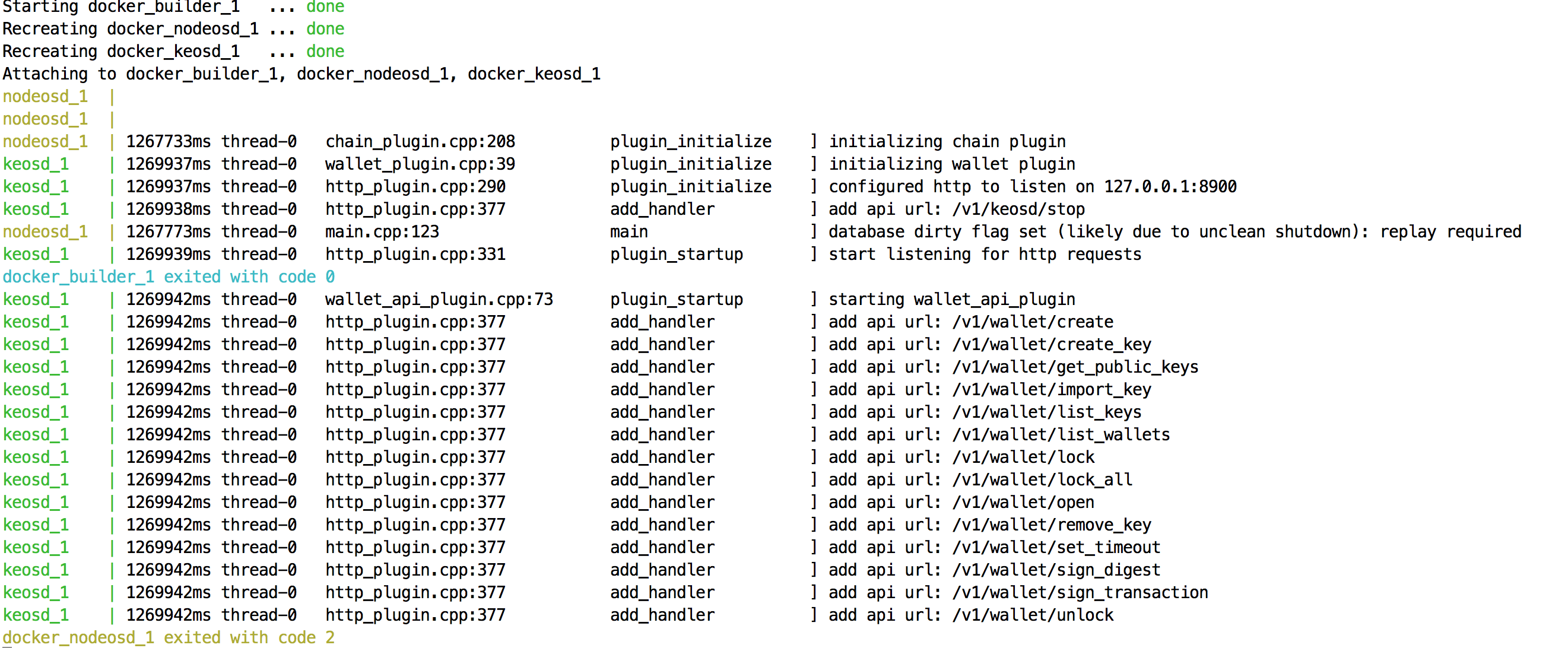
@lucca65 thank you so much my friend. It worked!
KennyLiu25775
on 11 Aug 2018
@lucca65 hey my friend so I entered the container but there came another bug and I could not fix it at all. So when I entered the contracts folder and there is no my own contracts but all default contracts

i tried to rebuild docker and copy and paste my contracts there but it won't work :(
i also noticed that before it was

on my terminal but now it just the container ID:

dont know if that has anything to do with my bug but appreciate it if you could give some advice on how to solve it. thanks
KennyLiu25775
on 11 Aug 2018
try to open a new issue, you can @ me if needed.
but for the error you are having now:
You need to map a folder from your local machine to your docker image
create a new volume to be shared:
docker volume create —name=contracts
add this volume to the end of your docker compose file, inside volumes:
volumes:
  ... other volumes
  contracts:
    external: true
finally map it to a folder on your container:
i’ve used / but you can change to anything
  nodeos:
  ... other keys
    volumes:
       - ../contracts:/contracts
again you can customize your paths
remember to use your container paths if you are executing eosiocpp from the host machine
lucca65
on 11 Aug 2018
@lucca65 Hi Julien, would you mind explaining little more regarding your last step?
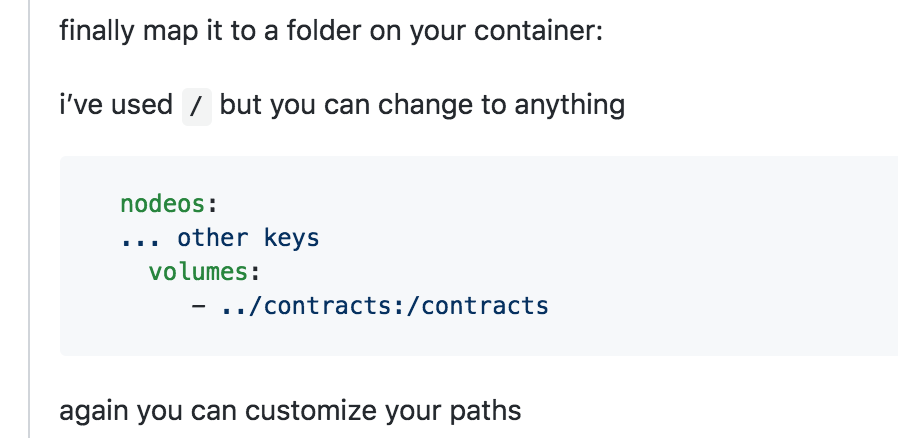
I was not able to find anything called "nodeos:" within the docker-compose" file.
Thanks a lot!
KennyLiu25775
on 12 Aug 2018
Hey Kenny, I'm sorry, I was out of my computer. I've mistyped it. Its under de nodeosd container.
Try to understand the anatomy of the docker-compose file. You define services at the root level. You also define volumes at root level.
under the specific services, in this case nodeosd and keosd, you can use the defined volumes. those volumes can map to directories in the host machine with the syntax HOST_PATH:CONTAINER_PATH.
Try finding those, and experiment by yourself. If you need further help I can make a docker-compose file for you, but it can be a great opportunity to experiment things by your own.
Also, close this issue as this can be misleading to other users, since your original answer was solved (:
lucca65
on 13 Aug 2018
Related issues
 zxf969175364
·
3Comments
zxf969175364
·
3Comments
 IvanYakimov
·
3Comments
IvanYakimov
·
3Comments
 dimakomar
·
3Comments
dimakomar
·
3Comments
 jiazechen
·
3Comments
jiazechen
·
3Comments
 williamleecn
·
3Comments
williamleecn
·
3Comments
Most helpful comment
try removing the
-doption from docker so we can check the output. Probablykeosdhad some issue while starting up