Eos: Tables is empty in abi file generated by eosiocpp -g
When using eosiocpp -g to generate an abi file, the "tables" field is empty.
version: mainnet-1.1.1
eg. eosiocpp -g eosio.token.abi eosio.token.cpp
 yiran-ever
All 15 comments
Same issue. I read the issue ttps://github.com/EOSIO/eos/issues/4186 .
And i added //@and comment
         //@abi table accounts
         struct account {
            asset    balance;

            uint64_t primary_key()const { return balance.symbol.name(); }
         };
But other error occur when I run eosiocpp -g
abi_generation_exception: Unable to generate abi
false: Unable to guess index type
 sangemi
on 2 Aug 2018
sangemi
on 2 Aug 2018
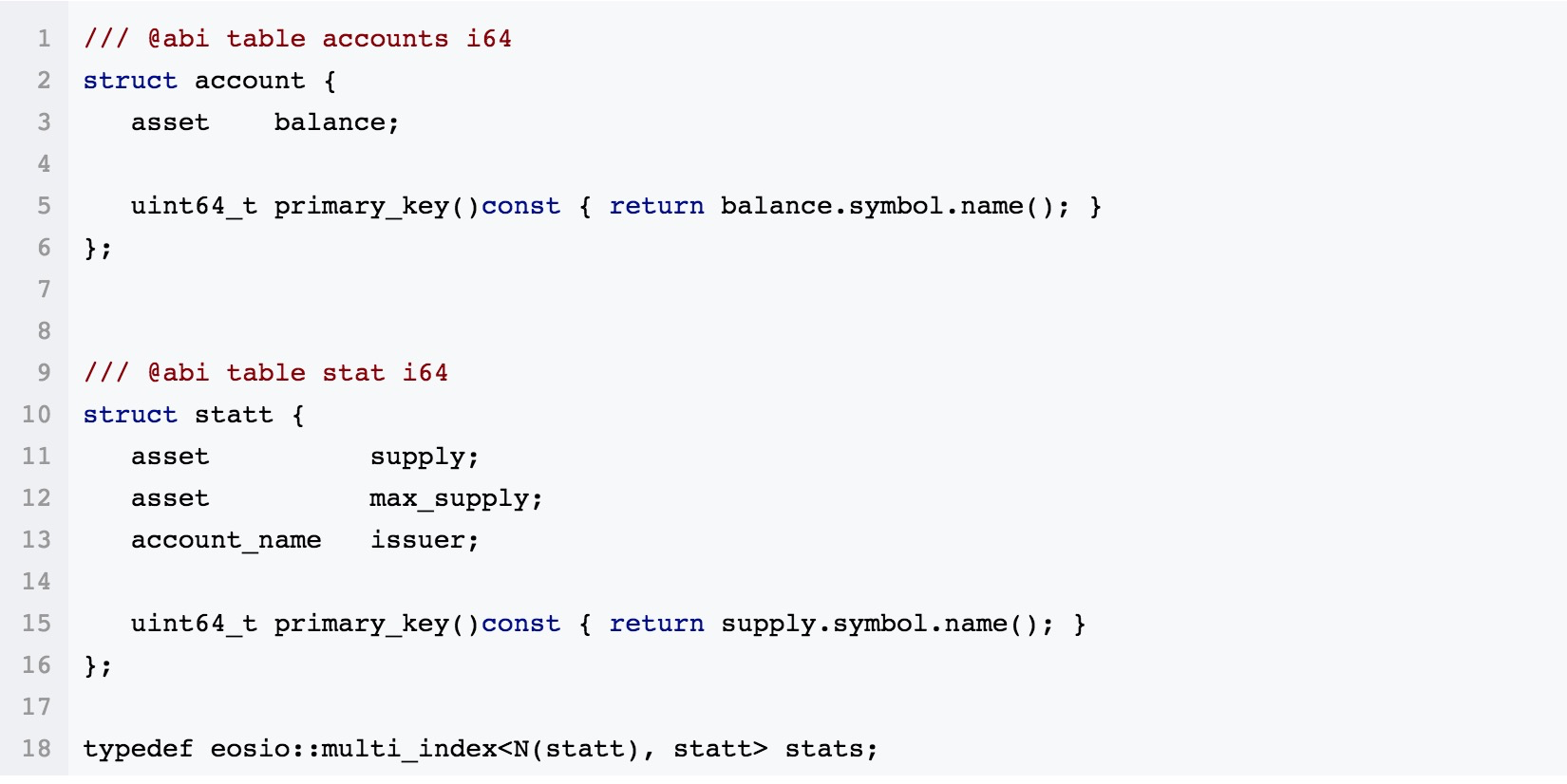
I tried to add the comment like above as I learned from others, but it still does not work, the tables were created but the cleos get currency balance still does not work
 KennyLiu25775
on 3 Aug 2018
KennyLiu25775
on 3 Aug 2018
That command doesn't work for native contract (eosio.XXXX)
I think you should try to use script eosio_build.sh
 quocle108
on 3 Aug 2018
quocle108
on 3 Aug 2018
@quocle108 It doesn't work with user-defined contracts either, "eosio.token" is just an example.
BTW, i don't think there's any difference between user-defined contracts and system constracts
yiran-ever
on 3 Aug 2018
I've found that the name of the struct MUST be less then 13 characters (excludes "_"), then adding the @abi macro.
Note that the table name in the @abi macro should be the same with the one in typedef.
yiran-ever
on 3 Aug 2018
@yiran-ever hi Li Cheng, so i tried to keep the table name in the @abi the same with the one in typedef, but still unable to get the currency balance :(
here is how i changed my hpp file:
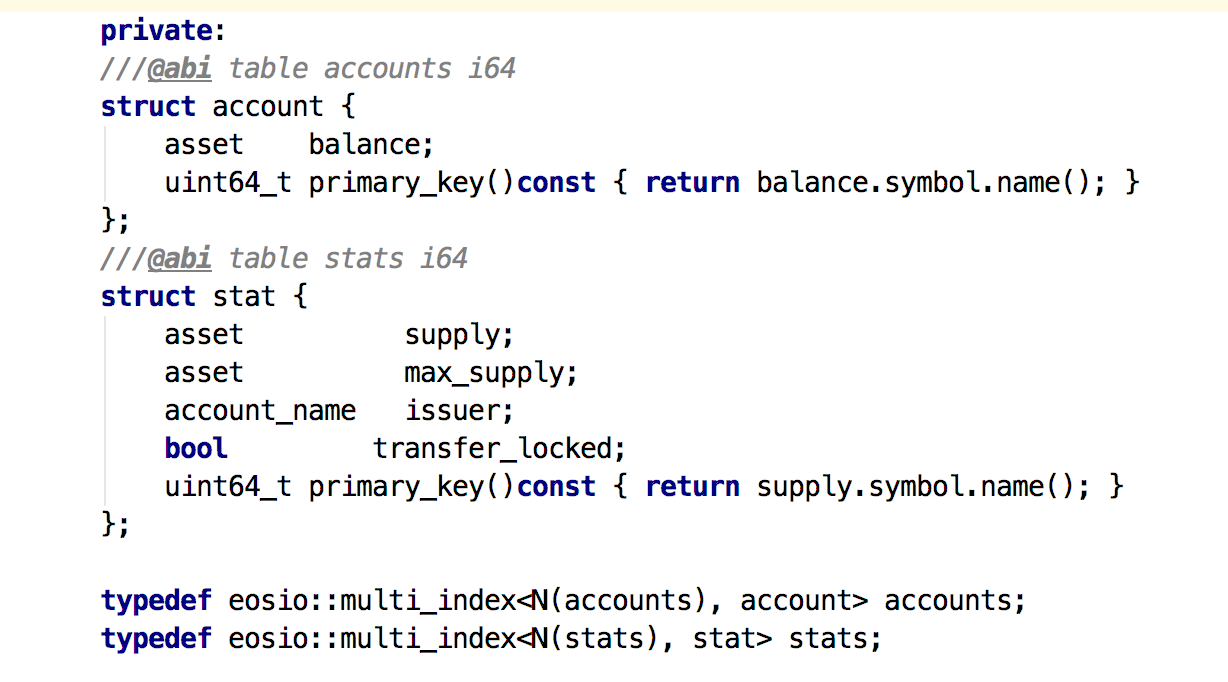
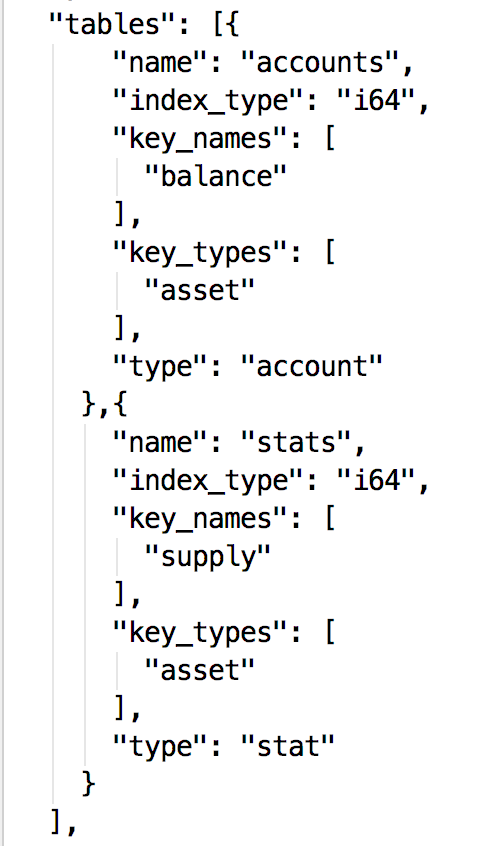
here is how the new generated abi table looks like:
this is what the eosio.token default abi looks like(how should my abi table supposed to look like):
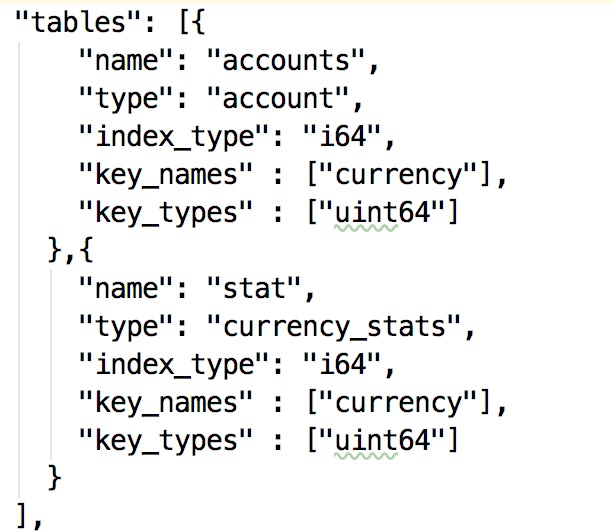
I NOTICED THAT THE Key_names and Key_types have been changed in the new generated abi table!
And here is the result: :(

KennyLiu25775
on 3 Aug 2018
@KennyLiu25775 don't know how you deployed your contract. I tried cleos --url http://dev.cryptolions.io:38888 get abi vcctoken, but got errors.
yiran-ever
on 4 Aug 2018
@yiran-ever Hi , so did your code work? Would you mind posting a picture of how you add the @abi comment? thanks!
KennyLiu25775
on 4 Aug 2018
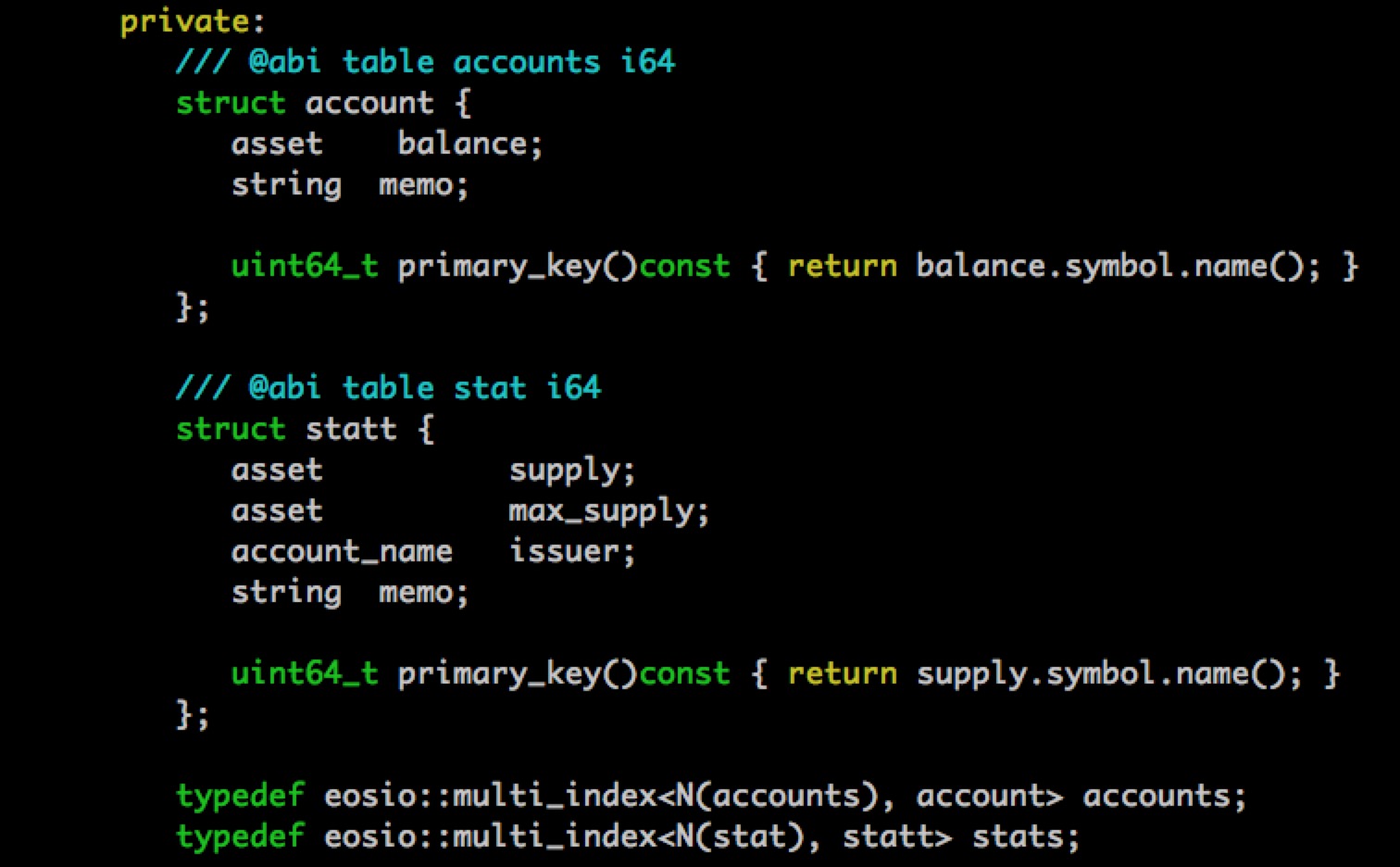
yiran-ever
on 4 Aug 2018
I did exactly what you did with your hpp file, but i still got error :( :(
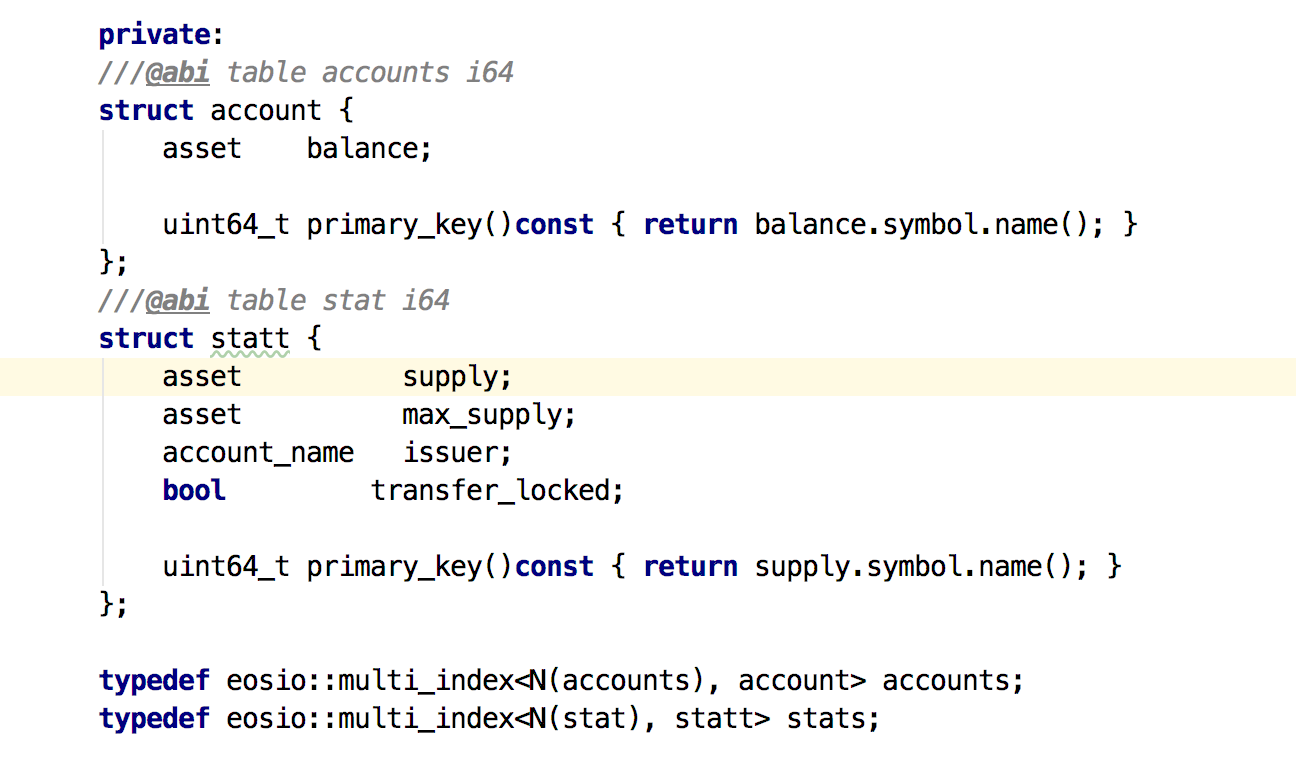

KennyLiu25775
on 4 Aug 2018
cleos -u http://dev.cryptolions.io:38888 get abi vcctoken still not working. Maybe you can post a picture of how you deployed the contract?
yiran-ever
on 4 Aug 2018
Yeah sure, here was how I deployed the contract, I think i did it correctly?

Oh and just FYI if you wanna see my abi maybe you wanna try this command and it works, thanks @yiran-ever
cleos -u http://dev.cryptolions.io:38888 get abi vcchaintest3
KennyLiu25775
on 4 Aug 2018
So you've made a wrong usage of the "get balance" method.
Usage: cleos get currency balance contract account [symbol]
the "contract" should be the account name which you deployed your contract on, here is "vcchaintest3", not "vcctoken".
try cleos -u http://dev.cryptolions.io:38888 get currency balance vcchaintest3 vcchaintest3 BBQ
yiran-ever
on 4 Aug 2018
@yiran-ever Thank you so much my friend. My mistake haha, problem solved!
KennyLiu25775
on 4 Aug 2018
But I do think the command description is little misleading, I dont know if it is just for me but it specifically asked for the name of the contract. In this case, maybe it should say "the account name which you deployed your contract"?

KennyLiu25775
on 4 Aug 2018
Related issues
 hadramidah
·
3Comments
hadramidah
·
3Comments
 williamleecn
·
3Comments
williamleecn
·
3Comments
 zxf969175364
·
3Comments
zxf969175364
·
3Comments
 Npizza
·
3Comments
Npizza
·
3Comments
 dimakomar
·
3Comments
dimakomar
·
3Comments
Most helpful comment
So you've made a wrong usage of the "get balance" method.
Usage: cleos get currency balance contract account [symbol]the "contract" should be the account name which you deployed your contract on, here is "vcchaintest3", not "vcctoken".
try
cleos -u http://dev.cryptolions.io:38888 get currency balance vcchaintest3 vcchaintest3 BBQ