Enterprise: Datepicker: Hr-hr (Croatian) doesn't work with datepicker
Describe the bug
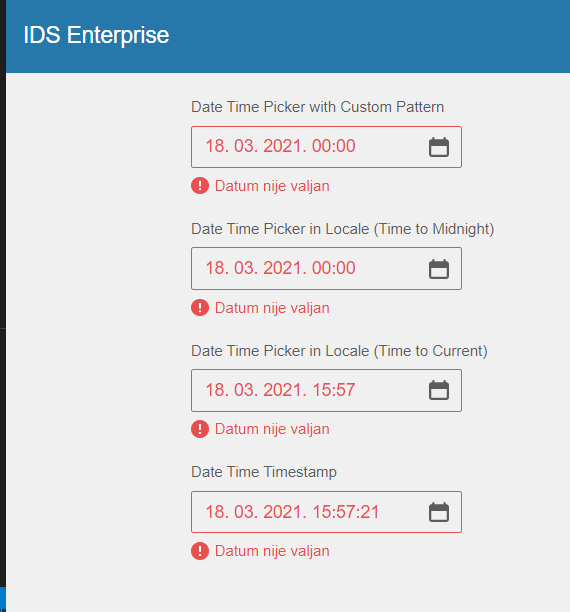
When a date and time is selected in the datepicker in Croatian the error icon appear. We are also seing a console error in Homepages.
To Reproduce
Steps to reproduce the behavior:
- Go to https://design.infor.com/code/ids-enterprise/latest/demo/components/datepicker/example-timeformat.html?locale=hr-HR
- Click on 'the first datepicker
3.Click on a date - See error
Expected behavior
The date and time should be added in the input field without any issue.
Version
- ids-enterprise: 4.37.2
Screenshots
Platform
- Infor Application/Team Name: Homepages
- OS Version: Windows 10
- Browser Name: Chrome
- Browser Version: Version 89.0.4389.90 (Official Build) (64-bit)
Additional context
Add any other context about the problem here.
 SofiK
SofiK
All 7 comments
This issue is now resolved. moving ticket to Done. Thanks
v4.51.0-dev
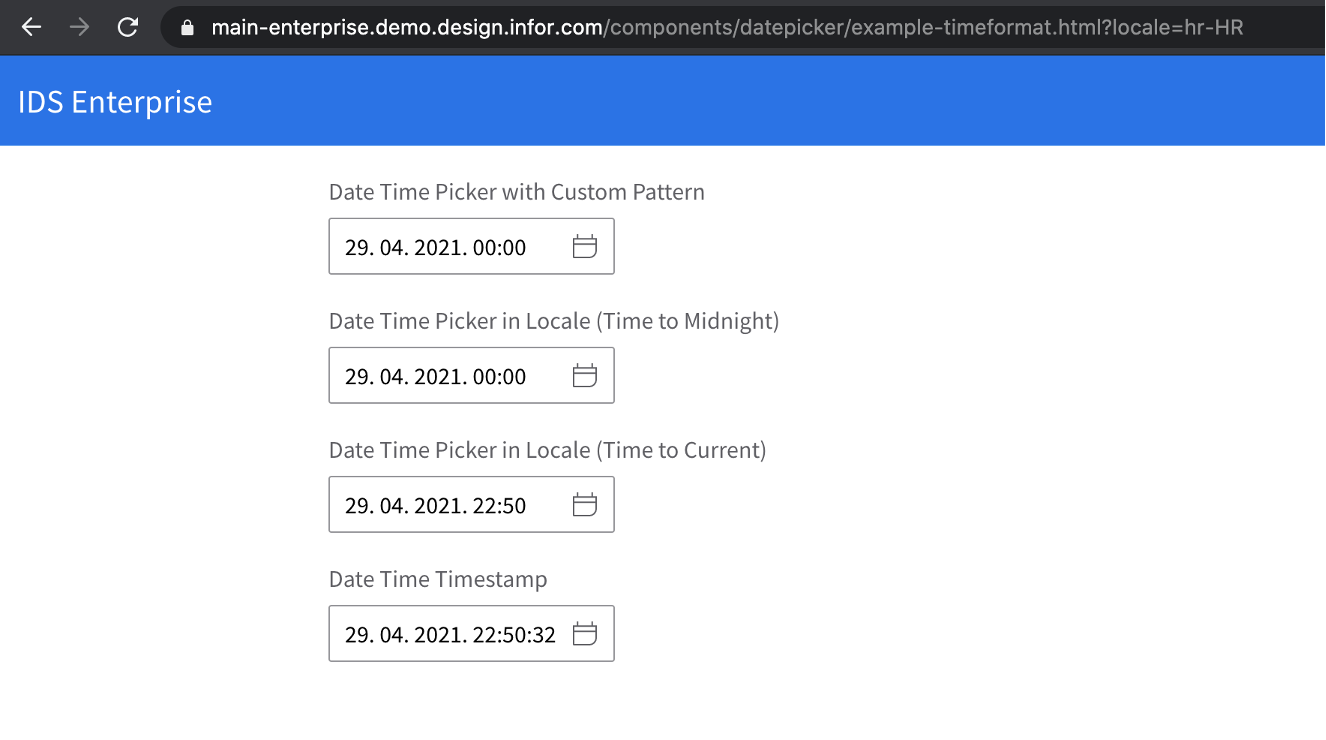
https://main-enterprise.demo.design.infor.com/components/datepicker/example-timeformat.html?locale=hr-HR
 jbrcna
on 26 Apr 2021
jbrcna
on 26 Apr 2021
Although, there it looks like it is not using Croatian locale? Aren't they using d.M.yyyy in Croatia?
SofiK
on 29 Apr 2021
Actually when I try to open https://master-enterprise.demo.design.infor.com/components/datepicker/example-timeformat.html?locale=hr-HR it doesn't work. When I click a datepicker it reloads and changes to https://master-enterprise.demo.design.infor.com/components/datepicker/example-timeformat.html?dp1=&dp2=&dp3=&dp4=
Andd then reloads every time I try to use the datepicker!
Also it still fails in :
https://master-enterprise.demo.design.infor.com/components/datepicker/example-index.html?locale=hr-HR
SofiK
on 29 Apr 2021
We changed master to main so the new link is https://main-enterprise.demo.design.infor.com/components/datepicker/example-index.html?locale=hr-HR
these are what we had in the CLDR for this https://github.com/infor-design/enterprise/blob/main/src/components/locale/cultures/hr-HR.js#L16 but happy to update it based on feedback from a native speaker
 tmcconechy
on 29 Apr 2021
tmcconechy
on 29 Apr 2021
Ah, now it works much better!
Thank Tim!
SofiK
on 29 Apr 2021
I only have Wikipedia as my source and noticed that the image in the QA comment was not using dots and was different from the first image of the issue. But it looks good when I use the correct link!
SofiK
on 29 Apr 2021
oh yeah, thanks for catching that @SofiK . comment is updated with correct link and screenshot for reference ☺
jbrcna
on 29 Apr 2021
Related issues
jbrcna
·
3Comments
 CindyMercadoReyes
·
3Comments
CindyMercadoReyes
·
3Comments
 janahintal
·
3Comments
jbrcna
·
3Comments
janahintal
·
3Comments
jbrcna
·
3Comments
 brianjuan
·
3Comments
brianjuan
·
3Comments
Most helpful comment
I only have Wikipedia as my source and noticed that the image in the QA comment was not using dots and was different from the first image of the issue. But it looks good when I use the correct link!