Enterprise: Colorpicker: Text and dropdown icon are hidden in small modal/container
Describe the bug
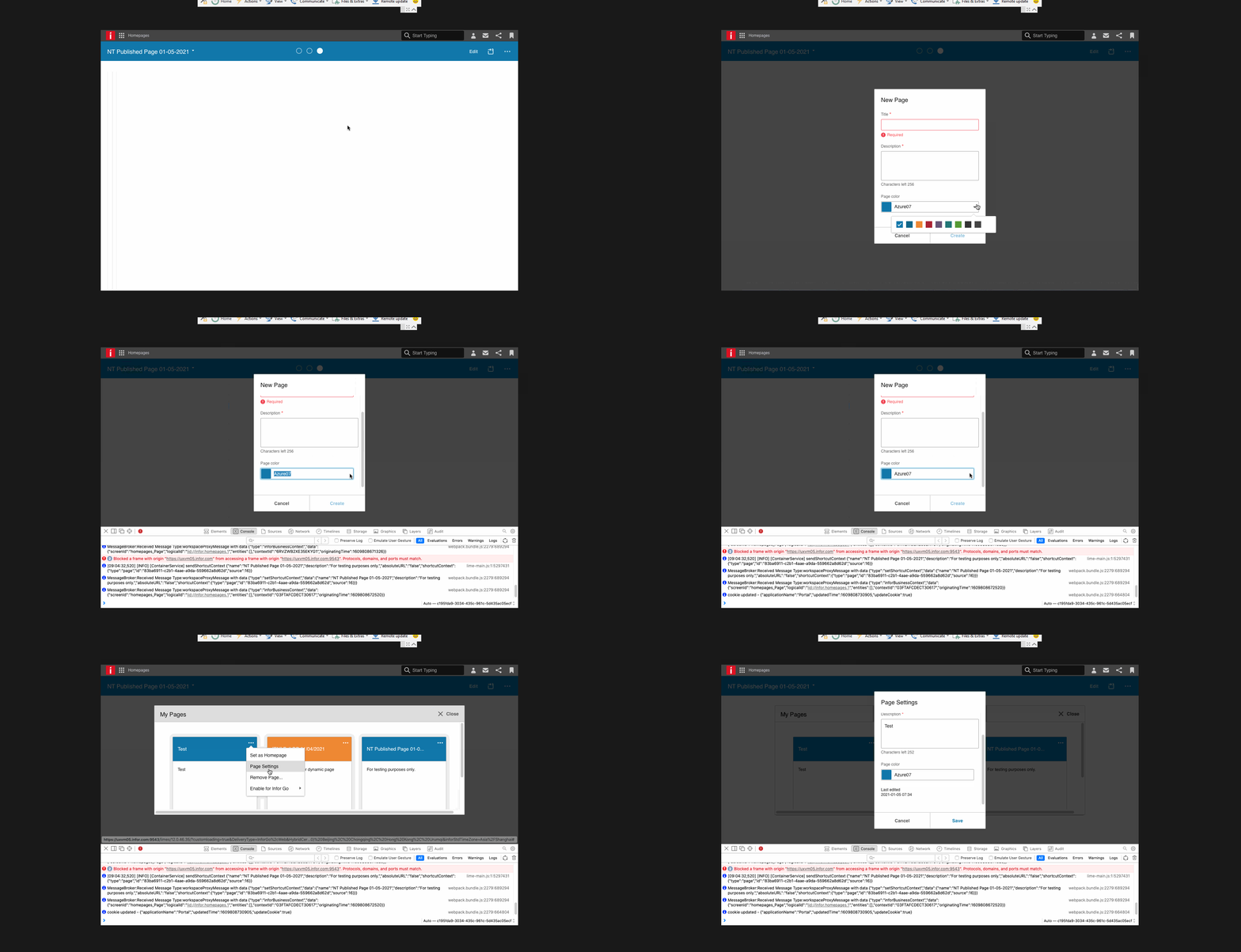
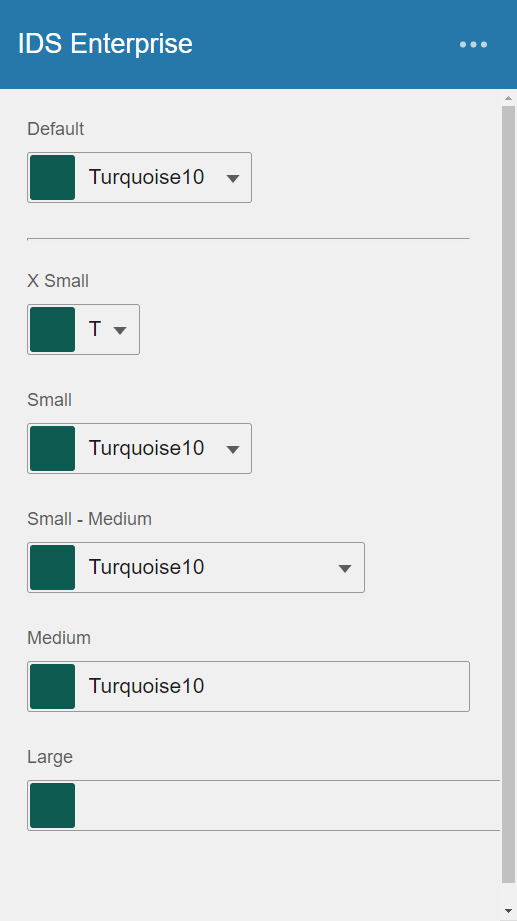
Observed that colorpicker's text and dropdown icon became hidden when the modal/container width became smaller, it is also not possible to open the colorpicker menu to select color.
To Reproduce
Steps to reproduce the behavior:
- Go to 'https://design.infor.com/code/ids-enterprise/latest/demo/components/colorpicker/example-sizes'
- Resize the browser to the smallest width.
- Zoom in few times. (browser zoom)
Expected behavior
The colorpicker retains the text and dropdown icon.
Version
- ids-enterprise: 4.37.0
Screenshots
Platform
- Infor Application/Team Name: Homepages
- OS Version: Window 10, Big Sur
- Browser Name: Chrome, Safari
- Browser Version: Chrome/Version 88.0.4324.190 (Official Build) (64-bit), Safari/Version 14.0.3 (16610.4.3.1.4)
 NicholTamayo
All 9 comments
I think the solution here is probably to make the colorpicker size that is "full width" work better so that it doesnt expand out of the container
 tmcconechy
on 25 Mar 2021
tmcconechy
on 25 Mar 2021
checking into it
 rob2d
on 25 Mar 2021
rob2d
on 25 Mar 2021
I can't test that specific page locally, but it should be good. There are some responsiveness improvements in #5005 which should allow the user to always hit the trigger/expand arrow regardless of the size, and text should flow more naturally when things get squashed.
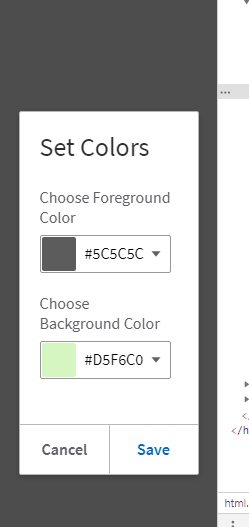
Sidenote: I noticed that the color picker resembles a dropdown, yet the user has to click specifically on the down-arrow (so leads to a little bit of pixel-hunting). Didn't address this idea since still familiarizing myself with the codebase/wanted to get this in, but seems to be a matter of adding the same callbacks as the color menu expand.
Not sure on priority or whether there is a bigger picture I am missing on it, but perhaps another issue could be opened as an enhancement?
rob2d
on 25 Mar 2021
Looks good - I think regarding your comments on that you need to click the arrow. This is because you can also directly enter the text in the field. But you can use down arrow to open like a dropdown.
Perhaps we could make the swatch clickable as well? But thats probably a bit out of scope, but feel free.
tmcconechy
on 26 Mar 2021
Oh, I see! Did not realize this functionality there. In terms of the
swatch, I'll try to do that.
rob2d
on 26 Mar 2021
@tmcconechy I wasn't able to reproduce the functionality with typing directly into the text field. Is this possibly a regression, or maybe a future-facing feature? See:
https://master-enterprise.demo.design.infor.com/components/colorpicker/example-sizes.html
rob2d
on 26 Mar 2021
its an option https://github.com/infor-design/enterprise/blob/master/src/components/colorpicker/colorpicker.js#L19 so probably turned off on that example
tmcconechy
on 26 Mar 2021
@tmcconechy oh I see! should have browsed the examples but had a bit of tunnel vision once focused on the original issue. Thanks for pointing that out.
rob2d
on 26 Mar 2021
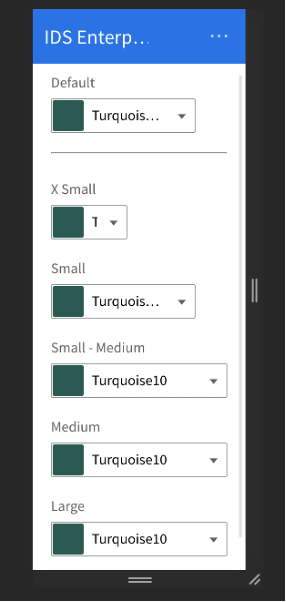
this is working as expected. v4.50.0-beta2
https://4500-beta2-enterprise.demo.design.infor.com/components/colorpicker/example-sizes.html#maincontent
 jbrcna
on 5 Apr 2021
jbrcna
on 5 Apr 2021
Related issues
 CindyMercadoReyes
·
3Comments
CindyMercadoReyes
·
3Comments
 fitzorama
·
3Comments
jbrcna
·
3Comments
fitzorama
·
3Comments
jbrcna
·
3Comments
 swetteinfor
·
3Comments
CindyMercadoReyes
·
3Comments
swetteinfor
·
3Comments
CindyMercadoReyes
·
3Comments