Enterprise: Checkbox: Does not scroll into view when receiving focus like other input elements
Describe the bug
When setting focus on the checkbox component (specifically the input element) and the checkbox is off screen inside a scrollable container, the checkbox does not scroll into view as other input elements behave.
To Reproduce
This can be reproduced on one of the checkbox example pages
- In Chrome, go to https://design.infor.com/code/ids-enterprise/latest/demo/components/checkboxes/example-index
- Open Chrome Dev Tools
- Inside the element inspector, locate the
<form id="test-form">element in the document. - Set an element style on the span with "margin-top: 1000px" to get the checkboxes off the screen.
- Inside the console, type:
document.getElementById("checkbox1").focus()
Expected behavior
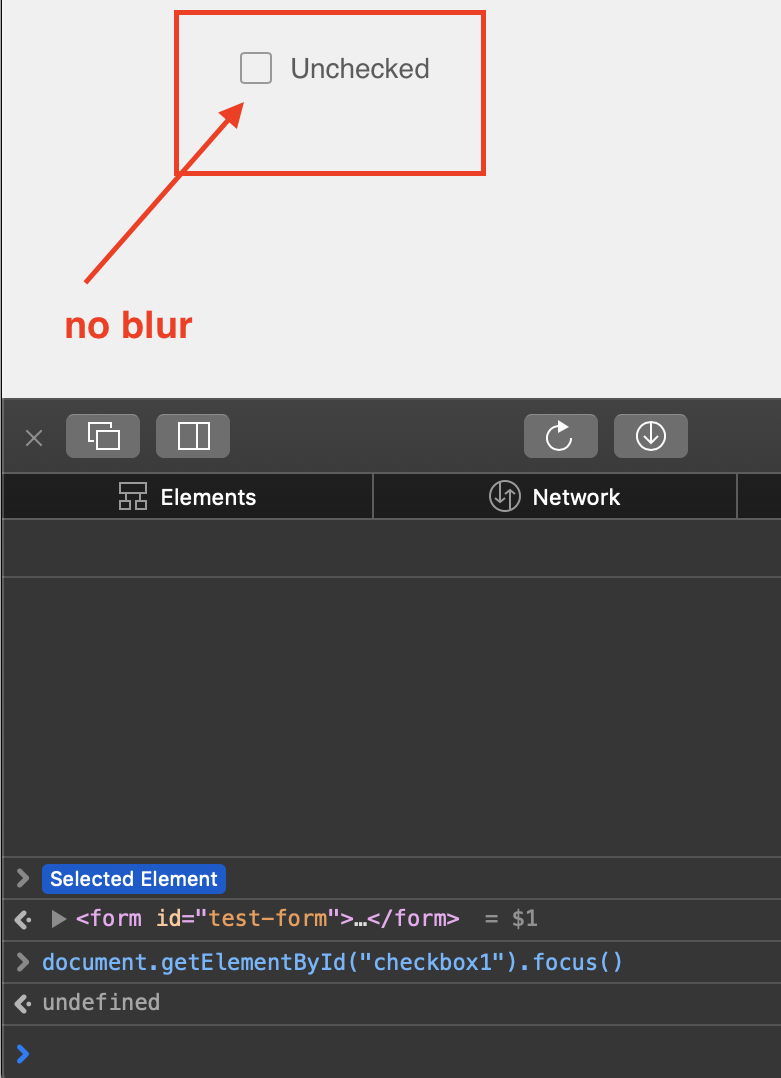
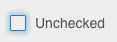
The page should scroll to the first checkbox and show it focused with the blurred blue border. What actually happens is the checkbox appears focused, but you have to manually scroll to see it. Textboxes, dropdowns and radio buttons appear to automatically scroll.
Version
- ids-enterprise: 4.26.2
Platform
- Infor Application/Team Name: CPQ
- Device: Desktop
- OS Version: Windows 10
- Browser Name: Chrome
- Browser Version: 80.0.3987.163 (Official Build) (64-bit)
Additional context
It appears that the hidden checkbox input is moved offscreen with fixed position:
    left: -99999px;
    opacity: 0;
    position: fixed;
    top: 0;
    width: 16px;
If we use the following style which is similar to the radio buttons, it appears to resolve the issue:
    left: 0;
    opacity: 0;
    position: absolute;
    top: 0;
    width: 16px;
 Pforzech
All 10 comments
Does document.getElementById("checkbox1").scrollIntoView() help at all? After the focus?
We did have the input placed hidden under the visual checkbox UI element but i think it caused other bugs we would need to track down.
Will review making the suggested change.
 tmcconechy
on 15 Apr 2020
tmcconechy
on 15 Apr 2020
No, scrollIntoView with or without focus also does not work because the browser doesn't think it's visible apparently.
Pforzech
on 15 Apr 2020
Looking at this history https://github.com/infor-design/enterprise/commit/691eaa7a7106836e2c96c3736c90a77f24c06fcc
This position was changed so that the dirty indicator worked. So if the positional css change works with the dirty indicator still (in both initial checked and unchecked). Then the proposed change should be fine?
Wanna try a pull request?
tmcconechy
on 15 Apr 2020
I can't push a branch to this repo because it gives me a 403. I've not used this Github account in a while.
Pforzech
on 16 Apr 2020
I sent you an invite to be a collaborator. Then you can push a branch to pr after that. Ping me on ms teams if any questions on getting that going?
tmcconechy
on 16 Apr 2020
For QA: Regression test checkbox on wherever it may be
tmcconechy
on 20 Apr 2020
QA Passed with observation
v4.29.0-dev
https://master-enterprise.demo.design.infor.com/components/checkboxes/example-index
_Observation_
it focused, However, it doesn't have the blur
 jbrcna
on 8 May 2020
jbrcna
on 8 May 2020
Cool. Looks good. Just a note on the observation - im not seeing the blur being missing :)
tmcconechy
on 8 May 2020
Thank you @tmcconechy
below are the steps that I followed.
- Inside the element inspector, locate the
<form id="test-form">element in the document. - Set an element style on the span with
"margin-top: 1000px"to get the checkboxes off the screen. - Inside the console, type:
document.getElementById("checkbox1").focus()
jbrcna
on 8 May 2020
Oh in that situation. Gotcha. Ok not that worried about that unless @bdp973 is?
tmcconechy
on 8 May 2020
Related issues
 EdwardCoyle
·
4Comments
jbrcna
·
3Comments
jbrcna
·
3Comments
EdwardCoyle
·
4Comments
jbrcna
·
3Comments
jbrcna
·
3Comments
 guoliang
·
3Comments
jbrcna
·
3Comments
guoliang
·
3Comments
jbrcna
·
3Comments