Enterprise: Datagrid: Issue with Keyword Search on a formatted (hyperlink) column
Steps to reproduce the behavior:
- Go to https://master-enterprise.demo.design.infor.com/components/datagrid/example-keyword-search.html
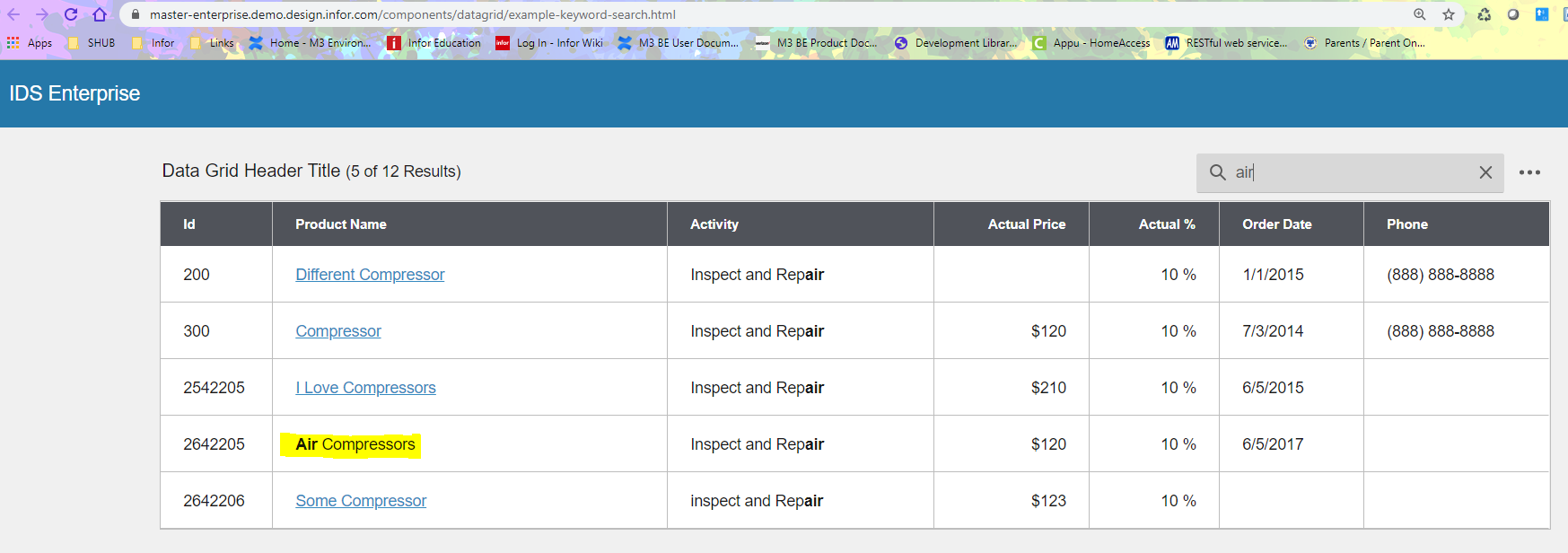
- Click search and type “air” then hit enter
- Notice that the link looses its hyperlink styling
Version
ids-enterprise: 4.26.1
 ShyamaMenon
All 15 comments
I think to fix this should skip certain formatted columns like button, alert, badge ect. For link it should try to highly the value in the link.
Or only check actual visual text somehow?
 tmcconechy
on 5 May 2020
tmcconechy
on 5 May 2020
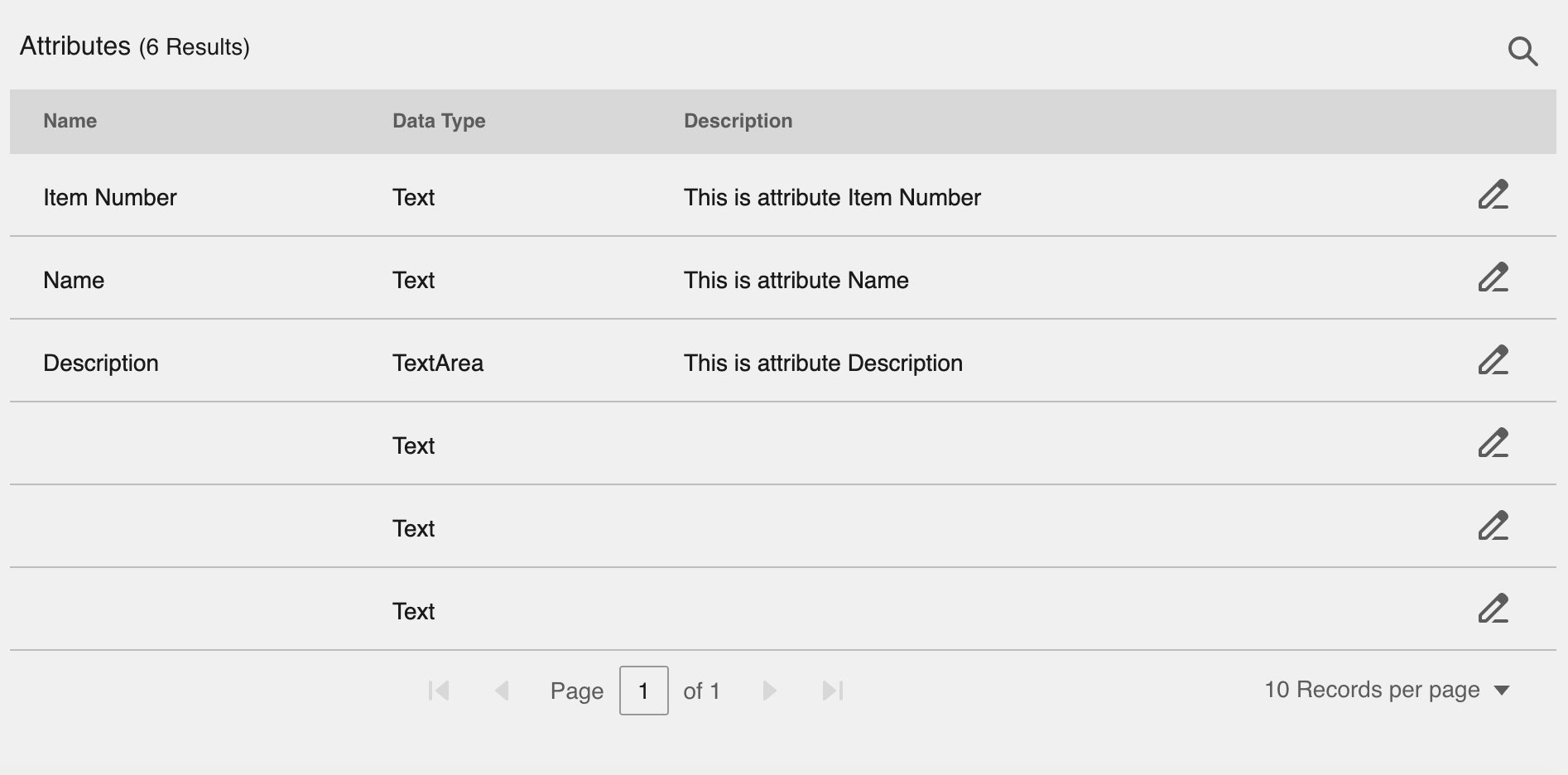
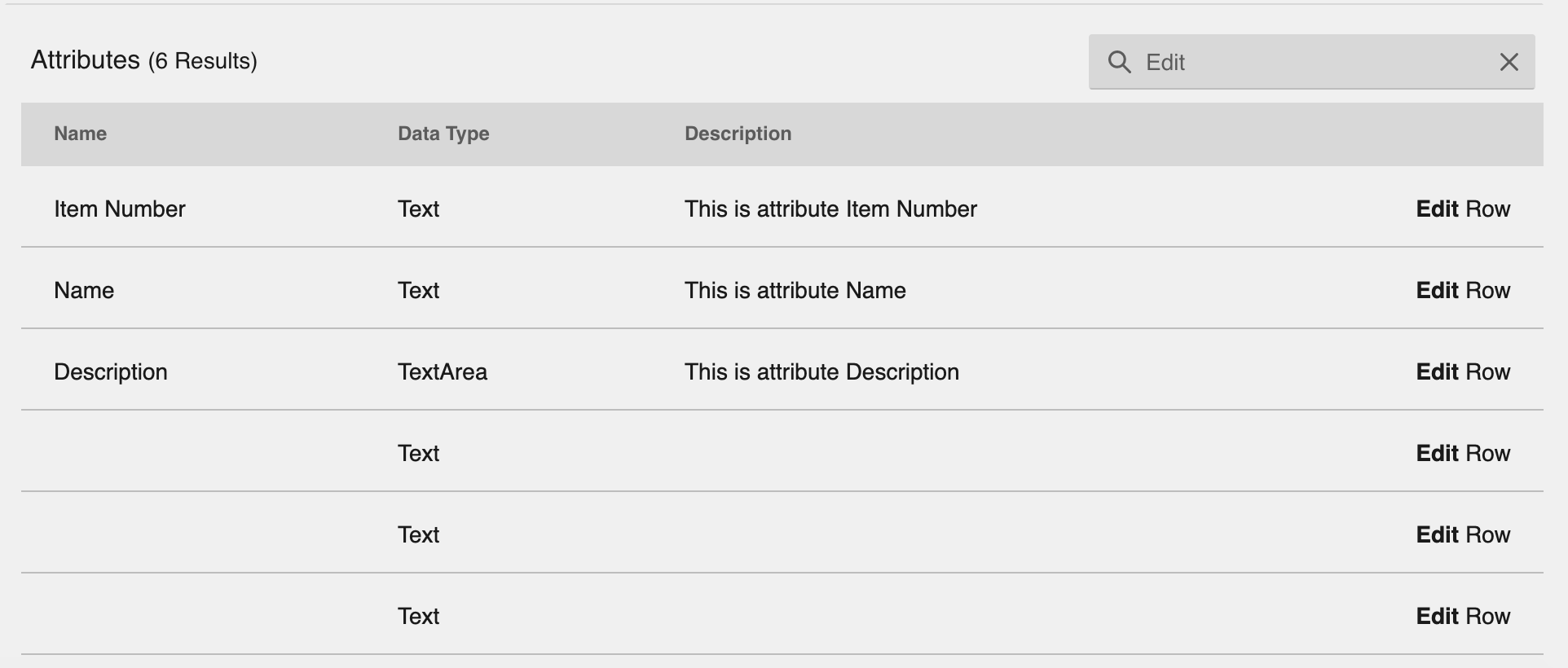
There is also issue with Keyword search making the Edit Formatter Button disappear and incorrectly showing it in search results.
 hemantg05
on 5 May 2020
hemantg05
on 5 May 2020
QA Passed
The issue is now resolved.
v4.29.0-dev
https://master-enterprise.demo.design.infor.com/components/datagrid/example-keyword-search.html

 jbrcna
on 14 May 2020
jbrcna
on 14 May 2020
@jbrcna & @tmcconechy, clicking on the highlighted link doesn't work when link text is searched. User should be able to navigate to the part specified by hyperlink. The example you provided doesn't have real hyperlinks to navigate to some other parts of the page or to another page. So, this use case can not be verified by that example.
If the non-link text is being searched, the hyperlinks are working. It's only when link text is searched that the hyperlinks don't work when clicked in the search result row.
cc @karinthulin
hemantg05
on 9 Jun 2020
The link is not set to do anything in this example @hemantg05 so i think its Ok. We dont really have anything to make these navigate to. But in a real case you can set the href or use the click event to navigate.
tmcconechy
on 9 Jun 2020
@tmcconechy, yes, we have set href in our application and it is not working. I just mentioned that such cases should also be covered during testing so that application developers don't have to find these issues and can be caught and fixed during bugfix/development itself.
hemantg05
on 9 Jun 2020
I just tested this and it seems to work OK for me...
I changed the EP example app/views/components/datagrid/example-index.html to:
columns.push({ id: 'productName', name: 'Product Name', field: 'productName', formatter: Formatters.Hyperlink, width: 300, minWidth: 100, href: 'http://www.google.com', target:'_blank'});
Maybe something in your app router is going wrong. Either way if you can track down the issue lets make a seperate issue for this.
tmcconechy
on 9 Jun 2020
I pushed that to the example for future testing https://github.com/infor-design/enterprise/commit/1e78ce577569c9d4ccf6c9ab1ea2318be42930f4
tmcconechy
on 9 Jun 2020
@tmcconechy,
- DataGrid - no keyword search performed - WORKS
- DataGrid - Keyword search performed - search text doesn't contain hyperlink text - WORKS
- DataGrid - Keyword search performed - search text is hyperlink text - NOT WORKING
Did you test the third scenario?
If there were was some issue with our app router, I think it wouldn't have worked for case 1 and case 2 as well. So, I suspect this is an IDS issue.
cc @karinthulin
hemantg05
on 9 Jun 2020
Yes i "think" i tested it but can you clarify steps? Example on master branch (not deployed yet but running so soon...) https://travis-ci.com/github/infor-design/enterprise/jobs/346621045
http://localhost:4000/components/datagrid/example-keyword-search.html
- link is google.com
- try any link it works
- search for o in the keyword search -> try any link it works
- clear search -> try any link it works
What do you think @deep7102 ? See anything wrong here?
tmcconechy
on 9 Jun 2020
Steps to reproduce:
- DataGrid with one column having hyperlinks (Can not use target:'_blank' because SohoDataGridColumn doesn't support such field. Gives typescript error)
- Search exactly the Hyperlink text (e.g. If you see the hyperlink text as "Google" which points "https://www.google.com", then search "Google" in keyword search.
- Click on the "Google" hyperlink which was returned as a search result.
Expected Result: App should navigate to the page/site/section specified by hyperlink
Actual Result: Nothing happens. Navigation isn't working.
cc @karinthulin
hemantg05
on 9 Jun 2020
OK i see. thanks for clarifying. i will reopen and @deep7102 can address that case
tmcconechy
on 9 Jun 2020
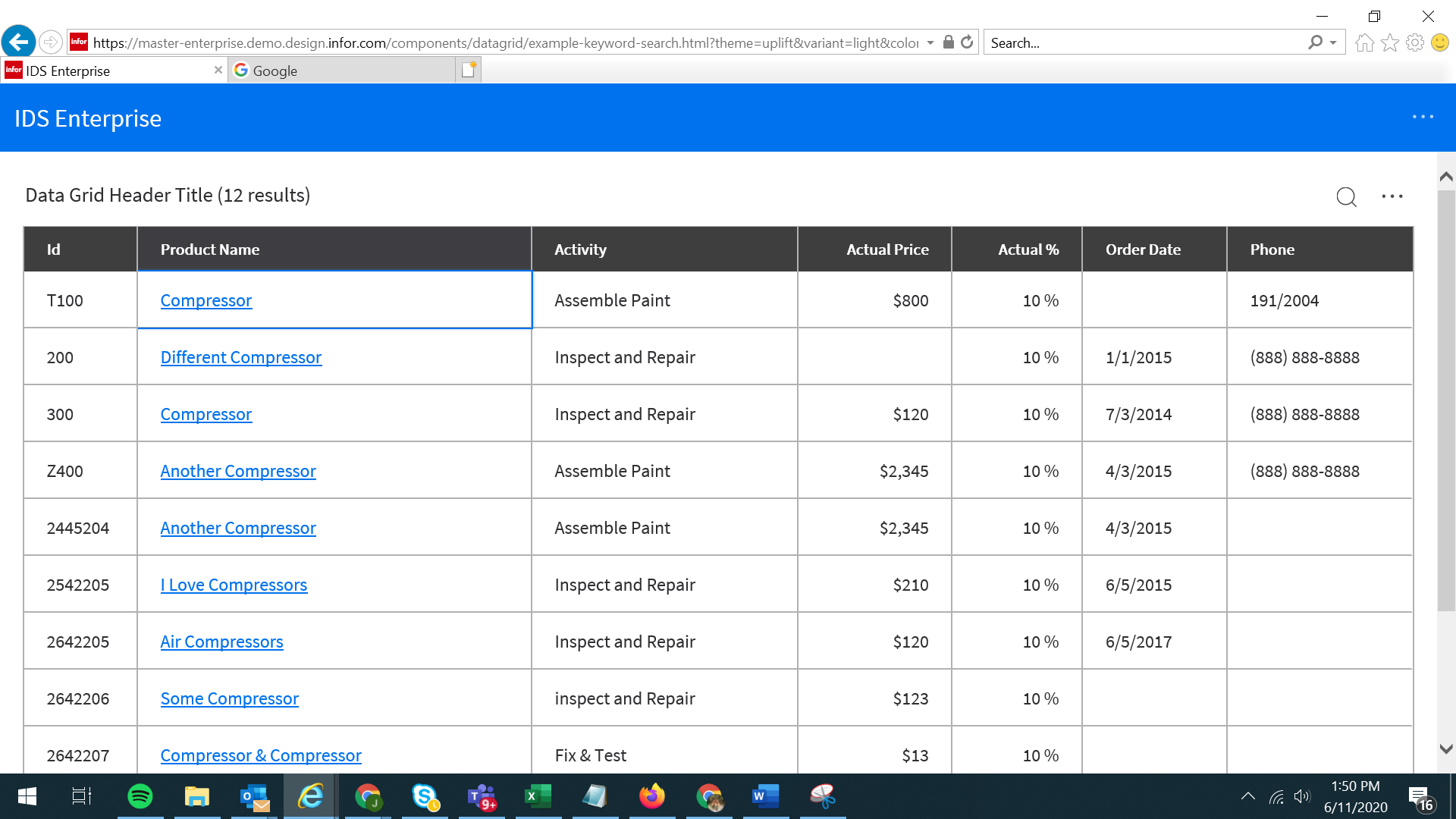
The issue is now resolved. Thank you.
Verified in
https://master-enterprise.demo.design.infor.com/components/datagrid/example-keyword-search.html?theme=uplift&variant=light&colors=0066D4
 janahintal
on 11 Jun 2020
janahintal
on 11 Jun 2020
Is there a way to add a different link per row?
 dmolinaj
on 6 Jul 2021
dmolinaj
on 6 Jul 2021
@dmolinaj you can use the href as a function or put {{value}} in the string that will be replaced with the value see https://github.com/infor-design/enterprise/blob/main/src/components/datagrid/datagrid.formatters.js#L261-L269
Also please use MS Teams for questions not posting on old closed issues
tmcconechy
on 6 Jul 2021
Related issues
jbrcna
·
3Comments
jbrcna
·
3Comments
 SasiPalanati
·
3Comments
SasiPalanati
·
3Comments
 CindyMercadoReyes
·
3Comments
CindyMercadoReyes
·
3Comments
 guoliang
·
3Comments
guoliang
·
3Comments
Most helpful comment
OK i see. thanks for clarifying. i will reopen and @deep7102 can address that case