Enterprise: Dropdown: Unaligned Dropdown when using Compound Field
Describe the bug
Using Compound Field with Dropdown and a different component, the Dropdown sits below the other component by around 5px.
To Reproduce
Steps to reproduce the behavior:
- Go to Directory List
- Click on Forms then Example Forms (https://master-enterprise.demo.design.infor.com/components/form/example-forms.html)
- Scroll down to Dropdown and Button in Compound Field
- See error
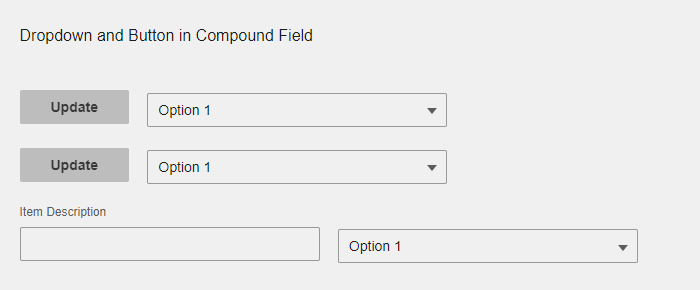
Expected behavior
The dropdown is aligned with the component its compound with.
Version
4.27.0-dev
Screenshots
I've tested with several components to see what its unaligned with.
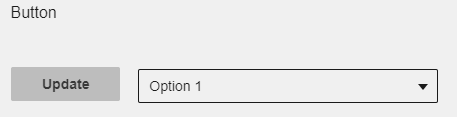
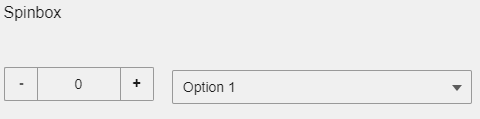
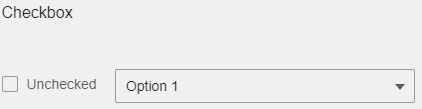
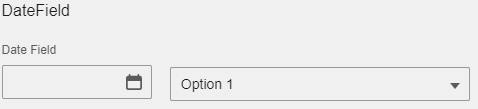



Switch appears to be completely unaligned.
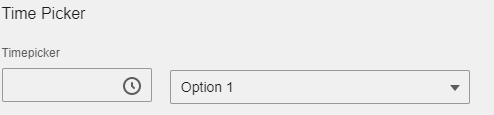

Platform
- OS Version: Windows 10
- Browser Name: Chrome
- Browser Version: Version 80.0.3987.149 (Official Build) (64-bit)
Additional context
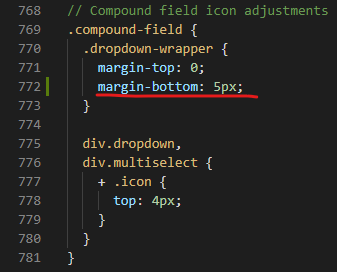
I tested a fix to this on _dropdown.scss by adding a margin-bottom: 5px and it appears to fix a majority of the tested components (Switch is still going to be an issue).
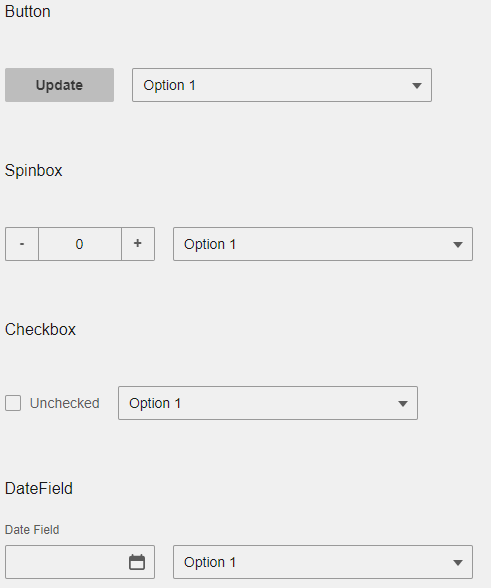
This is what it became, I hope my suggested fix is of help.
 Mark-Pearson1
All 5 comments
Thanks. Your fix seems reasonable. Do you want to do a pull request? Also do you need all the fields in question? If not we can probably skip switch for now.
 tmcconechy
on 23 Mar 2020
tmcconechy
on 23 Mar 2020
Yeah I'll do a pull request and the only thing I don't need is the switch. Thanks!
Mark-Pearson1
on 23 Mar 2020
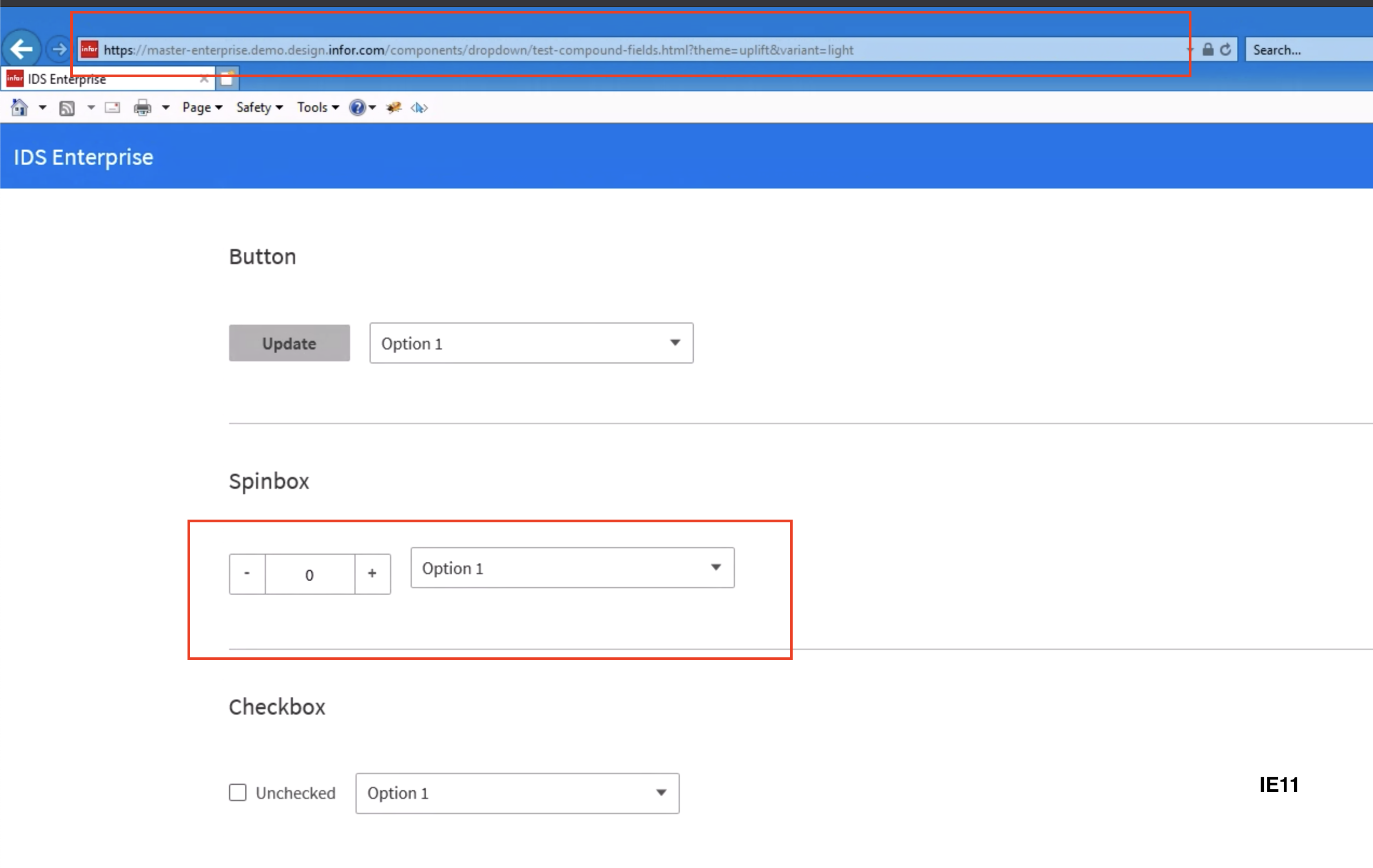
QA Failed
v4.27.0-dev
https://master-enterprise.demo.design.infor.com/components/form/example-forms.html
https://master-enterprise.demo.design.infor.com/components/dropdown/test-compound-fields.html
 jbrcna
on 25 Mar 2020
jbrcna
on 25 Mar 2020
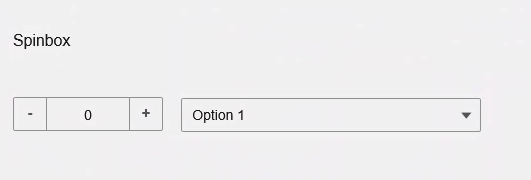
I'm not seeing this on my end... IE 11 - Windows 10:
tmcconechy
on 25 Mar 2020
Going to descope this for the time being
tmcconechy
on 26 Mar 2020
Related issues
 janahintal
·
3Comments
jbrcna
·
3Comments
janahintal
·
3Comments
jbrcna
·
3Comments
 sanx72
·
3Comments
sanx72
·
3Comments
 guoliang
·
3Comments
jbrcna
·
3Comments
guoliang
·
3Comments
jbrcna
·
3Comments