Enterprise: Datagrid: Missing stretchcolumn when re-rendering
Describe the bug
We found some columns are not showing/displaying in the View/UI in the latest IDS version. In our app.
Investigation
Columns should be between these 2 column, but it is not appearing.
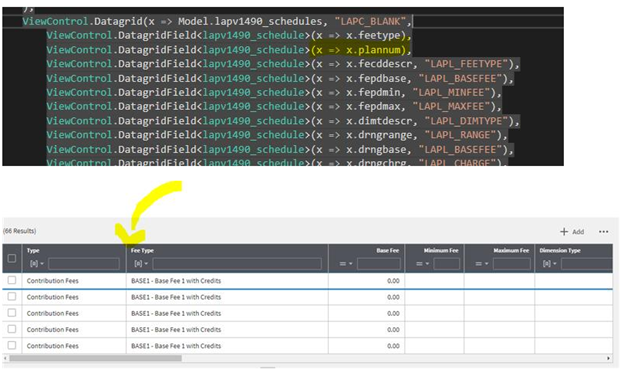
- Verify Hidden set to ‘False’

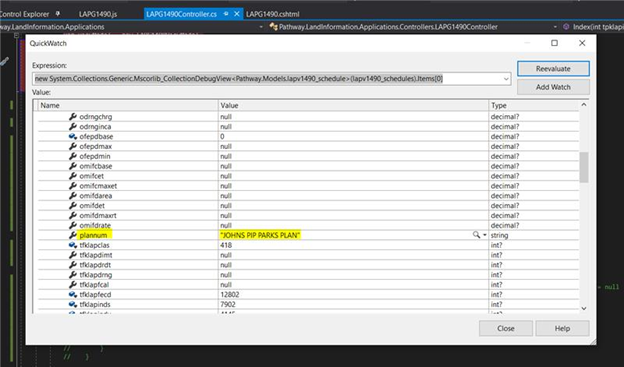
- Verify column name lapv1490_schedules has values, the plannum has value on it.
Steps to reproduce
- Go to http://master-enterprise.demo.design.infor.com/components/datagrid/test-horizontal-scroll.html
- Type the following in the console
var datagrid = $('#datagrid').data('datagrid')
datagrid.settings.stretchColumn = "productName"
datagrid.render()
- Notice productName is invisible.
Expected behavior
Available columns should be displayed in the UI.
Platform
- Chrome Version 79.0.3945.88 (Official Build) (64-bit)
-data-sohoxi-version="4.25.0-dev"
 rowelineeveresurreccion
All 6 comments
A similar issue should be fixed in 4.25-dev already. There was an issue with hidden columns in that the columns might be set to width zero. I'm not 100% sure why you should still have an issue.
But there is no way to reproduce and test this issue given the steps, the issue seems focused on your code. Can you upload a runnable example we can drop into the demo app and see the issue?
 tmcconechy
on 7 Jan 2020
tmcconechy
on 7 Jan 2020
Hi @tmcconechy will verify it again and give you the details. Once done will get back to you. Thank you.
rowelineeveresurreccion
on 9 Jan 2020
Hi @tmcconechy please see details below:
Upon further investigation we found that issue is that the column “plannum” was caused by the generated width is “max-width:99%” as suppose to the “numeric px” width. We checked on the Soho.js and found this line which the column “plannum”’s condition fits.
For some reason the column “plannum” is included in the Settings.stretchColumn as shown on the soho.js script here:
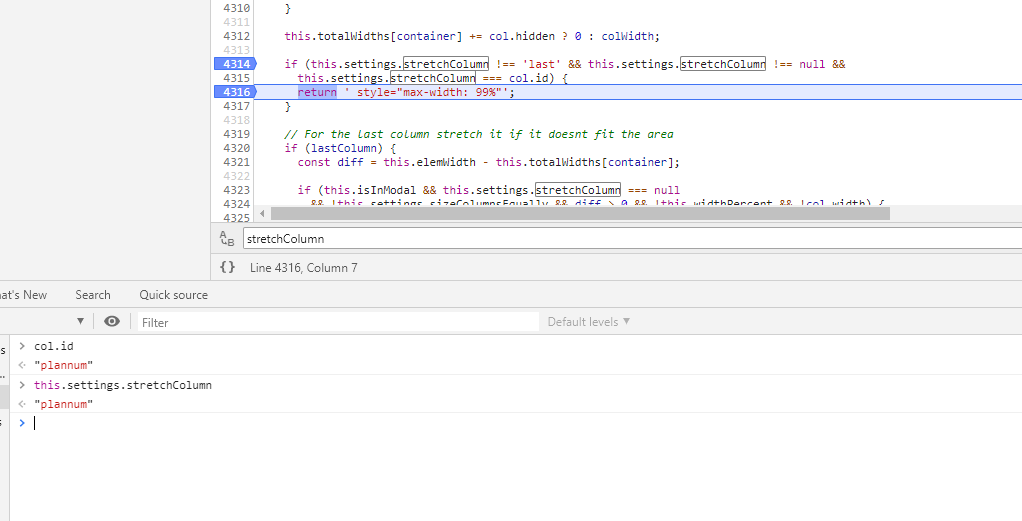
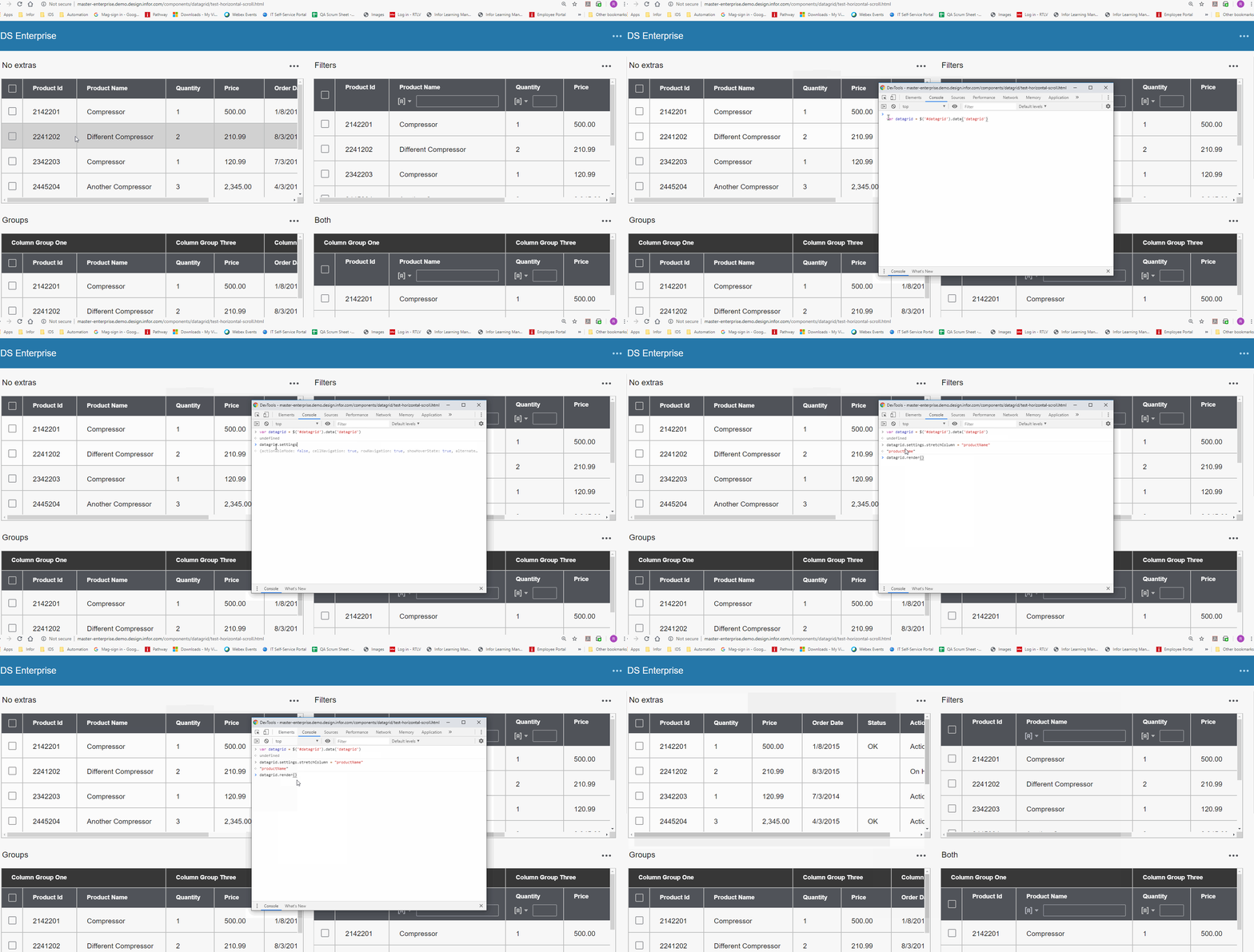
We tried to replicate on http://master-enterprise.demo.design.infor.com/components/datagrid/test-horizontal-scroll.html
Code used on the image:
var datagrid = $('#datagrid').data('datagrid')
datagrid.settings.stretchColumn = "productName"
datagrid.render()
rowelineeveresurreccion
on 10 Jan 2020
Ok got it. Updating the steps to make it more clear.
tmcconechy
on 10 Jan 2020
Its possible that this PR may fix it https://github.com/infor-design/enterprise/issues/3308 but will retest after this is added.
tmcconechy
on 10 Jan 2020
I tested this PR and it does in fact fix this issue
tmcconechy
on 10 Jan 2020
Related issues
 jbrcna
·
3Comments
jbrcna
·
3Comments
 brianjuan
·
3Comments
brianjuan
·
3Comments
 janahintal
·
3Comments
janahintal
·
3Comments
 fitzorama
·
3Comments
fitzorama
·
3Comments
 SofiK
·
3Comments
SofiK
·
3Comments