Enterprise: Uplift: Re-specify Qualitative colors for uplift.
Is your feature request related to a problem? Please describe.
Some of the charts do not look that great when using the uplift theme. This is because the "Qualitative chart colors" elements were not reconsidered when adding the uplift new colors. Particular some of the colors are more similar and the turquoise03 is hard to see.
Describe the solution you'd like
Redesign slide 11 of the attached document to uplift theme. We can either change the soho ones and add a second list of uplift colors like the soho design slide.
Additional context
Noticible on http://latest-enterprise.demo.design.infor.com/components/bar/example-colors.html?theme=uplift&variant=light&colors=0563C2
See slide 11
soho_xi_BI_guidelines.pdf.zip
This is also mentioned on https://design.infor.com/resources/data-visualization-guidelines
Designs (Sketch)
 tmcconechy
All 14 comments
cc @kentonquatman @kevinwhitedesign @elizabethhartley
tmcconechy
on 21 Oct 2019
Moving this up as not quite done from design and the sprint ended.
tmcconechy
on 9 Dec 2019
@tmcconechy sorry — we'll be reviewing them tomorrow and then they should be ready for handoff
 elizabethhartley
on 9 Dec 2019
elizabethhartley
on 9 Dec 2019
Not a problem, we will get them in as we can next sprint.
tmcconechy
on 9 Dec 2019
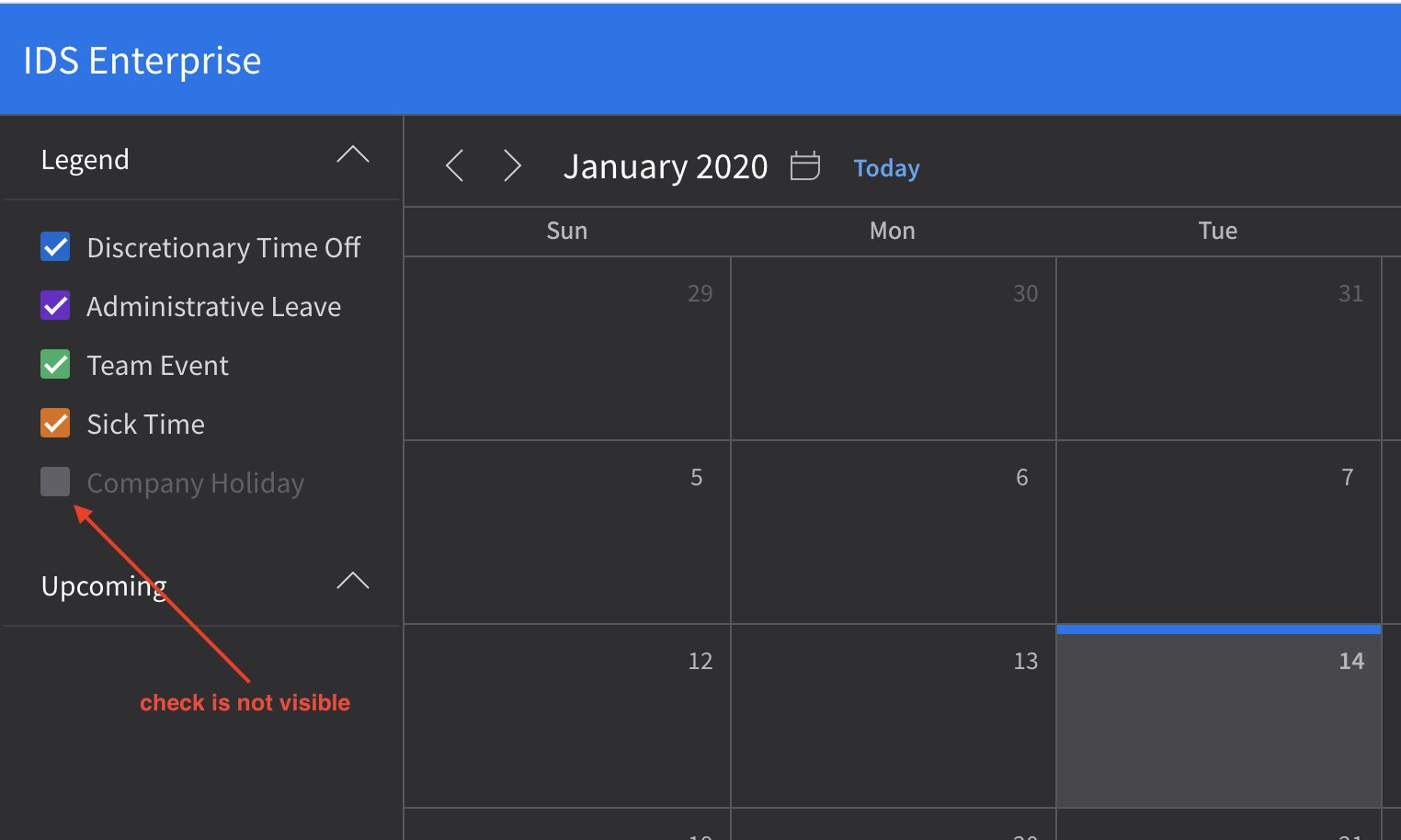
Found an issue that might be related to this since this is working fine in previous version (4.24).
Check is not visible in Calendar Uplift theme Dark variant.
http://master-enterprise.demo.design.infor.com/components/calendar/example-index.html?theme=uplift&variant=dark
Few observations - your call guys if need to be addressed.
- Color of disabled menus in contextmenu are hardly recognizable from the regular menus.
http://master-enterprise.demo.design.infor.com/components/contextmenu/example-index.html?theme=uplift&variant=light

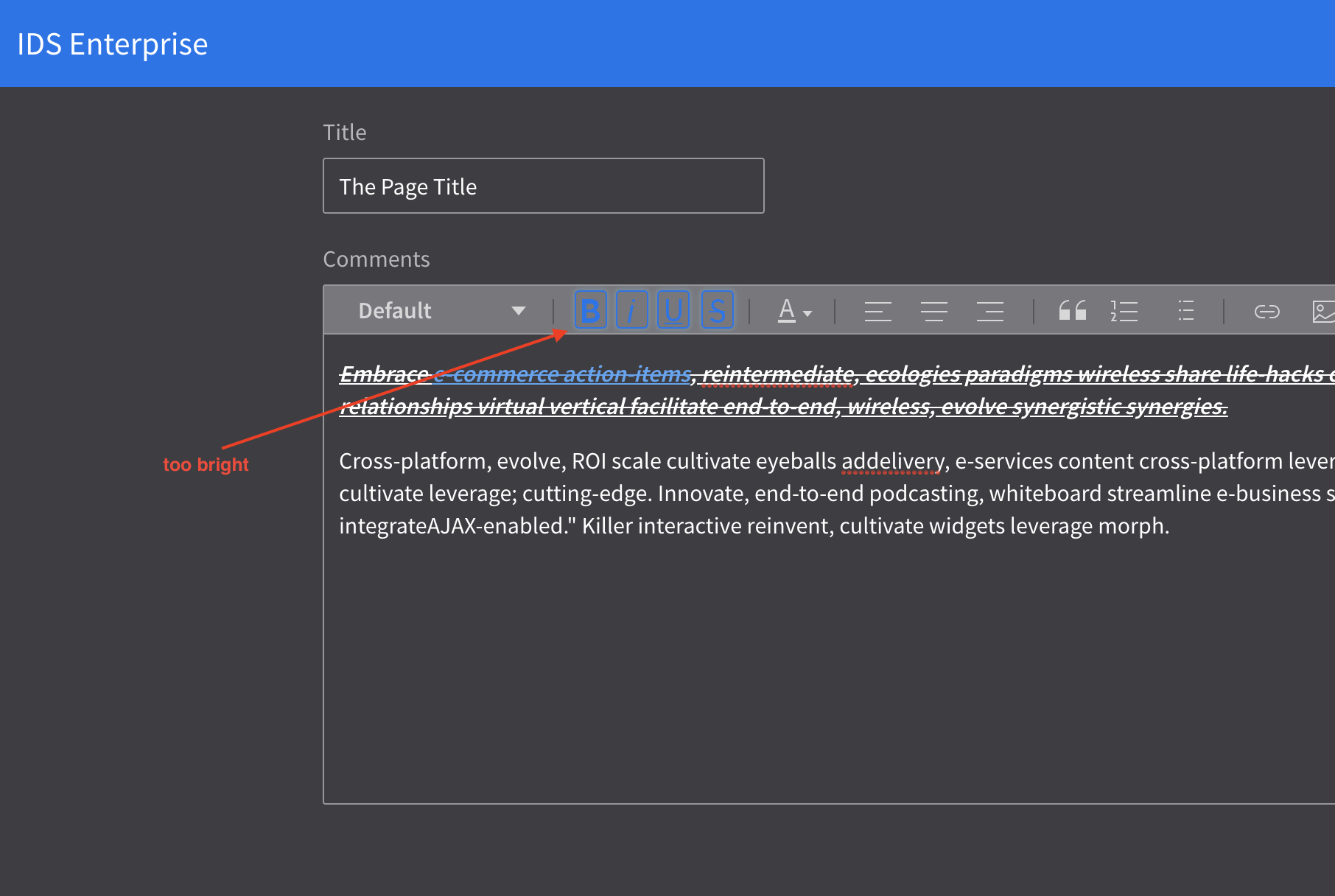
- Colors of selected tools in Editor are too bright in Uplift theme Dark variant.
http://master-enterprise.demo.design.infor.com/components/editor/example-index.html?theme=uplift&variant=dark
 brianjuan
on 14 Jan 2020
brianjuan
on 14 Jan 2020
Hey Brian!
My understanding of the first issue is that the checkbox is disabled and therefore not checked nor clickable. The color, however, is a little dark — we should revisit it.
The second issue is indeed a problem. We'll have to address this when we look at re-assigning the tokens to new colors.
As for the third issue, I believe @kentonquatman is working on some new Text Editor designs — this might solve for this problem. If that won't be ready for a while we can change that color to a lighter blue when we circle back to more in-depth color QA.
Let me know what you think @kentonquatman @tmcconechy
elizabethhartley
on 14 Jan 2020
Yes, i agree.
1) Its not checked - but will update the example
2) i can fix this for now
3) i agree that the dark editor changes for the toolbar background dont 100% work maybe we should just set it back to what it was for now? I can make some tweaks and see. So i will address this a bit.
tmcconechy
on 14 Jan 2020
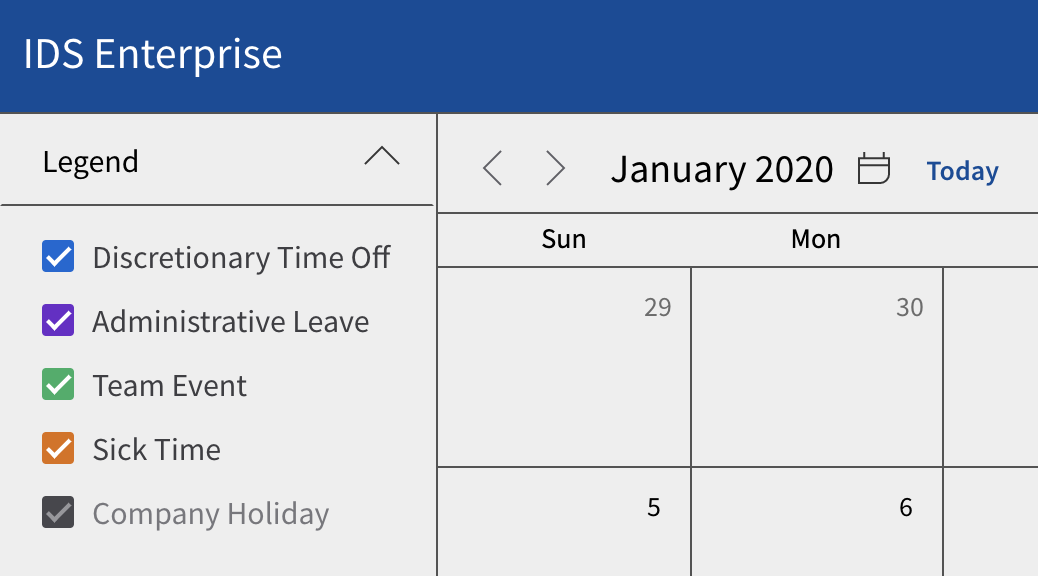
Hi Elizabeth and Tim, thanks for the clarification on disabled checkbox issue. With this, I think we should remove the check in Light and High Contrast as well.
Light

High Contrast
Noted on second and third issue. Thanks @elizabethhartley and @tmcconechy .
brianjuan
on 15 Jan 2020
@brianjuan oh! yes you're right. good catch 👍
elizabethhartley
on 15 Jan 2020
Are company holidays always displayed on the calendar or always hidden?
 kentonquatman
on 15 Jan 2020
kentonquatman
on 15 Jan 2020
@kentonquatman its really just a placeholder / example. They can configure the legend to whatever they want and provide whatever data they want for their company. So the legend is entirely an example based on faked data here. The issue is really just the disabled checkbox not working with one color in particular as you can also configure the legend checkbox colors http://latest-enterprise.demo.design.infor.com/components/checkboxes/example-legend-colors.html
I'll address a few things here asap.
tmcconechy
on 15 Jan 2020
My comment was going to be that we will need a checked state for the dark theme. I would leave them checked and make sure the disabled works well in all three themes.
kentonquatman
on 15 Jan 2020
Yeah or maybe i just pick a different checkbox color than slate/graphite for the example (or a different slate/graphite value that works across all themes). On their own without the colorized versions we have a color for disabled in dark mode http://latest-enterprise.demo.design.infor.com/components/checkboxes/example-index.html?theme=uplift&variant=dark not sure if it needs tweaking but it is visible.
tmcconechy
on 15 Jan 2020
All of the issues and observations above are now resolved in 4.25.0-rc0, tested in all browsers as well. This is now QA passed.
brianjuan
on 23 Jan 2020
Related issues
 jbrcna
·
3Comments
jbrcna
·
3Comments
jbrcna
·
3Comments
jbrcna
·
3Comments
 dubde
·
4Comments
dubde
·
4Comments
 janahintal
·
3Comments
janahintal
·
3Comments
janahintal
·
3Comments
janahintal
·
3Comments
Most helpful comment
Yes, i agree.
1) Its not checked - but will update the example
2) i can fix this for now
3) i agree that the dark editor changes for the toolbar background dont 100% work maybe we should just set it back to what it was for now? I can make some tweaks and see. So i will address this a bit.