Enterprise: Toolbar button click does not dismiss application menu on mobile.
Describe the bug
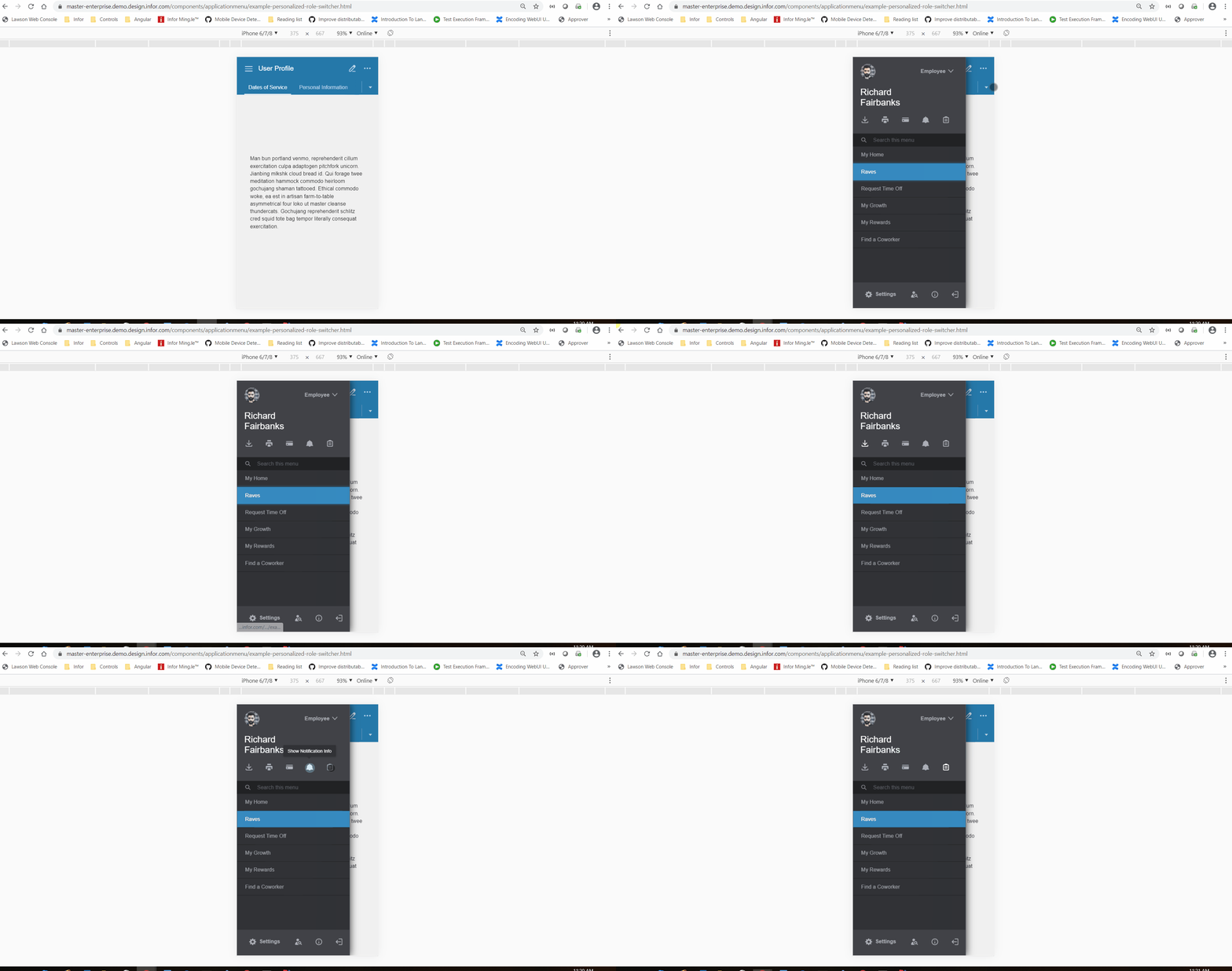
Toolbar button click does not dismiss application menu on mobile.
To Reproduce
Steps to reproduce the behavior:
Go to http://master-enterprise.demo.design.infor.com/components/applicationmenu/example-personalized-role-switcher.html
Open Developer Tools - Toggle Device toolbar to iPhone
Click on the toolbar button, it should dismiss the menu.
Expected behavior
Clicking toolbar button on application menu on mobile should dismiss the menu.
Version
- ids-enterprise: v4.19.0-dev.20190424
Screenshots
Platform
- Device: iPhone 6/7/8
 vonnyw
All 14 comments
I'm not 100% convinced it should always close when clicking the toolbar buttons? Perhaps it's better you do this if needed in your code you use to handle the buttons?
 tmcconechy
on 24 Sep 2019
tmcconechy
on 24 Sep 2019
I should add, if 'dismissOnClickMobile' is true, then dismiss the menu.
vonnyw
on 24 Sep 2019
Ok, yeah that makes sense i think if dismissOnClickMobile is true then these also can close.
tmcconechy
on 24 Sep 2019
This ended up being related to Popupmenu trigger buttons, not specifically Toolbar-related. I've put the change there and it seems to work nicely.
 EdwardCoyle
on 3 Oct 2019
EdwardCoyle
on 3 Oct 2019
QA Passed. Working as expected. Will move to Done. Thanks.
Verified in http://4220-beta0-enterprise.demo.design.infor.com/components/applicationmenu/example-personalized-role-switcher across all platform.
 janahintal
on 7 Oct 2019
janahintal
on 7 Oct 2019
This issue still persists, it is not the same as #2890. Please see attached recording.
vonnyw
on 23 Mar 2020
Can you make an new issue then? If its "not the same". I think that makes more sense. Video missing.
We fixed this as described and i retested and its working ok. On chrome - dev tools iphone
tmcconechy
on 23 Mar 2020
This issue is #2831, but was linked and closed by #2890 although they are not the same issues. Video has been added.
vonnyw
on 23 Mar 2020
Where is the video?
tmcconechy
on 23 Mar 2020
The .gif recording was added to the Screenshots part of this issue description.
vonnyw
on 23 Mar 2020
OK is that a different video? I just looked at it again and before it showed clicking the toolbar button on the outside of the dialog.
tmcconechy
on 23 Mar 2020
Hmm, not sure which video you are referring to. I included both issues on the .gif to illustrate they are 2 different issues. Toolbar button on content area vs. toolbar button on application menu header.
vonnyw
on 23 Mar 2020
Ok i feel like the video was switched on me. But ok i see the issue as shown.
tmcconechy
on 23 Mar 2020
QA Passed
The issue is now resolved in v4.29.0-dev. this is working as expected in Developer Tools - Toggle Device toolbar and Browserstack Mobile devices
https://master-enterprise.demo.design.infor.com/components/applicationmenu/example-personalized-role-switcher.html?
 jbrcna
on 15 May 2020
jbrcna
on 15 May 2020
Related issues
 sanx72
·
3Comments
sanx72
·
3Comments
 swetteinfor
·
3Comments
swetteinfor
·
3Comments
 pwpatton
·
3Comments
pwpatton
·
3Comments
 guoliang
·
3Comments
jbrcna
·
3Comments
guoliang
·
3Comments
jbrcna
·
3Comments
Most helpful comment
I should add, if 'dismissOnClickMobile' is true, then dismiss the menu.