Enterprise: Calendar: Incorrect date/time format in duration
Describe the bug
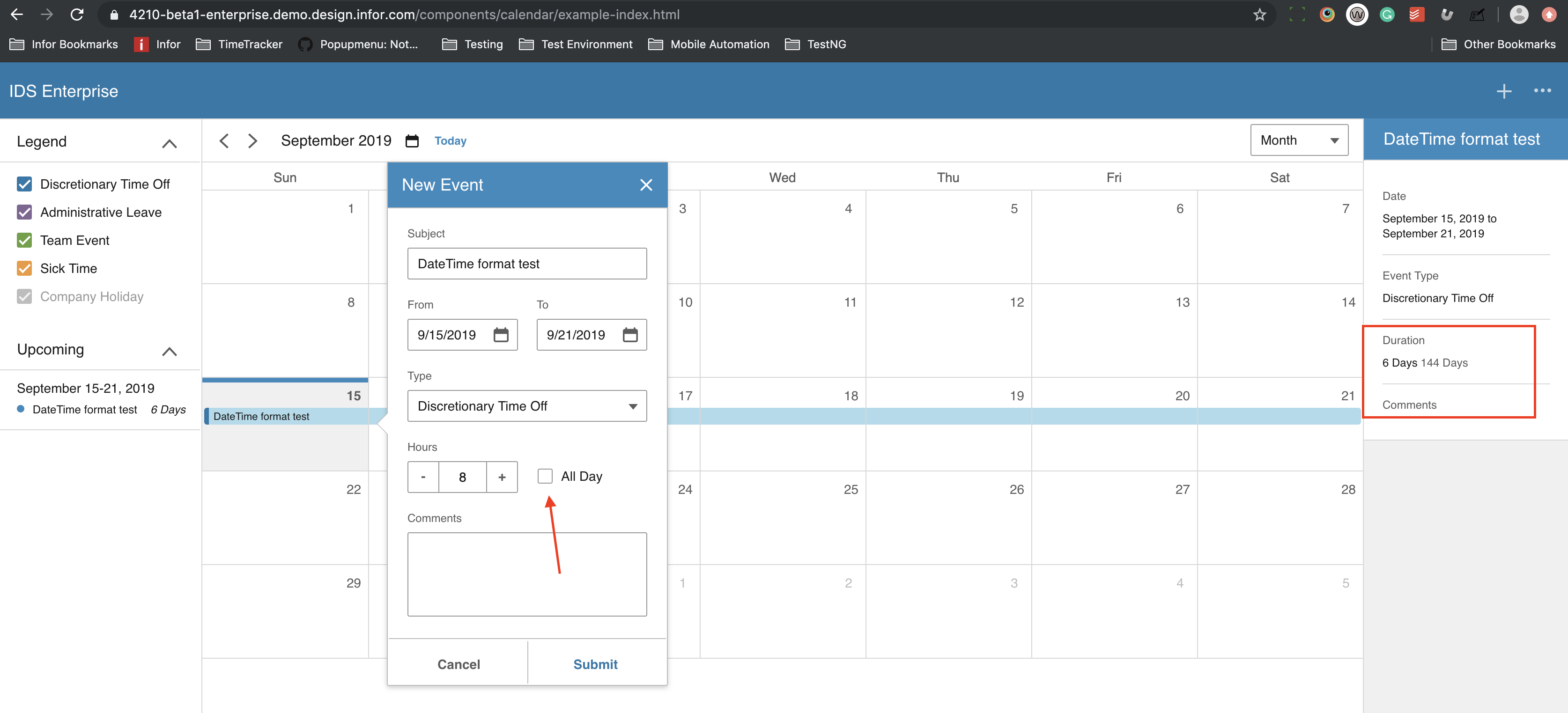
Incorrect date/time format in duration when 'All Day' is unchecked
To Reproduce
Steps to reproduce the behavior:
- Go to https://4210-beta1-enterprise.demo.design.infor.com/components/calendar/example-index.html
- Create an event from September 15 to 21
- Uncheck 'All Day'
- Verify Duration in the right side panel
Expected behavior
Should display a correct date/time format
Version
- ids-enterprise: 4.21 beta1
Screenshots
Platform
- All
Additional context
Add any other context about the problem here.
 johnbarcena
All 6 comments
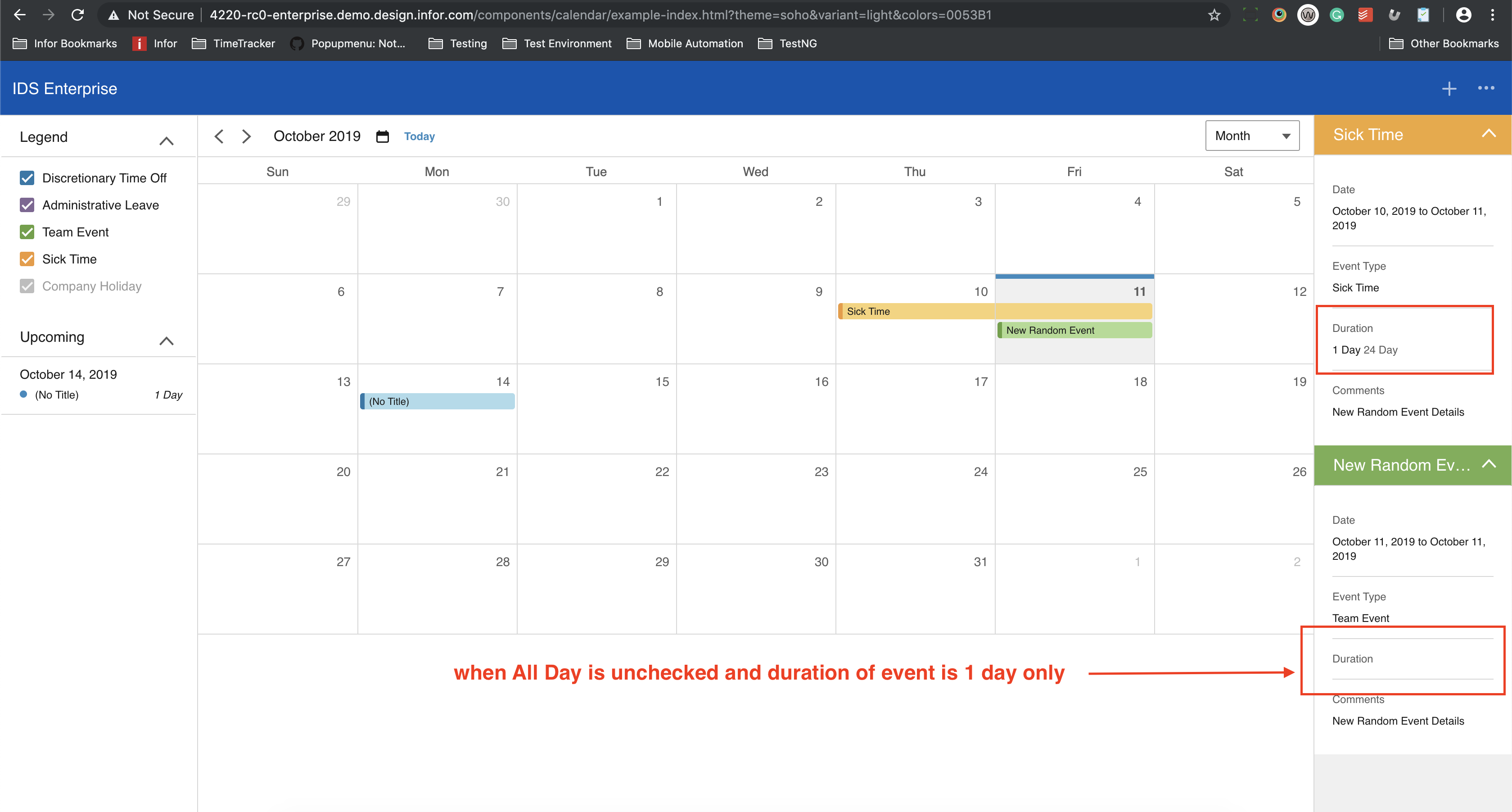
tested on 4.22 rc0 and it seems fine. see screenshot
However, hours are not computed accordingly i.e (you use 7 hrs or less). Lastly, when all day is unchecked and duration of event is 1 day only, there's no duration displayed.
johnbarcena
on 11 Oct 2019
This may be a time zone issue similar to https://github.com/infor-design/enterprise/issues/2768
 tmcconechy
on 11 Oct 2019
tmcconechy
on 11 Oct 2019
This issue still exists in 4.250 beta 0
https://4250-beta0-enterprise.demo.design.infor.com/components/calendar/example-index.html#
Observations are as follows:
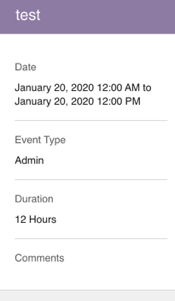
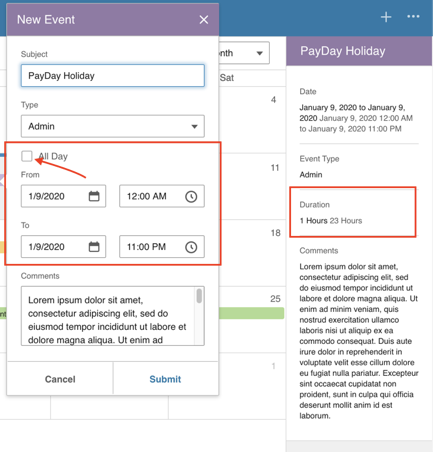
- If you uncheck
All Daywithin a single day it will display a CORRECT duration of date and time
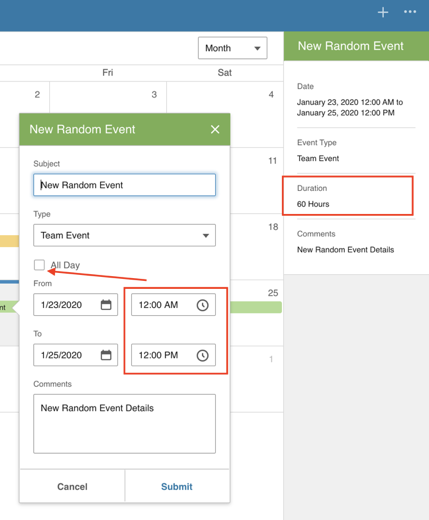
But if you uncheck
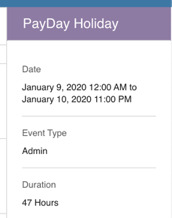
All Dayand select multiple days it will display an INCORRECT duration of time. Noticed that only a single day is counted as 12hrs. 24hrs x 2 + 12 = 60
Lastly, When you set 23-hour duration it will display an INCORRECT duration of time. It's 47 hours if you make it 2 days. The same issue noted above in no.2
 jbrcna
on 17 Jan 2020
jbrcna
on 17 Jan 2020
This bug is not fixed yet not sure when we will have time
tmcconechy
on 17 Jan 2020
Noted on that @tmcconechy . I just put some observations because of the UI change for reference.
jbrcna
on 17 Jan 2020
This issue is now resolved. Moving this ticket to the Done column.
 CindyMercadoReyes
on 11 Feb 2020
CindyMercadoReyes
on 11 Feb 2020
Related issues
 dubde
·
4Comments
dubde
·
4Comments
 swetteinfor
·
3Comments
swetteinfor
·
3Comments
 pwpatton
·
3Comments
jbrcna
·
3Comments
pwpatton
·
3Comments
jbrcna
·
3Comments
 SasiPalanati
·
3Comments
SasiPalanati
·
3Comments