Enterprise: App Menu personalized background color is black on initial load
Describe the bug
App Menu background color is black on initial load
To Reproduce
Steps to reproduce the behavior:
- Go to
http://4180-beta0-enterprise.demo.design.infor.com/components/applicationmenu/example-personalized-roles.html
http://4180-beta0-enterprise.demo.design.infor.com/components/applicationmenu/example-personalized.html
http://4180-beta0-enterprise.demo.design.infor.com/components/applicationmenu/example-personalized-role-switcher.html - Change the Personalization color to 'Amber'
- Switch back to Azure
Expected behavior
Default background color should be 'Azure'
Version
v4.18.0
Screenshots
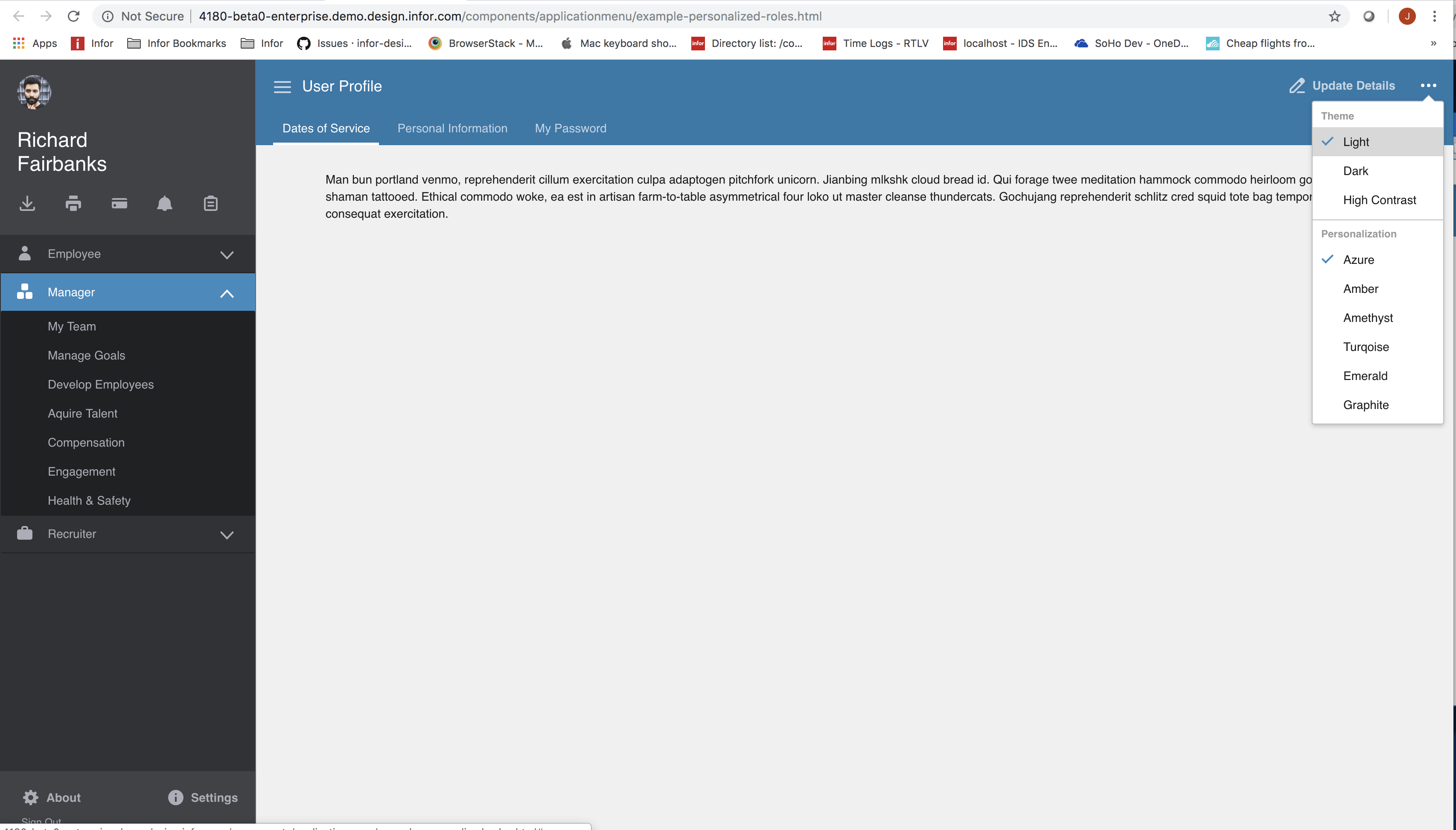
Platform
All Browser, OS and Devices
Additional context
No any other context about the problem here.
 janahintal
>All comments
This is the old color of the app menu, so for backwards compatibility it will remain black. But you can opt in to changing the color if you want for example with http://4180-beta0-enterprise.demo.design.infor.com/components/applicationmenu/example-personalized.html?colors=2578A9
I dont think we should change this to azure by default as thats a breaking change someone might complain about. Unless you disagree? @clepore @nickwynja .
So I think this is not really an issue.
 tmcconechy
on 25 Apr 2019
tmcconechy
on 25 Apr 2019
Related issues
 jbrcna
·
3Comments
jbrcna
·
3Comments
 swetteinfor
·
3Comments
swetteinfor
·
3Comments
 awbuboltz
·
3Comments
awbuboltz
·
3Comments
 SasiPalanati
·
3Comments
SasiPalanati
·
3Comments
 brianjuan
·
3Comments
brianjuan
·
3Comments
Most helpful comment
This is the old color of the app menu, so for backwards compatibility it will remain black. But you can opt in to changing the color if you want for example with http://4180-beta0-enterprise.demo.design.infor.com/components/applicationmenu/example-personalized.html?colors=2578A9
I dont think we should change this to azure by default as thats a breaking change someone might complain about. Unless you disagree? @clepore @nickwynja .
So I think this is not really an issue.