Enterprise: Dropdown: 'startsWith' filter works by word rather than start of a String
Describe the bug
The 'startsWith' filter currently works on words of a String, rather than start of a String (see below for example). Currently, there is no way to filter on start of a String.
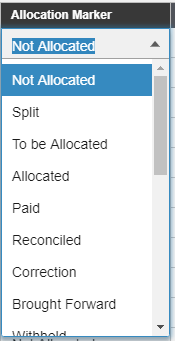
Example list:
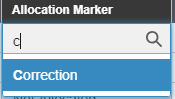
If I enter 'C' I expect 'Correction' to be selected. This works
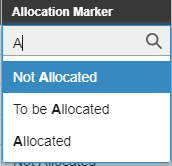
However, if I enter 'A' I expect ''Allocated' to be selected but instead 'Not Allocated' is selected. It seems that the 'startsWith' works on word splits.
To Reproduce
Steps to reproduce the behavior:
- Go to https://design.infor.com/code/ids-enterprise/latest/demo/components/dropdown/test-filter-types.html
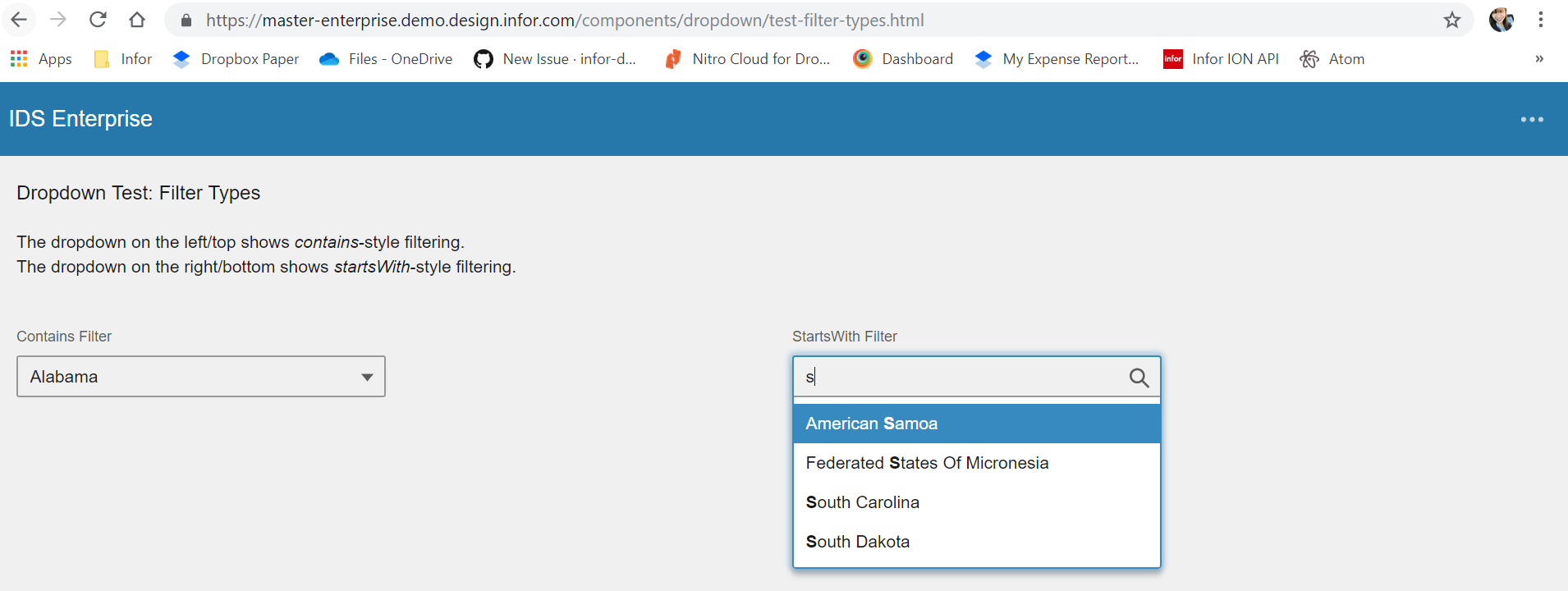
- Enter 'S' into 'StartsWith Filter' dropdown.
- 'American Samoa' selected by default
Expected behavior
Expected 'South Carolina' to be selected by default
Version
Found in 4.14.0, exists in 4.15.0
Platform
- Device: PC
- OS Version: Windows 10
- Browser Name: Chrome
- Browser Version: Version 72.0.3626.81 (Official Build) (64-bit)
Additional context
Discussion had with @tmcconechy and thought process was to change existing 'startsWith' behavior to filter based on start of String, and to add a new filter option such as 'startsWithWord' to filter based on the current behavior of 'startsWith'.
 rvaja-infor
All 13 comments
What is the update on this issue? Will anybody be picking this up soon, as the SunSystems application has customers that are awaiting resolution of this.
rvaja-infor
on 13 May 2019
We didnt have this one on our radar for immediate pick up but i will bring it up in tomorrow's sprint planning. Also if you do see a solution you can submit a Pull Request if you like.
 tmcconechy
on 13 May 2019
tmcconechy
on 13 May 2019
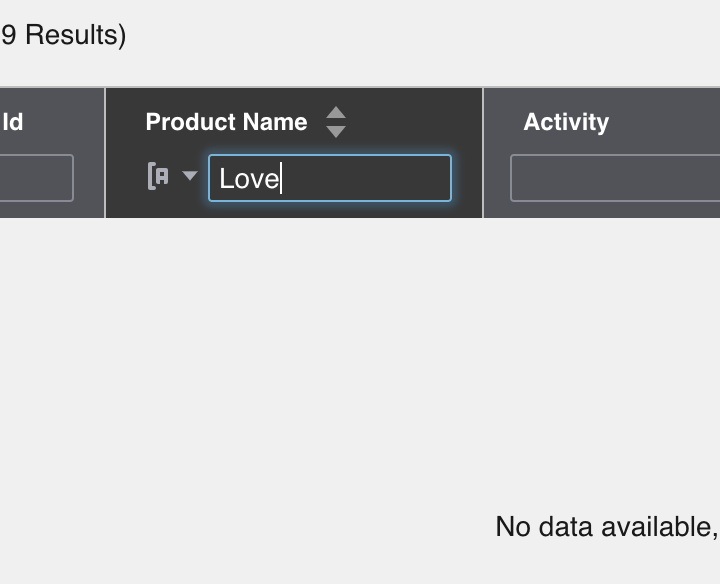
So after some more investigation, the datagrid startsWith() does filter only if the entire search string starts with the search term. It seems that the functionality differs between dropdown and datagrid, and dropdown should be fixed to match.
You can see all available options here:
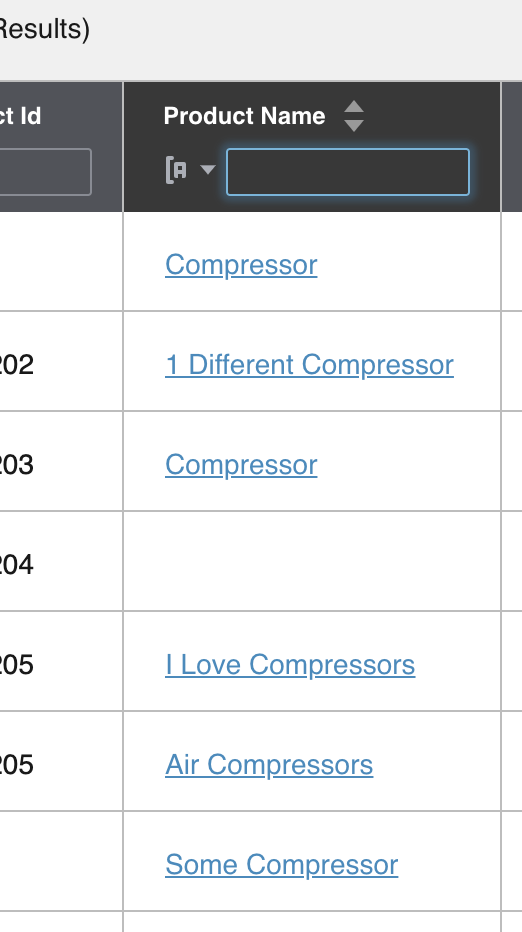
If you search for "Love" which is the second word, it doesn't "see" it, which is correct.
 clepore
on 28 May 2019
clepore
on 28 May 2019
Yeah I think at the time the design showed starts with each word so we did them at separate times and they work different. This fix should address the inconsistency in setting name and functionality
tmcconechy
on 28 May 2019
See "startsWith" setting in the source code.
Also noting that changing the functionality of startsWith setting would be a breaking change, so we cannot do that w/o a slow deprecation.
clepore
on 28 May 2019
Failed QA. Issue still exist.
 janahintal
on 19 Jun 2019
janahintal
on 19 Jun 2019
@janahintal we didn't change the default functionality, only deprecated the old filter name. That test should probably be updated with the new filter name, but the functionality there is correct.
 EdwardCoyle
on 19 Jun 2019
EdwardCoyle
on 19 Jun 2019
Actually @EdwardCoyle did we make an example for him on this issue of it filtering just at the start of the whole string not on the word seperation? Just to prove that works? Might be what @janahintal is refering to as the solution isnt actually shown.
tmcconechy
on 19 Jun 2019
On the note of deprecation. For how many releases is something left deprecated before it is fully removed?
rvaja-infor
on 19 Jun 2019
@rvaja-infor about 3 versions (months), but we wont always get to it exactly on time so could be longer
tmcconechy
on 19 Jun 2019
@tmcconechy there isn't a page that demonstrates it, but there is a functional test
EdwardCoyle
on 19 Jun 2019
Just re-opening for the moment. I'm going to push a better example that demonstrates all the Dropdown filter methods.
EdwardCoyle
on 27 Jun 2019
QA Passed. Tested in https://master-enterprise.demo.design.infor.com/components/dropdown/test-filter-types.html across all browser, OS and devices.
janahintal
on 3 Jul 2019
Related issues
 jbrcna
·
3Comments
jbrcna
·
3Comments
 brianjuan
·
3Comments
jbrcna
·
3Comments
brianjuan
·
3Comments
jbrcna
·
3Comments
 SasiPalanati
·
3Comments
SasiPalanati
·
3Comments
 pwpatton
·
3Comments
pwpatton
·
3Comments
Most helpful comment
@tmcconechy there isn't a page that demonstrates it, but there is a functional test